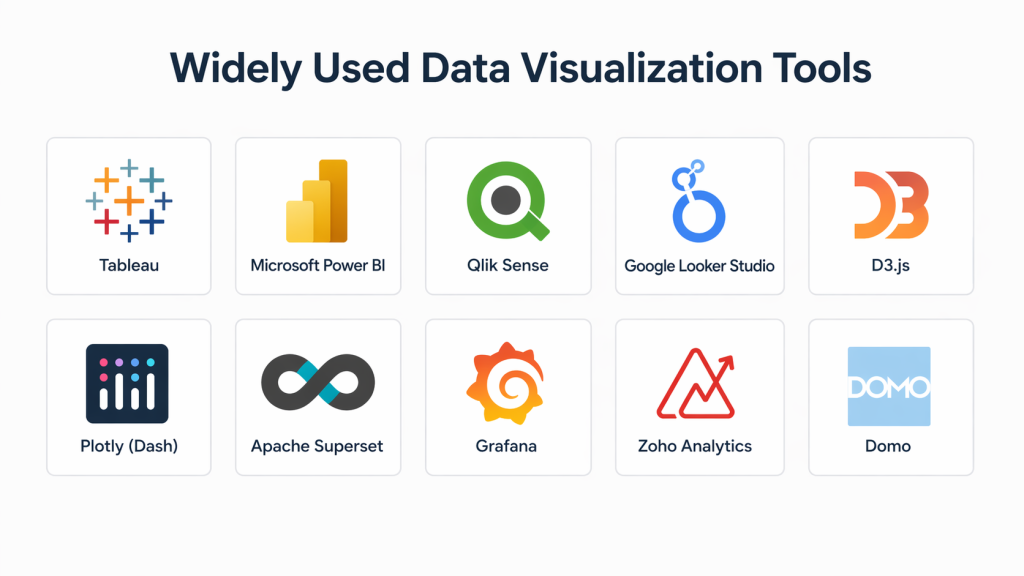
Introduction
Data visualization tools are software platforms that transform raw data into visual formats such as charts, dashboards, graphs, and maps. These tools help users understand complex datasets quickly by presenting patterns, trends, and insights in a clear and interactive way.
As businesses become increasingly data-driven, visualization tools play a critical role in decision-making. From executives monitoring KPIs to analysts exploring datasets, these tools bridge the gap between data and actionable insights. Modern platforms now integrate AI, real-time analytics, and automation to make visualization faster and more intuitive.
Real-world use cases include:
- Building interactive dashboards for business intelligence
- Visualizing sales, marketing, or financial performance
- Monitoring real-time operational data
- Creating reports for stakeholders and executives
- Exploring large datasets for trends and anomalies
What buyers should evaluate:
- Ease of creating dashboards and visualizations
- Data integration and connectivity options
- Real-time analytics capabilities
- AI and automation features
- Customization and scalability
- Performance with large datasets
- Collaboration and sharing features
- Security and data governance
- Pricing and licensing model
- Learning curve and usability
Best for: Data analysts, business intelligence teams, marketers, product managers, executives, and developers working with data-driven workflows.
Not ideal for: Organizations with minimal data usage or teams that rely only on simple spreadsheets without the need for advanced analytics.
Key Trends in Data Visualization Tools
- AI-driven insights: Platforms automatically generate charts and detect trends
- Natural language queries: Users can ask questions in plain language to generate visualizations
- Real-time dashboards: Faster data updates for operational decision-making
- Embedded analytics: Visualizations integrated directly into applications
- Cloud-first platforms: Increased adoption of SaaS-based tools
- Open-source adoption: Growth of flexible, developer-friendly tools
- Data storytelling features: Tools focusing on narrative-driven dashboards
- Cross-platform accessibility: Mobile and browser-based analytics
- Scalable big data support: Handling petabyte-scale datasets
- Collaborative analytics: Teams working together on shared dashboards
How We Selected These Tools (Methodology)
The tools in this list were selected based on:
- Market adoption and industry recognition
- Feature completeness across visualization and analytics
- Performance and scalability with large datasets
- Availability of AI and automation capabilities
- Integration with databases, APIs, and cloud platforms
- Suitability across different user segments
- Ease of use and onboarding experience
- Security and governance features
- Community and ecosystem strength
- Overall value for investment
Top 10 Data Visualization Tools
#1 — Tableau
Short description: A leading data visualization platform known for its powerful dashboards and ease of use, widely used by enterprises and analysts.
Key Features
- Drag-and-drop dashboard builder
- Interactive visualizations
- Real-time data connectivity
- Advanced analytics
- Data blending
- Storytelling dashboards
- Extensive visualization library
Pros
- Highly intuitive interface
- Strong community and ecosystem
- Excellent for large datasets
Cons
- Expensive licensing
- Can require optimization for large queries
Platforms / Deployment
Web / Windows / macOS
Cloud / On-premise
Security & Compliance
SSO, encryption, role-based access; others Not publicly stated
Integrations & Ecosystem
Supports integration with multiple data sources and platforms.
- Databases
- Cloud storage
- APIs
- CRM systems
Support & Community
Large global community, strong documentation, extensive tutorials.
#2 — Microsoft Power BI
Short description: A business intelligence tool that enables users to create interactive reports and dashboards with deep integration into the Microsoft ecosystem.
Key Features
- Real-time dashboards
- Data modeling
- AI-powered insights
- Natural language queries
- Custom visualizations
- Data transformation tools
- Integration with Excel
Pros
- Strong integration with Microsoft tools
- Affordable pricing
- Powerful analytics capabilities
Cons
- Limited customization compared to competitors
- Performance issues with large datasets
Platforms / Deployment
Web / Windows / Mobile
Cloud / Hybrid
Security & Compliance
Data encryption and governance features available
Integrations & Ecosystem
Deep integration with Microsoft ecosystem.
- Excel
- Azure
- SQL databases
- APIs
Support & Community
Extensive documentation and large enterprise community.
#3 — Qlik Sense
Short description: A modern analytics platform with AI-driven insights and flexible data exploration capabilities.
Key Features
- Associative data model
- AI-powered analytics
- Interactive dashboards
- Real-time data processing
- Data integration tools
- Embedded analytics
Pros
- Strong AI capabilities
- High-performance analytics
- Flexible deployment options
Cons
- Complex setup
- Learning curve for beginners
Platforms / Deployment
Web / Cloud / Hybrid
Security & Compliance
Not publicly stated
Integrations & Ecosystem
Connects with multiple enterprise systems.
- Databases
- APIs
- Cloud services
Support & Community
Enterprise-level support with active user community.
#4 — Looker Studio
Short description: A cloud-based visualization tool designed for reporting and dashboarding with strong integration capabilities.
Key Features
- Interactive dashboards
- Data connectors
- Custom reports
- Collaboration features
- Real-time analytics
Pros
- Easy to use
- Free entry-level access
- Strong integration ecosystem
Cons
- Limited advanced analytics
- Customization constraints
Platforms / Deployment
Web / Cloud
Security & Compliance
Not publicly stated
Integrations & Ecosystem
- Marketing platforms
- Analytics tools
- Databases
Support & Community
Good documentation and user support.
#5 — Domo
Short description: A cloud-native platform focused on business intelligence and data-driven decision-making.
Key Features
- Real-time dashboards
- Data integration tools
- Custom app creation
- Advanced analytics
- Collaboration features
Pros
- Strong collaboration features
- Scalable for businesses
- Easy dashboard creation
Cons
- Pricing not transparent
- Requires training
Platforms / Deployment
Web / Cloud
Security & Compliance
Access control features available
Integrations & Ecosystem
- Cloud platforms
- APIs
- Data warehouses
Support & Community
Enterprise support and onboarding.
#6 — Apache Superset
Short description: An open-source data visualization platform designed for developers and data teams working with large datasets.
Key Features
- Dashboard creation
- SQL-based data exploration
- Plugin architecture
- Lightweight semantic layer
- Large-scale data support
- Visualization customization
Pros
- Open-source and flexible
- Highly customizable
- Supports big data
Cons
- Requires technical expertise
- Setup complexity
Platforms / Deployment
Web / Self-hosted / Cloud
Security & Compliance
Supports enterprise authentication (OAuth, LDAP)
Integrations & Ecosystem
- SQL databases
- APIs
- Plugins
Support & Community
Strong open-source community and documentation.
#7 — Zoho Analytics
Short description: A business intelligence platform offering reporting, dashboards, and AI-driven insights.
Key Features
- Data blending
- AI assistant
- Interactive dashboards
- Data connectors
- Reporting tools
Pros
- Affordable pricing
- Easy integration with Zoho ecosystem
Cons
- Limited advanced customization
- UI can feel basic
Platforms / Deployment
Web / Cloud
Security & Compliance
Not publicly stated
Integrations & Ecosystem
- Zoho apps
- Databases
- APIs
Support & Community
Good support and onboarding resources.
#8 — Infogram
Short description: A web-based tool for creating infographics, charts, and visual reports without coding.
Key Features
- Drag-and-drop editor
- Infographic templates
- Interactive charts
- Collaboration tools
- Data import features
Pros
- Easy for beginners
- No coding required
Cons
- Limited advanced analytics
- Not ideal for large datasets
Platforms / Deployment
Web / Cloud
Security & Compliance
Not publicly stated
Integrations & Ecosystem
- Data imports
- Embedding tools
Support & Community
Beginner-friendly documentation.
#9 — Grafana
Short description: An open-source platform focused on real-time monitoring and visualization for infrastructure and applications.
Key Features
- Real-time dashboards
- Alerting system
- Data source integrations
- Custom plugins
- Time-series analysis
Pros
- Excellent for monitoring data
- Highly customizable
Cons
- Requires technical setup
- Not ideal for non-technical users
Platforms / Deployment
Web / Self-hosted / Cloud
Security & Compliance
Not publicly stated
Integrations & Ecosystem
- Databases
- Cloud platforms
- APIs
Support & Community
Strong open-source community.
#10 — Datawrapper
Short description: A visualization tool focused on creating charts and maps for publishing and media use.
Key Features
- Chart builder
- Map visualization
- Responsive design
- Data import
- Publishing tools
Pros
- Simple and fast
- Ideal for storytelling
Cons
- Limited advanced analytics
- Not suitable for complex datasets
Platforms / Deployment
Web / Cloud
Security & Compliance
Not publicly stated
Integrations & Ecosystem
- CMS platforms
- Data imports
Support & Community
Helpful documentation and tutorials.
Comparison Table (Top 10)
| Tool Name | Best For | Platform(s) Supported | Deployment | Standout Feature | Public Rating |
|---|---|---|---|---|---|
| Tableau | Enterprise analytics | Web/Desktop | Cloud/On-prem | Interactive dashboards | N/A |
| Power BI | Microsoft users | Web/Desktop | Cloud/Hybrid | AI + Excel integration | N/A |
| Qlik Sense | AI analytics | Web | Cloud/Hybrid | Associative model | N/A |
| Looker Studio | Reporting | Web | Cloud | Free dashboards | N/A |
| Domo | Business intelligence | Web | Cloud | Custom apps | N/A |
| Apache Superset | Open-source users | Web | Self-hosted | Big data support | N/A |
| Zoho Analytics | SMBs | Web | Cloud | Affordable BI | N/A |
| Infogram | Infographics | Web | Cloud | Visual storytelling | N/A |
| Grafana | Monitoring | Web | Cloud/Self-hosted | Real-time dashboards | N/A |
| Datawrapper | Media teams | Web | Cloud | Publishing charts | N/A |
Evaluation & Scoring of Data Visualization Tools
| Tool Name | Core (25%) | Ease (15%) | Integrations (15%) | Security (10%) | Performance (10%) | Support (10%) | Value (15%) | Weighted Total |
|---|---|---|---|---|---|---|---|---|
| Tableau | 9 | 7 | 9 | 8 | 9 | 8 | 7 | 8.2 |
| Power BI | 9 | 8 | 9 | 8 | 8 | 8 | 9 | 8.5 |
| Qlik Sense | 9 | 6 | 8 | 7 | 9 | 7 | 7 | 7.9 |
| Looker Studio | 7 | 9 | 8 | 6 | 7 | 7 | 9 | 7.8 |
| Domo | 8 | 7 | 8 | 7 | 8 | 7 | 7 | 7.7 |
| Apache Superset | 8 | 5 | 9 | 7 | 9 | 6 | 9 | 7.8 |
| Zoho Analytics | 7 | 8 | 7 | 6 | 7 | 7 | 8 | 7.4 |
| Infogram | 6 | 9 | 6 | 5 | 6 | 7 | 8 | 7.0 |
| Grafana | 8 | 6 | 9 | 7 | 9 | 7 | 8 | 7.9 |
| Datawrapper | 6 | 9 | 6 | 5 | 6 | 7 | 8 | 7.0 |
How to interpret scores:
- Scores are relative within this category
- Higher scores indicate stronger overall performance
- Enterprise tools excel in features but may be complex
- Beginner tools score higher in usability
- Choose based on your specific use case
Which Data Visualization Tool Is Right for You?
Solo / Freelancer
- Best: Infogram, Datawrapper
- Focus on ease of use and quick output
SMB
- Best: Zoho Analytics, Looker Studio
- Balance between affordability and features
Mid-Market
- Best: Power BI, Qlik Sense
- Need scalability and integration
Enterprise
- Best: Tableau, Domo, Qlik Sense
- Require advanced analytics and governance
Budget vs Premium
- Budget: Looker Studio, Zoho Analytics
- Premium: Tableau, Domo
Feature Depth vs Ease of Use
- Depth: Tableau, Qlik Sense
- Ease: Infogram, Datawrapper
Integrations & Scalability
- Strong: Power BI, Tableau
- Moderate: Zoho, Looker Studio
Security & Compliance Needs
- Enterprise tools offer better governance
- Open-source tools require custom setup
Frequently Asked Questions (FAQs)
What is a data visualization tool?
Software that converts data into visual formats like charts and dashboards.
Why is data visualization important?
It helps identify patterns and insights quickly.
Are free tools enough?
Yes for basic use, but advanced needs require paid tools.
Which tool is best for beginners?
Infogram and Looker Studio are beginner-friendly.
What is the difference between BI and visualization tools?
BI includes analytics and reporting, while visualization focuses on presenting data.
Can developers use these tools?
Yes, especially open-source platforms like Superset.
How long does implementation take?
From hours to weeks depending on complexity.
Do these tools support real-time data?
Many modern tools offer real-time dashboards.
Can I integrate multiple data sources?
Yes, most tools support multiple integrations.
Are these tools secure?
Enterprise tools offer stronger security features.
Conclusion
Data visualization tools are essential for turning complex datasets into actionable insights. Whether you need simple charts or advanced analytics dashboards, the right tool depends on your technical expertise, budget, and business goals. Instead of choosing a single “best” option, shortlist a few tools, test them with real datasets, and evaluate usability, performance, and integration capabilities before making a final decision.
