Introduction
Security Orchestration, Automation, and Response (SOAR) platforms help organizations streamline and automate security operations by integrating multiple tools into a unified workflow. These platforms reduce manual effort, improve response speed, and enable consistent handling of security incidents through structured playbooks.
SOAR has become essential as organizations deal with increasing alert volumes, complex cyber threats, and limited security resources. By automating repetitive tasks and enriching alerts with context, SOAR tools allow security teams to focus on high-priority threats.
Use Cases:
- Automating phishing response workflows
- Enriching alerts with threat intelligence
- Coordinating incident response across teams
- Managing alerts from SIEM and EDR tools
- Generating compliance and audit reports
What buyers should evaluate:
- Automation and playbook capabilities
- Integration ecosystem
- Ease of use
- Security and compliance features
- Performance and scalability
- Customization flexibility
- Support and documentation
- Pricing and value
Best for: Security operations teams, SOC analysts, IT security managers, and enterprises handling high volumes of alerts across multiple systems.
Not ideal for: Small teams with limited security complexity or organizations that only need basic alert monitoring.
Key Trends in Security Orchestration Automation & Response (SOAR)
- AI-driven alert triage and prioritization
- Growth of low-code and no-code automation
- Increased adoption of cloud-native platforms
- Focus on compliance automation and reporting
- Vendor-neutral integrations to avoid lock-in
- Real-time event-driven automation
- Enhanced dashboards for visibility
- Integration with DevSecOps workflows
- Expansion of threat intelligence automation
- Flexible pricing models
How We Selected These Tools (Methodology)
- Market adoption and industry recognition
- Depth of automation and orchestration features
- Reliability and performance indicators
- Security and compliance capabilities
- Integration ecosystem strength
- Suitability across organization sizes
- Ease of use and onboarding
- Scalability for growing environments
- Innovation in automation capabilities
- Quality of support and documentation
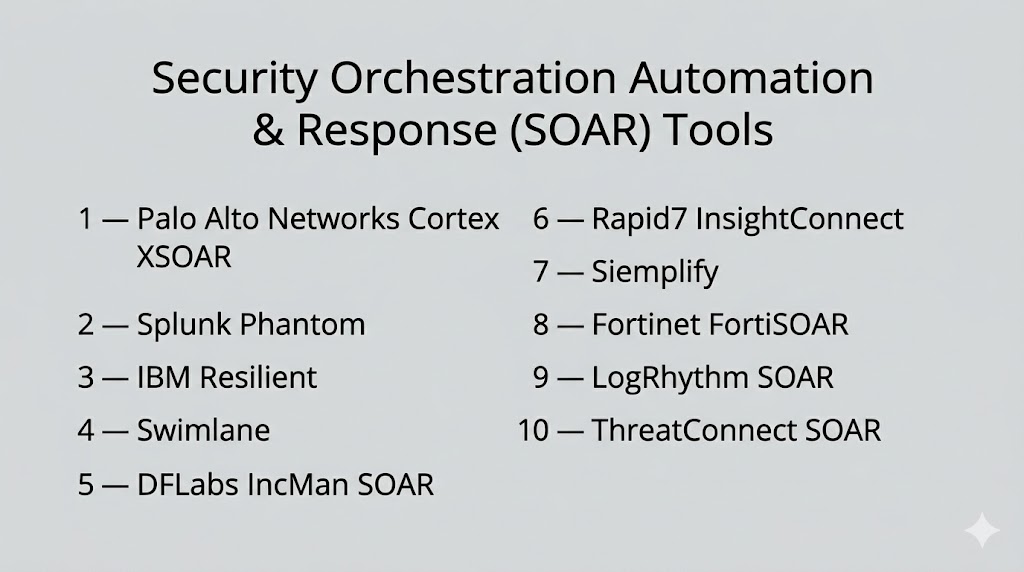
Top 10 Security Orchestration Automation & Response (SOAR) Tools
#1 — Palo Alto Networks Cortex XSOAR
Short description: A comprehensive enterprise SOAR platform that centralizes security operations, automates incident response, and integrates deeply with a wide range of security tools. It is designed for large organizations managing complex security environments.
Key Features
- Pre-built and customizable playbooks
- Centralized incident management
- Threat intelligence integration
- Case management system
- Automation engine with scripting
- Collaboration features
Pros
- Highly scalable
- Extensive integrations
Cons
- Complex setup
- Expensive for smaller teams
Platforms / Deployment
- Web / Windows / Linux
- Cloud / Hybrid
Security & Compliance
- SSO/SAML, MFA, RBAC, encryption
- SOC 2, ISO 27001
Integrations & Ecosystem
Extensive ecosystem with support for SIEM, EDR, ITSM, and cloud platforms.
- Splunk
- ServiceNow
- AWS, Azure
- CrowdStrike
Support & Community
Enterprise-grade support, detailed documentation, and active user community.
#2 — Splunk Phantom
Short description: A SOAR platform integrated with Splunk that enables automated workflows and faster incident response through data-driven insights. Ideal for organizations already using Splunk.
Key Features
- Visual playbook builder
- Automated workflows
- Alert enrichment
- Case management
- Reporting dashboards
Pros
- Strong analytics integration
- Flexible automation
Cons
- Complex interface
- Requires Splunk for full value
Platforms / Deployment
- Web / Windows / Linux
- Cloud / Hybrid
Security & Compliance
- SSO, MFA, RBAC, encryption
- Not publicly stated
Integrations & Ecosystem
- SIEM, ITSM, cloud platforms
- AWS, Azure, ServiceNow
Support & Community
Strong documentation and active community support.
#3 — IBM Resilient
Short description: A robust SOAR platform designed for enterprise incident response, offering structured workflows and strong integration capabilities for complex environments.
Key Features
- Dynamic playbooks
- Incident tracking
- Threat intelligence ingestion
- Workflow automation
- Compliance reporting
Pros
- Strong enterprise integration
- Flexible workflows
Cons
- Complex setup
- Requires dedicated resources
Platforms / Deployment
- Web / Windows / Linux
- Cloud / Hybrid
Security & Compliance
- SSO/SAML, MFA, encryption
- SOC 2, ISO 27001
Integrations & Ecosystem
- QRadar, Splunk
- ServiceNow, Jira
- Threat intelligence tools
Support & Community
Professional support and enterprise documentation.
#4 — Swimlane
Short description: A flexible SOAR platform focused on low-code automation, enabling teams to build workflows quickly and manage incidents efficiently across environments.
Key Features
- Drag-and-drop workflow builder
- Case management
- Alert triage automation
- Analytics dashboards
- Threat intelligence integration
Pros
- Easy workflow creation
- Suitable for various organization sizes
Cons
- Limited integrations compared to competitors
- Requires planning for complex use cases
Platforms / Deployment
- Web
- Cloud / Hybrid
Security & Compliance
- SSO, MFA, RBAC, encryption
- SOC 2
Integrations & Ecosystem
- Splunk, ServiceNow
- AWS, Azure
Support & Community
Good documentation and responsive support.
#5 — DFLabs IncMan SOAR
Short description: A SOAR platform that focuses on incident automation and management, helping SOC teams streamline operations and improve response efficiency.
Key Features
- Automated workflows
- Incident management
- Threat intelligence integration
- Dashboard reporting
- Custom automation logic
Pros
- Strong incident tracking
- Flexible workflows
Cons
- Outdated UI
- Learning curve
Platforms / Deployment
- Web / Windows
- Cloud / Hybrid
Security & Compliance
- SSO, MFA, encryption
- SOC 2, ISO 27001
Integrations & Ecosystem
- SIEM, EDR, cloud platforms
Support & Community
Standard enterprise support and documentation.
#6 — Rapid7 InsightConnect
Short description: A user-friendly SOAR solution that simplifies automation for security teams, offering pre-built workflows and strong integration capabilities.
Key Features
- Pre-built workflows
- Alert triage automation
- Integration support
- Reporting dashboards
- Threat enrichment
Pros
- Easy onboarding
- Strong integrations
Cons
- Limited advanced customization
- Higher-tier features required for enterprise use
Platforms / Deployment
- Web / Windows / Linux
- Cloud / Hybrid
Security & Compliance
- SSO, MFA, RBAC, encryption
- SOC 2
Integrations & Ecosystem
- AWS, Azure, ServiceNow
- SIEM and EDR tools
Support & Community
Active support and helpful documentation.
#7 — Siemplify
Short description: A scalable SOAR platform that provides automation, incident management, and strong visualization tools for enterprise SOC teams.
Key Features
- Visual playbook builder
- Case management
- Alert aggregation
- Automation engine
- Threat intelligence support
Pros
- Strong visualization
- Scalable platform
Cons
- Complex setup
- Learning curve
Platforms / Deployment
- Web
- Cloud / Hybrid
Security & Compliance
- SSO, MFA, RBAC
- SOC 2, ISO 27001
Integrations & Ecosystem
- SIEM, ITSM, cloud platforms
Support & Community
Enterprise support and onboarding assistance.
#8 — Fortinet FortiSOAR
Short description: A SOAR solution designed for organizations using Fortinet products, offering automation and orchestration within its ecosystem.
Key Features
- Pre-built playbooks
- Alert automation
- Case management
- Dashboards and analytics
- Ecosystem integrations
Pros
- Strong Fortinet integration
- Reliable performance
Cons
- Limited flexibility outside ecosystem
- Customization complexity
Platforms / Deployment
- Web
- Cloud / Hybrid
Security & Compliance
- SSO, MFA, encryption
- Not publicly stated
Integrations & Ecosystem
- Fortinet tools
- Third-party platforms
Support & Community
Vendor support and documentation available.
#9 — LogRhythm SOAR
Short description: A SOAR platform combined with SIEM capabilities to streamline alert handling and improve incident response efficiency.
Key Features
- Workflow automation
- Case management
- Threat intelligence enrichment
- Reporting tools
- Visual workflows
Pros
- Strong SIEM integration
- Efficient alert handling
Cons
- Limited integrations
- Complex pricing
Platforms / Deployment
- Web / Windows / Linux
- Cloud / Hybrid
Security & Compliance
- SSO, MFA, RBAC, encryption
- SOC 2, ISO 27001
Integrations & Ecosystem
- SIEM, ITSM, endpoint tools
Support & Community
Good documentation and support.
#10 — ThreatConnect SOAR
Short description: A SOAR platform combining threat intelligence and automation to improve decision-making and response efficiency.
Key Features
- Threat intelligence integration
- Automated workflows
- Case management
- Dashboards
- API integrations
Pros
- Strong intelligence features
- Flexible workflows
Cons
- Requires training
- Smaller ecosystem
Platforms / Deployment
- Web
- Cloud / Hybrid
Security & Compliance
- SSO, MFA, RBAC
- SOC 2, ISO 27001
Integrations & Ecosystem
- SIEM, EDR, ITSM, cloud platforms
Support & Community
Dedicated support and onboarding.
Comparison Table (Top 10)
| Tool Name | Best For | Platform(s) Supported | Deployment | Standout Feature | Public Rating |
|---|---|---|---|---|---|
| Cortex XSOAR | Enterprise | Web / Windows / Linux | Cloud / Hybrid | Automation playbooks | N/A |
| Splunk Phantom | Enterprise | Web / Windows / Linux | Cloud / Hybrid | SIEM integration | N/A |
| IBM Resilient | Enterprise | Web / Windows / Linux | Cloud / Hybrid | Dynamic workflows | N/A |
| Swimlane | SMB/Enterprise | Web | Cloud / Hybrid | Low-code automation | N/A |
| DFLabs IncMan | Enterprise | Web / Windows | Cloud / Hybrid | Incident tracking | N/A |
| InsightConnect | Mid-market | Web / Windows / Linux | Cloud / Hybrid | Pre-built workflows | N/A |
| Siemplify | Enterprise | Web | Cloud / Hybrid | Visual playbooks | N/A |
| FortiSOAR | Fortinet users | Web | Cloud / Hybrid | Ecosystem integration | N/A |
| LogRhythm SOAR | SIEM users | Web / Windows / Linux | Cloud / Hybrid | SIEM + SOAR | N/A |
| ThreatConnect | Intelligence teams | Web | Cloud / Hybrid | Threat intelligence | N/A |
Evaluation & Scoring of Security Orchestration Automation & Response (SOAR)
| Tool Name | Core (25%) | Ease (15%) | Integrations (15%) | Security (10%) | Performance (10%) | Support (10%) | Value (15%) | Weighted Total (0–10) |
|---|---|---|---|---|---|---|---|---|
| Cortex XSOAR | 9 | 7 | 9 | 9 | 9 | 8 | 7 | 8.5 |
| Splunk Phantom | 8 | 6 | 9 | 8 | 8 | 8 | 7 | 8.0 |
| IBM Resilient | 8 | 6 | 8 | 8 | 8 | 7 | 7 | 7.8 |
| Swimlane | 7 | 8 | 7 | 8 | 7 | 7 | 8 | 7.6 |
| DFLabs IncMan | 7 | 7 | 7 | 8 | 7 | 7 | 7 | 7.2 |
| InsightConnect | 7 | 8 | 8 | 8 | 7 | 7 | 8 | 7.7 |
| Siemplify | 8 | 7 | 7 | 8 | 8 | 7 | 7 | 7.6 |
| FortiSOAR | 7 | 7 | 6 | 8 | 7 | 7 | 7 | 7.0 |
| LogRhythm SOAR | 7 | 7 | 6 | 8 | 7 | 7 | 7 | 7.0 |
| ThreatConnect | 7 | 7 | 7 | 8 | 7 | 7 | 7 | 7.2 |
Scores are comparative and reflect relative strengths across features, usability, integrations, and value. Higher scores indicate stronger enterprise readiness, while mid-range scores suggest balanced solutions suitable for growing teams.
Which Security Orchestration Automation & Response (SOAR) Tool Is Right for You?
Solo / Freelancer
SOAR tools are typically unnecessary; lightweight automation or alerting tools are more practical.
SMB
Swimlane and InsightConnect offer easier setup and lower complexity.
Mid-Market
IBM Resilient and Splunk Phantom provide strong capabilities with manageable complexity.
Enterprise
Cortex XSOAR, Siemplify, and DFLabs are suitable for large-scale operations.
Budget vs Premium
Budget tools focus on core automation, while premium tools provide deeper integrations and advanced features.
Feature Depth vs Ease of Use
More powerful tools require training, while simpler tools allow faster onboarding.
Integrations & Scalability
Ensure compatibility with SIEM, EDR, cloud, and ITSM systems.
Security & Compliance Needs
Choose tools that align with your organization’s compliance and security requirements.
Frequently Asked Questions (FAQs)
What is a SOAR platform?
A SOAR platform automates security workflows, integrates tools, and helps teams respond to threats efficiently.
How is SOAR different from SIEM?
SIEM collects and analyzes data, while SOAR automates response and orchestrates workflows.
Is SOAR suitable for small businesses?
It may not be necessary unless the organization faces high security complexity.
How long does implementation take?
Implementation can take weeks or months depending on integrations and workflows.
Do SOAR tools require coding?
Many offer low-code options, though advanced use may require scripting.
Can SOAR integrate with existing tools?
Yes, most platforms support integrations with major security and IT systems.
What are common mistakes when using SOAR?
Over-automation, poor planning, and lack of testing are common issues.
Are SOAR tools secure?
Most include strong security features like RBAC, MFA, and encryption.
Can SOAR scale with business growth?
Yes, they are designed to scale across environments and teams.
What alternatives exist to SOAR?
Alternatives include SIEM automation, scripts, and workflow automation tools.
Conclusion
Security Orchestration, Automation, and Response platforms play a critical role in modern security operations by reducing manual effort and accelerating incident response. These tools help organizations manage increasing alert volumes while maintaining consistency and efficiency across workflows.
The right SOAR solution depends on your organization’s size, existing tools, and security maturity. Enterprise teams benefit from deep integrations and advanced automation, while smaller teams should focus on ease of use and faster deployment.
It is important to evaluate integration capabilities, automation flexibility, and compliance requirements before selecting a platform. Each tool has its own strengths, and there is no single solution that fits every scenario.
A practical approach is to shortlist a few tools, run pilot deployments, and validate how well they align with your workflows and infrastructure before making a final decision.
