Introduction
Data Loss Prevention (DLP) platforms are cybersecurity solutions that detect, monitor, and prevent unauthorized access, sharing, or leakage of sensitive data across endpoints, networks, and cloud environments. These tools enforce policies to protect data in motion, at rest, and in use, ensuring that confidential information remains secure.
With increasing data breaches, insider threats, and regulatory pressure, organizations can no longer rely on traditional security tools alone. DLP solutions provide real-time monitoring, automated enforcement, and contextual awareness, helping organizations prevent accidental or malicious data exposure.
Use Cases:
- Preventing data leaks via email, cloud apps, and endpoints
- Monitoring insider threats and risky user behavior
- Protecting sensitive data like PII, financial records, and IP
- Enforcing compliance with regulations (GDPR, HIPAA, etc.)
- Securing data across SaaS, cloud, and hybrid environments
What buyers should evaluate:
- Coverage (endpoint, network, cloud, SaaS)
- Data classification and detection accuracy
- Policy enforcement and automation
- Integration with SIEM, CASB, IAM
- Ease of deployment and usability
- Scalability across environments
- Reporting and compliance features
- False-positive reduction capabilities
Best for: Enterprises, security teams, compliance-driven organizations, and companies handling sensitive or regulated data.
Not ideal for: Small teams with minimal data risk or organizations without formal data governance policies.
Key Trends in Data Loss Prevention (DLP)
- Shift toward cloud and SaaS-native DLP
- AI-driven data classification and risk prioritization
- Integration with Zero Trust and identity security
- Expansion into GenAI and data sharing protection
- Real-time user behavior monitoring
- Reduced false positives using contextual analysis
- Automation of remediation workflows
- Unified platforms combining DLP + DSPM
- Increased focus on insider threat detection
- API-based integrations with modern SaaS ecosystems
How We Selected These Tools (Methodology)
- Market adoption and enterprise usage
- Coverage across endpoint, network, and cloud
- Accuracy of data detection and classification
- Integration ecosystem strength
- Security and compliance readiness
- Scalability across environments
- Ease of deployment and usability
- Innovation in automation and analytics
- Customer fit across SMB and enterprise
- Support quality and documentation
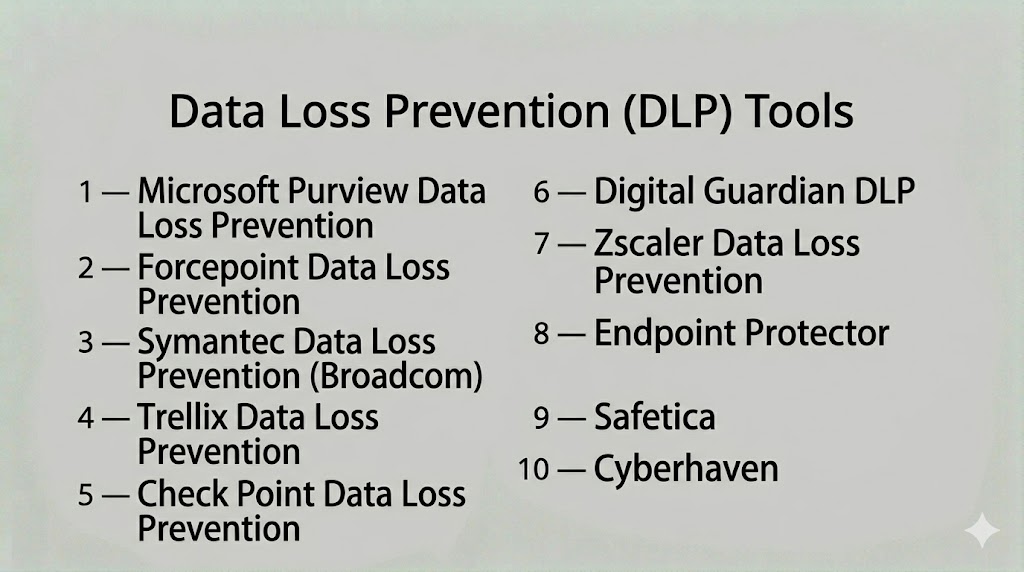
Top 10 Data Loss Prevention (DLP) Tools
#1 — Microsoft Purview Data Loss Prevention
A cloud-native DLP solution integrated into Microsoft 365, offering strong data protection across collaboration tools and endpoints.
Key Features
- Data classification and labeling
- Policy enforcement across Microsoft apps
- Insider risk detection
- Compliance monitoring
- Endpoint and cloud coverage
Pros
- Deep Microsoft integration
- Strong compliance capabilities
Cons
- Limited outside Microsoft ecosystem
- Requires tuning
Platforms / Deployment
- Web
- Cloud
Security & Compliance
- SSO, MFA, RBAC
- Not publicly stated
Integrations & Ecosystem
- Microsoft 365
- Azure security tools
Support & Community
Enterprise support and strong documentation.
#2 — Forcepoint DLP
A behavior-driven DLP platform that protects data across endpoints, networks, and cloud environments.
Key Features
- Context-aware data protection
- Risk-adaptive policies
- OCR-based data detection
- Cloud and endpoint coverage
- Real-time enforcement
Pros
- Strong behavioral analytics
- High detection accuracy
Cons
- Complex deployment
- Enterprise pricing
Platforms / Deployment
- Web / Windows
- Cloud / Hybrid
Security & Compliance
- SSO, MFA
- Not publicly stated
Integrations & Ecosystem
- SIEM, CASB, cloud platforms
Support & Community
Enterprise support available.
#3 — Symantec Data Loss Prevention (Broadcom)
A mature enterprise DLP solution providing deep content inspection and data protection across all channels.
Key Features
- Data fingerprinting
- Content inspection
- Endpoint, network, and cloud DLP
- Policy enforcement
- Compliance monitoring
Pros
- Enterprise-grade scalability
- Strong data detection
Cons
- Complex setup
- Requires expertise
Platforms / Deployment
- Web / Windows
- On-prem / Hybrid
Security & Compliance
- Not publicly stated
Integrations & Ecosystem
- Security tools and enterprise systems
Support & Community
Enterprise support and training.
#4 — Trellix Data Loss Prevention
A unified DLP platform offering endpoint-to-cloud protection integrated with XDR capabilities.
Key Features
- Endpoint and network DLP
- Data monitoring
- Removable media control
- Centralized management
- Threat integration
Pros
- Strong ecosystem integration
- Comprehensive coverage
Cons
- Learning curve
- Performance overhead
Platforms / Deployment
- Web / Windows
- Hybrid
Security & Compliance
- SSO, MFA
- Not publicly stated
Integrations & Ecosystem
- XDR and SIEM tools
Support & Community
Vendor support available.
#5 — Check Point Data Loss Prevention
A network-focused DLP solution integrated with Check Point security infrastructure.
Key Features
- Data classification
- Network DLP enforcement
- User awareness features
- Real-time monitoring
- Policy enforcement
Pros
- High detection accuracy
- Integrated with security stack
Cons
- Limited standalone use
- Requires Check Point ecosystem
Platforms / Deployment
- Web
- On-prem / Cloud
Security & Compliance
- Not publicly stated
Integrations & Ecosystem
- Check Point ecosystem
Support & Community
Enterprise support.
#6 — Digital Guardian DLP
A data-centric DLP platform focused on protecting sensitive information across endpoints and cloud.
Key Features
- Data visibility
- Endpoint protection
- Cloud monitoring
- Threat detection
- Policy enforcement
Pros
- Strong endpoint protection
- Data-centric approach
Cons
- Complex deployment
- Requires expertise
Platforms / Deployment
- Windows / Linux
- Cloud / Hybrid
Security & Compliance
- Not publicly stated
Integrations & Ecosystem
- SIEM and security tools
Support & Community
Enterprise support.
#7 — Zscaler DLP
A cloud-native DLP solution providing data protection across web, SaaS, and cloud environments.
Key Features
- Cloud-native DLP
- Inline traffic inspection
- Data classification
- Policy enforcement
- Real-time monitoring
Pros
- Strong cloud security
- Scalable architecture
Cons
- Requires Zscaler ecosystem
- Limited on-prem support
Platforms / Deployment
- Web
- Cloud
Security & Compliance
- SSO, MFA
- Not publicly stated
Integrations & Ecosystem
- SaaS and cloud platforms
Support & Community
Good documentation and support.
#8 — Endpoint Protector
A cross-platform DLP solution focused on endpoint data protection and compliance.
Key Features
- Endpoint DLP
- Device control
- Data encryption
- Compliance reporting
- Insider threat protection
Pros
- Strong endpoint security
- Multi-OS support
Cons
- Limited cloud features
- Requires configuration
Platforms / Deployment
- Windows / macOS / Linux
- Cloud / On-prem
Security & Compliance
- GDPR, HIPAA support
- Not publicly stated
Integrations & Ecosystem
- Endpoint and security tools
Support & Community
Reliable support.
#9 — Safetica
A lightweight DLP solution designed for SMBs focusing on insider threat prevention.
Key Features
- User activity monitoring
- Data protection policies
- Insider risk detection
- Reporting dashboards
- Easy deployment
Pros
- Easy to use
- Cost-effective
Cons
- Limited enterprise features
- Smaller ecosystem
Platforms / Deployment
- Windows
- Cloud / On-prem
Security & Compliance
- Not publicly stated
Integrations & Ecosystem
- Endpoint tools
Support & Community
Responsive support.
#10 — Cyberhaven
A modern DLP platform using data lineage tracking to monitor how data moves across systems.
Key Features
- Data lineage tracking
- Context-aware detection
- Insider threat monitoring
- Real-time alerts
- AI-based analytics
Pros
- Advanced data tracking
- Reduced false positives
Cons
- Newer platform
- Requires onboarding
Platforms / Deployment
- Web
- Cloud
Security & Compliance
- Not publicly stated
Integrations & Ecosystem
- SaaS and cloud tools
Support & Community
Vendor support available.
Comparison Table (Top 10)
| Tool Name | Best For | Platform(s) Supported | Deployment | Standout Feature | Public Rating |
|---|---|---|---|---|---|
| Microsoft Purview | Enterprise | Web | Cloud | M365 integration | N/A |
| Forcepoint DLP | Enterprise | Web / Windows | Hybrid | Behavioral analytics | N/A |
| Symantec DLP | Enterprise | Web / Windows | Hybrid | Data fingerprinting | N/A |
| Trellix DLP | Enterprise | Web / Windows | Hybrid | XDR integration | N/A |
| Check Point DLP | Enterprise | Web | Hybrid | Network protection | N/A |
| Digital Guardian | Enterprise | Windows/Linux | Hybrid | Data-centric security | N/A |
| Zscaler DLP | Cloud-first orgs | Web | Cloud | Inline cloud protection | N/A |
| Endpoint Protector | SMB/Enterprise | Multi-OS | Hybrid | Endpoint control | N/A |
| Safetica | SMB | Windows | Hybrid | Insider monitoring | N/A |
| Cyberhaven | Modern orgs | Web | Cloud | Data lineage tracking | N/A |
Evaluation & Scoring of Data Loss Prevention (DLP)
| Tool Name | Core (25%) | Ease (15%) | Integrations (15%) | Security (10%) | Performance (10%) | Support (10%) | Value (15%) | Weighted Total (0–10) |
|---|---|---|---|---|---|---|---|---|
| Microsoft Purview | 9 | 8 | 8 | 8 | 9 | 8 | 7 | 8.3 |
| Forcepoint | 9 | 7 | 8 | 8 | 9 | 8 | 7 | 8.2 |
| Symantec | 9 | 6 | 7 | 8 | 9 | 8 | 7 | 8.0 |
| Trellix | 8 | 7 | 8 | 8 | 8 | 7 | 7 | 7.8 |
| Check Point | 8 | 7 | 7 | 8 | 8 | 7 | 7 | 7.7 |
| Digital Guardian | 8 | 6 | 7 | 8 | 8 | 7 | 7 | 7.6 |
| Zscaler | 8 | 8 | 7 | 8 | 8 | 7 | 7 | 7.8 |
| Endpoint Protector | 7 | 8 | 6 | 7 | 7 | 7 | 8 | 7.3 |
| Safetica | 7 | 9 | 6 | 7 | 7 | 7 | 8 | 7.4 |
| Cyberhaven | 8 | 7 | 7 | 8 | 8 | 7 | 7 | 7.7 |
Scores are comparative and reflect strengths across detection, usability, integrations, and value.
Which Data Loss Prevention (DLP) Tool Is Right for You?
Solo / Freelancer
Lightweight tools or endpoint monitoring solutions are sufficient.
SMB
Safetica and Endpoint Protector provide easy deployment and cost efficiency.
Mid-Market
Trellix and Zscaler offer balanced features and scalability.
Enterprise
Microsoft Purview, Forcepoint, and Symantec provide full-scale protection.
Budget vs Premium
Budget tools focus on monitoring; premium tools provide automation and analytics.
Feature Depth vs Ease of Use
Advanced tools provide deeper insights but require expertise.
Integrations & Scalability
Ensure compatibility with cloud, SaaS, and endpoint ecosystems.
Security & Compliance Needs
Choose tools aligned with regulatory frameworks and governance policies.
Frequently Asked Questions (FAQs)
What is DLP?
DLP is a security solution that prevents unauthorized data sharing or leakage.
What types of data does DLP protect?
Sensitive data like PII, financial records, and intellectual property.
How does DLP work?
It monitors data usage and enforces policies to block unauthorized actions.
Is DLP only for enterprises?
No, but it is most useful for organizations handling sensitive data.
Can DLP work in the cloud?
Yes, modern DLP solutions support cloud and SaaS environments.
Does DLP prevent insider threats?
Yes, it monitors user activity and detects risky behavior.
Is DLP automated?
Most tools provide automated detection and response capabilities.
What are common mistakes?
Poor policy configuration and ignoring alerts.
Can DLP integrate with other tools?
Yes, most integrate with SIEM, CASB, and IAM systems.
Is DLP scalable?
Yes, modern platforms support enterprise-scale environments.
Conclusion
Data Loss Prevention platforms are critical for protecting sensitive information in today’s data-driven environments. They provide visibility, control, and automation to prevent data leaks across endpoints, networks, and cloud systems.
As organizations handle increasing volumes of sensitive data, DLP tools help reduce risk by enforcing policies and detecting threats in real time. They also play a key role in compliance and governance strategies.
Choosing the right DLP solution depends on your environment, data sensitivity, and integration needs. Enterprise platforms offer comprehensive protection, while simpler tools provide quick deployment and ease of use.
The best approach is to shortlist a few tools, test them in your environment, and ensure they align with your security and compliance goals.
