Introduction
Digital Forensics Tools are specialized software solutions used to collect, analyze, and preserve digital evidence from computers, networks, mobile devices, and cloud environments. These tools play a critical role in cybersecurity investigations, incident response, and legal proceedings by helping experts reconstruct events and identify the root cause of security incidents.
As cyberattacks, insider threats, and data breaches become more sophisticated, organizations require advanced forensic capabilities to investigate and respond effectively. Digital forensics tools provide deep visibility into system activity, file changes, network traffic, and memory states, enabling investigators to uncover hidden threats and ensure compliance with legal standards.
Use Cases:
- Investigating cyberattacks and data breaches
- Analyzing compromised systems and malware
- Recovering deleted or hidden files
- Monitoring insider threats and suspicious activity
- Supporting legal and compliance investigations
What buyers should evaluate:
- Evidence collection and preservation capabilities
- Disk, memory, and network analysis support
- Automation and reporting features
- Integration with incident response tools
- Ease of use and learning curve
- Scalability for enterprise environments
- Support for multiple platforms and file systems
- Compliance with forensic standards
Best for: Cybersecurity teams, digital forensic investigators, law enforcement agencies, SOC teams, and enterprises handling sensitive investigations
Not ideal for: Organizations without dedicated security or forensic expertise
Key Trends in Digital Forensics Tools
- Increasing focus on cloud and SaaS forensics
- Integration with incident response and XDR platforms
- AI-driven analysis and evidence correlation
- Automation of forensic workflows
- Expansion into mobile and IoT forensics
- Real-time forensic capabilities for active incidents
- Memory and volatile data analysis improvements
- Enhanced reporting and visualization tools
- Support for large-scale data environments
- Increased use in compliance and legal investigations
How We Selected These Tools (Methodology)
- Market adoption and industry reputation
- Depth of forensic analysis capabilities
- Support for multiple evidence types (disk, memory, network)
- Integration with security and investigation tools
- Reliability and performance
- Ease of use and learning curve
- Scalability across environments
- Innovation in automation and analytics
- Customer fit across SMB and enterprise
- Support and documentation quality
Top 10 Digital Forensics Tools
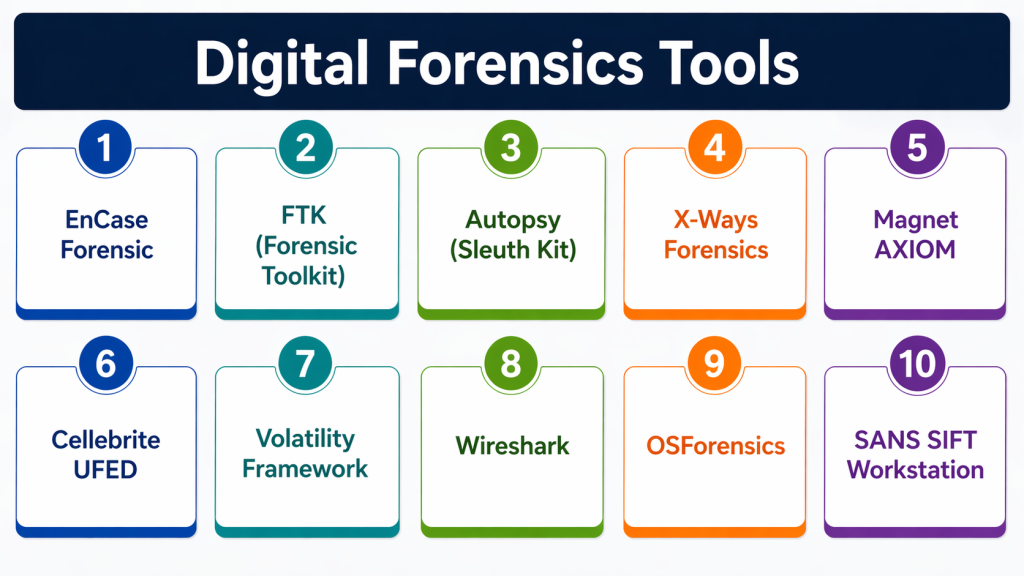
#1 — EnCase Forensic
A widely used enterprise forensic platform for collecting and analyzing digital evidence.
Key Features
- Disk imaging and analysis
- Evidence collection
- File recovery
- Reporting tools
- Legal compliance support
Pros
- Industry standard tool
- Strong legal acceptance
Cons
- Expensive
- Steep learning curve
Platforms / Deployment
- Windows
- On-prem
Security & Compliance
- Not publicly stated
Integrations & Ecosystem
Integrates with enterprise security tools
- Incident response platforms
Support & Community
Enterprise support and training
#2 — FTK (Forensic Toolkit)
A digital forensics tool focused on fast data processing and analysis.
Key Features
- Disk analysis
- File indexing
- Email analysis
- Password recovery
- Reporting
Pros
- Fast processing
- Strong indexing capabilities
Cons
- Resource-intensive
- Complex interface
Platforms / Deployment
- Windows
- On-prem
Security & Compliance
- Not publicly stated
Integrations & Ecosystem
- Security and forensic tools
Support & Community
Vendor support available
#3 — Autopsy (Sleuth Kit)
An open-source forensic platform used for disk and file analysis.
Key Features
- Disk analysis
- File recovery
- Timeline analysis
- Plugin support
- Reporting
Pros
- Free and open-source
- Easy to use
Cons
- Limited enterprise features
- Requires setup
Platforms / Deployment
- Windows / Linux / macOS
- Self-hosted
Security & Compliance
- Not publicly stated
Integrations & Ecosystem
- Open-source tools
Support & Community
Strong community support
#4 — X-Ways Forensics
A lightweight yet powerful forensic tool for advanced investigators.
Key Features
- Disk imaging
- File system analysis
- Data recovery
- Search capabilities
- Reporting
Pros
- Fast and efficient
- Lightweight
Cons
- Less intuitive UI
- Limited automation
Platforms / Deployment
- Windows
- On-prem
Security & Compliance
- Not publicly stated
Integrations & Ecosystem
- Forensic tools
Support & Community
Vendor support available
#5 — Magnet AXIOM
A digital investigation platform supporting computer, mobile, and cloud forensics.
Key Features
- Multi-device analysis
- Cloud forensics
- Artifact recovery
- Timeline analysis
- Reporting
Pros
- Comprehensive coverage
- Modern interface
Cons
- Expensive
- Requires training
Platforms / Deployment
- Windows
- Cloud / On-prem
Security & Compliance
- Not publicly stated
Integrations & Ecosystem
- Mobile and cloud tools
Support & Community
Strong support and documentation
#6 — Cellebrite UFED
A mobile forensics tool used for extracting and analyzing data from mobile devices.
Key Features
- Mobile data extraction
- App analysis
- Data recovery
- Reporting
- Device compatibility
Pros
- Strong mobile forensics
- Widely used
Cons
- Expensive
- Limited non-mobile capabilities
Platforms / Deployment
- Windows
- On-prem
Security & Compliance
- Not publicly stated
Integrations & Ecosystem
- Mobile tools
Support & Community
Enterprise support
#7 — Volatility Framework
An open-source tool focused on memory forensics and analysis.
Key Features
- Memory analysis
- Malware detection
- Process inspection
- Plugin support
- Forensic reporting
Pros
- Strong memory analysis
- Open-source
Cons
- Command-line based
- Requires expertise
Platforms / Deployment
- Windows / Linux / macOS
- Self-hosted
Security & Compliance
- Not publicly stated
Integrations & Ecosystem
- Open-source ecosystem
Support & Community
Strong community
#8 — Wireshark
A network analysis tool used for capturing and analyzing network traffic.
Key Features
- Packet capture
- Protocol analysis
- Real-time monitoring
- Filtering tools
- Reporting
Pros
- Powerful network analysis
- Free to use
Cons
- Complex interface
- Requires expertise
Platforms / Deployment
- Windows / Linux / macOS
- Self-hosted
Security & Compliance
- Not publicly stated
Integrations & Ecosystem
- Network tools
Support & Community
Large community support
#9 — OSForensics
A digital forensic tool for investigating computers and uncovering evidence.
Key Features
- File search
- Disk imaging
- Memory analysis
- Data recovery
- Reporting
Pros
- Easy to use
- Affordable
Cons
- Limited advanced features
- Smaller ecosystem
Platforms / Deployment
- Windows
- On-prem
Security & Compliance
- Not publicly stated
Integrations & Ecosystem
- Forensic tools
Support & Community
Vendor support
#10 — SANS SIFT Workstation
A forensic toolkit combining multiple open-source tools into one platform.
Key Features
- Disk analysis
- Memory forensics
- Network analysis
- Incident response tools
- Reporting
Pros
- Comprehensive toolkit
- Free and open-source
Cons
- Requires Linux knowledge
- Complex setup
Platforms / Deployment
- Linux
- Self-hosted
Security & Compliance
- Not publicly stated
Integrations & Ecosystem
- Open-source ecosystem
Support & Community
Strong community support
Comparison Table (Top 10)
| Tool Name | Best For | Platform(s) Supported | Deployment | Standout Feature | Public Rating |
|---|---|---|---|---|---|
| EnCase | Enterprise | Windows | On-prem | Legal-grade forensics | N/A |
| FTK | Enterprise | Windows | On-prem | Fast indexing | N/A |
| Autopsy | SMB | Multi-platform | Self-hosted | Open-source | N/A |
| X-Ways | Experts | Windows | On-prem | Lightweight | N/A |
| Magnet AXIOM | Enterprise | Windows | Hybrid | Multi-device support | N/A |
| Cellebrite | Law enforcement | Windows | On-prem | Mobile forensics | N/A |
| Volatility | Experts | Multi-platform | Self-hosted | Memory analysis | N/A |
| Wireshark | Network analysis | Multi-platform | Self-hosted | Packet capture | N/A |
| OSForensics | SMB | Windows | On-prem | Ease of use | N/A |
| SIFT | Experts | Linux | Self-hosted | Toolkit approach | N/A |
Evaluation & Scoring of Digital Forensics Tools
| Tool Name | Core (25%) | Ease (15%) | Integrations (15%) | Security (10%) | Performance (10%) | Support (10%) | Value (15%) | Weighted Total (0–10) |
|---|---|---|---|---|---|---|---|---|
| EnCase | 9 | 6 | 8 | 9 | 9 | 8 | 7 | 8.1 |
| FTK | 9 | 7 | 8 | 8 | 9 | 8 | 7 | 8.2 |
| Autopsy | 7 | 8 | 7 | 7 | 7 | 7 | 9 | 7.6 |
| X-Ways | 8 | 6 | 7 | 8 | 8 | 7 | 7 | 7.5 |
| AXIOM | 9 | 8 | 8 | 8 | 9 | 8 | 7 | 8.3 |
| Cellebrite | 9 | 7 | 7 | 8 | 9 | 8 | 7 | 8.1 |
| Volatility | 8 | 6 | 7 | 8 | 8 | 7 | 9 | 7.7 |
| Wireshark | 8 | 6 | 7 | 8 | 8 | 7 | 9 | 7.7 |
| OSForensics | 7 | 8 | 6 | 7 | 7 | 7 | 8 | 7.3 |
| SIFT | 8 | 6 | 7 | 8 | 8 | 7 | 9 | 7.7 |
Scores are comparative and reflect strengths in forensic capabilities, usability, integrations, and value.
Which Digital Forensics Tool Is Right for You?
Solo / Freelancer
Autopsy and Wireshark provide cost-effective solutions.
SMB
OSForensics and Autopsy offer ease of use and affordability.
Mid-Market
FTK and X-Ways provide balanced capabilities.
Enterprise
EnCase, Magnet AXIOM, and Cellebrite deliver advanced forensic capabilities.
Budget vs Premium
Open-source tools offer flexibility; premium tools provide enterprise features.
Feature Depth vs Ease of Use
Advanced tools require expertise but offer deeper insights.
Integrations & Scalability
Choose tools that integrate with incident response and SOC workflows.
Security & Compliance Needs
Ensure tools meet legal and compliance requirements.
Frequently Asked Questions (FAQs)
What are digital forensics tools?
They are tools used to collect and analyze digital evidence.
What types of data can they analyze?
Disk, memory, network traffic, and mobile data.
Are these tools used in legal cases?
Yes, many are accepted in courts.
Can they recover deleted files?
Yes, most tools support file recovery.
Do they support cloud forensics?
Modern tools increasingly support cloud environments.
Are open-source tools effective?
Yes, many are widely used and reliable.
Do they require expertise?
Yes, advanced tools require training.
Can they detect malware?
Yes, many include malware analysis capabilities.
Are they scalable?
Yes, enterprise tools support large environments.
What are common mistakes?
Improper evidence handling and lack of documentation.
Conclusion
Digital Forensics Tools are essential for investigating cyber incidents, uncovering evidence, and supporting legal and compliance processes. They provide deep insights into system activity, helping organizations understand how attacks occur and how to prevent them.
As cyber threats continue to evolve, forensic tools are becoming more advanced, integrating with incident response and security platforms to provide faster and more accurate analysis.
Choosing the right tool depends on your organization’s needs, expertise, and investigation requirements. Enterprise solutions offer comprehensive capabilities, while open-source tools provide flexibility and cost efficiency.
A practical approach is to combine multiple tools, test them in real scenarios, and ensure they align with your investigation workflows and compliance requirements.
