Introduction
Network Monitoring Tools are software solutions designed to track, analyze, and optimize the performance of IT networks. They provide visibility into devices, traffic, uptime, and potential issues, helping teams maintain reliable and secure operations across increasingly complex infrastructures.
As organizations shift toward hybrid environments, cloud-native architectures, and remote work models, network monitoring has become a foundational requirement rather than an optional add-on. Without proper monitoring, businesses risk downtime, performance degradation, and security vulnerabilities that can impact both users and revenue.
Common Use Cases
- Real-time network performance monitoring across routers, switches, and servers
- Proactive alerting to detect and resolve issues before outages occur
- Traffic and bandwidth analysis for optimization and cost control
- Security monitoring to identify unusual patterns or anomalies
- Capacity planning using historical performance data
What Buyers Should Evaluate
- Monitoring depth (SNMP, NetFlow, packet inspection)
- Scalability across distributed environments
- Alerting and automation capabilities
- Ease of deployment and usability
- Integration with ITSM and DevOps tools
- Visualization and reporting capabilities
- Security features such as RBAC and encryption
- Pricing structure and licensing flexibility
- Support for hybrid and cloud environments
Best for: IT managers, network engineers, DevOps teams, and enterprises managing complex or distributed infrastructure.
Not ideal for: Very small teams with minimal infrastructure or organizations fully relying on managed cloud platforms where monitoring is abstracted.
Key Trends in Network Monitoring Tools
- AI-driven anomaly detection replacing static threshold-based alerts
- Convergence with observability platforms (logs, metrics, traces in one place)
- Cloud-native monitoring capabilities for containers and microservices
- Automated root cause analysis to reduce troubleshooting time
- Integration with Zero Trust architectures for improved security visibility
- API-first platforms enabling automation and integrations
- Low-code automation workflows for faster incident response
- Hybrid monitoring models combining on-prem and cloud environments
- Real-time streaming telemetry replacing legacy polling systems
How We Selected These Tools (Methodology)
- Strong market adoption and reputation
- Comprehensive feature coverage across monitoring layers
- Proven performance and reliability in production environments
- Clear security and access control capabilities
- Rich integration ecosystem and extensibility
- Suitability for multiple organization sizes
- Availability of documentation and support
- Alignment with modern infrastructure needs (cloud, hybrid, microservices)
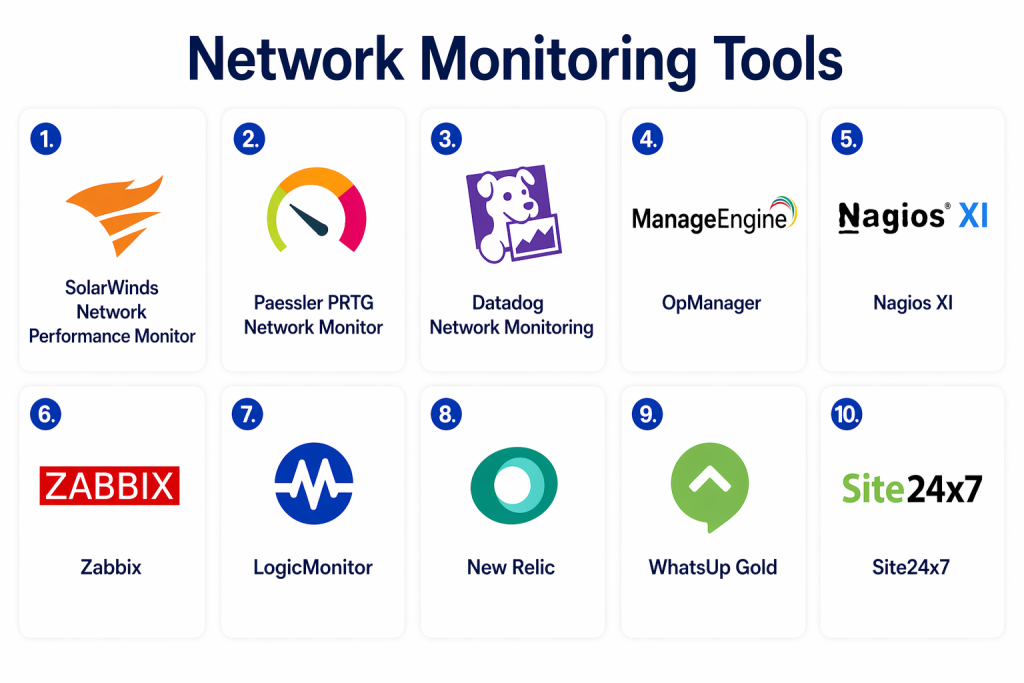
Top 10 Network Monitoring Tools
#1 — SolarWinds Network Performance Monitor
Short description:
A widely adopted enterprise-grade solution offering deep visibility into network performance and infrastructure health. Best suited for large organizations with complex environments.
Key Features
- SNMP-based device monitoring
- Network path visualization
- Advanced alerting system
- Performance baselining
- Network topology mapping
- Multi-vendor device support
- Custom dashboards
Pros
- Mature and feature-rich platform
- Strong visualization capabilities
Cons
- Complex initial setup
- Higher cost for full feature access
Platforms / Deployment
Windows / On-premises
Security & Compliance
RBAC, encryption, audit logging (certifications not publicly stated)
Integrations & Ecosystem
Supports integration with ITSM platforms, cloud providers, and APIs.
- Service management tools
- Cloud environments
- REST API integrations
Support & Community
Strong enterprise support with a large and active user base
#2 — PRTG Network Monitor
Short description:
An easy-to-use monitoring solution known for its flexible sensor-based model and quick deployment.
Key Features
- Sensor-based monitoring approach
- Automatic device discovery
- Bandwidth and traffic monitoring
- Custom alerts and notifications
- Dashboard customization
- SNMP, NetFlow, and WMI support
Pros
- Simple setup and user-friendly interface
- Flexible monitoring model
Cons
- Costs increase with scale
- Interface design may feel dated
Platforms / Deployment
Windows / Cloud / On-premises
Security & Compliance
SSO, encryption (certifications not publicly stated)
Integrations & Ecosystem
Supports multiple integrations via APIs and plugins.
- Virtualization platforms
- Cloud services
- REST API
Support & Community
Good documentation and responsive vendor support
#3 — Datadog Network Monitoring
Short description:
A cloud-native monitoring platform designed for modern infrastructures, including microservices and containerized environments.
Key Features
- Real-time network performance tracking
- Traffic flow analysis
- AI-driven alerting
- Integration with cloud services
- Distributed tracing
- Infrastructure monitoring
Pros
- Excellent for cloud and hybrid environments
- Strong analytics and visualization
Cons
- Pricing can scale quickly
- Requires onboarding effort
Platforms / Deployment
Cloud
Security & Compliance
SSO, MFA, RBAC, encryption (certifications not publicly stated)
Integrations & Ecosystem
Extensive ecosystem with strong integration capabilities.
- Container platforms
- Cloud providers
- CI/CD tools
- APIs
Support & Community
Active community with strong documentation
#4 — Nagios XI
Short description:
A highly customizable monitoring platform with strong plugin support and flexibility.
Key Features
- Core monitoring engine
- Plugin-based architecture
- Alerting and reporting
- Network device tracking
- Performance monitoring
- Dashboard customization
Pros
- Highly flexible and customizable
- Large plugin ecosystem
Cons
- Outdated user interface
- Requires technical expertise
Platforms / Deployment
Linux / On-premises
Security & Compliance
Not publicly stated
Integrations & Ecosystem
Extensive plugin ecosystem enables deep customization.
- Custom scripts
- SNMP integrations
Support & Community
Very strong community support
#5 — Zabbix
Short description:
An open-source monitoring solution offering scalability and flexibility for organizations of all sizes.
Key Features
- Agent and agentless monitoring
- Real-time metrics collection
- Visualization dashboards
- Alerting system
- Auto-discovery
- API support
Pros
- Free and highly scalable
- Strong flexibility
Cons
- Complex setup process
- Requires expertise
Platforms / Deployment
Linux / Cloud / On-premises
Security & Compliance
Encryption supported (certifications not publicly stated)
Integrations & Ecosystem
Flexible integration via APIs and extensions.
- Cloud platforms
- Databases
- Custom integrations
Support & Community
Large and active open-source community
#6 — ManageEngine OpManager
Short description:
A comprehensive network monitoring solution suitable for both small and large organizations.
Key Features
- Device monitoring
- Fault and performance tracking
- Network mapping
- Alert automation
- Bandwidth analysis
- Virtualization monitoring
Pros
- Balanced feature set
- Easy deployment
Cons
- Limited advanced analytics
- Interface improvements needed
Platforms / Deployment
Windows / Linux / Cloud
Security & Compliance
RBAC, encryption (certifications not publicly stated)
Integrations & Ecosystem
Integrates well with IT operations tools.
- Service management platforms
- Cloud integrations
Support & Community
Reliable enterprise support
#7 — Paessler PRTG Hosted Monitor
Short description:
A cloud-based version of PRTG that eliminates the need for on-prem infrastructure.
Key Features
- Cloud deployment
- Remote monitoring
- Alerting and dashboards
- Sensor-based monitoring
- API integrations
Pros
- Easy to deploy
- No infrastructure management
Cons
- Limited customization compared to on-prem
- Pricing varies
Platforms / Deployment
Cloud
Security & Compliance
Not publicly stated
Integrations & Ecosystem
API-driven integrations for flexibility.
Support & Community
Aligned with PRTG ecosystem
#8 — LogicMonitor
Short description:
A SaaS-based monitoring platform offering automation and scalability for modern infrastructures.
Key Features
- Automated discovery
- Cloud monitoring
- Intelligent alerting
- Performance tracking
- Custom dashboards
- Multi-tenant support
Pros
- Scalable SaaS platform
- Strong automation capabilities
Cons
- Pricing transparency is limited
- Learning curve
Platforms / Deployment
Cloud
Security & Compliance
SSO, RBAC, encryption (certifications not publicly stated)
Integrations & Ecosystem
Strong integration ecosystem.
- Cloud providers
- Container platforms
- APIs
Support & Community
Strong enterprise-level support
#9 — New Relic
Short description:
A full observability platform that includes network monitoring along with application and infrastructure insights.
Key Features
- Network and infrastructure monitoring
- Real-time analytics
- Logs and tracing
- Alerting and dashboards
- Performance insights
Pros
- Unified observability platform
- Strong analytics capabilities
Cons
- Complex pricing
- Feature overload for beginners
Platforms / Deployment
Cloud
Security & Compliance
SSO, RBAC, encryption (certifications not publicly stated)
Integrations & Ecosystem
Extensive integrations with modern tools.
- DevOps tools
- Cloud services
- APIs
Support & Community
Large community and enterprise support
#10 — WhatsUp Gold
Short description:
A user-friendly network monitoring tool focused on simplicity and quick deployment.
Key Features
- Network discovery
- Performance monitoring
- Alerts and reporting
- Traffic analysis
- Visualization dashboards
Pros
- Easy to use
- Quick setup
Cons
- Limited scalability
- Fewer advanced features
Platforms / Deployment
Windows / On-premises
Security & Compliance
Not publicly stated
Integrations & Ecosystem
Basic integration capabilities
Support & Community
Moderate support availability
Comparison Table (Top 10)
| Tool Name | Best For | Platform(s) Supported | Deployment | Standout Feature | Public Rating |
|---|---|---|---|---|---|
| SolarWinds NPM | Enterprise networks | Windows | On-prem | Network path visualization | N/A |
| PRTG | SMB monitoring | Windows | Hybrid | Sensor-based model | N/A |
| Datadog | Cloud-native teams | Web | Cloud | AI-driven monitoring | N/A |
| Nagios XI | Custom monitoring | Linux | On-prem | Plugin ecosystem | N/A |
| Zabbix | Open-source users | Linux | Hybrid | Scalability | N/A |
| OpManager | SMB/Enterprise | Windows/Linux | Hybrid | Balanced features | N/A |
| PRTG Hosted | Cloud users | Web | Cloud | Easy deployment | N/A |
| LogicMonitor | SaaS monitoring | Web | Cloud | Auto-discovery | N/A |
| New Relic | Observability | Web | Cloud | Unified insights | N/A |
| WhatsUp Gold | SMB networks | Windows | On-prem | Ease of use | N/A |
Evaluation & Scoring of Network Monitoring Tools
| Tool Name | Core (25%) | Ease (15%) | Integrations (15%) | Security (10%) | Performance (10%) | Support (10%) | Value (15%) | Weighted Total (0–10) |
|---|---|---|---|---|---|---|---|---|
| SolarWinds | 9 | 6 | 8 | 7 | 9 | 8 | 6 | 7.9 |
| PRTG | 8 | 8 | 7 | 7 | 8 | 7 | 7 | 7.7 |
| Datadog | 9 | 7 | 9 | 8 | 9 | 8 | 6 | 8.2 |
| Nagios | 7 | 5 | 8 | 6 | 7 | 7 | 8 | 7.0 |
| Zabbix | 8 | 6 | 7 | 6 | 8 | 7 | 9 | 7.6 |
| OpManager | 8 | 7 | 7 | 7 | 8 | 7 | 8 | 7.7 |
| PRTG Hosted | 7 | 8 | 7 | 6 | 7 | 7 | 7 | 7.2 |
| LogicMonitor | 9 | 7 | 9 | 8 | 9 | 8 | 6 | 8.3 |
| New Relic | 9 | 7 | 9 | 8 | 9 | 8 | 6 | 8.2 |
| WhatsUp Gold | 7 | 8 | 6 | 6 | 7 | 6 | 8 | 7.1 |
How to interpret scores:
These scores are designed for relative comparison across tools. A higher weighted score reflects a better balance across features, usability, integrations, and value. Enterprises may prioritize performance and integrations, while smaller teams may value simplicity and cost efficiency more heavily.
Which Network Monitoring Tool Is Right for You?
Solo / Freelancer
- Choose simple tools like PRTG or WhatsUp Gold
- Focus on ease of setup and minimal maintenance
SMB
- OpManager or PRTG
- Balanced features and affordability
Mid-Market
- Zabbix or LogicMonitor
- Good scalability and flexibility
Enterprise
- Datadog, SolarWinds, New Relic
- Advanced analytics and integrations
Budget vs Premium
- Budget: Zabbix, Nagios
- Premium: Datadog, LogicMonitor
Feature Depth vs Ease of Use
- Deep features: SolarWinds
- Ease of use: PRTG
Integrations & Scalability
- Strongest: Datadog, New Relic
Security & Compliance Needs
- Choose tools with RBAC, encryption, and SSO support
Frequently Asked Questions (FAQs)
1. What are Network Monitoring Tools?
Network monitoring tools track the performance, availability, and health of network infrastructure. They provide visibility into devices, traffic, and system behavior, helping teams detect issues early and maintain stable operations across environments.
2. How do these tools work?
These tools collect data using protocols like SNMP, APIs, or agents installed on devices. They analyze metrics such as bandwidth, latency, and uptime, then present the data through dashboards and alerts for real-time decision-making.
3. Are free tools sufficient for network monitoring?
Free tools like open-source platforms can be sufficient for smaller environments. However, larger organizations typically require advanced features like automation, analytics, and integrations that are often available in paid solutions.
4. What is the difference between monitoring and observability?
Monitoring focuses on tracking predefined metrics and alerts, while observability provides deeper insights using logs, traces, and analytics. Many modern tools combine both capabilities into a unified platform.
5. Can network monitoring tools improve security?
Yes, many tools detect unusual traffic patterns, unauthorized access attempts, and anomalies. While not full security platforms, they play a key role in identifying potential threats early.
6. How long does implementation take?
Implementation time varies depending on network size and complexity. Simple setups may take a few hours, while enterprise deployments can take days or weeks for full configuration.
7. What are the common pricing models?
Pricing can be based on the number of devices, sensors, or data usage. Some tools offer subscription-based pricing, while others provide perpetual licenses for on-prem deployments.
8. What integrations should I look for?
Look for integrations with IT service management tools, cloud platforms, DevOps pipelines, and communication tools. Strong integration capabilities improve workflow automation and efficiency.
9. What mistakes should buyers avoid?
Common mistakes include choosing tools that don’t scale, ignoring integration requirements, and underestimating setup complexity. It’s important to align the tool with long-term infrastructure needs.
10. Can I switch tools later if needed?
Yes, but switching tools can be complex due to configuration, data migration, and training requirements. It’s best to evaluate tools carefully before committing and consider running pilot tests.
Conclusion
Network monitoring tools have become essential for maintaining modern IT infrastructure, offering deep visibility into performance, availability, and potential issues. From simple monitoring solutions for small teams to advanced observability platforms for enterprises, the market provides a wide range of options tailored to different needs.
The right tool depends on your environment complexity, team expertise, and scalability requirements. Open-source solutions offer flexibility and cost advantages, while SaaS platforms provide ease of deployment and advanced automation. Organizations must also consider integration capabilities, security features, and long-term operational efficiency when making a decision.
Instead of searching for a single “best” tool, focus on identifying the one that aligns with your current infrastructure and future growth. Shortlist a few options, test them in real-world scenarios, and evaluate how well they integrate with your existing systems. A thoughtful selection process will ensure your monitoring strategy supports both performance and reliability goals.
