Introduction
Real User Monitoring (RUM) tools are observability solutions that capture and analyze real-world user interactions with websites and applications. Instead of relying on simulated tests, RUM collects data directly from actual users’ browsers and devices—providing insights into performance, errors, and user experience across different regions, devices, and network conditions.
In modern digital environments, where user experience directly impacts revenue, SEO rankings, and customer retention, RUM tools help teams understand how applications perform in real conditions—not lab environments. They also enable faster troubleshooting by correlating frontend issues with backend performance, improving both reliability and user satisfaction.
Real-world use cases include:
- Monitoring Core Web Vitals and frontend performance
- Identifying slow pages, UI bottlenecks, and errors
- Analyzing user journeys and session behavior
- Correlating frontend issues with backend performance
- Improving conversion rates and user experience
What buyers should evaluate:
- Real-time user session tracking and analytics
- Core Web Vitals monitoring (LCP, INP, CLS)
- Session replay and error tracking
- Integration with APM, logs, and observability tools
- Multi-device and geographic insights
- Alerting and anomaly detection
- Scalability for high traffic environments
- Privacy and compliance features
- API and developer support
- Cost vs value
Best for: DevOps teams, SREs, frontend developers, product teams, and digital businesses focused on performance and UX optimization.
Not ideal for: Small static websites or environments where synthetic monitoring alone is sufficient.
Key Trends in Real User Monitoring Tools
- Core Web Vitals optimization becoming central to RUM insights
- Session replay and user journey visualization for debugging UX issues
- Integration with full observability stacks (APM, logs, traces)
- AI-driven anomaly detection and performance insights
- OpenTelemetry support for unified telemetry pipelines
- Privacy-first analytics and data governance features
- Mobile-first and cross-device monitoring
- Correlation of user experience with business metrics
- Cloud-native RUM solutions with API-first design
- Combination of RUM + synthetic monitoring for full coverage
How We Selected These Tools (Methodology)
- Evaluated market adoption and industry recognition
- Assessed RUM-specific capabilities (session tracking, Core Web Vitals)
- Reviewed integration with observability and APM ecosystems
- Considered ease of implementation and scalability
- Compared analytics, dashboards, and alerting features
- Included tools for enterprise, SMB, and developer-focused use cases
- Analyzed frontend + backend correlation capabilities
- Evaluated privacy, compliance, and data governance
- Focused on real-world usability and performance optimization impact
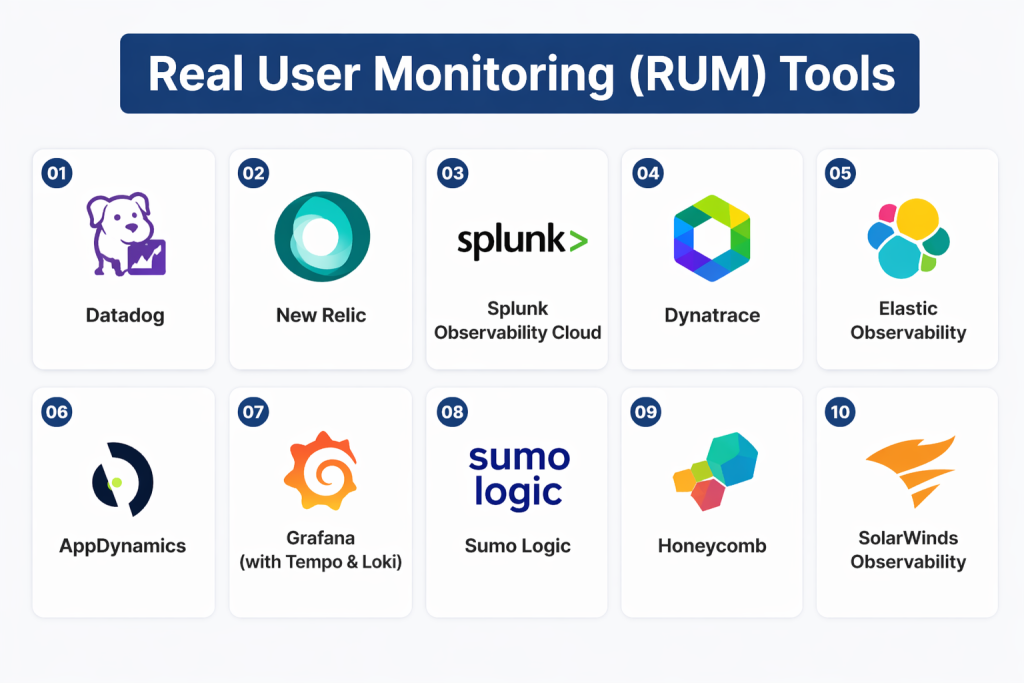
Top 10 Real User Monitoring (RUM) Tools
#1 — Datadog RUM
Short description: A powerful RUM solution within Datadog’s observability platform, offering full visibility into user sessions and frontend performance.
Key Features
- Session replay and real-time monitoring
- Core Web Vitals tracking
- Correlation with logs, traces, and infrastructure
- Error tracking and analytics
- Multi-platform support (web + mobile)
- AI-driven anomaly detection
Pros
- Deep integration with full observability stack
- Highly scalable
- Strong analytics and dashboards
Cons
- Premium pricing
- Requires configuration for full value
Platforms / Deployment
Web / Mobile
Cloud
Security & Compliance
RBAC, encryption (details not publicly stated)
Integrations & Ecosystem
- APM, logs, infrastructure monitoring
- Cloud providers
- CI/CD pipelines
Support & Community
Strong enterprise support and ecosystem.
#2 — New Relic Browser
Short description: A RUM solution integrated into New Relic’s full-stack observability platform.
Key Features
- Browser and mobile monitoring
- Core Web Vitals tracking
- Session analytics
- Distributed tracing integration
- Real-time dashboards
- Alerting and anomaly detection
Pros
- Unified observability platform
- Developer-friendly
- Free tier available
Cons
- Usage-based pricing can scale quickly
- UI complexity for beginners
Platforms / Deployment
Web / Mobile
Cloud
Security & Compliance
Not publicly stated
Integrations & Ecosystem
- APM and infrastructure tools
- OpenTelemetry support
- Cloud platforms
Support & Community
Strong documentation and community.
#3 — Dynatrace RUM
Short description: An AI-driven RUM solution with automatic instrumentation and root-cause analysis.
Key Features
- Automatic frontend instrumentation
- AI-driven insights
- Session replay
- Full-stack correlation
- Core Web Vitals tracking
- Real-time alerting
Pros
- Strong AI automation
- Deep root-cause analysis
- Enterprise scalability
Cons
- Premium pricing
- Complex configuration
Platforms / Deployment
Web / Mobile
Cloud
Security & Compliance
Not publicly stated
Integrations & Ecosystem
- Full observability platform
- Cloud and DevOps tools
Support & Community
Enterprise-grade support.
#4 — Splunk RUM
Short description: A RUM tool integrated with Splunk Observability Cloud for deep frontend-backend correlation.
Key Features
- Real-time user session tracking
- Integration with APM and logs
- Core Web Vitals monitoring
- Advanced analytics dashboards
- Alerting and automation
Pros
- Strong enterprise analytics
- Deep observability integration
Cons
- Expensive
- Complex onboarding
Platforms / Deployment
Web / Mobile
Cloud
Security & Compliance
Not publicly stated
Integrations & Ecosystem
- Splunk Observability Cloud
- DevOps and cloud tools
Support & Community
Strong enterprise support.
#5 — Pingdom RUM
Short description: A simple and effective RUM tool combined with synthetic monitoring capabilities.
Key Features
- Real-time user performance tracking
- Geographic and device segmentation
- Core Web Vitals monitoring
- Alerts and dashboards
- Easy setup
Pros
- Simple and user-friendly
- Combines RUM + synthetic monitoring
Cons
- Limited advanced analytics
- Less scalable than enterprise tools
Platforms / Deployment
Web
Cloud
Security & Compliance
Not publicly stated
Integrations & Ecosystem
- Monitoring tools
- Cloud services
Support & Community
Good support and documentation.
#6 — Raygun RUM
Short description: A developer-focused RUM tool with strong error tracking and session replay capabilities.
Key Features
- Session replay
- Error tracking and diagnostics
- Performance monitoring
- User journey analysis
- Real-time alerts
Pros
- Strong debugging capabilities
- Developer-friendly
Cons
- Smaller ecosystem
- Limited enterprise features
Platforms / Deployment
Web / Mobile
Cloud
Security & Compliance
Not publicly stated
Integrations & Ecosystem
- Dev tools and APIs
- CI/CD integrations
Support & Community
Active community and support.
#7 — Elastic RUM
Short description: A RUM solution within Elastic Observability for analyzing user experience across applications.
Key Features
- Browser-based performance tracking
- Core Web Vitals analysis
- Integration with logs and APM
- Real-time dashboards
- OpenTelemetry support
Pros
- Open-source flexibility
- Strong visualization
Cons
- Setup complexity
- Requires Elastic Stack knowledge
Platforms / Deployment
Web / Cloud / On-premises
Security & Compliance
Not publicly stated
Integrations & Ecosystem
- Elastic Stack
- Cloud platforms
Support & Community
Strong open-source community.
#8 — Akamai mPulse
Short description: A dedicated RUM platform focused on frontend performance and user experience analytics.
Key Features
- Real-time performance tracking
- Core Web Vitals analysis
- User segmentation
- Performance diagnostics
- Analytics dashboards
Pros
- Strong frontend performance insights
- Scalable for large traffic
Cons
- Enterprise-focused
- Limited beyond frontend
Platforms / Deployment
Web / Cloud
Security & Compliance
Not publicly stated
Integrations & Ecosystem
- CDN and performance tools
- Analytics platforms
Support & Community
Enterprise support.
#9 — Sumo Logic RUM
Short description: A cloud-native RUM solution integrated with Sumo Logic observability platform.
Key Features
- Real user metrics tracking
- Core Web Vitals monitoring
- Performance dashboards
- Alerting and analytics
- Integration with logs and traces
Pros
- Unified observability
- Strong analytics
Cons
- Pricing complexity
- Requires setup
Platforms / Deployment
Web / Cloud
Security & Compliance
Not publicly stated
Integrations & Ecosystem
- Observability tools
- Cloud services
Support & Community
Enterprise support.
#10 — DebugBear
Short description: A RUM tool focused on Core Web Vitals and frontend performance diagnostics.
Key Features
- Core Web Vitals tracking
- Performance diagnostics
- User segmentation
- Alerts and reporting
- Release performance tracking
Pros
- Strong SEO-focused insights
- Easy to use
Cons
- Limited enterprise features
- Smaller ecosystem
Platforms / Deployment
Web / Cloud
Security & Compliance
Not publicly stated
Integrations & Ecosystem
- Dev tools
- Monitoring platforms
Support & Community
Growing community.
Comparison Table (Top 10)
| Tool Name | Best For | Platform(s) Supported | Deployment | Standout Feature | Public Rating |
|---|---|---|---|---|---|
| Datadog RUM | Enterprise | Web/Mobile | Cloud | Full-stack correlation | N/A |
| New Relic Browser | Unified observability | Web/Mobile | Cloud | Free tier + full stack | N/A |
| Dynatrace RUM | AI-driven insights | Web/Mobile | Cloud | Auto instrumentation | N/A |
| Splunk RUM | Enterprise analytics | Web/Mobile | Cloud | Deep correlation | N/A |
| Pingdom RUM | Simplicity | Web | Cloud | Easy setup | N/A |
| Raygun | Developers | Web/Mobile | Cloud | Session replay | N/A |
| Elastic RUM | Open-source users | Web | Hybrid | Elastic Stack integration | N/A |
| Akamai mPulse | Frontend performance | Web | Cloud | Core Web Vitals focus | N/A |
| Sumo Logic RUM | Cloud-native analytics | Web | Cloud | Unified telemetry | N/A |
| DebugBear | SEO performance | Web | Cloud | Core Web Vitals insights | N/A |
Evaluation & Scoring of RUM Tools
| Tool Name | Core (25%) | Ease (15%) | Integrations (15%) | Security (10%) | Performance (10%) | Support (10%) | Value (15%) | Weighted Total (0–10) |
|---|---|---|---|---|---|---|---|---|
| Datadog | 9 | 8 | 9 | 8 | 8 | 8 | 7 | 8.3 |
| New Relic | 9 | 8 | 8 | 8 | 8 | 8 | 8 | 8.2 |
| Dynatrace | 9 | 7 | 8 | 8 | 8 | 8 | 7 | 8.0 |
| Splunk | 9 | 7 | 9 | 8 | 8 | 8 | 7 | 8.1 |
| Pingdom | 7 | 9 | 7 | 7 | 7 | 7 | 8 | 7.6 |
| Raygun | 8 | 8 | 7 | 7 | 7 | 7 | 8 | 7.7 |
| Elastic | 8 | 7 | 8 | 8 | 7 | 7 | 7 | 7.6 |
| Akamai mPulse | 8 | 7 | 7 | 8 | 8 | 7 | 7 | 7.6 |
| Sumo Logic | 8 | 7 | 8 | 8 | 7 | 7 | 7 | 7.6 |
| DebugBear | 7 | 8 | 6 | 7 | 7 | 7 | 8 | 7.4 |
Which Real User Monitoring Tool Is Right for You?
Solo / Developer
DebugBear or Raygun are simple and developer-friendly.
SMB
Pingdom and New Relic offer easy deployment and strong insights.
Mid-Market
Elastic RUM and Sumo Logic provide scalable analytics.
Enterprise
Datadog, Dynatrace, and Splunk deliver full-stack observability and AI-driven insights.
SEO / Performance Focus
DebugBear and Akamai mPulse are strong for Core Web Vitals.
Frequently Asked Questions (FAQs)
1. What is RUM?
RUM measures real user interactions with applications in real-world conditions.
2. How is RUM different from synthetic monitoring?
RUM uses real user data; synthetic uses simulated tests.
3. Why is RUM important?
It reveals real performance issues that affect users.
4. Does RUM help SEO?
Yes, by improving Core Web Vitals.
5. Can RUM detect frontend errors?
Yes, including JavaScript and API failures.
6. Is RUM scalable?
Yes, enterprise tools support millions of sessions.
7. Can RUM integrate with observability tools?
Yes, most tools integrate with APM and logs.
8. Do RUM tools support mobile apps?
Yes, many support mobile SDKs.
9. Is RUM required for all apps?
Not always, but critical for high-traffic apps.
10. How do I choose a RUM tool?
Evaluate scale, integrations, analytics, and cost.
Conclusion
Real User Monitoring tools are essential for understanding how real users experience your applications, helping teams move beyond synthetic testing into real-world performance optimization. From lightweight tools like DebugBear to enterprise platforms like Datadog and Dynatrace, the right solution depends on your scale, architecture, and observability needs. Start by identifying your performance goals, shortlist 2–3 tools, and test them in real environments to ensure they align with your technical stack and business outcomes.
