Introduction
Relational Database Management Systems (RDBMS) are software systems that store, manage, and retrieve data using a structured format of rows and columns (tables). They are based on the relational model, where data is organized into relationships using keys like primary keys and foreign keys.
RDBMS platforms are the backbone of modern applications such as banking systems, eCommerce platforms, ERP systems, SaaS applications, and enterprise analytics systems.
They ensure data integrity, consistency, security, and efficient querying using SQL (Structured Query Language).
Common use cases include:
- Transaction processing systems (banking, payments)
- Business applications (CRM, ERP)
- Data warehousing and reporting
- Inventory and order management systems
- Web and SaaS application backends
Key evaluation criteria:
- ACID compliance (data reliability)
- Performance and query optimization
- Scalability (vertical and horizontal support)
- Security and access control
- SQL support and extensions
- Cloud and on-premise deployment options
- Replication and backup capabilities
- Ecosystem and integration support
Best for: Enterprises, developers, data engineers, and organizations requiring structured, reliable data storage.
Not ideal for: Highly unstructured or schema-less data workloads (where NoSQL may be better).
Key Trends in RDBMS
- Cloud-native RDBMS adoption (DBaaS models)
- Hybrid transactional + analytical processing (HTAP)
- Auto-scaling and serverless databases
- AI-driven query optimization and indexing
- Multi-cloud database deployment support
- Improved JSON and semi-structured data support
- Real-time analytics integration
- Strong encryption and zero-trust database security
- Distributed SQL databases for global scaling
- Automation in backup, replication, and tuning
How We Selected These Tools (Methodology)
- Strong industry adoption and enterprise usage
- Full SQL compliance and ACID support
- Performance and scalability benchmarks
- Cloud and hybrid deployment capabilities
- Security and encryption standards
- Ecosystem and integration support
- Developer and DBA usability
- Support for modern workloads (analytics + transactions)
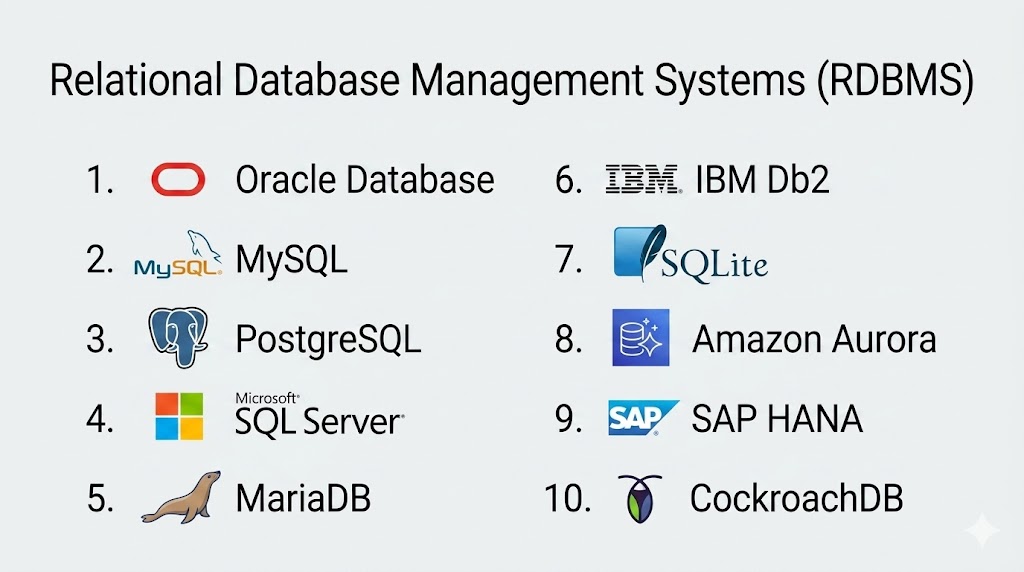
Top 10 Relational Database Management Systems (RDBMS)
#1 — Oracle Database
Short description: A powerful enterprise-grade RDBMS known for high performance, scalability, and advanced security features used in large-scale mission-critical systems.
Key Features
- Advanced SQL engine
- High availability (RAC)
- Data partitioning
- Advanced security controls
- Automated tuning and optimization
Pros
- Extremely powerful and scalable
- Best for enterprise workloads
Cons
- High cost
- Complex administration
Platforms / Deployment
Cloud / On-premise
Security & Compliance
Advanced encryption, auditing; Not publicly stated
Integrations & Ecosystem
- Enterprise applications
- Cloud platforms
- APIs
Support & Community
Strong enterprise support
#2 — MySQL
Short description: One of the most widely used open-source RDBMS platforms known for simplicity, speed, and web application compatibility.
Key Features
- SQL support
- Replication and clustering
- Storage engine flexibility
- High performance queries
- ACID compliance
Pros
- Easy to use and widely supported
- Strong community ecosystem
Cons
- Limited advanced enterprise features
- Performance tuning required at scale
Platforms / Deployment
Cloud / On-premise
Security & Compliance
Basic encryption and access control; Not publicly stated
Integrations & Ecosystem
- Web frameworks
- Cloud platforms
- APIs
Support & Community
Large open-source community
#3 — PostgreSQL
Short description: A highly advanced open-source RDBMS known for extensibility, performance, and strong SQL compliance.
Key Features
- Advanced SQL compliance
- JSON support
- Extensibility (custom functions)
- MVCC architecture
- Replication support
Pros
- Highly flexible and powerful
- Strong community support
Cons
- Requires tuning for high load
- Slightly complex setup
Platforms / Deployment
Cloud / On-premise
Security & Compliance
Strong encryption support; Not publicly stated
Integrations & Ecosystem
- Cloud services
- Analytics tools
- APIs
Support & Community
Strong open-source community
#4 — Microsoft SQL Server
Short description: A comprehensive RDBMS developed by Microsoft widely used in enterprise applications and business intelligence systems.
Key Features
- T-SQL query engine
- Business intelligence tools
- Data warehousing support
- Advanced analytics
- Security and encryption
Pros
- Strong Microsoft ecosystem integration
- Easy for enterprise use
Cons
- Licensing cost
- Windows-heavy ecosystem
Platforms / Deployment
Windows / Azure Cloud
Security & Compliance
Enterprise encryption and RBAC; Not publicly stated
Integrations & Ecosystem
- Azure
- Power BI
- Microsoft tools
Support & Community
Strong enterprise support
#5 — MariaDB
Short description: A community-developed fork of MySQL designed for improved performance, scalability, and open-source innovation.
Key Features
- MySQL compatibility
- Improved storage engines
- Replication and clustering
- Performance optimization
- Open-source licensing
Pros
- Faster than MySQL in some workloads
- Fully open-source
Cons
- Smaller enterprise adoption
- Compatibility differences
Platforms / Deployment
Cloud / On-premise
Security & Compliance
Encryption and authentication; Not publicly stated
Integrations & Ecosystem
- Web applications
- Cloud platforms
- APIs
Support & Community
Strong open-source community
#6 — IBM Db2
Short description: An enterprise RDBMS designed for high-performance analytics, transactional processing, and large-scale workloads.
Key Features
- AI-powered query optimization
- Data compression
- High availability
- Advanced analytics support
- Security features
Pros
- Strong enterprise performance
- Excellent analytics support
Cons
- Complex setup
- Licensing cost
Platforms / Deployment
Cloud / On-premise
Security & Compliance
Enterprise-grade encryption; Not publicly stated
Integrations & Ecosystem
- IBM Cloud
- Enterprise tools
- APIs
Support & Community
Strong IBM support
#7 — SQLite
Short description: A lightweight, serverless RDBMS widely used in mobile apps, embedded systems, and small applications.
Key Features
- Serverless architecture
- Lightweight database engine
- Self-contained file storage
- ACID compliance
- Zero configuration
Pros
- Extremely lightweight
- Easy to deploy
Cons
- Not suitable for large-scale systems
- Limited concurrency
Platforms / Deployment
Cross-platform
Security & Compliance
Basic encryption support; Not publicly stated
Integrations & Ecosystem
- Mobile apps
- Embedded systems
- APIs
Support & Community
Strong developer usage
#8 — Amazon Aurora
Short description: A cloud-native RDBMS compatible with MySQL and PostgreSQL, optimized for high performance and scalability.
Key Features
- Auto-scaling storage
- High availability
- MySQL/PostgreSQL compatibility
- Distributed architecture
- Automated backups
Pros
- High performance cloud DB
- Fully managed service
Cons
- AWS dependency
- Cost increases at scale
Platforms / Deployment
Cloud
Security & Compliance
AWS encryption standards; Not publicly stated
Integrations & Ecosystem
- AWS services
- DevOps tools
- APIs
Support & Community
Strong AWS support
#9 — SAP HANA
Short description: An in-memory RDBMS designed for real-time analytics and enterprise applications.
Key Features
- In-memory processing
- Real-time analytics
- Advanced compression
- High-speed transactions
- Business intelligence support
Pros
- Extremely fast analytics
- Strong SAP integration
Cons
- Expensive
- SAP ecosystem dependency
Platforms / Deployment
Cloud / On-premise
Security & Compliance
Enterprise security; Not publicly stated
Integrations & Ecosystem
- SAP applications
- Enterprise systems
- APIs
Support & Community
Strong SAP support
#10 — CockroachDB
Short description: A distributed SQL database designed for high availability, scalability, and fault tolerance.
Key Features
- Distributed SQL architecture
- Horizontal scaling
- High availability
- ACID compliance
- Multi-region support
Pros
- Highly scalable and resilient
- Cloud-native architecture
Cons
- Complex setup
- Requires distributed systems expertise
Platforms / Deployment
Cloud / Hybrid
Security & Compliance
Encryption and RBAC; Not publicly stated
Integrations & Ecosystem
- Cloud platforms
- DevOps tools
- APIs
Support & Community
Growing enterprise support
Comparison Table (Top 10)
| Tool Name | Best For | Platform(s) Supported | Deployment | Standout Feature | Public Rating |
|---|---|---|---|---|---|
| Oracle Database | Enterprise systems | Multi | Cloud/On-prem | Scalability | N/A |
| MySQL | Web apps | Multi | Cloud/On-prem | Simplicity | N/A |
| PostgreSQL | Advanced apps | Multi | Cloud/On-prem | Extensibility | N/A |
| SQL Server | Microsoft ecosystem | Windows/Azure | Cloud/On-prem | BI tools | N/A |
| MariaDB | Open-source users | Multi | Cloud/On-prem | MySQL fork | N/A |
| IBM Db2 | Enterprise analytics | Multi | Cloud/On-prem | AI optimization | N/A |
| SQLite | Embedded systems | Multi | Local | Lightweight DB | N/A |
| Amazon Aurora | Cloud apps | Multi | Cloud | Auto-scaling | N/A |
| SAP HANA | Real-time analytics | Multi | Cloud/On-prem | In-memory speed | N/A |
| CockroachDB | Distributed systems | Multi | Cloud/Hybrid | Horizontal scaling | N/A |
Evaluation & Scoring of RDBMS Tools
| Tool Name | Core (25%) | Ease (15%) | Integrations (15%) | Security (10%) | Performance (10%) | Support (10%) | Value (15%) | Weighted Total (0–10) |
|---|---|---|---|---|---|---|---|---|
| Oracle | 10 | 7 | 9 | 10 | 10 | 9 | 6 | 8.8 |
| MySQL | 9 | 9 | 9 | 8 | 8 | 8 | 10 | 8.7 |
| PostgreSQL | 10 | 8 | 9 | 9 | 9 | 9 | 10 | 9.1 |
| SQL Server | 9 | 9 | 9 | 9 | 9 | 9 | 8 | 8.9 |
| MariaDB | 8 | 9 | 8 | 8 | 8 | 8 | 10 | 8.3 |
| IBM Db2 | 9 | 7 | 9 | 10 | 9 | 9 | 7 | 8.5 |
| SQLite | 7 | 10 | 7 | 8 | 7 | 7 | 10 | 8.0 |
| Aurora | 9 | 9 | 9 | 9 | 10 | 9 | 7 | 8.7 |
| SAP HANA | 10 | 7 | 9 | 10 | 10 | 9 | 6 | 8.8 |
| CockroachDB | 9 | 7 | 9 | 10 | 9 | 8 | 7 | 8.4 |
Which RDBMS Is Right for You?
Solo / Freelancer
SQLite or MySQL for simple projects
SMB
MySQL or PostgreSQL for scalable applications
Mid-Market
SQL Server or MariaDB for balanced performance
Enterprise
Oracle, SAP HANA, IBM Db2 for large-scale systems
Cloud-Native
Aurora or CockroachDB for distributed systems
Frequently Asked Questions (FAQs)
1. What is an RDBMS?
It is a system that stores data in tables using rows and columns with relationships.
2. Why are RDBMS important?
They ensure data integrity, consistency, and structured storage.
3. What language do RDBMS use?
They use SQL (Structured Query Language).
4. What is ACID compliance?
It ensures reliable transactions (Atomicity, Consistency, Isolation, Durability).
5. Which is the most popular RDBMS?
MySQL and PostgreSQL are widely used globally.
6. What is the difference between SQL and NoSQL?
SQL is structured; NoSQL is flexible and schema-less.
7. Are RDBMS cloud-ready?
Yes, most modern RDBMS support cloud deployment.
8. Which RDBMS is best for enterprise use?
Oracle, SQL Server, and SAP HANA.
9. Which is best for beginners?
MySQL and SQLite.
10. Can RDBMS handle big data?
Yes, especially modern distributed RDBMS like CockroachDB.
Conclusion
Relational Database Management Systems remain the foundation of structured data storage in modern applications. Despite the rise of NoSQL and distributed systems, RDBMS platforms continue to dominate enterprise environments due to their reliability, ACID compliance, and powerful SQL capabilities. Each RDBMS serves a different purpose—some focus on simplicity and speed (MySQL, SQLite), while others focus on enterprise-grade scalability and performance (Oracle, SAP HANA, SQL Server). The right choice depends on your workload, scalability needs, and ecosystem compatibility. Ultimately, RDBMS tools ensure data consistency, transactional safety, and long-term reliability, making them essential for almost every modern digital system.
