Introduction
Network Analysis Tools are specialized solutions used to inspect, capture, and analyze network traffic in order to understand performance, troubleshoot issues, and detect anomalies. Unlike basic monitoring tools, these solutions dive deeper into packet-level data, protocols, and traffic patterns to provide actionable insights into how networks behave.
With increasing adoption of cloud computing, distributed systems, and security-driven architectures, network analysis has become essential for diagnosing performance bottlenecks, identifying suspicious activity, and optimizing traffic flow. Modern environments require more than surface-level metrics—teams need granular visibility into every packet and connection.
Common Use Cases
- Packet-level troubleshooting to identify latency and performance issues
- Security analysis for detecting suspicious traffic and potential breaches
- Protocol analysis to understand communication patterns
- Bandwidth optimization through traffic inspection
- Root cause analysis for network outages and degradations
What Buyers Should Evaluate
- Packet capture and deep packet inspection capabilities
- Protocol support and decoding accuracy
- Real-time vs historical analysis
- Scalability across high-traffic environments
- Visualization and reporting features
- Integration with security and monitoring tools
- Ease of use vs technical complexity
- Deployment flexibility (cloud, on-prem, hybrid)
- Alerting and automation capabilities
Best for: Network engineers, cybersecurity professionals, DevOps teams, and enterprises that require deep visibility into traffic and performance.
Not ideal for: Small teams that only need basic uptime monitoring or organizations without dedicated technical expertise.
Key Trends in Network Analysis Tools
- AI-assisted traffic analysis for anomaly detection
- Integration with security platforms for unified threat visibility
- Cloud-native packet analysis for distributed workloads
- Encrypted traffic inspection techniques evolving rapidly
- Automation of root cause analysis workflows
- Real-time streaming analytics replacing batch processing
- API-first architectures for integration and customization
- Support for modern protocols and microservices traffic
- Hybrid deployment models for flexible analysis
How We Selected These Tools (Methodology)
- Widely recognized industry adoption and credibility
- Strong packet analysis and protocol inspection capabilities
- Proven performance in high-traffic environments
- Availability of security and anomaly detection features
- Robust integration ecosystem and extensibility
- Coverage across open-source and commercial tools
- Support for modern networking environments
- Quality of documentation and community support
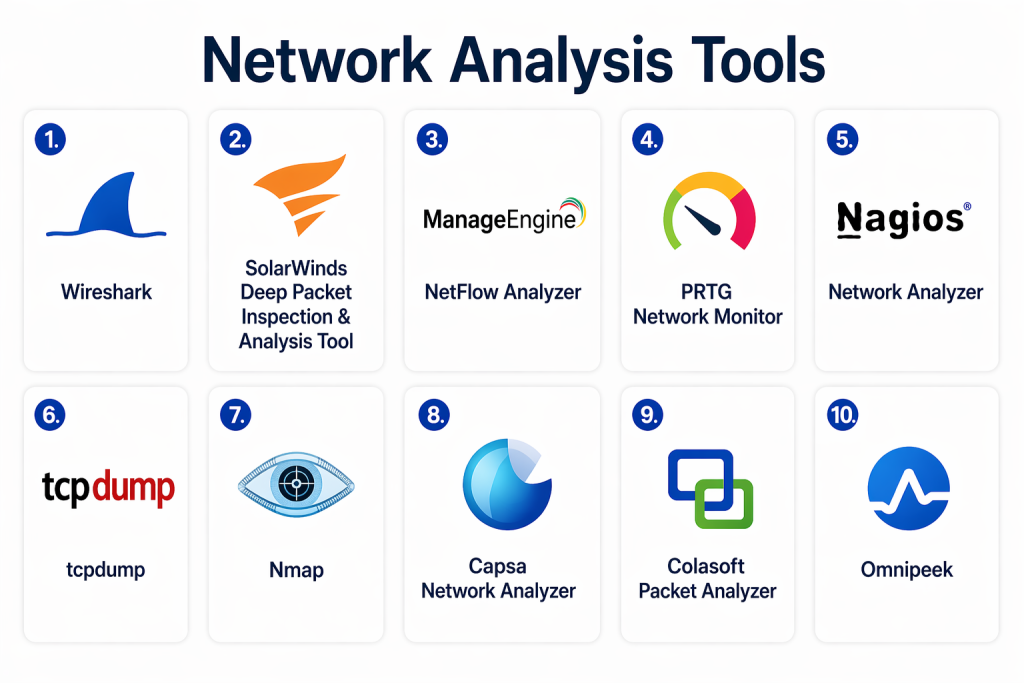
Top 10 Network Analysis Tools
#1 — Wireshark
Short description:
Wireshark is one of the most widely used open-source packet analysis tools. It provides deep inspection of hundreds of protocols and is favored by professionals for troubleshooting and forensic analysis.
Key Features
- Deep packet inspection
- Protocol decoding
- Real-time capture and offline analysis
- Filtering and search capabilities
- Visualization of traffic flows
- Multi-platform support
Pros
- Free and open-source
- Extremely powerful and detailed
Cons
- Steep learning curve
- Not beginner-friendly
Platforms / Deployment
Windows / macOS / Linux
Security & Compliance
Not publicly stated
Integrations & Ecosystem
Extensible with plugins and integrations.
- Custom dissectors
- Export formats
- Integration with analysis tools
Support & Community
Very strong global community and documentation
#2 — SolarWinds Deep Packet Inspection & Analysis Tool
Short description:
A commercial solution offering advanced packet inspection combined with network performance insights for enterprise environments.
Key Features
- Deep packet inspection
- Network traffic analysis
- Performance monitoring
- Alerting and reporting
- Visualization dashboards
Pros
- Enterprise-grade capabilities
- Strong visualization tools
Cons
- Higher cost
- Requires setup expertise
Platforms / Deployment
Windows / On-premises
Security & Compliance
RBAC, encryption (certifications not publicly stated)
Integrations & Ecosystem
Supports integrations with IT management tools.
- Service management systems
- APIs
Support & Community
Enterprise support with documentation
#3 — ManageEngine NetFlow Analyzer
Short description:
A flow-based network analysis tool that provides insights into bandwidth usage and traffic patterns.
Key Features
- NetFlow and traffic analysis
- Bandwidth monitoring
- Application visibility
- Alerting and reporting
- Traffic analytics
Pros
- Strong bandwidth insights
- Easy deployment
Cons
- Limited packet-level detail
- Advanced features may require upgrades
Platforms / Deployment
Windows / Linux / Cloud
Security & Compliance
RBAC, encryption (certifications not publicly stated)
Integrations & Ecosystem
Integrates with network and IT tools.
- Monitoring platforms
- APIs
Support & Community
Good vendor support
#4 — PRTG Network Monitor
Short description:
An all-in-one monitoring and analysis tool offering both network monitoring and traffic analysis capabilities.
Key Features
- Packet sniffing
- Flow monitoring
- Traffic analysis
- Alerts and dashboards
- Sensor-based monitoring
Pros
- Easy to use
- Flexible deployment
Cons
- Scaling costs
- Sensor limits
Platforms / Deployment
Windows / Cloud / On-premises
Security & Compliance
SSO, encryption (certifications not publicly stated)
Integrations & Ecosystem
Supports API integrations and plugins.
Support & Community
Strong vendor support
#5 — Nagios Network Analyzer
Short description:
A traffic analysis extension of the Nagios ecosystem focused on log and flow data analysis.
Key Features
- Flow data analysis
- Log monitoring
- Traffic visualization
- Alerting capabilities
- Integration with Nagios
Pros
- Strong integration with Nagios
- Flexible setup
Cons
- Complex configuration
- UI limitations
Platforms / Deployment
Linux / On-premises
Security & Compliance
Not publicly stated
Integrations & Ecosystem
Integrates with Nagios ecosystem and plugins.
Support & Community
Strong community support
#6 — tcpdump
Short description:
A command-line packet analyzer used for capturing and inspecting network traffic in real time.
Key Features
- Packet capture
- Command-line filtering
- Lightweight operation
- Protocol inspection
- Real-time analysis
Pros
- Lightweight and fast
- Highly flexible
Cons
- No graphical interface
- Requires expertise
Platforms / Deployment
Linux / macOS / Unix
Security & Compliance
Not publicly stated
Integrations & Ecosystem
Works with scripting and analysis tools.
Support & Community
Strong open-source community
#7 — Nmap
Short description:
A network scanning and analysis tool used for discovering hosts, services, and vulnerabilities.
Key Features
- Network discovery
- Port scanning
- Service detection
- Scriptable engine
- Security analysis
Pros
- Powerful scanning capabilities
- Widely used
Cons
- Not focused on real-time monitoring
- Requires expertise
Platforms / Deployment
Windows / Linux / macOS
Security & Compliance
Not publicly stated
Integrations & Ecosystem
Supports scripting and integrations.
Support & Community
Very strong community
#8 — Capsa Network Analyzer
Short description:
A Windows-based network analysis tool designed for performance and security diagnostics.
Key Features
- Packet capture
- Traffic analysis
- Network mapping
- Alerts and reports
- Protocol analysis
Pros
- User-friendly interface
- Good visualization
Cons
- Windows-only
- Limited scalability
Platforms / Deployment
Windows
Security & Compliance
Not publicly stated
Integrations & Ecosystem
Limited integrations
Support & Community
Moderate support
#9 — Colasoft Packet Analyzer
Short description:
A packet capture and analysis tool focused on troubleshooting and performance monitoring.
Key Features
- Packet capture
- Traffic analysis
- Protocol decoding
- Reporting tools
- Visualization
Pros
- Easy to use
- Good for troubleshooting
Cons
- Limited advanced features
- Smaller ecosystem
Platforms / Deployment
Windows
Security & Compliance
Not publicly stated
Integrations & Ecosystem
Limited integrations
Support & Community
Moderate support
#10 — Omnipeek
Short description:
A professional-grade packet analysis tool designed for enterprise-level troubleshooting and analysis.
Key Features
- Advanced packet capture
- Deep protocol analysis
- Visualization tools
- Performance diagnostics
- Wireless analysis
Pros
- Enterprise-grade capabilities
- Detailed analysis
Cons
- Expensive
- Requires training
Platforms / Deployment
Windows
Security & Compliance
Not publicly stated
Integrations & Ecosystem
Supports enterprise integrations.
Support & Community
Vendor support available
Comparison Table (Top 10)
| Tool Name | Best For | Platform(s) Supported | Deployment | Standout Feature | Public Rating |
|---|---|---|---|---|---|
| Wireshark | Packet analysis | Windows/macOS/Linux | Local | Deep packet inspection | N/A |
| SolarWinds DPI | Enterprise analysis | Windows | On-prem | Advanced analytics | N/A |
| NetFlow Analyzer | Traffic analysis | Windows/Linux | Hybrid | Bandwidth insights | N/A |
| PRTG | SMB monitoring | Windows | Hybrid | Sensor-based monitoring | N/A |
| Nagios Analyzer | Log analysis | Linux | On-prem | Integration | N/A |
| tcpdump | CLI analysis | Linux/macOS | Local | Lightweight capture | N/A |
| Nmap | Network scanning | Multi-platform | Local | Discovery & scanning | N/A |
| Capsa | SMB analysis | Windows | Local | Easy UI | N/A |
| Colasoft | Troubleshooting | Windows | Local | Packet decoding | N/A |
| Omnipeek | Enterprise analysis | Windows | Local | Advanced diagnostics | N/A |
Evaluation & Scoring of Network Analysis Tools
| Tool Name | Core | Ease | Integrations | Security | Performance | Support | Value | Weighted Total |
|---|---|---|---|---|---|---|---|---|
| Wireshark | 10 | 6 | 7 | 6 | 9 | 9 | 10 | 8.3 |
| SolarWinds | 9 | 6 | 8 | 7 | 9 | 8 | 6 | 7.9 |
| NetFlow Analyzer | 8 | 7 | 7 | 7 | 8 | 7 | 8 | 7.7 |
| PRTG | 8 | 8 | 7 | 7 | 8 | 7 | 7 | 7.7 |
| Nagios | 7 | 5 | 8 | 6 | 7 | 7 | 8 | 7.0 |
| tcpdump | 8 | 4 | 6 | 6 | 9 | 7 | 10 | 7.4 |
| Nmap | 8 | 5 | 7 | 7 | 8 | 8 | 9 | 7.6 |
| Capsa | 7 | 7 | 6 | 6 | 7 | 6 | 7 | 6.8 |
| Colasoft | 7 | 7 | 6 | 6 | 7 | 6 | 7 | 6.8 |
| Omnipeek | 9 | 6 | 7 | 7 | 9 | 7 | 6 | 7.8 |
Interpretation:
Scores are relative comparisons. Higher scores indicate better balance across features, usability, and value. Open-source tools score high in value but may require expertise, while enterprise tools offer stronger features but at higher cost.
Which Network Analysis Tool Is Right for You?
Solo / Freelancer
- Wireshark, tcpdump
- Focus on free and flexible tools
SMB
- PRTG, Capsa
- Balance of usability and features
Mid-Market
- NetFlow Analyzer, Nagios
- Scalable and flexible
Enterprise
- SolarWinds, Omnipeek
- Advanced analytics and performance
Budget vs Premium
- Budget: Wireshark, tcpdump
- Premium: SolarWinds, Omnipeek
Feature Depth vs Ease of Use
- Deep analysis: Wireshark
- Ease of use: PRTG
Integrations & Scalability
- Strongest: SolarWinds, NetFlow Analyzer
Security & Compliance Needs
- Choose tools with encryption and access control
Frequently Asked Questions (FAQs)
1. What are network analysis tools?
They inspect and analyze network traffic at a deeper level, often down to individual packets. These tools help diagnose performance issues, understand traffic behavior, and identify anomalies in network communication.
2. How are they different from monitoring tools?
Monitoring tools track metrics like uptime and performance, while analysis tools focus on detailed inspection of traffic, protocols, and packet-level data for deeper insights.
3. Are open-source tools reliable?
Yes, tools like Wireshark and tcpdump are widely trusted. However, they may require technical expertise and lack enterprise-level support compared to commercial solutions.
4. Can these tools help with cybersecurity?
Yes, they can detect unusual traffic patterns, unauthorized access attempts, and suspicious behavior, making them valuable for security analysis and incident response.
5. What skills are required to use these tools?
Most tools require a solid understanding of networking concepts, protocols, and traffic analysis. Some tools also require scripting or command-line expertise.
6. Do these tools support cloud environments?
Many modern tools support cloud and hybrid environments, but traditional tools may require additional configuration to work effectively in distributed systems.
7. What is packet capture?
Packet capture involves collecting data packets traveling across a network. These packets are then analyzed to understand communication patterns and detect issues.
8. How much do these tools cost?
Costs vary widely. Open-source tools are free, while commercial tools offer subscription or licensing models based on features and scale.
9. Can these tools integrate with other systems?
Yes, most tools support integrations with monitoring platforms, security tools, and DevOps pipelines to enhance visibility and automation.
10. What mistakes should be avoided?
Common mistakes include choosing overly complex tools, ignoring scalability, and failing to align the tool with specific use cases or team expertise.
Conclusion
Network analysis tools play a critical role in understanding the deeper layers of network behavior, going beyond simple monitoring to provide detailed insights into traffic patterns, protocols, and performance issues. As infrastructures grow more complex with hybrid and cloud environments, these tools become essential for maintaining reliability and security.
The right choice depends on your technical expertise, infrastructure size, and specific use cases. Open-source tools offer unmatched flexibility and cost efficiency, while commercial solutions provide advanced features, automation, and enterprise support. Each option has its strengths, and selecting the right one requires careful evaluation of your needs.
Instead of searching for a single best solution, focus on aligning the tool with your operational goals. Start by shortlisting a few tools, testing them in real scenarios, and evaluating how well they integrate into your existing workflows. This approach ensures that your network analysis strategy is both effective and future-ready.
