Introduction
Computer Vision Platforms are tools and systems that enable machines to interpret and understand visual data such as images and videos. These platforms combine AI, machine learning, and image processing techniques to automate tasks that traditionally required human vision—like detecting objects, recognizing faces, or analyzing scenes.
With the rapid growth of AI adoption, computer vision has become a core technology across industries. From smart surveillance systems to automated retail checkout and medical imaging, businesses are leveraging these platforms to extract insights from visual data at scale.
Real-world use cases include:
- Object detection and image classification
- Facial recognition and identity verification
- Video analytics and surveillance
- OCR (text extraction from images)
- Autonomous systems and robotics
What buyers should evaluate:
- Model accuracy and performance
- Ease of use and learning curve
- Data annotation and labeling capabilities
- Integration with ML pipelines
- Deployment flexibility (cloud, edge, hybrid)
- Scalability and performance
- Real-time processing capabilities
- Security and compliance features
- API and SDK availability
- Cost and pricing model
Best for: AI engineers, developers, enterprises, startups, and industries like retail, healthcare, automotive, and security.
Not ideal for: Basic analytics tasks or teams without AI/ML requirements.
Key Trends in Computer Vision Platforms
- Increased use of generative AI for image and video understanding
- Growth of edge AI and on-device vision processing
- Expansion of no-code/low-code computer vision tools
- Integration with IoT and real-time data streams
- Focus on privacy-preserving AI and compliance
- Rise of multimodal AI (vision + text + audio)
- Automated data labeling and annotation tools
- Improved model explainability and fairness tools
- Adoption of cloud-native and hybrid architectures
- Increased use in industries like healthcare, retail, and manufacturing
How We Selected These Tools (Methodology)
The platforms were selected based on:
- Market adoption and industry relevance
- Feature completeness across the vision lifecycle
- Ease of use for developers and enterprises
- Scalability and production readiness
- Integration with AI/ML ecosystems
- Support for real-time and edge deployment
- Community and vendor support
- Innovation in AI and automation
- Security and compliance considerations
- Overall value across different use cases
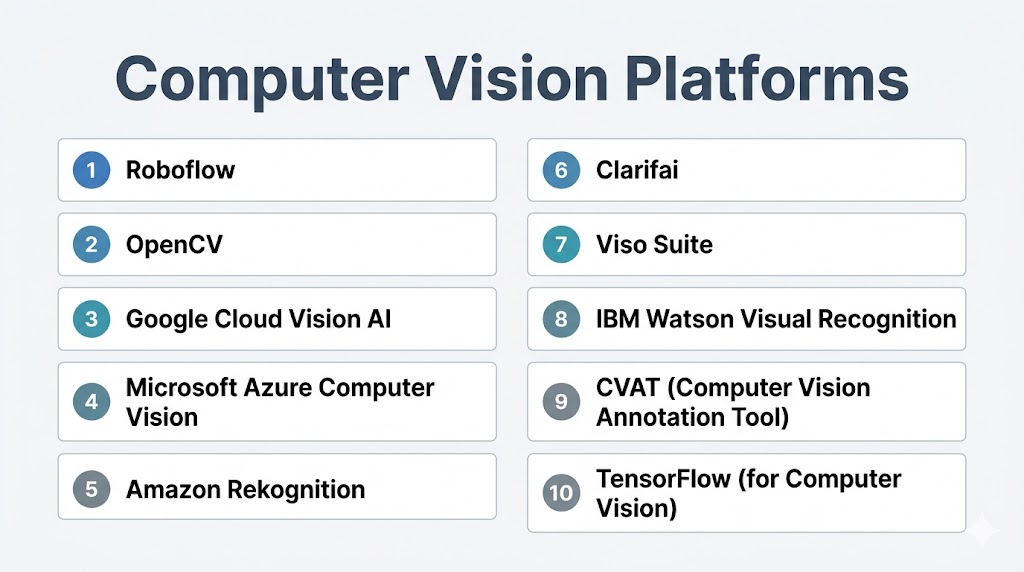
Top 10 Computer Vision Platforms Tools
#1 — Roboflow
Short description: An end-to-end computer vision platform for building, training, and deploying vision models quickly.
Key Features
- Dataset management and annotation
- Auto-labeling and preprocessing
- Model training and deployment
- Version control for datasets
- One-click deployment to multiple platforms
- Large public dataset library
Pros
- Very user-friendly
- Fast prototyping
Cons
- Pricing increases with scale
- Data privacy concerns in free tier
Platforms / Deployment
Web / Cloud / Edge
Security & Compliance
Not publicly stated
Integrations & Ecosystem
Integrates with ML frameworks and deployment tools.
- APIs
- TensorFlow / PyTorch
- Edge devices
Support & Community
Strong developer community and documentation
#2 — Google Cloud Vision AI
Short description: A powerful cloud-based platform offering pre-trained and custom vision models.
Key Features
- Image labeling and OCR
- Face and object detection
- AutoML Vision for custom models
- Large-scale processing
- High accuracy models
Pros
- Highly scalable
- Industry-leading accuracy
Cons
- Pricing complexity
- Cloud dependency
Platforms / Deployment
Cloud
Security & Compliance
Not publicly stated
Integrations & Ecosystem
- Cloud services
- APIs
- Data pipelines
Support & Community
Strong enterprise support
#3 — Microsoft Azure Computer Vision
Short description: A comprehensive enterprise-grade platform for image and video analysis.
Key Features
- OCR and handwriting recognition
- Image classification
- Video analysis tools
- Face detection APIs
- Integration with Azure ecosystem
Pros
- Strong enterprise integration
- Wide feature set
Cons
- Learning curve
- Requires Azure ecosystem
Platforms / Deployment
Cloud
Security & Compliance
Not publicly stated
Integrations & Ecosystem
- Azure services
- APIs
- Data tools
Support & Community
Enterprise-grade support
#4 — Amazon Rekognition
Short description: A cloud-based vision service for image and video analysis.
Key Features
- Object and scene detection
- Facial analysis
- Video analysis
- Real-time processing
- Integration with cloud services
Pros
- Easy to integrate
- Scalable
Cons
- Cloud dependency
- Pricing varies
Platforms / Deployment
Cloud
Security & Compliance
Not publicly stated
Integrations & Ecosystem
- Cloud tools
- APIs
Support & Community
Strong support ecosystem
#5 — OpenCV
Short description: A widely used open-source computer vision library for real-time applications.
Key Features
- 2500+ algorithms
- Image and video processing
- Object detection and tracking
- Multi-language support
- GPU acceleration
Pros
- Free and open-source
- Highly flexible
Cons
- Requires coding expertise
- No built-in UI
Platforms / Deployment
Windows / Linux / macOS / Android / iOS
Security & Compliance
Not publicly stated
Integrations & Ecosystem
- TensorFlow / PyTorch
- APIs
Support & Community
Very large global community
#6 — Clarifai
Short description: A no-code/low-code AI platform for building computer vision applications.
Key Features
- Pre-trained models
- Custom model training
- Visual workflows
- Multi-modal AI support
- Flexible deployment
Pros
- Easy to use
- Scalable
Cons
- Pricing can be high
- Requires configuration
Platforms / Deployment
Cloud / On-prem / Hybrid
Security & Compliance
Not publicly stated
Integrations & Ecosystem
- APIs
- AI pipelines
Support & Community
Good enterprise support
#7 — Viso Suite
Short description: An enterprise platform for building and managing large-scale vision applications.
Key Features
- End-to-end vision lifecycle
- IoT and edge integration
- Model deployment and monitoring
- Device management
- Dashboard analytics
Pros
- Enterprise-ready
- Full lifecycle coverage
Cons
- Expensive
- Complex setup
Platforms / Deployment
Cloud / Edge / Hybrid
Security & Compliance
Not publicly stated
Integrations & Ecosystem
- IoT systems
- APIs
Support & Community
Enterprise-level support
#8 — IBM Watson Visual Recognition
Short description: A platform for analyzing visual data and extracting insights using AI.
Key Features
- Image classification
- Object detection
- Custom model training
- Integration with IBM AI tools
- API-based access
Pros
- Easy integration
- Enterprise features
Cons
- Limited flexibility
- Pricing considerations
Platforms / Deployment
Cloud
Security & Compliance
Not publicly stated
Integrations & Ecosystem
- IBM cloud
- APIs
Support & Community
Enterprise support
#9 — CVAT (Computer Vision Annotation Tool)
Short description: An open-source tool for image and video annotation used in ML workflows.
Key Features
- Image and video annotation
- Automated labeling
- REST APIs
- Collaboration tools
- 3D annotation support
Pros
- Free and open-source
- Highly customizable
Cons
- Requires setup
- Limited UI polish
Platforms / Deployment
Self-hosted / Cloud
Security & Compliance
Not publicly stated
Integrations & Ecosystem
- APIs
- ML pipelines
Support & Community
Active open-source community
#10 — TensorFlow (Computer Vision Use)
Short description: A machine learning framework widely used for building computer vision models.
Key Features
- Deep learning model support
- Object detection APIs
- Edge deployment (TensorFlow Lite)
- Pre-trained models
- Scalable architecture
Pros
- Highly scalable
- Strong ecosystem
Cons
- Learning curve
- Requires coding
Platforms / Deployment
Cloud / Self-hosted / Edge
Security & Compliance
Not publicly stated
Integrations & Ecosystem
- ML pipelines
- APIs
Support & Community
Very large global community
Comparison Table (Top 10)
| Tool Name | Best For | Platform(s) Supported | Deployment | Standout Feature | Public Rating |
|---|---|---|---|---|---|
| Roboflow | Developers | Web | Cloud/Edge | Dataset pipeline | N/A |
| Google Vision AI | Enterprise | Web | Cloud | High accuracy | N/A |
| Azure CV | Enterprise | Web | Cloud | OCR & video AI | N/A |
| Rekognition | AWS users | Web | Cloud | Real-time video | N/A |
| OpenCV | Developers | Multi-platform | Self-hosted | 2500+ algorithms | N/A |
| Clarifai | No-code AI | Web | Hybrid | Ease of use | N/A |
| Viso Suite | Enterprise | Web | Hybrid | End-to-end system | N/A |
| IBM Watson | Enterprise | Web | Cloud | AI integration | N/A |
| CVAT | Annotation | Web | Self-hosted | Labeling tool | N/A |
| TensorFlow | Developers | Multi-platform | Hybrid | Deep learning | N/A |
Evaluation & Scoring of Computer Vision Platforms
| Tool Name | Core (25%) | Ease (15%) | Integrations (15%) | Security (10%) | Performance (10%) | Support (10%) | Value (15%) | Weighted Total |
|---|---|---|---|---|---|---|---|---|
| Roboflow | 9 | 9 | 8 | 7 | 8 | 8 | 8 | 8.4 |
| Google Vision | 9 | 8 | 9 | 8 | 9 | 8 | 7 | 8.5 |
| Azure CV | 9 | 7 | 9 | 8 | 8 | 8 | 7 | 8.3 |
| Rekognition | 8 | 8 | 9 | 8 | 8 | 8 | 7 | 8.2 |
| OpenCV | 9 | 6 | 8 | 6 | 9 | 9 | 10 | 8.5 |
| Clarifai | 8 | 9 | 8 | 7 | 8 | 7 | 7 | 7.9 |
| Viso Suite | 9 | 7 | 8 | 8 | 8 | 8 | 6 | 8.0 |
| IBM Watson | 8 | 8 | 8 | 8 | 7 | 7 | 6 | 7.7 |
| CVAT | 7 | 7 | 7 | 6 | 7 | 7 | 9 | 7.3 |
| TensorFlow | 9 | 6 | 9 | 7 | 9 | 9 | 9 | 8.6 |
How to interpret scores:
- Scores are relative comparisons within this category
- Higher scores indicate stronger overall capabilities
- Enterprise tools excel in scalability and security
- Open-source tools score higher in flexibility and value
- Choose based on your use case and technical expertise
Which Computer Vision Platform Is Right for You?
Solo / Freelancer
- Best: OpenCV, CVAT
- Free and flexible
SMB
- Best: Roboflow, Clarifai
- Easy to use and scalable
Mid-Market
- Best: Google Vision AI, Azure CV
- Strong performance and integrations
Enterprise
- Best: Viso Suite, Azure, AWS
- Full-scale deployment and governance
Budget vs Premium
- Budget: OpenCV, CVAT
- Premium: Viso Suite, Google Vision
Feature Depth vs Ease of Use
- Depth: TensorFlow, OpenCV
- Ease: Roboflow, Clarifai
Integrations & Scalability
- Strong: Google Vision, Azure
- Moderate: CVAT, OpenCV
Security & Compliance Needs
- Enterprise platforms provide better governance
- Open-source requires manual setup
Frequently Asked Questions (FAQs)
What is a computer vision platform?
A computer vision platform is a tool that enables machines to analyze and interpret images or videos. It uses AI and machine learning to extract meaningful insights. These platforms are widely used in automation and analytics.
Do I need coding skills for computer vision?
Many platforms require coding knowledge, especially open-source tools. However, no-code and low-code tools are making it easier for beginners. The level of expertise depends on the platform.
Which platform is best for beginners?
Roboflow and Clarifai are beginner-friendly options. They provide simple interfaces and automation features. OpenCV is powerful but requires coding.
Are computer vision platforms expensive?
Costs vary widely. Open-source tools are free, while enterprise platforms can be expensive. Pricing depends on usage and scale.
Can computer vision run on edge devices?
Yes, many platforms support edge deployment. This allows real-time processing without cloud dependency. It is useful for IoT and embedded systems.
What industries use computer vision?
Industries like healthcare, retail, automotive, and security use computer vision. It helps automate tasks and improve efficiency. Applications range from diagnostics to surveillance.
How accurate are computer vision models?
Accuracy depends on data quality and model training. Modern platforms offer high accuracy with large datasets. Continuous monitoring improves performance.
Can computer vision integrate with other tools?
Yes, most platforms integrate with APIs, data pipelines, and ML tools. Integration is essential for building complete systems. A strong ecosystem improves scalability.
What is OCR in computer vision?
OCR (Optical Character Recognition) extracts text from images. It is used in document processing and automation. Many platforms offer built-in OCR features.
How do I choose the right platform?
Evaluate your use case, budget, and technical expertise. Consider scalability, integrations, and ease of use. Running pilot tests is recommended.
Conclusion
Computer vision platforms are transforming how businesses interact with visual data, enabling automation, efficiency, and smarter decision-making. These tools provide powerful capabilities for analyzing images and videos at scale, making them essential in modern AI ecosystems. Choosing the right platform depends on your technical requirements, budget, and deployment needs. Open-source tools offer flexibility and cost advantages, while enterprise platforms provide scalability and advanced features. Integration with existing systems is crucial for long-term success. Performance and real-time capabilities should be evaluated carefully. Security and compliance are key considerations for production environments. Testing platforms through pilot projects can help validate their effectiveness. A well-chosen computer vision platform can unlock significant value across industries.
