Introduction
On-call Scheduling Tools are platforms that automate the process of assigning responsibility for incident response across teams. Instead of manually managing shifts or relying on spreadsheets, these tools create structured rotations, ensure fair workload distribution, and automatically notify the right person when an issue occurs.
In modern DevOps and SRE environments, systems must be monitored around the clock. When something breaks, teams need immediate response without confusion about ownership. On-call tools solve this by combining scheduling, alerting, escalation policies, and communication workflows into a single system—reducing downtime and preventing burnout.
Common use cases include:
- Managing on-call rotations across teams
- Alert routing and escalation
- Ensuring 24/7 system coverage
- Handling shift swaps and overrides
- Supporting incident response workflows
Key evaluation criteria:
- Scheduling flexibility (rotations, time zones)
- Alerting and escalation capabilities
- Integration with monitoring tools
- Ease of use and schedule visibility
- Automation and workflow features
- Scalability for large teams
- Security and access control
- Cost and value
Best for: DevOps teams, SREs, IT operations, SaaS companies, and enterprises requiring continuous uptime.
Not ideal for: Small teams with limited infrastructure or systems that don’t require 24/7 monitoring.
Key Trends in On-call Scheduling Tools
- AI-driven alert routing and noise reduction
- ChatOps-based workflows (Slack/Teams integration)
- Automated escalation policies with fairness tracking
- Burnout analytics and workload balancing
- Integration with observability platforms
- Calendar synchronization and HR system integration
- Follow-the-sun scheduling for global teams
- API-first and automation-driven workflows
- Unified incident + on-call management platforms
- Low-code configuration for faster setup
How We Selected These Tools (Methodology)
- Industry adoption and reliability
- Feature completeness (scheduling, alerting, escalation)
- Ease of onboarding and usability
- Integration ecosystem with DevOps tools
- Performance and scalability
- Security and governance features
- Support quality and documentation
- Flexibility for different team sizes
- Balance between enterprise and developer-first tools
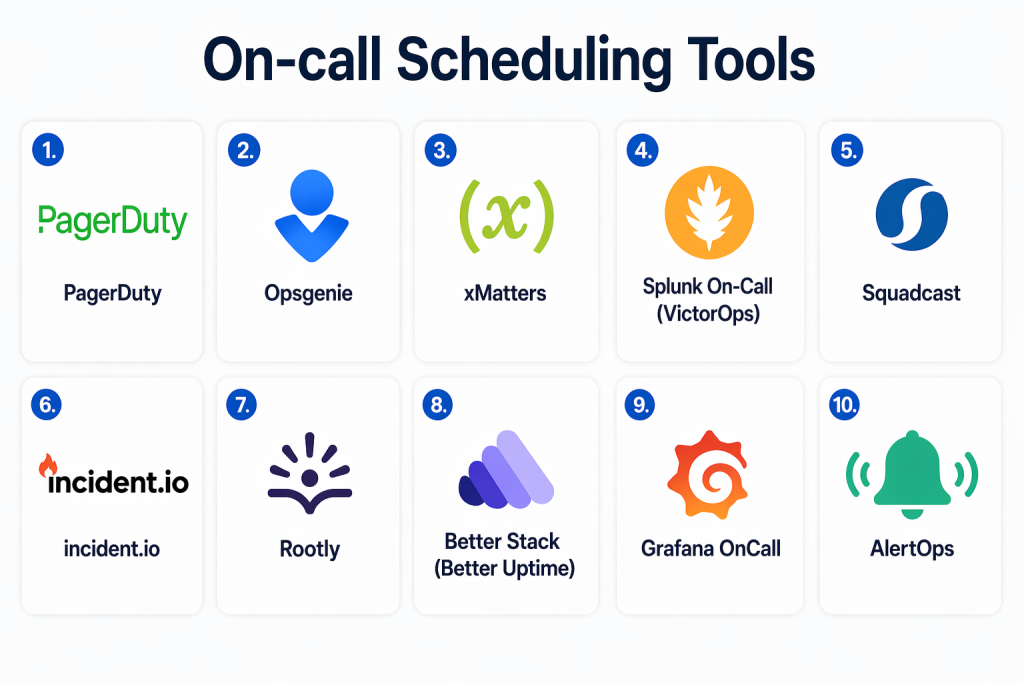
Top 10 On-call Scheduling Tools Tools
#1 — PagerDuty
Short description: PagerDuty is one of the most widely used on-call and incident response platforms, known for advanced alert routing and enterprise-grade reliability.
Key Features
- Flexible on-call scheduling
- Advanced escalation policies
- Event intelligence and noise reduction
- Multi-channel alerting
- Mobile app support
- Analytics dashboards
Pros
- Highly scalable
- Strong alerting capabilities
Cons
- Complex setup
- Expensive for small teams
Platforms / Deployment
- Web / iOS / Android
- Cloud
Security & Compliance
- RBAC, encryption
- Not publicly stated
Integrations & Ecosystem
PagerDuty integrates deeply with monitoring and DevOps tools.
- AWS
- Datadog
- Slack
- APIs
Support & Community
Large community and strong enterprise support.
#2 — Opsgenie
Short description: Opsgenie provides flexible scheduling and alerting, especially popular with teams using Atlassian products.
Key Features
- Custom on-call schedules
- Alert routing rules
- Escalation workflows
- Multi-channel notifications
- Schedule overrides
Pros
- Easy scheduling setup
- Strong Atlassian integration
Cons
- Ecosystem transition concerns
- Limited future roadmap clarity
Platforms / Deployment
- Web / Mobile
- Cloud
Security & Compliance
- Not publicly stated
Integrations & Ecosystem
- Jira
- Confluence
- APIs
Support & Community
Strong Atlassian ecosystem support.
#3 — xMatters
Short description: xMatters focuses on incident response and on-call scheduling with automation and communication workflows.
Key Features
- On-call scheduling
- Automated workflows
- Notifications and escalation
- Incident orchestration
- Reporting
Pros
- Strong automation
- Enterprise-ready
Cons
- Complex UI
- Learning curve
Platforms / Deployment
- Cloud
Security & Compliance
- Not publicly stated
Integrations & Ecosystem
- DevOps tools
- APIs
Support & Community
Enterprise-grade support.
#4 — Splunk On-Call (VictorOps)
Short description: Splunk On-Call provides alerting and scheduling integrated with Splunk observability tools.
Key Features
- On-call scheduling
- Alerting and escalation
- Incident collaboration
- Real-time notifications
- Analytics
Pros
- Strong integration with Splunk
- Reliable alert delivery
Cons
- UI complexity
- Pricing
Platforms / Deployment
- Cloud
Security & Compliance
- Not publicly stated
Integrations & Ecosystem
- Splunk
- Monitoring tools
- APIs
Support & Community
Strong enterprise support.
#5 — Squadcast
Short description: Squadcast offers incident response and on-call scheduling with automation and analytics.
Key Features
- On-call rotations
- Alert routing
- Escalation policies
- Analytics dashboards
- Incident management
Pros
- Affordable
- Easy to use
Cons
- Limited enterprise features
- Smaller ecosystem
Platforms / Deployment
- Cloud
Security & Compliance
- Not publicly stated
Integrations & Ecosystem
- DevOps tools
- APIs
Support & Community
Growing community.
#6 — incident.io
Short description: incident.io is a Slack-native platform that combines on-call scheduling with incident response workflows.
Key Features
- Slack-based scheduling
- Automated workflows
- Incident timelines
- Real-time collaboration
- Analytics
Pros
- Excellent ChatOps experience
- Easy to adopt
Cons
- Slack dependency
- Smaller ecosystem
Platforms / Deployment
- Cloud
Security & Compliance
- Not publicly stated
Integrations & Ecosystem
- Slack
- APIs
Support & Community
Growing adoption among DevOps teams.
#7 — Rootly
Short description: Rootly provides modern on-call scheduling with automation and Slack-native workflows.
Key Features
- On-call scheduling
- Automation workflows
- Slack-native operations
- Incident analytics
- Runbooks
Pros
- Highly automated
- Modern interface
Cons
- Slack-centric
- Newer platform
Platforms / Deployment
- Cloud
Security & Compliance
- Not publicly stated
Integrations & Ecosystem
- Slack
- APIs
Support & Community
Rapidly growing community.
#8 — Better Stack (Better Uptime)
Short description: Better Stack combines uptime monitoring with on-call scheduling and alerting.
Key Features
- On-call scheduling
- Alerting
- Status pages
- Incident tracking
- Calendar sync
Pros
- Easy setup
- Affordable
Cons
- Limited advanced features
- Smaller ecosystem
Platforms / Deployment
- Cloud
Security & Compliance
- Not publicly stated
Integrations & Ecosystem
- APIs
- Monitoring tools
Support & Community
Good documentation and support.
#9 — Grafana OnCall
Short description: Grafana OnCall is an open-source tool for managing on-call schedules and alerts.
Key Features
- On-call scheduling
- Alert routing
- Integration with Grafana
- Escalation policies
- Open-source flexibility
Pros
- Free and flexible
- Strong integration with Grafana
Cons
- Requires setup
- Limited enterprise features
Platforms / Deployment
- Cloud / Self-hosted
Security & Compliance
- Not publicly stated
Integrations & Ecosystem
- Grafana
- Prometheus
- APIs
Support & Community
Strong open-source community.
#10 — AlertOps
Short description: AlertOps focuses on alert management and on-call scheduling with automation features.
Key Features
- On-call scheduling
- Alert routing
- Escalation workflows
- Automation
- Reporting
Pros
- Flexible alerting
- Easy to configure
Cons
- UI limitations
- Smaller ecosystem
Platforms / Deployment
- Cloud
Security & Compliance
- Not publicly stated
Integrations & Ecosystem
- APIs
- DevOps tools
Support & Community
Moderate support.
Comparison Table (Top 10)
| Tool Name | Best For | Platform(s) Supported | Deployment | Standout Feature | Public Rating |
|---|---|---|---|---|---|
| PagerDuty | Enterprise teams | Web/Mobile | Cloud | Advanced alert routing | N/A |
| Opsgenie | Atlassian users | Web/Mobile | Cloud | Flexible scheduling | N/A |
| xMatters | Automation | Web | Cloud | Workflow orchestration | N/A |
| Splunk On-Call | Splunk users | Web | Cloud | Alerting integration | N/A |
| Squadcast | SMB teams | Web | Cloud | Cost-effective | N/A |
| incident.io | ChatOps teams | Web | Cloud | Slack-native | N/A |
| Rootly | Modern teams | Web | Cloud | Automation-first | N/A |
| Better Stack | Startups | Web | Cloud | Simple setup | N/A |
| Grafana OnCall | Open-source users | Web | Hybrid | Free & flexible | N/A |
| AlertOps | Alert automation | Web | Cloud | Flexible workflows | N/A |
Evaluation & Scoring of On-call Scheduling Tools
| Tool Name | Core | Ease | Integrations | Security | Performance | Support | Value | Weighted Total |
|---|---|---|---|---|---|---|---|---|
| PagerDuty | 10 | 7 | 10 | 9 | 10 | 9 | 7 | 9.0 |
| Opsgenie | 9 | 8 | 9 | 8 | 9 | 8 | 8 | 8.6 |
| xMatters | 9 | 7 | 9 | 8 | 9 | 8 | 7 | 8.4 |
| Splunk On-Call | 9 | 7 | 9 | 8 | 9 | 8 | 7 | 8.3 |
| Squadcast | 8 | 8 | 8 | 7 | 8 | 7 | 9 | 8.1 |
| incident.io | 8 | 9 | 8 | 7 | 8 | 7 | 8 | 8.0 |
| Rootly | 9 | 8 | 8 | 7 | 9 | 7 | 8 | 8.2 |
| Better Stack | 8 | 9 | 7 | 7 | 8 | 7 | 9 | 8.1 |
| Grafana OnCall | 7 | 7 | 8 | 6 | 8 | 7 | 9 | 7.7 |
| AlertOps | 8 | 7 | 7 | 7 | 8 | 7 | 8 | 7.6 |
Interpretation:
These scores compare tools across scheduling capabilities, usability, integrations, and value. Enterprise tools score higher in scalability and integrations, while lightweight tools excel in simplicity and affordability.
Which On-call Scheduling Tools Tool Is Right for You?
Solo / Freelancer
Better Stack or Grafana OnCall offer simplicity and cost efficiency.
SMB
Squadcast or Opsgenie provide balanced features and usability.
Mid-Market
PagerDuty or Rootly deliver strong automation and integrations.
Enterprise
PagerDuty, xMatters, and Splunk On-Call provide scalability and governance.
Budget vs Premium
Open-source and lightweight tools are cost-effective; enterprise tools provide advanced features.
Feature Depth vs Ease of Use
Advanced tools offer flexibility but require setup; simpler tools are easier to adopt.
Integrations & Scalability
Choose tools that integrate with your monitoring and DevOps stack.
Security & Compliance Needs
Enterprises should prioritize governance, audit logs, and access control.
Frequently Asked Questions (FAQs)
1. What is on-call scheduling?
On-call scheduling assigns responsibility for responding to incidents during specific time periods.
2. Why are on-call tools important?
They ensure the right person is notified quickly, reducing downtime and confusion.
3. Can schedules be automated?
Yes, modern tools automate rotations, overrides, and escalation policies.
4. What is escalation in on-call tools?
Escalation ensures alerts are passed to another person if the primary responder doesn’t act.
5. Do these tools support global teams?
Yes, many tools support time-zone-based rotations and follow-the-sun models.
6. Are they expensive?
Pricing varies from free open-source tools to enterprise solutions.
7. Can I swap shifts easily?
Yes, most tools support overrides and shift swaps.
8. What integrations matter most?
Monitoring tools, CI/CD pipelines, and communication platforms like Slack.
9. Do these tools reduce burnout?
Yes, features like fair rotation and automation help distribute workload evenly.
10. Is setup difficult?
Some tools require configuration, but many offer easy onboarding.
Conclusion
On-call Scheduling Tools are essential for ensuring reliable system operations in environments that demand continuous availability. They eliminate the confusion of manual scheduling and ensure that the right person is always available to respond to incidents. As systems become more complex and globally distributed, these tools play a key role in reducing response times and preventing operational bottlenecks. Modern platforms go beyond simple scheduling by integrating automation, analytics, and collaboration features to improve overall efficiency. While enterprise solutions offer advanced capabilities and scalability, simpler tools can still provide strong value for smaller teams. The best choice depends on your team size, infrastructure complexity, and workflow requirements. It is important to evaluate ease of use, integration capabilities, and scalability before selecting a tool. Start by identifying your current gaps in on-call management, shortlist a few tools, and test them in real scenarios. A well-implemented on-call solution can significantly improve reliability, reduce downtime, and enhance team productivity.
