Introduction
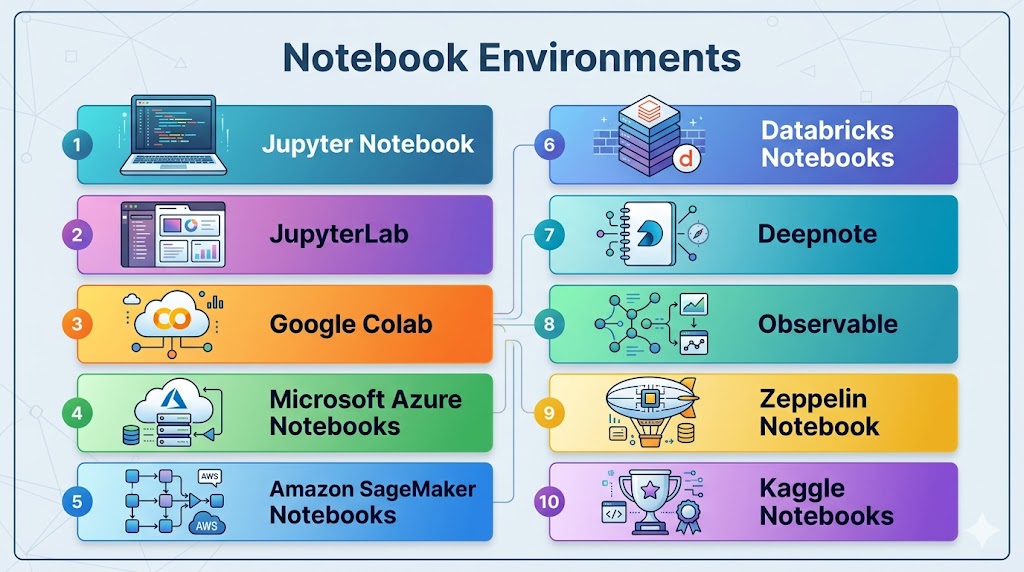
Notebook environments are interactive computing platforms that allow users to write code, visualize data, and document insights in a single interface. They combine executable code, rich text, visualizations, and outputs, making them ideal for data science, research, analytics, and machine learning workflows.
These environments have become essential tools for modern data teams because they simplify experimentation, collaboration, and communication. Instead of switching between multiple tools, users can explore data, build models, and share results within one unified workspace.
Real-world use cases include:
- Data analysis and exploration
- Machine learning experimentation
- Reporting and documentation
- Educational and research projects
- Prototyping data pipelines
What buyers should evaluate:
- Ease of use and interface
- Language support (Python, R, SQL, etc.)
- Collaboration and sharing features
- Integration with data sources and tools
- Scalability and compute options
- Version control capabilities
- Security and access management
- Performance for large datasets
- Cloud vs local deployment options
- Cost and usage limits
Best for: Data scientists, analysts, researchers, students, and developers working with data and machine learning.
Not ideal for: Production-grade application development or systems requiring strict versioning and deployment pipelines.
Key Trends in Notebook Environments
- Growth of cloud-based collaborative notebooks
- Integration with AI assistants for coding and analysis
- Real-time collaboration features similar to documents
- Deeper integration with data platforms and warehouses
- Support for large-scale computing and GPUs
- Notebook versioning and reproducibility improvements
- Expansion of no-code and low-code capabilities
- Increased focus on security and governance
- Integration with MLOps workflows
- Enhanced visualization and storytelling tools
How We Selected These Tools (Methodology)
The notebook environments were selected based on:
- Popularity and adoption in data science communities
- Feature completeness for coding and visualization
- Collaboration and sharing capabilities
- Integration with data ecosystems
- Performance and scalability
- Ease of use for beginners and experts
- Flexibility across deployment environments
- Community and ecosystem support
- Innovation in notebook functionality
- Overall usability and value
Top 10 Notebook Environments Tools
#1 — Jupyter Notebook
Short description: The most widely used open-source notebook environment for interactive data analysis and scientific computing.
Key Features
- Interactive code execution
- Support for multiple languages
- Rich text and visualization
- Open-source ecosystem
- Extensible plugins
- Easy local setup
Pros
- Highly flexible
- Large community support
Cons
- Limited collaboration features
- Manual environment management
Platforms / Deployment
Web / Local / Self-hosted
Security & Compliance
Not publicly stated
Integrations & Ecosystem
- Python libraries
- Data tools
- APIs
Support & Community
Very large global community.
#2 — JupyterLab
Short description: An advanced interface for Jupyter offering a more powerful and flexible development environment.
Key Features
- Modular interface
- Multiple tabs and panels
- Integrated terminals
- Plugin system
- Improved workflow management
Pros
- More powerful than classic Jupyter
- Customizable interface
Cons
- Slightly complex for beginners
- Requires setup
Platforms / Deployment
Web / Local / Self-hosted
Security & Compliance
Not publicly stated
Integrations & Ecosystem
- Jupyter ecosystem
- Extensions
- APIs
Support & Community
Strong community support.
#3 — Google Colab
Short description: A cloud-based notebook environment that allows users to run Python code with free compute resources.
Key Features
- Cloud-based execution
- GPU/TPU support
- Easy sharing
- Integration with cloud storage
- Pre-installed libraries
Pros
- No setup required
- Free tier available
Cons
- Limited session duration
- Resource constraints
Platforms / Deployment
Web (Cloud)
Security & Compliance
Not publicly stated
Integrations & Ecosystem
- Cloud storage
- APIs
- ML libraries
Support & Community
Large and active community.
#4 — Microsoft Azure Notebooks
Short description: A cloud-based notebook service integrated with the Azure ecosystem for data science workflows.
Key Features
- Cloud execution
- Integration with Azure services
- Collaborative environment
- Data access tools
- Scalable infrastructure
Pros
- Strong enterprise integration
- Easy scaling
Cons
- Limited outside Azure
- Learning curve
Platforms / Deployment
Cloud
Security & Compliance
Not publicly stated
Integrations & Ecosystem
- Azure services
- APIs
Support & Community
Enterprise support available.
#5 — Amazon SageMaker Notebooks
Short description: Managed notebook instances designed for building and training machine learning models.
Key Features
- Managed environment
- Integration with ML services
- Scalable compute
- Secure data access
- Model deployment support
Pros
- Fully managed
- Scalable
Cons
- AWS dependency
- Pricing complexity
Platforms / Deployment
Cloud
Security & Compliance
Not publicly stated
Integrations & Ecosystem
- AWS services
- ML tools
Support & Community
Strong enterprise support.
#6 — Databricks Notebooks
Short description: Collaborative notebooks integrated into the Databricks platform for big data and AI workflows.
Key Features
- Real-time collaboration
- Multi-language support
- Integration with Spark
- Scalable compute
- Data visualization
Pros
- Strong for big data
- Collaborative features
Cons
- Requires Databricks platform
- Cost considerations
Platforms / Deployment
Cloud
Security & Compliance
Not publicly stated
Integrations & Ecosystem
- Data lakes
- Spark
- APIs
Support & Community
Enterprise-level support.
#7 — Deepnote
Short description: A modern collaborative notebook designed for teams working on data projects.
Key Features
- Real-time collaboration
- Version control
- Cloud execution
- Integrations with data tools
- Clean interface
Pros
- Excellent collaboration
- Easy to use
Cons
- Limited offline support
- Pricing tiers
Platforms / Deployment
Cloud
Security & Compliance
Not publicly stated
Integrations & Ecosystem
- Databases
- APIs
- Data tools
Support & Community
Growing community and support.
#8 — Observable
Short description: A notebook environment focused on data visualization and interactive JavaScript-based analysis.
Key Features
- Interactive visualizations
- JavaScript-based notebooks
- Real-time updates
- Sharing capabilities
- Web-based interface
Pros
- Excellent for visualization
- Easy sharing
Cons
- Limited to JavaScript ecosystem
- Not ideal for ML workflows
Platforms / Deployment
Web (Cloud)
Security & Compliance
Not publicly stated
Integrations & Ecosystem
- Web tools
- APIs
Support & Community
Active community.
#9 — Apache Zeppelin
Short description: A web-based notebook that supports multiple languages and big data tools.
Key Features
- Multi-language support
- Integration with big data tools
- Visualization capabilities
- Collaborative features
- Web-based interface
Pros
- Strong big data integration
- Flexible language support
Cons
- UI limitations
- Smaller ecosystem
Platforms / Deployment
Web / Self-hosted
Security & Compliance
Not publicly stated
Integrations & Ecosystem
- Spark
- Hadoop
- APIs
Support & Community
Moderate community support.
#10 — Kaggle Notebooks
Short description: A cloud-based notebook platform for data science competitions and learning.
Key Features
- Free compute resources
- Integration with datasets
- Collaboration features
- ML support
- Easy sharing
Pros
- Beginner-friendly
- Free access
Cons
- Limited customization
- Resource limits
Platforms / Deployment
Cloud
Security & Compliance
Not publicly stated
Integrations & Ecosystem
- Datasets
- ML libraries
- APIs
Support & Community
Very active community.
Comparison Table (Top 10)
| Tool Name | Best For | Platform(s) Supported | Deployment | Standout Feature | Public Rating |
|---|---|---|---|---|---|
| Jupyter Notebook | General use | Web/Local | Self-hosted | Flexibility | N/A |
| JupyterLab | Advanced workflows | Web/Local | Self-hosted | Modular UI | N/A |
| Google Colab | Beginners | Web | Cloud | Free compute | N/A |
| Azure Notebooks | Azure users | Web | Cloud | Integration | N/A |
| SageMaker | ML workflows | Web | Cloud | Managed notebooks | N/A |
| Databricks | Big data | Web | Cloud | Collaboration | N/A |
| Deepnote | Teams | Web | Cloud | Real-time collaboration | N/A |
| Observable | Visualization | Web | Cloud | Interactive charts | N/A |
| Zeppelin | Big data | Web | Self-hosted | Multi-language | N/A |
| Kaggle | Learning | Web | Cloud | Free datasets | N/A |
Evaluation & Scoring of Notebook Environments
| Tool Name | Core (25%) | Ease (15%) | Integrations (15%) | Security (10%) | Performance (10%) | Support (10%) | Value (15%) | Weighted Total |
|---|---|---|---|---|---|---|---|---|
| Jupyter | 9 | 8 | 9 | 6 | 8 | 9 | 9 | 8.6 |
| JupyterLab | 9 | 7 | 9 | 6 | 8 | 9 | 9 | 8.4 |
| Colab | 8 | 9 | 8 | 6 | 7 | 9 | 10 | 8.5 |
| Azure | 8 | 8 | 9 | 7 | 8 | 8 | 7 | 8.0 |
| SageMaker | 9 | 7 | 9 | 7 | 9 | 8 | 7 | 8.3 |
| Databricks | 9 | 7 | 9 | 7 | 9 | 9 | 7 | 8.5 |
| Deepnote | 8 | 9 | 8 | 6 | 7 | 8 | 8 | 8.1 |
| Observable | 7 | 8 | 7 | 6 | 7 | 7 | 8 | 7.4 |
| Zeppelin | 7 | 6 | 7 | 6 | 8 | 7 | 7 | 7.1 |
| Kaggle | 8 | 9 | 8 | 6 | 7 | 9 | 10 | 8.5 |
How to interpret scores:
- Scores are relative within this category
- Higher scores indicate better overall balance
- Cloud tools score higher in ease of use
- Open-source tools score higher in flexibility
- Choose based on your workflow and scale
Which Notebook Environment Is Right for You?
Solo / Freelancer
- Best: Google Colab, Kaggle
- Easy and free to use
SMB
- Best: Deepnote, JupyterLab
- Balance collaboration and flexibility
Mid-Market
- Best: Databricks, SageMaker
- Need scalability and performance
Enterprise
- Best: Databricks, Azure Notebooks
- Advanced integration and governance
Budget vs Premium
- Budget: Jupyter, Colab
- Premium: Databricks, SageMaker
Feature Depth vs Ease of Use
- Depth: JupyterLab, Databricks
- Ease: Colab, Kaggle
Integrations & Scalability
- Strong: Databricks, SageMaker
- Moderate: Deepnote, Azure
Security & Compliance Needs
- Enterprise tools provide better controls
- Open-source requires configuration
Frequently Asked Questions (FAQs)
What is a notebook environment?
A notebook environment is an interactive platform where you can write code, visualize data, and document insights in one place. It combines code, output, and text into a single workflow. This makes it ideal for data analysis, machine learning, and experimentation.
Do I need coding skills to use notebook environments?
Basic coding knowledge is usually required, especially for data analysis and machine learning tasks. However, many platforms provide templates and pre-built examples to help beginners. Over time, users can learn and improve their skills through hands-on use.
Which notebook environment is best for beginners?
Google Colab and Kaggle Notebooks are often preferred by beginners because they are easy to use and require no setup. They provide free resources and pre-configured environments. This allows users to start quickly without technical complexity.
Are notebook environments cloud-based or local?
Notebook environments can be both cloud-based and locally hosted. Cloud platforms are easier to access and scale, while local setups offer more control. Many teams use a hybrid approach depending on their needs.
Can notebook environments handle large datasets?
Some notebook environments can handle large datasets when integrated with scalable compute resources. Tools like Databricks and SageMaker are designed for big data workloads. Lightweight tools may have limitations depending on available resources.
Are notebook environments secure?
Security varies by platform and deployment method. Cloud platforms offer built-in security features, while local setups require manual configuration. Organizations handling sensitive data should evaluate security carefully.
Can notebooks be shared with teams?
Yes, most notebook environments support sharing and collaboration features. Some platforms allow real-time collaboration similar to document editing tools. This makes teamwork more efficient and transparent.
What is the main advantage of notebook environments?
The biggest advantage is the ability to combine code, data, and documentation in one place. This improves productivity and makes workflows easier to understand. It also helps in sharing insights with both technical and non-technical users.
Are notebook environments free?
Many notebook tools offer free versions or open-source options. However, advanced features and cloud resources may come with costs. Pricing depends on usage, compute power, and collaboration features.
Can notebook environments be used in production?
Notebook environments are mainly used for development, experimentation, and analysis. For production systems, workflows are usually converted into scripts or pipelines. Some platforms provide tools to bridge this gap.
Conclusion
Notebook environments have transformed the way data professionals work by combining coding, visualization, and documentation into a single interactive interface. They simplify experimentation and make it easier to share insights across teams. Choosing the right notebook depends on your workflow, collaboration needs, and scale of data. Open-source tools provide flexibility and control, while cloud-based platforms offer convenience and scalability. Performance and integration capabilities should be evaluated based on real use cases. Cost considerations become important when scaling compute resources and collaboration features. Security and governance must also be aligned with organizational requirements. Testing a few notebook environments through small projects can help identify the best fit. A well-chosen notebook environment improves productivity, collaboration, and efficiency. Ultimately, the right tool empowers teams to turn data into meaningful insights faster and more effectively.
