Introduction
Data Encryption Tools are software solutions that use cryptography to protect sensitive data from unauthorized access, whether stored (at rest) or transmitted (in transit). These tools convert readable data into encrypted formats that can only be accessed with the correct keys or credentials.
In today’s cybersecurity landscape, encryption is no longer optional—it is a core requirement for data protection, compliance, and privacy. With increasing cyber threats, ransomware attacks, and data breaches, organizations rely on encryption tools to secure files, disks, cloud storage, and communications.
Common use cases include:
- Full-disk encryption for laptops and servers
- File and folder encryption
- Cloud storage encryption
- Secure communication and data transfer
- Compliance with regulations (GDPR, HIPAA, etc.)
Key evaluation criteria:
- Encryption strength (AES-256, RSA, etc.)
- Ease of use and deployment
- Support for full-disk, file, or cloud encryption
- Key management capabilities
- Performance impact
- Integration with operating systems and cloud platforms
- Security certifications and compliance readiness
- Scalability for enterprise use
Best for: Enterprises, IT teams, cybersecurity professionals, and individuals handling sensitive data.
Not ideal for: Users with minimal security needs or those relying solely on built-in OS protections without advanced requirements.
Key Trends in Data Encryption Tools
- End-to-end encryption becoming standard across platforms
- Cloud encryption tools gaining adoption for SaaS environments
- Zero-knowledge encryption models for enhanced privacy
- Integration with identity and access management systems
- Automation of encryption and key management
- Hardware-based encryption for higher security
- AI-driven threat detection combined with encryption
- Encryption-as-a-Service (EaaS) platforms
- Post-quantum cryptography research emerging
- Focus on user-friendly encryption tools for wider adoption
How We Selected These Tools (Methodology)
- Strong adoption across enterprise and individual users
- Coverage of file, disk, and cloud encryption use cases
- Proven encryption standards and reliability
- Ease of deployment and usability
- Integration with operating systems and cloud platforms
- Security and compliance readiness
- Performance efficiency
- Fit across SMB, mid-market, and enterprise
Top 10 Data Encryption Tools
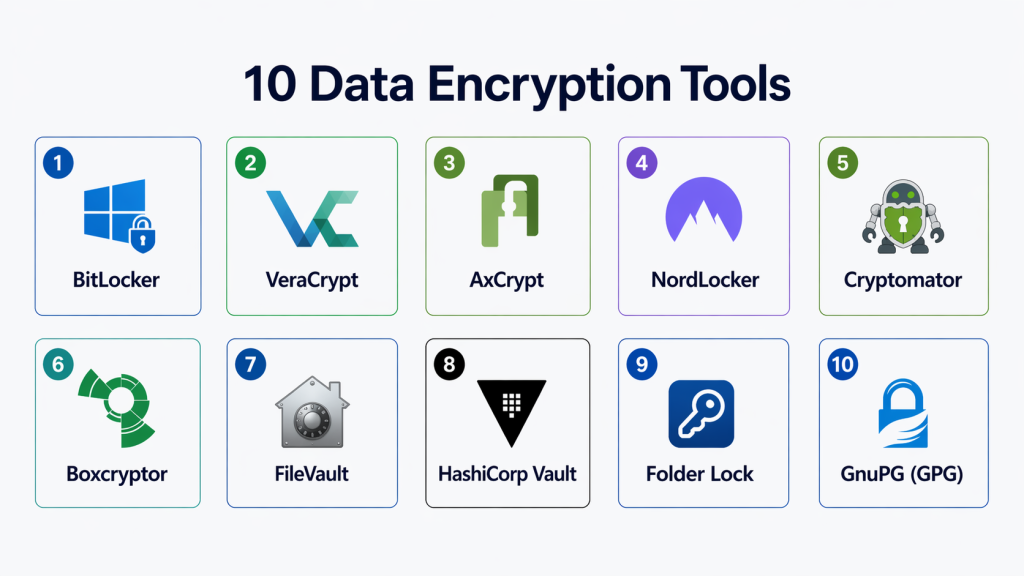
#1 — BitLocker
Short description: A built-in full-disk encryption tool for Windows systems that protects data on drives using strong encryption algorithms.
Key Features
- Full-disk encryption
- TPM hardware integration
- Automatic encryption
- Recovery key management
- OS-level integration
Pros
- Seamless Windows integration
- Strong encryption with minimal overhead
Cons
- Windows-only
- Limited customization
Platforms / Deployment
Windows / Cloud (via enterprise tools)
Security & Compliance
AES encryption, TPM support; Not publicly stated
Integrations & Ecosystem
- Windows ecosystem
- Enterprise management tools
- Active Directory
Support & Community
Strong enterprise and Microsoft support
#2 — VeraCrypt
Short description: A free, open-source encryption tool used for disk encryption and secure data storage with advanced cryptographic algorithms.
Key Features
- Full-disk encryption
- Virtual encrypted volumes
- Strong encryption algorithms
- Cross-platform support
- Pre-boot authentication
Pros
- Highly secure and open-source
- Cross-platform compatibility
Cons
- Complex for beginners
- Manual setup required
Platforms / Deployment
Windows / macOS / Linux
Security & Compliance
Advanced encryption algorithms; Not publicly stated
Integrations & Ecosystem
- Local storage systems
- OS-level integration
Support & Community
Strong open-source community
#3 — AxCrypt
Short description: A user-friendly file encryption tool designed for individuals and small teams, offering strong encryption with simple workflows.
Key Features
- File-level encryption
- AES-256 encryption
- Automatic encryption updates
- Password management
- Cloud support
Pros
- Easy to use
- Lightweight and fast
Cons
- Limited enterprise features
- Subscription-based
Platforms / Deployment
Windows / macOS / Mobile
Security & Compliance
AES-256 encryption; Not publicly stated
Integrations & Ecosystem
- Cloud storage
- APIs
- File systems
Support & Community
Good support for SMB users
#4 — NordLocker
Short description: A cloud-based encryption tool that secures files with end-to-end encryption for individuals and teams.
Key Features
- End-to-end encryption
- Secure cloud storage
- File sharing
- Automatic backups
- Cross-platform support
Pros
- Strong privacy protection
- Easy cloud integration
Cons
- Subscription pricing
- Limited enterprise features
Platforms / Deployment
Cloud / Windows / macOS
Security & Compliance
End-to-end encryption; Not publicly stated
Integrations & Ecosystem
- Cloud storage platforms
- File systems
Support & Community
Good support
#5 — Cryptomator
Short description: An open-source cloud encryption tool that encrypts files before they are uploaded to cloud storage services.
Key Features
- Client-side encryption
- Cloud storage protection
- AES-256 encryption
- Open-source
- Cross-platform support
Pros
- Zero-knowledge encryption
- Free and open-source
Cons
- Limited enterprise features
- Manual setup
Platforms / Deployment
Windows / macOS / Linux / Mobile
Security & Compliance
AES-256 encryption; Not publicly stated
Integrations & Ecosystem
- Google Drive
- Dropbox
- OneDrive
Support & Community
Strong open-source community
#6 — Boxcryptor
Short description: A cloud encryption solution designed to secure files across multiple cloud storage providers using strong encryption.
Key Features
- AES + RSA encryption
- Multi-cloud support
- Secure file sharing
- Key management
- Cross-platform support
Pros
- Supports multiple cloud services
- Strong encryption
Cons
- Subscription pricing
- Limited offline features
Platforms / Deployment
Cloud / Desktop / Mobile
Security & Compliance
AES + RSA encryption; Not publicly stated
Integrations & Ecosystem
- Google Drive
- Dropbox
- Microsoft 365
Support & Community
Good enterprise support
#7 — FileVault
Short description: A built-in macOS encryption tool that provides full-disk encryption for Apple devices.
Key Features
- Full-disk encryption
- AES-XTS encryption
- OS integration
- Secure boot
- Recovery key
Pros
- Native macOS integration
- Easy to enable
Cons
- macOS-only
- Limited customization
Platforms / Deployment
macOS
Security & Compliance
AES encryption; Not publicly stated
Integrations & Ecosystem
- Apple ecosystem
- macOS security features
Support & Community
Strong Apple support
#8 — HashiCorp Vault
Short description: A secrets management and encryption platform offering encryption-as-a-service for securing sensitive data.
Key Features
- Encryption-as-a-service
- Key management
- Secrets storage
- API-driven encryption
- Access control
Pros
- Enterprise-grade encryption
- Strong API ecosystem
Cons
- Requires technical expertise
- Complex setup
Platforms / Deployment
Cloud / On-premise
Security & Compliance
Encryption, access control; Not publicly stated
Integrations & Ecosystem
- Cloud platforms
- DevOps tools
- APIs
Support & Community
Strong developer community
#9 — Folder Lock
Short description: A comprehensive encryption tool that secures files, folders, and drives with additional locking and backup features.
Key Features
- File and folder encryption
- Secure backup
- Password protection
- Cloud support
- File hiding
Pros
- All-in-one security tool
- Easy to use
Cons
- Limited enterprise features
- UI may feel dated
Platforms / Deployment
Windows / Mobile
Security & Compliance
Encryption; Not publicly stated
Integrations & Ecosystem
- Local storage
- Cloud systems
Support & Community
Good support
#10 — GnuPG (GPG)
Short description: A powerful open-source cryptography tool used for file encryption, email security, and key management.
Key Features
- File encryption
- Email encryption
- Key management
- Digital signatures
- Open-source
Pros
- Highly secure and flexible
- Free and open-source
Cons
- Command-line complexity
- Not beginner-friendly
Platforms / Deployment
Windows / macOS / Linux
Security & Compliance
Strong cryptographic standards; Not publicly stated
Integrations & Ecosystem
- Email clients
- Development tools
- APIs
Support & Community
Strong open-source community
Comparison Table (Top 10)
| Tool Name | Best For | Platform(s) Supported | Deployment | Standout Feature | Public Rating |
|---|---|---|---|---|---|
| BitLocker | Windows users | Windows | OS-integrated | Full-disk encryption | N/A |
| VeraCrypt | Advanced users | Multi-OS | Local | Open-source security | N/A |
| AxCrypt | SMB users | Multi-OS | Cloud/Desktop | Ease of use | N/A |
| NordLocker | Cloud users | Multi-OS | Cloud | End-to-end encryption | N/A |
| Cryptomator | Cloud privacy | Multi-OS | Local/Cloud | Zero-knowledge encryption | N/A |
| Boxcryptor | Multi-cloud users | Multi-OS | Cloud | Multi-cloud encryption | N/A |
| FileVault | macOS users | macOS | OS-integrated | Native encryption | N/A |
| HashiCorp Vault | Enterprise DevOps | Multi-OS | Cloud/On-prem | Encryption-as-a-service | N/A |
| Folder Lock | Personal security | Windows | Local | File protection suite | N/A |
| GnuPG | Developers | Multi-OS | Local | Cryptographic toolkit | N/A |
Evaluation & Scoring of Data Encryption Tools
| Tool Name | Core (25%) | Ease (15%) | Integrations (15%) | Security (10%) | Performance (10%) | Support (10%) | Value (15%) | Weighted Total (0–10) |
|---|---|---|---|---|---|---|---|---|
| BitLocker | 9 | 9 | 8 | 9 | 9 | 9 | 9 | 8.9 |
| VeraCrypt | 9 | 6 | 7 | 10 | 8 | 8 | 9 | 8.3 |
| AxCrypt | 8 | 9 | 7 | 8 | 8 | 7 | 8 | 8.0 |
| NordLocker | 8 | 9 | 8 | 9 | 8 | 8 | 7 | 8.1 |
| Cryptomator | 8 | 8 | 7 | 9 | 8 | 8 | 9 | 8.2 |
| Boxcryptor | 8 | 8 | 9 | 9 | 8 | 8 | 7 | 8.2 |
| FileVault | 9 | 9 | 7 | 9 | 9 | 9 | 9 | 8.8 |
| HashiCorp Vault | 9 | 6 | 9 | 10 | 9 | 8 | 7 | 8.4 |
| Folder Lock | 7 | 9 | 6 | 7 | 7 | 7 | 8 | 7.4 |
| GnuPG | 9 | 5 | 8 | 10 | 8 | 8 | 9 | 8.2 |
How to interpret scores:
- 8.5+ → Enterprise-grade or built-in powerful tools
- 8–8.5 → Balanced tools for most use cases
- Below 8 → Simpler or niche tools
These scores are comparative and should be validated with real-world testing.
Which Data Encryption Tool Is Right for You?
Solo / Freelancer
Use simple tools like AxCrypt or Cryptomator
SMB
NordLocker and Boxcryptor offer cloud security with ease
Mid-Market
VeraCrypt and FileVault provide strong encryption with flexibility
Enterprise
BitLocker and HashiCorp Vault deliver scalable, enterprise-grade security
Budget vs Premium
- Free/Open-source → VeraCrypt, Cryptomator
- Premium → Advanced cloud + enterprise features
Feature Depth vs Ease of Use
- Advanced tools → More control but complex
- Simple tools → Faster onboarding
Integrations & Scalability
Choose tools that integrate with cloud platforms and enterprise systems
Security & Compliance Needs
Highly regulated industries should prioritize strong encryption standards and key management
Frequently Asked Questions (FAQs)
1. What are Data Encryption Tools?
They are software solutions that protect data using cryptographic techniques to prevent unauthorized access.
2. Why is encryption important?
It ensures data privacy, prevents breaches, and helps meet compliance requirements.
3. What types of encryption exist?
Common types include file encryption, full-disk encryption, and end-to-end encryption.
4. Are free encryption tools safe?
Yes, many open-source tools like VeraCrypt are highly secure when used correctly.
5. How do encryption tools work?
They convert data into unreadable formats that require keys to decrypt.
6. Do encryption tools affect performance?
Some tools may slightly impact performance, but modern tools are optimized.
7. Can encryption tools integrate with cloud platforms?
Yes, many tools support cloud storage encryption.
8. Are encryption tools required for compliance?
Yes, many regulations require encryption for sensitive data protection.
9. Can encryption tools scale for enterprises?
Yes, enterprise tools are designed for large-scale data protection.
10. What are common mistakes when using encryption?
Poor key management and weak passwords are the most common issues.
Conclusion
Data Encryption Tools are foundational to modern cybersecurity, ensuring that sensitive information remains protected from unauthorized access and cyber threats. As organizations increasingly rely on digital systems and cloud platforms, encryption has become a non-negotiable requirement for security and compliance.
Modern encryption tools offer a wide range of capabilities—from simple file protection to enterprise-grade key management and encryption-as-a-service. The right choice depends on your specific needs, including data volume, compliance requirements, and technical expertise.
Enterprises may require advanced platforms with deep integrations and automation, while smaller teams can benefit from simpler, user-friendly solutions. The key is to strike the right balance between security, usability, and scalability.Start by identifying your data protection needs, shortlist a few tools, and test them in real-world scenarios. This ensures you select a solution that not only secures your data but also supports your long-term growth and compliance strategy.
