Introduction
Application Performance Monitoring (APM) tools are designed to help teams monitor, analyze, and optimize the performance of applications in real time. These tools provide deep visibility into application behavior, including response times, errors, transactions, and infrastructure dependencies, enabling teams to detect issues early and maintain a seamless user experience.
In modern software environments driven by microservices, cloud-native architectures, and distributed systems, performance monitoring has become critical. Slow applications, downtime, or poor user experiences can directly impact revenue and customer satisfaction. APM tools bridge the gap between development, operations, and business outcomes by offering actionable insights into system health.
Common use cases include:
- Monitoring application performance and uptime
- Detecting and diagnosing performance bottlenecks
- Root cause analysis of errors and failures
- Optimizing user experience
- Supporting DevOps and SRE workflows
Key evaluation criteria:
- Real-time monitoring capabilities
- Distributed tracing and observability
- Alerting and incident management
- Integration with DevOps tools
- Scalability and performance
- Ease of use and visualization
- Security and compliance features
- Pricing and flexibility
Best for: DevOps teams, SREs, developers, IT operations, and enterprises running complex or customer-facing applications.
Not ideal for: Very small projects or static applications with minimal performance requirements.
Key Trends in Application Performance Monitoring (APM) Tools
- Full-stack observability across applications, infrastructure, and networks
- AI-driven anomaly detection and predictive insights
- Distributed tracing for microservices architectures
- Integration with DevOps and CI/CD pipelines
- Real user monitoring (RUM) and synthetic monitoring
- Cloud-native and container monitoring (Kubernetes support)
- Unified dashboards combining logs, metrics, and traces
- API-first and extensible platforms
- Shift toward OpenTelemetry standards
- Increased focus on performance analytics and business metrics
How We Selected These Tools (Methodology)
- Strong industry adoption and reputation
- Feature depth across monitoring, tracing, and analytics
- Performance reliability and scalability
- Security capabilities and enterprise readiness
- Integration ecosystem with DevOps tools
- Ease of use and onboarding experience
- Support quality and documentation
- Flexibility for different environments (cloud, hybrid, on-prem)
- Balance between enterprise and developer-friendly tools
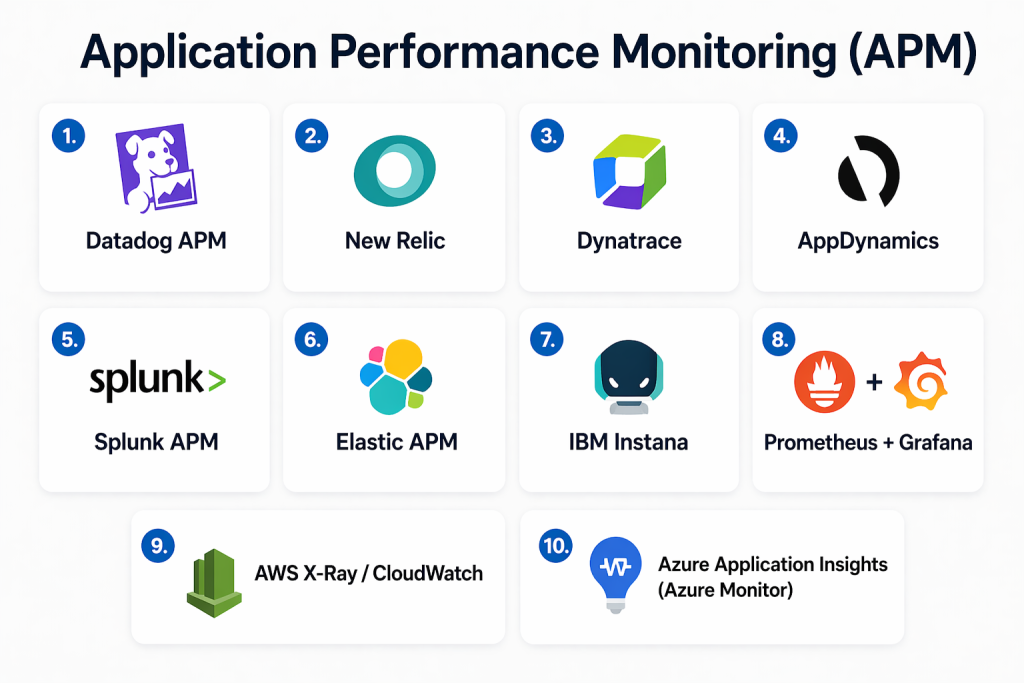
Top 10 Application Performance Monitoring (APM) Tools Tools
#1 — Datadog APM
Short description: Datadog APM provides full-stack observability with real-time monitoring, tracing, and analytics for cloud-native and distributed systems.
Key Features
- Distributed tracing
- Real-time monitoring dashboards
- AI-powered alerts
- Log and metrics correlation
- Cloud and container monitoring
- Custom dashboards
Pros
- Highly scalable platform
- Rich integration ecosystem
Cons
- Pricing can be complex
- Steeper learning curve
Platforms / Deployment
- Web
- Cloud
Security & Compliance
- RBAC, encryption
- Not publicly stated
Integrations & Ecosystem
Datadog integrates with a wide range of DevOps tools and cloud services.
- AWS
- Azure
- Kubernetes
- Slack
- API
Support & Community
Strong enterprise support and extensive documentation.
#2 — New Relic
Short description: New Relic offers comprehensive observability with unified telemetry data across applications, infrastructure, and user experiences.
Key Features
- Full-stack observability
- Distributed tracing
- Real user monitoring
- Synthetic monitoring
- Custom dashboards
Pros
- Unified platform
- Strong analytics capabilities
Cons
- Pricing complexity
- Interface can be overwhelming
Platforms / Deployment
- Web
- Cloud
Security & Compliance
- Not publicly stated
Integrations & Ecosystem
- AWS
- Azure
- Kubernetes
- APIs
Support & Community
Strong community and support resources.
#3 — Dynatrace
Short description: Dynatrace provides AI-powered monitoring and automatic discovery of dependencies in complex environments.
Key Features
- AI-driven root cause analysis
- Automatic service discovery
- Full-stack monitoring
- Distributed tracing
- Cloud-native support
Pros
- Advanced automation
- Deep insights
Cons
- Higher cost
- Complex setup
Platforms / Deployment
- Cloud / Hybrid
Security & Compliance
- Not publicly stated
Integrations & Ecosystem
- Kubernetes
- Cloud platforms
- APIs
Support & Community
Enterprise-grade support and documentation.
#4 — AppDynamics
Short description: AppDynamics focuses on application performance and business transaction monitoring.
Key Features
- Business transaction monitoring
- Application diagnostics
- Real-time alerts
- End-user monitoring
- Analytics dashboards
Pros
- Strong business insights
- Enterprise-ready
Cons
- Expensive
- Complex configuration
Platforms / Deployment
- Cloud / Hybrid
Security & Compliance
- Not publicly stated
Integrations & Ecosystem
- Cloud platforms
- APIs
- Enterprise tools
Support & Community
Strong enterprise support.
#5 — Elastic APM
Short description: Elastic APM is part of the Elastic Stack, offering performance monitoring integrated with logs and metrics.
Key Features
- Distributed tracing
- Log and metric correlation
- Open-source flexibility
- Real-time monitoring
- Custom dashboards
Pros
- Flexible deployment
- Cost-effective
Cons
- Requires setup expertise
- UI complexity
Platforms / Deployment
- Cloud / Self-hosted
Security & Compliance
- Not publicly stated
Integrations & Ecosystem
- Elasticsearch
- Kibana
- APIs
Support & Community
Strong open-source community.
#6 — Splunk Observability Cloud
Short description: Splunk provides observability solutions with advanced analytics and monitoring capabilities.
Key Features
- Real-time analytics
- Distributed tracing
- Infrastructure monitoring
- AI-driven insights
- Alerting
Pros
- Powerful analytics
- Scalable
Cons
- High cost
- Complex implementation
Platforms / Deployment
- Cloud
Security & Compliance
- Not publicly stated
Integrations & Ecosystem
- Cloud platforms
- APIs
- DevOps tools
Support & Community
Enterprise-level support.
#7 — Prometheus + Grafana
Short description: Prometheus and Grafana together provide open-source monitoring and visualization for modern systems.
Key Features
- Metrics collection
- Alerting
- Visualization dashboards
- Kubernetes integration
- Open-source ecosystem
Pros
- Free and flexible
- Highly customizable
Cons
- Requires manual setup
- Limited out-of-the-box features
Platforms / Deployment
- Self-hosted
Security & Compliance
- Varies / N/A
Integrations & Ecosystem
- Kubernetes
- Cloud-native tools
- APIs
Support & Community
Large open-source community.
#8 — Azure Monitor
Short description: Azure Monitor provides monitoring for applications and infrastructure within the Azure ecosystem.
Key Features
- Application insights
- Log analytics
- Metrics tracking
- Alerts and diagnostics
- Cloud integration
Pros
- Native Azure integration
- Scalable
Cons
- Limited outside Azure
- Complex configuration
Platforms / Deployment
- Cloud
Security & Compliance
- Not publicly stated
Integrations & Ecosystem
- Azure services
- APIs
Support & Community
Strong Microsoft support.
#9 — Google Cloud Operations Suite
Short description: Google Cloud’s monitoring suite provides observability for applications running on its platform.
Key Features
- Metrics and logging
- Distributed tracing
- Error reporting
- Alerting
- Dashboard visualization
Pros
- Strong cloud integration
- Scalable
Cons
- Limited multi-cloud support
- Complex setup
Platforms / Deployment
- Cloud
Security & Compliance
- Not publicly stated
Integrations & Ecosystem
- Google Cloud
- APIs
Support & Community
Strong support ecosystem.
#10 — Instana
Short description: Instana offers automated application performance monitoring with real-time insights and tracing.
Key Features
- Automatic instrumentation
- Distributed tracing
- Real-time monitoring
- Dependency mapping
- AI-based insights
Pros
- Fast setup
- Strong automation
Cons
- Pricing may be high
- Limited customization
Platforms / Deployment
- Cloud / Hybrid
Security & Compliance
- Not publicly stated
Integrations & Ecosystem
- Kubernetes
- Cloud platforms
- APIs
Support & Community
Enterprise support available.
Comparison Table (Top 10)
| Tool Name | Best For | Platform(s) Supported | Deployment | Standout Feature | Public Rating |
|---|---|---|---|---|---|
| Datadog | Cloud monitoring | Web | Cloud | Full-stack observability | N/A |
| New Relic | Unified monitoring | Web | Cloud | Telemetry data platform | N/A |
| Dynatrace | AI monitoring | Web | Hybrid | AI root cause analysis | N/A |
| AppDynamics | Enterprise APM | Web | Hybrid | Business insights | N/A |
| Elastic APM | Open-source | Web | Hybrid | Elastic integration | N/A |
| Splunk | Analytics | Web | Cloud | Advanced analytics | N/A |
| Prometheus + Grafana | DevOps | Web | Self-hosted | Open-source monitoring | N/A |
| Azure Monitor | Azure apps | Web | Cloud | Native Azure integration | N/A |
| Google Cloud Ops | GCP apps | Web | Cloud | Cloud observability | N/A |
| Instana | Automation | Web | Hybrid | Auto instrumentation | N/A |
Evaluation & Scoring of Application Performance Monitoring (APM) Tools
| Tool Name | Core | Ease | Integrations | Security | Performance | Support | Value | Weighted Total |
|---|---|---|---|---|---|---|---|---|
| Datadog | 9 | 8 | 10 | 8 | 9 | 9 | 7 | 8.6 |
| New Relic | 9 | 8 | 9 | 7 | 9 | 9 | 8 | 8.5 |
| Dynatrace | 10 | 7 | 9 | 8 | 10 | 9 | 7 | 8.8 |
| AppDynamics | 9 | 7 | 9 | 8 | 9 | 9 | 7 | 8.5 |
| Elastic | 8 | 7 | 8 | 7 | 8 | 8 | 9 | 8.0 |
| Splunk | 9 | 7 | 9 | 8 | 9 | 9 | 7 | 8.5 |
| Prometheus | 7 | 6 | 8 | 6 | 8 | 7 | 10 | 7.6 |
| Azure Monitor | 8 | 7 | 8 | 7 | 8 | 8 | 8 | 7.9 |
| Google Cloud | 8 | 7 | 8 | 7 | 8 | 8 | 8 | 7.9 |
| Instana | 9 | 8 | 8 | 7 | 9 | 8 | 7 | 8.2 |
Interpretation:
These scores compare tools across multiple criteria such as features, usability, and integrations. Higher scores indicate balanced platforms with strong capabilities, while lower scores may reflect niche or specialized tools.
Which Application Performance Monitoring (APM) Tool Is Right for You?
Solo / Freelancer
Prometheus with Grafana or basic cloud monitoring tools are sufficient.
SMB
Datadog or New Relic offer ease of use and strong features.
Mid-Market
Dynatrace or Instana provide automation and deeper insights.
Enterprise
AppDynamics and Splunk deliver scalability and advanced analytics.
Budget vs Premium
Open-source tools are cost-effective; enterprise tools offer advanced capabilities.
Feature Depth vs Ease of Use
Advanced tools provide deep insights but require setup; simpler tools are easier to adopt.
Integrations & Scalability
Choose tools that integrate with your cloud and DevOps stack.
Security & Compliance Needs
Enterprises should prioritize governance and access control features.
Frequently Asked Questions (FAQs)
1. What is an APM tool?
APM tools monitor application performance and help identify issues affecting speed, reliability, and user experience.
2. Why are APM tools important?
They ensure applications run smoothly, reduce downtime, and improve user satisfaction.
3. Can APM tools detect errors automatically?
Yes, most tools include alerting and anomaly detection features.
4. Do APM tools support cloud environments?
Yes, most modern APM tools are designed for cloud and hybrid environments.
5. Are open-source APM tools effective?
Yes, but they may require more setup and maintenance.
6. What integrations are essential?
Git, CI/CD tools, cloud platforms, and alerting systems are key.
7. Is APM the same as observability?
APM is part of observability, which includes logs, metrics, and traces.
8. How scalable are APM tools?
Enterprise tools are highly scalable, while open-source tools depend on configuration.
9. Can APM tools improve performance?
Yes, they provide insights to optimize application speed and reliability.
10. Are APM tools expensive?
Pricing varies widely depending on features and scale.
Conclusion
Application Performance Monitoring tools are no longer optional for teams building and operating modern applications. They provide the visibility needed to understand how systems behave under real-world conditions and help teams detect and resolve issues before they impact users. From full-stack observability platforms to lightweight open-source solutions, the market offers a wide range of options tailored to different needs. The right choice depends on your architecture, team expertise, and performance goals. While enterprise tools deliver deep insights and automation, simpler tools can still provide meaningful value for smaller environments. It is important to evaluate integration capabilities, ease of use, and scalability before making a decision. Start by identifying your monitoring gaps, shortlist a few tools, and test them in your environment. A well-selected APM solution can significantly improve reliability, user experience, and operational efficiency over time.
