Introduction
Status Page Tools are platforms that help organizations communicate the real-time health of their systems, applications, and services to users. A status page acts as a single source of truth, displaying uptime, outages, incidents, and maintenance updates in a transparent and structured way.
In today’s always-on digital environment, outages are inevitable—but how you communicate them defines user trust. Status page tools reduce support tickets, improve transparency, and keep stakeholders informed during disruptions.
Common use cases include:
- Communicating outages and incidents to users
- Sharing planned maintenance updates
- Displaying uptime and SLA metrics
- Notifying subscribers via email or alerts
- Internal system health visibility
Key evaluation criteria:
- Real-time update automation
- Customization and branding
- Subscriber notifications
- Integration with monitoring tools
- Incident timeline and history tracking
- Multi-channel communication
- Security and access control
- Ease of setup and usability
Best for: SaaS companies, DevOps teams, SREs, IT operations, and enterprises needing transparent communication with users.
Not ideal for: Small apps with minimal downtime risk or teams not requiring public communication.
Key Trends in Status Page Tools
- Automated status updates from monitoring systems
- Integration with incident management and observability platforms
- Multi-channel notifications (email, Slack, SMS)
- AI-assisted incident communication
- Custom domains and branded pages
- Public vs private status page segmentation
- API-first platforms for automation
- Real-time uptime analytics and reporting
- Embeddable status widgets
- Increased adoption of open-source status page tools
How We Selected These Tools (Methodology)
- Strong industry adoption and credibility
- Feature completeness (incident tracking, uptime display, alerts)
- Integration with monitoring and DevOps tools
- Ease of deployment and usability
- Customization and branding flexibility
- Scalability across small and large teams
- Security and access control features
- Documentation and support quality
- Balance between hosted and open-source solutions
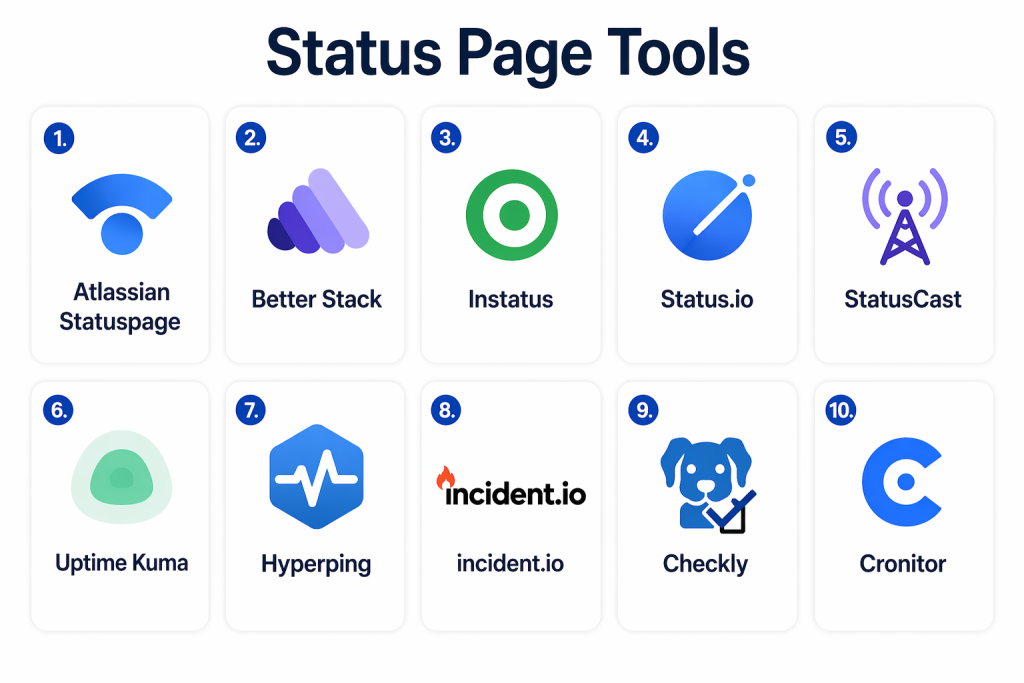
Top 10 Status Page Tools Tools
#1 — Atlassian Statuspage
Short description: Atlassian Statuspage is one of the most widely used platforms for creating public and private status pages with strong incident communication features.
Key Features
- Public and private status pages
- Incident communication tools
- Subscriber notifications
- Custom branding
- API access
- Incident history tracking
Pros
- Industry-standard tool
- Strong integration ecosystem
Cons
- Pricing can be high
- Limited features in lower tiers
Platforms / Deployment
- Web
- Cloud
Security & Compliance
- Not publicly stated
Integrations & Ecosystem
Integrates with Atlassian and DevOps tools.
- Jira
- Opsgenie
- APIs
Support & Community
Strong enterprise support and ecosystem.
#2 — Better Stack (Better Uptime)
Short description: Better Stack combines monitoring with status page functionality, offering real-time updates and incident timelines.
Key Features
- Public status pages
- Incident timelines
- Monitoring integration
- Notifications
- Custom domains
Pros
- Easy setup
- Integrated monitoring
Cons
- Limited advanced customization
- Smaller ecosystem
Platforms / Deployment
- Cloud
Security & Compliance
- Not publicly stated
Integrations & Ecosystem
- Prometheus
- Slack
- APIs
Support & Community
Good documentation and support.
#3 — Instatus
Short description: Instatus is a modern and lightweight status page tool focused on simplicity and speed.
Key Features
- Unlimited subscribers
- Custom domains
- Incident updates
- Multi-channel notifications
- Simple UI
Pros
- Fast setup
- Easy to use
Cons
- Limited advanced features
- Basic analytics
Platforms / Deployment
- Cloud
Security & Compliance
- Not publicly stated
Integrations & Ecosystem
- Slack
- Discord
- APIs
Support & Community
Growing adoption and community.
#4 — Status.io
Short description: Status.io provides enterprise-grade status pages with customization and real-time metrics.
Key Features
- Real-time metrics
- Incident communication
- Customizable UI
- Multi-language support
- API access
Pros
- Highly customizable
- Enterprise-ready
Cons
- Complex configuration
- Higher cost
Platforms / Deployment
- Cloud
Security & Compliance
- Not publicly stated
Integrations & Ecosystem
- Monitoring tools
- APIs
Support & Community
Enterprise-level support.
#5 — StatusCast
Short description: StatusCast is designed for enterprises needing branded and highly customizable status pages.
Key Features
- Custom branding
- Incident tracking
- Notification systems
- Multi-audience communication
- SLA reporting
Pros
- Strong customization
- Enterprise focus
Cons
- Pricing
- Complexity
Platforms / Deployment
- Cloud
Security & Compliance
- Not publicly stated
Integrations & Ecosystem
- APIs
- IT tools
Support & Community
Strong enterprise support.
#6 — Uptime Kuma
Short description: Uptime Kuma is an open-source status page tool for monitoring and uptime tracking.
Key Features
- Self-hosted status pages
- Real-time monitoring
- Notifications
- Custom dashboards
- Multi-protocol support
Pros
- Free and open-source
- Flexible
Cons
- Requires setup
- No enterprise support
Platforms / Deployment
- Self-hosted
Security & Compliance
- Varies / N/A
Integrations & Ecosystem
- APIs
- Monitoring tools
Support & Community
Strong open-source community.
#7 — Hyperping
Short description: Hyperping offers monitoring with built-in status pages and alerting features.
Key Features
- Uptime monitoring
- Status pages
- Alerts
- SSL checks
- Reporting
Pros
- Simple setup
- Affordable
Cons
- Limited customization
- Basic features
Platforms / Deployment
- Cloud
Security & Compliance
- Not publicly stated
Integrations & Ecosystem
- Slack
- APIs
Support & Community
Moderate support.
#8 — StatusGator
Short description: StatusGator aggregates multiple service status pages and provides unified monitoring.
Key Features
- Aggregated status tracking
- Early outage detection
- Notifications
- API access
- Incident history
Pros
- Multi-service visibility
- Early detection
Cons
- Limited customization
- Not a pure status page tool
Platforms / Deployment
- Cloud
Security & Compliance
- Not publicly stated
Integrations & Ecosystem
- APIs
- SaaS services
Support & Community
Growing community.
#9 — Checkly (Status Pages)
Short description: Checkly integrates synthetic monitoring with status pages for real-time visibility.
Key Features
- Monitoring-driven updates
- API and browser checks
- Status pages
- Alerts
- Integration with tracing
Pros
- Developer-friendly
- Real-time updates
Cons
- Requires setup
- Limited UI customization
Platforms / Deployment
- Cloud
Security & Compliance
- Not publicly stated
Integrations & Ecosystem
- DevOps tools
- APIs
Support & Community
Growing developer community.
#10 — Cronitor
Short description: Cronitor provides status pages alongside monitoring, especially for backend jobs and APIs.
Key Features
- Status pages
- Cron job monitoring
- Alerts
- Incident tracking
- Reporting
Pros
- Unique backend monitoring
- Easy setup
Cons
- Limited UI features
- Niche focus
Platforms / Deployment
- Cloud
Security & Compliance
- Not publicly stated
Integrations & Ecosystem
- APIs
- DevOps tools
Support & Community
Moderate support.
Comparison Table (Top 10)
| Tool Name | Best For | Platform(s) Supported | Deployment | Standout Feature | Public Rating |
|---|---|---|---|---|---|
| Atlassian Statuspage | Enterprise | Web | Cloud | Industry standard | N/A |
| Better Stack | Startups | Web | Cloud | Monitoring + status | N/A |
| Instatus | Simplicity | Web | Cloud | Fast setup | N/A |
| Status.io | Enterprise | Web | Cloud | Customization | N/A |
| StatusCast | Enterprise | Web | Cloud | Branding | N/A |
| Uptime Kuma | Open-source | Web | Self-hosted | Free flexibility | N/A |
| Hyperping | SMB | Web | Cloud | Simple monitoring | N/A |
| StatusGator | Aggregation | Web | Cloud | Multi-service tracking | N/A |
| Checkly | Dev teams | Web | Cloud | Monitoring integration | N/A |
| Cronitor | Backend apps | Web | Cloud | Cron monitoring | N/A |
Evaluation & Scoring of Status Page Tools
| Tool Name | Core | Ease | Integrations | Security | Performance | Support | Value | Weighted Total |
|---|---|---|---|---|---|---|---|---|
| Statuspage | 10 | 8 | 10 | 9 | 10 | 9 | 7 | 9.0 |
| Better Stack | 8 | 9 | 8 | 7 | 8 | 8 | 9 | 8.2 |
| Instatus | 7 | 10 | 7 | 6 | 8 | 7 | 9 | 8.0 |
| Status.io | 9 | 7 | 8 | 8 | 9 | 8 | 7 | 8.3 |
| StatusCast | 9 | 7 | 8 | 8 | 9 | 8 | 7 | 8.3 |
| Uptime Kuma | 7 | 7 | 7 | 6 | 8 | 7 | 10 | 7.8 |
| Hyperping | 7 | 8 | 7 | 6 | 7 | 7 | 9 | 7.6 |
| StatusGator | 8 | 7 | 7 | 7 | 8 | 7 | 8 | 7.7 |
| Checkly | 8 | 7 | 8 | 7 | 8 | 7 | 8 | 7.8 |
| Cronitor | 7 | 8 | 7 | 6 | 7 | 7 | 8 | 7.5 |
Interpretation:
These scores are comparative and reflect overall capabilities, usability, and ecosystem strength. Higher scores indicate enterprise-ready tools, while lower scores represent lightweight or niche solutions.
Which Status Page Tools Tool Is Right for You?
Solo / Freelancer
Use Uptime Kuma or Instatus for simplicity and low cost.
SMB
Better Stack or Hyperping provide balanced features and ease of use.
Mid-Market
Checkly or Status.io offer strong integrations and flexibility.
Enterprise
Atlassian Statuspage or StatusCast provide scalability and governance.
Budget vs Premium
Open-source tools reduce cost; enterprise tools offer advanced features.
Feature Depth vs Ease of Use
Simple tools are easy to adopt; advanced tools offer more control.
Integrations & Scalability
Choose tools that integrate with monitoring and incident systems.
Security & Compliance Needs
Enterprises should prioritize governance, access control, and audit logs.
Frequently Asked Questions (FAQs)
1. What is a status page?
A status page is a platform that shows real-time service health, incidents, and maintenance updates.
2. Why are status pages important?
They improve transparency, reduce support tickets, and build user trust.
3. Can status pages be automated?
Yes, most tools integrate with monitoring systems to update automatically.
4. Are status pages public or private?
They can be both, depending on the use case.
5. What features should I look for?
Look for automation, notifications, customization, and integrations.
6. Do they support notifications?
Yes, via email, SMS, Slack, and other channels.
7. Are there free tools?
Yes, open-source and free-tier tools are available.
8. Can they improve customer experience?
Yes, by providing clear communication during outages.
9. Are they scalable?
Enterprise tools are highly scalable.
10. Is setup difficult?
Most tools offer quick setup with minimal configuration.
Conclusion
Status Page Tools have become essential for modern digital businesses that need to maintain transparency and trust with their users. They act as a communication bridge between technical teams and customers, ensuring that outages, incidents, and maintenance updates are shared clearly and promptly. As systems grow more complex and uptime expectations increase, relying on manual communication is no longer sufficient. These tools automate updates, reduce support load, and improve overall user experience. While lightweight tools offer simplicity and cost savings, enterprise solutions provide deeper customization, integrations, and scalability. The right choice depends on your infrastructure, communication needs, and team maturity. It is important to evaluate ease of use, integration capabilities, and automation features before selecting a tool. Start by identifying your communication gaps, shortlist a few tools, and test them in real-world scenarios. A well-implemented status page solution can significantly enhance transparency, reliability, and customer confidence.
