Introduction
Password Managers are security tools designed to securely store, generate, and autofill passwords for users across websites, applications, and devices. Instead of remembering dozens of complex passwords, users only need to remember a single master password, while the tool handles the rest.
In today’s digital ecosystem, password-related attacks such as credential stuffing, phishing, and brute-force attempts are extremely common. Password managers solve this problem by generating strong, unique passwords for every account and storing them in an encrypted vault.
Modern password managers are now evolving into full digital identity security platforms, offering features like breach monitoring, password health analysis, secure file storage, and even passkey support.
Why password managers matter today
- Prevent reuse of weak passwords
- Protect against phishing and credential theft
- Improve account security with encryption
- Enable secure access across multiple devices
- Reduce dependency on human memory
- Support enterprise and team password sharing
Common use cases
- Personal account security (email, social media, banking)
- Enterprise credential management
- Secure team password sharing
- Developer and API key storage
- Autofill login credentials across apps and browsers
Key evaluation criteria
- Encryption standards (zero-knowledge architecture)
- Cross-device synchronization
- Autofill accuracy and speed
- Multi-factor authentication support
- Password generation strength
- Breach monitoring and alerts
- Team sharing and access controls
- Cloud vs local storage options
- Ease of use and UI experience
- Integration with browsers and apps
Best for:
Password managers are best for individual users, businesses, IT teams, SaaS platforms, and enterprises that need secure credential management at scale.
Not ideal for:
They may not be necessary for users with very few accounts or those who rely only on single-device offline usage without sensitive data exposure.
Key Trends in Password Managers
- Shift toward passwordless authentication and passkeys
- Integration of biometric login (Face ID, fingerprint, voice)
- AI-based password strength and risk analysis
- Built-in dark web monitoring for leaked credentials
- Secure vaults for files, notes, and API keys
- Expansion of zero-knowledge encryption models
- Built-in authentication (TOTP/MFA integration)
- Enterprise identity and access integration (IAM + SSO)
- Cross-device seamless synchronization
- Increased focus on phishing-resistant login systems
How We Selected These Tools (Methodology)
- Global adoption and user base size
- Strength of encryption and security architecture
- Cross-platform availability (web, mobile, desktop)
- Ease of use and user experience
- Integration with browsers and applications
- Support for MFA and passwordless login
- Breach monitoring and security alerts
- Enterprise and team collaboration features
- Vendor maturity and reliability
- Real-world security performance
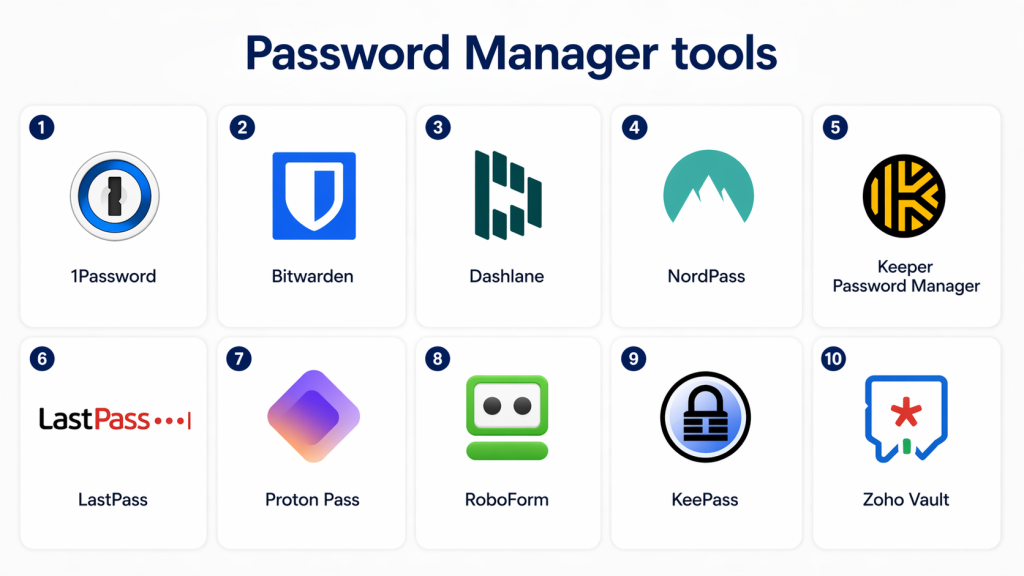
Top 10 Password Managers
1 — 1Password
Short description:
1Password is a widely trusted password manager known for its strong security model and seamless cross-platform experience for individuals and enterprises.
Key Features
- Secure password vault
- Autofill across devices
- Password generation tool
- Travel mode security
- Team password sharing
- Passkey support
- Multi-device sync
Pros
- Excellent user experience
- Strong enterprise features
- High-level security design
Cons
- No free plan
- Premium pricing
Platforms / Deployment
- Cloud / Desktop / Mobile
Security & Compliance
- Zero-knowledge encryption
- MFA support
- Audit logs for business plans
Integrations & Ecosystem
- Browsers (Chrome, Safari, Firefox)
- SaaS apps
- Enterprise IAM tools
- API integrations
Support & Community
Strong enterprise and consumer support ecosystem.
2 — Bitwarden
Short description:
Bitwarden is an open-source password manager known for strong security and affordability.
Key Features
- Open-source encryption model
- Password vault
- Secure sharing
- Password generator
- Multi-device sync
- Self-hosting option
- MFA support
Pros
- Free and open-source option
- High transparency
- Strong security reputation
Cons
- UI less polished than competitors
- Some advanced features require setup
Platforms / Deployment
- Cloud / Self-hosted / Hybrid
Security & Compliance
- End-to-end encryption
- Zero-knowledge architecture
- MFA support
Integrations & Ecosystem
- Browsers and apps
- Developer APIs
- Enterprise systems
- Cloud platforms
Support & Community
Strong developer and open-source community.
3 — Dashlane
Short description:
Dashlane combines password management with security monitoring and identity protection features.
Key Features
- Password vault and autofill
- Built-in VPN (selected plans)
- Dark web monitoring
- Password health scoring
- Secure sharing
- Passkey support
- Multi-device sync
Pros
- Strong security features
- Easy-to-use interface
- Identity protection tools
Cons
- Higher pricing
- Limited free-tier features
Platforms / Deployment
- Cloud / Mobile / Desktop
Security & Compliance
- AES-256 encryption
- Zero-knowledge architecture
- MFA support
Integrations & Ecosystem
- Browsers
- SaaS platforms
- Security tools
- API integrations
Support & Community
Strong enterprise support and documentation.
4 — NordPass
Short description:
NordPass is a modern password manager focused on simplicity, security, and biometric authentication.
Key Features
- Password vault
- Biometric login support
- Password generator
- Secure sharing
- Data breach scanner
- Multi-device sync
- Autofill functionality
Pros
- Easy to use
- Strong biometric integration
- Good value pricing
Cons
- Fewer advanced enterprise features
- Relatively newer ecosystem
Platforms / Deployment
- Cloud / Mobile / Desktop
Security & Compliance
- XChaCha20 encryption
- Zero-knowledge model
- MFA support
Integrations & Ecosystem
- Browsers
- VPN ecosystem (Nord)
- SaaS apps
- APIs
Support & Community
Good consumer support and documentation.
5 — Keeper Password Manager
Short description:
Keeper is an enterprise-grade password manager with strong security and scalable access controls.
Key Features
- Secure password vault
- Role-based access control
- Secure file storage
- Breach monitoring
- Autofill and password generation
- Team sharing
- Session monitoring
Pros
- Strong enterprise security
- Highly scalable
- Advanced compliance support
Cons
- Pricing can be high
- Interface complexity
Platforms / Deployment
- Cloud / Hybrid
Security & Compliance
- Zero-knowledge encryption
- MFA support
- SOC compliance support
Integrations & Ecosystem
- IAM systems
- SaaS tools
- DevOps platforms
- API integrations
Support & Community
Strong enterprise support.
6 — LastPass
Short description:
LastPass is a widely used password manager offering vault storage, autofill, and enterprise identity features.
Key Features
- Password vault
- Autofill and form fill
- Secure password sharing
- MFA support
- Password generator
- Dark web monitoring
- Admin console for teams
Pros
- Easy to deploy
- Strong enterprise tools
- Good free-tier availability
Cons
- Past security concerns
- Some features behind paywall
Platforms / Deployment
- Cloud / Mobile / Desktop
Security & Compliance
- Encryption support
- MFA
- Security alerts
Integrations & Ecosystem
- Browsers
- SaaS apps
- Enterprise systems
- APIs
Support & Community
Good enterprise and consumer support.
7 — Proton Pass
Short description:
Proton Pass is a privacy-focused password manager from the Proton ecosystem.
Key Features
- End-to-end encrypted vault
- Email alias generation
- Password generator
- Autofill system
- Secure sharing
- Multi-device sync
- Open-source components
Pros
- Strong privacy focus
- Secure ecosystem integration
- Clean UI
Cons
- Newer product ecosystem
- Limited enterprise maturity
Platforms / Deployment
- Cloud / Mobile / Desktop
Security & Compliance
- End-to-end encryption
- Zero-knowledge model
- MFA support
Integrations & Ecosystem
- Proton ecosystem apps
- Browsers
- SaaS apps
- APIs
Support & Community
Growing privacy-focused community.
8 — RoboForm
Short description:
RoboForm is a long-established password manager known for strong form-filling capabilities.
Key Features
- One-click login
- Advanced form filling
- Password generator
- Secure sharing
- Multi-device sync
- Offline access
- Password vault
Pros
- Excellent form-filling system
- Reliable performance
- Lightweight application
Cons
- UI feels outdated
- Fewer modern identity features
Platforms / Deployment
- Cloud / Desktop / Mobile
Security & Compliance
- AES encryption
- MFA support
- Secure vault system
Integrations & Ecosystem
- Browsers
- Desktop apps
- SaaS platforms
- APIs
Support & Community
Stable long-term support.
9 — KeePass
Short description:
KeePass is a free, open-source password manager that stores credentials locally.
Key Features
- Local encrypted database
- Password generator
- Plugin support
- Lightweight application
- Offline usage
- Customizable architecture
- Secure vault system
Pros
- Completely free
- Offline security model
- Highly customizable
Cons
- No native cloud sync
- Outdated UI experience
Platforms / Deployment
- Desktop (Windows/Linux/macOS via ports)
Security & Compliance
- Strong encryption
- Local storage security
- No cloud dependency
Integrations & Ecosystem
- Plugins ecosystem
- Browser extensions
- Developer tools
- Custom integrations
Support & Community
Open-source community support.
10 — Zoho Vault
Short description:
Zoho Vault is a business-focused password manager designed for teams and enterprises.
Key Features
- Secure password vault
- Team password sharing
- Role-based access control
- Activity tracking
- Secure notes storage
- Password generator
- Admin dashboard
Pros
- Strong business features
- Affordable pricing
- Easy integration in Zoho ecosystem
Cons
- Less advanced than premium competitors
- UI simplicity limitations
Platforms / Deployment
- Cloud
Security & Compliance
- Encryption support
- MFA
- Audit logs
Integrations & Ecosystem
- Zoho suite
- SaaS applications
- Enterprise tools
- APIs
Support & Community
Good business-focused support.
Comparison Table (Top 10)
| Tool | Best For | Platform(s) Supported | Deployment | Standout Feature | Public Rating |
|---|---|---|---|---|---|
| 1Password | Enterprises | Multi | Cloud | Strong UX & security | N/A |
| Bitwarden | Developers | Multi | Cloud/Self-hosted | Open-source model | N/A |
| Dashlane | Identity protection | Multi | Cloud | Dark web monitoring | N/A |
| NordPass | General users | Multi | Cloud | Biometric login | N/A |
| Keeper | Enterprises | Multi | Hybrid | Role-based access control | N/A |
| LastPass | Teams | Multi | Cloud | Admin console | N/A |
| Proton Pass | Privacy users | Multi | Cloud | Email aliases | N/A |
| RoboForm | Form filling | Multi | Cloud | One-click login | N/A |
| KeePass | Advanced users | Desktop | Local | Offline security | N/A |
| Zoho Vault | Businesses | Multi | Cloud | Team access control | N/A |
Evaluation & Scoring of Password Managers
| Tool | Core (25%) | Ease (15%) | Integrations (15%) | Security (10%) | Performance (10%) | Support (10%) | Value (15%) | Total |
|---|---|---|---|---|---|---|---|---|
| 1Password | 10 | 9 | 10 | 10 | 9 | 9 | 8 | 9.2 |
| Bitwarden | 9 | 8 | 9 | 10 | 9 | 8 | 10 | 9.0 |
| Dashlane | 9 | 9 | 9 | 10 | 9 | 9 | 8 | 9.0 |
| NordPass | 8 | 9 | 8 | 9 | 9 | 8 | 9 | 8.6 |
| Keeper | 9 | 8 | 9 | 10 | 9 | 9 | 7 | 8.7 |
| LastPass | 8 | 8 | 9 | 9 | 8 | 8 | 8 | 8.3 |
| Proton Pass | 8 | 9 | 8 | 10 | 9 | 8 | 9 | 8.7 |
| RoboForm | 8 | 8 | 8 | 9 | 8 | 8 | 9 | 8.4 |
| KeePass | 7 | 6 | 7 | 10 | 8 | 7 | 10 | 8.0 |
| Zoho Vault | 8 | 8 | 8 | 9 | 8 | 8 | 9 | 8.4 |
Which Password Manager Is Right for You?
Individual Users
- Bitwarden
- NordPass
- Proton Pass
SMB / Teams
- Zoho Vault
- LastPass
- Dashlane
Enterprise
- 1Password
- Keeper
- Okta-integrated solutions (via IAM ecosystems)
Developers / Advanced Users
- KeePass
- Bitwarden
Frequently Asked Questions (FAQs)
1. What is a password manager?
A password manager securely stores and manages passwords in an encrypted vault. It helps users generate and autofill strong passwords.
2. Are password managers safe?
Yes, most use strong encryption and zero-knowledge architecture. They are safer than reusing weak passwords.
3. Can password managers be hacked?
No system is completely immune, but strong encryption makes data extremely difficult to access even if breached.
4. Do password managers work on mobile?
Yes, most modern password managers support mobile apps and browser extensions.
5. What is zero-knowledge encryption?
It means only the user can access stored data, not even the service provider.
6. Are free password managers good?
Yes, tools like Bitwarden and KeePass offer strong free versions.
7. What happens if I forget my master password?
Most providers cannot recover it due to encryption design. Recovery options vary by tool.
8. Do password managers support biometrics?
Yes, many support fingerprint, Face ID, or device-based login.
9. Can I share passwords securely?
Yes, most tools offer encrypted sharing features for teams or families.
10. Which is the best password manager?
It depends on needs—1Password for enterprise, Bitwarden for open-source users, and Dashlane for identity protection.
Conclusion
Password Managers are a critical layer of modern cybersecurity, helping users and organizations protect digital identities in an increasingly threat-heavy environment. They eliminate password reuse, strengthen authentication, and simplify secure access across platforms.
From enterprise solutions like 1Password and Keeper to open-source tools like Bitwarden and KeePass, each platform serves different user needs and security requirements.
Choosing the right password manager depends on your balance of security, usability, and ecosystem integration. A strong password management strategy ensures better protection, reduced cyber risk, and simplified digital access across all systems.
