Introduction
DNS Management Tools are platforms that help organizations control, configure, and optimize their Domain Name System (DNS) infrastructure. DNS acts as the backbone of the internet, translating domain names into IP addresses so users can access websites, applications, and services seamlessly.
As businesses increasingly rely on cloud applications, global traffic distribution, and high availability systems, DNS management becomes mission-critical. A poorly managed DNS setup can lead to downtime, latency issues, and even security vulnerabilities such as DNS attacks. Modern DNS management tools go beyond simple record updates—they offer automation, traffic routing, failover, and security features.
Common Use Cases
- Managing DNS records (A, CNAME, MX, TXT, etc.)
- Global traffic routing and load balancing
- Failover and disaster recovery
- DNS security and protection against attacks
- Multi-cloud and hybrid infrastructure support
What Buyers Should Evaluate
- Ease of DNS record management
- Global DNS performance and latency
- Traffic routing capabilities (geo, latency-based)
- Built-in security features (DDoS protection, DNSSEC)
- API access and automation support
- Uptime and reliability guarantees
- Integration with cloud and DevOps tools
- Scalability across domains and regions
- Pricing and usage-based billing models
Best for: DevOps teams, cloud engineers, IT administrators, SaaS companies, and enterprises managing global applications or high-traffic systems.
Not ideal for: Individuals or small websites with basic hosting where DNS is already managed by hosting providers.
Key Trends in DNS Management Tools
- Cloud-native DNS services dominating modern infrastructure
- Latency-based routing and geo-DNS for better performance
- Integration with CDNs and edge networks
- Built-in DDoS protection and DNS security features
- Automation via APIs and Infrastructure as Code
- Multi-cloud DNS management strategies
- Real-time monitoring and analytics
- Zero Trust and security-first DNS architectures
- Usage-based pricing models replacing flat pricing
How We Selected These Tools (Methodology)
- Strong market adoption and reliability reputation
- High global DNS performance and uptime
- Availability of advanced routing and failover features
- Robust security capabilities (DNSSEC, DDoS protection)
- Rich API and automation capabilities
- Integration with cloud and DevOps ecosystems
- Suitability for SMB to enterprise environments
- Quality of documentation and support
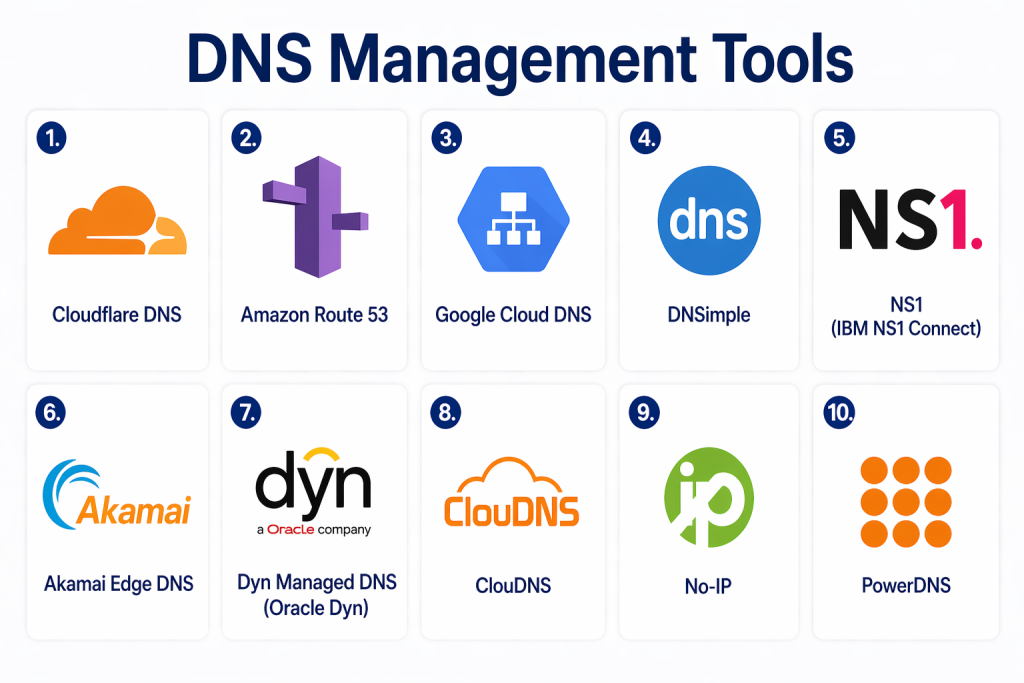
Top 10 DNS Management Tools
#1 — Cloudflare DNS
Short description:
A widely used DNS platform offering fast resolution times, strong security, and global CDN integration.
Key Features
- Global Anycast DNS network
- DNSSEC support
- DDoS protection
- Traffic routing and load balancing
- API-based automation
- Real-time analytics
Pros
- High performance and reliability
- Strong security features
Cons
- Advanced features may require higher plans
- Some configurations can be complex
Platforms / Deployment
Cloud
Security & Compliance
DNSSEC, DDoS protection, encryption (certifications not publicly stated)
Integrations & Ecosystem
Integrates with cloud platforms and developer tools.
- CDN services
- APIs
- DevOps pipelines
Support & Community
Strong community and enterprise support
#2 — Amazon Route 53
Short description:
A scalable and highly available DNS service designed for cloud-based applications.
Key Features
- Highly available DNS service
- Latency-based routing
- Health checks and failover
- Domain registration
- Traffic flow management
- API integration
Pros
- Deep integration with cloud services
- Highly scalable
Cons
- Pricing can be complex
- Requires cloud knowledge
Platforms / Deployment
Cloud
Security & Compliance
DNSSEC, IAM-based access control
Integrations & Ecosystem
Strong integration with cloud ecosystem.
- Cloud services
- APIs
Support & Community
Extensive documentation and support
#3 — Google Cloud DNS
Short description:
A high-performance DNS service designed for reliability and scalability in cloud environments.
Key Features
- Managed DNS service
- High availability
- Low latency resolution
- API-based control
- Traffic routing
- Logging and monitoring
Pros
- Reliable infrastructure
- Easy cloud integration
Cons
- Limited advanced routing features
- Cloud dependency
Platforms / Deployment
Cloud
Security & Compliance
IAM, encryption (certifications not publicly stated)
Integrations & Ecosystem
Integrates with cloud and DevOps tools.
Support & Community
Strong documentation and support
#4 — DNSimple
Short description:
A developer-friendly DNS management platform focused on simplicity and automation.
Key Features
- DNS record management
- Domain registration
- API access
- Automation tools
- Multi-account management
Pros
- Easy to use
- Developer-focused
Cons
- Limited enterprise features
- Smaller ecosystem
Platforms / Deployment
Cloud
Security & Compliance
Not publicly stated
Integrations & Ecosystem
API-driven integrations.
Support & Community
Good support and documentation
#5 — NS1 (IBM NS1 Connect)
Short description:
An enterprise-grade DNS platform offering advanced traffic management and automation.
Key Features
- Intelligent traffic routing
- Real-time monitoring
- DNS analytics
- API automation
- Load balancing
Pros
- Advanced routing capabilities
- High performance
Cons
- Enterprise-focused pricing
- Complex setup
Platforms / Deployment
Cloud
Security & Compliance
DNSSEC, access controls
Integrations & Ecosystem
Integrates with cloud and DevOps tools.
Support & Community
Enterprise support
#6 — Akamai Edge DNS
Short description:
A global DNS platform integrated with Akamai’s edge network for high performance and security.
Key Features
- Global DNS network
- Traffic routing
- DDoS protection
- High availability
- Performance optimization
Pros
- Strong global presence
- High reliability
Cons
- Premium pricing
- Enterprise focus
Platforms / Deployment
Cloud
Security & Compliance
DDoS protection, DNSSEC
Integrations & Ecosystem
Integrates with edge and CDN services.
Support & Community
Enterprise-level support
#7 — Dyn Managed DNS
Short description:
A managed DNS service known for reliability and enterprise-grade performance.
Key Features
- Traffic routing
- Failover support
- DNS monitoring
- Load balancing
- Analytics
Pros
- Proven reliability
- Strong enterprise features
Cons
- Limited availability
- Premium pricing
Platforms / Deployment
Cloud
Security & Compliance
DNSSEC, security controls
Integrations & Ecosystem
Supports enterprise integrations
Support & Community
Enterprise support
#8 — ClouDNS
Short description:
A cost-effective DNS management platform offering global coverage and easy setup.
Key Features
- Managed DNS services
- DNSSEC support
- Traffic routing
- Failover management
- API access
Pros
- Affordable pricing
- Easy setup
Cons
- Limited advanced features
- Smaller ecosystem
Platforms / Deployment
Cloud
Security & Compliance
DNSSEC, basic security features
Integrations & Ecosystem
API-based integrations
Support & Community
Moderate support
#9 — No-IP
Short description:
A DNS service focused on dynamic DNS and remote access use cases.
Key Features
- Dynamic DNS
- Remote access support
- Domain management
- Easy setup
- Monitoring tools
Pros
- Good for small setups
- Simple configuration
Cons
- Limited enterprise features
- Basic capabilities
Platforms / Deployment
Cloud
Security & Compliance
Not publicly stated
Integrations & Ecosystem
Limited integrations
Support & Community
Basic support
#10 — PowerDNS
Short description:
An open-source DNS solution offering flexibility and control for advanced users.
Key Features
- Authoritative DNS server
- Recursor capabilities
- High performance
- API support
- Customizable configuration
Pros
- Open-source flexibility
- High scalability
Cons
- Requires technical expertise
- Manual setup
Platforms / Deployment
Linux / On-prem / Cloud
Security & Compliance
Encryption support (certifications not publicly stated)
Integrations & Ecosystem
Supports API and custom integrations
Support & Community
Strong open-source community
Comparison Table (Top 10)
| Tool Name | Best For | Platform(s) Supported | Deployment | Standout Feature | Public Rating |
|---|---|---|---|---|---|
| Cloudflare DNS | Performance & security | Web | Cloud | Global Anycast network | N/A |
| Amazon Route 53 | Cloud apps | Web | Cloud | Latency routing | N/A |
| Google Cloud DNS | Reliability | Web | Cloud | High availability | N/A |
| DNSimple | Developers | Web | Cloud | API simplicity | N/A |
| NS1 | Enterprise routing | Web | Cloud | Intelligent routing | N/A |
| Akamai DNS | Global scale | Web | Cloud | Edge network | N/A |
| Dyn DNS | Enterprise DNS | Web | Cloud | Reliability | N/A |
| ClouDNS | Budget users | Web | Cloud | Cost-effective | N/A |
| No-IP | Dynamic DNS | Web | Cloud | Remote access | N/A |
| PowerDNS | Open-source | Linux | Hybrid | Customization | N/A |
Evaluation & Scoring of DNS Management Tools
| Tool Name | Core | Ease | Integrations | Security | Performance | Support | Value | Weighted Total |
|---|---|---|---|---|---|---|---|---|
| Cloudflare | 9 | 8 | 9 | 9 | 10 | 9 | 8 | 9.1 |
| Route 53 | 9 | 7 | 10 | 9 | 9 | 9 | 7 | 8.7 |
| Google DNS | 8 | 8 | 9 | 8 | 9 | 8 | 8 | 8.4 |
| DNSimple | 7 | 9 | 7 | 7 | 8 | 8 | 8 | 7.9 |
| NS1 | 9 | 7 | 9 | 9 | 9 | 8 | 7 | 8.6 |
| Akamai | 9 | 6 | 8 | 9 | 10 | 9 | 6 | 8.5 |
| Dyn | 8 | 7 | 8 | 8 | 9 | 8 | 6 | 7.9 |
| ClouDNS | 7 | 8 | 7 | 7 | 8 | 7 | 9 | 7.8 |
| No-IP | 6 | 9 | 6 | 6 | 7 | 6 | 9 | 7.3 |
| PowerDNS | 8 | 6 | 8 | 7 | 8 | 7 | 9 | 7.8 |
Interpretation:
Scores are comparative and reflect balance across features, usability, and value. Enterprise tools score higher in performance and security, while smaller tools provide better ease of use and affordability.
Which DNS Management Tool Is Right for You?
Solo / Freelancer
- No-IP, DNSimple
- Simple and cost-effective
SMB
- ClouDNS, DNSimple
- Easy setup with essential features
Mid-Market
- Google Cloud DNS, NS1
- Balanced performance and scalability
Enterprise
- Cloudflare, Route 53, Akamai
- High performance and global reach
Budget vs Premium
- Budget: ClouDNS, No-IP
- Premium: Cloudflare, Akamai
Feature Depth vs Ease of Use
- Deep features: Route 53
- Ease of use: DNSimple
Integrations & Scalability
- Strongest: Cloudflare, Route 53
Security & Compliance Needs
- Best: Cloudflare, Akamai
Frequently Asked Questions (FAQs)
1. What are DNS management tools?
They help manage domain name records and routing, ensuring users can access websites and services efficiently.
2. Why is DNS important?
DNS is essential for translating domain names into IP addresses, enabling internet communication.
3. Are DNS tools secure?
Most modern tools include security features like DNSSEC and DDoS protection.
4. What is DNS failover?
It automatically redirects traffic if a server becomes unavailable.
5. Can DNS tools improve performance?
Yes, through load balancing and geo-routing.
6. Are free DNS tools sufficient?
They can work for small setups but may lack advanced features.
7. What is DNSSEC?
A security feature that protects DNS data integrity.
8. Do DNS tools support cloud environments?
Yes, most modern tools are cloud-native.
9. What is latency-based routing?
It directs users to the fastest server based on location.
10. What should I avoid when choosing a tool?
Avoid tools with limited scalability or weak security features.
Conclusion
DNS management tools play a critical role in ensuring the reliability, performance, and security of modern digital infrastructure. As organizations increasingly depend on cloud services and global applications, having a robust DNS strategy is essential to avoid downtime and deliver seamless user experiences.
The right tool depends on your scale, technical expertise, and performance requirements. Smaller teams may prioritize simplicity and affordability, while enterprises require advanced routing, security, and global infrastructure. Open-source tools offer flexibility, whereas managed services provide ease of use and scalability.
Instead of focusing on a single “best” option, it’s important to evaluate how each tool aligns with your specific use case. Shortlist a few tools, test them in real-world scenarios, and ensure they integrate well with your existing systems. This approach will help you build a resilient and future-ready DNS infrastructure.
