Introduction
Runbook Automation Tools are platforms that convert manual operational procedures (runbooks) into executable, automated workflows. Traditionally, runbooks were static documents describing how to resolve incidents or perform routine tasks. Today, these tools transform those instructions into automated scripts that can be triggered manually, on schedule, or based on real-time events.
In modern DevOps and SRE environments, where systems are complex and always running, manual processes lead to delays, errors, and inefficiencies. Runbook automation reduces human intervention, ensures consistency, and accelerates incident resolution. It enables teams to automate repetitive tasks like infrastructure provisioning, incident remediation, and system maintenance, improving reliability and operational efficiency.
Common use cases include:
- Automated incident remediation
- Infrastructure provisioning and configuration
- Routine maintenance tasks
- Event-driven automation workflows
- Compliance and audit automation
Key evaluation criteria:
- Workflow orchestration and automation depth
- Event-driven execution capabilities
- Integration with DevOps and monitoring tools
- Security and access control (RBAC, audit logs)
- Ease of use and scripting flexibility
- Scalability across environments
- API and extensibility
- Cost and deployment flexibility
Best for: DevOps teams, SREs, IT operations, platform engineering teams, and enterprises managing complex infrastructure.
Not ideal for: Very small teams with minimal operational complexity or environments with fully managed infrastructure.
Key Trends in Runbook Automation Tools
- Event-driven automation for real-time remediation
- Integration with observability platforms (logs, metrics, traces)
- AI-assisted automation and root cause analysis
- Shift toward low-code/no-code workflow builders
- ChatOps-driven runbook execution
- API-first automation platforms
- Increased adoption of Infrastructure as Code (IaC)
- Security-focused automation with RBAC and audit trails
- Cross-cloud and hybrid environment support
- Self-service automation portals for teams
How We Selected These Tools (Methodology)
- Strong adoption in DevOps and SRE ecosystems
- Feature completeness in workflow automation and orchestration
- Reliability and scalability in production environments
- Integration with monitoring, CI/CD, and cloud platforms
- Security features such as RBAC and audit logging
- Ease of onboarding and usability
- Documentation quality and community support
- Flexibility across cloud, hybrid, and on-prem environments
- Balance between open-source and enterprise solutions
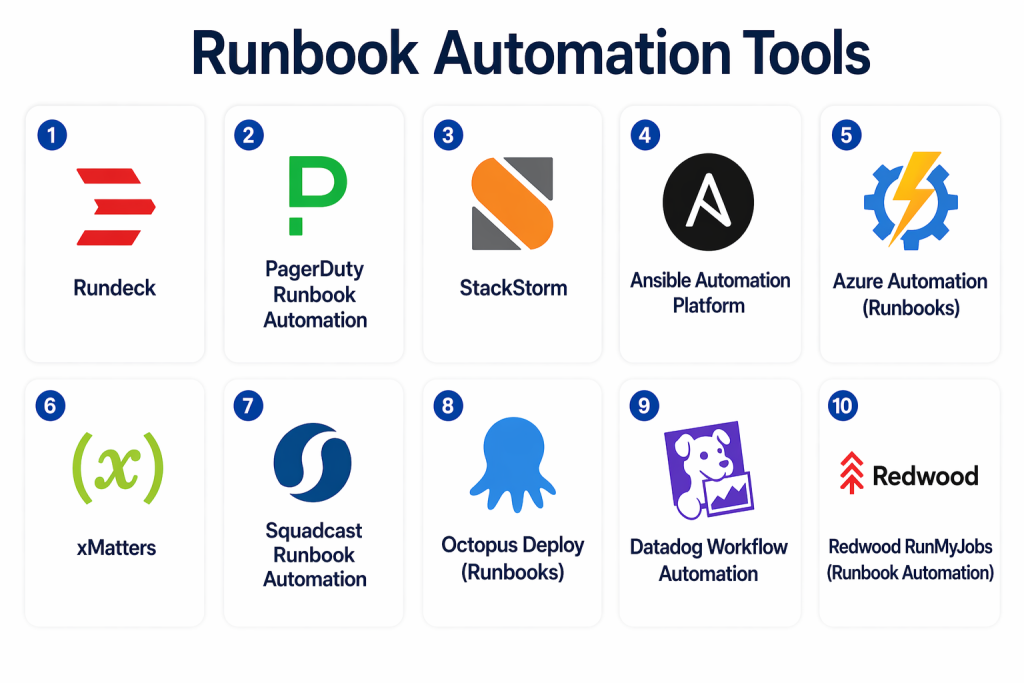
Top 10 Runbook Automation Tools Tools
#1 — Rundeck
Short description: Rundeck is a widely adopted runbook automation platform that enables teams to automate operational workflows and provide self-service access to IT tasks.
Key Features
- Job-based workflow automation
- Scheduling and event-triggered execution
- Role-based access control
- Plugin ecosystem
- Audit logging
- API access
Pros
- Mature and reliable
- Strong open-source community
Cons
- UI may feel outdated
- Advanced features require enterprise version
Platforms / Deployment
- Cloud / Self-hosted / Hybrid
Security & Compliance
- RBAC, audit logs
- Not publicly stated
Integrations & Ecosystem
Rundeck integrates with various DevOps and infrastructure tools.
- APIs
- Cloud platforms
- Monitoring tools
- Plugin integrations
Support & Community
Strong open-source community with enterprise support options.
#2 — PagerDuty Runbook Automation
Short description: PagerDuty Runbook Automation focuses on automating incident response workflows and reducing resolution time.
Key Features
- Event-triggered automation
- Incident response integration
- Workflow automation
- Secure execution
- Analytics
Pros
- Excellent for incident response
- Seamless integration with PagerDuty
Cons
- Best suited for PagerDuty users
- Limited outside incident workflows
Platforms / Deployment
- Cloud
Security & Compliance
- RBAC, audit trails
- Not publicly stated
Integrations & Ecosystem
- PagerDuty ecosystem
- Monitoring tools
- APIs
Support & Community
Strong enterprise support.
#3 — StackStorm
Short description: StackStorm is an event-driven automation platform designed for complex workflows and infrastructure orchestration.
Key Features
- Event-driven automation engine
- Rules-based workflows
- Integration packs
- ChatOps support
- Python extensibility
Pros
- Highly powerful automation
- Strong integration ecosystem
Cons
- Steep learning curve
- Complex setup
Platforms / Deployment
- Cloud / Self-hosted
Security & Compliance
- Not publicly stated
Integrations & Ecosystem
- APIs
- DevOps tools
- Monitoring systems
Support & Community
Strong open-source community.
#4 — Ansible Automation Platform
Short description: Ansible provides agentless automation using playbooks, making it ideal for infrastructure and runbook automation.
Key Features
- Agentless automation
- YAML-based playbooks
- Workflow orchestration
- Inventory management
- Event-driven automation
Pros
- Easy to learn
- Strong ecosystem
Cons
- Limited UI without extensions
- Requires scripting knowledge
Platforms / Deployment
- Cloud / Hybrid / Self-hosted
Security & Compliance
- RBAC, encryption
- Not publicly stated
Integrations & Ecosystem
- Cloud platforms
- CI/CD tools
- APIs
Support & Community
Very large community and enterprise support.
#5 — Azure Automation (Runbooks)
Short description: Azure Automation provides cloud-based runbook automation integrated with Azure services.
Key Features
- Runbook execution
- Scheduling and automation
- Integration with Azure services
- Monitoring and logging
- PowerShell and Python support
Pros
- Strong Azure integration
- Scalable
Cons
- Limited outside Azure
- Learning curve
Platforms / Deployment
- Cloud
Security & Compliance
- Not publicly stated
Integrations & Ecosystem
- Azure services
- APIs
Support & Community
Strong enterprise support.
#6 — xMatters
Short description: xMatters combines incident response automation with runbook execution and workflow orchestration.
Key Features
- Workflow automation
- Alerting and notifications
- Incident orchestration
- Integration capabilities
- Reporting
Pros
- Strong automation
- Enterprise-ready
Cons
- Complex setup
- UI limitations
Platforms / Deployment
- Cloud
Security & Compliance
- Not publicly stated
Integrations & Ecosystem
- DevOps tools
- APIs
Support & Community
Enterprise-grade support.
#7 — Squadcast Runbook Automation
Short description: Squadcast offers automation workflows focused on incident response and operational efficiency.
Key Features
- Runbook automation
- Alert-driven execution
- Incident workflows
- Analytics
- Integration support
Pros
- Easy to use
- Cost-effective
Cons
- Limited advanced features
- Smaller ecosystem
Platforms / Deployment
- Cloud
Security & Compliance
- Not publicly stated
Integrations & Ecosystem
- Monitoring tools
- APIs
Support & Community
Growing adoption.
#8 — Octopus Deploy (Runbooks)
Short description: Octopus Deploy provides automation for deployments and operational runbooks.
Key Features
- Runbook automation
- Deployment workflows
- Scheduling
- Multi-environment support
- Automation scripts
Pros
- Strong for deployment automation
- Flexible
Cons
- Focused on deployments
- Learning curve
Platforms / Deployment
- Cloud / Self-hosted
Security & Compliance
- Not publicly stated
Integrations & Ecosystem
- CI/CD tools
- APIs
Support & Community
Strong DevOps community.
#9 — Datadog Workflow Automation
Short description: Datadog provides workflow automation integrated with monitoring and observability.
Key Features
- Workflow automation
- Event-driven execution
- Integration with monitoring
- Alerts and triggers
- Automation scripts
Pros
- Unified observability
- Strong integrations
Cons
- Pricing complexity
- Vendor lock-in
Platforms / Deployment
- Cloud
Security & Compliance
- Not publicly stated
Integrations & Ecosystem
- AWS
- Kubernetes
- APIs
Support & Community
Strong enterprise support.
#10 — Redwood RunMyJobs
Short description: Redwood RunMyJobs provides enterprise-grade workload automation and runbook orchestration.
Key Features
- Workflow automation
- Job scheduling
- Integration capabilities
- Monitoring
- Analytics
Pros
- Enterprise-grade automation
- Highly scalable
Cons
- Complex setup
- Higher cost
Platforms / Deployment
- Cloud / Hybrid
Security & Compliance
- Not publicly stated
Integrations & Ecosystem
- Enterprise systems
- APIs
Support & Community
Enterprise support available.
Comparison Table (Top 10)
| Tool Name | Best For | Platform(s) Supported | Deployment | Standout Feature | Public Rating |
|---|---|---|---|---|---|
| Rundeck | General automation | Web | Hybrid | Job-based workflows | N/A |
| PagerDuty | Incident automation | Web | Cloud | Event-driven remediation | N/A |
| StackStorm | Complex workflows | Web | Hybrid | Event-driven engine | N/A |
| Ansible | Infrastructure | CLI/Web | Hybrid | Agentless automation | N/A |
| Azure Automation | Azure users | Web | Cloud | Cloud integration | N/A |
| xMatters | Enterprise | Web | Cloud | Workflow orchestration | N/A |
| Squadcast | SMB | Web | Cloud | Ease of use | N/A |
| Octopus Deploy | DevOps | Web | Hybrid | Deployment automation | N/A |
| Datadog | Observability | Web | Cloud | Workflow integration | N/A |
| Redwood | Enterprise | Web | Hybrid | Workload automation | N/A |
Evaluation & Scoring of Runbook Automation Tools
| Tool Name | Core | Ease | Integrations | Security | Performance | Support | Value | Weighted Total |
|---|---|---|---|---|---|---|---|---|
| Rundeck | 9 | 7 | 9 | 8 | 9 | 8 | 9 | 8.6 |
| PagerDuty | 9 | 8 | 9 | 9 | 9 | 9 | 7 | 8.7 |
| StackStorm | 9 | 6 | 9 | 7 | 9 | 7 | 9 | 8.2 |
| Ansible | 10 | 8 | 10 | 8 | 9 | 9 | 9 | 9.1 |
| Azure Automation | 8 | 7 | 8 | 8 | 8 | 8 | 8 | 7.9 |
| xMatters | 9 | 7 | 9 | 8 | 9 | 8 | 7 | 8.4 |
| Squadcast | 8 | 8 | 8 | 7 | 8 | 7 | 9 | 8.0 |
| Octopus | 8 | 7 | 8 | 7 | 8 | 8 | 8 | 7.8 |
| Datadog | 9 | 8 | 10 | 8 | 9 | 9 | 7 | 8.6 |
| Redwood | 9 | 6 | 8 | 8 | 9 | 8 | 7 | 8.1 |
Interpretation:
These scores are comparative and reflect capabilities, usability, and ecosystem strength. Higher scores indicate balanced platforms with strong automation capabilities, while lower scores reflect specialized or niche tools.
Which Runbook Automation Tool Is Right for You?
Solo / Freelancer
Use open-source tools like StackStorm or Rundeck for flexibility and cost savings.
SMB
Squadcast or Octopus Deploy provide ease of use and affordability.
Mid-Market
PagerDuty Runbook Automation or Datadog offer strong integration and automation.
Enterprise
Ansible, xMatters, or Redwood provide scalability and governance.
Budget vs Premium
Open-source tools reduce costs, while enterprise platforms offer advanced features.
Feature Depth vs Ease of Use
Advanced tools provide deeper automation but require expertise.
Integrations & Scalability
Choose tools that integrate with your DevOps and monitoring stack.
Security & Compliance Needs
Enterprises should prioritize RBAC, audit logs, and compliance features.
Frequently Asked Questions (FAQs)
1. What is runbook automation?
Runbook automation converts manual operational procedures into automated workflows executed by software.
2. Why is runbook automation important?
It reduces errors, speeds up incident resolution, and improves operational efficiency.
3. Can it reduce downtime?
Yes, automation enables faster incident response and remediation.
4. Are these tools difficult to use?
Some tools require scripting, while others offer low-code options.
5. What integrations are important?
Monitoring tools, CI/CD pipelines, and cloud platforms.
6. Are open-source tools reliable?
Yes, tools like Rundeck and StackStorm are widely used.
7. Can runbooks be triggered automatically?
Yes, many tools support event-driven execution.
8. Do these tools support cloud environments?
Yes, most tools support cloud and hybrid environments.
9. Is runbook automation expensive?
Costs vary; open-source options are available.
10. Can it improve compliance?
Yes, automation ensures consistent execution and audit trails.
Conclusion
Runbook Automation Tools have become essential for modern IT operations, enabling teams to move from manual, error-prone processes to consistent, automated workflows. As infrastructure grows more complex and distributed, the need for reliable automation becomes critical for maintaining system stability and reducing operational overhead. These tools not only accelerate incident resolution but also improve efficiency by eliminating repetitive tasks and standardizing procedures. Open-source platforms provide flexibility and cost savings, while enterprise solutions deliver advanced orchestration, security, and scalability. The right choice depends on your team’s technical expertise, infrastructure complexity, and automation goals. It is important to evaluate integration capabilities, ease of use, and long-term scalability before making a decision. Start by identifying repetitive operational tasks, shortlist a few tools, and test them in controlled environments. A well-implemented runbook automation solution can significantly enhance reliability, reduce downtime, and improve overall operational performance.
