Introduction
Email Security Tools are cybersecurity solutions designed to protect email systems from threats such as phishing, malware, spam, ransomware, and business email compromise (BEC). These tools analyze incoming and outgoing emails, detect malicious content, and enforce security policies to prevent unauthorized access and data breaches.
Email remains one of the most targeted attack vectors because it relies heavily on human interaction and is often the entry point for larger cyberattacks. Modern email security platforms use AI, machine learning, and threat intelligence to detect sophisticated attacks and reduce risk across organizations.
Use Cases:
- Blocking phishing and malicious emails
- Detecting malware in attachments and links
- Preventing business email compromise (BEC)
- Securing email communication and data
- Enforcing compliance and data protection policies
What buyers should evaluate:
- Phishing and malware detection accuracy
- AI/ML-based threat detection
- Email encryption capabilities
- Integration with Microsoft 365 / Google Workspace
- Ease of deployment (API vs gateway)
- Automation and response features
- Reporting and visibility
- Scalability and performance
Best for: Enterprises, IT security teams, SOC analysts, and organizations handling sensitive communications.
Not ideal for: Individuals or very small teams relying only on basic email filters.
Key Trends in Email Security Tools
- AI-powered phishing and impersonation detection
- API-based security for cloud email platforms
- Real-time threat intelligence integration
- Protection against AI-generated phishing attacks
- Behavioral analysis of users and email patterns
- Integration with Zero Trust and identity security
- Automated incident response workflows
- Expansion into email + collaboration security (Slack, Teams)
- Reduced false positives using contextual analysis
- Focus on BEC and social engineering prevention
How We Selected These Tools (Methodology)
- Market adoption and enterprise usage
- Effectiveness in detecting phishing and malware
- Integration with cloud email platforms
- Automation and response capabilities
- Security and compliance readiness
- Scalability across organizations
- Ease of deployment and usability
- Innovation in AI-based detection
- Customer fit across SMB and enterprise
- Support and documentation quality
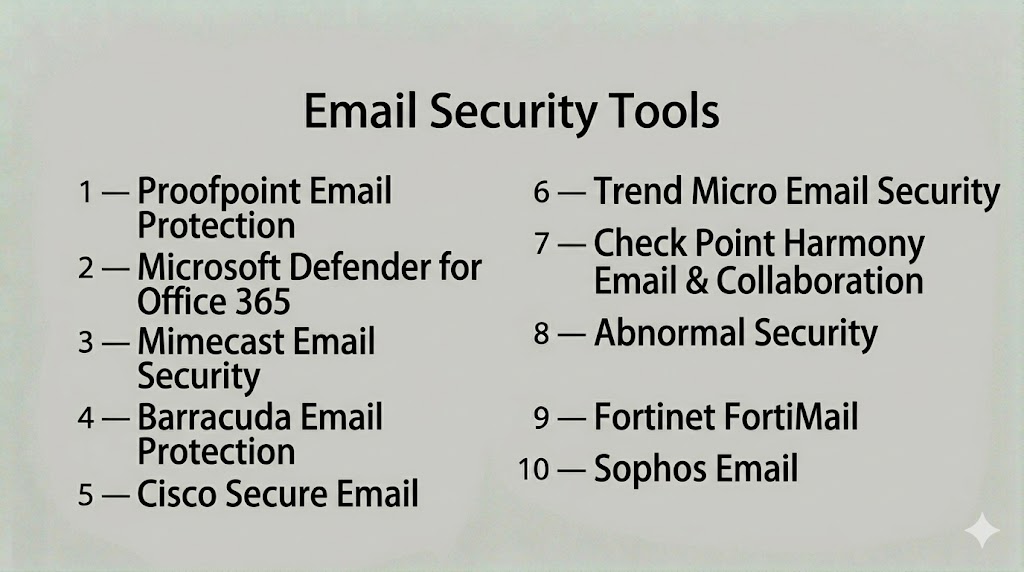
Top 10 Email Security Tools
#1 — Proofpoint Email Protection
A leading enterprise email security platform that provides advanced threat protection using AI and real-time intelligence.
Key Features
- Advanced phishing detection
- Malware and ransomware protection
- Threat intelligence integration
- Email encryption
- Data loss prevention
Pros
- Extremely high detection accuracy
- Strong enterprise capabilities
Cons
- Premium pricing
- Complex setup
Platforms / Deployment
- Web
- Cloud / Hybrid
Security & Compliance
- SSO, MFA, encryption
- Not publicly stated
Integrations & Ecosystem
- Microsoft 365, Google Workspace
- SIEM, SOAR tools
Support & Community
Enterprise support and extensive documentation.
#2 — Microsoft Defender for Office 365
A cloud-native email security solution integrated into Microsoft ecosystem.
Key Features
- Phishing protection
- Safe links and attachments
- Threat intelligence
- Email filtering
- Automated response
Pros
- Seamless Microsoft integration
- Easy deployment
Cons
- Limited outside Microsoft ecosystem
- Requires tuning
Platforms / Deployment
- Web
- Cloud
Security & Compliance
- SSO, MFA, RBAC
- Not publicly stated
Integrations & Ecosystem
- Microsoft 365 ecosystem
Support & Community
Enterprise support available.
#3 — Mimecast Email Security
A cloud-based platform providing email security, archiving, and threat protection.
Key Features
- Phishing detection
- Email continuity
- Archiving
- Threat intelligence
- URL protection
Pros
- Comprehensive solution
- Strong reliability
Cons
- Complex interface
- Cost considerations
Platforms / Deployment
- Web
- Cloud
Security & Compliance
- SSO, MFA
- Not publicly stated
Integrations & Ecosystem
- Microsoft, Google
- Security tools
Support & Community
Strong support and onboarding.
#4 — Barracuda Email Protection
An AI-powered email security platform designed to block advanced threats and protect users.
Key Features
- AI-based threat detection
- Phishing protection
- Data protection
- Email filtering
- Incident response
Pros
- Easy to use
- Strong AI detection
Cons
- Limited customization
- Requires subscription
Platforms / Deployment
- Web
- Cloud
Security & Compliance
- SSO, MFA
- Not publicly stated
Integrations & Ecosystem
- Microsoft 365
- Cloud tools
Support & Community
Good support and documentation.
#5 — Cisco Secure Email
An enterprise-grade email security solution offering advanced threat protection and filtering.
Key Features
- Spam filtering
- Malware protection
- Advanced threat detection
- Email encryption
- Reporting dashboards
Pros
- Strong enterprise security
- Reliable performance
Cons
- Complex setup
- Higher cost
Platforms / Deployment
- Web
- Cloud / On-prem
Security & Compliance
- SSO, MFA
- Not publicly stated
Integrations & Ecosystem
- Cisco security ecosystem
Support & Community
Enterprise support available.
#6 — Trend Micro Email Security
A cloud-based platform providing protection against phishing, ransomware, and BEC.
Key Features
- Threat detection
- Email filtering
- Data protection
- Compliance monitoring
- Risk analysis
Pros
- Strong threat intelligence
- Scalable
Cons
- Limited customization
- Requires configuration
Platforms / Deployment
- Web
- Cloud
Security & Compliance
- SSO, MFA
- Not publicly stated
Integrations & Ecosystem
- Cloud platforms
- Security tools
Support & Community
Vendor support available.
#7 — Check Point Harmony Email & Collaboration
A platform focused on protecting email and collaboration tools from advanced threats.
Key Features
- Phishing detection
- Malware protection
- API-based security
- Threat intelligence
- User awareness
Pros
- Strong threat prevention
- Multi-platform coverage
Cons
- Requires expertise
- Setup complexity
Platforms / Deployment
- Web
- Cloud
Security & Compliance
- SSO, MFA
- Not publicly stated
Integrations & Ecosystem
- SaaS and collaboration tools
Support & Community
Enterprise support.
#8 — Abnormal Security
An AI-driven email security platform focused on detecting social engineering attacks.
Key Features
- Behavioral AI detection
- BEC protection
- Account takeover detection
- Risk scoring
- Automated response
Pros
- Strong AI detection
- Easy deployment
Cons
- Premium pricing
- Limited traditional filtering
Platforms / Deployment
- Web
- Cloud
Security & Compliance
- SSO, MFA
- Not publicly stated
Integrations & Ecosystem
- Cloud email platforms
Support & Community
Strong support and onboarding.
#9 — Fortinet FortiMail
An AI-powered email security platform providing protection against phishing, impersonation, and malware.
Key Features
- AI-based threat detection
- Anti-spam filtering
- Email encryption
- Threat intelligence
- Policy enforcement
Pros
- Strong security features
- Flexible deployment
Cons
- Complex setup
- Requires expertise
Platforms / Deployment
- Web
- Cloud / On-prem
Security & Compliance
- SSO, MFA
- Not publicly stated
Integrations & Ecosystem
- Fortinet ecosystem
Support & Community
Enterprise support available.
#10 — Sophos Email
A cloud-based email security solution designed to stop phishing, malware, and spam.
Key Features
- Threat detection
- Email filtering
- Data protection
- Encryption
- Reporting dashboards
Pros
- Easy to deploy
- Cost-effective
Cons
- Limited advanced features
- Smaller ecosystem
Platforms / Deployment
- Web
- Cloud
Security & Compliance
- SSO, MFA
- Not publicly stated
Integrations & Ecosystem
- Cloud platforms
- Security tools
Support & Community
Responsive support.
Comparison Table (Top 10)
| Tool Name | Best For | Platform(s) Supported | Deployment | Standout Feature | Public Rating |
|---|---|---|---|---|---|
| Proofpoint | Enterprise | Web | Cloud/Hybrid | Advanced threat intelligence | N/A |
| Microsoft Defender | Enterprise | Web | Cloud | M365 integration | N/A |
| Mimecast | Enterprise | Web | Cloud | Email continuity | N/A |
| Barracuda | SMB/Enterprise | Web | Cloud | AI detection | N/A |
| Cisco Secure Email | Enterprise | Web | Hybrid | Enterprise security | N/A |
| Trend Micro | Enterprise | Web | Cloud | Threat intelligence | N/A |
| Check Point | Enterprise | Web | Cloud | API-based security | N/A |
| Abnormal Security | Enterprise | Web | Cloud | Behavioral AI | N/A |
| FortiMail | Enterprise | Web | Hybrid | AI protection | N/A |
| Sophos Email | SMB | Web | Cloud | Ease of use | N/A |
Evaluation & Scoring of Email Security Tools
| Tool Name | Core (25%) | Ease (15%) | Integrations (15%) | Security (10%) | Performance (10%) | Support (10%) | Value (15%) | Weighted Total (0–10) |
|---|---|---|---|---|---|---|---|---|
| Proofpoint | 9 | 7 | 8 | 9 | 9 | 8 | 7 | 8.4 |
| Defender | 8 | 8 | 8 | 8 | 8 | 7 | 7 | 7.9 |
| Mimecast | 8 | 7 | 7 | 8 | 8 | 7 | 7 | 7.7 |
| Barracuda | 8 | 8 | 7 | 8 | 8 | 7 | 8 | 7.9 |
| Cisco | 9 | 6 | 7 | 9 | 9 | 8 | 7 | 8.1 |
| Trend Micro | 8 | 7 | 7 | 8 | 8 | 7 | 7 | 7.7 |
| Check Point | 8 | 7 | 7 | 8 | 8 | 7 | 7 | 7.7 |
| Abnormal | 9 | 8 | 7 | 8 | 8 | 7 | 7 | 8.0 |
| FortiMail | 8 | 7 | 7 | 8 | 8 | 7 | 7 | 7.7 |
| Sophos | 7 | 8 | 6 | 7 | 7 | 7 | 8 | 7.3 |
Scores are comparative and reflect detection capability, usability, integrations, and value. Higher scores indicate stronger enterprise readiness.
Which Email Security Tool Is Right for You?
Solo / Freelancer
Basic email filters and security tools are sufficient.
SMB
Barracuda and Sophos offer easy deployment and affordability.
Mid-Market
Mimecast and Trend Micro provide balanced features and scalability.
Enterprise
Proofpoint, Cisco, and Microsoft Defender deliver advanced protection.
Budget vs Premium
Budget tools focus on filtering; premium tools provide AI-driven threat detection.
Feature Depth vs Ease of Use
Advanced platforms provide deeper protection but require expertise.
Integrations & Scalability
Choose tools compatible with your email and security ecosystem.
Security & Compliance Needs
Ensure alignment with regulatory and governance requirements.
Frequently Asked Questions (FAQs)
What are email security tools?
They protect email systems from threats like phishing, malware, and spam.
Why is email security important?
Email is a primary attack vector used by cybercriminals.
How do these tools work?
They scan emails, analyze behavior, and block malicious content.
Do they prevent phishing?
Yes, modern tools use AI and threat intelligence to detect phishing.
Can they integrate with cloud email?
Yes, most integrate with Microsoft 365 and Google Workspace.
Are email security tools automated?
Yes, they provide automated detection and response.
What are common mistakes?
Ignoring alerts and relying only on basic spam filters.
Are they scalable?
Yes, enterprise solutions scale across large organizations.
Do they support compliance?
Yes, many include compliance and data protection features.
What is the biggest challenge?
Detecting sophisticated social engineering attacks.
Conclusion
Email Security Tools are essential for protecting organizations against one of the most common and dangerous attack vectors. They provide advanced threat detection, automation, and policy enforcement to secure email communication.
Modern solutions go beyond spam filtering by using AI and behavioral analysis to detect sophisticated threats like phishing and BEC. This enables organizations to proactively defend against evolving cyber risks.
Choosing the right tool depends on your email platform, organization size, and security requirements. Enterprise platforms offer deeper protection, while simpler tools provide faster deployment and ease of use.
A practical approach is to shortlist a few tools, test them in your environment, and ensure they align with your security strategy and workflows.
