Introduction
Robotics Simulation Tools are software platforms that allow engineers and developers to design, test, and validate robot behavior in a virtual environment before deploying to physical hardware. Instead of building costly prototypes, teams can simulate robots, environments, and interactions digitally—saving time, cost, and risk.
These tools are critical in modern robotics because they enable faster development cycles, safer testing, and better performance optimization. From industrial automation to autonomous vehicles and AI-driven robots, simulation is now a core part of robotics engineering.
Common use cases include:
- Autonomous robot testing and training
- Industrial robot programming and validation
- Reinforcement learning and AI training
- Digital twin creation for manufacturing
- Robotics education and research
Key evaluation criteria:
- Physics accuracy and realism
- Support for AI/ML training workflows
- Integration with robotics frameworks (ROS, APIs)
- Scalability and performance
- Visualization and 3D rendering
- Ease of use and learning curve
- Hardware compatibility
- Real-time simulation capabilities
Best for: Robotics engineers, AI developers, researchers, industrial automation teams, and startups building robotics products.
Not ideal for: Basic robotics projects that do not require simulation or teams without access to robotics hardware or development pipelines.
Key Trends in Robotics Simulation Tools
- Growth of AI-driven robotics simulation environments
- Use of digital twins for real-world replication
- Adoption of GPU-accelerated simulation platforms
- Integration with reinforcement learning workflows
- Rise of photorealistic simulation for perception models
- Expansion of cloud-based simulation environments
- Increased focus on real-time simulation and feedback loops
- Integration with RAG and AI decision systems
- Stronger emphasis on Sim-to-Real transfer accuracy
- Use of synthetic data generation for training AI models
How We Selected These Tools (Methodology)
- Evaluated industry adoption and developer usage
- Assessed simulation accuracy and physics engines
- Reviewed integration with AI and robotics ecosystems
- Considered scalability and performance
- Included both open-source and enterprise tools
- Analyzed ease of use and documentation quality
- Focused on production readiness and real-world usage
- Balanced research, enterprise, and developer tools
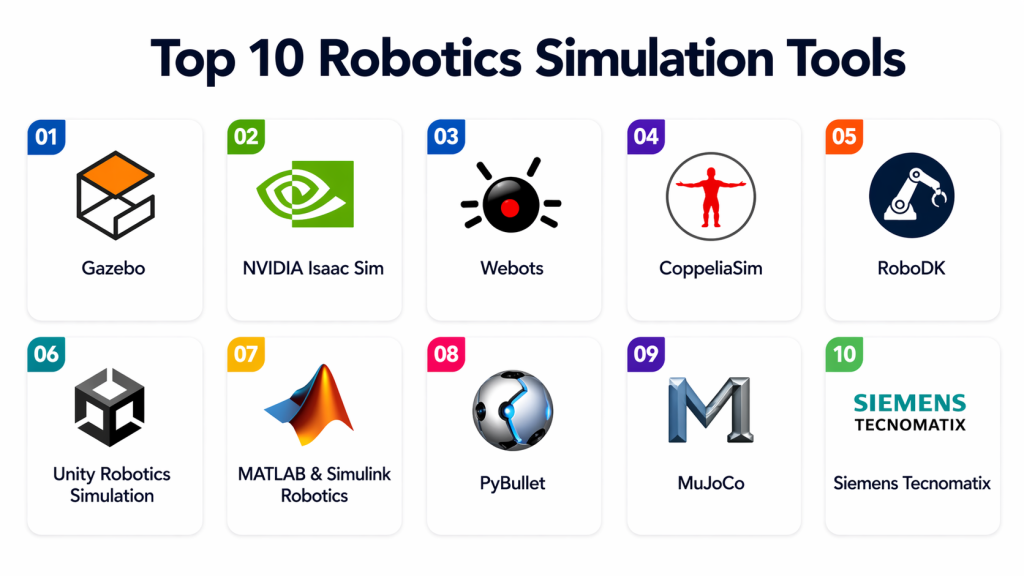
Top 10 Robotics Simulation Tools
#1 — Gazebo
Short description: A widely used open-source robotics simulator known for accurate physics and strong ROS integration.
Key Features
- Realistic physics simulation
- Sensor simulation
- ROS integration
- Multi-robot support
- 3D visualization
Pros
- Open-source and flexible
- Strong robotics ecosystem
Cons
- Steep learning curve
- UI complexity
Platforms / Deployment
Linux / Cloud / Self-hosted
Security & Compliance
Varies
Integrations & Ecosystem
Strong integration with robotics frameworks and tools.
- ROS
- APIs
- Simulation plugins
Support & Community
Large global robotics community.
#2 — NVIDIA Isaac Sim
Short description: A high-fidelity simulation platform designed for AI-powered robotics development with photorealistic environments.
Key Features
- GPU-accelerated simulation
- Synthetic data generation
- AI training support
- Photorealistic rendering
- Scalable simulation
Pros
- High realism
- Strong AI integration
Cons
- Requires powerful hardware
- Complex setup
Platforms / Deployment
Cloud / Self-hosted
Security & Compliance
Not publicly stated
Integrations & Ecosystem
Works with NVIDIA AI and robotics stack.
Support & Community
Strong developer ecosystem.
#3 — Webots
Short description: An open-source robotics simulator offering a complete development environment for modeling and testing robots.
Key Features
- Robot modeling tools
- Multi-platform support
- Sensor simulation
- Physics engine
- Programming support
Pros
- Beginner-friendly
- Cross-platform
Cons
- Limited enterprise features
- Performance constraints
Platforms / Deployment
Windows / macOS / Linux
Security & Compliance
Varies
Integrations & Ecosystem
Supports APIs and robotics frameworks.
Support & Community
Strong academic and research community.
#4 — CoppeliaSim
Short description: A versatile simulation platform used for robotics research, automation, and rapid prototyping.
Key Features
- Multi-engine physics simulation
- Robot modeling
- Remote API control
- Scripting support
- Real-time simulation
Pros
- Highly flexible
- Supports multiple physics engines
Cons
- Learning curve
- Complex interface
Platforms / Deployment
Cloud / Self-hosted
Security & Compliance
Varies
Integrations & Ecosystem
Works with robotics APIs and tools.
Support & Community
Active developer community.
#5 — RoboDK
Short description: A simulation and offline programming tool focused on industrial robot automation and manufacturing.
Key Features
- Robot arm simulation
- Offline programming
- CAD/CAM integration
- Extensive robot library
- Automation workflows
Pros
- Industrial focus
- Easy integration
Cons
- Limited AI features
- Paid licensing
Platforms / Deployment
Windows / macOS / Linux
Security & Compliance
Not publicly stated
Integrations & Ecosystem
Works with industrial robotics and CAD tools.
Support & Community
Strong industrial support.
#6 — Unity Robotics Simulation
Short description: A simulation environment built on Unity for creating interactive and realistic robotics simulations.
Key Features
- Real-time rendering
- Physics simulation
- AI integration
- Digital twin support
- Cross-platform
Pros
- High-quality visuals
- Flexible development
Cons
- Requires Unity knowledge
- Setup complexity
Platforms / Deployment
Windows / macOS / Cloud
Security & Compliance
Varies
Integrations & Ecosystem
Works with Unity and AI frameworks.
Support & Community
Large developer ecosystem.
#7 — MATLAB & Simulink Robotics Simulation
Short description: A simulation environment for designing, testing, and validating robotics algorithms.
Key Features
- Algorithm simulation
- Model-based design
- Control system testing
- Visualization tools
- Code generation
Pros
- Strong engineering tools
- Widely used in academia
Cons
- Expensive licensing
- Requires expertise
Platforms / Deployment
Windows / Linux
Security & Compliance
Enterprise-grade features
Integrations & Ecosystem
Works with MATLAB ecosystem.
Support & Community
Strong academic and enterprise support.
#8 — PyBullet
Short description: A lightweight physics engine used for robotics simulation and reinforcement learning experiments.
Key Features
- Physics simulation
- RL environment support
- Real-time simulation
- Python integration
- Lightweight design
Pros
- Easy to use
- Good for research
Cons
- Limited visuals
- Not enterprise-grade
Platforms / Deployment
Windows / Linux / macOS
Security & Compliance
Varies
Integrations & Ecosystem
Works with Python ML tools.
Support & Community
Active research community.
#9 — V-REP (CoppeliaSim legacy)
Short description: A predecessor of CoppeliaSim still used for robotics simulation and research.
Key Features
- Simulation environment
- Scripting support
- Multi-robot simulation
- Physics engine
- Visualization tools
Pros
- Flexible
- Proven reliability
Cons
- Older platform
- Limited updates
Platforms / Deployment
Self-hosted
Security & Compliance
Varies
Integrations & Ecosystem
Works with robotics APIs.
Support & Community
Legacy support.
#10 — Siemens Tecnomatix
Short description: An enterprise-grade robotics simulation platform for industrial automation and manufacturing systems.
Key Features
- Digital twin simulation
- Process validation
- Robot programming
- 3D visualization
- Production optimization
Pros
- Enterprise-ready
- High accuracy
Cons
- Expensive
- Complex setup
Platforms / Deployment
Cloud / On-prem
Security & Compliance
Enterprise-grade security
Integrations & Ecosystem
Integrates with industrial systems and PLM tools.
Support & Community
Enterprise-level support.
Comparison Table
| Tool Name | Best For | Platform(s) Supported | Deployment | Standout Feature | Public Rating |
|---|---|---|---|---|---|
| Gazebo | ROS users | Linux | Hybrid | Physics simulation | N/A |
| NVIDIA Isaac Sim | AI robotics | Multi-platform | Hybrid | Photorealistic simulation | N/A |
| Webots | Beginners | Multi-platform | Self-hosted | Easy modeling | N/A |
| CoppeliaSim | Research | Multi-platform | Hybrid | Multi-engine simulation | N/A |
| RoboDK | Industrial robots | Multi-platform | Hybrid | Offline programming | N/A |
| Unity Robotics | Visualization | Multi-platform | Hybrid | Real-time rendering | N/A |
| MATLAB Simulink | Algorithm testing | Multi-platform | Hybrid | Model-based design | N/A |
| PyBullet | RL research | Multi-platform | Self-hosted | Lightweight physics | N/A |
| V-REP | Legacy use | Multi-platform | Self-hosted | Flexible simulation | N/A |
| Siemens Tecnomatix | Enterprise | Multi-platform | Hybrid | Digital twin | N/A |
Evaluation & Scoring of Robotics Simulation Tools
| Tool Name | Core | Ease | Integrations | Security | Performance | Support | Value | Weighted Total |
|---|---|---|---|---|---|---|---|---|
| Gazebo | 9 | 6 | 9 | 6 | 8 | 8 | 8 | 8.0 |
| NVIDIA Isaac Sim | 10 | 6 | 8 | 7 | 10 | 8 | 7 | 8.5 |
| Webots | 8 | 8 | 7 | 6 | 7 | 7 | 9 | 7.8 |
| CoppeliaSim | 9 | 7 | 8 | 6 | 8 | 7 | 8 | 8.0 |
| RoboDK | 8 | 8 | 7 | 7 | 8 | 8 | 7 | 7.9 |
| Unity Robotics | 8 | 7 | 8 | 6 | 9 | 7 | 7 | 7.9 |
| MATLAB Simulink | 9 | 6 | 8 | 8 | 8 | 9 | 6 | 8.0 |
| PyBullet | 7 | 9 | 7 | 6 | 7 | 7 | 9 | 7.8 |
| V-REP | 7 | 7 | 6 | 6 | 7 | 6 | 8 | 7.1 |
| Siemens Tecnomatix | 10 | 5 | 9 | 9 | 9 | 9 | 6 | 8.6 |
How to interpret scores:
These scores are comparative and reflect strengths across features, usability, and performance. Higher scores indicate stronger overall capabilities, but the best choice depends on your use case. Enterprise users may prioritize scalability and accuracy, while researchers may focus on flexibility and cost.
Which Robotics Simulation Tool Is Right for You?
Solo / Freelancer
Webots or PyBullet are ideal due to ease of use and low setup requirements.
SMB
CoppeliaSim and RoboDK provide balanced functionality and scalability.
Mid-Market
Gazebo and Unity Robotics offer strong integration and simulation capabilities.
Enterprise
NVIDIA Isaac Sim and Siemens Tecnomatix are best for large-scale deployments.
Budget vs Premium
Open-source tools reduce cost, while enterprise platforms offer advanced features.
Feature Depth vs Ease of Use
Gazebo offers depth; Webots offers simplicity.
Integrations & Scalability
Isaac Sim and Gazebo excel in integration-heavy systems.
Security & Compliance Needs
Enterprises should prioritize tools with enterprise-grade security and audit capabilities.
Frequently Asked Questions (FAQs)
1. What are robotics simulation tools?
Robotics simulation tools are software platforms that allow developers to model and test robot behavior in virtual environments. They help validate algorithms, reduce costs, and avoid risks before deploying to real hardware.
2. Why are these tools important?
They allow safe and cost-effective testing of robotics systems. Simulation helps identify issues early, improves performance, and speeds up development cycles without needing physical prototypes.
3. Do these tools support AI training?
Yes, many modern simulators support AI and reinforcement learning workflows. They provide environments where robots can learn tasks using simulated data and interactions.
4. Can simulations replace real-world testing?
No, simulations complement real-world testing but do not fully replace it. They help reduce risks and costs, but final validation is still required on physical systems.
5. What industries use robotics simulation?
Industries like manufacturing, automotive, logistics, healthcare, and research widely use these tools. They are essential for automation and AI-driven robotics systems.
6. Are there open-source options available?
Yes, tools like Gazebo, Webots, and PyBullet are open-source and widely used. They are cost-effective and flexible but may require technical expertise.
7. How accurate are simulations?
Accuracy depends on the physics engine and model quality. High-end tools provide realistic simulations, but real-world conditions can still introduce variations.
8. What are common challenges?
Challenges include simulation accuracy, computational requirements, and transferring results to real-world systems. Fine-tuning is often required for best results.
9. Can these tools integrate with ROS?
Yes, many tools support ROS integration, enabling seamless robotics development workflows. This is especially important for real-world deployment.
10. Are these tools suitable for beginners?
Some tools are beginner-friendly, while others require advanced knowledge. Choosing the right tool depends on your experience and project complexity.
Conclusion
Robotics simulation tools have become a critical foundation for modern robotics development, enabling teams to design, test, and optimize systems efficiently. By creating virtual environments, these tools reduce development costs, improve safety, and accelerate innovation across industries. There is no single best tool for every scenario. Developers may prefer flexible platforms like Gazebo or PyBullet, while enterprises may rely on NVIDIA Isaac Sim or Siemens Tecnomatix for high-fidelity simulations. Beginners and researchers can benefit from tools like Webots for easier onboarding. The right choice depends on your technical expertise, simulation requirements, and scalability needs. Focus on tools that integrate well with your existing robotics stack and support your long-term goals. Start by selecting two or three tools, running simulations, and validating results. Test performance, integration, and accuracy before deploying to real-world systems to ensure success.
