Introduction
AI Code Assistants are intelligent tools that help developers write, review, debug, and optimize code using artificial intelligence. Instead of manually writing every line, developers can describe what they want, and the assistant generates or suggests code in real time.
These tools have quickly become a core part of modern software development workflows. From startups to large enterprises, teams are using AI to accelerate coding, reduce repetitive work, and improve productivity. With advancements in large language models and agent-based systems, AI assistants can now understand entire codebases, suggest architecture improvements, and even complete multi-step development tasks.
Real-world use cases include:
- Auto-generating code snippets and functions
- Debugging and fixing errors
- Writing tests and documentation
- Code refactoring and optimization
- Learning new programming languages
What buyers should evaluate:
- Code generation accuracy
- IDE/editor integration
- Multi-language support
- Context awareness (project-level understanding)
- Security and vulnerability detection
- Performance and latency
- Customization and model control
- Collaboration features
- Privacy (local vs cloud processing)
- Pricing and scalability
Best for: Developers, software engineers, DevOps teams, startups, and enterprises building software products.
Not ideal for: Non-technical users or projects requiring strict manual coding without AI assistance.
Key Trends in AI Code Assistants
- Rise of agent-based coding assistants that complete full tasks
- Deep integration with IDEs and development environments
- Context-aware coding across entire repositories
- Built-in security scanning and vulnerability detection
- Growth of local and privacy-first AI models
- Increasing use of natural language to code workflows
- Integration with CI/CD and DevOps pipelines
- Multi-modal capabilities (code + docs + commands)
- Real-time collaboration between humans and AI
- Shift from autocomplete to autonomous coding agents
How We Selected These Tools (Methodology)
We selected the top tools based on:
- Industry adoption and developer usage
- Code generation quality and reliability
- Integration with popular IDEs and workflows
- Feature depth (debugging, refactoring, testing)
- Performance and responsiveness
- Security and privacy considerations
- Ecosystem and extensibility
- Support for multiple programming languages
- Community and documentation
- Overall value for different user segments
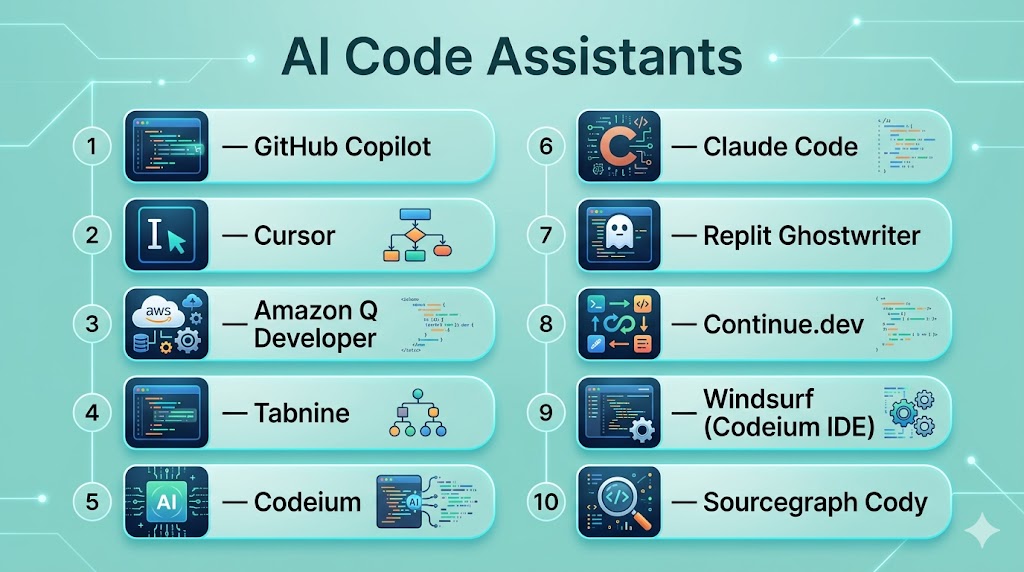
Top 10 AI Code Assistants Tools
#1 — GitHub Copilot
Short description: One of the most widely adopted AI coding assistants, integrated directly into popular IDEs for real-time code suggestions.
Key Features
- Real-time code completion
- Context-aware suggestions
- Multi-language support
- Built-in chat assistant
- Test generation
- Refactoring support
Pros
- Seamless IDE integration
- High adoption and reliability
Cons
- Subscription cost
- Requires internet connection
Platforms / Deployment
Windows / macOS / Linux / Cloud
Security & Compliance
Basic safeguards; details not publicly stated
Integrations & Ecosystem
- Visual Studio Code
- JetBrains IDEs
- GitHub workflows
Support & Community
Very large developer community
#2 — Cursor
Short description: An AI-native code editor designed for deep context understanding and multi-file code generation.
Key Features
- Full codebase understanding
- Multi-file editing
- AI chat within editor
- Model selection flexibility
- Refactoring tools
- Autonomous coding features
Pros
- Strong context awareness
- All-in-one AI editor
Cons
- Learning curve
- Paid plans
Platforms / Deployment
Desktop (VS Code-based)
Security & Compliance
Not publicly stated
Integrations & Ecosystem
- VS Code extensions
- AI model APIs
Support & Community
Rapidly growing adoption
#3 — Amazon Q Developer
Short description: An AI coding assistant optimized for AWS environments and cloud development.
Key Features
- Code generation
- Cloud integration
- Security scanning
- Debugging assistance
- Documentation generation
Pros
- Strong AWS integration
- Built-in security features
Cons
- Best suited for AWS users
- Limited outside ecosystem
Platforms / Deployment
Cloud / IDE
Security & Compliance
Not publicly stated
Integrations & Ecosystem
- AWS services
- IDE plugins
Support & Community
Enterprise-level support
#4 — Tabnine
Short description: A privacy-focused AI code assistant offering fast code completion across languages.
Key Features
- AI autocomplete
- Local model deployment
- Multi-language support
- Team training models
- Low latency
Pros
- Privacy-first approach
- Fast performance
Cons
- Less advanced reasoning
- Limited advanced features
Platforms / Deployment
Cloud / Local
Security & Compliance
Privacy-focused; details vary
Integrations & Ecosystem
- IDE plugins
- Developer tools
Support & Community
Moderate community
#5 — Claude Code
Short description: An advanced AI coding assistant focused on reasoning and handling large codebases.
Key Features
- Deep reasoning capabilities
- Large context window
- Code generation and debugging
- Multi-step task execution
- Natural language interaction
Pros
- Strong reasoning
- Handles complex tasks
Cons
- Usage-based pricing
- Requires setup
Platforms / Deployment
Cloud / Terminal
Security & Compliance
Not publicly stated
Integrations & Ecosystem
- APIs
- Developer workflows
Support & Community
Growing adoption
#6 — Codeium
Short description: A free AI code assistant offering autocomplete and chat features for developers.
Key Features
- Free code completion
- Multi-language support
- Chat assistant
- IDE integrations
- Fast performance
Pros
- Free tier available
- Easy to use
Cons
- Limited advanced features
- Smaller ecosystem
Platforms / Deployment
Cloud
Security & Compliance
Not publicly stated
Integrations & Ecosystem
- VS Code
- JetBrains
Support & Community
Growing community
#7 — Replit Ghostwriter
Short description: An AI coding assistant integrated into a browser-based development environment.
Key Features
- In-browser coding
- Code generation
- Debugging assistance
- Real-time collaboration
- Deployment tools
Pros
- No setup required
- Collaborative
Cons
- Limited offline use
- Platform dependency
Platforms / Deployment
Web / Cloud
Security & Compliance
Not publicly stated
Integrations & Ecosystem
- Replit platform
- APIs
Support & Community
Active community
#8 — Code Llama
Short description: An open-source large language model optimized for coding tasks.
Key Features
- Code generation
- Multiple language support
- Local deployment
- Fine-tuning capability
- Open-source flexibility
Pros
- Customizable
- No vendor lock-in
Cons
- Requires technical setup
- Resource intensive
Platforms / Deployment
Local / Cloud
Security & Compliance
Not publicly stated
Integrations & Ecosystem
- ML frameworks
- APIs
Support & Community
Open-source community
#9 — Continue.dev
Short description: An open-source AI assistant that integrates directly into IDEs with chat and automation features.
Key Features
- Chat-based coding
- Autocomplete
- Code editing commands
- CI-integrated code review
- Multi-IDE support
Pros
- Open-source
- Flexible
Cons
- Requires setup
- Smaller ecosystem
Platforms / Deployment
Local / IDE
Security & Compliance
Not publicly stated
Integrations & Ecosystem
- VS Code
- JetBrains
Support & Community
Active open-source community
#10 — Windsurf
Short description: A modern AI coding assistant focused on speed and affordability.
Key Features
- Code generation
- Fast autocomplete
- Multi-file support
- Chat interface
- Developer workflows
Pros
- Affordable
- Fast
Cons
- Newer tool
- Limited ecosystem
Platforms / Deployment
Cloud / IDE
Security & Compliance
Not publicly stated
Integrations & Ecosystem
- IDE tools
- APIs
Support & Community
Emerging community
Comparison Table (Top 10)
| Tool Name | Best For | Platform(s) Supported | Deployment | Standout Feature | Public Rating |
|---|---|---|---|---|---|
| GitHub Copilot | General developers | Multi-platform | Cloud | IDE integration | N/A |
| Cursor | Advanced workflows | Desktop | Cloud | Codebase awareness | N/A |
| Amazon Q | AWS developers | Multi-platform | Cloud | Cloud integration | N/A |
| Tabnine | Privacy | Multi-platform | Hybrid | Local models | N/A |
| Claude Code | Complex tasks | Cloud | Cloud | Reasoning | N/A |
| Codeium | Free users | Multi-platform | Cloud | Free access | N/A |
| Ghostwriter | Browser dev | Web | Cloud | Collaboration | N/A |
| Code Llama | Developers | Multi-platform | Local | Open-source | N/A |
| Continue.dev | Open-source | IDE | Local | Code review | N/A |
| Windsurf | Budget users | IDE | Cloud | Speed | N/A |
Evaluation & Scoring of AI Code Assistants
| Tool Name | Core (25%) | Ease (15%) | Integrations (15%) | Security (10%) | Performance (10%) | Support (10%) | Value (15%) | Weighted Total |
|---|---|---|---|---|---|---|---|---|
| Copilot | 10 | 9 | 9 | 8 | 9 | 9 | 8 | 9.0 |
| Cursor | 9 | 7 | 8 | 7 | 9 | 8 | 7 | 8.2 |
| Amazon Q | 8 | 8 | 9 | 8 | 8 | 8 | 7 | 8.1 |
| Tabnine | 7 | 8 | 7 | 8 | 8 | 7 | 8 | 7.8 |
| Claude Code | 9 | 7 | 8 | 7 | 8 | 8 | 7 | 8.0 |
| Codeium | 7 | 9 | 7 | 6 | 8 | 7 | 9 | 7.9 |
| Ghostwriter | 7 | 9 | 7 | 6 | 7 | 7 | 8 | 7.6 |
| Code Llama | 8 | 6 | 7 | 7 | 8 | 7 | 9 | 7.7 |
| Continue | 7 | 7 | 8 | 7 | 7 | 7 | 9 | 7.6 |
| Windsurf | 7 | 8 | 7 | 6 | 8 | 6 | 8 | 7.4 |
How to interpret scores:
- Scores are relative comparisons across tools
- Higher scores indicate stronger overall performance
- Enterprise tools rank higher in integration and security
- Open-source tools offer better value
- Choose based on your workflow and scale
Which AI Code Assistant Is Right for You?
Solo / Freelancer
- Best: Codeium, Tabnine
- Free and easy to use
SMB
- Best: GitHub Copilot, Windsurf
- Balanced features
Mid-Market
- Best: Cursor, Claude Code
- Advanced capabilities
Enterprise
- Best: Amazon Q, Copilot
- Security and scalability
Budget vs Premium
- Budget: Codeium, Continue.dev
- Premium: Copilot, Cursor
Feature Depth vs Ease of Use
- Depth: Cursor, Claude Code
- Ease: Copilot, Codeium
Integrations & Scalability
- Strong: Copilot, Amazon Q
- Moderate: Tabnine
Security & Compliance Needs
- Enterprise tools provide better controls
- Local tools improve privacy
Frequently Asked Questions (FAQs)
What are AI code assistants?
AI code assistants are tools that help developers write and manage code using AI. They generate suggestions, fix bugs, and improve productivity. They act like a coding partner.
Do AI coding tools replace developers?
No, they assist developers rather than replace them. They handle repetitive tasks. Developers still make decisions.
Are AI-generated codes reliable?
They can be accurate but require review. Developers should always validate output. Testing is essential.
Which tool is best for beginners?
Codeium and Copilot are beginner-friendly. They integrate easily with IDEs. They require minimal setup.
Are these tools free?
Some offer free tiers. Others use subscriptions. Pricing varies by features.
Can AI write full applications?
Yes, some tools can generate full applications. However, manual refinement is needed. Complex systems require human input.
Are AI code assistants secure?
Security varies by tool. Some include vulnerability scanning. Always review generated code.
Do they support multiple languages?
Yes, most support many programming languages. Popular ones include Python, JavaScript, and Java. Coverage varies.
Can I use them offline?
Some tools support local models. Others require internet access. It depends on the platform.
How do I choose the right tool?
Evaluate your workflow and needs. Consider integration, pricing, and features. Testing tools is recommended.
Conclusion
AI code assistants are reshaping how software is built by enabling faster development, reducing repetitive tasks, and improving overall productivity. From widely adopted tools like GitHub Copilot to emerging platforms like Cursor and Windsurf, developers now have access to powerful assistants that can understand context, suggest improvements, and even automate complex coding workflows. These tools are not just about speed—they also enhance learning, reduce errors, and support better collaboration within teams. However, choosing the right tool depends on your specific needs, whether it’s ease of use, deep customization, or enterprise-grade security. While AI can generate and optimize code, human oversight remains essential to ensure quality, maintainability, and correctness. Testing multiple tools in real-world scenarios is the best approach to finding the right fit. As AI continues to evolve, code assistants will become even more autonomous and deeply integrated into development workflows, making them a critical part of the modern software engineering stack.
