Introduction
Load Testing Tools are essential for evaluating how applications perform under heavy user traffic. In simple terms, these tools simulate thousands (or even millions) of users interacting with your system to identify performance bottlenecks, latency issues, and system failures before they impact real users.
In modern software development, especially with cloud-native and microservices architectures, performance testing is no longer optional. A sudden spike in traffic can crash poorly optimized systems. Load testing helps teams ensure reliability, scalability, and user experience under real-world conditions.
Today’s tools range from open-source developer-focused frameworks to enterprise-grade cloud platforms. They support automation, CI/CD integration, distributed testing, and real-time performance monitoring.
Common use cases include:
- Website and API performance testing
- Stress and spike testing
- Capacity planning
- CI/CD pipeline testing
- Identifying performance bottlenecks
What buyers should evaluate:
- Ease of scripting and setup
- Scalability and distributed testing
- Protocol support (HTTP, WebSocket, APIs)
- Integration with CI/CD tools
- Reporting and analytics
- Cloud vs on-prem deployment
- Cost and licensing
- Developer experience
- Community and support
- Performance overhead
Best for: Developers, QA teams, DevOps engineers, and enterprises building scalable applications.
Not ideal for: Static systems with minimal traffic requirements.
Key Trends in Load Testing Tools
- Shift toward code-based (developer-friendly) testing
- Integration with CI/CD pipelines
- Cloud-based distributed load testing
- Real-time observability and analytics
- API-first testing approaches
- Lightweight and high-performance tools
- Open-source adoption increasing
- AI-driven performance insights
- Kubernetes and container testing support
- Shift-left testing practices
How We Selected These Tools (Methodology)
- Industry adoption and popularity
- Feature completeness
- Performance and scalability
- Ease of use and scripting
- Integration ecosystem
- Cloud and distributed testing capabilities
- Community support
- Flexibility and extensibility
- Cost-effectiveness
- Overall value
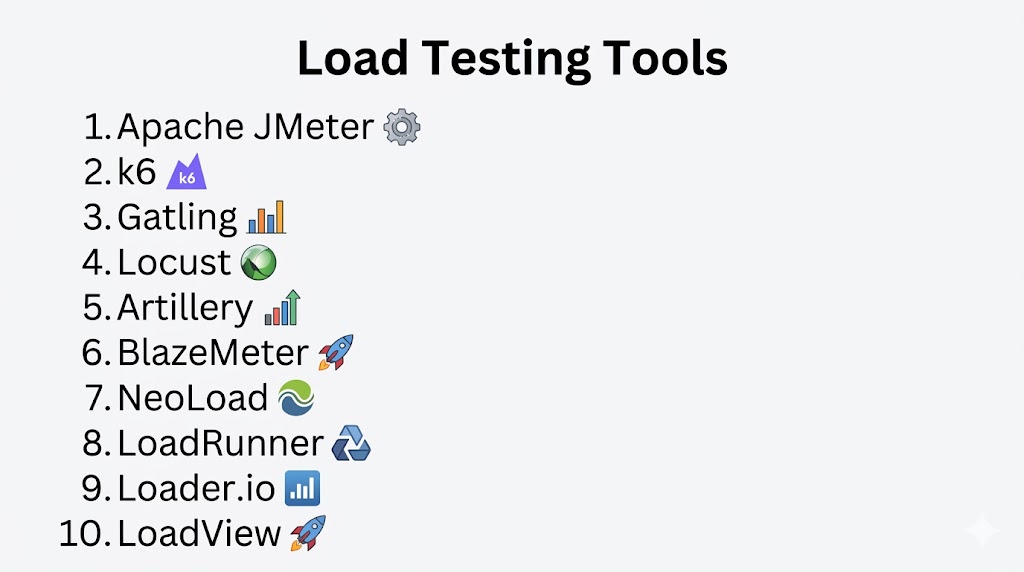
Top 10 Load Testing Tools
#1 — Apache JMeter
Short description: Industry-standard open-source load testing tool widely used for web and API performance testing.
Key Features
- GUI and CLI support
- Multi-protocol testing
- Plugin ecosystem
- Distributed testing
- Detailed reporting
- Script recording
Pros
- Highly flexible
- Large community
Cons
- High resource usage
- Complex for beginners
#2 — k6
Short description: Modern developer-centric load testing tool designed for automation and CI/CD.
Key Features
- JavaScript scripting
- CLI-based execution
- Cloud and local testing
- Real-time metrics
- CI/CD integration
- Lightweight design
Pros
- Developer-friendly
- High performance and efficiency
Cons
- Limited protocol support compared to JMeter
📌 k6 is known for efficiency and supports modern workflows with scripting and integrations
#3 — Gatling
Short description: High-performance load testing tool designed for web applications and APIs.
Key Features
- Scala-based scripting
- High concurrency
- Detailed reports
- CI/CD integration
- HTTP protocol support
- Simulation engine
Pros
- Fast and scalable
- Good reporting
Cons
- Requires Scala knowledge
#4 — Locust
Short description: Python-based load testing tool focused on flexibility and scalability.
Key Features
- Python scripting
- Distributed load generation
- Web-based UI
- Real-time monitoring
- Custom scenarios
- Scalable architecture
Pros
- Easy scripting in Python
- Highly flexible
Cons
- Requires coding
📌 Locust allows defining user behavior in code and simulating millions of users
#5 — Artillery
Short description: Modern load testing tool optimized for APIs and microservices.
Key Features
- JavaScript scripting
- YAML configuration
- Real-time metrics
- CI/CD integration
- API testing support
- Lightweight
Pros
- Simple and modern
- Great for API testing
Cons
- Limited advanced features
#6 — Loader.io
Short description: Cloud-based load testing tool designed for quick and easy performance checks.
Key Features
- Web-based interface
- Simulates thousands of users
- Real-time reporting
- Easy setup
- API testing support
- Cloud execution
Pros
- Very easy to use
- No infrastructure required
Cons
- Limited advanced features
📌 Loader.io can simulate thousands of concurrent users with simple setup
#7 — BlazeMeter
Short description: Enterprise-grade performance testing platform built on JMeter.
Key Features
- Cloud-based testing
- JMeter compatibility
- CI/CD integration
- Advanced analytics
- API testing
- Distributed testing
Pros
- Enterprise-ready
- Scalable cloud testing
Cons
- Paid solution
#8 — NeoLoad
Short description: Enterprise load testing tool focused on automation and scalability.
Key Features
- Automated test design
- CI/CD integration
- Real-time analytics
- Cloud testing
- API testing
- Performance monitoring
Pros
- Easy automation
- Enterprise support
Cons
- Premium pricing
#9 — Vegeta
Short description: Lightweight HTTP load testing tool focused on simplicity and speed.
Key Features
- CLI-based tool
- High performance
- Real-time reporting
- HTTP testing
- Lightweight
- Easy setup
Pros
- Very fast
- Minimal resource usage
Cons
- Limited protocol support
#10 — Siege
Short description: Simple load testing tool for benchmarking web servers.
Key Features
- HTTP/HTTPS testing
- CLI-based
- Lightweight
- Concurrent user simulation
- Basic reporting
- Easy setup
Pros
- Simple and efficient
- Lightweight
Cons
- Limited advanced features
Comparison Table (Top 10)
| Tool Name | Best For | Type | Scripting Language | Deployment | Standout Feature |
|---|---|---|---|---|---|
| JMeter | Enterprises | Open-source | Java/XML | Hybrid | Multi-protocol support |
| k6 | DevOps teams | Open-source | JavaScript | Hybrid | CI/CD friendly |
| Gatling | Performance engineers | Open-source | Scala | Hybrid | High concurrency |
| Locust | Developers | Open-source | Python | Hybrid | Flexible scripting |
| Artillery | API testing | Open-source | JavaScript | Hybrid | Lightweight |
| Loader.io | Quick testing | SaaS | GUI | Cloud | Easy setup |
| BlazeMeter | Enterprises | SaaS | JMeter-based | Cloud | Enterprise testing |
| NeoLoad | Enterprises | Commercial | GUI/Script | Hybrid | Automation |
| Vegeta | Lightweight testing | Open-source | CLI | Local | High performance |
| Siege | Simple testing | Open-source | CLI | Local | Easy benchmarking |
Evaluation & Scoring of Load Testing Tools
| Tool Name | Core (25%) | Ease (15%) | Integrations (15%) | Security (10%) | Performance (10%) | Support (10%) | Value (15%) | Weighted Total |
|---|---|---|---|---|---|---|---|---|
| JMeter | 10 | 7 | 9 | 8 | 8 | 9 | 10 | 8.9 |
| k6 | 9 | 9 | 10 | 8 | 10 | 9 | 9 | 9.3 |
| Gatling | 9 | 7 | 9 | 8 | 10 | 8 | 9 | 8.8 |
| Locust | 9 | 8 | 9 | 8 | 9 | 8 | 9 | 8.7 |
| Artillery | 8 | 9 | 8 | 8 | 9 | 8 | 9 | 8.5 |
| Loader.io | 7 | 10 | 7 | 7 | 8 | 7 | 9 | 8.0 |
| BlazeMeter | 9 | 8 | 10 | 9 | 9 | 9 | 7 | 8.9 |
| NeoLoad | 9 | 8 | 9 | 9 | 9 | 9 | 7 | 8.8 |
| Vegeta | 7 | 9 | 7 | 7 | 9 | 7 | 9 | 8.0 |
| Siege | 7 | 9 | 6 | 7 | 8 | 7 | 9 | 7.8 |
How to interpret scores:
Developer-centric tools like k6 and Locust excel in automation and performance, while enterprise tools like JMeter and BlazeMeter offer broader capabilities.
Which Load Testing Tool Is Right for You?
Solo / Beginner
Loader.io, Artillery
SMB
k6, Locust
Mid-Market
Gatling, BlazeMeter
Enterprise
JMeter, NeoLoad
Budget vs Premium
- Budget: JMeter, k6, Locust
- Premium: BlazeMeter, NeoLoad
Feature Depth vs Ease of Use
- Easy: Loader.io, Artillery
- Deep: JMeter, Gatling
CI/CD & DevOps Integration
k6, Artillery, BlazeMeter
Security & Compliance Needs
NeoLoad, BlazeMeter
Frequently Asked Questions (FAQs)
What is load testing?
Simulating traffic to measure system performance
Why is load testing important?
It prevents system crashes and ensures scalability.
What is the difference between load and stress testing?
Load testing checks normal traffic; stress testing pushes beyond limits.
Are open-source tools enough?
Yes, for most use cases.
Which tool is best for beginners?
Loader.io or Artillery.
Which is best for CI/CD?
k6.
Can I test APIs?
Yes, most tools support APIs.
Is cloud testing better?
It offers scalability.
Do I need coding skills?
Some tools require scripting.
How do I choose?
Based on scale, complexity, and budget.
Conclusion
Load Testing Tools are critical for ensuring application performance, scalability, and reliability in real-world conditions. Apache JMeter remains a powerful and flexible choice, while modern tools like k6 and Locust provide developer-friendly and automation-ready workflows. Cloud-based tools like Loader.io simplify testing for smaller teams, and enterprise solutions like BlazeMeter and NeoLoad offer advanced capabilities for large-scale systems. The right tool depends on your technical expertise, infrastructure, and testing requirements. Start with lightweight tools and scale to advanced platforms as your application grows.
