Introduction
Phishing simulation tools help organizations train employees to identify suspicious emails, fake login pages, malicious attachments, QR phishing, SMS phishing, business email compromise, and social engineering attempts. These platforms send controlled phishing simulations to employees, measure responses, provide awareness training, and help security teams reduce human-risk exposure.
Phishing remains one of the most common ways attackers gain access to company systems because it targets people instead of only technology. A well-designed phishing simulation program helps employees practice spotting threats in a safe environment before real attackers exploit mistakes. These tools are especially valuable when combined with security awareness training, reporting buttons, risk scoring, and targeted coaching.
Common use cases include employee security awareness training, simulated phishing campaigns, credential harvesting tests, executive phishing tests, department-level risk scoring, compliance training, and incident readiness. Buyers should evaluate template quality, automation, training content, reporting depth, localization, integration support, user experience, risk scoring, security controls, and support quality.
Best for: security teams, IT managers, compliance teams, HR training teams, managed service providers, enterprises, schools, healthcare organizations, financial firms, and SaaS companies. Not ideal for: very small teams with no formal security awareness program, organizations that only need one-time training, or companies unwilling to follow up simulations with education and coaching.
Key Trends in Phishing Simulation Tools
- AI-generated phishing simulations are becoming more realistic and help security teams test employees against modern social engineering tactics.
- QR phishing simulation is gaining importance because attackers increasingly use QR codes to bypass traditional email security filters.
- SMS phishing and voice phishing training are expanding as attackers target mobile-first users.
- Personalized training is replacing generic awareness content because employees need coaching based on actual risk behavior.
- Risk scoring is becoming a core feature to help security teams identify high-risk departments, roles, and users.
- Integration with email security tools is improving so reported phishing messages can support incident response workflows.
- Continuous microlearning is becoming more popular than long annual training sessions.
- Multilingual content is increasingly important for global organizations.
- Managed phishing programs are growing for companies that lack internal security awareness teams.
- Executive and privileged-user simulations are becoming more targeted because attackers often focus on finance, HR, IT, and leadership roles.
How We Selected These Tools
This list was selected using a practical cybersecurity awareness, enterprise training, and phishing risk management evaluation approach.
- We prioritized platforms focused on phishing simulations and security awareness training.
- We included tools suitable for SMBs, mid-market teams, enterprises, and managed service providers.
- We evaluated phishing template variety, realism, automation, reporting, and risk scoring.
- We considered training content quality, microlearning options, and user coaching workflows.
- We reviewed integration support with email, identity, security operations, and compliance systems.
- We considered ease of deployment for IT and security teams.
- We avoided invented ratings, unsupported claims, and unverified certifications.
- We considered global readiness including localization and campaign management.
- We evaluated suitability for compliance-driven and behavior-change-focused programs.
- We used “Not publicly stated” or “Varies / N/A” where details are uncertain.
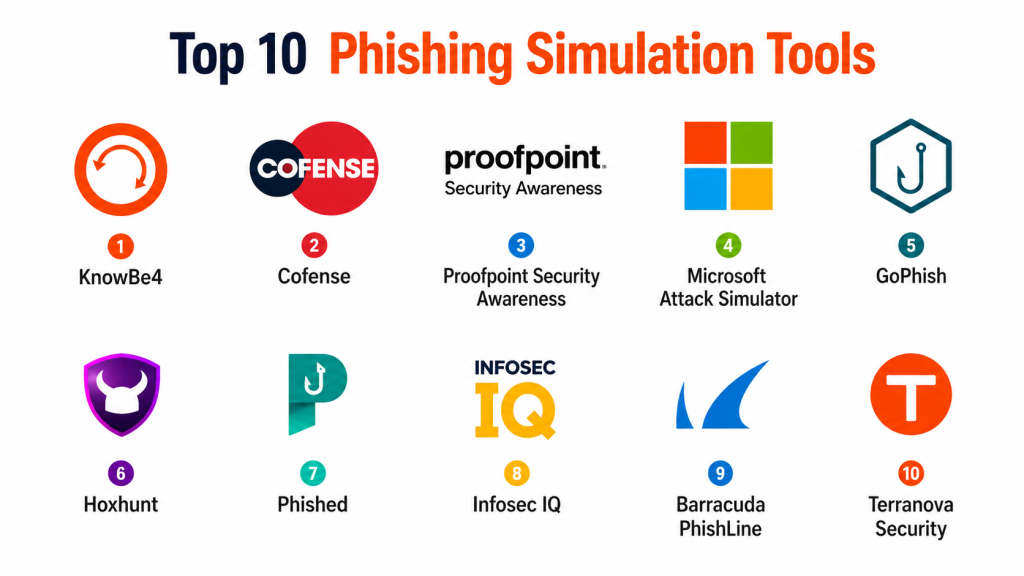
Top 10 Phishing Simulation Tools
#1 — KnowBe4
Short description: KnowBe4 is one of the most widely recognized security awareness and phishing simulation platforms. It helps organizations run simulated phishing campaigns, deliver training modules, track user behavior, and measure human-risk trends. The platform is suitable for SMBs, enterprises, schools, healthcare organizations, and financial firms. It is best for teams that need a mature awareness training ecosystem with strong campaign and reporting capabilities.
Key Features
- Phishing simulation campaigns
- Security awareness training library
- User risk scoring
- Reporting and analytics dashboards
- Phish alert button support
- Automated training assignments
- Large template and content library
Pros
- Mature and widely adopted platform
- Strong training content ecosystem
- Good reporting for security awareness teams
- Useful for compliance and behavior-change programs
Cons
- Content library can feel large without proper planning
- Advanced program design may require administrator effort
- Pricing may vary by module and organization size
- Smaller teams may not need full feature depth
Platforms / Deployment
Web / Email integrations.
Cloud.
Security & Compliance
Supports administrative access controls, reporting workflows, phishing campaign management, and training governance. Buyers should verify SSO, audit logs, data handling, and compliance documentation directly.
Integrations & Ecosystem
KnowBe4 integrates into email, identity, and security awareness workflows.
- Microsoft email environments
- Google Workspace
- Identity providers
- Phishing report buttons
- Security awareness programs
- Compliance training workflows
Support & Community
Strong documentation, onboarding resources, customer support, and a large user ecosystem. Best suited for organizations building structured security awareness programs.
#2 — Cofense PhishMe
Short description: Cofense PhishMe is a phishing simulation and employee reporting platform designed to help organizations build phishing resilience. It focuses on realistic simulations, user behavior analysis, and incident response support through reported phishing messages. Cofense is especially useful for security teams that want phishing simulations connected to real-world threat reporting and response. It is best suited for mid-market and enterprise organizations.
Key Features
- Realistic phishing simulation campaigns
- Employee phishing reporting workflows
- Security awareness training support
- Campaign analytics and benchmarking
- Threat reporting integration
- User behavior measurement
- Incident response alignment
Pros
- Strong focus on phishing defense workflows
- Useful connection between simulations and reporting
- Good fit for security operations teams
- Enterprise-friendly campaign management
Cons
- May require security team maturity for best results
- Smaller organizations may find it more than needed
- Advanced reporting workflows may require setup
- Pricing and packaging may vary
Platforms / Deployment
Web / Email integrations.
Cloud / Hybrid options may vary.
Security & Compliance
Supports phishing reporting, campaign management, administrative controls, and security operations workflows. Buyers should verify SSO, logging, and compliance needs directly.
Integrations & Ecosystem
Cofense fits well into phishing defense and security operations environments.
- Email platforms
- Phishing report buttons
- SIEM workflows
- Security operations teams
- Incident response systems
- Awareness training programs
Support & Community
Vendor-led support, onboarding, and security awareness resources are available. Strong fit for organizations with mature security operations.
#3 — Proofpoint Security Awareness
Short description: Proofpoint Security Awareness helps organizations train users, run phishing simulations, and reduce human-centered cyber risk. It combines phishing testing, awareness content, behavior analytics, and targeted education. Proofpoint is especially useful for enterprises already using Proofpoint email security and threat protection products. It is best for organizations that want awareness training aligned with broader email security strategy.
Key Features
- Phishing simulation campaigns
- Security awareness training content
- Human risk analytics
- Targeted user coaching
- Email security ecosystem alignment
- Reporting dashboards
- Training automation workflows
Pros
- Strong fit for enterprises using Proofpoint
- Good human-risk analytics
- Useful targeted training workflows
- Strong email security ecosystem alignment
Cons
- Best value may come within Proofpoint ecosystem
- Smaller teams may not need full enterprise depth
- Implementation may require program planning
- Pricing may vary by package and scale
Platforms / Deployment
Web / Email security integrations.
Cloud.
Security & Compliance
Supports enterprise awareness workflows, user analytics, administrative controls, and reporting. Buyers should verify compliance and security requirements directly.
Integrations & Ecosystem
Proofpoint integrates into email security and enterprise awareness programs.
- Proofpoint email security
- Microsoft email systems
- Google Workspace
- Security operations workflows
- Identity systems
- Compliance training programs
Support & Community
Enterprise support, documentation, onboarding, and threat-informed awareness resources are available.
#4 — Hoxhunt
Short description: Hoxhunt is a human risk management and phishing simulation platform focused on personalized employee training. It delivers adaptive phishing simulations and microlearning based on user behavior. Hoxhunt is especially useful for organizations that want engaging, continuous awareness training rather than occasional campaigns. It is best for companies prioritizing behavior change and user participation.
Key Features
- Personalized phishing simulations
- Adaptive microlearning
- User risk scoring
- Reporting and analytics
- Phishing reporting workflows
- Gamified learning experience
- Continuous awareness training
Pros
- Strong user engagement model
- Good personalization and adaptive training
- Useful for continuous awareness programs
- Encourages positive reporting behavior
Cons
- May require cultural buy-in for best results
- Pricing may be premium for smaller teams
- Advanced customization may vary
- Not focused only on technical security operations
Platforms / Deployment
Web / Email integrations.
Cloud.
Security & Compliance
Supports awareness program management, reporting workflows, and administrative controls. Buyers should verify enterprise security and compliance needs directly.
Integrations & Ecosystem
Hoxhunt integrates into employee security awareness and phishing reporting workflows.
- Microsoft email environments
- Google Workspace
- Phishing report workflows
- HR and training programs
- Security awareness dashboards
- Identity integrations
Support & Community
Vendor-led onboarding, training support, and program guidance are available. Strong fit for organizations focused on employee engagement.
#5 — Mimecast Awareness Training
Short description: Mimecast Awareness Training helps organizations improve employee security behavior through phishing simulations, short training content, and reporting. It is useful for companies already using Mimecast email security products and those looking for integrated awareness workflows. The platform focuses on practical training and measurable human-risk reduction. It is best for SMBs and enterprises that want awareness training connected to email security.
Key Features
- Phishing simulation campaigns
- Short awareness training modules
- Risk scoring and analytics
- Email security integration
- User behavior tracking
- Training automation
- Reporting dashboards
Pros
- Good fit for Mimecast customers
- Short training content supports engagement
- Useful phishing simulation workflows
- Practical reporting for security teams
Cons
- Best value may be inside Mimecast ecosystem
- Some teams may want deeper customization
- Content style may not fit every culture
- Pricing and packaging may vary
Platforms / Deployment
Web / Email integrations.
Cloud.
Security & Compliance
Supports administrative controls, awareness reporting, and email security-aligned workflows. Buyers should verify specific requirements directly.
Integrations & Ecosystem
Mimecast Awareness Training integrates with email and security awareness workflows.
- Mimecast email security
- Microsoft email systems
- Google Workspace
- User reporting workflows
- Security dashboards
- Compliance training workflows
Support & Community
Mimecast provides documentation, support, and customer success resources for awareness programs.
#6 — GoPhish
Short description: GoPhish is an open-source phishing simulation framework for security teams that want a self-hosted and customizable tool. It allows administrators to create phishing campaigns, landing pages, email templates, and tracking workflows. GoPhish is especially useful for technical teams, consultants, and organizations that need control without a commercial SaaS platform. It is best for teams comfortable managing their own infrastructure and responsible simulation process.
Key Features
- Open-source phishing simulation framework
- Custom email templates
- Landing page creation
- Campaign tracking
- User behavior reporting
- Self-hosted deployment
- Flexible technical customization
Pros
- Free and open-source
- Highly customizable
- Good for technical teams and consultants
- Self-hosting provides infrastructure control
Cons
- Requires technical setup and maintenance
- No built-in enterprise training library
- Governance and compliance workflows are manual
- Support is community-driven
Platforms / Deployment
Linux / Windows / macOS / Web interface.
Self-hosted.
Security & Compliance
Not publicly stated as an enterprise compliance platform. Security depends on hosting environment, administrative controls, data handling, and responsible use policies.
Integrations & Ecosystem
GoPhish can be customized into internal security awareness and penetration testing workflows.
- SMTP systems
- Custom landing pages
- Internal training programs
- Security testing workflows
- Reporting exports
- Custom scripts and automation
Support & Community
Community support and documentation are available. Best suited for technical security teams that can manage setup, governance, and campaign design.
#7 — Infosec IQ
Short description: Infosec IQ is a security awareness and phishing simulation platform that helps organizations train employees through campaigns, assessments, videos, and role-based education. It supports phishing simulations, learner tracking, and awareness content management. Infosec IQ is useful for organizations that want structured training with phishing simulation capabilities. It is best for IT, compliance, and security teams managing formal education programs.
Key Features
- Phishing simulation campaigns
- Security awareness training library
- Role-based training paths
- Learner progress tracking
- Reporting and analytics
- Campaign automation
- Compliance-focused education workflows
Pros
- Strong awareness training content
- Useful for structured education programs
- Good reporting for compliance teams
- Supports role-based learning
Cons
- May feel training-first rather than phishing-first
- Advanced phishing customization may vary
- Program success depends on content planning
- Pricing may vary by learner count
Platforms / Deployment
Web / Email integrations.
Cloud.
Security & Compliance
Supports training governance, reporting, administrative controls, and learner tracking. Buyers should verify compliance documentation directly.
Integrations & Ecosystem
Infosec IQ integrates into employee training and security awareness workflows.
- Email platforms
- Learning programs
- HR training workflows
- Security awareness campaigns
- Reporting dashboards
- Compliance workflows
Support & Community
Vendor-led support, training resources, and onboarding guidance are available for education-focused security programs.
#8 — Terranova Security
Short description: Terranova Security provides security awareness training and phishing simulation programs designed to improve employee cyber behavior. It offers training content, simulation templates, reporting, and awareness campaign support. Terranova is especially useful for organizations that need structured, multilingual, and compliance-friendly awareness programs. It is best for global teams and enterprises with diverse workforces.
Key Features
- Phishing simulation campaigns
- Security awareness training content
- Multilingual training support
- Campaign reporting
- User risk analysis
- Training automation
- Compliance-oriented workflows
Pros
- Good multilingual awareness support
- Useful for global organizations
- Strong training content orientation
- Practical reporting and campaign management
Cons
- May require program management effort
- Technical phishing customization may vary
- Smaller teams may prefer simpler tools
- Pricing and packaging may vary
Platforms / Deployment
Web / Email integrations.
Cloud.
Security & Compliance
Supports awareness training governance, reporting, and administrative controls. Buyers should verify compliance and data requirements directly.
Integrations & Ecosystem
Terranova integrates into global employee awareness and training workflows.
- Email systems
- HR training programs
- Learning management workflows
- Security awareness dashboards
- Compliance reporting
- Multilingual training programs
Support & Community
Vendor-led support, onboarding, and awareness program resources are available.
#9 — Barracuda PhishLine
Short description: Barracuda PhishLine is a phishing simulation and security awareness training platform designed to help organizations train users and measure phishing risk. It supports campaign creation, reporting, targeted education, and user behavior analysis. PhishLine is especially useful for organizations already using Barracuda security products. It is best for teams looking for integrated email security and awareness workflows.
Key Features
- Phishing simulation campaigns
- Security awareness training
- User behavior analytics
- Reporting dashboards
- Email security integration
- Training automation
- Risk-based user education
Pros
- Good fit for Barracuda customers
- Practical phishing campaign workflows
- Useful reporting and user analytics
- Supports awareness program management
Cons
- Best value may be within Barracuda ecosystem
- Content depth may vary by plan
- Advanced customization may require setup
- Smaller teams may prefer lighter tools
Platforms / Deployment
Web / Email integrations.
Cloud.
Security & Compliance
Supports administrative controls, reporting workflows, and security awareness governance. Buyers should verify requirements directly.
Integrations & Ecosystem
Barracuda PhishLine integrates into email security and employee awareness workflows.
- Barracuda email security
- Microsoft email environments
- Google Workspace
- User reporting workflows
- Compliance training
- Security dashboards
Support & Community
Barracuda support, documentation, and onboarding resources are available for security teams.
#10 — Sophos Phish Threat
Short description: Sophos Phish Threat is a phishing simulation and security awareness training tool designed to help organizations test and train employees against phishing attacks. It supports campaign templates, training modules, analytics, and user risk tracking. Sophos Phish Threat is especially useful for organizations already using Sophos security products. It is best for SMBs and mid-market teams that want easy phishing simulation and awareness training.
Key Features
- Phishing simulation campaigns
- Security awareness training modules
- Campaign templates
- User risk tracking
- Reporting dashboards
- Email-based simulation workflows
- Integration with Sophos ecosystem
Pros
- Simple and practical for SMBs
- Good fit for Sophos customers
- Easy campaign setup
- Useful basic awareness training
Cons
- May not be as deep as enterprise awareness platforms
- Advanced customization may be limited
- Large global programs may need broader content depth
- Best suited for simpler phishing awareness needs
Platforms / Deployment
Web / Email integrations.
Cloud.
Security & Compliance
Supports awareness training workflows, administrative controls, and reporting. Buyers should verify specific security and compliance needs directly.
Integrations & Ecosystem
Sophos Phish Threat fits into security awareness and Sophos-centered security workflows.
- Sophos security ecosystem
- Microsoft email environments
- Google Workspace
- Awareness campaigns
- Reporting dashboards
- SMB security programs
Support & Community
Sophos documentation, support resources, and partner ecosystem assistance are available.
Comparison Table
| Tool Name | Best For | Platform Supported | Deployment | Standout Feature | Public Rating |
|---|---|---|---|---|---|
| KnowBe4 | Mature awareness programs | Web / Email integrations | Cloud | Large training and phishing library | N/A |
| Cofense PhishMe | Enterprise phishing defense | Web / Email integrations | Cloud / Hybrid | Simulation plus reporting workflows | N/A |
| Proofpoint Security Awareness | Threat-informed enterprise training | Web / Email integrations | Cloud | Human risk analytics | N/A |
| Hoxhunt | Personalized phishing training | Web / Email integrations | Cloud | Adaptive microlearning | N/A |
| Mimecast Awareness Training | Email security-aligned training | Web / Email integrations | Cloud | Short awareness modules | N/A |
| GoPhish | Open-source phishing simulation | Web / Local systems | Self-hosted | Fully customizable framework | N/A |
| Infosec IQ | Structured awareness training | Web / Email integrations | Cloud | Role-based training programs | N/A |
| Terranova Security | Global multilingual awareness | Web / Email integrations | Cloud | Multilingual training content | N/A |
| Barracuda PhishLine | Barracuda email security users | Web / Email integrations | Cloud | Integrated phishing awareness workflows | N/A |
| Sophos Phish Threat | SMB phishing awareness | Web / Email integrations | Cloud | Easy phishing simulation setup | N/A |
Evaluation & Scoring of Phishing Simulation Tools
| Tool Name | Core | Ease | Integrations | Security | Performance | Support | Value | Weighted Total |
|---|---|---|---|---|---|---|---|---|
| KnowBe4 | 10 | 8 | 9 | 8 | 8 | 9 | 8 | 8.70 |
| Cofense PhishMe | 9 | 7 | 9 | 9 | 8 | 9 | 7 | 8.35 |
| Proofpoint Security Awareness | 9 | 8 | 9 | 9 | 8 | 9 | 7 | 8.50 |
| Hoxhunt | 8 | 9 | 8 | 8 | 8 | 8 | 7 | 8.05 |
| Mimecast Awareness Training | 8 | 8 | 8 | 8 | 8 | 8 | 8 | 8.00 |
| GoPhish | 7 | 6 | 6 | 7 | 7 | 5 | 10 | 6.90 |
| Infosec IQ | 8 | 8 | 7 | 8 | 8 | 8 | 8 | 7.85 |
| Terranova Security | 8 | 8 | 7 | 8 | 8 | 8 | 7 | 7.70 |
| Barracuda PhishLine | 8 | 8 | 8 | 8 | 8 | 8 | 8 | 8.00 |
| Sophos Phish Threat | 7 | 9 | 7 | 8 | 8 | 8 | 8 | 7.80 |
These scores are comparative and should be used as a shortlist guide. Enterprise tools usually score higher on reporting, integrations, and program management, while open-source tools score well on flexibility and cost. The best platform depends on organization size, employee risk profile, training culture, email ecosystem, and security maturity. Buyers should test campaign workflows, reporting quality, user experience, and administrative effort before full rollout.
Which Phishing Simulation Tool Is Right for You?
Solo / Freelancer
Solo consultants and technical security professionals may prefer GoPhish because it is open-source, customizable, and self-hosted. However, it requires responsible use, careful configuration, and manual program design. For non-technical users, a commercial tool with ready-made templates and training content is easier.
SMB
SMBs should prioritize ease of setup, simple reporting, and practical training content. Sophos Phish Threat, Mimecast Awareness Training, Barracuda PhishLine, Infosec IQ, and KnowBe4 can be good options depending on the existing security stack. Smaller teams should avoid overly complex programs and focus on consistent training habits.
Mid-Market
Mid-market organizations need better automation, reporting, risk scoring, and department-level insights. KnowBe4, Hoxhunt, Proofpoint Security Awareness, Cofense PhishMe, and Infosec IQ are strong candidates. These teams should focus on user segmentation, targeted training, and measuring improvement over time.
Enterprise
Enterprises should prioritize scalability, localization, automation, integrations, analytics, and security operations alignment. Proofpoint Security Awareness, KnowBe4, Cofense PhishMe, Hoxhunt, Terranova Security, and Mimecast Awareness Training are strong enterprise options. Global organizations should evaluate multilingual content, role-based campaigns, reporting exports, and integration with email security systems.
Budget vs Premium
Budget-focused teams can use GoPhish or simpler SMB tools, but they must invest time in content creation, governance, and reporting. Premium platforms offer richer templates, better analytics, automated training, user risk scoring, and support. The right choice depends on internal resources and program maturity.
Feature Depth vs Ease of Use
Sophos Phish Threat and Mimecast are easier for straightforward awareness programs, while KnowBe4, Proofpoint, Cofense, and Hoxhunt provide deeper capabilities. GoPhish offers maximum flexibility but requires more technical skill. Teams should balance automation and control carefully.
Integrations & Scalability
Phishing simulation tools should integrate with Microsoft email, Google Workspace, identity systems, phishing report buttons, SIEM workflows, HR systems, and learning platforms. Scalability matters when managing thousands of users, departments, regions, and training requirements. Strong reporting is essential for measuring progress.
Security & Compliance Needs
Organizations should evaluate access controls, SSO, audit logs, data retention, privacy policies, reporting exports, and administrative permissions. Compliance-driven teams should confirm training records, campaign evidence, and user completion tracking. Simulations should be ethical, transparent at the program level, and aligned with HR and legal guidance.
Frequently Asked Questions
1. What are phishing simulation tools?
Phishing simulation tools help organizations send safe, controlled phishing-style messages to employees to test awareness and improve behavior. They measure who opens messages, clicks links, enters credentials, reports suspicious emails, or completes training. The goal is education, not punishment. These tools help reduce human risk through practice and feedback.
2. Why do companies need phishing simulations?
Companies need phishing simulations because real attackers frequently use email and social engineering to steal credentials or deliver malware. Simulations give employees practical experience identifying suspicious messages before real attacks happen. They also help security teams measure risk across departments and roles. Regular testing improves awareness over time.
3. Are phishing simulations safe?
Yes, when properly designed, phishing simulations are controlled and safe. They should not collect real passwords, expose personal data, or shame employees publicly. Good programs focus on learning, coaching, and improvement. Organizations should communicate the purpose of awareness programs clearly and follow internal policies.
4. How often should phishing simulations be run?
Most organizations benefit from recurring simulations rather than one-time annual tests. Monthly or quarterly campaigns are common depending on company size, risk level, and training maturity. High-risk departments may need more frequent targeted training. The key is consistency and continuous improvement.
5. What should happen after an employee clicks a phishing simulation?
The employee should receive immediate, helpful training that explains the warning signs they missed. The goal should be coaching, not punishment. Security teams can use click data to assign targeted microlearning and identify risky patterns. Positive reporting behavior should also be encouraged.
6. Can phishing simulation tools test QR phishing and SMS phishing?
Many modern platforms support broader social engineering simulations including QR phishing, SMS phishing, and other message-based attack formats. Coverage varies by vendor and plan. Organizations should evaluate whether the tool supports the channels attackers actually use against their employees. Email-only training may not be enough for mobile-first teams.
7. What metrics should security teams track?
Important metrics include click rate, credential submission rate, report rate, repeat clickers, department risk trends, training completion, and time to report. Report rate is especially valuable because it shows whether employees help security teams detect threats. Metrics should be used to improve training, not embarrass users.
8. Are open-source phishing simulation tools good enough?
Open-source tools like GoPhish can be effective for technical teams that can manage setup, templates, hosting, tracking, and responsible program design. However, they usually lack built-in training content, enterprise analytics, customer support, and compliance workflows. Commercial platforms are easier for larger or less technical organizations. The right choice depends on internal expertise and program goals.
9. What are common mistakes in phishing simulation programs?
Common mistakes include running overly tricky tests, shaming employees, ignoring training follow-up, testing too rarely, and focusing only on click rates. Another mistake is failing to include executives and high-risk roles. Good programs are fair, educational, measurable, and aligned with real threats. The best outcome is improved reporting and safer behavior.
10. How should organizations choose a phishing simulation tool?
Organizations should evaluate ease of use, template quality, training content, reporting, localization, integrations, automation, support, and risk scoring. They should also consider whether the tool fits their company culture and awareness maturity. A pilot campaign with a small user group can reveal usability and reporting gaps. The best tool is one that helps employees improve consistently over time.
Conclusion
Phishing simulation tools are essential for reducing human-centered security risk because employees remain a primary target for attackers using emails, fake login pages, QR codes, SMS messages, and social engineering tactics. Platforms such as KnowBe4, Cofense PhishMe, Proofpoint Security Awareness, Hoxhunt, Mimecast Awareness Training, GoPhish, Infosec IQ, Terranova Security, Barracuda PhishLine, and Sophos Phish Threat all offer different strengths depending on organization size, training culture, security maturity, and budget. The best tool is not simply the one with the most templates, but the one that helps users recognize threats, report suspicious activity, and improve over time. Security teams should shortlist two or three platforms, run a small pilot, review reporting and user experience, then build a continuous awareness program with targeted coaching and measurable improvement.

This article clearly explains phishing simulation tools and how they help organizations improve employee awareness and strengthen protection against email-based threats.
This article clearly explains phishing simulation tools and how they help organizations improve employee awareness and strengthen protection against phishing attacks.
The real value of phishing simulations comes from measuring behavioral improvement over time, not just click rates. Continuous education is often more effective than one-time testing.