Introduction
Application Servers are software platforms that provide an environment to run, manage, and deliver business applications—especially web and enterprise applications. In simple terms, while web servers handle HTTP requests and static content, application servers process business logic, interact with databases, and deliver dynamic content.
In modern enterprise architectures, application servers play a critical role in supporting scalable, secure, and high-performance applications. They are widely used in Java-based enterprise systems, cloud-native environments, and backend application layers.
Today’s application servers offer advanced capabilities such as transaction management, session handling, load balancing, security frameworks, clustering, and integration with databases and APIs.
Common use cases include:
- Hosting enterprise applications
- Running Java-based web applications
- Backend services for APIs
- Microservices architectures
- Business logic processing
What buyers should evaluate:
- Performance and scalability
- Supported programming languages
- Security features
- Clustering and load balancing
- Integration capabilities
- Ease of deployment
- Enterprise support
- Cloud compatibility
- Cost and licensing
- Community and ecosystem
Best for: Enterprises, developers, DevOps teams, backend engineers, and organizations running complex applications.
Not ideal for: Static websites or simple applications that do not require backend processing.
Key Trends in Application Servers
- Shift toward lightweight and microservices-friendly servers
- Integration with containers and Kubernetes
- Cloud-native application deployment
- Increased use of Jakarta EE and Spring frameworks
- Serverless and function-based architectures
- Improved performance and scalability
- API-first and event-driven architectures
- Enhanced security frameworks
- DevOps and CI/CD integration
- Reduced monolithic architecture adoption
How We Selected These Tools (Methodology)
- Market adoption and reputation
- Performance and scalability
- Feature completeness
- Enterprise readiness
- Integration ecosystem
- Ease of use and deployment
- Security capabilities
- Community and support
- Cloud compatibility
- Overall value
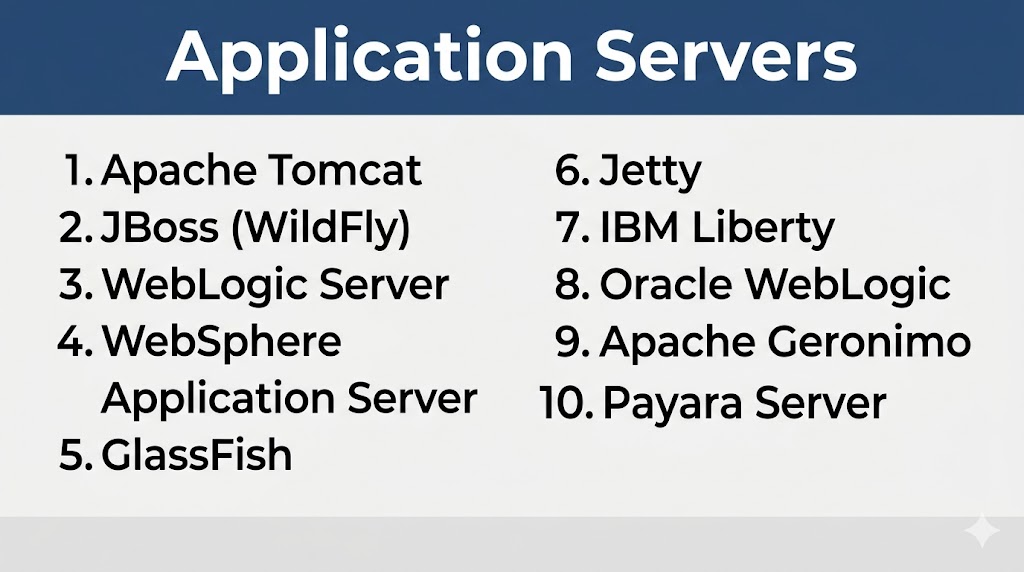
Top 10 Application Servers
#1 — Apache Tomcat
Short description: One of the most popular Java application servers, widely used for web applications.
Key Features
- Servlet and JSP support
- Lightweight architecture
- Easy deployment
- Integration with frameworks
- Open-source
- High performance
Pros
- Easy to use
- Strong community
Cons
- Limited full Java EE support
- Not ideal for large enterprise workloads
Platforms / Deployment
Cross-platform
Cloud / On-prem
Security & Compliance
Basic enterprise security features.
Integrations & Ecosystem
Java ecosystem, frameworks like Spring.
Support & Community
Large global community.
#2 — JBoss (WildFly)
Short description: Open-source Java EE application server designed for enterprise applications.
Key Features
- Full Java EE support
- Modular architecture
- High performance
- Clustering
- Security features
- Management console
Pros
- Enterprise-ready
- Flexible and scalable
Cons
- Requires expertise
- Complex setup
Platforms / Deployment
Cross-platform
Cloud / On-prem
Security & Compliance
Enterprise-grade controls.
Integrations & Ecosystem
Red Hat ecosystem.
Support & Community
Strong enterprise and open-source support.
#3 — WebLogic Server
Short description: Enterprise application server by Oracle designed for large-scale applications.
Key Features
- Enterprise-grade scalability
- High availability
- Security framework
- Transaction management
- Clustering
- Monitoring tools
Pros
- Highly reliable
- Enterprise features
Cons
- Expensive licensing
- Complex configuration
Platforms / Deployment
Cross-platform
Cloud / On-prem
Security & Compliance
Advanced enterprise controls.
Integrations & Ecosystem
Oracle ecosystem.
Support & Community
Enterprise-focused support.
#4 — WebSphere Application Server
Short description: IBM’s enterprise application server for mission-critical workloads.
Key Features
- Enterprise scalability
- High availability
- Security features
- Transaction management
- Monitoring tools
- Cloud support
Pros
- Reliable for enterprise use
- Strong support
Cons
- Expensive
- Complex setup
Platforms / Deployment
Cross-platform
Cloud / On-prem
Security & Compliance
Enterprise-grade controls.
Integrations & Ecosystem
IBM ecosystem.
Support & Community
Strong enterprise support.
#5 — GlassFish
Short description: Open-source Java EE application server used for development and testing.
Key Features
- Java EE support
- Lightweight
- Easy deployment
- Developer tools
- Modular design
- Open-source
Pros
- Free and flexible
- Good for development
Cons
- Limited enterprise adoption
- Slower updates
Platforms / Deployment
Cross-platform
Cloud / On-prem
Security & Compliance
Basic controls available.
Integrations & Ecosystem
Java ecosystem.
Support & Community
Moderate community support.
#6 — Jetty
Short description: Lightweight Java-based web and application server focused on performance.
Key Features
- Embedded server support
- High performance
- Lightweight design
- Asynchronous processing
- Scalability
- Easy integration
Pros
- Fast and efficient
- Developer-friendly
Cons
- Limited enterprise features
- Requires coding knowledge
Platforms / Deployment
Cross-platform
Cloud / On-prem
Security & Compliance
Basic controls available.
Integrations & Ecosystem
Java frameworks.
Support & Community
Strong developer community.
#7 — IBM Liberty
Short description: Lightweight and modular version of WebSphere designed for cloud-native applications.
Key Features
- Modular architecture
- Fast startup
- Cloud-native support
- Microservices compatibility
- Security features
- Scalability
Pros
- Lightweight and fast
- Enterprise-ready
Cons
- Requires IBM ecosystem
- Licensing cost
Platforms / Deployment
Cross-platform
Cloud / Hybrid
Security & Compliance
Enterprise-grade controls.
Integrations & Ecosystem
IBM tools and cloud.
Support & Community
Strong enterprise support.
#8 — Oracle WebLogic
Short description: Advanced enterprise application server for large-scale business applications.
Key Features
- High availability
- Scalability
- Security features
- Transaction management
- Monitoring tools
- Integration support
Pros
- Enterprise-grade performance
- Reliable
Cons
- Expensive
- Complex
Platforms / Deployment
Cross-platform
Cloud / On-prem
Security & Compliance
Advanced controls.
Integrations & Ecosystem
Oracle ecosystem.
Support & Community
Enterprise support.
#9 — Apache Geronimo
Short description: Open-source Java EE application server with modular architecture.
Key Features
- Java EE support
- Modular design
- Lightweight
- Open-source
- Flexible deployment
- Integration support
Pros
- Free
- Flexible
Cons
- Limited adoption
- Smaller community
Platforms / Deployment
Cross-platform
Cloud / On-prem
Security & Compliance
Basic controls available.
Integrations & Ecosystem
Java ecosystem.
Support & Community
Limited support.
#10 — Payara Server
Short description: Modern Java EE application server based on GlassFish with enterprise enhancements.
Key Features
- Java EE support
- High availability
- Monitoring tools
- Cloud-ready
- Microservices support
- Security features
Pros
- Improved GlassFish version
- Enterprise features
Cons
- Smaller ecosystem
- Less adoption
Platforms / Deployment
Cross-platform
Cloud / On-prem
Security & Compliance
Enterprise-grade controls.
Integrations & Ecosystem
Java ecosystem.
Support & Community
Growing community.
Comparison Table (Top 10)
| Tool Name | Best For | Platform(s) | Deployment | Standout Feature | Public Rating |
|---|---|---|---|---|---|
| Tomcat | Developers | Cross-platform | Hybrid | Lightweight | N/A |
| JBoss | Enterprises | Cross-platform | Hybrid | Full Java EE | N/A |
| WebLogic | Enterprises | Cross-platform | Hybrid | Scalability | N/A |
| WebSphere | Enterprises | Cross-platform | Hybrid | Reliability | N/A |
| GlassFish | Developers | Cross-platform | Hybrid | Open-source | N/A |
| Jetty | Dev teams | Cross-platform | Hybrid | Lightweight | N/A |
| IBM Liberty | Cloud apps | Cross-platform | Hybrid | Fast startup | N/A |
| Oracle WebLogic | Enterprises | Cross-platform | Hybrid | Enterprise features | N/A |
| Geronimo | Open-source users | Cross-platform | Hybrid | Modular design | N/A |
| Payara | Modern Java apps | Cross-platform | Hybrid | Enhanced GlassFish | N/A |
Evaluation & Scoring of Application Servers
| Tool Name | Core (25%) | Ease (15%) | Integrations (15%) | Security (10%) | Performance (10%) | Support (10%) | Value (15%) | Weighted Total |
|---|---|---|---|---|---|---|---|---|
| Tomcat | 9 | 9 | 9 | 8 | 9 | 9 | 10 | 9.2 |
| JBoss | 9 | 7 | 9 | 9 | 9 | 9 | 9 | 8.9 |
| WebLogic | 10 | 6 | 9 | 10 | 9 | 10 | 7 | 9.0 |
| WebSphere | 10 | 6 | 9 | 10 | 9 | 10 | 7 | 9.0 |
| GlassFish | 8 | 8 | 8 | 8 | 8 | 7 | 10 | 8.2 |
| Jetty | 8 | 8 | 8 | 7 | 9 | 7 | 9 | 8.1 |
| IBM Liberty | 9 | 8 | 9 | 9 | 9 | 9 | 8 | 8.8 |
| Oracle WebLogic | 10 | 6 | 9 | 10 | 9 | 10 | 7 | 9.0 |
| Geronimo | 7 | 7 | 7 | 7 | 7 | 6 | 10 | 7.3 |
| Payara | 8 | 8 | 8 | 9 | 8 | 7 | 9 | 8.2 |
How to interpret scores:
Enterprise servers lead in scalability and security, while lightweight servers excel in simplicity and cost-effectiveness.
Which Application Server Is Right for You?
Solo / Developers
Tomcat, Jetty
SMB
Tomcat, Payara
Mid-Market
JBoss, IBM Liberty
Enterprise
WebLogic, WebSphere
Budget vs Premium
- Budget: Tomcat, GlassFish
- Premium: WebLogic, WebSphere
Feature Depth vs Ease of Use
- Easy: Tomcat, Jetty
- Deep: JBoss, WebLogic
Integrations & Scalability
JBoss, WebLogic, WebSphere
Security & Compliance Needs
WebLogic, WebSphere
Frequently Asked Questions (FAQs)
What is an application server?
It runs business logic and backend applications.
How is it different from a web server?
Web servers serve static content; application servers handle logic.
Which is best for Java apps?
Tomcat or JBoss.
Are application servers expensive?
Some are free; enterprise versions cost more.
Do they support cloud?
Yes, most modern servers do.
Are they secure?
Yes, with enterprise features.
Can they scale?
Yes, most support clustering.
Which is best for beginners?
Tomcat.
What is Java EE?
Enterprise Java platform.
How do I choose?
Based on scale, language, and budget.
Conclusion
Application Servers are essential for running modern enterprise and web applications, providing the backend logic, scalability, and reliability required for business systems. Apache Tomcat remains a popular lightweight choice for developers, while JBoss and Payara offer strong enterprise capabilities. WebLogic and WebSphere dominate large-scale enterprise deployments with advanced features and support. Lightweight options like Jetty are ideal for performance-focused use cases. The right choice depends on your application requirements, technical expertise, and budget. Start with a lightweight server for development and scale up to enterprise platforms as your application grows.
