Introduction
Web Content Filtering Tools help organizations control and secure the websites, web apps, online content, and internet categories users can access. In simple terms, these tools decide whether a website should be allowed, blocked, warned, or logged based on security rules, content categories, user groups, device type, location, or company policy.
Web content filtering matters because unsafe browsing can expose users to phishing pages, malware downloads, fake login sites, ransomware, malicious ads, data leakage, inappropriate content, and productivity risks. It is also important for schools, healthcare, finance, retail, public networks, MSPs, and remote teams that need safer internet access across many devices and locations.
Common use cases include phishing protection, malware site blocking, safe browsing for students, employee productivity control, guest Wi-Fi filtering, remote worker protection, compliance policy enforcement, bandwidth control, and acceptable-use monitoring.
Buyers should evaluate category accuracy, threat intelligence, remote user protection, policy flexibility, identity-based rules, reporting, SSL inspection support, deployment options, admin usability, MSP controls, privacy controls, pricing, and support quality.
Best for: IT teams, security teams, MSPs, schools, universities, healthcare organizations, financial firms, retail chains, enterprises, SMBs, and remote-first companies that need safer web access.
Not ideal for: teams that only need simple browser parental controls, organizations that need full CASB and DLP instead of web filtering, or businesses without admins to manage exceptions, policies, logs, and user requests.
Key Trends in Web Content Filtering Tools
- Remote and hybrid work protection is now essential: Web filtering must protect users across offices, homes, mobile devices, branch locations, and public networks.
- Security filtering is now more important than basic productivity control: Organizations use web filtering to block phishing, malware, ransomware infrastructure, suspicious domains, and unsafe downloads.
- Cloud-delivered filtering is replacing appliance-heavy models: Cloud filtering is easier to deploy for remote users, distributed offices, MSP clients, and hybrid teams.
- Identity-based policies are becoming standard: Admins want different filtering rules for employees, students, teachers, finance teams, developers, executives, guests, and contractors.
- Secure web gateway features are merging with filtering: Many platforms now combine URL filtering, DNS filtering, malware scanning, cloud app controls, sandboxing, and data protection.
- Education filtering is becoming more specialized: Schools need safe search, age-based policies, Chromebook support, YouTube controls, classroom visibility, and student safety workflows.
- MSP-friendly management is a major requirement: Managed service providers need multi-tenant dashboards, customer-level policy controls, reporting, and easy remote deployment.
- Encrypted traffic creates new challenges: SSL inspection and encrypted DNS handling are important decisions for organizations that need deeper visibility.
- AI-assisted categorization improves accuracy: Vendors are using automation and threat intelligence to classify new domains, suspicious websites, and risky categories faster.
- User privacy and transparency are becoming more important: Organizations must balance protection, productivity, compliance, and privacy expectations.
How We Selected These Tools
- Feature completeness: We evaluated content filtering, URL filtering, DNS filtering, malware blocking, phishing protection, policy controls, and reporting.
- Market adoption: Preference was given to tools widely used by enterprises, SMBs, MSPs, schools, and security teams.
- Threat protection depth: Platforms with strong malware, phishing, suspicious domain, and risky category controls were prioritized.
- Deployment flexibility: Cloud, DNS, endpoint agent, secure web gateway, browser-based, and hybrid models were considered.
- Admin experience: Dashboards, reports, alerts, exception workflows, user groups, and policy templates were reviewed.
- Identity and ecosystem integrations: Directory sync, SSO, SIEM, endpoint management, firewall, and MSP management support were considered.
- Education and business fit: The list balances tools for schools, SMBs, MSPs, enterprises, and remote teams.
- Scalability and support: Tools with stronger documentation, support, reporting, and operational maturity were prioritized.
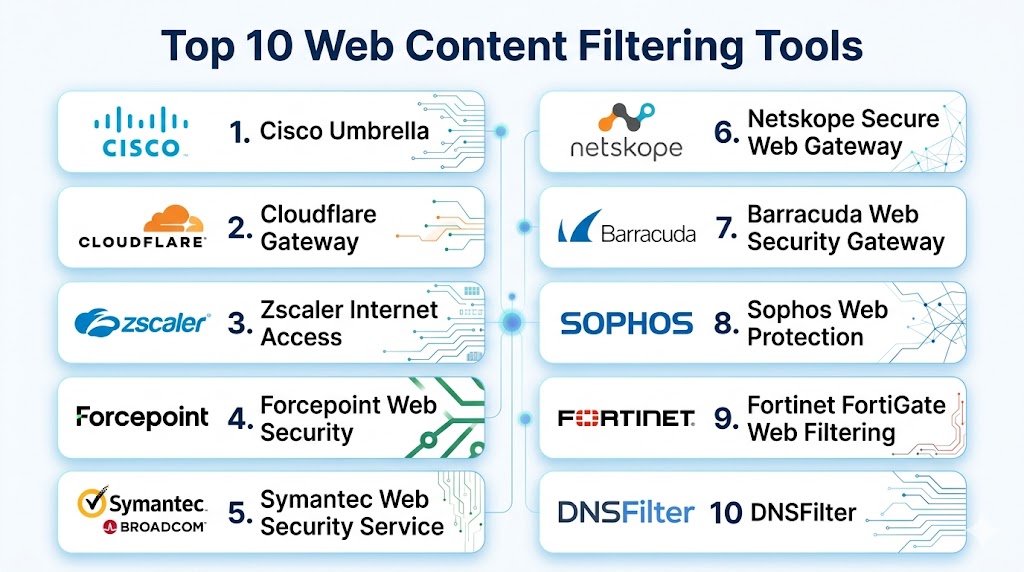
Top 10 Web Content Filtering Tools
#1 — Cisco Umbrella
Short description: Cisco Umbrella is a cloud-delivered security platform that provides DNS-layer filtering, malware blocking, phishing protection, content category controls, and secure internet access capabilities. It helps organizations block unsafe domains before users connect to them. Cisco Umbrella is widely used by enterprises, schools, MSPs, and distributed teams. It is best for organizations that want web filtering connected to DNS security and broader Cisco security workflows.
Key Features
- DNS-layer web content filtering.
- Malware, phishing, and command-and-control domain blocking.
- Category-based website access policies.
- Roaming user protection for remote workers.
- Reporting and threat activity dashboards.
- Identity and group-based policy options.
- Integration with Cisco security ecosystem.
Pros
- Strong enterprise reputation for DNS and web security.
- Good fit for remote and distributed organizations.
- Useful threat intelligence and category controls.
- Scales well for SMBs, mid-market teams, and enterprises.
Cons
- Advanced features may require higher-tier plans.
- Best value comes with Cisco ecosystem alignment.
- DNS-level filtering may not replace full web inspection.
- Policy tuning is needed to avoid blocking legitimate business websites.
Platforms / Deployment
Cloud / DNS forwarding / Roaming client / Network deployment / Hybrid environments.
Security & Compliance
Security capabilities may include DNS-layer protection, malicious domain blocking, content filtering, reporting, role-based administration, and cloud security controls depending on plan. Specific certifications should be verified directly. If uncertain, write: Not publicly stated.
Integrations & Ecosystem
Cisco Umbrella works well in security stacks where web filtering needs to connect with endpoint, network, SIEM, firewall, and threat intelligence workflows.
- Cisco security tools
- SIEM platforms
- Identity providers
- Endpoint protection workflows
- Network appliances
- MSP dashboards
Support & Community
Cisco provides documentation, enterprise support, training, partner services, and a large security administrator community. It is best for organizations that need mature web filtering with scalable security operations.
#2 — Cloudflare Gateway
Short description: Cloudflare Gateway provides DNS filtering, URL filtering, secure web gateway controls, and internet access policies through Cloudflare Zero Trust. It helps organizations block threats, control risky websites, and enforce browsing rules for users across offices and remote locations. Cloudflare Gateway is useful for cloud-first teams that want web filtering, identity-aware rules, and zero trust controls in one platform. It is best for organizations moving toward modern secure access architecture.
Key Features
- DNS and web content filtering.
- Malware, phishing, and risky domain blocking.
- Category-based web policies.
- Identity-aware rules for users and groups.
- Remote user protection through endpoint client options.
- Logging, analytics, and security dashboards.
- Integration with Cloudflare Zero Trust services.
Pros
- Strong fit for zero trust and cloud-first teams.
- Fast global infrastructure and easy deployment options.
- Combines DNS filtering with secure web gateway capabilities.
- Useful for distributed and remote workforces.
Cons
- Full value may require broader Cloudflare adoption.
- Advanced policy design can take planning.
- Some features depend on plan and configuration.
- Organizations should test compatibility with existing network tools.
Platforms / Deployment
Cloud / DNS filtering / Secure web gateway / Endpoint client / Zero Trust platform.
Security & Compliance
Security capabilities may include DNS filtering, web policies, identity-aware access, logs, admin roles, activity reporting, and zero trust controls depending on plan. Specific certifications should be verified directly. If uncertain, write: Not publicly stated.
Integrations & Ecosystem
Cloudflare Gateway fits organizations that want web filtering as part of a broader cloud security and zero trust strategy.
- Identity providers
- Endpoint client deployments
- Cloudflare Zero Trust
- SIEM and logging workflows
- Secure web gateway policies
- Remote access workflows
Support & Community
Cloudflare provides documentation, support options, enterprise services, and a large technical community. It is strongest for organizations that want web filtering plus broader cloud-delivered security.
#3 — DNSFilter
Short description: DNSFilter is a cloud-based web content filtering and DNS security platform designed for businesses, schools, MSPs, and distributed teams. It helps block phishing, malware, botnets, adult content, gambling, social media, and other categories using DNS-layer controls. DNSFilter is known for simple deployment, AI-driven domain categorization, and MSP-friendly management. It is best for SMBs, MSPs, schools, and teams that want effective filtering without heavy complexity.
Key Features
- DNS-based web content filtering.
- Malware, phishing, and botnet domain blocking.
- AI-assisted domain categorization.
- Category policies for users, networks, and groups.
- Roaming client support for remote users.
- Multi-tenant MSP management.
- Reporting and dashboard visibility.
Pros
- Easy to deploy and manage.
- Strong fit for MSPs and SMBs.
- Good category filtering and security controls.
- Useful dashboards and reporting.
Cons
- Enterprise teams may need broader secure web gateway controls.
- DNS filtering cannot inspect every webpage element.
- Advanced integrations may vary by plan.
- Large organizations need careful policy structure.
Platforms / Deployment
Cloud / DNS forwarding / Roaming client / MSP multi-tenant dashboard.
Security & Compliance
Security capabilities may include DNS threat blocking, category filtering, roaming protection, reporting, admin controls, and policy management depending on plan. Specific certifications should be verified directly. If uncertain, write: Not publicly stated.
Integrations & Ecosystem
DNSFilter fits organizations that need quick web filtering deployment with simple policy control.
- MSP management workflows
- Directory integrations
- Roaming user deployments
- Business networks
- School filtering environments
- Security reporting dashboards
Support & Community
DNSFilter provides documentation, support, MSP resources, and onboarding guidance. It is a practical choice for service providers and small to mid-sized organizations.
#4 — Zscaler Internet Access
Short description: Zscaler Internet Access is a cloud security platform that includes web content filtering, secure web gateway, DNS security, cloud firewall, sandboxing, and data protection features. It helps enterprises protect users accessing the internet from any location without relying on traditional appliances. Zscaler is broader than basic filtering and is designed for secure internet access at scale. It is best for large organizations adopting secure web gateway, SASE, and zero trust models.
Key Features
- URL and web content filtering.
- DNS security and malicious domain blocking.
- Secure web gateway controls.
- Malware scanning and sandboxing depending on package.
- Identity-aware web access policies.
- Cloud firewall and data protection options.
- Reporting, analytics, and security visibility.
Pros
- Strong enterprise secure web gateway platform.
- Good fit for distributed and remote workforces.
- Goes beyond simple category filtering.
- Strong option for SASE and zero trust programs.
Cons
- More complex than standalone filtering tools.
- May be expensive for smaller teams.
- Deployment requires network and security planning.
- Buyers should evaluate which modules are actually needed.
Platforms / Deployment
Cloud / Secure web gateway / Endpoint client / Branch and remote user protection.
Security & Compliance
Security capabilities may include URL filtering, DNS security, malware protection, sandboxing, cloud firewall, DLP, identity policies, reporting, and admin controls depending on plan. Specific certifications should be verified directly. If uncertain, write: Not publicly stated.
Integrations & Ecosystem
Zscaler fits enterprise environments where web content filtering must connect with broader secure internet access.
- Identity providers
- Endpoint clients
- SIEM platforms
- Cloud security workflows
- DLP systems
- Enterprise network security
Support & Community
Zscaler provides enterprise support, documentation, partner services, training, and architecture guidance. It is best suited for larger organizations with mature security teams.
#5 — Forcepoint Web Security
Short description: Forcepoint Web Security provides web filtering, threat protection, user-aware policies, cloud app controls, and secure web access capabilities. It helps organizations block unsafe websites, enforce acceptable-use policies, monitor user behavior, and reduce web-based risk. Forcepoint is especially relevant for enterprises and regulated organizations that need strong policy enforcement and reporting. It is best for organizations that need web filtering with compliance and data protection alignment.
Key Features
- URL and category-based web filtering.
- Malware and phishing site blocking.
- User-aware policy controls.
- Cloud and hybrid deployment options.
- Reporting and web activity visibility.
- Data protection features depending on package.
- Integration with broader security and compliance workflows.
Pros
- Strong web filtering and policy enforcement heritage.
- Good fit for regulated and compliance-sensitive environments.
- Useful reporting and user-aware controls.
- Goes beyond basic DNS filtering.
Cons
- Can be more complex than lightweight DNS filtering.
- Best suited to organizations with web security requirements.
- Licensing and deployment model should be reviewed carefully.
- Teams should validate cloud, endpoint, and identity integration.
Platforms / Deployment
Cloud / Hybrid / Secure web gateway / Endpoint and network integrations.
Security & Compliance
Security capabilities may include URL filtering, malware protection, phishing blocking, content policies, identity-aware rules, logging, reporting, and data protection features depending on configuration. Specific certifications should be verified directly. If uncertain, write: Not publicly stated.
Integrations & Ecosystem
Forcepoint Web Security fits organizations that want web filtering connected with identity, compliance, DLP, and security operations.
- Identity providers
- SIEM platforms
- DLP workflows
- Endpoint environments
- Compliance reporting
- Web security policies
Support & Community
Forcepoint provides documentation, enterprise support, partner services, and security resources. It is best for teams with compliance-heavy web access requirements.
#6 — Lightspeed Filter
Short description: Lightspeed Filter is a web content filtering platform designed primarily for schools and education environments. It helps block inappropriate content, enforce safe browsing, protect students, manage YouTube access, monitor web activity, and support education-focused filtering policies. Lightspeed Filter is especially useful for districts managing student devices, classroom browsing, and remote learning. It is best for school IT teams that need student-safe web filtering.
Key Features
- Education-focused web content filtering.
- Category blocking for age-appropriate access.
- Student safety and activity visibility.
- YouTube and search controls depending on configuration.
- Filtering for school devices and remote learning.
- Reporting for administrators and IT teams.
- Policy controls by student group, grade, or role.
Pros
- Strong fit for schools and education environments.
- Designed around student safety and classroom needs.
- Useful for managed student devices.
- Helps support remote learning web controls.
Cons
- Less suitable for general enterprise web security.
- Advanced threat protection may not match enterprise SWG tools.
- Best value is education-specific.
- Policy tuning is needed to avoid blocking learning resources.
Platforms / Deployment
Cloud / School device filtering / Browser and endpoint deployment options may vary.
Security & Compliance
Security capabilities may include content filtering, student-safe browsing controls, reporting, admin policies, and school-focused monitoring depending on plan. Specific certifications should be verified directly. If uncertain, write: Not publicly stated.
Integrations & Ecosystem
Lightspeed Filter fits school technology environments where filtering must support students, teachers, admins, and remote learning.
- Student devices
- School networks
- Classroom management workflows
- Education directories
- Reporting dashboards
- Remote learning environments
Support & Community
Lightspeed provides education-focused support, documentation, and onboarding resources. It is strongest for school districts and education IT administrators.
#7 — GoGuardian Admin
Short description: GoGuardian Admin is a web filtering and student safety platform designed for schools and education organizations. It helps schools manage student browsing, block inappropriate websites, enforce safe search, monitor online activity, and support digital learning policies. GoGuardian is especially useful for Chromebook-heavy and digital classroom environments. It is best for education teams that need filtering plus student visibility and classroom-focused controls.
Key Features
- School-focused web content filtering.
- Safe search and inappropriate content blocking.
- Student browsing visibility.
- Policies for groups, grades, or classes.
- Chromebook and education device support.
- Reporting for school admins and IT teams.
- Integration with classroom management workflows depending on product stack.
Pros
- Strong fit for education.
- Useful for student device management and safe browsing.
- Good for Chromebook-focused schools.
- Helps support digital learning policies.
Cons
- Not built primarily for enterprise security teams.
- Advanced malware and SWG capabilities may be limited.
- Privacy and student monitoring policies must be handled carefully.
- Best value comes in education environments.
Platforms / Deployment
Cloud / Browser-based school filtering / Chromebook and managed device environments.
Security & Compliance
Security capabilities may include category filtering, safe search enforcement, student browsing visibility, admin policies, and reporting depending on configuration. Specific certifications should be verified directly. If uncertain, write: Not publicly stated.
Integrations & Ecosystem
GoGuardian Admin fits school environments where web filtering must connect with classroom management and student safety workflows.
- Chromebooks
- School directories
- Classroom management systems
- Student safety workflows
- Education reporting dashboards
- Managed browser environments
Support & Community
GoGuardian provides education-focused documentation, support, and onboarding resources. It is best for schools that need student-centered web filtering and monitoring.
#8 — Webroot DNS Protection
Short description: Webroot DNS Protection helps organizations block malicious sites, phishing pages, malware domains, and unwanted categories through DNS-layer web filtering. It is commonly used by SMBs and MSPs that want lightweight web protection connected to endpoint security workflows. Webroot DNS Protection is simple to deploy and manage for organizations with limited IT resources. It is best for SMBs and MSPs that need practical web content filtering and DNS security.
Key Features
- DNS-based web content filtering.
- Malware, phishing, and botnet domain blocking.
- Category-based website policies.
- Roaming user protection depending on deployment.
- Reporting and web activity visibility.
- MSP-friendly management options.
- Endpoint-aligned security workflows.
Pros
- Good fit for SMBs and MSPs.
- Easy to deploy using DNS-based controls.
- Useful for lightweight web security.
- Works well alongside endpoint protection.
Cons
- Enterprise teams may need deeper SWG features.
- DNS-level filtering cannot inspect full web sessions.
- Reporting depth may be limited compared with enterprise tools.
- Advanced integrations vary by package.
Platforms / Deployment
Cloud / DNS forwarding / Roaming endpoint options / MSP-friendly management.
Security & Compliance
Security capabilities may include DNS filtering, malicious domain blocking, category controls, reporting, and admin policies depending on plan. Specific certifications should be verified directly. If uncertain, write: Not publicly stated.
Integrations & Ecosystem
Webroot DNS Protection fits SMB and MSP environments where endpoint protection and DNS filtering work together.
- Endpoint security workflows
- MSP dashboards
- SMB networks
- Remote worker protection
- Web access policies
- Reporting systems
Support & Community
Webroot provides partner support, documentation, and MSP-focused resources. It is a practical choice for simple web filtering and DNS security.
#9 — Securly Filter
Short description: Securly Filter is a web filtering platform designed for schools and student safety. It helps education organizations block inappropriate content, enforce safe browsing, monitor student web activity, and support district-level filtering policies. Securly is especially relevant for schools managing student devices across classrooms, homes, and remote learning environments. It is best for education IT teams that need web filtering built around student protection.
Key Features
- Education-focused web content filtering.
- Category blocking and safe browsing policies.
- Student activity visibility and reporting.
- Filtering across school and remote environments.
- Controls for different grades, users, and groups.
- Support for managed student devices.
- Student safety-focused web monitoring workflows.
Pros
- Strong fit for schools and education use cases.
- Helps enforce safe browsing policies.
- Useful for student devices and remote learning.
- Education-specific reporting and controls.
Cons
- Not designed as a general enterprise SWG.
- Advanced business threat protection may be limited.
- Privacy policies must be carefully managed.
- Best suited to education environments.
Platforms / Deployment
Cloud / School device filtering / Browser and managed device deployment options may vary.
Security & Compliance
Security capabilities may include student-safe content filtering, category blocking, activity reporting, admin controls, and school-focused policy enforcement depending on plan. Specific certifications should be verified directly. If uncertain, write: Not publicly stated.
Integrations & Ecosystem
Securly Filter fits education environments that need web filtering, student safety, and managed browsing policies.
- Student devices
- School networks
- Education directories
- Remote learning environments
- Reporting dashboards
- Safe browsing workflows
Support & Community
Securly provides education-focused support, documentation, and onboarding resources. It is best for schools and districts managing student internet access.
#10 — SafeDNS
Short description: SafeDNS is a cloud-based web content filtering platform for businesses, schools, libraries, ISPs, MSPs, and families. It helps block malicious domains, phishing sites, adult content, gambling, violence, social media, and other categories using DNS-based policies. SafeDNS is useful for organizations that need straightforward filtering and acceptable-use enforcement. It is best for teams that want affordable and simple category-based filtering.
Key Features
- DNS-based web content filtering.
- Malware and phishing domain blocking.
- Category policies for unwanted websites.
- Reporting and usage visibility.
- Cloud-based deployment.
- Options for business, education, and public networks.
- Simple policy management.
Pros
- Easy to deploy and manage.
- Strong fit for content filtering and safe browsing.
- Useful for schools, libraries, and SMBs.
- Affordable option for basic web control.
Cons
- Not as advanced as enterprise secure web gateways.
- DNS filtering cannot inspect full webpage content.
- Advanced threat protection may be limited.
- Buyers should validate category accuracy and reporting needs.
Platforms / Deployment
Cloud DNS / Network-level filtering / Device-level configuration / Business and education deployments.
Security & Compliance
Security capabilities may include category filtering, malicious domain blocking, phishing domain blocking, reporting, and policy controls depending on plan. Specific certifications should be verified directly. If uncertain, write: Not publicly stated.
Integrations & Ecosystem
SafeDNS fits environments where simple web content filtering and safe browsing policies are the main requirements.
- School networks
- SMB networks
- Public Wi-Fi
- Guest networks
- Family-safe browsing
- MSP-managed filtering
Support & Community
SafeDNS provides documentation and support resources. It is a practical option for organizations that need affordable DNS-based web filtering.
Comparison Table
| Tool Name | Best For | Platform Supported | Deployment | Standout Feature | Public Rating |
|---|---|---|---|---|---|
| Cisco Umbrella | Enterprise DNS and web filtering | Cloud / DNS / Roaming client | Cloud / Hybrid | DNS-layer security with content filtering | N/A |
| Cloudflare Gateway | Zero trust web filtering | Cloud / DNS / Endpoint client / SWG | Cloud | Web filtering inside Cloudflare Zero Trust | N/A |
| DNSFilter | SMB and MSP web filtering | Cloud / DNS / Roaming client | Cloud | AI-based categorization and easy management | N/A |
| Zscaler Internet Access | Enterprise secure web gateway | Cloud / Endpoint client / Branch | Cloud | Full SWG and SASE web security platform | N/A |
| Forcepoint Web Security | Compliance-focused web filtering | Cloud / Hybrid / Endpoint | Cloud / Hybrid | User-aware web policies and reporting | N/A |
| Lightspeed Filter | School web filtering | Cloud / School devices | Cloud | Education-focused student-safe browsing | N/A |
| GoGuardian Admin | Chromebook and classroom filtering | Cloud / Browser / Managed devices | Cloud | Student browsing controls for schools | N/A |
| Webroot DNS Protection | SMB and MSP DNS web filtering | Cloud / DNS / Roaming options | Cloud | Lightweight web filtering with endpoint alignment | N/A |
| Securly Filter | Student safety filtering | Cloud / School devices | Cloud | School-focused filtering and student visibility | N/A |
| SafeDNS | Simple category-based filtering | Cloud DNS / Network filtering | Cloud | Affordable safe browsing and content control | N/A |
Evaluation & Scoring of Web Content Filtering Tools
| Tool Name | Core 25% | Ease 15% | Integrations 15% | Security 10% | Performance 10% | Support 10% | Value 15% | Weighted Total |
|---|---|---|---|---|---|---|---|---|
| Cisco Umbrella | 9 | 8 | 9 | 9 | 9 | 9 | 8 | 8.75 |
| Cloudflare Gateway | 9 | 8 | 9 | 9 | 9 | 8 | 8 | 8.65 |
| DNSFilter | 8 | 9 | 8 | 8 | 8 | 8 | 9 | 8.35 |
| Zscaler Internet Access | 10 | 7 | 9 | 10 | 9 | 9 | 7 | 8.75 |
| Forcepoint Web Security | 8 | 7 | 8 | 9 | 8 | 8 | 7 | 7.85 |
| Lightspeed Filter | 8 | 8 | 8 | 8 | 8 | 8 | 8 | 8.00 |
| GoGuardian Admin | 8 | 8 | 8 | 8 | 8 | 8 | 8 | 8.00 |
| Webroot DNS Protection | 8 | 8 | 8 | 8 | 8 | 8 | 8 | 8.00 |
| Securly Filter | 8 | 8 | 8 | 8 | 8 | 8 | 8 | 8.00 |
| SafeDNS | 7 | 8 | 6 | 7 | 8 | 7 | 8 | 7.25 |
These scores are comparative and based on web content filtering fit, not absolute product quality. A higher score means the tool aligns strongly with web filtering, category accuracy, threat blocking, policy control, reporting, integrations, usability, and scalability. Enterprise secure web gateway platforms score higher for security depth, while education-focused tools score higher for student safety and classroom controls. Buyers should adjust the weights based on whether they need business filtering, school filtering, MSP management, remote workforce protection, or enterprise secure web access.
Which Web Content Filtering Tool Is Right for You?
Solo / Freelancer
Solo users usually do not need a full enterprise web content filtering platform. A secure DNS service, browser protection, password manager, endpoint security, and safe browsing habits may be enough. If you manage client data or work from home networks, lightweight DNS protection can help, but a full business platform may be unnecessary. Freelancers should focus first on phishing protection, device security, and MFA.
SMB
SMBs should prioritize easy deployment, low maintenance, and strong phishing and malware category blocking. DNSFilter, Webroot DNS Protection, SafeDNS, Cisco Umbrella, and Cloudflare Gateway are practical options depending on budget and security maturity. SMBs should start with malware, phishing, adult content, gambling, and known risky categories. Then they can add productivity categories carefully to avoid disrupting legitimate work.
Mid-Market
Mid-market organizations often need identity-based policies, reporting, roaming clients, user groups, and integration with endpoint or SIEM tools. Cisco Umbrella, Cloudflare Gateway, DNSFilter, Forcepoint Web Security, and Zscaler Internet Access are strong candidates. If the organization has remote teams, roaming user protection should be tested carefully. Mid-market buyers should validate policy behavior across office, remote, and guest networks.
Enterprise
Enterprises should prioritize scalability, secure web gateway capabilities, identity integration, logging, audit controls, DLP alignment, and broader security platform fit. Zscaler Internet Access, Cisco Umbrella, Cloudflare Gateway, and Forcepoint Web Security are strong enterprise options. Large organizations may need URL filtering, DNS filtering, malware scanning, SSL inspection, sandboxing, and data protection together. Enterprises should run pilots with real traffic before global rollout.
Budget vs Premium
Budget-conscious teams should choose lightweight DNS-based tools when the main need is category filtering and malicious domain blocking. SafeDNS, DNSFilter, and Webroot DNS Protection can be practical choices for smaller teams. Premium tools like Zscaler, Cisco Umbrella, Cloudflare Gateway, and Forcepoint are better when secure web gateway, identity rules, remote users, deeper reporting, and compliance features are required.
Feature Depth vs Ease of Use
For ease of use, DNSFilter, Webroot DNS Protection, SafeDNS, Lightspeed Filter, and GoGuardian Admin are practical depending on environment. For feature depth, Zscaler Internet Access, Cisco Umbrella, Cloudflare Gateway, and Forcepoint Web Security provide stronger enterprise controls. Education buyers should prioritize Lightspeed Filter, GoGuardian Admin, and Securly Filter because their workflows are designed around students and schools.
Integrations & Scalability
Integration requirements vary by organization type. Businesses should look for identity providers, directory sync, SIEM exports, endpoint agents, firewall integrations, and reporting APIs. Schools should look for student information system alignment, Google Workspace for Education compatibility, Chromebook support, safe search controls, and parent or admin reporting. MSPs should prioritize multi-tenant management, client-level reporting, policy templates, and easy deployment.
Security & Compliance Needs
Security-sensitive buyers should prioritize malware blocking, phishing protection, newly registered domain controls, suspicious category blocking, SSL inspection options, logs, audit trails, and identity-based rules. Compliance-focused organizations should evaluate reporting retention, admin roles, policy evidence, and acceptable-use enforcement. Web filtering should be combined with email security, endpoint protection, MFA, DNS security, incident response, and user awareness training.
Frequently Asked Questions
1. What are web content filtering tools?
Web content filtering tools control which websites and online content users can access. They block unsafe, inappropriate, unproductive, or non-compliant categories based on company or school policies. These tools may use DNS filtering, URL filtering, secure web gateway inspection, endpoint agents, or browser controls. They are commonly used for security, productivity, compliance, and student safety.
2. How does web content filtering work?
Web content filtering checks website requests against rules, categories, threat intelligence, and policy settings. If a site is allowed, the user can access it; if it is blocked, the user sees a block page or warning. Some tools work at the DNS level, while others inspect full URLs or web traffic. More advanced platforms can also analyze malware, downloads, cloud apps, and user behavior.
3. What is the difference between DNS filtering and web content filtering?
DNS filtering blocks or allows domains before a web connection is completed. Web content filtering is broader and may include full URL filtering, category controls, keyword rules, SSL inspection, file scanning, cloud app controls, and user-based policies. DNS filtering is lightweight and easy to deploy, while secure web gateway filtering provides deeper visibility. Many tools combine both methods.
4. Can web content filtering block phishing?
Yes, web content filtering can block many phishing sites, malicious domains, fake login pages, and suspicious URLs. Tools with strong threat intelligence can identify and block dangerous destinations before users reach them. However, phishing sites change quickly, so filtering should not be the only defense. It should be combined with email security, MFA, passwordless authentication, user training, and incident response.
5. What categories can web filtering tools block?
Common categories include adult content, gambling, violence, hate, malware, phishing, weapons, drugs, social media, streaming, games, file sharing, proxies, anonymizers, newly registered domains, and suspicious websites. Schools may also block categories based on age-appropriate browsing requirements. Businesses may block categories based on productivity, legal risk, bandwidth, or compliance needs. Custom allowlists and blocklists are also common.
6. Are web content filtering tools useful for remote workers?
Yes, remote worker protection is one of the most important use cases. A web filtering platform can protect users outside the office through endpoint agents, roaming clients, cloud gateways, or managed DNS profiles. Without roaming protection, users may only be filtered when they are on the office network or VPN. Remote filtering helps reduce phishing, malware, and unsafe browsing risk wherever users work.
7. How are web content filtering tools priced?
Pricing varies by vendor and deployment model. Some tools charge per user, device, student, network, site, customer tenant, or feature package. Education platforms may price by student or device, while enterprise platforms may use broader secure web gateway pricing. Free or low-cost DNS options exist but usually have limited reporting and policy controls. Buyers should compare total cost based on users, devices, features, support, and reporting needs.
8. What are common implementation mistakes?
A common mistake is blocking too many categories immediately, which can disrupt legitimate business or learning activities. Another mistake is forgetting remote users, guest networks, mobile devices, or encrypted DNS bypass. Some teams also fail to create exception workflows for blocked but legitimate websites. A good rollout starts with security categories, then adds productivity or compliance categories gradually after reviewing reports.
9. What integrations should buyers look for?
Important integrations include identity providers, directory services, endpoint management, SIEM tools, firewalls, secure web gateways, MSP dashboards, school directories, and reporting exports. Businesses should prioritize identity-based policies and security reporting. Schools should prioritize student groups, safe search, Chromebook support, and education reporting. MSPs should prioritize multi-tenant administration and client-level policy control.
10. What is the best web content filtering tool overall?
There is no single best web content filtering tool for every organization. Cisco Umbrella is strong for enterprise DNS and web security, Cloudflare Gateway fits zero trust and cloud-first teams, DNSFilter is strong for SMBs and MSPs, Zscaler Internet Access is best for broad enterprise secure web gateway needs, and Lightspeed Filter, GoGuardian Admin, and Securly Filter are strong education-focused options. The best choice depends on your users, industry, deployment model, remote workforce needs, and compliance requirements.
Conclusion
Web Content Filtering Tools help organizations create safer internet access by blocking risky, malicious, inappropriate, or non-compliant web destinations before users are exposed to them. The right tool depends on your environment: Cisco Umbrella and Cloudflare Gateway are strong for business security and remote users, DNSFilter and Webroot DNS Protection are practical for SMBs and MSPs, and Zscaler Internet Access or Forcepoint Web Security fit enterprises that need deeper secure web gateway controls. Schools should prioritize Lightspeed Filter, GoGuardian Admin, and Securly Filter because they are built around student safety, classroom policies, and education workflows. Buyers should avoid choosing based only on price or brand and should test category accuracy, phishing blocking, remote protection, reporting, user experience, and admin workload. Start with high-risk security categories, pilot with selected users or groups, review false positives, build an exception process, and then expand policies gradually across offices, remote workers, guest networks, and high-risk departments.

This article clearly explains web content filtering tools and how they help organizations improve online security and maintain safer internet access across networks.
This article clearly explains web content filtering tools and how they help organizations improve internet security, control access, and maintain safer browsing environments.
This article provides a very clear overview of web content filtering tools with practical comparisons and easy-to-understand explanations. The structured format made the topic simple and informative.
This article explains web content filtering tools in a very simple and organized way with clear comparisons and useful insights. The structured format made the information easy to understand and compare.
Effective web filtering requires continuous policy tuning as threats and business needs evolve. Static rules can quickly become outdated and less effective over time.