Introduction
Data Center Infrastructure Management DCIM Software helps organizations monitor, manage, plan, and optimize physical data center infrastructure. In simple terms, DCIM tools give IT, facilities, and infrastructure teams visibility into racks, servers, power, cooling, cabling, space, capacity, energy usage, environmental conditions, assets, and operational workflows.
DCIM software matters because modern data centers must support higher power density, hybrid infrastructure, edge sites, colocation facilities, cloud-connected environments, and sustainability goals. Without a reliable DCIM platform, teams may struggle with stranded capacity, overheating risks, poor asset tracking, inaccurate rack documentation, inefficient power usage, unexpected downtime, and slow change management.
Common use cases include rack capacity planning, power monitoring, cooling optimization, asset lifecycle tracking, environmental monitoring, cable documentation, colocation management, edge data center visibility, energy efficiency reporting, and data center operations planning.
Buyers should evaluate asset discovery, rack visualization, power monitoring, cooling analytics, capacity planning, workflow automation, change management, integrations, environmental sensors, reporting, scalability, deployment model, security controls, support quality, and total cost of ownership.
Best for: data center managers, IT infrastructure teams, facilities teams, colocation providers, cloud infrastructure teams, network operations teams, enterprises, managed service providers, and organizations running mission-critical physical infrastructure.
Not ideal for: very small server rooms with limited equipment, teams that only need a spreadsheet inventory, or organizations that do not have the operational maturity to maintain accurate asset, power, rack, and cabling data.
Key Trends in Data Center Infrastructure Management DCIM Software
- Power density is becoming a major planning challenge: AI workloads, GPU clusters, high-performance computing, and dense rack deployments require better power and cooling visibility.
- Energy efficiency is now a board-level concern: Organizations want DCIM tools that support energy reporting, power usage analysis, carbon tracking, and sustainability planning.
- Hybrid infrastructure visibility is more important: Enterprises often manage on-premises data centers, colocation racks, edge locations, and cloud-connected environments together.
- Edge data centers need centralized monitoring: Retail, telecom, healthcare, manufacturing, and logistics teams need visibility across distributed smaller sites.
- Integration with ITSM and monitoring tools is critical: DCIM must connect with ticketing, CMDB, network monitoring, building management, virtualization, and asset systems.
- Capacity planning is becoming more predictive: Teams want to forecast space, power, cooling, ports, and rack utilization before constraints cause delays.
- Environmental monitoring is expanding: Temperature, humidity, airflow, leak detection, power draw, UPS status, and cooling performance are essential for uptime.
- Colocation providers need customer-facing visibility: Providers want DCIM tools that support tenant inventory, cage management, billing inputs, capacity views, and service workflows.
- Automation is reducing manual data center tasks: Workflow automation, change planning, asset updates, approvals, and provisioning steps help reduce human error.
- Security and access governance are more important: DCIM platforms increasingly need role-based access, audit logs, SSO, API controls, and safe integrations with operational systems.
How We Selected These Tools
- Feature completeness: Tools were evaluated for asset management, rack visualization, capacity planning, power monitoring, cooling analytics, cabling, workflows, and reporting.
- Market recognition: Preference was given to DCIM platforms widely known among data center teams, infrastructure operations teams, colocation providers, and enterprise IT groups.
- Operational depth: Platforms with strong support for real-world data center operations, moves, adds, changes, capacity requests, and asset lifecycle management were prioritized.
- Power and environmental visibility: Tools with strong power monitoring, cooling management, sensor support, and energy reporting capabilities scored higher.
- Integration ecosystem: ITSM, CMDB, monitoring, BMS, network, virtualization, cloud, and API integrations were considered important.
- Deployment flexibility: Cloud, on-premises, hybrid, appliance-based, and modular deployment models were reviewed.
- Scalability: Tools that can support single data centers, multi-site environments, edge locations, and colocation facilities were considered.
- Buyer fit: The list includes enterprise DCIM tools, colocation-focused platforms, facilities-oriented tools, monitoring-heavy platforms, and infrastructure documentation tools.
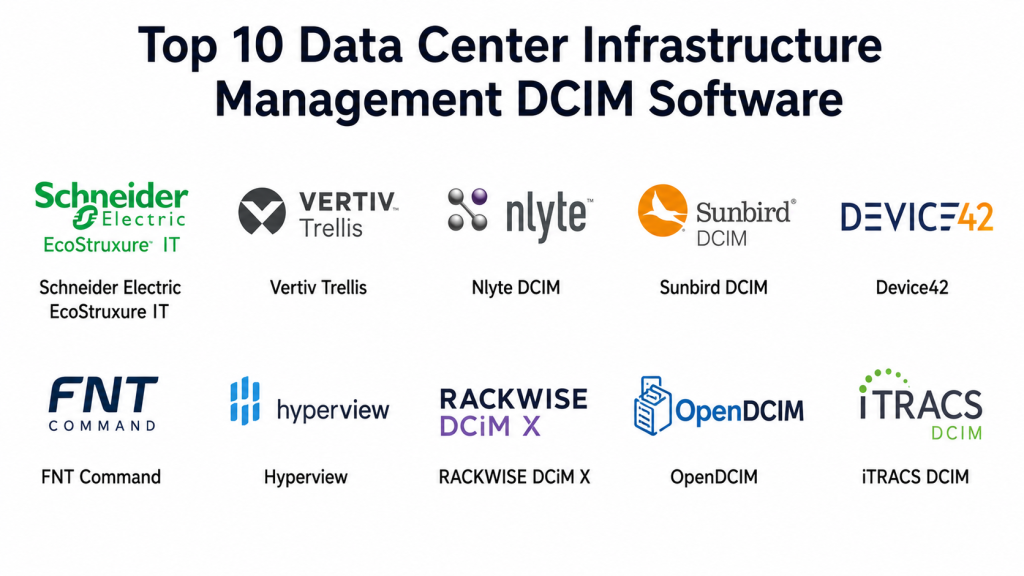
Top 10 Data Center Infrastructure Management DCIM Software
#1 — Schneider Electric EcoStruxure IT
Short description: Schneider Electric EcoStruxure IT is a DCIM and infrastructure monitoring platform designed to help organizations monitor critical power, cooling, environmental conditions, and distributed IT infrastructure. It is especially useful for enterprises, edge sites, server rooms, and data centers that need real-time visibility into uptime risks. The platform supports monitoring, alerting, reporting, and operational insights across data center infrastructure. It is best for organizations that want strong power and facilities-oriented DCIM capabilities.
Key Features
- Infrastructure monitoring for power, cooling, and environmental systems.
- Real-time alerts for critical equipment and site conditions.
- Multi-site and distributed infrastructure visibility.
- Asset and device monitoring across IT environments.
- Energy and capacity visibility depending on configuration.
- Integration with Schneider Electric power and cooling ecosystem.
- Useful for enterprise data centers, server rooms, and edge sites.
Pros
- Strong fit for power and cooling infrastructure monitoring.
- Useful for distributed and edge environments.
- Good ecosystem alignment with Schneider Electric hardware.
- Helps facilities and IT teams coordinate infrastructure health.
Cons
- Best value comes when power and environmental monitoring are priorities.
- Full DCIM depth depends on modules and deployment design.
- May require sensor, device, and infrastructure integration work.
- Buyers should validate asset planning depth for their use case.
Platforms / Deployment
Cloud / Hybrid / Monitoring gateway options / Data center and edge infrastructure environments.
Security & Compliance
Security capabilities may include role-based access, monitoring controls, secure communication, alerts, and administrative permissions depending on configuration. Specific certifications should be verified directly. If uncertain, write: Not publicly stated.
Integrations & Ecosystem
EcoStruxure IT fits infrastructure environments where monitoring power, cooling, UPS systems, racks, and distributed sites is critical.
- Schneider Electric power systems
- UPS and cooling infrastructure
- Environmental sensors
- Monitoring platforms
- Alerting workflows
- Facility operations systems
Support & Community
Schneider Electric provides enterprise support, professional services, partner resources, and infrastructure expertise. It is strongest for organizations that need facilities-grade monitoring and power ecosystem alignment.
#2 — Vertiv Trellis
Short description: Vertiv Trellis is a DCIM platform designed to manage data center assets, power, cooling, capacity, space, and operational workflows. It helps data center teams gain visibility into infrastructure utilization, environmental conditions, and facility performance. Trellis is especially relevant for organizations with complex data centers, colocation environments, or Vertiv infrastructure. It is best for teams that need strong facility and infrastructure management across physical data center operations.
Key Features
- Data center asset and infrastructure management.
- Power and cooling visibility.
- Capacity planning for space, power, and environment.
- Rack and equipment documentation.
- Environmental monitoring and operational insights.
- Workflow support for moves, adds, and changes.
- Integration with facility and infrastructure systems.
Pros
- Strong fit for physical data center operations.
- Good alignment with Vertiv power and cooling ecosystem.
- Useful for capacity and environmental planning.
- Supports infrastructure teams managing complex sites.
Cons
- Implementation can require planning and accurate baseline data.
- Best suited to organizations with mature data center operations.
- Integration effort may vary by facility systems.
- Buyers should validate current product packaging and support.
Platforms / Deployment
Cloud / On-premises / Hybrid options may vary / Data center infrastructure environments.
Security & Compliance
Security capabilities may include user roles, administrative controls, monitoring, reporting, and operational audit features depending on configuration. Specific certifications should be verified directly. If uncertain, write: Not publicly stated.
Integrations & Ecosystem
Vertiv Trellis fits environments where power, cooling, space, and asset data must be managed together.
- Vertiv power and cooling infrastructure
- Building management systems
- Environmental sensors
- IT asset systems
- Workflow tools
- Data center operations dashboards
Support & Community
Vertiv provides enterprise support, partner services, and data center infrastructure expertise. It is strongest for organizations with serious physical infrastructure and facilities requirements.
#3 — Sunbird DCIM
Short description: Sunbird DCIM provides data center infrastructure management for asset tracking, rack visualization, capacity planning, power monitoring, environmental monitoring, and operational reporting. It is widely recognized for visual rack management and data center operations workflows. Sunbird helps teams manage physical infrastructure across enterprise data centers, colocation facilities, and distributed environments. It is best for organizations that need strong visualization, asset accuracy, and capacity planning.
Key Features
- Visual rack, cabinet, and floor map management.
- Asset tracking and lifecycle visibility.
- Power, cooling, and environmental monitoring.
- Capacity planning for space, power, ports, and cooling.
- Cable and connectivity documentation.
- Reporting, dashboards, and analytics.
- Workflow support for moves, adds, and changes.
Pros
- Strong visual DCIM experience.
- Good fit for asset and capacity management.
- Useful for enterprise and colocation environments.
- Helps reduce spreadsheet-based infrastructure tracking.
Cons
- Requires accurate asset and rack data to deliver full value.
- Implementation can take time for large environments.
- Some integrations may require planning.
- Teams must maintain data discipline after rollout.
Platforms / Deployment
Cloud / On-premises / Data center operations platform / Multi-site environments.
Security & Compliance
Security capabilities may include role-based access, audit logs, user permissions, reporting, and administrative controls depending on deployment. Specific certifications should be verified directly. If uncertain, write: Not publicly stated.
Integrations & Ecosystem
Sunbird DCIM fits data center teams that need accurate infrastructure documentation and operational planning.
- ITSM platforms
- CMDB systems
- Power monitoring systems
- Environmental sensors
- Network documentation tools
- Data center operations workflows
Support & Community
Sunbird provides documentation, customer support, implementation guidance, and DCIM best practice resources. It is a strong fit for teams modernizing physical infrastructure management.
#4 — Nlyte DCIM
Short description: Nlyte DCIM helps organizations manage data center assets, capacity, energy, workflows, compliance, and infrastructure operations. It is commonly used by enterprises and service providers that need structured visibility into physical infrastructure and operational processes. Nlyte supports asset lifecycle management, workflow automation, rack planning, power monitoring, and reporting. It is best for large organizations that need mature DCIM governance and operational control.
Key Features
- Data center asset lifecycle management.
- Capacity planning for power, space, and cooling.
- Workflow automation for operational changes.
- Energy and infrastructure utilization reporting.
- Rack and floor planning support.
- Integration with ITSM, CMDB, monitoring, and facility systems.
- Useful for governance, compliance, and operational accountability.
Pros
- Strong enterprise DCIM depth.
- Good fit for operational workflow automation.
- Useful for large and complex data center environments.
- Helps connect facilities and IT operations.
Cons
- Implementation may require strong project planning.
- Best suited to mature infrastructure teams.
- Configuration and integrations can take effort.
- Smaller organizations may find it more than they need.
Platforms / Deployment
Cloud / On-premises / Hybrid options may vary / Enterprise DCIM environments.
Security & Compliance
Security capabilities may include role-based access, audit trails, user permissions, reporting, workflow controls, and administrative governance depending on configuration. Specific certifications should be verified directly. If uncertain, write: Not publicly stated.
Integrations & Ecosystem
Nlyte fits enterprises that need DCIM connected with IT service management, operational governance, and facility systems.
- ITSM platforms
- CMDB systems
- BMS systems
- Power and environmental monitoring
- Workflow automation tools
- Reporting and compliance systems
Support & Community
Nlyte provides enterprise support, implementation resources, and DCIM expertise. It is best suited for organizations ready to standardize data center processes.
#5 — Device42
Short description: Device42 is an infrastructure discovery, asset management, dependency mapping, and data center documentation platform. While broader than traditional DCIM, it helps teams discover IT assets, map dependencies, document racks, manage IP addresses, and maintain accurate infrastructure records. Device42 is useful for organizations that need infrastructure visibility across data centers, cloud, applications, and networks. It is best for IT operations teams that want asset discovery and dependency mapping connected to data center management.
Key Features
- Automated discovery of IT assets and infrastructure.
- Rack diagrams and data center documentation.
- Dependency mapping for applications and services.
- IP address management and network documentation.
- Asset lifecycle and inventory tracking.
- Integrations with ITSM, CMDB, and monitoring tools.
- Useful for migration, audit, and infrastructure planning.
Pros
- Strong asset discovery and dependency mapping.
- Useful across data center, cloud, and application environments.
- Helps reduce manual inventory work.
- Good fit for IT operations and modernization projects.
Cons
- Less facilities-focused than power and cooling-heavy DCIM platforms.
- Advanced power and environmental monitoring may require integrations.
- Best value depends on discovery and documentation needs.
- Data accuracy depends on scan coverage and ongoing maintenance.
Platforms / Deployment
Cloud / On-premises / Virtual appliance options / IT infrastructure environments.
Security & Compliance
Security capabilities may include role-based access, audit logs, encrypted communication, credential management controls, and administrative permissions depending on deployment. Specific certifications should be verified directly. If uncertain, write: Not publicly stated.
Integrations & Ecosystem
Device42 fits environments where asset discovery, dependency mapping, and infrastructure documentation must connect with IT operations.
- ITSM platforms
- CMDB systems
- Monitoring tools
- Cloud platforms
- Network devices
- IPAM and inventory workflows
Support & Community
Device42 provides documentation, support resources, implementation guidance, and IT operations expertise. It is strongest for teams needing accurate infrastructure discovery and dependency visibility.
#6 — FNT Command
Short description: FNT Command is an infrastructure management platform for data centers, networks, telecommunications, and IT asset documentation. It helps organizations manage physical and logical infrastructure, including racks, cabling, circuits, devices, space, power, and network dependencies. FNT Command is especially useful for enterprises, telecom operators, service providers, and large infrastructure environments. It is best for organizations that need detailed infrastructure documentation across data center and network layers.
Key Features
- Data center and network infrastructure documentation.
- Rack, device, cable, circuit, and connectivity management.
- Asset and service dependency visibility.
- Capacity planning across physical and logical infrastructure.
- Workflow and change management support.
- Support for telecom and enterprise infrastructure environments.
- Reporting and visualization tools.
Pros
- Strong fit for complex infrastructure documentation.
- Useful for telecom, service provider, and large enterprise environments.
- Good cable, circuit, and network relationship visibility.
- Supports physical and logical infrastructure planning.
Cons
- May be more complex than basic DCIM tools.
- Implementation requires accurate infrastructure data.
- Best suited to mature infrastructure teams.
- Buyers should validate usability for daily operations teams.
Platforms / Deployment
Cloud / On-premises / Enterprise infrastructure management platform.
Security & Compliance
Security capabilities may include user roles, permissions, auditability, workflow controls, and administrative governance depending on deployment. Specific certifications should be verified directly. If uncertain, write: Not publicly stated.
Integrations & Ecosystem
FNT Command fits organizations that need infrastructure documentation connected across data centers, networks, telecom systems, and service operations.
- Network management systems
- ITSM and CMDB tools
- Telecom infrastructure
- Data center racks and cabling
- Service dependency mapping
- Reporting workflows
Support & Community
FNT provides enterprise support, implementation services, and infrastructure management expertise. It is best suited for organizations with complex data center and network documentation requirements.
#7 — NetZoom DCIM
Short description: NetZoom DCIM helps organizations manage data center assets, racks, capacity, power, cooling, cabling, and infrastructure documentation. It is especially useful for teams that need detailed rack layouts, device templates, connectivity tracking, and data center planning. NetZoom supports visual documentation and operational visibility for data center teams managing equipment across racks and sites. It is best for organizations that need accurate rack-level documentation and capacity visibility.
Key Features
- Rack elevation and floor plan visualization.
- Data center asset tracking.
- Capacity planning for space, power, and cooling.
- Cable and connectivity documentation.
- Device template library and equipment modeling.
- Reporting and infrastructure documentation.
- Multi-site data center management support.
Pros
- Strong rack and asset visualization.
- Useful for capacity and cabling documentation.
- Good fit for teams replacing manual diagrams.
- Helps improve infrastructure planning accuracy.
Cons
- Requires disciplined data entry and updates.
- Advanced monitoring may require integrations.
- Some organizations may need deeper workflow automation.
- Buyers should validate scalability for large environments.
Platforms / Deployment
Cloud / On-premises options may vary / Data center documentation platform.
Security & Compliance
Security capabilities may include user access controls, administrative permissions, reporting, and controlled data access depending on deployment. Specific certifications should be verified directly. If uncertain, write: Not publicly stated.
Integrations & Ecosystem
NetZoom DCIM fits data center teams that need rack, asset, cable, and capacity documentation.
- Rack and cabinet planning
- IT asset systems
- Power and cooling planning
- Cable management workflows
- Facility documentation
- Data center reporting
Support & Community
NetZoom provides documentation, support resources, and implementation assistance. It is a practical option for teams that need stronger visual infrastructure documentation.
#8 — Hyperview
Short description: Hyperview is a cloud-based DCIM platform focused on asset management, capacity planning, power monitoring, environmental monitoring, and data center visualization. It helps data center teams manage infrastructure across sites with a modern cloud interface. Hyperview is useful for enterprise data centers, colocation environments, and distributed infrastructure teams that need visibility without heavy legacy deployment. It is best for organizations that want cloud-native DCIM with practical operational features.
Key Features
- Cloud-based DCIM platform.
- Asset tracking and rack visualization.
- Power and environmental monitoring.
- Capacity planning for space, power, and cooling.
- Floor maps, rack views, and equipment documentation.
- Reporting and analytics dashboards.
- Multi-site data center visibility.
Pros
- Modern cloud-based DCIM experience.
- Good fit for multi-site infrastructure teams.
- Useful for asset, capacity, and environmental monitoring.
- Easier deployment compared with heavy legacy tools.
Cons
- Buyers should validate integration depth for their environment.
- Advanced customization may vary by plan.
- Requires accurate asset data for best results.
- Some enterprises may need additional workflow automation.
Platforms / Deployment
Cloud / Web platform / Multi-site data center environments.
Security & Compliance
Security capabilities may include role-based access, admin controls, monitoring, reporting, and secure cloud access depending on plan. Specific certifications should be verified directly. If uncertain, write: Not publicly stated.
Integrations & Ecosystem
Hyperview fits cloud-first DCIM buyers who need operational visibility across data centers and distributed sites.
- Asset tracking workflows
- Power monitoring systems
- Environmental sensors
- Rack documentation
- Multi-site operations
- Reporting dashboards
Support & Community
Hyperview provides documentation, support, onboarding resources, and cloud DCIM guidance. It is a practical choice for teams modernizing DCIM operations.
#9 — OpenDCIM
Short description: OpenDCIM is an open-source data center infrastructure management tool for organizations that need basic asset tracking, rack management, power tracking, and data center documentation without the cost of enterprise DCIM platforms. It is useful for small teams, labs, nonprofits, and technical users who are comfortable managing open-source software. OpenDCIM can help replace spreadsheets and simple diagrams with a more structured DCIM database. It is best for budget-conscious teams with technical administration skills.
Key Features
- Open-source DCIM software.
- Rack, cabinet, and device documentation.
- Basic power tracking and capacity information.
- Asset and inventory management.
- Data center room and location tracking.
- Reporting and documentation support.
- Useful for small data centers and labs.
Pros
- Open-source and cost-effective.
- Good starting point for basic DCIM needs.
- Useful replacement for spreadsheets.
- Flexible for technical teams that can self-manage.
Cons
- Lacks the polish and support of enterprise DCIM tools.
- Requires self-hosting and technical maintenance.
- Advanced automation, integrations, and monitoring may be limited.
- Not ideal for large enterprise or compliance-heavy environments.
Platforms / Deployment
Self-hosted / Web application / Linux server environments.
Security & Compliance
Security depends on self-hosted configuration, server hardening, access control, patching, backups, and admin practices. Enterprise certifications are Not publicly stated.
Integrations & Ecosystem
OpenDCIM fits technical teams that need basic DCIM structure and are comfortable maintaining their own platform.
- Small data centers
- Labs and test environments
- Internal asset tracking
- Rack documentation
- Basic power capacity tracking
- Self-hosted infrastructure workflows
Support & Community
OpenDCIM relies mainly on community resources and self-managed support. It is best for technical users who can troubleshoot, host, and maintain the system internally.
#10 — RackTables
Short description: RackTables is an open-source data center asset management and rack documentation tool. It helps teams document racks, servers, network equipment, IP addresses, and infrastructure objects. While it is not a full enterprise DCIM platform, it is useful for teams that need simple asset organization and structured rack-level documentation. It is best for small IT teams, labs, hosting environments, and technical groups that need lightweight infrastructure inventory.
Key Features
- Rack and asset documentation.
- Server and network equipment tracking.
- IP address and network object management.
- Location and room organization.
- Basic infrastructure inventory workflows.
- Open-source deployment model.
- Useful for lightweight data center documentation.
Pros
- Open-source and lightweight.
- Useful for small teams and technical environments.
- Helps replace manual rack spreadsheets.
- Flexible enough for basic infrastructure documentation.
Cons
- Not a full DCIM platform.
- Limited power, cooling, and environmental monitoring.
- Requires self-hosting and maintenance.
- Not ideal for large enterprise capacity planning.
Platforms / Deployment
Self-hosted / Web application / Linux server environments.
Security & Compliance
Security depends on self-hosted configuration, access controls, patching, backups, and infrastructure hardening. Enterprise certifications are Not publicly stated.
Integrations & Ecosystem
RackTables fits teams that need simple infrastructure documentation, rack records, and IP tracking.
- Small data centers
- Hosting environments
- Network documentation
- IP address tracking
- Rack inventory
- Technical operations teams
Support & Community
RackTables relies mainly on open-source community resources and self-management. It is best for technical teams that need lightweight infrastructure documentation at low cost.
Comparison Table
| Tool Name | Best For | Platform Supported | Deployment | Standout Feature | Public Rating |
|---|---|---|---|---|---|
| Schneider Electric EcoStruxure IT | Power, cooling, and distributed infrastructure monitoring | Cloud / Hybrid / Gateway options | Cloud / Hybrid | Strong infrastructure monitoring and power ecosystem | |
| Vertiv Trellis | Facility-focused DCIM and capacity planning | Cloud / On-premises / Hybrid options | Varies | Power, cooling, space, and facility operations visibility | |
| Sunbird DCIM | Visual DCIM and capacity planning | Cloud / On-premises | Cloud / On-premises | Strong rack visualization and capacity planning | |
| Nlyte DCIM | Enterprise DCIM governance and workflows | Cloud / On-premises / Hybrid options | Varies | Mature workflow and asset lifecycle management | |
| Device42 | Discovery, dependency mapping, and infrastructure documentation | Cloud / On-premises / Virtual appliance | Cloud / On-premises | Automated discovery and application dependency mapping | |
| FNT Command | Data center, network, and telecom infrastructure documentation | Cloud / On-premises | Cloud / On-premises | Detailed physical and logical infrastructure management | |
| NetZoom DCIM | Rack documentation and asset visualization | Cloud / On-premises options vary | Varies | Detailed rack, cabinet, and cable visualization | |
| Hyperview | Cloud-native DCIM | Cloud / Web platform | Cloud | Modern cloud DCIM for multi-site operations | |
| OpenDCIM | Budget-friendly basic DCIM | Self-hosted / Web app | Self-hosted | Open-source DCIM for small teams | |
| RackTables | Lightweight rack and asset documentation | Self-hosted / Web app | Self-hosted | Open-source rack and network inventory documentation |
Evaluation & Scoring of Data Center Infrastructure Management DCIM Software
| Tool Name | Core 25% | Ease 15% | Integrations 15% | Security 10% | Performance 10% | Support 10% | Value 15% | Weighted Total |
|---|---|---|---|---|---|---|---|---|
| Schneider Electric EcoStruxure IT | 9 | 8 | 9 | 8 | 9 | 9 | 8 | 8.60 |
| Vertiv Trellis | 8 | 7 | 8 | 8 | 8 | 9 | 7 | 7.85 |
| Sunbird DCIM | 9 | 8 | 8 | 8 | 8 | 8 | 8 | 8.25 |
| Nlyte DCIM | 9 | 7 | 9 | 8 | 8 | 8 | 7 | 8.05 |
| Device42 | 8 | 8 | 9 | 8 | 8 | 8 | 8 | 8.20 |
| FNT Command | 8 | 7 | 8 | 8 | 8 | 8 | 7 | 7.70 |
| NetZoom DCIM | 8 | 8 | 7 | 8 | 8 | 8 | 8 | 7.90 |
| Hyperview | 8 | 8 | 8 | 8 | 8 | 8 | 8 | 8.00 |
| OpenDCIM | 6 | 6 | 5 | 6 | 7 | 5 | 9 | 6.35 |
| RackTables | 5 | 6 | 5 | 6 | 7 | 5 | 9 | 6.10 |
These scores are comparative and based on DCIM fit, not absolute product quality. A higher score means the platform aligns strongly with asset management, rack planning, power visibility, cooling insights, workflow support, integrations, reporting, and operational scalability. Enterprise DCIM tools score higher for feature depth and support, while open-source tools score higher for budget value but lower for automation, monitoring, and enterprise readiness. Buyers should adjust the scoring based on whether they need power monitoring, colocation management, rack documentation, asset discovery, or workflow automation.
Which Data Center Infrastructure Management DCIM Software Is Right for You?
Solo / Freelancer
Solo users rarely need enterprise DCIM software unless they manage client server rooms, labs, or hosting environments. For lightweight documentation, RackTables or OpenDCIM can be enough if the user is comfortable self-hosting and maintaining the system. If the goal is simple inventory, a structured asset tool may also work. The key is to avoid buying a complex DCIM platform if there is no real need for power, cooling, rack, and capacity planning.
SMB
SMBs should focus on tools that improve asset accuracy, rack visibility, and basic capacity planning without excessive complexity. Hyperview, NetZoom DCIM, OpenDCIM, and Device42 may be practical depending on budget and technical maturity. If power and UPS monitoring are important, Schneider Electric EcoStruxure IT is worth evaluating. SMBs should start by documenting racks, devices, power connections, and ownership before expanding into advanced workflows.
Mid-Market
Mid-market organizations often need better capacity planning, asset lifecycle tracking, rack management, environmental monitoring, and ITSM integration. Sunbird DCIM, Device42, Hyperview, NetZoom DCIM, and EcoStruxure IT are strong candidates depending on operational focus. If the business has several sites or edge locations, monitoring and reporting become more important. Mid-market buyers should validate integrations with monitoring, ticketing, and CMDB systems.
Enterprise
Enterprises should prioritize scalability, multi-site visibility, workflow automation, power and cooling analytics, role-based access, auditability, and integration with ITSM, BMS, and monitoring platforms. Schneider Electric EcoStruxure IT, Vertiv Trellis, Sunbird DCIM, Nlyte DCIM, Device42, and FNT Command are strong options depending on environment. Enterprises should run a structured rollout with asset discovery, rack validation, sensor integration, and process ownership.
Budget vs Premium
Budget-conscious teams can start with OpenDCIM or RackTables for basic rack and asset documentation. However, these tools require self-management and may not provide advanced monitoring or workflow automation. Premium tools like Sunbird, Nlyte, EcoStruxure IT, Vertiv Trellis, and FNT Command are better when uptime, capacity, power, cooling, and operational governance are critical. Buyers should compare software cost against downtime risk, capacity waste, and manual operations effort.
Feature Depth vs Ease of Use
For feature depth, Nlyte DCIM, Sunbird DCIM, Vertiv Trellis, FNT Command, and EcoStruxure IT provide stronger enterprise capabilities. For ease of use and cloud-first deployment, Hyperview and Device42 may be easier to adopt depending on the use case. For simple documentation, OpenDCIM and RackTables are lightweight but limited. The best choice depends on whether your priority is monitoring, planning, documentation, workflow, or discovery.
Integrations & Scalability
DCIM integrations should include ITSM, CMDB, monitoring, BMS, UPS systems, PDUs, environmental sensors, network management, virtualization tools, and reporting systems. Large teams should verify APIs, authentication, alerting, reporting exports, role-based access, and workflow integration. Colocation providers should evaluate tenant management, customer views, cage management, billing inputs, and cross-connect documentation. Scalability should include sites, racks, assets, power feeds, sensors, and users.
Security & Compliance Needs
Security-sensitive organizations should prioritize SSO, RBAC, audit logs, API controls, secure communication, admin roles, and change history. DCIM systems may contain sensitive information about racks, power feeds, network paths, and critical infrastructure, so access must be carefully controlled. Compliance-focused teams should evaluate reporting, change approval workflows, asset lifecycle evidence, and environmental monitoring history. DCIM should support operational accountability, not become another unmanaged data silo.
Frequently Asked Questions
1. What is DCIM software?
DCIM software helps organizations manage physical data center infrastructure such as racks, servers, power, cooling, cabling, sensors, and capacity. It gives IT and facilities teams a shared view of infrastructure assets and operational conditions. DCIM tools can support planning, monitoring, reporting, and change management. The goal is to improve uptime, efficiency, asset accuracy, and capacity utilization.
2. Why do organizations need DCIM software?
Organizations need DCIM software because spreadsheets and manual diagrams often become inaccurate as data centers grow. DCIM helps track assets, power usage, rack space, cooling conditions, cabling, and capacity constraints. It also improves planning for new deployments and reduces operational mistakes. For critical environments, better visibility can reduce downtime risk and improve infrastructure efficiency.
3. What are common DCIM use cases?
Common use cases include rack planning, asset tracking, power monitoring, cooling optimization, cable management, capacity forecasting, environmental monitoring, change workflows, colocation management, and edge site visibility. DCIM can also help with audits, migrations, sustainability reporting, and infrastructure lifecycle planning. The best use case depends on whether the organization struggles most with assets, power, cooling, space, or workflows.
4. How is DCIM different from IT asset management?
IT asset management tracks hardware, software, ownership, lifecycle, procurement, and financial details. DCIM focuses more on physical data center placement, rack space, power draw, cooling, cabling, environmental status, and infrastructure capacity. The two systems often work together. For example, ITAM may know who owns a server, while DCIM shows where it sits, how it is powered, and what capacity it consumes.
5. Is DCIM useful for small data centers?
Yes, DCIM can be useful for small data centers if the team struggles with rack documentation, power planning, or asset tracking. However, small environments may not need expensive enterprise platforms. Open-source tools or lightweight DCIM platforms may be enough. The decision depends on how critical the infrastructure is, how often changes happen, and how much risk comes from inaccurate documentation.
6. What integrations should DCIM software support?
Important integrations include ITSM, CMDB, monitoring tools, network management, building management systems, PDUs, UPS systems, environmental sensors, virtualization platforms, cloud tools, and reporting systems. Integrations reduce manual updates and improve operational accuracy. Teams should validate APIs and supported devices before purchase. Integration quality often determines whether DCIM becomes a trusted source of truth.
7. How are DCIM tools priced?
DCIM pricing varies by vendor, deployment model, number of racks, devices, sites, sensors, users, modules, and support level. Enterprise tools may use custom pricing, while open-source tools have lower software cost but require internal maintenance. Buyers should consider implementation, integrations, training, support, and data cleanup costs. Total cost should be compared against downtime risk, stranded capacity, and manual labor.
8. What are common DCIM implementation mistakes?
A common mistake is buying software before cleaning up asset, rack, power, and cabling data. Another mistake is treating DCIM as a one-time documentation project instead of an operational system. Some teams also fail to assign data ownership and update processes. Successful implementations start with a focused scope, accurate baseline data, stakeholder ownership, integrations, and clear change management rules.
9. Can DCIM help with energy efficiency?
Yes, DCIM can help with energy efficiency by tracking power usage, rack density, cooling conditions, environmental trends, and capacity utilization. It can show where equipment is underused, where cooling is inefficient, or where power capacity is constrained. Some platforms support energy reporting and sustainability planning. However, results depend on sensor coverage, data quality, and operational follow-through.
10. What is the best DCIM software overall?
There is no single best DCIM software for every organization. Schneider Electric EcoStruxure IT is strong for power and infrastructure monitoring, Sunbird DCIM is strong for visual DCIM and capacity planning, Nlyte DCIM fits enterprise workflows, Device42 is useful for discovery and dependency mapping, and Hyperview is a strong cloud-native option. Open-source tools such as OpenDCIM and RackTables are better for basic documentation and budget-conscious teams.
Conclusion
Data Center Infrastructure Management DCIM Software helps organizations gain control over racks, assets, power, cooling, cabling, capacity, workflows, and environmental conditions across data centers and edge sites. The right platform depends on your operational priorities: Schneider Electric EcoStruxure IT is strong for power and infrastructure monitoring, Vertiv Trellis fits facility-oriented DCIM, Sunbird DCIM is strong for visualization and capacity planning, Nlyte DCIM supports enterprise workflows, and Device42 adds strong discovery and dependency mapping. FNT Command, NetZoom DCIM, and Hyperview serve different documentation, infrastructure, and cloud-native DCIM needs, while OpenDCIM and RackTables are useful for lightweight or budget-conscious teams. Buyers should not choose only by feature lists; they should test data accuracy, rack workflows, power integrations, reporting, security, support, and operational adoption. Start with a clean asset baseline, shortlist two or three tools, run a pilot on one data hall or site, validate integrations and change workflows, then scale once the platform becomes a trusted operational source of truth.

This article clearly explains DCIM software and how it helps organizations monitor, manage, and optimize data center infrastructure more efficiently.
This article clearly explains DCIM software and how it helps organizations monitor, manage, and optimize data center infrastructure for better performance and efficiency.
This article gives a very informative overview of DCIM software with clear comparisons and practical insights. The simple explanations made it much easier to understand the strengths of each platform.
This article provides a very clear and practical overview of DCIM software with well-structured comparisons and useful insights. The explanations were simple, informative, and easy to follow.
Real value from DCIM comes from accurate, continuously updated asset data. Even advanced tools become less effective when infrastructure records drift from reality.