Introduction
Performance testing tools are software solutions designed to evaluate how applications behave under different workloads. In simple terms, they help teams understand how fast, stable, and scalable their systems are before real users experience them. These tools simulate user traffic, identify bottlenecks, and ensure applications can handle expected (and unexpected) demand.
In the modern landscape, where cloud-native apps, microservices, APIs, and real-time systems dominate, performance testing is no longer optional—it’s mission-critical. Downtime, slow load times, or crashes directly impact revenue, user experience, and brand trust.
Common use cases include:
- Load testing web and mobile applications before release
- Stress testing systems during peak traffic scenarios
- API performance validation in microservices environments
- Capacity planning for infrastructure scaling
- Continuous performance testing in CI/CD pipelines
Buyers should evaluate:
- Ease of scripting and test creation
- Scalability and distributed testing capability
- Real-time analytics and reporting
- Integration with CI/CD pipelines
- Protocol support (HTTP, WebSockets, APIs, etc.)
- Cloud vs on-premise flexibility
- Cost structure and licensing
- Security and compliance features
Best for: DevOps teams, QA engineers, SREs, performance engineers, and enterprises building scalable digital products.
Not ideal for: Small projects with minimal traffic or teams without performance-critical workloads—basic monitoring tools may suffice instead.
Key Trends in Performance Testing Tools for 2026 and Beyond
- AI-driven test generation reducing manual scripting effort
- Shift-left performance testing integrated early in development cycles
- Cloud-native load testing enabling massive scalability without infrastructure overhead
- Observability integration combining logs, metrics, and traces
- Real-user simulation (RUM + synthetic hybrid) for realistic scenarios
- API-first performance testing as microservices dominate architectures
- Low-code/no-code interfaces for non-technical teams
- Cost-efficient usage-based pricing models replacing heavy licenses
- Security-aware testing including compliance and vulnerability checks
- Kubernetes-native testing tools optimized for container environments
How We Selected These Tools (Methodology)
- Evaluated market adoption and industry recognition
- Assessed feature completeness across load, stress, and scalability testing
- Reviewed performance and reliability benchmarks
- Considered security and compliance capabilities
- Analyzed integration ecosystems (CI/CD, cloud, monitoring tools)
- Balanced enterprise-grade and developer-friendly tools
- Included both open-source and commercial solutions
- Considered community support and documentation quality
- Evaluated scalability and distributed testing capabilities
- Focused on real-world usability across company sizes
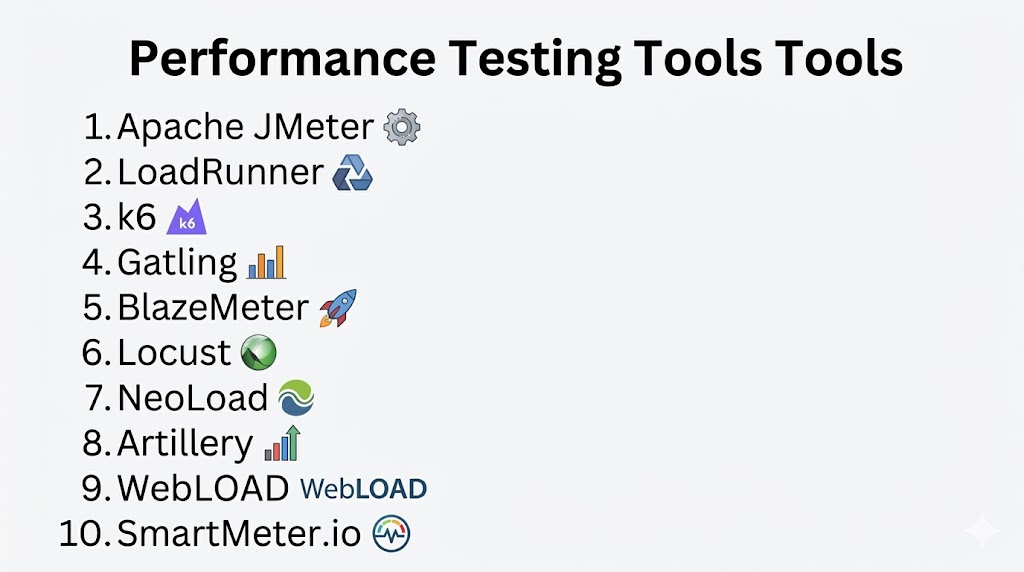
Top 10 Performance Testing Tools Tools
#1 — Apache JMeter
Short description: A widely used open-source performance testing tool ideal for load testing web applications, APIs, and services.
Key Features
- Supports multiple protocols (HTTP, FTP, JDBC, etc.)
- GUI and CLI modes for flexibility
- Distributed load testing
- Extensive plugin ecosystem
- Scriptable test scenarios
- Real-time reporting dashboards
Pros
- Free and open-source
- Highly customizable
Cons
- Steep learning curve
- GUI can be resource-heavy
Platforms / Deployment
- Windows / macOS / Linux
- Self-hosted
Security & Compliance
- Not publicly stated
Integrations & Ecosystem
Integrates with CI/CD tools and monitoring platforms.
- Jenkins
- GitLab CI
- Grafana
- Prometheus
- Custom plugins
Support & Community
Strong open-source community, extensive documentation.
#2 — LoadRunner (OpenText)
Short description: Enterprise-grade performance testing suite for complex, large-scale applications.
Key Features
- Supports hundreds of protocols
- Advanced analytics
- Cloud and on-premise testing
- AI-driven insights
- Real-time monitoring
Pros
- Highly scalable
- Enterprise-level capabilities
Cons
- Expensive
- Complex setup
Platforms / Deployment
- Cloud / Self-hosted / Hybrid
Security & Compliance
- Enterprise-grade security (details vary)
Integrations & Ecosystem
- CI/CD tools
- APM solutions
- Enterprise systems
Support & Community
Strong enterprise support and documentation.
#3 — k6
Short description: Developer-centric, modern performance testing tool designed for automation and scripting.
Key Features
- JavaScript-based scripting
- CLI-first design
- Cloud execution option
- API-focused testing
- Lightweight architecture
Pros
- Developer-friendly
- Fast execution
Cons
- Limited GUI
- Advanced features require paid version
Platforms / Deployment
- Cloud / Self-hosted
Security & Compliance
- Not publicly stated
Integrations & Ecosystem
- CI/CD pipelines
- Grafana
- APIs
Support & Community
Growing community with good documentation.
#4 — Gatling
Short description: High-performance load testing tool focused on automation and DevOps integration.
Key Features
- Scala-based scripting
- High concurrency support
- Detailed reports
- CI/CD integration
- Scenario-based testing
Pros
- Efficient resource usage
- Great reporting
Cons
- Requires coding knowledge
- Limited GUI
Platforms / Deployment
- Cloud / Self-hosted
Security & Compliance
- Not publicly stated
Integrations & Ecosystem
- Jenkins
- GitHub Actions
- APIs
Support & Community
Active community and commercial support available.
#5 — BlazeMeter
Short description: Cloud-based performance testing platform built around JMeter and modern testing needs.
Key Features
- Cloud load generation
- JMeter compatibility
- API testing
- Real-time analytics
- CI/CD integration
Pros
- Easy scalability
- User-friendly UI
Cons
- Cost can increase with usage
- Limited offline capability
Platforms / Deployment
- Cloud
Security & Compliance
- Not publicly stated
Integrations & Ecosystem
- Jenkins
- GitLab
- APIs
Support & Community
Strong commercial support.
#6 — Locust
Short description: Open-source Python-based load testing tool focused on simplicity and flexibility.
Key Features
- Python scripting
- Distributed testing
- Real-time web UI
- Lightweight design
- Custom test logic
Pros
- Easy to use for Python developers
- Flexible
Cons
- Limited protocol support
- Basic reporting
Platforms / Deployment
- Self-hosted
Security & Compliance
- Not publicly stated
Integrations & Ecosystem
- CI/CD tools
- Python ecosystem
Support & Community
Active open-source community.
#7 — NeoLoad
Short description: Enterprise performance testing tool optimized for continuous testing in DevOps environments.
Key Features
- Automated test design
- CI/CD integration
- Cloud scalability
- Real-time analytics
- API testing
Pros
- Easy automation
- Enterprise-ready
Cons
- Licensing cost
- Learning curve
Platforms / Deployment
- Cloud / Self-hosted
Security & Compliance
- Not publicly stated
Integrations & Ecosystem
- Jenkins
- Azure DevOps
- APIs
Support & Community
Strong enterprise support.
#8 — Artillery
Short description: Modern, lightweight performance testing tool for APIs and microservices.
Key Features
- YAML/JS scripting
- Cloud execution
- Real-time metrics
- API testing focus
- CI/CD integration
Pros
- Easy setup
- Developer-friendly
Cons
- Limited enterprise features
- Smaller ecosystem
Platforms / Deployment
- Cloud / Self-hosted
Security & Compliance
- Not publicly stated
Integrations & Ecosystem
- CI/CD tools
- APIs
Support & Community
Moderate community support.
#9 — WebLOAD
Short description: Enterprise performance testing tool with strong analytics and reporting capabilities.
Key Features
- Load testing at scale
- Real-time monitoring
- Advanced analytics
- Cloud integration
- Script-based testing
Pros
- Strong reporting
- Scalable
Cons
- Costly
- Complex setup
Platforms / Deployment
- Cloud / Self-hosted
Security & Compliance
- Not publicly stated
Integrations & Ecosystem
- CI/CD tools
- Monitoring platforms
Support & Community
Commercial support available.
#10 — SmartMeter.io
Short description: Performance testing tool built on JMeter with enhanced reporting and ease of use.
Key Features
- JMeter compatibility
- Advanced reporting
- CI/CD integration
- Distributed testing
- Real-time dashboards
Pros
- Easier than JMeter
- Good reporting
Cons
- Paid solution
- Smaller community
Platforms / Deployment
- Self-hosted
Security & Compliance
- Not publicly stated
Integrations & Ecosystem
- Jenkins
- APIs
- JMeter plugins
Support & Community
Commercial support available.
Comparison Table (Top 10)
| Tool Name | Best For | Platform(s) Supported | Deployment | Standout Feature | Public Rating |
|---|---|---|---|---|---|
| Apache JMeter | Open-source users | Windows/macOS/Linux | Self-hosted | Plugin ecosystem | N/A |
| LoadRunner | Enterprises | Cross-platform | Hybrid | Protocol support | N/A |
| k6 | Developers | CLI-based | Hybrid | JS scripting | N/A |
| Gatling | DevOps teams | Cross-platform | Hybrid | High concurrency | N/A |
| BlazeMeter | Cloud teams | Web | Cloud | JMeter cloud scaling | N/A |
| Locust | Python devs | Cross-platform | Self-hosted | Python scripting | N/A |
| NeoLoad | Enterprises | Cross-platform | Hybrid | CI/CD automation | N/A |
| Artillery | API testing | CLI/Web | Hybrid | Lightweight design | N/A |
| WebLOAD | Large enterprises | Cross-platform | Hybrid | Advanced analytics | N/A |
| SmartMeter.io | JMeter users | Cross-platform | Self-hosted | Enhanced reporting | N/A |
Evaluation & Scoring of Performance Testing Tools
| Tool | Core | Ease | Integrations | Security | Performance | Support | Value | Total |
|---|---|---|---|---|---|---|---|---|
| JMeter | 9 | 6 | 8 | 5 | 8 | 7 | 9 | 7.6 |
| LoadRunner | 10 | 6 | 9 | 8 | 10 | 9 | 6 | 8.4 |
| k6 | 8 | 8 | 8 | 6 | 8 | 7 | 8 | 7.8 |
| Gatling | 8 | 7 | 8 | 6 | 9 | 7 | 7 | 7.7 |
| BlazeMeter | 8 | 8 | 9 | 7 | 8 | 8 | 7 | 8.0 |
| Locust | 7 | 8 | 7 | 5 | 7 | 7 | 9 | 7.4 |
| NeoLoad | 9 | 7 | 9 | 7 | 9 | 8 | 6 | 8.1 |
| Artillery | 7 | 8 | 7 | 5 | 7 | 6 | 8 | 7.2 |
| WebLOAD | 8 | 6 | 8 | 7 | 9 | 7 | 6 | 7.6 |
| SmartMeter.io | 7 | 8 | 7 | 5 | 7 | 6 | 7 | 7.1 |
How to interpret:
- Scores are comparative across tools, not absolute.
- Higher total indicates better overall balance.
- Enterprise tools score higher on features but lower on cost.
- Open-source tools score higher on value but may lack support.
Which Performance Testing Tools Tool Is Right for You?
Solo / Freelancer
Use k6, Locust, or JMeter for low-cost, flexible testing.
SMB
Choose BlazeMeter or Gatling for ease and scalability.
Mid-Market
NeoLoad or k6 Cloud offer strong CI/CD integration.
Enterprise
LoadRunner or WebLOAD for large-scale, complex systems.
Budget vs Premium
- Budget: JMeter, Locust
- Premium: LoadRunner, NeoLoad
Feature Depth vs Ease of Use
- Easy: BlazeMeter, k6
- Advanced: LoadRunner, Gatling
Integrations & Scalability
- Best: NeoLoad, BlazeMeter
Security & Compliance Needs
- Enterprise tools generally provide better security controls.
Frequently Asked Questions (FAQs)
1. What is performance testing?
It evaluates system speed, scalability, and stability under load conditions.
2. Are open-source tools reliable?
Yes, tools like JMeter and Locust are widely used but may need expertise.
3. How much do these tools cost?
Varies from free (open-source) to enterprise licensing.
4. Can I integrate with CI/CD?
Most modern tools support CI/CD pipelines.
5. What is load vs stress testing?
Load tests expected usage; stress tests extreme conditions.
6. Do I need coding skills?
Some tools require scripting; others offer low-code options.
7. How scalable are cloud tools?
Highly scalable, often supporting millions of virtual users.
8. What protocols are supported?
Depends on tool—HTTP, APIs, WebSockets, etc.
9. Can I switch tools easily?
Migration depends on scripting compatibility.
10. What are alternatives?
Monitoring tools and APM solutions can complement testing.
Conclusion
Performance testing tools are essential for delivering fast, reliable, and scalable applications in today’s digital environment. From open-source flexibility to enterprise-grade power, the right tool depends on your team’s size, technical expertise, and system complexity. There is no one-size-fits-all solution—each tool brings unique strengths in scalability, automation, or usability. The smartest approach is to shortlist two or three tools that align with your needs, run pilot tests, and evaluate integration, cost, and performance insights before committing. This ensures you invest in a solution that truly supports your long-term growth and system reliability.
