Introduction
A Content Management System (CMS) is software that allows users to create, manage, edit, and publish digital content—typically for websites—without needing advanced coding skills.
In simple terms, a CMS lets businesses and individuals build and manage websites using a visual interface instead of writing code. It separates content from design, making updates faster and more accessible for non-technical users.
Today, CMS platforms are central to digital operations. They power websites, blogs, ecommerce stores, and enterprise content workflows, enabling teams to collaborate, publish content quickly, and scale online presence efficiently.
Why it matters now
- Businesses rely heavily on digital content and websites
- Faster publishing cycles are critical for marketing and growth
- Non-technical teams need autonomy over content
- Omnichannel content delivery is becoming standard
Common use cases
- Website and blog management
- Ecommerce product catalog management
- Corporate portals and intranets
- Marketing landing pages
- Content publishing and media platforms
What buyers should evaluate
- Ease of use and editor experience
- Customization and flexibility
- Integration with third-party tools
- SEO and performance capabilities
- Security and access control
- Scalability for growing content needs
- Plugin and extension ecosystem
- Headless or traditional architecture support
- Pricing and hosting options
Best for: Marketers, developers, content teams, startups, and enterprises managing websites or digital platforms.
Not ideal for: Projects requiring highly custom backend logic without content focus, or simple static sites where a CMS may be unnecessary overhead.
Key Trends in Content Management Systems (CMS)
- Headless CMS adoption: Decoupled architecture enables omnichannel delivery via APIs
- AI-assisted content creation: Tools for generating, optimizing, and personalizing content
- Composable architecture: Modular systems combining multiple tools instead of monolithic platforms
- Low-code/no-code builders: Drag-and-drop interfaces for non-developers
- Personalization engines: Dynamic content based on user behavior
- Cloud-native CMS: SaaS-first platforms with scalability and automatic updates
- SEO and performance optimization: Built-in tools for ranking and speed
- Security-first design: Role-based access, audit logs, and compliance features
- Integration ecosystems: Deep connections with marketing, analytics, and commerce tools
How We Selected These Tools (Methodology)
- Market adoption and global popularity
- Feature completeness (content, design, workflows)
- Ease of use for non-technical users
- Flexibility for developers and customization
- Integration ecosystem and API availability
- Performance and scalability
- Security and reliability signals
- Suitability across different business sizes
- Community support and documentation
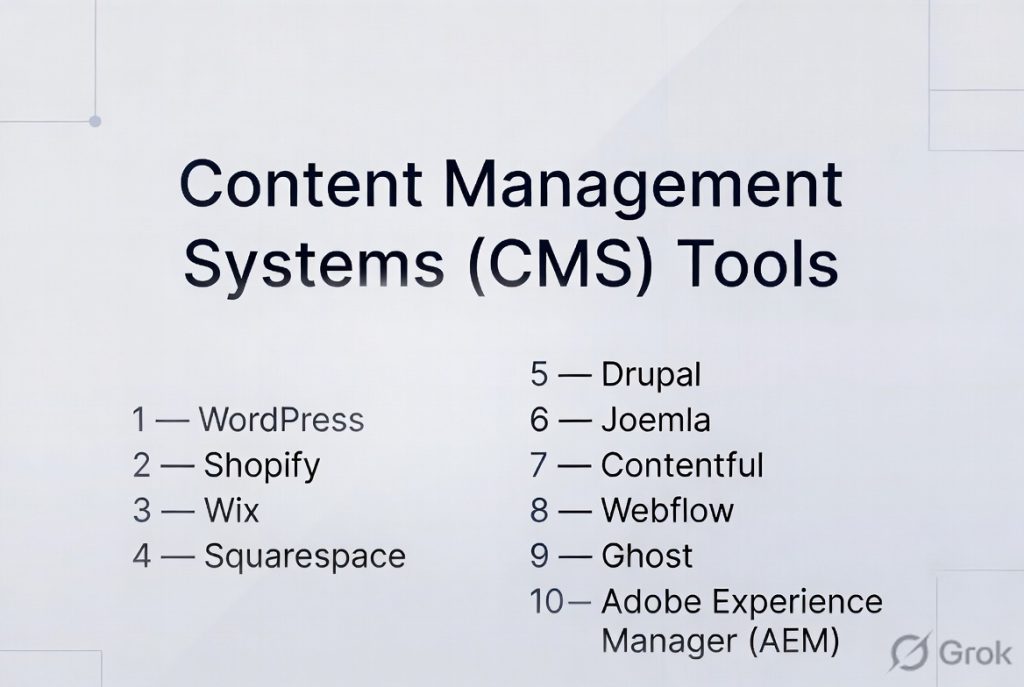
Top 10 Content Management Systems (CMS) Tools
#1 — WordPress
Short description: The most widely used CMS globally, known for flexibility, plugins, and strong community support.
Key Features
- Open-source platform
- Thousands of plugins and themes
- SEO-friendly architecture
- Content editor and media management
- Large developer ecosystem
- Customizable design
- Ecommerce support via plugins
Pros
- Highly flexible
- Massive community support
- Suitable for all business sizes
Cons
- Requires maintenance
- Plugin conflicts possible
Platforms / Deployment
Web / Self-hosted / Cloud
Security & Compliance
Varies based on setup
Integrations & Ecosystem
Extensive ecosystem with plugins and APIs.
- Marketing tools
- Ecommerce platforms
- Analytics tools
- APIs
Support & Community
Very large global community and documentation.
#2 — Shopify
Short description: A leading ecommerce CMS designed for building and managing online stores.
Key Features
- Ecommerce-focused CMS
- Built-in payment processing
- Product and inventory management
- Customizable themes
- App marketplace
- Hosting included
Pros
- Easy to set up
- Strong ecommerce features
- Reliable hosting
Cons
- Limited flexibility outside ecommerce
- Transaction fees
Platforms / Deployment
Web
Cloud
Security & Compliance
Encryption, secure payments
Varies / Not publicly stated
Integrations & Ecosystem
Strong ecommerce ecosystem.
- Payment gateways
- Marketing tools
- APIs
Support & Community
Strong support and documentation.
#3 — Wix
Short description: A beginner-friendly CMS with drag-and-drop website building capabilities.
Key Features
- Visual editor
- Templates and design tools
- Built-in hosting
- SEO tools
- App marketplace
- Mobile optimization
Pros
- Very easy to use
- No coding required
- Fast setup
Cons
- Limited customization
- Less scalable
Platforms / Deployment
Web
Cloud
Security & Compliance
Varies / Not publicly stated
Integrations & Ecosystem
- Apps marketplace
- Business tools
- APIs
Support & Community
Good support and onboarding.
#4 — Squarespace
Short description: A design-focused CMS ideal for creatives and small businesses.
Key Features
- Beautiful templates
- Built-in blogging tools
- Ecommerce support
- Hosting included
- SEO tools
- Analytics
Pros
- Strong design capabilities
- Easy to use
- All-in-one platform
Cons
- Limited customization
- Pricing higher than some alternatives
Platforms / Deployment
Web
Cloud
Security & Compliance
Varies / Not publicly stated
Integrations & Ecosystem
- Design tools
- Business integrations
- APIs
Support & Community
Good support and resources.
#5 — Drupal
Short description: A powerful open-source CMS designed for complex and large-scale websites.
Key Features
- Highly customizable
- Strong security features
- Role-based permissions
- Scalable architecture
- Modular system
- Multilingual support
Pros
- Highly secure
- Flexible for developers
- Suitable for enterprise
Cons
- Steep learning curve
- Requires technical expertise
Platforms / Deployment
Web / Self-hosted
Security & Compliance
Strong security framework
Varies / Not publicly stated
Integrations & Ecosystem
- APIs
- Enterprise integrations
- Custom modules
Support & Community
Strong developer community.
#6 — Joomla
Short description: An open-source CMS offering a balance between ease of use and flexibility.
Key Features
- Content management tools
- Extensions marketplace
- Multilingual support
- Template system
- User management
- SEO features
Pros
- Flexible
- Free and open-source
- Good community
Cons
- Less intuitive than Wix or WordPress
- Smaller ecosystem
Platforms / Deployment
Web / Self-hosted
Security & Compliance
Varies / Not publicly stated
Integrations & Ecosystem
- Extensions
- APIs
- Plugins
Support & Community
Active community support.
#7 — Contentful
Short description: A headless CMS designed for developers and omnichannel content delivery.
Key Features
- API-first architecture
- Content modeling
- Omnichannel delivery
- Cloud-native platform
- Scalable infrastructure
- Developer tools
Pros
- Flexible content delivery
- Scalable
- Developer-friendly
Cons
- Requires technical expertise
- Not beginner-friendly
Platforms / Deployment
Web
Cloud
Security & Compliance
Varies / Not publicly stated
Integrations & Ecosystem
- APIs
- Frontend frameworks
- Digital platforms
Support & Community
Strong developer documentation.
#8 — Webflow
Short description: A CMS and visual development platform combining design and content management.
Key Features
- Visual design builder
- CMS collections
- Hosting included
- Responsive design
- SEO tools
- Custom animations
Pros
- Powerful design control
- No coding required
- Good for designers
Cons
- Learning curve
- Limited backend flexibility
Platforms / Deployment
Web
Cloud
Security & Compliance
Varies / Not publicly stated
Integrations & Ecosystem
- Design tools
- APIs
- Marketing tools
Support & Community
Strong learning resources.
#9 — Ghost
Short description: A modern CMS focused on publishing, blogging, and memberships.
Key Features
- Clean writing interface
- Membership and subscription tools
- SEO optimization
- Fast performance
- Open-source
- API support
Pros
- Fast and lightweight
- Great for content creators
- Modern UI
Cons
- Limited customization
- Smaller ecosystem
Platforms / Deployment
Web / Self-hosted / Cloud
Security & Compliance
Varies / Not publicly stated
Integrations & Ecosystem
- APIs
- Publishing tools
- Membership systems
Support & Community
Growing community.
#10 — Adobe Experience Manager (AEM)
Short description: An enterprise-grade CMS designed for large organizations and digital experience management.
Key Features
- Enterprise content management
- Personalization tools
- Workflow automation
- Digital asset management
- Omnichannel delivery
- Integration with enterprise tools
Pros
- Powerful enterprise capabilities
- Advanced personalization
- Scalable
Cons
- Expensive
- Complex implementation
Platforms / Deployment
Web
Cloud / Hybrid
Security & Compliance
Enterprise-grade controls
Varies / Not publicly stated
Integrations & Ecosystem
- Marketing tools
- Analytics
- APIs
- Enterprise systems
Support & Community
Enterprise-level support.
Comparison Table (Top 10)
| Tool Name | Best For | Platform(s) Supported | Deployment | Standout Feature | Public Rating |
|---|---|---|---|---|---|
| WordPress | All users | Web | Hybrid | Plugin ecosystem | N/A |
| Shopify | Ecommerce | Web | Cloud | Built-in store tools | N/A |
| Wix | Beginners | Web | Cloud | Drag-and-drop builder | N/A |
| Squarespace | Creatives | Web | Cloud | Design templates | N/A |
| Drupal | Enterprise | Web | Self-hosted | Security | N/A |
| Joomla | Balanced users | Web | Self-hosted | Flexibility | N/A |
| Contentful | Developers | Web | Cloud | Headless CMS | N/A |
| Webflow | Designers | Web | Cloud | Visual development | N/A |
| Ghost | Bloggers | Web | Hybrid | Speed | N/A |
| AEM | Enterprise | Web | Hybrid | Personalization | N/A |
Evaluation & Scoring of Content Management Systems (CMS)
| Tool Name | Core (25%) | Ease (15%) | Integrations (15%) | Security (10%) | Performance (10%) | Support (10%) | Value (15%) | Weighted Total |
|---|---|---|---|---|---|---|---|---|
| WordPress | 9 | 8 | 9 | 7 | 8 | 9 | 9 | 8.6 |
| Shopify | 8 | 9 | 8 | 8 | 8 | 8 | 7 | 8.2 |
| Wix | 7 | 10 | 7 | 7 | 7 | 8 | 8 | 7.9 |
| Squarespace | 7 | 9 | 7 | 7 | 7 | 8 | 7 | 7.6 |
| Drupal | 9 | 5 | 8 | 9 | 8 | 7 | 7 | 7.8 |
| Joomla | 8 | 6 | 7 | 7 | 7 | 7 | 8 | 7.5 |
| Contentful | 9 | 6 | 9 | 8 | 9 | 7 | 7 | 8.1 |
| Webflow | 8 | 8 | 7 | 7 | 8 | 7 | 7 | 7.7 |
| Ghost | 7 | 8 | 6 | 7 | 9 | 7 | 8 | 7.6 |
| AEM | 10 | 5 | 9 | 9 | 9 | 8 | 6 | 8.2 |
How to interpret scores:
- Scores compare tools relative to each other
- Higher scores indicate stronger overall capability
- Developer-focused tools score higher in flexibility
- Beginner tools score higher in ease of use
- Enterprise tools score higher in security and performance
Which Content Management System (CMS) Tool Is Right for You?
Solo / Freelancer
- Best: Wix, Ghost
- Focus on ease of use and quick setup
SMB
- Best: WordPress, Shopify, Squarespace
- Balance flexibility with usability
Mid-Market
- Best: WordPress, Webflow, Contentful
- Need customization and scalability
Enterprise
- Best: Adobe Experience Manager, Drupal
- Focus on performance, security, and workflows
Budget vs Premium
- Budget: WordPress, Joomla
- Premium: AEM, Contentful
Feature Depth vs Ease of Use
- Feature-rich: Drupal, AEM
- Easy: Wix, Squarespace
Integrations & Scalability
- Best: WordPress, Contentful
Security & Compliance Needs
- High: Drupal, AEM
- Standard: Wix, Squarespace
Frequently Asked Questions (FAQs)
What is a CMS?
A CMS is software that helps create and manage digital content without coding.
Do I need coding skills to use a CMS?
No, most CMS platforms are designed for non-technical users.
What is the difference between CMS and website builder?
CMS manages content, while website builders focus on design and layout.
Which CMS is best for beginners?
Wix and Squarespace are popular beginner-friendly options.
Is WordPress free?
Yes, the core software is free, but hosting and plugins may cost.
What is a headless CMS?
A CMS that delivers content via APIs without a built-in frontend.
Can CMS handle ecommerce?
Yes, platforms like Shopify and WordPress support ecommerce.
How secure are CMS platforms?
Security depends on configuration, updates, and hosting.
Can I switch CMS later?
Yes, but migration can require effort and planning.
What are common mistakes when choosing a CMS?
Ignoring scalability, integrations, and long-term needs.
Conclusion
Content Management Systems have become the backbone of digital presence for businesses of all sizes. From simple website builders to advanced enterprise platforms, CMS tools empower teams to create, manage, and scale content efficiently.
