Introduction
Digital Rights Management (DRM) Software is used to protect digital content—such as videos, music, documents, software, and ebooks—from unauthorized access, copying, and distribution. In simple terms, DRM ensures that only authorized users can access and use digital assets under defined conditions.
As digital content consumption grows across platforms, protecting intellectual property has become a core priority for businesses. DRM solutions now go beyond basic encryption, offering advanced features like user authentication, watermarking, licensing controls, and analytics.
Why it matters now
- Increasing digital content distribution across platforms
- Rising risks of piracy and unauthorized sharing
- Need to protect intellectual property and revenue streams
- Growing compliance and data security requirements
Common use cases
- Video streaming platforms protecting premium content
- Ebook publishers preventing unauthorized distribution
- Software companies managing licensing and usage
- Enterprises securing confidential documents
- Media companies controlling content access
What buyers should evaluate
- Strength of encryption and content protection
- Licensing and access control flexibility
- Ease of integration with existing systems
- Scalability for large content libraries
- User experience (friction vs security balance)
- Multi-device and platform support
- Analytics and usage tracking
- Compliance and security features
- Pricing model and total cost of ownership
Best for: Media companies, OTT platforms, publishers, software vendors, and enterprises that distribute or monetize digital content.
Not ideal for: Businesses that do not handle sensitive or proprietary digital assets, or those needing only basic file-sharing protections.
Key Trends in Digital Rights Management (DRM) Software
- Multi-DRM strategies: Supporting multiple DRM standards across devices and platforms
- Cloud-based DRM platforms: Easier scalability and global content delivery
- Advanced watermarking: Dynamic and forensic watermarking to trace leaks
- Integration with streaming platforms: DRM tightly integrated with video delivery pipelines
- Zero-trust access controls: Stronger authentication and authorization layers
- AI-driven piracy detection: Monitoring and identifying unauthorized distribution
- Cross-platform compatibility: Seamless protection across mobile, web, and smart devices
- Flexible licensing models: Subscription, rental, and usage-based access control
- Enhanced analytics: Tracking content usage and user behavior
How We Selected These Tools (Methodology)
- Industry adoption and credibility
- Strength of DRM protection mechanisms
- Feature completeness (encryption, licensing, watermarking)
- Scalability and performance
- Integration with content delivery systems
- Security and compliance readiness
- Flexibility across industries and use cases
- Developer support and APIs
- Ease of deployment and usability
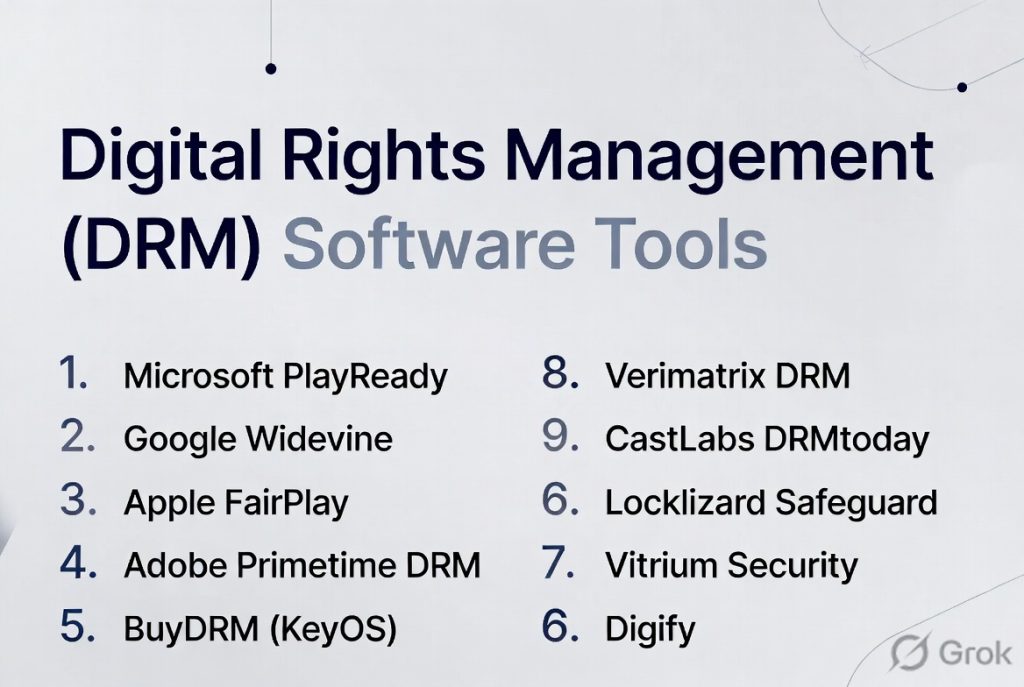
Top 10 Digital Rights Management (DRM) Software Tools
#1 — Microsoft PlayReady
Short description: A widely used DRM solution designed for protecting video and multimedia content across devices.
Key Features
- Multi-device DRM support
- Content encryption
- Flexible licensing models
- Offline playback support
- Integration with streaming platforms
- Scalable deployment
Pros
- Strong industry adoption
- Reliable performance
- Good cross-platform support
Cons
- Complex integration
- Requires technical expertise
Platforms / Deployment
Web / Mobile / Smart devices
Cloud / Hybrid
Security & Compliance
Encryption, authentication
Varies / Not publicly stated
Integrations & Ecosystem
Works with content delivery and streaming systems.
- Video platforms
- Streaming services
- APIs
Support & Community
Strong enterprise support and documentation.
#2 — Google Widevine
Short description: A popular DRM solution used for securing video content across browsers and devices.
Key Features
- Multi-level security (L1, L2, L3)
- Cross-platform compatibility
- Streaming integration
- Adaptive bitrate support
- Secure playback
Pros
- Widely supported
- Strong device compatibility
- Scalable
Cons
- Limited to supported ecosystems
- Technical setup required
Platforms / Deployment
Web / Mobile / Smart devices
Cloud
Security & Compliance
Encryption and secure playback
Varies / Not publicly stated
Integrations & Ecosystem
Deep integration with streaming platforms.
- Browsers
- Mobile platforms
- APIs
Support & Community
Strong developer support.
#3 — Apple FairPlay
Short description: DRM solution designed for protecting content within Apple’s ecosystem.
Key Features
- Secure streaming
- Device-level protection
- Integration with Apple platforms
- Offline playback
- Content encryption
Pros
- Strong security
- Seamless Apple integration
- Reliable playback
Cons
- Limited to Apple ecosystem
- Not cross-platform
Platforms / Deployment
iOS / macOS / Apple devices
Cloud
Security & Compliance
Encryption and secure playback
Varies / Not publicly stated
Integrations & Ecosystem
Optimized for Apple ecosystem.
- Apple platforms
- Streaming apps
Support & Community
Strong support within Apple ecosystem.
#4 — Adobe Primetime DRM
Short description: A DRM solution focused on protecting video streaming and broadcast content.
Key Features
- Multi-DRM support
- Content protection
- Streaming integration
- License management
- Cross-platform playback
Pros
- Strong video DRM capabilities
- Supports multiple DRM standards
- Reliable performance
Cons
- Complex setup
- Enterprise-focused
Platforms / Deployment
Web / Mobile
Cloud
Security & Compliance
Varies / Not publicly stated
Integrations & Ecosystem
Designed for media workflows.
- Streaming platforms
- Content delivery systems
Support & Community
Enterprise-level support.
#5 — BuyDRM (KeyOS)
Short description: A commercial DRM provider offering multi-DRM solutions for video and media content.
Key Features
- Multi-DRM support
- License server
- Content encryption
- Cloud delivery
- Analytics
Pros
- Flexible deployment
- Good support
- Strong media focus
Cons
- Pricing varies
- Requires integration effort
Platforms / Deployment
Web / Mobile
Cloud
Security & Compliance
Varies / Not publicly stated
Integrations & Ecosystem
Supports media delivery workflows.
- Streaming platforms
- APIs
- Video tools
Support & Community
Good customer support.
#6 — Verimatrix DRM
Short description: A content protection platform focused on video streaming and digital media security.
Key Features
- Multi-DRM support
- Watermarking
- Anti-piracy tools
- Secure streaming
- Analytics
Pros
- Strong security features
- Good analytics
- Scalable
Cons
- Enterprise-focused
- Pricing varies
Platforms / Deployment
Web / Mobile
Cloud
Security & Compliance
Varies / Not publicly stated
Integrations & Ecosystem
Works with media platforms.
- Streaming services
- APIs
- Content delivery systems
Support & Community
Enterprise-level support.
#7 — CastLabs DRMtoday
Short description: A cloud-based multi-DRM solution designed for OTT and streaming services.
Key Features
- Multi-DRM support
- Cloud delivery
- Analytics
- Secure playback
- API integration
Pros
- Easy cloud deployment
- Good scalability
- Developer-friendly
Cons
- Limited outside media use cases
- Pricing varies
Platforms / Deployment
Web / Mobile
Cloud
Security & Compliance
Varies / Not publicly stated
Integrations & Ecosystem
Focused on streaming ecosystems.
- APIs
- OTT platforms
- Video tools
Support & Community
Good support and documentation.
#8 — Locklizard Safeguard
Short description: DRM solution focused on protecting documents and PDFs.
Key Features
- Document encryption
- Access controls
- Usage restrictions
- Watermarking
- Offline access
Pros
- Strong document security
- Easy to use
- Good for enterprise documents
Cons
- Limited media support
- Not suitable for streaming
Platforms / Deployment
Windows / Web
Cloud / On-premise
Security & Compliance
Encryption and access control
Varies / Not publicly stated
Integrations & Ecosystem
Supports document workflows.
- Business tools
- APIs
Support & Community
Good support resources.
#9 — Vitrium Security
Short description: A DRM platform focused on document and file protection for enterprises.
Key Features
- File encryption
- Access control
- Tracking and analytics
- Document security
- Secure sharing
Pros
- Strong enterprise focus
- Good tracking features
- Easy deployment
Cons
- Limited media DRM
- Pricing varies
Platforms / Deployment
Web / Windows
Cloud
Security & Compliance
Varies / Not publicly stated
Integrations & Ecosystem
Supports business workflows.
- APIs
- Document systems
Support & Community
Good enterprise support.
#10 — Digify
Short description: A DRM and secure file-sharing platform designed for protecting sensitive documents.
Key Features
- File protection
- Access controls
- Watermarking
- Analytics
- Secure sharing
Pros
- Easy to use
- Good for document security
- Quick setup
Cons
- Limited advanced DRM features
- Not ideal for media content
Platforms / Deployment
Web / Mobile
Cloud
Security & Compliance
Varies / Not publicly stated
Integrations & Ecosystem
Supports business tools and workflows.
- APIs
- Cloud tools
Support & Community
Good support for SMBs.
Comparison Table (Top 10)
| Tool Name | Best For | Platform(s) Supported | Deployment | Standout Feature | Public Rating |
|---|---|---|---|---|---|
| PlayReady | Video DRM | Multi-device | Hybrid | Multi-device support | N/A |
| Widevine | Streaming | Web, Mobile | Cloud | Device compatibility | N/A |
| FairPlay | Apple ecosystem | Apple devices | Cloud | Native integration | N/A |
| Adobe Primetime | Media | Web, Mobile | Cloud | Multi-DRM | N/A |
| BuyDRM | OTT platforms | Web, Mobile | Cloud | License server | N/A |
| Verimatrix | Media security | Web, Mobile | Cloud | Anti-piracy tools | N/A |
| DRMtoday | OTT | Web, Mobile | Cloud | Cloud delivery | N/A |
| Locklizard | Documents | Web, Windows | Hybrid | Document DRM | N/A |
| Vitrium | Enterprise files | Web, Windows | Cloud | File tracking | N/A |
| Digify | Secure sharing | Web, Mobile | Cloud | Ease of use | N/A |
Evaluation & Scoring of Digital Rights Management (DRM) Software
| Tool Name | Core (25%) | Ease (15%) | Integrations (15%) | Security (10%) | Performance (10%) | Support (10%) | Value (15%) | Weighted Total |
|---|---|---|---|---|---|---|---|---|
| PlayReady | 9 | 6 | 8 | 9 | 9 | 8 | 7 | 8.3 |
| Widevine | 9 | 7 | 9 | 9 | 9 | 8 | 8 | 8.6 |
| FairPlay | 8 | 7 | 7 | 9 | 8 | 8 | 7 | 7.9 |
| Adobe Primetime | 8 | 6 | 8 | 8 | 8 | 8 | 7 | 7.7 |
| BuyDRM | 8 | 7 | 8 | 8 | 8 | 7 | 7 | 7.7 |
| Verimatrix | 9 | 6 | 8 | 9 | 9 | 8 | 7 | 8.2 |
| DRMtoday | 8 | 7 | 8 | 8 | 8 | 7 | 7 | 7.7 |
| Locklizard | 7 | 8 | 7 | 8 | 7 | 7 | 8 | 7.6 |
| Vitrium | 7 | 8 | 7 | 8 | 7 | 7 | 8 | 7.6 |
| Digify | 7 | 9 | 7 | 7 | 7 | 7 | 8 | 7.5 |
How to interpret scores:
- Scores compare tools relative to each other
- Higher scores indicate stronger overall capabilities
- Media-focused DRM tools score higher in security and performance
- Document-focused tools prioritize ease of use and value
Which Digital Rights Management (DRM) Software Tool Is Right for You?
Solo / Freelancer
- Best: Digify, Locklizard
- Focus on simplicity and document protection
SMB
- Best: Vitrium, Digify
- Balance ease of use with security
Mid-Market
- Best: BuyDRM, DRMtoday
- Need scalability and integrations
Enterprise
- Best: Widevine, PlayReady, Verimatrix
- Focus on high security and scalability
Budget vs Premium
- Budget: Digify, Locklizard
- Premium: Verimatrix, PlayReady
Feature Depth vs Ease of Use
- Advanced: Widevine, Verimatrix
- Easy: Digify, Vitrium
Integrations & Scalability
- Best: Widevine, PlayReady
Security & Compliance Needs
- High: Widevine, Verimatrix
- Standard: Digify, Vitrium
Frequently Asked Questions (FAQs)
What is DRM software?
DRM software protects digital content from unauthorized access and distribution.
Why is DRM important?
It helps protect intellectual property and revenue streams.
Is DRM only for video content?
No, it also applies to documents, software, music, and ebooks.
Can DRM prevent piracy completely?
No system is perfect, but DRM significantly reduces risks.
Is DRM secure?
Most tools use encryption and access control mechanisms.
How is DRM priced?
Pricing varies based on usage, content volume, and features.
Can DRM integrate with existing systems?
Yes, most solutions offer APIs and integrations.
What industries use DRM?
Media, publishing, software, and enterprise sectors.
Is DRM suitable for small businesses?
Yes, especially for protecting sensitive files and content.
What are common mistakes when choosing DRM?
Ignoring scalability, integration, and user experience.
Conclusion
Digital Rights Management (DRM) Software plays a crucial role in protecting digital assets in an increasingly connected world. From securing streaming content to safeguarding sensitive documents, DRM solutions offer a wide range of capabilities tailored to different needs.
