Introduction
Code Signing Tools are software or service solutions used to digitally sign executable code, applications, libraries, and installers. Code signing provides cryptographic proof of authenticity and integrity, ensuring that code hasn’t been altered or tampered with after signing. Signed code also helps build trust with end users and satisfies platform or compliance requirements for application distribution.
As software distribution spans multiple platforms (desktop, mobile, embedded, cloud), digitally signing code is often required by operating systems, app stores, browsers, and security policies. Without proper code signing, software may be blocked, trigger warnings, or raise security concerns for users.
Common use cases include:
- Signing binaries, executables, and installers for end‑user trust
- Apple or Microsoft platform code signing compliance
- Signing container images and artifacts in CI/CD pipelines
- Protecting open‑source releases with verifiable signatures
- Secure bootstrap of device firmware or embedded code
Buyers should evaluate:
- Support for target platforms (Windows, macOS, mobile)
- Certificate authority (CA) integration and trust chain
- Ease of automation in CI/CD
- Support for timestamping and revocation
- Secure key storage and HSM integration
- Audit logging and compliance reporting
- Licensing and cost (especially CA‑issued certs)
- Extensibility and scripting support
Best for: DevOps engineers, release engineers, platform teams, build/release automation admins, and security teams.
Not ideal for: Projects where code isn’t distributed or trusted externally (e.g., internal scripting with no distribution requirement).
Key Trends in Code Signing Tools
- Cloud‑native code signing via managed key stores (Azure/AWS)
- Integration with CI/CD pipelines for automated signing
- Support for signing container images and artifacts
- Integration with PKI systems and HSM key protection
- Support for modern standards (COSE/JWS) beyond classic Authenticode
- Secure ephemeral signing credentials
- Automatic timestamping services
- Platform‑specific signing flows (APKs, macOS, Windows)
- Role‑based access and audit logs for compliance
- Certificate lifecycle management (renewal, revocation)
How We Selected These Tools (Methodology)
- Reviewed support for major platforms and signing standards
- Evaluated automation and CI/CD integrations
- Assessed security, key protection, and CA integrations
- Included both open‑source and commercial offerings
- Considered ease of use and learning curve
- Reviewed certificate issuance options (managed vs self‑signed)
- Analyzed vendor support and documentation
- Evaluated compliance features (timestamping, revocation)
- Considered scalability for large release pipelines
- Focused on real‑world usage across enterprise and developer workloads
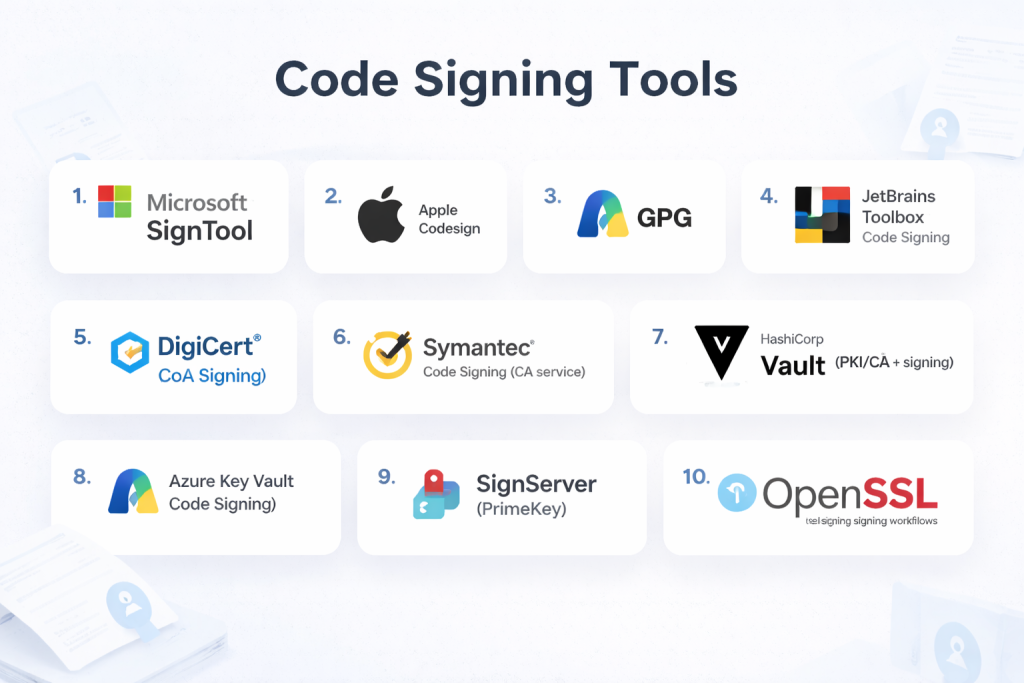
Top 10 Code Signing Tools
#1 — Microsoft SignTool
Short description: Native Microsoft tool for signing Windows executables, drivers, and installers.
Key Features
- Authenticode signing
- Timestamp support
- Command‑line automation
- Certificate store integration
- Verification utilities
Pros
- Built‑in Windows support
- Works well with CA‑issued certificates
Cons
- Windows‑centric
- CLI only
Platforms / Deployment
- Windows
Security & Compliance
- Supports trusted CA certificates
Integrations & Ecosystem
- CI/CD pipelines, build tools
Support & Community
Microsoft documentation.
#2 — Apple Codesign
Short description: Apple’s native signing utility for macOS, iOS, and related Apple platforms.
Key Features
- App and binary signing
- Notarization integration
- Entitlement profiles
- Developer certificate management
Pros
- Required for Apple ecosystem distribution
- Integrated with Xcode
Cons
- Apple ecosystem only
Platforms / Deployment
- macOS
Security & Compliance
- Supports Apple trust chain
Integrations & Ecosystem
- Xcode, CI/CD integrations
Support & Community
Apple developer support.
#3 — GPG (GNU Privacy Guard)
Short description: Open‑source cryptographic tool that can sign code, artifacts, and release packages.
Key Features
- Public key signatures
- Key management
- Cross‑platform support
- Integration with package/repos
- Open standards
Pros
- Open‑source and flexible
- Language‑agnostic
Cons
- Not optimized for platform‑specific code signing workflows
Platforms / Deployment
- Windows / macOS / Linux
Security & Compliance
- Strong cryptographic standards
Integrations & Ecosystem
- Package managers (apt/rpm), CI/CD
Support & Community
Open‑source community.
#4 — JetBrains Toolbox Code Signing
Short description: Code signing integration from JetBrains for signing artifacts within their ecosystem.
Key Features
- IDE‑integrated signing workflows
- Support for cross‑platform artifact signing
- Plugin support
- CI/CD automation compatibility
Pros
- Integrated into JetBrains workflows
- Developer convenience
Cons
- Limited to JetBrains platform ecosystem
Platforms / Deployment
- Windows / macOS / Linux
Security & Compliance
- Depends on underlying certificate store
Integrations & Ecosystem
- CI/CD pipelines, artifact stores
Support & Community
JetBrains support.
#5 — DigiCert® Code Signing
Short description: Commercial certificate authority service providing code signing certificates and signing APIs.
Key Features
- CA‑issued certificates
- Timestamping services
- EV code signing support
- Key protection options
- Compliance reporting
Pros
- Trusted certificate authority
- Enterprise support
Cons
- Costly certificates
Platforms / Deployment
- Cross‑platform (certificates)
Security & Compliance
- CA trust chain, EV options
Integrations & Ecosystem
- CI/CD pipelines, build tools
Support & Community
Vendor support.
#6 — Symantec Code Signing
Short description: Commercial code signing certificates and tooling (now part of Broadcom) for trusted releases.
Key Features
- Trusted CA certificates
- Timestamping
- EV certificate options
- Certificate lifecycle support
Pros
- Strong trust and brand recognition
Cons
- Pricing
Platforms / Deployment
- Cross‑platform
Security & Compliance
- CA trust chain, EV support
Integrations & Ecosystem
- Build systems, CI/CD
Support & Community
Vendor support.
#7 — HashiCorp Vault (PKI/CA + signing)
Short description: Secrets and PKI platform that can provision signing certificates and automate signing workflows.
Key Features
- PKI‑based certificate issuance
- Dynamic signing workflows
- API‑driven operations
- Secure key storage
Pros
- Automatable and secure
- Works for internal signing needs
Cons
- Requires Vault setup
Platforms / Deployment
- Cloud / Self‑hosted / Hybrid
Security & Compliance
- Secure key storage, RBAC
Integrations & Ecosystem
- CI/CD tools, PKI systems
Support & Community
Enterprise and community support.
#8 — Azure Key Vault Code Signing
Short description: Azure managed key and certificate store for signing operations integrated with Microsoft DevOps.
Key Features
- Managed keys and certificates
- Access control via IAM
- API signing operations
- Integration with Azure DevOps
Pros
- Azure ecosystem integration
- Secure key management
Cons
- Azure‑centric
Platforms / Deployment
- Cloud (Azure)
Security & Compliance
- IAM, encryption, audit logs
Integrations & Ecosystem
- Azure DevOps, pipelines
Support & Community
Microsoft support.
#9 — SignServer (PrimeKey)
Short description: Open‐source and enterprise code/firmware signing server with policy control.
Key Features
- Automated signing service
- Policy enforcement
- HSM integration
- Audit trails
- Certificate management
Pros
- Highly automatable
- Enterprise grade
Cons
- Setup complexity
Platforms / Deployment
- Cloud / Self‑hosted
Security & Compliance
- Audit logs, HSM support
Integrations & Ecosystem
- Build systems, CI/CD
Support & Community
Community and enterprise support.
#10 — OpenSSL (Signing Workflows)
Short description: Cryptographic toolkit that enables certificate creation and signing scripts for custom workflows.
Key Features
- Public key infrastructure
- Certificate creation
- Scriptable signing
- Cross‑platform support
Pros
- Highly flexible
- Open‑source
Cons
- Requires scripting and custom workflows
Platforms / Deployment
- Windows / macOS / Linux
Security & Compliance
- Strong cryptographic standards
Integrations & Ecosystem
- CI/CD scripts, build tools
Support & Community
Open‑source community.
Comparison Table (Top 10)
| Tool Name | Best For | Platform(s) Supported | Deployment | Standout Feature | Public Rating |
|---|---|---|---|---|---|
| Microsoft SignTool | Windows binaries | Windows | Desktop/CLI | Authenticode signing | N/A |
| Apple Codesign | Apple platforms | macOS | Desktop | Apple code signing | N/A |
| GPG | Open source releases | Win/macOS/Linux | CLI | Public key signatures | N/A |
| JetBrains Code Signing | JetBrains ecosystem | Win/macOS/Linux | Hybrid | IDE‑integrated signing | N/A |
| DigiCert Code Signing | Enterprise CA | Cross‑platform | Cloud | Trusted certificates | N/A |
| Symantec Code Signing | CA certificates | Cross‑platform | Cloud | Trusted EV signing | N/A |
| HashiCorp Vault (PKI) | Internal signing workflows | Cross‑platform | Hybrid | Dynamic PKI signing | N/A |
| Azure Key Vault Code Signing | Azure DevOps | Cloud | Cloud | Managed key signing | N/A |
| SignServer (PrimeKey) | Enterprise automation | Cross‑platform | Hybrid | Policy‑based signing | N/A |
| OpenSSL | Custom workflows | Cross‑platform | Desktop/CLI | Flexible cryptography | N/A |
Evaluation & Scoring of Code Signing Tools
| Tool Name | Core (25%) | Ease (15%) | Integrations (15%) | Security (10%) | Performance (10%) | Support (10%) | Value (15%) | Weighted Total |
|---|---|---|---|---|---|---|---|---|
| Microsoft SignTool | 8 | 8 | 7 | 8 | 8 | 8 | 8 | 8.0 |
| Apple Codesign | 9 | 7 | 7 | 9 | 8 | 8 | 7 | 8.0 |
| GPG | 7 | 6 | 7 | 9 | 7 | 7 | 9 | 7.8 |
| JetBrains Signing | 7 | 8 | 7 | 8 | 7 | 7 | 8 | 7.6 |
| DigiCert Code Signing | 9 | 7 | 8 | 9 | 8 | 9 | 7 | 8.2 |
| Symantec Code Signing | 9 | 7 | 8 | 9 | 8 | 9 | 7 | 8.2 |
| Vault (PKI) | 9 | 6 | 9 | 9 | 8 | 8 | 8 | 8.2 |
| Azure Key Vault Signing | 8 | 8 | 8 | 9 | 8 | 8 | 7 | 8.0 |
| SignServer (PrimeKey) | 8 | 7 | 8 | 9 | 8 | 8 | 8 | 8.0 |
| OpenSSL | 7 | 6 | 6 | 9 | 7 | 7 | 9 | 7.6 |
Which Code Signing Tool Is Right for You?
Solo / Freelancer
GPG or OpenSSL for lightweight, customizable signing workflows.
SMB
Microsoft SignTool or Apple Codesign for platform‑specific needs.
Mid‑Market
Azure Key Vault or JetBrains integrated signing for automated pipelines.
Enterprise
DigiCert, Symantec, Vault PKI workflows, or SignServer for strong governance and automation.
Budget vs Premium
- Budget: GPG, OpenSSL
- Premium: DigiCert, Symantec, Vault
Feature Depth vs Ease of Use
- Easy: Microsoft SignTool, Apple Codesign
- Advanced: SignServer, Vault
Integrations & Scalability
- Enterprise‑grade: DigiCert, Symantec, Vault
Security & Compliance Needs
- Choose tools with strong CA trust chains, timestamping, and audit logs for compliance.
Frequently Asked Questions (FAQs)
1. What is code signing?
It’s digitally signing binaries or code to prove authenticity and integrity.
2. Why is code signing important?
Signed code builds user trust and meets platform security requirements.
3. Are free options available?
Yes — tools like GPG and OpenSSL support self‑managed signing.
4. Do I need a certificate?
Yes — trusted certificates from a CA improve platform acceptance.
5. What is timestamping?
Timestamping proves when a signature was made and remains valid after expiry.
6. Can code signing be automated?
Yes — CI/CD pipelines can integrate signing tools.
7. Do platforms require specific formats?
Yes — Windows and Apple have platform‑specific code signing requirements.
8. What is EV code signing?
Extended Validation (EV) provides higher trust and stricter vetting.
9. Are there cloud signing services?
Yes — Azure Key Vault and managed CA services offer cloud signing.
10. How do I protect signing keys?
Use HSMs or managed key stores to secure private keys.
Conclusion
Code signing tools are essential for any organization distributing software to ensure trust, integrity, and compliance with platform requirements. Whether using platform‑native tools like Microsoft SignTool and Apple Codesign, open‑source options like GPG and OpenSSL, or enterprise CA and PKI services like DigiCert and HashiCorp Vault, there’s a solution for every scale and use case. The right choice depends on your platform targets, automation needs, and security posture. Piloting a few options and integrating them into your release pipelines will help secure your software supply chain.
