Introduction
Release Management Tools are platforms designed to plan, automate, orchestrate, and monitor software releases across development, testing, staging, and production environments. These tools are essential in DevOps practices to ensure frequent, reliable, and safe software deployments while minimizing downtime and release failures.
In modern development environments, with microservices, cloud deployments, and distributed teams, release management tools help coordinate multiple pipelines, track version history, enforce approval gates, and integrate quality checks. Without proper tooling, teams risk failed releases, production outages, and delayed time-to-market.
Real-world use cases include:
- Automating deployment pipelines from development to production
- Managing multi-environment release workflows
- Coordinating approvals and rollback strategies
- Ensuring compliance and auditing of software releases
- Tracking version histories and deployment metrics
What buyers should evaluate:
- CI/CD integration capabilities
- Multi-environment deployment support
- Rollback and recovery workflows
- Automation and pipeline orchestration
- Reporting, audit, and compliance features
- Approval and gate workflows
- Integration with issue tracking and project management tools
- Security and access control
- Scalability for large teams
- Cost vs value
Best for: DevOps teams, QA teams, project managers, enterprises with frequent release cycles, and organizations with distributed development environments.
Not ideal for: Small projects with minimal release frequency or teams using ad-hoc deployment scripts.
Key Trends in Release Management Tools
- End-to-end automation from code commit to production deployment
- GitOps-driven release practices for cloud-native applications
- Integration with feature flags for controlled rollouts
- Multi-cloud deployment orchestration
- AI-assisted release analytics and risk prediction
- Pipeline as code to standardize deployment workflows
- Self-service deployment for developers
- Approval and compliance workflow automation
- Continuous feedback loops integrated into release pipelines
- Integration with monitoring and incident management platforms
How We Selected These Tools (Methodology)
- Evaluated market adoption and developer trust
- Assessed integration with CI/CD and DevOps ecosystems
- Reviewed automation, rollback, and pipeline orchestration capabilities
- Considered multi-environment deployment support
- Compared ease of use and configurability
- Included tools suitable for enterprise, mid-market, and developer-focused teams
- Analyzed reporting, auditing, and compliance workflows
- Evaluated scalability for multiple teams and pipelines
- Focused on real-world operational effectiveness and reliability
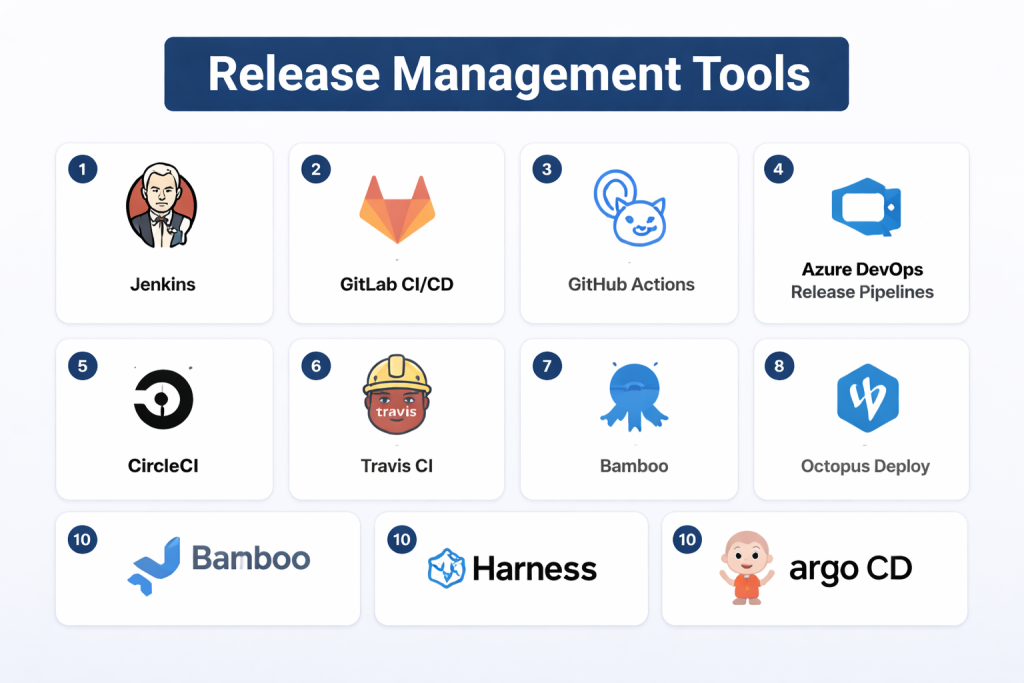
Top 10 Release Management Tools
#1 — Jenkins
Short description: Jenkins is a widely used open-source automation server that enables developers to build, test, and deploy applications efficiently with CI/CD pipelines.
Key Features
- Pipeline automation and orchestration
- Extensive plugin ecosystem
- Multi-environment deployment support
- Integration with SCM tools like Git
- Declarative and scripted pipelines
- Automated testing and reporting
Pros
- Open-source and highly extensible
- Large community support
- Flexible pipeline configuration
Cons
- Requires setup and maintenance
- UI can feel dated
- Plugins may introduce complexity
Platforms / Deployment
Windows / macOS / Linux
Cloud / On-premises
Security & Compliance
RBAC, credential management (details not publicly stated)
Integrations & Ecosystem
- SCM tools: Git, Subversion
- Testing frameworks: JUnit, Selenium
- Container orchestration: Docker, Kubernetes
Support & Community
Large community, extensive documentation, many tutorials.
#2 — GitLab CI/CD
Short description: GitLab CI/CD integrates source control and release management in a single platform, supporting pipelines from code commit to production.
Key Features
- Built-in CI/CD pipelines
- Auto DevOps templates
- Multi-environment deployment
- Review apps for testing
- Monitoring and feedback integration
- Container and Kubernetes support
Pros
- Unified DevOps platform
- Developer-friendly and cloud-native
- Strong security and access controls
Cons
- Advanced features may require premium tiers
- Steeper learning curve for complex pipelines
Platforms / Deployment
Web / Linux / Cloud / On-premises
Security & Compliance
RBAC, audit logging (details not publicly stated)
Integrations & Ecosystem
- Kubernetes and Docker
- Cloud providers: AWS, GCP, Azure
- Issue tracking and monitoring tools
Support & Community
Active community and enterprise support options.
#3 — GitHub Actions
Short description: GitHub Actions provides workflow automation directly within GitHub, enabling CI/CD pipelines, automated testing, and release management.
Key Features
- Git repository-triggered workflows
- Multi-environment deployment
- Integration with third-party services
- Self-hosted and cloud runners
- Matrix builds and automated testing
Pros
- Native GitHub integration
- Developer-friendly
- Flexible and cloud-native
Cons
- Limited UI visualization for complex pipelines
- Can become costly at scale
Platforms / Deployment
Web / Cloud
Security & Compliance
Not publicly stated
Integrations & Ecosystem
- Cloud providers: AWS, Azure, GCP
- Container platforms: Docker, Kubernetes
- Monitoring and notification tools
Support & Community
Strong community and official GitHub support.
#4 — Azure DevOps Release Pipelines
Short description: A comprehensive Microsoft solution for release automation, pipeline management, and multi-stage deployments.
Key Features
- Multi-stage release pipelines
- Environment approvals and gates
- Integration with Azure services
- Artifact and dependency management
- Audit and compliance reporting
Pros
- Seamless integration with Microsoft stack
- Multi-environment and cloud-native support
- Enterprise-ready
Cons
- Learning curve for complex setups
- Best value within Azure ecosystem
Platforms / Deployment
Web / Windows / Linux
Cloud
Security & Compliance
RBAC, audit logging (details not publicly stated)
Integrations & Ecosystem
- Azure services
- Git repositories
- Monitoring and alerting tools
Support & Community
Enterprise support, Microsoft documentation.
#5 — CircleCI
Short description: CircleCI is a cloud-native CI/CD platform that supports automated builds, testing, and deployments.
Key Features
- Pipeline automation
- Parallel job execution
- Multi-environment deployment
- Container support
- Developer-friendly configuration via YAML
Pros
- Cloud-native and fast
- Easy to integrate with Git repositories
- Strong performance analytics
Cons
- Free tier limitations
- May require configuration tuning for complex workflows
Platforms / Deployment
Web / Linux / Cloud
Security & Compliance
Not publicly stated
Integrations & Ecosystem
- GitHub, GitLab, Bitbucket
- Docker and Kubernetes
- Cloud services: AWS, GCP, Azure
Support & Community
Good documentation and active community.
#6 — Travis CI
Short description: Travis CI is a continuous integration service used to build and test software projects hosted on GitHub and Bitbucket.
Key Features
- Automated build and test pipelines
- Multi-language support
- Deployment automation
- Cloud-hosted builds
- Environment configuration
Pros
- Simple setup for GitHub projects
- Free tier for open-source projects
Cons
- Limited enterprise features
- Less flexible than some competitors
Platforms / Deployment
Web / Cloud
Security & Compliance
Not publicly stated
Integrations & Ecosystem
- GitHub and Bitbucket
- Cloud deployment targets
- Notification and monitoring tools
Support & Community
Community support and basic documentation.
#7 — Bamboo
Short description: Atlassian Bamboo integrates with Jira and Bitbucket to provide CI/CD and release management for enterprise teams.
Key Features
- Build and deployment automation
- Multi-environment release management
- Integration with Jira for issue tracking
- Plan branching and parallel builds
- Deployment projects
Pros
- Tight integration with Atlassian products
- Enterprise-focused features
Cons
- On-premises setup required
- UI is less modern
Platforms / Deployment
Windows / Linux / Cloud / On-premises
Security & Compliance
RBAC and audit logging (details not publicly stated)
Integrations & Ecosystem
- Jira and Bitbucket
- Cloud and on-prem services
- Testing frameworks
Support & Community
Enterprise support and Atlassian community.
#8 — Octopus Deploy
Short description: Octopus Deploy automates deployment pipelines, multi-environment releases, and application version control.
Key Features
- Deployment automation
- Multi-environment support
- Rollback and release versioning
- Integration with CI tools
- Variable management
Pros
- Strong release orchestration
- Developer-friendly
- Flexible deployment pipelines
Cons
- Requires setup and configuration
- Less suited for tightly integrated CI-only workflows
Platforms / Deployment
Windows / Linux / Cloud / On-premises
Security & Compliance
RBAC and audit logs (details not publicly stated)
Integrations & Ecosystem
- Jenkins, TeamCity, GitHub Actions
- Cloud providers
- Monitoring and notification tools
Support & Community
Good documentation and community.
#9 — Harness
Short description: Harness provides continuous delivery automation with AI-driven deployment validation and release analytics.
Key Features
- Pipeline orchestration
- Canary and blue-green deployments
- Automated rollback
- Deployment risk analysis
- Multi-cloud support
Pros
- AI-assisted deployment analysis
- Simplifies complex release workflows
Cons
- Premium pricing
- Learning curve for advanced features
Platforms / Deployment
Web / Cloud
Security & Compliance
Not publicly stated
Integrations & Ecosystem
- Git, CI/CD tools
- Cloud platforms: AWS, GCP, Azure
- Monitoring and logging
Support & Community
Enterprise support and professional services.
#10 — Argo CD
Short description: Argo CD is a GitOps-based continuous delivery tool for Kubernetes, enabling declarative application deployment and lifecycle management.
Key Features
- Declarative GitOps deployments
- Multi-environment support
- Rollback and sync automation
- Kubernetes-native operation
- Audit logging and RBAC
Pros
- Ideal for Kubernetes environments
- Open-source and cloud-native
Cons
- Limited to Kubernetes
- Requires DevOps expertise
Platforms / Deployment
Linux / Cloud / Kubernetes
Security & Compliance
RBAC, audit logging (details not publicly stated)
Integrations & Ecosystem
- Kubernetes clusters
- Git repositories
- CI/CD tools
Support & Community
Active open-source community.
Comparison Table (Top 10)
| Tool Name | Best For | Platform(s) Supported | Deployment | Standout Feature | Public Rating |
|---|---|---|---|---|---|
| Jenkins | Open-source teams | Windows/macOS/Linux | Cloud/On-prem | Plugin ecosystem | N/A |
| GitLab CI/CD | Unified DevOps | Web/Linux | Cloud/On-prem | Full DevOps integration | N/A |
| GitHub Actions | GitHub-centric | Web | Cloud | Repository-triggered workflows | N/A |
| Azure DevOps | Microsoft users | Web/Windows/Linux | Cloud | Multi-stage release pipelines | N/A |
| CircleCI | Cloud-native automation | Web/Linux | Cloud | Parallel execution | N/A |
| Travis CI | Open-source projects | Web | Cloud | Multi-language support | N/A |
| Bamboo | Atlassian stack | Windows/Linux | Cloud/On-prem | Jira integration | N/A |
| Octopus Deploy | Multi-environment releases | Windows/Linux | Cloud/On-prem | Deployment orchestration | N/A |
| Harness | Enterprise CI/CD | Web | Cloud | AI deployment validation | N/A |
| Argo CD | Kubernetes environments | Linux | Cloud/K8s | GitOps declarative deployment | N/A |
Evaluation & Scoring of Release Management Tools
| Tool Name | Core (25%) | Ease (15%) | Integrations (15%) | Security (10%) | Performance (10%) | Support (10%) | Value (15%) | Weighted Total (0–10) |
|---|---|---|---|---|---|---|---|---|
| Jenkins | 9 | 6 | 9 | 8 | 8 | 7 | 8 | 8.0 |
| GitLab CI/CD | 9 | 8 | 8 | 8 | 8 | 8 | 8 | 8.2 |
| GitHub Actions | 8 | 8 | 8 | 8 | 8 | 7 | 8 | 7.9 |
| Azure DevOps | 9 | 7 | 9 | 8 | 8 | 8 | 7 | 8.1 |
| CircleCI | 8 | 8 | 8 | 7 | 8 | 7 | 8 | 7.8 |
| Travis CI | 7 | 8 | 7 | 7 | 7 | 7 | 8 | 7.4 |
| Bamboo | 8 | 7 | 8 | 8 | 7 | 8 | 7 | 7.8 |
| Octopus Deploy | 8 | 7 | 8 | 8 | 7 | 8 | 7 | 7.8 |
| Harness | 9 | 7 | 9 | 8 | 8 | 8 | 7 | 8.1 |
| Argo CD | 8 | 7 | 8 | 8 | 7 | 7 | 8 | 7.8 |
Which Release Management Tool Is Right for You?
Solo / Developer
GitHub Actions or Travis CI are lightweight, cloud-native options for smaller teams.
SMB
CircleCI, Jenkins, and Octopus Deploy provide a balance of automation, usability, and scalability.
Mid-Market
GitLab CI/CD and Azure DevOps offer full DevOps pipelines with multi-environment deployments.
Enterprise
Harness, Argo CD (for Kubernetes), and Bamboo are ideal for complex, multi-team release processes.
Budget vs Premium
Open-source and cloud-native tools are cost-effective; enterprise platforms provide advanced analytics, governance, and compliance.
Feature Depth vs Ease of Use
Harness and Azure DevOps offer deep features; GitHub Actions and CircleCI emphasize usability and cloud-native simplicity.
Integrations & Scalability
Select tools that integrate with your SCM, CI, cloud, monitoring, and security platforms to support growth.
Security & Compliance Needs
Enterprise environments should prioritize RBAC, audit logs, approvals, and policy enforcement to ensure secure and compliant release pipelines.
Frequently Asked Questions (FAQs)
1. What is release management?
Release management orchestrates software deployments from development through production.
2. How does it differ from CI/CD?
CI/CD automates builds and tests; release management ensures deployments happen safely across environments.
3. Do these tools support rollback?
Yes, most provide rollback strategies and versioned deployments.
4. Can release management tools integrate with DevOps pipelines?
Yes, they integrate with CI tools, monitoring, and issue tracking platforms.
5. Are cloud-native releases different from on-prem?
Cloud-native tools emphasize automation, declarative deployments, and container orchestration.
6. Can I automate approvals?
Yes, tools like Azure DevOps and Octopus Deploy support approval gates and multi-stage workflows.
7. What is GitOps?
A methodology where Git serves as the source of truth for declarative deployments, used by tools like Argo CD.
8. Are release management tools necessary for small teams?
Not always; small teams can manage simpler deployments manually or with CI/CD alone.
9. Can these tools integrate with Kubernetes?
Yes, Argo CD, CircleCI, and GitLab CI/CD have Kubernetes-native deployment workflows.
10. How do I choose a tool?
Evaluate based on team size, deployment complexity, cloud adoption, and integration requirements.
Conclusion
Release management tools are vital for modern DevOps and software delivery practices, ensuring software is deployed safely, reliably, and efficiently across multiple environments. While lightweight cloud-native tools like GitHub Actions or Travis CI suit smaller teams, enterprise-grade platforms like Harness, Azure DevOps, and Argo CD support multi-environment pipelines, approvals, compliance, and analytics. Selecting the right tool requires evaluating team needs, deployment complexity, cloud strategy, and integration with your CI/CD and monitoring ecosystem. Start with a shortlist, run pilot deployments, and validate workflows for a successful release management strategy.
