Introduction
Mocking and Service Virtualization Tools are software solutions designed to simulate components, services, or APIs that a system depends on during development and testing. They allow teams to test applications in isolation, even when dependent systems are unavailable, under development, or costly to access.
In modern software development, where microservices, APIs, and distributed architectures dominate, relying on real services for testing can slow down development, introduce instability, or incur costs. Mocking and service virtualization tools mitigate these challenges by providing controlled, repeatable, and safe test environments.
Common use cases include:
- Simulating unavailable or third-party services
- Testing APIs and microservices in isolation
- Accelerating development by decoupling dependencies
- Validating edge cases and error handling
- Continuous testing in CI/CD pipelines
Buyers should evaluate:
- Ease of creating and maintaining mocks or virtual services
- Protocol and technology support (REST, SOAP, JMS, HTTP, etc.)
- Integration with CI/CD and test automation frameworks
- Ability to simulate complex behaviors and responses
- Performance and scalability of virtual services
- Reporting, monitoring, and debugging capabilities
- Security features and access control
- Licensing and pricing
Best for: QA engineers, developers, DevOps teams, and organizations with complex system dependencies or microservices architectures.
Not ideal for: Small projects or applications with minimal external dependencies, where simple stubs may suffice.
Key Trends in Mocking & Service Virtualization Tools
- AI-assisted test simulation and dynamic response generation
- Support for microservices and cloud-native architectures
- Improved integration with CI/CD pipelines
- Low-code/no-code interfaces for non-technical users
- Expanded protocol and API support (REST, SOAP, JMS, gRPC)
- Containerized and cloud-based virtual services
- Enhanced monitoring and debugging capabilities
- Centralized management of virtual services
- Compliance and secure mocking of sensitive data
- Shift-left testing to catch integration issues early
How We Selected These Tools (Methodology)
- Evaluated market adoption and popularity
- Assessed feature completeness for mocking and virtualization
- Reviewed ease of use and learning curve
- Considered integration with test automation and CI/CD pipelines
- Analyzed scalability and performance
- Included both open-source and commercial solutions
- Evaluated monitoring, reporting, and debugging features
- Considered community support and vendor reliability
- Reviewed compliance and security features
- Focused on real-world usability in modern development workflows
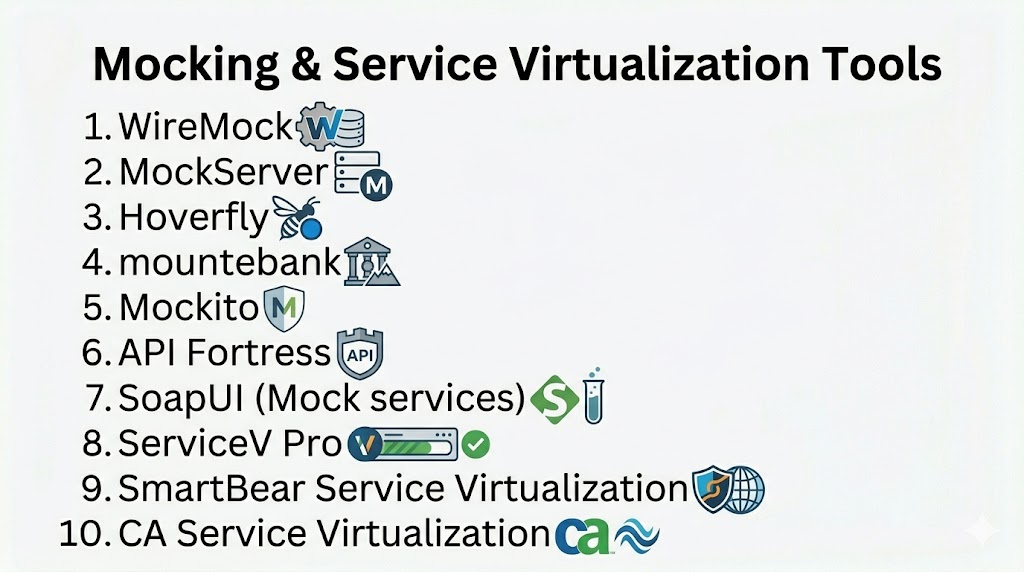
Top 10 Mocking & Service Virtualization Tools
#1 — WireMock
Short description: Open-source tool for mocking HTTP services, widely used for API testing and simulation.
Key Features
- HTTP/S mocking and stubbing
- Record and playback capabilities
- Dynamic response templating
- Request verification
- REST API support
- Integration with CI/CD
Pros
- Open-source and widely adopted
- Flexible configuration
Cons
- Java-based setup
- Limited support for non-HTTP protocols
Platforms / Deployment
- Windows / macOS / Linux
- Self-hosted
Security & Compliance
- Not publicly stated
Integrations & Ecosystem
- CI/CD pipelines
- Test automation frameworks (JUnit, TestNG)
- REST APIs
Support & Community
Strong open-source community support.
#2 — MockServer
Short description: Open-source HTTP and HTTPS mocking tool for service virtualization and API simulation.
Key Features
- HTTP/S request mocking
- Proxy and recording capabilities
- Dynamic response generation
- REST API support
- Verification and expectation management
- Multi-language client libraries
Pros
- Flexible and feature-rich
- Supports complex test scenarios
Cons
- Setup complexity for beginners
- Primarily HTTP-focused
Platforms / Deployment
- Windows / macOS / Linux
- Cloud / Self-hosted
Security & Compliance
- Not publicly stated
Integrations & Ecosystem
- CI/CD pipelines
- Test automation frameworks
- REST APIs
Support & Community
Active open-source community and documentation.
#3 — Hoverfly
Short description: Lightweight service virtualization tool for simulating APIs and microservices.
Key Features
- HTTP/S API simulation
- Capture and replay capabilities
- Lightweight architecture
- Java and Go SDKs
- Simulation of latency and errors
- Integration with CI/CD
Pros
- Lightweight and fast
- Easy to integrate with microservices
Cons
- Limited advanced mocking features
- Primarily API-focused
Platforms / Deployment
- Windows / macOS / Linux
- Cloud / Self-hosted
Security & Compliance
- Not publicly stated
Integrations & Ecosystem
- CI/CD pipelines
- Test automation frameworks
- APIs
Support & Community
Community-driven support.
#4 — mountebank
Short description: Multi-protocol open-source service virtualization tool for testing APIs, HTTP, TCP, and SMTP.
Key Features
- Multi-protocol support (HTTP, TCP, SMTP)
- Stubbing and mocking services
- Record and replay
- JavaScript-based predicates for responses
- Logging and debugging features
- CI/CD integration
Pros
- Supports multiple protocols
- Flexible response configuration
Cons
- Learning curve for complex scenarios
- Requires scripting knowledge
Platforms / Deployment
- Windows / macOS / Linux
- Self-hosted
Security & Compliance
- Not publicly stated
Integrations & Ecosystem
- CI/CD pipelines
- Test automation tools
- APIs
Support & Community
Moderate open-source support.
#5 — Mockito
Short description: Popular Java library for mocking objects in unit tests.
Key Features
- Mock objects for unit testing
- Behavior verification
- Stubbing methods
- Integration with JUnit and TestNG
- Simplifies testing of dependencies
- Supports annotations for cleaner tests
Pros
- Widely used in Java projects
- Easy to learn for unit tests
Cons
- Java-only
- Not a full service virtualization tool
Platforms / Deployment
- Cross-platform via Java
- Self-hosted
Security & Compliance
- Not publicly stated
Integrations & Ecosystem
- JUnit / TestNG
- CI/CD pipelines
Support & Community
Strong Java developer community.
#6 — API Fortress
Short description: Enterprise API testing and mocking platform with service virtualization capabilities.
Key Features
- API mocking and stubbing
- Test automation support
- CI/CD integration
- Reporting and analytics dashboards
- Support for REST, SOAP, and GraphQL
- Centralized test repository
Pros
- Enterprise-grade platform
- Detailed monitoring and reporting
Cons
- Paid solution
- Setup complexity
Platforms / Deployment
- Cloud / Self-hosted
Security & Compliance
- Not publicly stated
Integrations & Ecosystem
- CI/CD pipelines
- Test automation frameworks
- APIs
Support & Community
Commercial support with vendor resources.
#7 — SoapUI (Mock Services)
Short description: Tool for mocking SOAP and REST web services, widely used in API testing.
Key Features
- Mock SOAP and REST services
- Request and response simulation
- Test automation integration
- Logging and debugging
- Load testing capabilities
Pros
- Supports multiple protocols
- Easy to set up for service testing
Cons
- Limited advanced virtualization features
- GUI-heavy
Platforms / Deployment
- Windows / macOS / Linux
- Self-hosted
Security & Compliance
- Not publicly stated
Integrations & Ecosystem
- CI/CD pipelines
- Automation frameworks
- APIs
Support & Community
Active community and vendor support.
#8 — ServiceV Pro
Short description: Enterprise service virtualization platform for testing complex applications.
Key Features
- Full-featured service virtualization
- Multi-protocol support
- Environment simulation
- Integration with CI/CD
- Test automation support
Pros
- Enterprise-ready
- Supports complex simulations
Cons
- Paid solution
- Learning curve
Platforms / Deployment
- Cloud / Self-hosted
Security & Compliance
- Not publicly stated
Integrations & Ecosystem
- CI/CD pipelines
- Automation tools
- Databases
Support & Community
Commercial support.
#9 — SmartBear Service Virtualization
Short description: Enterprise service virtualization tool for simulating APIs, services, and systems.
Key Features
- Virtualize APIs and services
- Multi-protocol support
- Integration with CI/CD pipelines
- Real-time monitoring
- Test automation integration
Pros
- Enterprise-grade capabilities
- Scalable and reliable
Cons
- Paid tool
- Complex configuration
Platforms / Deployment
- Cloud / Self-hosted
Security & Compliance
- Not publicly stated
Integrations & Ecosystem
- CI/CD pipelines
- Test automation frameworks
Support & Community
Commercial support.
#10 — CA Service Virtualization
Short description: Enterprise tool for simulating dependent systems for testing purposes.
Key Features
- Service virtualization for APIs and systems
- Multi-protocol support
- Environment simulation
- Integration with test automation
- Compliance and audit reporting
Pros
- Enterprise-ready
- Strong multi-protocol support
Cons
- Paid solution
- Complex setup
Platforms / Deployment
- Cloud / Self-hosted
Security & Compliance
- Not publicly stated
Integrations & Ecosystem
- CI/CD pipelines
- Test automation frameworks
Support & Community
Enterprise-grade support.
Comparison Table (Top 10)
| Tool Name | Best For | Platform(s) Supported | Deployment | Standout Feature | Public Rating |
|---|---|---|---|---|---|
| WireMock | API testing | Windows/macOS/Linux | Self-hosted | HTTP mocking | N/A |
| MockServer | API testing | Cross-platform | Cloud/Self-hosted | Flexible HTTP mocks | N/A |
| Hoverfly | Microservices | Cross-platform | Cloud/Self-hosted | Lightweight virtualization | N/A |
| mountebank | Multi-protocol | Cross-platform | Self-hosted | HTTP/TCP/SMTP mocks | N/A |
| Mockito | Java unit tests | Cross-platform | Self-hosted | Object mocking | N/A |
| API Fortress | Enterprise APIs | Cloud/Self-hosted | Hybrid | Monitoring & reporting | N/A |
| SoapUI | SOAP/REST | Windows/macOS/Linux | Self-hosted | Protocol support | N/A |
| ServiceV Pro | Enterprise | Cloud/Self-hosted | Hybrid | Full-featured virtualization | N/A |
| SmartBear Service Virtualization | Enterprise | Cloud/Self-hosted | Hybrid | Scalable virtualization | N/A |
| CA Service Virtualization | Enterprise | Cloud/Self-hosted | Hybrid | Multi-protocol support | N/A |
Evaluation & Scoring of Mocking & Service Virtualization Tools
| Tool Name | Core (25%) | Ease (15%) | Integrations (15%) | Security (10%) | Performance (10%) | Support (10%) | Value (15%) | Weighted Total (0–10) |
|---|---|---|---|---|---|---|---|---|
| WireMock | 9 | 8 | 8 | 6 | 8 | 7 | 9 | 8.0 |
| MockServer | 9 | 7 | 8 | 6 | 8 | 7 | 8 | 7.9 |
| Hoverfly | 8 | 8 | 7 | 6 | 8 | 7 | 8 | 7.8 |
| mountebank | 8 | 7 | 8 | 6 | 7 | 7 | 8 | 7.6 |
| Mockito | 7 | 8 | 7 | 5 | 7 | 7 | 8 | 7.2 |
| API Fortress | 9 | 7 | 8 | 7 | 8 | 8 | 7 | 7.9 |
| SoapUI | 8 | 7 | 7 | 6 | 7 | 7 | 7 | 7.4 |
| ServiceV Pro | 9 | 7 | 8 | 7 | 8 | 8 | 7 | 7.9 |
| SmartBear Service Virtualization | 9 | 7 | 8 | 7 | 8 | 8 | 7 | 7.9 |
| CA Service Virtualization | 9 | 7 | 8 | 7 | 8 | 8 | 7 | 7.9 |
Which Mocking & Service Virtualization Tool Is Right for You?
Solo / Freelancer
WireMock, Mockito, or Hoverfly for lightweight API and unit testing.
SMB
SoapUI, mountebank, or MockServer for flexible multi-protocol mocking.
Mid-Market
API Fortress or Hoverfly for scalable API testing and virtualization.
Enterprise
SmartBear, ServiceV Pro, or CA Service Virtualization for full-featured enterprise simulation.
Budget vs Premium
- Budget: WireMock, Mockito, Hoverfly
- Premium: ServiceV Pro, SmartBear, CA Service Virtualization
Feature Depth vs Ease of Use
- Easy: Mockito, WireMock
- Advanced: ServiceV Pro, SmartBear
Integrations & Scalability
- Enterprise-grade: ServiceV Pro, SmartBear, CA Service Virtualization
Security & Compliance Needs
- Choose tools with secure mocking and access controls for sensitive environments.
Frequently Asked Questions (FAQs)
1. What is service virtualization?
It simulates unavailable or dependent services to test applications in isolation.
2. Why use mocking tools?
To test code and APIs without relying on actual services, improving speed and reliability.
3. Can these tools simulate errors and latency?
Yes, advanced virtualization tools allow simulating failures, delays, and edge cases.
4. Are there free mocking tools?
Yes, WireMock, Mockito, MockServer, and mountebank are open-source.
5. Do these tools support CI/CD pipelines?
Yes, integration with CI/CD workflows is standard.
6. Can they handle multiple protocols?
Enterprise tools like SmartBear and CA Service Virtualization support multiple protocols.
7. Are these tools suitable for microservices?
Yes, especially for testing services independently and continuously.
8. How secure are the mocks?
Most enterprise tools provide role-based access and secure data handling.
9. What industries use these tools?
Finance, healthcare, software, e-commerce, and any service-oriented architecture teams.
10. Can these tools replace real services entirely?
They simulate real services for testing but are not meant for production workloads.
Conclusion
Mocking and Service Virtualization Tools are critical for modern development workflows, allowing teams to test applications independently of real dependencies. From lightweight open-source tools like WireMock and Mockito to enterprise-grade platforms like SmartBear and CA Service Virtualization, there is a solution for every scale and complexity. Selecting the right tool depends on your project’s needs, environment complexity, and integration requirements. Teams should shortlist a few tools, run pilot tests, and evaluate integration, performance, and usability before final adoption.
