Introduction
Test Case Management Tools are specialized software platforms that help QA teams create, organize, manage, and track test cases throughout the software development lifecycle. These tools centralize testing activities, improve visibility, and streamline collaboration between testers, developers, and product teams.
In modern agile and DevOps-driven environments, manual tracking of test cases is no longer efficient. Test case management tools ensure test coverage, facilitate regression testing, and provide traceability between requirements, test cases, and defects.
Common use cases include:
- Organizing and managing test cases across multiple projects
- Tracking execution and reporting of test results
- Mapping requirements to test cases for traceability
- Managing regression and release testing cycles
- Collaboration among QA, developers, and stakeholders
Buyers should evaluate:
- Ease of test case creation and maintenance
- Integration with bug tracking and CI/CD tools
- Reporting and analytics capabilities
- Support for manual and automated testing
- Scalability for large test suites
- Role-based access and collaboration features
- Workflow customization
- Pricing and licensing model
Best for: QA teams, test managers, software developers, and organizations with structured testing workflows.
Not ideal for: Small projects with minimal testing needs or teams relying on spreadsheets for simple tracking.
Key Trends in Test Case Management Tools
- AI-assisted test case generation and optimization
- Integration with automated testing frameworks
- Cloud-based collaboration platforms
- Real-time dashboards for reporting and analytics
- Enhanced traceability and compliance features
- Agile and DevOps workflow support
- API-first design for flexible integrations
- Low-code or no-code interfaces
- Integration with CI/CD pipelines for continuous testing
- Role-based access controls and governance improvements
How We Selected These Tools (Methodology)
- Evaluated industry adoption and market presence
- Assessed feature completeness for test case management
- Reviewed usability and ease of adoption
- Considered integration capabilities with development pipelines
- Analyzed scalability for enterprise usage
- Included both open-source and commercial tools
- Evaluated reporting and analytics capabilities
- Reviewed community support and documentation
- Considered flexibility for various testing workflows
- Focused on tools with proven reliability in real-world environments
Top 10 Test Case Management Tools
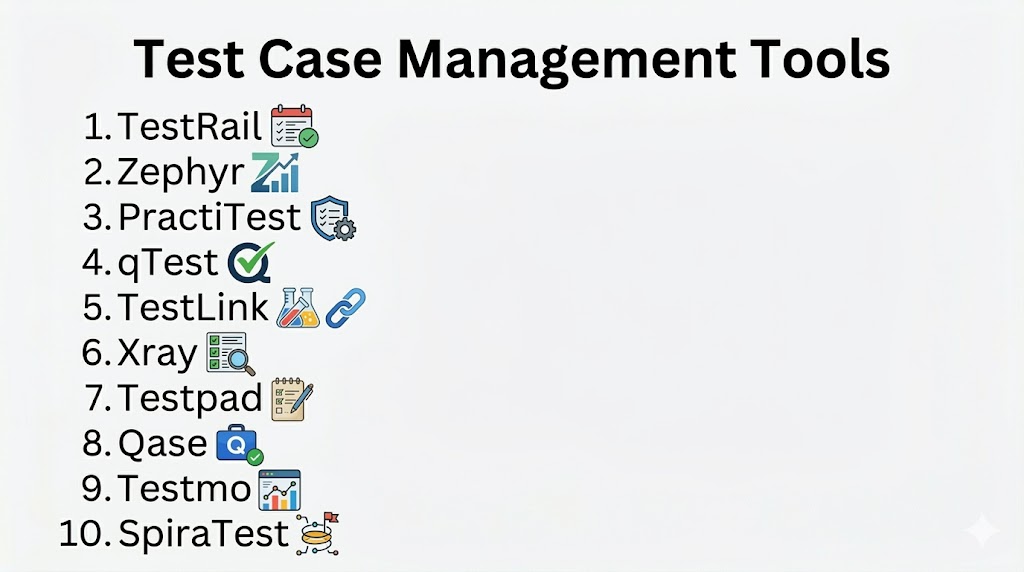
#1 — TestRail
Short description: A widely adopted test case management platform for creating, organizing, and tracking test cases and test runs.
Key Features
- Centralized test repository
- Test run and execution tracking
- Reporting and analytics dashboards
- Requirement traceability
- Role-based access control
- CI/CD integration
Pros
- Easy to use
- Strong reporting capabilities
Cons
- Paid tool
- Limited deep customization
Platforms / Deployment
- Cloud / Self-hosted
Security & Compliance
- Not publicly stated
Integrations & Ecosystem
- Jira
- CI/CD tools
- APIs
Support & Community
Strong documentation and vendor support.
#2 — Zephyr
Short description: Flexible test management tool with robust Jira integration, suitable for agile teams.
Key Features
- Test case management
- Agile workflow support
- Real-time reporting
- Requirement traceability
- Integration with issue trackers
- Automation support
Pros
- Excellent Jira integration
- Scalable
Cons
- Complex setup
- Can be resource-heavy for large projects
Platforms / Deployment
- Cloud / Self-hosted
Security & Compliance
- Not publicly stated
Integrations & Ecosystem
- Jira
- CI/CD tools
- APIs
Support & Community
Commercial support with active user community.
#3 — PractiTest
Short description: End-to-end test management solution with strong visibility and traceability features.
Key Features
- Centralized test repository
- Requirement traceability
- Custom workflows
- Automation integration
- Real-time dashboards
- API support
Pros
- Flexible and configurable
- Strong reporting
Cons
- Paid tool
- Learning curve for advanced features
Platforms / Deployment
- Cloud
Security & Compliance
- Not publicly stated
Integrations & Ecosystem
- CI/CD tools
- Issue trackers
- APIs
Support & Community
Reliable vendor support.
#4 — qTest
Short description: Enterprise-grade test management platform for large teams with strong integration capabilities.
Key Features
- Test planning and execution
- Requirement traceability
- Automation support
- Agile workflow support
- Real-time dashboards
- Risk-based testing
Pros
- Highly scalable
- Extensive integration options
Cons
- Expensive
- Complex interface
Platforms / Deployment
- Cloud
Security & Compliance
- Not publicly stated
Integrations & Ecosystem
- Jira
- CI/CD pipelines
- APIs
Support & Community
Enterprise-level support.
#5 — TestLink
Short description: Open-source test case management tool for creating and managing test suites and test execution.
Key Features
- Test case repository
- Execution tracking
- Reporting tools
- Requirement mapping
- Role-based access
- Open-source flexibility
Pros
- Free and customizable
- Lightweight
Cons
- Outdated UI
- Limited modern integrations
Platforms / Deployment
- Self-hosted
Security & Compliance
- Not publicly stated
Integrations & Ecosystem
- Bug trackers
- APIs
Support & Community
Community-driven support.
#6 — Xray
Short description: Test management tool designed for Jira, supporting manual and automated tests.
Key Features
- Native Jira integration
- Test case management
- Automation support
- Requirement traceability
- Reporting dashboards
- CI/CD integration
Pros
- Seamless Jira experience
- Strong traceability
Cons
- Dependent on Jira
- Paid license
Platforms / Deployment
- Cloud / Self-hosted
Security & Compliance
- Not publicly stated
Integrations & Ecosystem
- Jira
- CI/CD tools
- APIs
Support & Community
Active community and vendor support.
#7 — Testpad
Short description: Simple test management tool optimized for exploratory testing and lightweight workflows.
Key Features
- Checklist-style test cases
- Execution tracking
- Real-time collaboration
- Minimal UI
- Reporting tools
- Cloud access
Pros
- Easy to use
- Quick setup
Cons
- Limited advanced features
- Not ideal for large enterprises
Platforms / Deployment
- Cloud
Security & Compliance
- Not publicly stated
Integrations & Ecosystem
- APIs
- Issue trackers
Support & Community
Moderate support.
#8 — Qase
Short description: Modern cloud-based test case management platform focused on usability and integration.
Key Features
- Test case management
- Execution tracking
- Automation integration
- Reporting dashboards
- Role-based access
- API support
Pros
- Modern interface
- Easy integrations
Cons
- Paid features
- Smaller ecosystem
Platforms / Deployment
- Cloud
Security & Compliance
- Not publicly stated
Integrations & Ecosystem
- CI/CD tools
- Issue trackers
- APIs
Support & Community
Growing community and vendor support.
#9 — Testmo
Short description: Unified test management platform for manual, exploratory, and automated testing.
Key Features
- Unified test repository
- Automation integration
- Session-based testing
- Reporting dashboards
- CI/CD integration
- API support
Pros
- All-in-one platform
- Modern UI
Cons
- Paid tool
- Limited legacy integrations
Platforms / Deployment
- Cloud / Self-hosted
Security & Compliance
- Not publicly stated
Integrations & Ecosystem
- CI/CD tools
- APIs
- Issue trackers
Support & Community
Reliable vendor support.
#10 — SpiraTest
Short description: Comprehensive test management solution with built-in defect tracking and requirement mapping.
Key Features
- Test case management
- Requirement traceability
- Defect tracking
- Reporting tools
- Automation support
- Agile workflow support
Pros
- All-in-one solution
- Strong traceability
Cons
- Complex interface
- Learning curve
Platforms / Deployment
- Cloud / Self-hosted
Security & Compliance
- Not publicly stated
Integrations & Ecosystem
- CI/CD tools
- APIs
- Issue trackers
Support & Community
Commercial support available.
Comparison Table (Top 10)
| Tool Name | Best For | Platform(s) Supported | Deployment | Standout Feature | Public Rating |
|---|---|---|---|---|---|
| TestRail | General QA teams | Cross-platform | Hybrid | Reporting | N/A |
| Zephyr | Agile teams | Cross-platform | Hybrid | Jira integration | N/A |
| PractiTest | Enterprises | Web | Cloud | Traceability | N/A |
| qTest | Large enterprises | Web | Cloud | Scalability | N/A |
| TestLink | Open-source users | Web | Self-hosted | Free usage | N/A |
| Xray | Jira users | Cross-platform | Hybrid | Native integration | N/A |
| Testpad | Small teams | Web | Cloud | Simplicity | N/A |
| Qase | Modern teams | Web | Cloud | UI/UX | N/A |
| Testmo | DevOps teams | Cross-platform | Hybrid | Unified testing | N/A |
| SpiraTest | Full lifecycle | Cross-platform | Hybrid | Built-in tracking | N/A |
Evaluation & Scoring of Test Case Management Tools
| Tool Name | Core (25%) | Ease (15%) | Integrations (15%) | Security (10%) | Performance (10%) | Support (10%) | Value (15%) | Weighted Total (0–10) |
|---|---|---|---|---|---|---|---|---|
| TestRail | 9 | 8 | 8 | 6 | 8 | 8 | 7 | 8.0 |
| Zephyr | 8 | 7 | 9 | 6 | 8 | 7 | 7 | 7.7 |
| PractiTest | 8 | 7 | 8 | 6 | 8 | 8 | 6 | 7.6 |
| qTest | 9 | 6 | 9 | 7 | 9 | 8 | 6 | 8.0 |
| TestLink | 7 | 6 | 6 | 5 | 6 | 6 | 9 | 6.8 |
| Xray | 8 | 7 | 9 | 6 | 8 | 7 | 7 | 7.7 |
| Testpad | 6 | 9 | 6 | 5 | 6 | 6 | 8 | 6.9 |
| Qase | 7 | 8 | 7 | 6 | 7 | 7 | 7 | 7.2 |
| Testmo | 8 | 8 | 8 | 6 | 8 | 7 | 7 | 7.7 |
| SpiraTest | 8 | 7 | 8 | 6 | 8 | 7 | 6 | 7.4 |
Which Test Case Management Tool Is Right for You?
Solo / Freelancer
TestLink or Testpad for simple, lightweight workflows.
SMB
TestRail or Qase for usability and moderate features.
Mid-Market
PractiTest and Testmo for scalability and integrations.
Enterprise
qTest and Zephyr for large teams and complex workflows.
Budget vs Premium
- Budget: TestLink, Testpad
- Premium: qTest, PractiTest
Feature Depth vs Ease of Use
- Easy: Testpad, Qase
- Advanced: qTest, Zephyr
Integrations & Scalability
- Best: Xray, qTest
Security & Compliance Needs
- Enterprise tools provide stronger governance and control.
Frequently Asked Questions (FAQs)
1. What is a test case management tool?
It centralizes test cases, execution, and reporting for organized QA processes.
2. Do I need a test management tool?
Yes, for projects with structured QA needs and multiple testers.
3. Are these tools suitable for automation?
Most support integration with automated testing frameworks.
4. Can these tools integrate with CI/CD?
Yes, modern tools support continuous integration pipelines.
5. Are there free options?
Yes, TestLink is open-source.
6. What is requirement traceability?
It links requirements to test cases to ensure full coverage.
7. How scalable are these tools?
Enterprise tools handle thousands of test cases and multiple teams.
8. Can I switch tools later?
Yes, but migration effort depends on test suite complexity.
9. What industries use these tools?
Software development, finance, healthcare, IT services, and more.
10. What are alternatives?
Spreadsheets or lightweight project management tools for very small teams.
Conclusion
Test case management tools are critical for structured, efficient, and traceable QA workflows. From simple open-source solutions like TestLink to enterprise-grade platforms like qTest, each tool offers unique advantages. The best choice depends on team size, workflow complexity, and integration needs. Teams should shortlist two or three tools, run pilot implementations, and evaluate usability, reporting, and integration before selecting the optimal solution.
