Introduction
Integrated Development Environments (IDEs) are comprehensive software applications that provide developers with tools to write, debug, test, and deploy code—often within a single interface. Unlike simple text editors or code editors, IDEs bundle intelligent features such as code completion, debugging, refactoring, build automation, and integrations with version control and testing frameworks.
In today’s complex development ecosystem, IDEs are essential for enhancing productivity. They streamline workflows, reduce context‑switching, and support large codebases across multiple languages and platforms.
Common use cases include:
- Writing and maintaining code for complex projects
- Debugging with integrated breakpoints and stack inspection
- Refactoring and navigating large codebases
- Integrating with version control systems
- Running and testing applications within the environment
Buyers should evaluate:
- Language and platform support
- Debugging and profiling capabilities
- Integration with build systems and version control
- Plugins and extensibility
- Performance with large projects
- Ease of use and learning curve
- Cross‑platform support
- Licensing and pricing
Best for: Developers, software engineers, QA engineers, and technical teams building large or complex applications.
Not ideal for: Simple scripting tasks or environments where lightweight text editors are sufficient.
Key Trends in IDEs
- Built‑in AI code assistants and suggestions
- Language Server Protocol (LSP) support across editors and IDEs
- Cloud‑based IDEs and collaborative coding
- Deep integration with CI/CD and DevOps pipelines
- Debugging tools that integrate with containers and cloud environments
- Extensions and plugin marketplaces
- Real‑time code analysis and visualization
- Support for polyglot development (multiple languages)
- Integrated testing and coverage tools
- Easier onboarding for new developers
How We Selected These Tools (Methodology)
- Evaluated global adoption and popularity
- Assessed language and platform support
- Reviewed debugging and profiling capabilities
- Analyzed tool integrations (version control, CI/CD, testing)
- Considered extensibility and plugin ecosystems
- Reviewed performance and scalability with large projects
- Considered learning curve and documentation quality
- Evaluated user productivity features
- Included both open‑source and commercial IDEs
- Focused on real‑world usage and developer feedback
Top 10 Integrated Development Environments (IDEs)
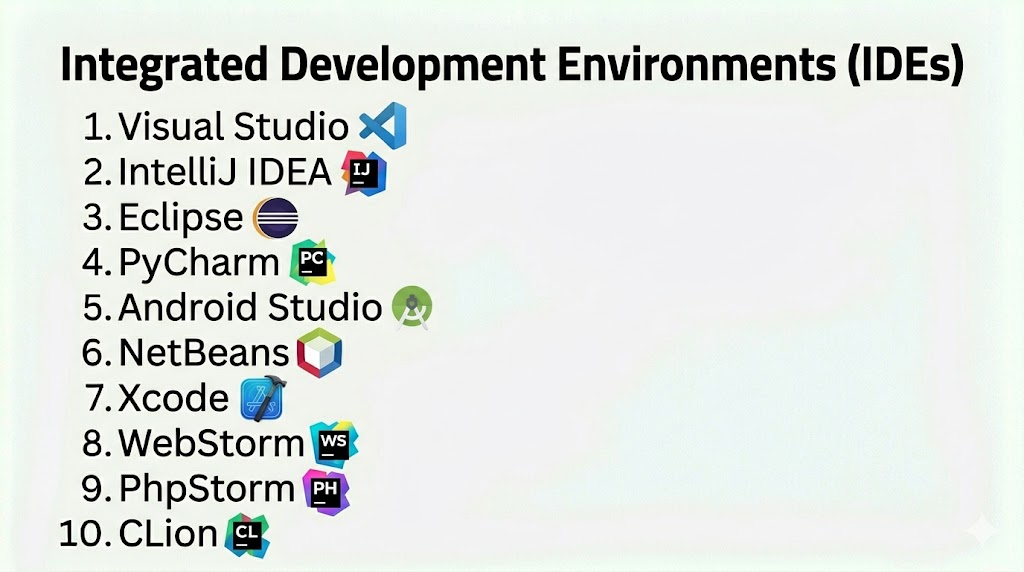
#1 — Visual Studio
Short description: Comprehensive IDE from Microsoft for building applications on Windows, web, cloud, and mobile platforms.
Key Features
- Advanced debugging and profiling
- IntelliSense code completion
- Integrated terminal and tooling
- Git and version control support
- Extensions marketplace
- Azure integrations
Pros
- Extremely powerful and feature‑rich
- Excellent for .NET and Windows development
Cons
- Resource intensive
- Mostly geared toward Windows ecosystem
Platforms / Deployment
- Windows / macOS (limited feature set)
Security & Compliance
- Not publicly stated
Integrations & Ecosystem
- Azure, Git, CI/CD tools, testing frameworks
Support & Community
Large community, enterprise documentation.
#2 — IntelliJ IDEA
Short description: JetBrains’ flagship IDE for Java and polyglot development with intelligent code analysis.
Key Features
- Smart code completion
- Refactoring tools
- Built‑in debugger
- Version control support
- Plugin ecosystem
- Database tools
Pros
- Excellent productivity tools
- Great for Java and JVM languages
Cons
- Paid license for full feature set
- Can be heavy on resources
Platforms / Deployment
- Windows / macOS / Linux
Security & Compliance
- Not publicly stated
Integrations & Ecosystem
- Git, CI/CD tools, build systems, plugins
Support & Community
Strong JetBrains community and support.
#3 — Eclipse
Short description: Open‑source IDE with broad language support and extensibility through plugins.
Key Features
- Plugin ecosystem
- Java and polyglot support
- Debugging and testing tools
- Version control plugins
- Build system integrations
- Large community support
Pros
- Free and extensible
- Supports many languages
Cons
- UI can feel dated
- Performance can lag with many plugins
Platforms / Deployment
- Windows / macOS / Linux
Security & Compliance
- Not publicly stated
Integrations & Ecosystem
- Git, Maven/Gradle, CI/CD tools
Support & Community
Large open‑source community.
#4 — PyCharm
Short description: Python‑focused IDE from JetBrains with advanced features for Python development.
Key Features
- Intelligent Python code assistance
- Integrated debugger and testing tools
- Virtual environment support
- Database tools
- Version control support
- Plugin ecosystem
Pros
- Excellent Python tooling
- Strong debugging support
Cons
- Paid license for Professional edition
- Heavier resource usage
Platforms / Deployment
- Windows / macOS / Linux
Security & Compliance
- Not publicly stated
Integrations & Ecosystem
- Python ecosystem, Git, CI/CD pipelines
Support & Community
Commercial and community support.
#5 — Android Studio
Short description: Google’s official IDE for Android application development based on IntelliJ.
Key Features
- Android emulator
- Layout editor
- Code analysis and refactoring
- Integrated testing tools
- Version control integration
- Build tools (Gradle)
Pros
- Best choice for Android dev
- Strong tooling and emulator support
Cons
- Resource heavy
- Specific to Android development
Platforms / Deployment
- Windows / macOS / Linux
Security & Compliance
- Not publicly stated
Integrations & Ecosystem
- Android SDK, Firebase, CI/CD tools
Support & Community
Large Android dev community.
#6 — NetBeans
Short description: Open‑source IDE with built‑in support for Java, web, and PHP development.
Key Features
- Code completion
- Debugging tools
- GUI builders
- Version control support
- Plugin extensions
- Cross‑language support
Pros
- Free and built‑in features
- Good for Java and web languages
Cons
- Less modern UI
- Smaller plugin ecosystem
Platforms / Deployment
- Windows / macOS / Linux
Security & Compliance
- Not publicly stated
Integrations & Ecosystem
- Git, CI/CD tools, build systems
Support & Community
Active open‑source community.
#7 — Xcode
Short description: Apple’s official IDE for iOS, macOS, watchOS, and tvOS development.
Key Features
- Integrated debugger
- Interface builder
- Simulator testing
- Git integration
- Performance tools
- Swift and Objective‑C support
Pros
- Best for Apple ecosystem dev
- Deep platform tooling
Cons
- macOS only
- Resource intensive
Platforms / Deployment
- macOS
Security & Compliance
- Not publicly stated
Integrations & Ecosystem
- Apple developer tools, CI/CD systems
Support & Community
Strong Apple dev community.
#8 — WebStorm
Short description: JetBrains’ IDE focused on JavaScript and web development.
Key Features
- Intelligent JS/TS support
- Debugger and testing tools
- Version control support
- Code navigation
- Plugin ecosystem
- Web frameworks support
Pros
- Excellent web dev features
- Smart code completion
Cons
- Paid license
- Resource usage
Platforms / Deployment
- Windows / macOS / Linux
Security & Compliance
- Not publicly stated
Integrations & Ecosystem
- Node/npm tooling, Git, CI/CD pipelines
Support & Community
Commercial support and community resources.
#9 — PhpStorm
Short description: JetBrains’ IDE for PHP developers with full‑featured tooling.
Key Features
- PHP code assistance
- Debugging and test support
- Database tools
- Version control integration
- Plugin system
- Web dev support
Pros
- Tailored for PHP dev
- Strong debugging tools
Cons
- Paid license
- Moderate resource usage
Platforms / Deployment
- Windows / macOS / Linux
Security & Compliance
- Not publicly stated
Integrations & Ecosystem
- PHP ecosystem, Git, CI/CD tools
Support & Community
Commercial support.
#10 — CLion
Short description: JetBrains’ IDE tailored for C and C++ development.
Key Features
- Smart C/C++ code assistance
- Integrated debugger
- CMake support
- Refactoring tools
- Version control support
- Plugin ecosystem
Pros
- Excellent for C/C++ dev
- Strong static analysis
Cons
- Paid license
- Resource intensive
Platforms / Deployment
- Windows / macOS / Linux
Security & Compliance
- Not publicly stated
Integrations & Ecosystem
- Git, build tools, CI/CD pipelines
Support & Community
Commercial support and documentation.
Comparison Table (Top 10)
| Tool Name | Best For | Platform(s) Supported | Deployment | Standout Feature | Public Rating |
|---|---|---|---|---|---|
| Visual Studio | .NET & Windows dev | Windows/macOS | Desktop | IntelliSense & debugging | N/A |
| IntelliJ IDEA | Java & polyglot dev | Win/macOS/Linux | Desktop | Smart coding tools | N/A |
| Eclipse | Open‑source IDE | Win/macOS/Linux | Desktop | Extensible plugins | N/A |
| PyCharm | Python dev | Win/macOS/Linux | Desktop | Python smart tools | N/A |
| Android Studio | Android dev | Win/macOS/Linux | Desktop | Emulator & dev tools | N/A |
| NetBeans | Java & web languages | Win/macOS/Linux | Desktop | Free all‑in‑one | N/A |
| Xcode | Apple platform dev | macOS | Desktop | Apple ecosystem | N/A |
| WebStorm | JavaScript dev | Win/macOS/Linux | Desktop | JS/TS tooling | N/A |
| PhpStorm | PHP development | Win/macOS/Linux | Desktop | PHP tools | N/A |
| CLion | C/C++ dev | Win/macOS/Linux | Desktop | C/C++ support | N/A |
Evaluation & Scoring of IDEs
| Tool Name | Core (25%) | Ease (15%) | Integrations (15%) | Security (10%) | Performance (10%) | Support (10%) | Value (15%) | Weighted Total (0–10) |
|---|---|---|---|---|---|---|---|---|
| Visual Studio | 10 | 7 | 9 | 7 | 8 | 9 | 8 | 8.4 |
| IntelliJ IDEA | 10 | 8 | 9 | 7 | 8 | 9 | 8 | 8.5 |
| Eclipse | 8 | 7 | 8 | 6 | 7 | 8 | 8 | 7.6 |
| PyCharm | 9 | 8 | 8 | 6 | 7 | 8 | 7 | 7.9 |
| Android Studio | 9 | 7 | 8 | 7 | 7 | 8 | 7 | 7.8 |
| NetBeans | 8 | 7 | 7 | 6 | 7 | 7 | 8 | 7.4 |
| Xcode | 9 | 7 | 7 | 7 | 7 | 8 | 7 | 7.6 |
| WebStorm | 9 | 8 | 8 | 6 | 7 | 8 | 7 | 7.9 |
| PhpStorm | 8 | 8 | 8 | 6 | 7 | 8 | 7 | 7.7 |
| CLion | 9 | 7 | 8 | 6 | 7 | 8 | 7 | 7.7 |
Which IDE Is Right for You?
Solo / Freelancer
Visual Studio Code as editor + lightweight IDE plugins for fast workflows.
SMB
IntelliJ IDEA or WebStorm for robust built‑in dev tooling without complex setup.
Mid‑Market
Visual Studio or IntelliJ IDEA for large codebases and team productivity.
Enterprise
IntelliJ IDEA or Visual Studio for collaborative, large‑scale projects.
Budget vs Premium
- Budget: Eclipse, NetBeans
- Premium: IntelliJ IDEA, PyCharm, PhpStorm
Feature Depth vs Ease of Use
- Easy: NetBeans, Xcode
- Advanced: IntelliJ IDEA, Visual Studio
Integrations & Scalability
- Enterprise‑grade: IntelliJ IDEA, Visual Studio
Security & Compliance Needs
- Enterprise tools offer access control and workflow integrations.
Frequently Asked Questions (FAQs)
1. What is an IDE?
An IDE bundles code editing, debugging, and development tools into one interface.
2. Do IDEs replace text editors?
IDEs offer more features; editors are lightweight and often complement IDEs.
3. Are IDEs free?
Some are open‑source or free, while others are paid with advanced features.
4. Which IDE is best for Java?
IntelliJ IDEA is widely regarded for Java development.
5. Can IDEs integrate with version control?
Yes, all support Git and other SCM integrations.
6. Are IDEs resource intensive?
Yes, many are heavier than standalone editors.
7. Can IDEs debug code?
Yes, built‑in debuggers are a core feature of most IDEs.
8. What languages do IDEs support?
Support varies—Visual Studio for .NET, Xcode for Apple, PyCharm for Python, etc.
9. Can IDEs be extended?
Yes, most support plugins or extensions for additional tools.
10. Do IDEs support CI/CD?
Yes, IDEs often offer integrations with pipelines and build systems.
Conclusion
Integrated Development Environments are at the heart of modern software development, offering powerful tools to write, debug, test, and deploy code. From general‑purpose platforms like Visual Studio and IntelliJ IDEA to language‑specific environments like PyCharm and Xcode, each IDE caters to different workflows and languages. Choosing the right IDE depends on your language stack, team size, and project complexity. Teams should pilot a few tools, assess integrations and performance, and prioritize environments that boost productivity and code quality.
