Introduction
Thin Client Management Tools help organizations centrally configure, monitor, secure, and maintain thin clients, zero clients, and virtual desktop endpoints from a unified console. These platforms simplify endpoint administration by allowing IT teams to deploy updates, enforce policies, manage user access, and monitor device performance without individually managing every endpoint.
As organizations increasingly adopt VDI, cloud workspaces, hybrid work models, and secure remote access environments, thin client management has become a critical part of endpoint strategy. Real-world use cases include centralized firmware updates, remote troubleshooting, device policy enforcement, kiosk management, VDI optimization, and secure endpoint access management. Buyers should evaluate device compatibility, scalability, VDI integration, automation, reporting, endpoint security, cloud management support, ease of deployment, and overall operational efficiency.
Best for: IT administrators, VDI engineers, enterprise infrastructure teams, MSPs, educational institutions, healthcare organizations, and enterprises managing distributed thin client environments.
Not ideal for: Individual users, very small businesses with limited endpoints, or organizations relying entirely on traditional desktop PC management tools.
Key Trends in Thin Client Management Tools
- Cloud-based thin client and endpoint management platforms
- AI-assisted endpoint monitoring and troubleshooting
- Integration with VDI and DaaS platforms
- Zero-touch deployment and automated provisioning
- Centralized firmware and OS image management
- Enhanced endpoint security and compliance controls
- Real-time analytics and performance dashboards
- Support for hybrid and multi-cloud workspaces
- Unified management for thin clients, kiosks, and IoT endpoints
- Automation-driven patching and policy enforcement
How We Selected These Tools
- Evaluated enterprise adoption and industry recognition
- Assessed feature completeness for endpoint and VDI management
- Reviewed scalability across distributed environments
- Verified security controls and compliance support where publicly stated
- Assessed integrations with virtualization and cloud platforms
- Reviewed automation and centralized policy management capabilities
- Evaluated reporting and analytics dashboards
- Considered deployment flexibility for hybrid environments
- Assessed ease of administration and onboarding
- Reviewed vendor support, documentation, and ecosystem maturity
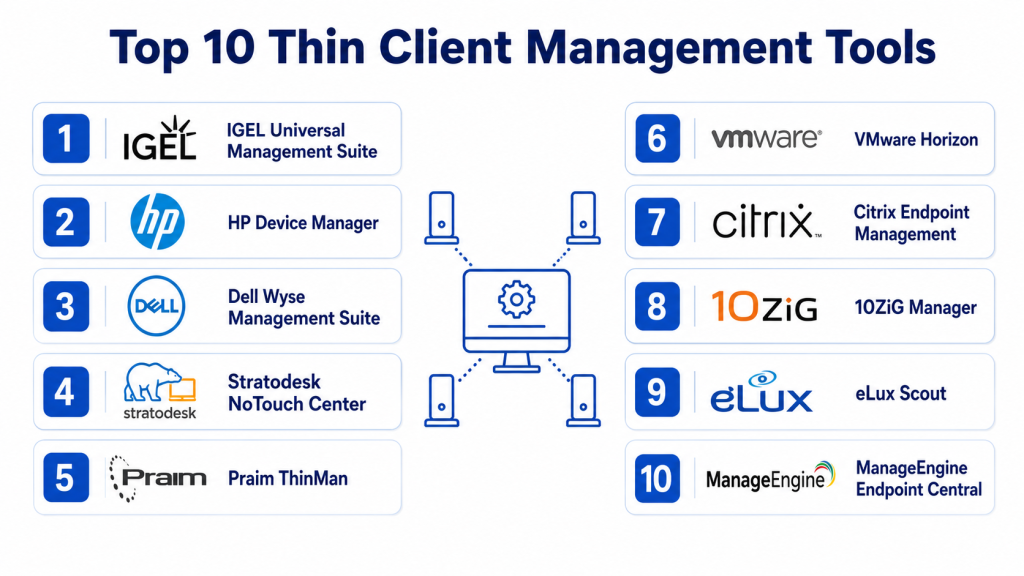
Top 10 Thin Client Management Tools
#1 — VMware Horizon
Short description: VMware Horizon provides enterprise-grade VDI and thin client management with centralized policy enforcement, endpoint monitoring, and cloud workspace integration.
Key Features
- Centralized VDI and thin client management
- Policy-based endpoint control
- Image management and automated updates
- Multi-cloud deployment support
- Performance analytics and monitoring
- Secure remote access management
- Integration with VMware ecosystem
Pros
- Enterprise-grade scalability
- Strong virtualization ecosystem integration
- Advanced monitoring and analytics
- Robust security controls
Cons
- Complex deployment and configuration
- Premium pricing
- Requires VMware expertise
- Overkill for small organizations
Platforms / Deployment
Windows / Linux / macOS
Cloud / Hybrid / On-premise
Security & Compliance
- SSO, MFA, encryption, audit logs, RBAC
- SOC 2, ISO 27001, GDPR
Integrations & Ecosystem
- VMware Workspace ONE, vSphere, NSX
- APIs and ITSM integrations
Support & Community
Comprehensive enterprise support, training, documentation, and partner ecosystem.
#2 — Citrix Virtual Apps and Desktops
Short description: Citrix Virtual Apps and Desktops delivers centralized thin client management and high-performance remote application delivery for enterprise environments.
Key Features
- Centralized endpoint policy management
- High-performance remote display protocol
- Session monitoring and analytics
- Multi-cloud and hybrid deployment support
- Broad OS and device compatibility
- Automated provisioning and updates
- Secure remote workspace access
Pros
- Excellent performance over low bandwidth
- Advanced policy management
- Enterprise scalability
- Strong remote access capabilities
Cons
- Licensing complexity
- Steep learning curve
- Requires experienced administrators
- Premium pricing tiers
Platforms / Deployment
Windows / Linux / macOS
Cloud / Hybrid / On-premise
Security & Compliance
- SSO, MFA, encryption, audit logs
- HIPAA, SOC 2, ISO 27001, GDPR
Integrations & Ecosystem
- Citrix Workspace, Microsoft ecosystem
- APIs, monitoring, and ITSM integrations
Support & Community
Enterprise support, large community ecosystem, extensive documentation.
#3 — IGEL UMS Unified Management Suite
Short description: IGEL UMS centralizes configuration, monitoring, and security management for IGEL-powered thin client environments.
Key Features
- Centralized policy and configuration management
- Secure firmware and OS updates
- USB and peripheral control
- Endpoint inventory and reporting
- VDI broker integration
- Profile-based endpoint management
- Device monitoring dashboards
Pros
- Optimized specifically for thin clients
- Security-focused design
- Simplified administration
- Strong endpoint consistency
Cons
- Limited to IGEL ecosystem
- Less flexible for mixed environments
- Advanced customization limited
- Requires IGEL-compatible infrastructure
Platforms / Deployment
IGEL OS / Windows
Cloud / On-premise
Security & Compliance
- Secure boot, encryption, audit logs
- GDPR
Integrations & Ecosystem
- Citrix, VMware, Microsoft Azure Virtual Desktop
- APIs and VDI integrations
Support & Community
Documentation, enterprise support, active thin client community.
#4 — HP Device Manager
Short description: HP Device Manager provides centralized configuration, monitoring, and lifecycle management for HP thin clients and endpoint devices.
Key Features
- Device discovery and grouping
- Remote configuration management
- BIOS and firmware management
- Policy enforcement and monitoring
- Endpoint reporting dashboards
- Role-based administration
- Remote troubleshooting capabilities
Pros
- Strong integration with HP hardware
- Easy administration interface
- Centralized firmware management
- Enterprise scalability
Cons
- Best suited for HP environments
- Limited third-party hardware support
- Reporting customization limited
- Advanced automation requires expertise
Platforms / Deployment
Windows / HP Thin Clients
Cloud / On-premise
Security & Compliance
- RBAC, encryption, secure communications
- Not publicly stated
Integrations & Ecosystem
- HP thin client ecosystem
- ITSM and monitoring integrations
Support & Community
Enterprise support, technical documentation, onboarding resources.
#5 — Dell Wyse Management Suite
Short description: Dell Wyse Management Suite centralizes thin client management with secure deployment, monitoring, and policy enforcement for Dell environments.
Key Features
- Centralized endpoint management
- Cloud and hybrid deployment support
- Role-based administration
- HTTPS-based imaging and updates
- Device compliance alerts
- Real-time dashboards and analytics
- Secure remote management
Pros
- Strong Dell hardware integration
- Flexible deployment options
- Secure management framework
- Centralized visibility across endpoints
Cons
- Optimized primarily for Dell Wyse hardware
- Advanced features require Pro edition
- Learning curve for complex deployments
- Enterprise pricing for advanced tiers
Platforms / Deployment
Windows / Dell ThinOS
Cloud / Hybrid / On-premise
Security & Compliance
- Active Directory authentication, RBAC, HTTPS imaging
- Two-factor authentication support
Integrations & Ecosystem
- Dell Cloud Client Workspace
- APIs and ITSM integrations
Support & Community
24×7 enterprise support, documentation, training resources.
#6 — Stratodesk NoTouch Center
Short description: Stratodesk NoTouch Center provides hardware-agnostic thin client management with centralized control for mixed endpoint environments.
Key Features
- Vendor-neutral endpoint management
- Centralized policy enforcement
- Secure endpoint lockdown
- OS and firmware management
- VDI and DaaS integration
- Reporting dashboards
- Remote troubleshooting tools
Pros
- Hardware-agnostic platform
- Flexible deployment options
- Strong endpoint security
- Supports legacy hardware reuse
Cons
- Smaller ecosystem compared to Citrix or VMware
- Advanced analytics limited
- Requires technical setup expertise
- Some integrations require customization
Platforms / Deployment
Windows / Linux / Thin Clients
Cloud / Hybrid / On-premise
Security & Compliance
- Secure endpoint lockdown, encryption
- Not publicly stated
Integrations & Ecosystem
- Citrix, VMware, Microsoft Azure Virtual Desktop
- APIs and VDI integrations
Support & Community
Documentation, onboarding support, technical resources.
#7 — 10ZiG Manager
Short description: 10ZiG Manager centralizes endpoint monitoring, configuration, and performance management for 10ZiG thin client environments.
Key Features
- Endpoint configuration management
- Device performance monitoring
- Centralized firmware updates
- Reporting and analytics dashboards
- Remote troubleshooting
- User policy management
- Secure endpoint controls
Pros
- Easy administration
- Strong endpoint visibility
- Simplified firmware management
- Good VDI compatibility
Cons
- Best suited for 10ZiG environments
- Smaller ecosystem
- Limited advanced analytics
- Enterprise scalability less mature
Platforms / Deployment
Windows / Linux / 10ZiG Devices
Cloud / On-premise
Security & Compliance
- Encryption, RBAC
- Not publicly stated
Integrations & Ecosystem
- Citrix, VMware, Microsoft VDI
- API integrations
Support & Community
Documentation, onboarding, technical support.
#8 — NComputing vSpace
Short description: NComputing vSpace provides centralized thin client and virtual desktop management optimized for SMBs, education, and cost-sensitive deployments.
Key Features
- Centralized endpoint management
- Virtual desktop delivery
- User session management
- Device monitoring and reporting
- Secure remote access
- Multi-user support
- Automated updates
Pros
- Cost-effective VDI solution
- Good for education environments
- Lightweight deployment
- Easy administration
Cons
- Limited enterprise scalability
- Advanced analytics minimal
- Less feature-rich than Citrix or VMware
- Limited third-party integrations
Platforms / Deployment
Windows / Linux
Cloud / On-premise
Security & Compliance
- Encryption, secure access controls
- Not publicly stated
Integrations & Ecosystem
- Microsoft and Linux environments
- Basic API integrations
Support & Community
Documentation, SMB-focused support, community forums.
#9 — ThinManager
Short description: ThinManager centralizes thin client and industrial endpoint management for manufacturing, industrial automation, and production environments.
Key Features
- Centralized thin client management
- Industrial mobility management
- Secure application delivery
- Location-aware endpoint management
- User and device policy control
- Mobile device integration
- Real-time monitoring dashboards
Pros
- Strong industrial environment support
- Secure centralized architecture
- Scalable across multiple facilities
- Excellent mobility integration
Cons
- Focused primarily on industrial environments
- Less suited for general enterprise desktops
- Requires specialized expertise
- Premium industrial licensing costs
Platforms / Deployment
Windows / Industrial Thin Clients
Cloud / On-premise
Security & Compliance
- Centralized security controls, secure access
- Not publicly stated
Integrations & Ecosystem
- Industrial automation platforms
- APIs and remote desktop integrations
Support & Community
Enterprise support, industrial documentation, onboarding resources.
#10 — Microsoft Endpoint Manager
Short description: Microsoft Endpoint Manager supports centralized endpoint and thin client policy management for Windows-centric organizations.
Key Features
- Endpoint configuration management
- Security and compliance policies
- Cloud-based device management
- Automated updates and patching
- Azure AD integration
- Reporting dashboards
- Role-based administration
Pros
- Strong Microsoft ecosystem integration
- Unified endpoint management
- Enterprise scalability
- Cloud-native administration
Cons
- Optimized for Microsoft environments
- Licensing complexity
- Advanced configuration requires expertise
- Limited support for specialized thin client OS platforms
Platforms / Deployment
Windows / macOS / iOS / Android
Cloud / Hybrid
Security & Compliance
- SSO, MFA, encryption, RBAC
- SOC 2, ISO 27001, GDPR
Integrations & Ecosystem
- Azure AD, Microsoft 365, Intune
- APIs and ITSM integrations
Support & Community
Extensive documentation, enterprise support, active ecosystem.
Comparison Table
| Tool Name | Best For | Platform Supported | Deployment | Standout Feature | Public Rating |
|---|---|---|---|---|---|
| VMware Horizon | Enterprise VDI | Windows / Linux / macOS | Cloud / Hybrid | Deep VDI integration | N/A |
| Citrix Virtual Apps and Desktops | Enterprise remote work | Multi-OS | Cloud / Hybrid | High-performance remote access | N/A |
| IGEL UMS | Dedicated thin client fleets | IGEL OS / Windows | Cloud / On-premise | Security-focused management | N/A |
| HP Device Manager | HP thin clients | Windows / HP Thin Clients | Cloud / On-premise | Native HP integration | N/A |
| Dell Wyse Management Suite | Dell Wyse environments | Dell ThinOS / Windows | Cloud / Hybrid | Secure hybrid management | N/A |
| Stratodesk NoTouch Center | Mixed environments | Windows / Linux | Cloud / Hybrid | Hardware-agnostic management | N/A |
| 10ZiG Manager | 10ZiG deployments | Windows / Linux | Cloud / On-premise | Endpoint performance visibility | N/A |
| NComputing vSpace | Education & SMB | Windows / Linux | Cloud / On-premise | Cost-effective VDI management | N/A |
| ThinManager | Industrial environments | Windows | Cloud / On-premise | Industrial mobility management | N/A |
| Microsoft Endpoint Manager | Windows-centric organizations | Windows / macOS | Cloud / Hybrid | Unified endpoint management | N/A |
Evaluation & Scoring
| Tool Name | Core 25% | Ease 15% | Integrations 15% | Security 10% | Performance 10% | Support 10% | Value 15% | Weighted Total |
|---|---|---|---|---|---|---|---|---|
| VMware Horizon | 9 | 7.5 | 9 | 9 | 8.5 | 8 | 7 | 8.3 |
| Citrix Virtual Apps and Desktops | 9 | 7 | 9 | 9 | 9 | 8 | 7 | 8.3 |
| IGEL UMS | 8.5 | 8 | 8 | 8.5 | 8 | 7.5 | 8 | 8.0 |
| HP Device Manager | 8 | 8 | 7 | 7.5 | 7.5 | 7 | 7.5 | 7.6 |
| Dell Wyse Management Suite | 8.5 | 8 | 8 | 8 | 8 | 7.5 | 7.5 | 7.9 |
| Stratodesk NoTouch Center | 8 | 8 | 7.5 | 8 | 7.5 | 7 | 8 | 7.8 |
| 10ZiG Manager | 7.5 | 8 | 7 | 7 | 7 | 7 | 7.5 | 7.3 |
| NComputing vSpace | 7.5 | 8.5 | 6.5 | 7 | 7 | 7 | 8 | 7.4 |
| ThinManager | 8.5 | 7 | 7.5 | 8 | 8 | 7.5 | 7 | 7.8 |
| Microsoft Endpoint Manager | 8.5 | 8 | 8.5 | 9 | 8 | 8 | 7.5 | 8.2 |
Which Thin Client Management Tool Is Right for You?
Solo / Freelancer
Small deployments often do not require enterprise-grade thin client management. Lightweight endpoint tools or Microsoft Endpoint Manager may be sufficient.
SMB
NComputing vSpace or Stratodesk NoTouch Center provide cost-effective centralized management for growing thin client environments.
Mid-Market
IGEL UMS, Dell Wyse Management Suite, and HP Device Manager balance scalability, security, and centralized endpoint visibility.
Enterprise
VMware Horizon, Citrix Virtual Apps and Desktops, and Microsoft Endpoint Manager provide advanced VDI integration, automation, analytics, and enterprise scalability.
Budget vs Premium
SMBs may prioritize lower-cost VDI management platforms, while enterprises benefit from premium automation, analytics, and security capabilities.
Feature Depth vs Ease of Use
Enterprise tools provide extensive functionality but require technical expertise, while SMB-focused tools simplify deployment and administration.
Integrations & Scalability
Organizations should prioritize integrations with VDI, DaaS, cloud identity providers, and ITSM platforms for long-term scalability.
Security & Compliance Needs
Enterprises should verify SSO, MFA, encryption, audit logging, RBAC, and compliance certifications before deployment.
Frequently Asked Questions
1. What is a Thin Client Management Tool?
It is a centralized platform used to configure, monitor, update, and secure thin client endpoints and virtual desktop environments.
2. How are thin clients different from PCs?
Thin clients rely on centralized servers or VDI infrastructure, while traditional PCs perform computing tasks locally.
3. Can these tools manage zero clients?
Yes, many platforms support both thin clients and zero clients in centralized environments.
4. Are cloud deployments supported?
Most modern thin client management tools support cloud, hybrid, or SaaS-based deployment models.
5. Do these platforms improve security?
Yes, centralized management reduces local attack surfaces and improves policy enforcement and compliance monitoring.
6. Which industries benefit most from thin clients?
Healthcare, education, finance, manufacturing, and enterprises with remote workforces commonly use thin client environments.
7. Are VDI integrations important?
Yes, integrations with Citrix, VMware, Azure Virtual Desktop, and DaaS platforms are essential for modern deployments.
8. Can these tools automate updates and patching?
Most platforms support centralized firmware updates, policy deployment, and automated endpoint configuration management.
9. How scalable are these solutions?
Enterprise-grade platforms can manage thousands of endpoints across distributed global environments.
10. What should buyers prioritize first?
Organizations should prioritize endpoint compatibility, centralized security, scalability, and VDI integration capabilities.
Conclusion
Thin Client Management Tools are essential for organizations seeking centralized endpoint control, secure remote access, and simplified IT administration across distributed environments. Smaller organizations may prioritize lightweight and cost-effective solutions such as NComputing vSpace or Stratodesk NoTouch Center, while enterprises benefit from VMware Horizon, Citrix Virtual Apps and Desktops, or Microsoft Endpoint Manager for advanced scalability, automation, and VDI integration. The ideal platform depends on infrastructure complexity, endpoint diversity, security requirements, and cloud strategy. Organizations should evaluate device compatibility, test centralized policy management, validate integration with virtualization platforms, and pilot deployments before scaling across enterprise environments.

I really liked how this post explained thin client management tools in a simple and organized way. The pros and cons section made the comparison much more practical and easy to understand.
A significant gap in many thin client management evaluations is the operational dependency on the underlying VDI and identity infrastructure. Managing the endpoint is often the easy part; maintaining a reliable experience across authentication services, profile management, certificate lifecycles, virtual desktop brokers, and network connectivity is where most production issues emerge. Organizations should evaluate how these tools handle large-scale certificate rotation, offline policy enforcement, disaster recovery, and integration with identity providers such as Entra ID or enterprise SSO platforms. In practice, the long-term operational cost is frequently driven less by device management itself and more by the complexity of the ecosystem that the thin clients depend on. Ignoring these dependencies can lead to hidden support overhead and availability risks that are not apparent during initial deployment planning.
Organizations often adopt thin clients to simplify endpoint administration, but user experience can become a hidden challenge as workloads grow more demanding. Application latency, peripheral device compatibility, and network dependency can significantly affect productivity even when management remains centralized. Adding discussion around performance monitoring, user experience metrics, and capacity planning would help readers assess how these platforms perform under real-world enterprise conditions.
Thin client management platforms are often evaluated for centralized administration, but their long-term effectiveness also depends on how seamlessly they fit into existing endpoint management and identity ecosystems. Organizations using hybrid environments benefit from solutions that integrate with directory services, zero-trust access controls, and monitoring platforms without creating additional administrative overhead. Discussing interoperability, policy synchronization, and lifecycle automation would give readers a more practical perspective on selecting a platform that remains manageable as IT environments continue to evolve.