Introduction
Collections automation tools help finance teams manage overdue invoices, prioritize customer follow-ups, automate reminders, track promises to pay, resolve disputes, and improve cash flow without relying only on spreadsheets and manual email chasing. For modern accounts receivable teams, collections is no longer just about sending payment reminders. It now includes customer segmentation, workflow automation, payment risk scoring, dispute visibility, collaboration, ERP integration, and real-time reporting.
These tools matter because businesses need faster cash conversion, lower days sales outstanding, cleaner receivables data, and better customer communication. Collections automation is commonly used for overdue invoice follow-up, automated dunning, dispute management, collector worklists, payment forecasting, credit-to-cash visibility, and customer self-service payment experiences.
Buyers should evaluate automation depth, ERP integration, AI prioritization, customer communication tools, payment portal support, dispute workflows, reporting dashboards, security controls, implementation effort, and pricing flexibility.
Best for: Finance leaders, AR managers, credit controllers, collections teams, CFO offices, B2B SaaS companies, distributors, manufacturers, professional services firms, and enterprises managing large invoice volumes.
Not ideal for: Very small businesses with only a few invoices per month, teams already using simple accounting reminders effectively, or companies that need only basic invoicing rather than full collections workflow automation.
Key Trends in Collections Automation Tools
- AI-prioritized collections worklists are becoming standard as teams move away from static aging reports toward risk-based daily action queues.
- Finance workflow automation is helping teams reduce repetitive follow-ups, manual reminders, and spreadsheet-based tracking.
- Customer-specific dunning journeys are replacing generic reminder emails, allowing collectors to adjust tone, timing, and channels by segment.
- ERP-first integration remains critical because collections workflows depend on accurate invoice, payment, customer, and credit data.
- Self-service payment portals are becoming more important as customers expect easy access to invoices, statements, disputes, payment links, and account history.
- Dispute and deduction management is increasingly connected to collections so teams can separate genuine non-payment from blocked invoices.
- Cash forecasting and payment prediction are gaining importance for CFOs who want better working capital visibility.
- Collaboration across sales, finance, and customer success is becoming part of collections because payment delays often require relationship context.
- Security, auditability, and role-based access are now baseline expectations, especially for enterprise finance workflows.
- Modular AR platforms are becoming popular, allowing companies to adopt collections first and later add invoicing, cash application, credit, or payments.
How We Selected These Tools
- We prioritized tools with strong recognition in accounts receivable, order-to-cash, and collections automation.
- We considered whether each platform supports real collections workflows such as reminders, worklists, dispute visibility, promise-to-pay tracking, and reporting.
- We looked for tools that serve different company sizes, including SMB, mid-market, enterprise, and global finance teams.
- We gave preference to platforms with meaningful ERP, accounting, CRM, payment, and communication integrations.
- We considered AI and automation maturity, especially where platforms support predictive collections, risk scoring, or smart prioritization.
- We reviewed whether each tool fits modern finance operating models, including remote teams, shared services, and multi-entity AR environments.
- We avoided guessing public ratings, certifications, or pricing when details are not clearly known.
- We included a balanced mix of dedicated collections tools, full AR automation platforms, and enterprise invoice-to-cash suites.
- We assessed usability, scalability, reporting depth, customer collaboration, and implementation complexity.
- We focused on practical buyer value rather than vendor hype.
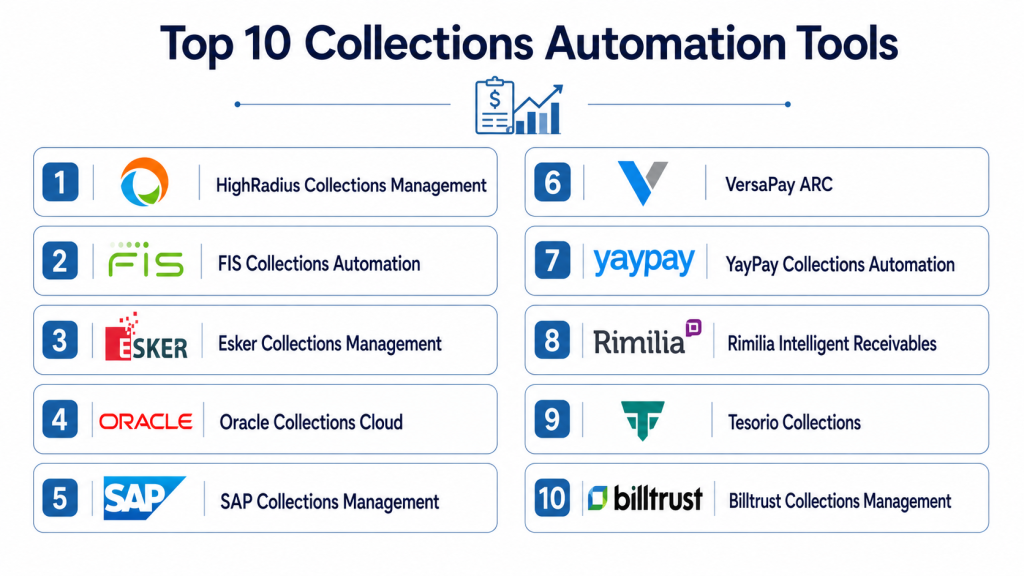
Top 10 Collections Automation Tools
#1 — HighRadius Collections Management
Short description: HighRadius Collections Management is an enterprise-focused collections automation solution built for accounts receivable and order-to-cash teams. It helps companies prioritize accounts, automate follow-ups, manage disputes, and improve collector productivity. The platform is best suited for larger organizations with complex customer portfolios, high invoice volumes, and deep ERP requirements. It is often considered by finance teams that want AI-assisted AR automation across collections, credit, cash application, and deductions.
Key Features
- AI-driven collector worklists and account prioritization
- Automated dunning reminders and customer follow-up workflows
- Dispute and deduction visibility within collections processes
- Payment behavior analysis and risk-based segmentation
- Dashboards for DSO, overdue balances, collector activity, and cash visibility
- Support for large-scale AR operations across entities and regions
- Broader order-to-cash automation modules beyond collections
Pros
- Strong fit for enterprise AR teams with high transaction volume
- Broad order-to-cash coverage beyond simple reminders
- AI prioritization can help collectors focus on high-impact accounts
- Useful for companies that need structured workflows and visibility
Cons
- May be too complex for small businesses with simple AR needs
- Implementation can require process mapping and ERP coordination
- Pricing is likely better suited to mid-market and enterprise budgets
- Teams may need training to fully use advanced automation features
Platforms / Deployment
Cloud / Web
Security & Compliance
Enterprise security controls such as role-based access, auditability, and data protection are commonly expected in this category, but specific certifications should be verified directly with the vendor. Certifications: Not publicly stated.
Integrations & Ecosystem
HighRadius is designed to work with enterprise finance stacks where ERP and AR data are central to collections decisions. It is commonly evaluated by companies that need collections workflows connected with broader credit, billing, payment, and deductions processes.
- ERP integrations
- Accounts receivable data connections
- Credit and deductions workflows
- Payment and remittance data
- Reporting and analytics tools
- Order-to-cash ecosystem modules
Support & Community
HighRadius typically serves larger finance organizations, so buyers should expect structured onboarding, implementation support, training, and account management. Public community strength varies, and exact support tiers should be confirmed during evaluation.
#2 — Billtrust Collections
Short description: Billtrust Collections is part of a broader accounts receivable automation platform focused on invoicing, payments, collections, cash application, and customer account visibility. It helps AR teams automate follow-ups, prioritize work, manage payment risk, and improve the collections experience. The platform is especially relevant for B2B companies that want collections connected to digital invoicing and payment acceptance. It is well suited for teams looking for unified AR automation rather than a standalone reminder tool.
Key Features
- Automated collections workflows and reminders
- AI-assisted prioritization and payment risk insights
- Customer account visibility across invoices and payment activity
- Case and dispute management capabilities
- Integrated invoicing, payments, and cash application ecosystem
- Dashboards for cash flow, overdue balances, and collector productivity
- Support for collaborative AR workflows
Pros
- Strong fit for B2B companies that want collections tied to payments
- Unified AR approach reduces tool fragmentation
- Good option for teams modernizing invoice-to-cash processes
- Supports both automation and customer experience improvement
Cons
- May be more platform than needed for basic collections use cases
- Advanced value depends on adoption of connected AR modules
- Pricing and packaging may vary based on modules selected
- Implementation planning is important for larger AR environments
Platforms / Deployment
Cloud / Web
Security & Compliance
Security features may include access controls, data protection practices, and enterprise administration options. Specific certifications and compliance details should be validated directly with the vendor. Certifications: Not publicly stated.
Integrations & Ecosystem
Billtrust is designed around the broader AR lifecycle, so integrations typically focus on ERP, invoicing, payment, and cash application workflows. It is useful when collections needs to be connected with real-time payment and customer account data.
- ERP and accounting systems
- Digital invoicing workflows
- Payment processing
- Cash application
- Customer portals
- Reporting and analytics
Support & Community
Billtrust generally supports business finance teams through implementation resources, customer support, onboarding, and product documentation. Support depth may depend on company size, package, and implementation scope.
#3 — Tesorio
Short description: Tesorio is an accounts receivable automation and collections platform focused on helping finance teams prioritize collections, automate outreach, forecast cash, and collaborate around customer payments. It is often used by B2B companies that want better visibility into receivables and payment behavior. Tesorio is especially useful for teams that need AI-assisted worklists, email workflows, promise-to-pay tracking, and finance stack integrations. It fits growing companies that want modern AR automation without relying on spreadsheets.
Key Features
- AI-prioritized collections worklists
- Automated customer outreach and follow-up workflows
- Promise-to-pay tracking and payment commitment visibility
- Cash forecasting and payment behavior insights
- Centralized customer communication history
- ERP, billing, CRM, and payment integrations
- Collaboration tools for AR and finance teams
Pros
- Strong fit for modern B2B finance teams
- Useful balance of automation, visibility, and collaboration
- Integrates with common finance and business systems
- Helps reduce manual spreadsheet-based collections tracking
Cons
- Best value depends on quality of connected AR and ERP data
- May require workflow redesign for teams moving from manual processes
- Advanced functionality may be more than very small teams need
- Pricing details should be confirmed with the vendor
Platforms / Deployment
Cloud / Web
Security & Compliance
Tesorio supports business finance workflows where permissions and data controls are important. Specific certifications, audit controls, and compliance claims should be verified directly with the vendor. Certifications: Not publicly stated.
Integrations & Ecosystem
Tesorio is integration-friendly and commonly connects with accounting, ERP, CRM, billing, payment, and communication systems. Its ecosystem is valuable for teams that want collections activity connected to the rest of the revenue and finance stack.
- ERP systems
- Accounting platforms
- CRM tools
- Billing systems
- Payment processors
- Email and collaboration tools
Support & Community
Tesorio provides onboarding and customer success support for finance teams implementing AR automation. Community visibility is more vendor-led than open community-based, and exact support tiers should be reviewed during procurement.
#4 — Esker Collections Management
Short description: Esker Collections Management is part of Esker’s broader finance automation suite for order-to-cash and source-to-pay processes. It helps AR teams automate collections tasks, manage customer communication, improve visibility, and support better cash flow management. Esker is a strong fit for organizations looking for finance automation across multiple business processes rather than only collections. It is especially useful for companies that value structured workflows, AI-enabled automation, and global finance process standardization.
Key Features
- Automated collections task management
- Customer communication and reminder workflows
- AR dashboards and cash flow visibility
- Integration with order-to-cash processes
- AI-assisted finance automation capabilities
- Dispute and customer account visibility
- Support for process standardization across teams
Pros
- Strong option for finance teams seeking broader automation
- Useful for companies with order-to-cash transformation goals
- Structured workflows can improve consistency across collectors
- Good fit for multi-process finance automation initiatives
Cons
- May feel broad for teams seeking only lightweight collections reminders
- Implementation may involve broader finance process alignment
- Pricing and deployment scope can vary by module
- Some capabilities may depend on other Esker finance automation components
Platforms / Deployment
Cloud / Web
Security & Compliance
Esker serves enterprise finance automation use cases, so buyers should evaluate SSO, access control, audit logging, encryption, and compliance documentation during vendor review. Specific certifications: Not publicly stated.
Integrations & Ecosystem
Esker’s ecosystem is built around finance process automation, especially order-to-cash and source-to-pay workflows. Collections can connect with invoice, payment, customer, and document automation processes.
- ERP systems
- Finance automation modules
- Customer communication channels
- Invoice and payment workflows
- Document processing tools
- Reporting dashboards
Support & Community
Esker typically offers enterprise onboarding, documentation, implementation assistance, and support resources. Support availability and service levels may vary by region, edition, and implementation partner.
#5 — Quadient AR by YayPay
Short description: Quadient AR by YayPay is an accounts receivable automation platform designed to help finance teams manage collections, cash application, customer payments, and AR visibility. YayPay has long been associated with predictive AR and collections workflows, while Quadient adds broader finance and customer communication capabilities. The platform is best suited for organizations that want structured collections automation with dashboards, reminders, and payment behavior insights. It is a good fit for mid-market and enterprise AR teams looking to reduce manual follow-ups.
Key Features
- Collections automation and customer follow-up workflows
- Predictive AR insights and payment behavior visibility
- Customer payment portal capabilities
- Cash application support
- Dashboards for AR health and overdue balances
- Workflow automation for finance teams
- Integration with ERP, billing, and CRM systems
Pros
- Good balance of AR automation and collections visibility
- Useful for finance teams that want predictable follow-up processes
- Payment portal support can improve customer experience
- Fits organizations seeking broader AR automation
Cons
- Some buyers may need clarity on Quadient and YayPay packaging
- Advanced value depends on implementation and data quality
- May require training for teams used to spreadsheet-based workflows
- Public technical detail may vary by region and product edition
Platforms / Deployment
Cloud / Web
Security & Compliance
Security and compliance controls should be reviewed directly with Quadient during vendor evaluation. Specific certifications: Not publicly stated.
Integrations & Ecosystem
Quadient AR by YayPay connects collections workflows with AR data, customer communication, and payment activity. It is commonly evaluated by finance teams that want collections automation tied to cash visibility and customer payment management.
- ERP systems
- Billing platforms
- CRM systems
- Payment portals
- Cash application workflows
- Reporting and analytics
Support & Community
Quadient offers vendor-led support, implementation resources, and product guidance. Community strength is mainly professional and customer-based rather than open-source style.
#6 — Versapay
Short description: Versapay is an accounts receivable automation platform that combines invoicing, collections, payment acceptance, cash application, and customer collaboration. Its collections capabilities are especially useful for B2B teams that want to reduce overdue invoices while improving the buyer payment experience. Versapay is a strong fit for companies that want collections to work alongside digital invoicing and payment portals. It is particularly relevant for finance teams that need collaboration between AR staff, customers, and internal stakeholders.
Key Features
- Collections management and automated reminders
- Digital invoicing and customer payment portal
- Cash application and reconciliation support
- B2B payment services
- Customer collaboration workflows
- AR reporting and visibility
- ERP and accounting integrations
Pros
- Strong customer collaboration approach
- Good fit for companies modernizing the full AR cycle
- Payment portal can reduce friction for customers
- Useful for B2B teams that need visibility across invoice-to-cash
Cons
- May be broader than needed for simple dunning automation
- Best results require adoption across invoicing, payments, and collections
- Pricing and module availability should be checked carefully
- Implementation complexity varies by ERP and payment workflows
Platforms / Deployment
Cloud / Web
Security & Compliance
Versapay handles payment and AR workflows, so buyers should evaluate security controls, access management, payment security practices, and compliance documentation directly. Specific certifications: Not publicly stated.
Integrations & Ecosystem
Versapay focuses on connecting AR processes across invoicing, collections, payments, and reconciliation. Its ecosystem is helpful for teams that want fewer disconnected finance tools.
- ERP systems
- Accounting platforms
- Payment processing
- Customer portals
- Cash application
- AR reporting tools
Support & Community
Versapay offers vendor support, onboarding, and implementation resources. Support quality and availability may depend on selected modules, business size, and implementation scope.
#7 — Sidetrade
Short description: Sidetrade is an AI-focused order-to-cash platform with strong capabilities in collections, payment prediction, dispute management, and cash flow optimization. It is designed for larger B2B organizations that need intelligent prioritization and automation across customer payment workflows. Sidetrade is especially relevant for teams looking at AI-native collections execution, next-best-action recommendations, and scalable cash collection processes. It fits enterprises that want to modernize AR operations with advanced automation and analytics.
Key Features
- AI-guided collections prioritization
- Next-best-action recommendations for collectors
- Automated dunning and workflow orchestration
- Dispute and deductions support
- Cash forecasting and payment behavior analytics
- Global order-to-cash process support
- Customer risk and payment delay insights
Pros
- Strong AI-native positioning for order-to-cash
- Good fit for enterprise collections teams
- Supports advanced segmentation and prioritization
- Helps standardize collections execution across large portfolios
Cons
- May be too advanced for small AR teams
- Implementation requires strong process and data readiness
- Pricing and packaging may be enterprise-oriented
- Teams may need change management to adopt AI-led workflows
Platforms / Deployment
Cloud / Web
Security & Compliance
Sidetrade serves enterprise finance operations where governance and secure workflows are important. Specific certifications and compliance claims should be confirmed directly with the vendor. Certifications: Not publicly stated.
Integrations & Ecosystem
Sidetrade works best when connected to ERP, customer, invoice, and payment data. Its ecosystem supports order-to-cash workflows and helps finance teams execute collections actions with better context.
- ERP systems
- AR and invoice data
- Payment information
- Customer communication workflows
- Dispute management
- Analytics and forecasting
Support & Community
Sidetrade typically supports enterprise customers through onboarding, consulting, product documentation, and account support. Public community visibility is limited compared with developer-first software, but vendor-led expertise is central.
#8 — BlackLine Invoice-to-Cash
Short description: BlackLine Invoice-to-Cash is part of BlackLine’s broader financial operations platform, designed to help companies automate and improve finance and accounting processes. For collections, it is most relevant to enterprises seeking connected invoice-to-cash visibility, automation, and control. BlackLine is often evaluated by organizations that already care deeply about financial close, reconciliation, intercompany accounting, and process governance. It is a strong choice for larger finance teams that want collections connected to broader CFO workflows.
Key Features
- Invoice-to-cash workflow automation
- Customer payment and receivables visibility
- Finance process standardization
- AI-assisted financial operations capabilities
- Reporting and analytics for AR performance
- Enterprise controls and workflow governance
- Broader finance automation ecosystem
Pros
- Strong fit for enterprise finance transformation
- Useful for companies standardizing finance operations
- Good option when AR is part of a broader CFO platform strategy
- Supports structured workflows and governance
Cons
- May not be the simplest choice for collections-only needs
- Better suited to larger organizations than small teams
- Implementation may require enterprise finance process alignment
- Exact collections depth should be validated against buyer requirements
Platforms / Deployment
Cloud / Web
Security & Compliance
BlackLine is an enterprise finance platform, but buyers should confirm required controls such as SSO, RBAC, audit logs, encryption, and compliance certifications directly. Certifications: Not publicly stated.
Integrations & Ecosystem
BlackLine’s ecosystem is focused on enterprise finance operations. Invoice-to-cash capabilities may connect with ERP, finance close, reconciliation, and AR processes.
- ERP systems
- Financial operations workflows
- Invoice-to-cash processes
- Reporting and analytics
- Reconciliation workflows
- Enterprise finance controls
Support & Community
BlackLine offers enterprise support, training, implementation assistance, and customer success resources. It has strong enterprise mindshare, though support experience may vary by package and region.
#9 — Invoiced by Flywire
Short description: Invoiced by Flywire is an accounts receivable automation platform that supports billing, collections, payments, customer portals, and reconciliation. It is especially attractive to SMB and mid-market companies that want a practical AR automation system without the complexity of a large enterprise suite. Invoiced helps teams automate reminders, track payments, offer self-service customer access, and improve invoice follow-up. It is useful for businesses that want collections connected with billing and payment workflows.
Key Features
- Automated invoice reminders and collections workflows
- Customer self-service payment portal
- Online payment support
- Billing and subscription-related AR workflows
- Payment tracking and reconciliation support
- Reporting and receivables visibility
- Accounting platform integrations
Pros
- Good fit for SMB and mid-market finance teams
- Practical AR automation without excessive complexity
- Customer portal improves payment convenience
- Useful for recurring billing and invoice follow-up workflows
Cons
- May not match enterprise-grade complexity of larger O2C suites
- Advanced AI and global collections features may be limited
- Best fit depends on accounting and payment integration needs
- Large enterprises may require deeper workflow customization
Platforms / Deployment
Cloud / Web
Security & Compliance
Security controls should be reviewed directly with the vendor, especially for payment workflows and customer portals. Specific certifications: Not publicly stated.
Integrations & Ecosystem
Invoiced connects AR automation with billing, payment, and accounting workflows. Its ecosystem is especially useful for teams that want invoicing, reminders, payments, and customer access in one place.
- Accounting platforms
- Payment processors
- Billing workflows
- Customer portals
- Reconciliation processes
- Reporting tools
Support & Community
Invoiced provides documentation, onboarding resources, and customer support. Community strength is vendor-led rather than open community-based, and support tiers may vary by plan.
#10 — Upflow
Short description: Upflow is a collections and accounts receivable automation platform focused on helping B2B teams centralize receivables, automate reminders, collaborate with internal teams, and improve customer payment follow-up. It is especially useful for startups, SaaS companies, and mid-market businesses that want a modern, lightweight collections workflow. Upflow emphasizes visibility, collaboration, and integration with existing accounting or ERP tools. It is a good option for teams moving away from spreadsheets and disconnected email follow-ups.
Key Features
- Automated and personalized payment reminders
- Centralized AR and collections dashboard
- Customer payment portal support
- Collaboration features for finance and business teams
- Real-time AR visibility and reporting
- Accounting and ERP integrations
- Customer-level collections tracking
Pros
- Easy fit for growing B2B companies
- Strong collaboration approach for finance and customer-facing teams
- Practical alternative to spreadsheet-based collections
- Useful integrations with common accounting tools
Cons
- May not offer the same enterprise depth as larger O2C suites
- Some advanced workflow needs may require customization
- Best value depends on integration quality with accounting systems
- Global enterprise compliance needs should be validated carefully
Platforms / Deployment
Cloud / Web
Security & Compliance
Security and compliance details should be verified directly with Upflow during procurement. Specific certifications: Not publicly stated.
Integrations & Ecosystem
Upflow connects with accounting, ERP, billing, and payment tools to help teams work from accurate AR data. It is useful for companies that want to keep their current finance stack while adding collections automation.
- Accounting platforms
- ERP systems
- Billing tools
- Payment platforms
- Customer portals
- Reporting workflows
Support & Community
Upflow provides onboarding, documentation, and support for finance teams adopting collections automation. Community strength is mostly vendor-led, with support expectations depending on plan and customer size.
Comparison Table
| Tool Name | Best For | Platform Supported | Deployment | Standout Feature | Public Rating |
|---|---|---|---|---|---|
| HighRadius Collections Management | Enterprise AR and order-to-cash teams | Web | Cloud | AI-driven collections prioritization | N/A |
| Billtrust Collections | B2B AR teams needing invoicing, payments, and collections together | Web | Cloud | Unified AR platform with collections and payments | N/A |
| Tesorio | Modern B2B finance teams focused on cash visibility | Web | Cloud | AI-prioritized worklists and promise-to-pay tracking | N/A |
| Esker Collections Management | Finance teams standardizing order-to-cash automation | Web | Cloud | Broader finance automation suite | N/A |
| Quadient AR by YayPay | Mid-market and enterprise AR automation | Web | Cloud | Predictive AR workflows and payment portal | N/A |
| Versapay | B2B companies needing collaborative AR and payment workflows | Web | Cloud | Customer collaboration across invoice-to-cash | N/A |
| Sidetrade | Enterprises seeking AI-native order-to-cash automation | Web | Cloud | AI-guided next-best-action collections | N/A |
| BlackLine Invoice-to-Cash | Enterprise finance transformation teams | Web | Cloud | Finance operations governance and invoice-to-cash automation | N/A |
| Invoiced by Flywire | SMB and mid-market AR automation | Web | Cloud | Customer portal with billing and payment automation | N/A |
| Upflow | Startups and growing B2B teams | Web | Cloud | Collaborative collections and AR visibility | N/A |
Evaluation & Scoring of Collections Automation Tools
| Tool Name | Core 25% | Ease 15% | Integrations 15% | Security 10% | Performance 10% | Support 10% | Value 15% | Weighted Total |
|---|---|---|---|---|---|---|---|---|
| HighRadius Collections Management | 9.5 | 7.5 | 9.0 | 8.5 | 9.0 | 8.5 | 8.0 | 8.70 |
| Billtrust Collections | 9.0 | 8.0 | 8.5 | 8.0 | 8.5 | 8.0 | 8.0 | 8.43 |
| Tesorio | 8.8 | 8.5 | 8.5 | 8.0 | 8.2 | 8.2 | 8.4 | 8.44 |
| Esker Collections Management | 8.6 | 8.0 | 8.2 | 8.2 | 8.3 | 8.2 | 7.8 | 8.22 |
| Quadient AR by YayPay | 8.5 | 8.0 | 8.2 | 8.0 | 8.2 | 8.0 | 8.0 | 8.18 |
| Versapay | 8.4 | 8.2 | 8.5 | 8.0 | 8.2 | 8.0 | 8.2 | 8.25 |
| Sidetrade | 9.0 | 7.6 | 8.5 | 8.4 | 8.8 | 8.3 | 7.8 | 8.45 |
| BlackLine Invoice-to-Cash | 8.2 | 7.5 | 8.6 | 8.5 | 8.5 | 8.4 | 7.6 | 8.17 |
| Invoiced by Flywire | 7.8 | 8.8 | 7.8 | 7.8 | 8.0 | 7.8 | 8.6 | 8.09 |
| Upflow | 7.8 | 9.0 | 8.0 | 7.6 | 8.0 | 7.8 | 8.7 | 8.16 |
These scores are comparative and should be used as a starting point, not as a final buying decision. A higher score means the tool appears stronger across the weighted criteria, but the best choice depends on invoice volume, ERP stack, team size, industry, budget, and workflow complexity. Enterprise platforms often score higher on depth and scalability, while SMB-focused tools may score better on ease of use and value. Buyers should always run a pilot using real invoice, customer, and payment data before making a final decision.
Which Collections Automation Tool Is Right for You?
Solo / Freelancer
Solo professionals usually do not need a full collections automation suite unless they manage many recurring invoices or high-value client retainers. Basic accounting software reminders may be enough for very small invoice volumes. If collections work is starting to consume time, Invoiced by Flywire or Upflow can be practical choices because they focus on simpler AR workflows, reminders, and visibility. The priority should be ease of setup, low admin effort, and simple payment follow-up.
SMB
SMBs need tools that reduce manual chasing without requiring a large implementation team. Upflow, Invoiced by Flywire, Tesorio, and Versapay are strong options depending on the finance stack. SMBs should prioritize accounting integrations, automated reminders, customer portals, and clear dashboards. A lightweight tool that the finance team actually uses every day is usually better than a complex enterprise platform that remains underused.
Mid-Market
Mid-market companies often need deeper automation, better segmentation, payment prediction, team collaboration, and integration with ERP, CRM, and billing systems. Tesorio, Billtrust, Quadient AR by YayPay, Versapay, and Esker are good fits for this segment. The right choice depends on whether the company needs collections only or a broader AR platform covering invoicing, payments, cash application, and dispute workflows.
Enterprise
Enterprises should focus on scalability, governance, auditability, multi-entity support, AI prioritization, global workflows, and ERP depth. HighRadius, Sidetrade, BlackLine, Billtrust, and Esker are strong enterprise candidates. Large companies should evaluate implementation partners, data migration complexity, workflow customization, role-based access, reporting depth, and support for regional collections strategies.
Budget vs Premium
Budget-conscious teams should start with tools that offer fast setup, simple workflows, and strong accounting integrations. Upflow and Invoiced by Flywire are practical choices for lean teams. Premium buyers should look at HighRadius, Sidetrade, BlackLine, Billtrust, or Esker if they need enterprise-grade automation and broader finance transformation. The key is not to overbuy features that your team cannot implement or maintain.
Feature Depth vs Ease of Use
If ease of use is the main priority, choose tools with simple dashboards, fast onboarding, and clear reminder workflows. Upflow, Invoiced by Flywire, and Tesorio are easier starting points for many teams. If feature depth is more important, consider HighRadius, Sidetrade, BlackLine, or Billtrust. Deep platforms are powerful, but they require stronger internal ownership, cleaner data, and more structured rollout plans.
Integrations & Scalability
ERP integration is one of the most important buying factors. A collections automation tool is only as useful as the invoice, payment, customer, and credit data it receives. Companies using complex ERP systems should strongly evaluate HighRadius, Billtrust, BlackLine, Sidetrade, Esker, and Versapay. Teams using common accounting tools may prefer Upflow, Invoiced by Flywire, or Tesorio for faster deployment.
Security & Compliance Needs
Finance teams should evaluate SSO, MFA, RBAC, audit logs, encryption, data residency, user permissions, and compliance documentation before purchase. Enterprise buyers should request security documentation and review it with IT, finance, and legal teams. If your collections process handles regulated customer data, cross-border billing, or sensitive payment details, prioritize platforms with mature access controls and clear audit capabilities. Do not rely only on sales claims; validate the security posture during procurement.
Frequently Asked Questions
1. What is collections automation software?
Collections automation software helps finance teams automate and manage the process of collecting unpaid invoices. It can send reminders, prioritize accounts, track customer promises, show overdue balances, and improve visibility into cash flow. Instead of manually managing spreadsheets and email follow-ups, teams use structured workflows. The goal is to reduce overdue receivables while maintaining better customer communication.
2. How much do collections automation tools usually cost?
Pricing varies widely based on company size, invoice volume, number of users, modules, integrations, and support requirements. Some SMB-focused tools may be packaged more simply, while enterprise platforms often use custom pricing. Buyers should expect pricing to differ significantly between standalone collections tools and full AR automation suites. If exact pricing is not public, request a quote and compare total implementation cost.
3. How long does implementation take?
Implementation depends on ERP complexity, data quality, workflow design, and the number of integrations required. A smaller team using standard accounting software may go live much faster than a global enterprise with multiple entities and custom workflows. Buyers should plan for data cleanup, user training, template setup, and testing. A phased rollout usually works better than trying to automate every collections scenario at once.
4. What are the most important features to look for?
The most important features include automated reminders, customer segmentation, AI-prioritized worklists, ERP integration, dispute tracking, payment portal support, reporting dashboards, and role-based access. Teams should also look for promise-to-pay tracking and collaboration features. Strong integrations are critical because collectors need accurate invoice and payment data. A good tool should reduce manual effort without creating extra admin work.
5. Can collections automation reduce DSO?
Yes, collections automation can help reduce DSO when implemented with clean data, consistent workflows, and strong follow-up discipline. The software can prioritize risky accounts, automate low-risk reminders, and help collectors focus on higher-value cases. However, results depend on customer behavior, payment terms, dispute volume, and internal process maturity. The tool improves execution, but it does not replace good credit and AR strategy.
6. Is AI necessary in collections automation?
AI is not always necessary, but it is increasingly useful for larger teams with high invoice volumes. AI can help prioritize accounts, predict late payments, recommend next actions, and summarize customer communication. Smaller businesses may benefit more from simple automation first. The best approach is to choose AI features that solve practical problems rather than buying AI because it sounds modern.
7. What mistakes should buyers avoid?
A common mistake is buying a tool before cleaning AR data and defining collections workflows. Another mistake is focusing only on automation while ignoring customer experience and dispute resolution. Teams should also avoid over-customizing too early because it can slow implementation. The best projects start with clear goals, simple workflows, integration testing, and measurable success metrics.
8. Do these tools integrate with ERP and accounting systems?
Most serious collections automation tools integrate with ERP, accounting, billing, CRM, payment, or cash application systems. Integration depth varies by vendor and product edition. Some tools offer native integrations, while others rely on APIs, flat files, or implementation partners. Buyers should test integration quality using real invoice, customer, and payment data before signing a long-term contract.
9. Are collections automation tools secure?
Many tools provide business-grade security controls, but buyers should not assume every platform meets the same standard. Finance teams should review SSO, MFA, RBAC, audit logs, encryption, data retention, and compliance documentation. If certifications are required, ask the vendor for current evidence. Security review should happen before implementation, especially when customer and payment data are involved.
10. What are alternatives to collections automation software?
Alternatives include accounting software reminders, ERP dunning modules, CRM tasks, shared inboxes, spreadsheets, and manual customer follow-ups. These options may work for small teams with low invoice volume. However, they become difficult to manage as customer count, invoice volume, and dispute complexity grow. Collections automation is usually better when teams need scale, visibility, consistency, and accountability.
Conclusion
Collections automation tools are now an important part of modern accounts receivable operations because they help finance teams move from reactive invoice chasing to structured, data-driven cash collection. The best platform depends on your company size, invoice volume, ERP environment, customer complexity, security needs, and budget. Enterprise teams may prefer HighRadius, Sidetrade, BlackLine, Billtrust, or Esker for deeper workflow automation and governance, while growing B2B teams may find Tesorio, Versapay, Quadient AR by YayPay, Invoiced by Flywire, or Upflow more practical depending on their stack. No single tool is the universal winner, so buyers should shortlist two or three platforms, run a pilot with real AR data, validate ERP and payment integrations, confirm security controls, and then scale the rollout with clear collector workflows and measurable cash performance goals.

This article provides a very clear and practical overview of collections automation tools with well-structured comparisons. The simple explanations made it easy to understand the strengths of each platform.
Automating collections can improve efficiency, but customer behavior is rarely uniform across regions, industries, or account segments. Overly aggressive automation rules may recover payments faster while unintentionally damaging long-term customer relationships. Exploring adaptive collection strategies, exception handling workflows, and the role of human review in high-value accounts would provide useful operational insight for organizations seeking to balance cash flow optimization with customer retention.
Collections strategies need to evolve continuously because customer payment behavior changes with market conditions and economic cycles. Relying on static automation rules can result in missed recovery opportunities or unnecessary customer friction. Including adaptive workflows, predictive payment behavior models, and continuous strategy optimization would provide readers with a more practical understanding of how collections automation can remain effective over the long term.