Introduction
IT Financial Management Tools help organizations plan, track, optimize, allocate, and control technology spending across infrastructure, software, cloud, services, labor, vendors, and business units. In simple terms, these tools help IT, finance, procurement, and business leaders understand where technology money is going, why costs are increasing, who is consuming resources, and how technology spend supports business value.
IT financial management matters because technology budgets are now spread across cloud platforms, SaaS subscriptions, software licenses, managed services, hardware, security tools, telecom, data platforms, and internal engineering work. Without clear cost visibility, organizations face budget overruns, duplicate tools, poor chargeback accuracy, underused subscriptions, weak forecasting, and difficulty explaining IT value to business leaders.
Common use cases include IT budgeting, technology cost allocation, cloud cost management, SaaS spend visibility, chargeback and showback, vendor cost tracking, IT service costing, contract renewal planning, forecasting, and executive reporting.
Buyers should evaluate cost visibility, budgeting workflows, allocation models, cloud and SaaS integrations, forecasting, reporting, chargeback support, benchmarking, vendor management, ITSM integration, ERP integration, financial controls, security, ease of use, and total cost.
Best for: CIOs, CTOs, CFOs, IT finance teams, FinOps teams, procurement teams, cloud operations teams, enterprise architects, vendor managers, and business leaders responsible for technology cost governance.
Not ideal for: very small teams with simple technology expenses, companies that only need basic accounting reports, or organizations without defined cost centers, owners, budgets, services, or financial governance processes.
Key Trends in IT Financial Management Tools
- Cloud cost visibility is now a central requirement: IT finance teams need detailed visibility into cloud spend, usage trends, wasted resources, reserved capacity, and business-unit consumption.
- FinOps and ITFM are becoming more connected: Finance, engineering, procurement, and IT operations are working together to manage technology cost, accountability, and optimization.
- SaaS spend management is growing quickly: Organizations need visibility into subscriptions, renewals, license usage, duplicate tools, shadow IT, and department-level software spend.
- Chargeback and showback are becoming more important: Business units increasingly want clear cost transparency for the IT services, cloud usage, applications, and tools they consume.
- Technology business management is gaining executive attention: CIOs need to explain technology spend in business language, not only technical categories.
- Automation is reducing manual spreadsheet work: Modern tools automate cost ingestion, tagging, allocation, forecasting, anomaly detection, and reporting.
- Vendor and contract visibility is becoming a cost-control priority: Organizations need better renewal alerts, contract tracking, negotiation data, and spend consolidation.
- IT service costing is becoming more mature: Teams want to understand the real cost of applications, infrastructure, support, security, and shared services.
- Forecasting is becoming more data-driven: IT finance teams need rolling forecasts that reflect actual cloud usage, planned projects, vendor renewals, and changing business demand.
- Executive dashboards are becoming mandatory: Leadership teams want clear views of budget vs actuals, cost drivers, savings opportunities, and business value from technology investments.
How We Selected These Tools
- Feature completeness: We evaluated budgeting, cost allocation, forecasting, chargeback, showback, SaaS spend, cloud cost, vendor cost, and IT service costing.
- Market adoption: Preference was given to tools widely recognized by IT finance, FinOps, procurement, CIO, CFO, and enterprise technology teams.
- Financial workflow depth: Tools with strong support for budgeting, planning, variance analysis, cost modeling, and business reporting were prioritized.
- Integration strength: Cloud platforms, ERP, ITSM, procurement, HR, vendor, SaaS, and business intelligence integrations were considered.
- Cloud and SaaS visibility: Platforms that help manage modern distributed technology spend were rated higher.
- Executive reporting: Tools with dashboards, allocation models, service views, and business-friendly reports were prioritized.
- Governance and controls: Approval workflows, role-based access, audit trails, budget controls, and policy enforcement were reviewed where confidently known.
- Buyer fit: The list balances enterprise ITFM, TBM, FinOps, SaaS spend management, cloud cost management, and broader financial planning platforms.
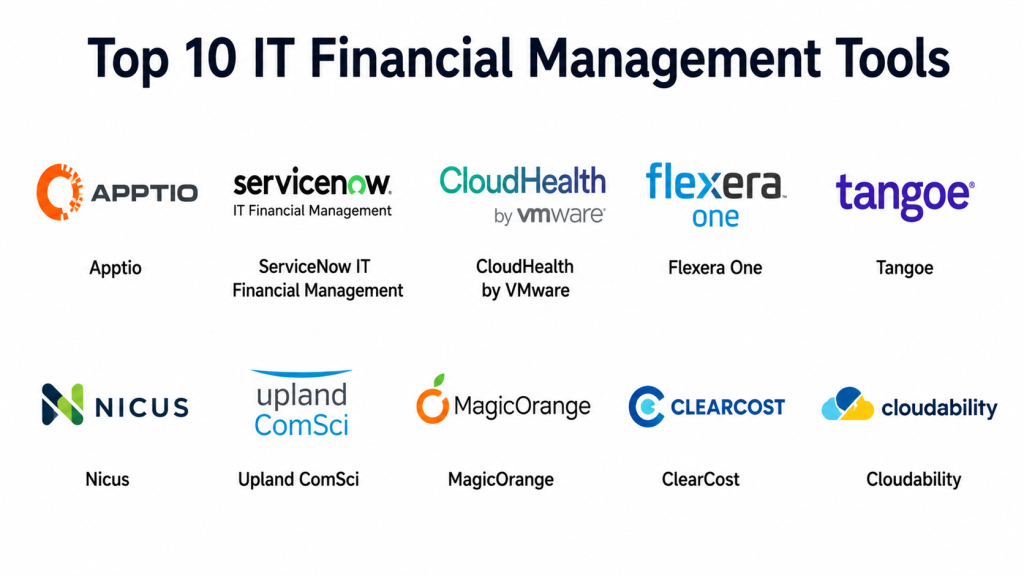
Top 10 IT Financial Management Tools
#1 — Apptio
Short description: Apptio is one of the most recognized IT financial management and technology business management platforms. It helps organizations model IT costs, allocate spend, manage budgets, create showback or chargeback reports, and connect technology spending to business value. Apptio is especially useful for enterprises that need a structured TBM model across applications, infrastructure, cloud, labor, vendors, and business units. It is best for large organizations that want mature ITFM and CIO-level technology cost transparency.
Key Features
- IT cost modeling and allocation.
- Technology business management reporting.
- Budgeting, planning, and forecasting workflows.
- Showback and chargeback capabilities.
- Cloud and hybrid technology cost visibility.
- Application, service, and business-unit cost views.
- Executive dashboards for CIO and finance teams.
Pros
- Strong fit for enterprise IT financial management.
- Mature TBM-focused cost modeling capabilities.
- Useful for CIO, CFO, and business-unit reporting.
- Helps connect technology spend to business services.
Cons
- Can be complex for smaller teams.
- Implementation requires cost model planning and clean data.
- May require dedicated IT finance ownership.
- Pricing may be enterprise-oriented.
Platforms / Deployment
Cloud / SaaS / Web.
Security & Compliance
Security capabilities may include role-based access, audit logs, enterprise identity integration, encryption, and administrative controls depending on configuration. Specific certifications should be verified directly. If uncertain, write: Not publicly stated.
Integrations & Ecosystem
Apptio fits enterprises that need to connect cost data from finance, IT operations, cloud, procurement, and business systems.
- ERP and finance systems
- Cloud platforms
- ITSM platforms
- Procurement tools
- Vendor and contract data
- Business intelligence workflows
Support & Community
Apptio provides enterprise support, implementation services, consulting resources, and TBM-focused guidance. It is strongest for organizations with mature IT finance and governance functions.
#2 — ServiceNow IT Financial Management
Short description: ServiceNow IT Financial Management helps organizations manage IT budgets, cost transparency, planning, and financial governance inside the ServiceNow platform. It is especially useful for organizations already using ServiceNow ITSM, CMDB, asset management, project portfolio management, or service management workflows. The platform connects financial planning with IT services, projects, assets, and operational records. It is best for enterprises that want IT finance connected to service operations.
Key Features
- IT budgeting and cost planning.
- Cost transparency for IT services and business units.
- Integration with ServiceNow ITSM and CMDB.
- Financial tracking for projects and services.
- Reporting and dashboards for IT leaders.
- Cost allocation and service costing support.
- Workflow automation for approvals and reviews.
Pros
- Strong fit for ServiceNow-centered enterprises.
- Connects financial data with IT service workflows.
- Useful for cost visibility across services and assets.
- Supports governance through workflow automation.
Cons
- Best value depends on ServiceNow ecosystem adoption.
- Configuration can be complex.
- May require process redesign and data cleanup.
- Smaller teams may find it too heavy.
Platforms / Deployment
Cloud / SaaS / Web / Mobile app availability may vary.
Security & Compliance
Security capabilities may include SSO, role-based access, audit logs, workflow approvals, encryption, and admin controls depending on configuration. Specific certifications should be verified directly. If uncertain, write: Not publicly stated.
Integrations & Ecosystem
ServiceNow IT Financial Management fits organizations that want financial transparency connected to IT operations and service management.
- ServiceNow ITSM
- ServiceNow CMDB
- IT asset management
- Project portfolio management
- ERP and finance systems
- Workflow automation
Support & Community
ServiceNow provides enterprise documentation, training, implementation partners, and professional services. It is best for organizations with mature ITSM and platform administration capability.
#3 — CloudHealth by VMware
Short description: CloudHealth by VMware helps organizations manage cloud costs, governance, usage, optimization, and reporting across cloud environments. It is especially useful for FinOps teams that need visibility into cloud spend, rightsizing opportunities, budget trends, and business-unit allocation. CloudHealth helps teams understand cloud cost drivers and improve accountability across engineering and finance. It is best for organizations with significant public cloud usage and multi-team cloud operations.
Key Features
- Cloud cost visibility and reporting.
- Budget tracking and forecasting.
- Rightsizing and optimization recommendations.
- Cost allocation by account, tag, project, or business unit.
- Multi-cloud cost management support depending on configuration.
- Governance policies and anomaly visibility.
- Dashboards for FinOps and cloud teams.
Pros
- Strong fit for cloud financial management.
- Useful for FinOps teams and cloud cost governance.
- Helps identify waste and optimization opportunities.
- Supports business-unit cloud cost transparency.
Cons
- Not a full ITFM suite for all technology spend.
- Value depends on cloud tagging and account structure quality.
- May need complementary SaaS and vendor cost tools.
- Implementation requires FinOps process discipline.
Platforms / Deployment
Cloud / SaaS / Web.
Security & Compliance
Security capabilities may include role-based access, cloud account permissions, reporting controls, and administrative access management depending on configuration. Specific certifications should be verified directly. If uncertain, write: Not publicly stated.
Integrations & Ecosystem
CloudHealth fits cloud operations, finance, and engineering workflows where cloud cost accountability is required.
- Public cloud platforms
- Cloud billing exports
- FinOps workflows
- Business intelligence tools
- Tagging and governance systems
- Finance reporting workflows
Support & Community
CloudHealth provides documentation, support resources, and cloud cost management guidance. It is strongest for organizations with active FinOps and cloud governance teams.
#4 — Flexera One
Short description: Flexera One helps organizations manage technology spend across software, SaaS, cloud, hardware, contracts, and IT assets. It is especially useful for enterprises with complex software licensing, cloud usage, vendor portfolios, and hybrid technology estates. Flexera provides visibility into technology inventory, license compliance, SaaS usage, and cost optimization opportunities. It is best for organizations focused on software asset management, SaaS governance, cloud cost control, and technology spend intelligence.
Key Features
- Software asset management and license optimization.
- SaaS spend and subscription visibility.
- Cloud cost management and optimization.
- Technology inventory and normalization.
- Contract and vendor spend insights.
- Compliance and audit readiness support.
- Reporting for IT finance and procurement teams.
Pros
- Strong fit for software and SaaS cost governance.
- Useful for complex license environments.
- Helps reduce waste and improve audit readiness.
- Good technology intelligence across hybrid estates.
Cons
- May be more specialized than general budgeting tools.
- Implementation requires clean software and contract data.
- Cost may be high for smaller organizations.
- Best value depends on SAM and procurement maturity.
Platforms / Deployment
Cloud / SaaS / Web.
Security & Compliance
Security capabilities may include SSO, role-based access, audit logs, encryption, and enterprise admin controls depending on configuration. Specific certifications should be verified directly. If uncertain, write: Not publicly stated.
Integrations & Ecosystem
Flexera One fits teams that need software, SaaS, cloud, and vendor cost visibility.
- Cloud platforms
- SaaS applications
- Procurement systems
- ERP and finance systems
- ITSM tools
- Software license data sources
Support & Community
Flexera provides enterprise support, documentation, consulting resources, and software licensing expertise. It is best for organizations with mature IT asset, procurement, and finance teams.
#5 — Planview
Short description: Planview helps organizations manage portfolio planning, investment decisions, financial planning, capacity, and strategic technology execution. While it is broader than ITFM alone, it is useful for IT leaders who need to connect technology spend with projects, products, programs, resources, and business outcomes. Planview is especially relevant for enterprises managing large technology portfolios and transformation initiatives. It is best for organizations that want financial visibility across portfolios and strategic investments.
Key Features
- Portfolio financial planning.
- Investment and project cost tracking.
- Resource and capacity planning.
- Strategic portfolio management.
- Budget, forecast, and actuals reporting.
- Business outcome and value tracking.
- Executive dashboards for technology investments.
Pros
- Strong portfolio and investment management capabilities.
- Useful for connecting IT spend to strategy.
- Good fit for PMO and technology leadership teams.
- Helps prioritize funding across projects and products.
Cons
- Not a dedicated IT cost allocation tool by itself.
- May require integration with ERP and ITFM tools.
- Implementation can be complex in large enterprises.
- Best suited to portfolio-driven organizations.
Platforms / Deployment
Cloud / SaaS / Web.
Security & Compliance
Security capabilities may include role-based access, SSO, audit logs, admin controls, and enterprise security features depending on configuration. Specific certifications should be verified directly. If uncertain, write: Not publicly stated.
Integrations & Ecosystem
Planview fits organizations that need to manage technology investment planning across strategy, projects, programs, and resources.
- ERP and finance systems
- Project management tools
- Agile planning tools
- Portfolio management workflows
- Business intelligence platforms
- Resource management systems
Support & Community
Planview provides enterprise support, documentation, customer success, implementation partners, and portfolio management resources. It is strongest for large organizations with mature planning functions.
#6 — Workday Adaptive Planning
Short description: Workday Adaptive Planning is a financial planning and analysis platform used for budgeting, forecasting, scenario planning, and business financial modeling. It is not limited to IT, but many organizations use it to plan technology budgets, headcount, projects, vendors, cloud spend, and department-level expenses. It is especially useful for finance teams that want flexible planning and forecasting across the business. It is best for organizations that need IT financial planning connected with broader corporate FP&A.
Key Features
- Budgeting and forecasting.
- Scenario planning and financial modeling.
- Workforce and expense planning.
- Reporting dashboards and variance analysis.
- Integration with finance and HR systems.
- Collaborative planning workflows.
- Rolling forecasts and executive reporting.
Pros
- Strong FP&A capabilities.
- Good fit for IT budget planning with finance teams.
- Flexible modeling and forecasting.
- Useful for business-wide planning alignment.
Cons
- Not a dedicated ITFM or FinOps tool.
- Requires IT-specific cost structures to be designed.
- Asset, SaaS, and cloud usage details may require integrations.
- Best value depends on corporate finance adoption.
Platforms / Deployment
Cloud / SaaS / Web.
Security & Compliance
Security capabilities may include role-based access, SSO, audit logs, data controls, and enterprise administration depending on configuration. Specific certifications should be verified directly. If uncertain, write: Not publicly stated.
Integrations & Ecosystem
Workday Adaptive Planning fits organizations that want IT planning connected to corporate budgeting and forecasting.
- ERP systems
- Workday ecosystem
- HR systems
- Finance systems
- Business intelligence tools
- Department planning workflows
Support & Community
Workday provides enterprise support, training resources, implementation partners, and FP&A guidance. It is best for finance-led planning environments.
#7 — Anaplan
Short description: Anaplan is a connected planning platform used for budgeting, forecasting, scenario modeling, workforce planning, sales planning, and enterprise performance management. For IT financial management, Anaplan can help model technology budgets, cloud spend, project investments, vendor costs, and business-unit allocations. It is highly flexible and useful for organizations with complex planning requirements. It is best for enterprises that want customizable planning models across IT, finance, and business functions.
Key Features
- Connected planning and financial modeling.
- Budgeting, forecasting, and scenario analysis.
- Custom IT cost allocation models.
- Workforce, vendor, and project planning.
- Collaborative planning workflows.
- Executive reporting and dashboards.
- Integration with enterprise data sources.
Pros
- Highly flexible planning platform.
- Good for complex enterprise cost models.
- Useful for scenario planning and business alignment.
- Supports cross-functional planning beyond IT.
Cons
- Requires model design expertise.
- Not a prebuilt ITFM tool for every organization.
- Implementation can be resource-intensive.
- Best suited to mature planning teams.
Platforms / Deployment
Cloud / SaaS / Web.
Security & Compliance
Security capabilities may include role-based access, SSO, audit controls, encryption, and administrative permissions depending on configuration. Specific certifications should be verified directly. If uncertain, write: Not publicly stated.
Integrations & Ecosystem
Anaplan fits enterprises that need highly configurable planning models across IT, finance, operations, and business units.
- ERP systems
- Finance platforms
- Data warehouses
- HR systems
- BI tools
- Portfolio planning workflows
Support & Community
Anaplan provides enterprise support, implementation partners, training, and a large connected planning community. It is best for organizations with strong planning and analytics teams.
#8 — Calero
Short description: Calero helps organizations manage telecom expenses, technology expenses, mobility costs, and enterprise communications spend. It is useful for businesses with large telecom, mobile, network, UCaaS, and connectivity portfolios. Calero supports invoice management, expense allocation, inventory visibility, contract tracking, and cost optimization. It is best for enterprises that need stronger telecom expense management and technology cost control.
Key Features
- Telecom expense management.
- Mobility and device cost tracking.
- Invoice processing and validation.
- Contract and vendor cost visibility.
- Cost allocation and chargeback support.
- Inventory and service management.
- Reporting and savings analysis.
Pros
- Strong fit for telecom and mobility spend.
- Useful for reducing billing errors and waste.
- Helps manage complex vendor invoices.
- Good option for large communications portfolios.
Cons
- Not a full ITFM platform for all technology spend.
- Best value depends on telecom cost complexity.
- Requires accurate inventory and invoice data.
- May need integration with finance and procurement systems.
Platforms / Deployment
Cloud / SaaS / Web.
Security & Compliance
Security capabilities may include access controls, reporting permissions, audit visibility, and secure data handling depending on configuration. Specific certifications should be verified directly. If uncertain, write: Not publicly stated.
Integrations & Ecosystem
Calero fits organizations that need telecom, mobile, and communications expense visibility.
- Telecom carriers
- ERP and finance systems
- Procurement systems
- Mobility management tools
- Invoice processing workflows
- Cost allocation systems
Support & Community
Calero provides vendor-led support, managed services options, reporting guidance, and telecom expense expertise. It is strongest for enterprises with complex telecom and mobility costs.
#9 — Tangoe
Short description: Tangoe provides technology expense management for telecom, mobile, cloud, and IT spend. It helps organizations manage invoices, contracts, inventory, usage, devices, vendors, and optimization opportunities across large technology portfolios. Tangoe is especially useful for enterprises with complex communications, mobility, cloud, and technology services spend. It is best for organizations that want managed technology expense visibility and cost optimization support.
Key Features
- Telecom and technology expense management.
- Mobile device and service cost tracking.
- Cloud and IT expense visibility depending on product scope.
- Invoice audit and validation.
- Contract and vendor management.
- Cost allocation and reporting.
- Optimization recommendations and managed services.
Pros
- Strong fit for large technology expense portfolios.
- Useful for invoice validation and cost recovery.
- Helps manage telecom, mobile, and cloud spend.
- Managed services can reduce internal workload.
Cons
- Not a pure ITFM planning platform.
- Best suited to organizations with large recurring technology expenses.
- Product scope should be validated carefully.
- Savings depend on data quality and process adoption.
Platforms / Deployment
Cloud / SaaS / Managed services options.
Security & Compliance
Security capabilities may include access controls, reporting permissions, secure data handling, and audit-related workflows depending on configuration. Specific certifications should be verified directly. If uncertain, write: Not publicly stated.
Integrations & Ecosystem
Tangoe fits enterprises that need technology expense management across carriers, cloud providers, invoices, vendors, and cost centers.
- Telecom providers
- Mobile carriers
- Cloud platforms
- ERP systems
- Procurement tools
- Finance reporting systems
Support & Community
Tangoe provides vendor support, managed services, optimization guidance, and expense management expertise. It is strongest for enterprises with large and complex recurring technology bills.
#10 — CloudZero
Short description: CloudZero is a cloud cost intelligence platform that helps engineering, finance, and FinOps teams understand cloud spend in business context. It helps teams allocate cloud costs to products, features, teams, customers, or business units without relying only on raw billing categories. CloudZero is useful for SaaS companies and cloud-native organizations that need deeper unit economics and cost accountability. It is best for engineering-led organizations that want cloud costs tied to product and business metrics.
Key Features
- Cloud cost intelligence and allocation.
- Cost visibility by product, team, feature, or customer.
- Anomaly detection and cost alerts.
- Unit cost and business metric reporting.
- Engineering and finance collaboration workflows.
- FinOps dashboards and trend analysis.
- Cost optimization insights for cloud-native teams.
Pros
- Strong fit for SaaS and cloud-native companies.
- Helps connect cloud spend to product economics.
- Useful for engineering and finance collaboration.
- Good for identifying cost anomalies and waste.
Cons
- Focused mainly on cloud cost intelligence.
- Not a full enterprise ITFM suite.
- Requires clean ownership and business mapping.
- May need complementary tools for SaaS, telecom, and vendor spend.
Platforms / Deployment
Cloud / SaaS / Web.
Security & Compliance
Security capabilities may include role-based access, cloud permissions, SSO, auditability, and secure data handling depending on configuration. Specific certifications should be verified directly. If uncertain, write: Not publicly stated.
Integrations & Ecosystem
CloudZero fits organizations that need cloud cost insights connected to engineering and business metrics.
- Public cloud billing data
- Engineering workflows
- FinOps processes
- Data warehouses
- Business intelligence tools
- Product analytics workflows
Support & Community
CloudZero provides documentation, customer support, FinOps guidance, and onboarding resources. It is strongest for cloud-native companies that want cost accountability beyond basic cloud billing reports.
Comparison Table
| Tool Name | Best For | Platform Supported | Deployment | Standout Feature | Public Rating |
|---|---|---|---|---|---|
| Apptio | Enterprise ITFM and TBM | Web | Cloud | Technology business management cost modeling | N/A |
| ServiceNow IT Financial Management | ITFM connected to ITSM | Web / Mobile options | Cloud | IT finance workflows inside ServiceNow ecosystem | N/A |
| CloudHealth by VMware | Cloud financial management | Web | Cloud | Cloud cost visibility and optimization | N/A |
| Flexera One | Software, SaaS, cloud, and technology spend | Web | Cloud | Technology spend and license optimization | N/A |
| Planview | Portfolio-based IT investment planning | Web | Cloud | Strategic portfolio and investment planning | N/A |
| Workday Adaptive Planning | Corporate FP&A and IT budgeting | Web | Cloud | Flexible budgeting and forecasting | N/A |
| Anaplan | Custom enterprise planning models | Web | Cloud | Connected planning and scenario modeling | N/A |
| Calero | Telecom and mobility expense management | Web | Cloud | Telecom expense and invoice optimization | N/A |
| Tangoe | Managed technology expense management | Web / Managed services | Cloud | Telecom, mobile, cloud, and IT expense visibility | N/A |
| CloudZero | Cloud-native cost intelligence | Web | Cloud | Product and unit-cost cloud financial insights | N/A |
Evaluation & Scoring of IT Financial Management Tools
| Tool Name | Core 25% | Ease 15% | Integrations 15% | Security 10% | Performance 10% | Support 10% | Value 15% | Weighted Total |
|---|---|---|---|---|---|---|---|---|
| Apptio | 10 | 7 | 9 | 9 | 9 | 9 | 7 | 8.55 |
| ServiceNow IT Financial Management | 9 | 7 | 10 | 9 | 9 | 9 | 7 | 8.45 |
| CloudHealth by VMware | 8 | 8 | 8 | 8 | 8 | 8 | 8 | 8.00 |
| Flexera One | 9 | 7 | 9 | 8 | 8 | 8 | 7 | 8.05 |
| Planview | 8 | 7 | 8 | 8 | 8 | 8 | 7 | 7.70 |
| Workday Adaptive Planning | 8 | 8 | 8 | 8 | 8 | 9 | 7 | 7.95 |
| Anaplan | 8 | 7 | 9 | 8 | 8 | 8 | 7 | 7.85 |
| Calero | 7 | 8 | 7 | 8 | 8 | 8 | 8 | 7.65 |
| Tangoe | 8 | 7 | 8 | 8 | 8 | 8 | 7 | 7.75 |
| CloudZero | 8 | 8 | 8 | 8 | 8 | 8 | 8 | 8.00 |
These scores are comparative and based on IT financial management fit, not absolute product quality. A higher score means the tool aligns strongly with cost transparency, budgeting, integrations, forecasting, governance, reporting, and support. Enterprise ITFM tools score higher for cost modeling and allocation depth, while cloud and expense tools score higher for specialized cost visibility. Buyers should adjust the weights based on whether they need TBM, FinOps, SaaS spend, telecom expense management, portfolio planning, or corporate FP&A alignment.
Which IT Financial Management Tool Is Right for You?
Solo / Freelancer
Solo users usually do not need a full IT financial management platform. A spreadsheet, accounting tool, or simple budgeting app may be enough to track software subscriptions, hardware purchases, cloud spend, and client-related technology costs. If cloud cost is the main issue, native cloud billing dashboards may be sufficient. The key is to track recurring costs, renewals, and tool usage before subscriptions become wasteful.
SMB
SMBs should focus on practical cost visibility, SaaS subscription tracking, cloud spend monitoring, and budget discipline. CloudZero, CloudHealth, Flexera One, or lighter finance tools may help depending on cloud and software complexity. If IT service management is already in place, ServiceNow or other ITSM-connected financial tools may be considered later. SMBs should avoid heavy enterprise TBM platforms unless they have enough spend and process maturity to justify them.
Mid-Market
Mid-market organizations often need better budget tracking, cloud allocation, software license visibility, vendor renewal planning, and cost reporting by department. Flexera One, CloudHealth, CloudZero, Planview, and Workday Adaptive Planning are strong candidates depending on whether the priority is cloud, software, portfolio, or financial planning. Mid-market teams should build ownership models, tagging standards, and cost-center rules before implementing advanced chargeback.
Enterprise
Enterprises should prioritize cost transparency, governance, allocation, integration, auditability, executive reporting, and business-unit accountability. Apptio is strong for enterprise ITFM and TBM, ServiceNow IT Financial Management fits ServiceNow-centered environments, Flexera One is strong for software and SaaS governance, and Planview, Workday Adaptive Planning, or Anaplan can support portfolio and financial planning. Enterprises may need multiple tools connected through a shared operating model.
Budget vs Premium
Budget-conscious teams should begin with the most visible pain point, such as cloud overspend, unused SaaS licenses, telecom billing errors, or weak budgeting. Premium platforms like Apptio, ServiceNow, Flexera, Anaplan, and Planview make more sense when the organization has complex technology spend and executive reporting needs. Specialized tools like CloudZero, CloudHealth, Calero, and Tangoe may provide faster value when the problem is specific.
Feature Depth vs Ease of Use
For deep enterprise ITFM, Apptio and ServiceNow IT Financial Management are strong choices. For cloud cost visibility, CloudHealth and CloudZero are easier to focus on. For software and SaaS cost governance, Flexera One is strong. For corporate planning, Workday Adaptive Planning and Anaplan are flexible but require model design. For telecom and mobility spend, Calero and Tangoe are specialized options.
Integrations & Scalability
Integration needs are critical for ITFM success. Buyers should look for connections to ERP, accounting, procurement, ITSM, CMDB, HR, cloud billing, SaaS apps, contracts, vendor systems, and BI platforms. Cost allocation requires reliable source data and ownership mapping. Scalable ITFM also needs governance around cost centers, service owners, tag hygiene, application portfolios, business units, and reporting calendars.
Security & Compliance Needs
Security-sensitive buyers should prioritize role-based access, SSO, audit logs, encryption, approval workflows, data retention controls, and secure integrations. ITFM tools often process vendor spend, contracts, user data, budgets, and business-unit financial information, so access control is important. Compliance teams should verify reporting history, approval trails, budget evidence, and change tracking. Financial governance depends on both tool controls and disciplined processes.
Frequently Asked Questions
1. What are IT Financial Management Tools?
IT Financial Management Tools help organizations plan, track, allocate, optimize, and report technology spending. They provide visibility into IT budgets, cloud costs, software licenses, vendors, projects, services, and business-unit consumption. These tools help IT and finance teams understand where money is going and how technology spend supports business value. They are often used by CIOs, CFOs, IT finance teams, and FinOps teams.
2. How is IT financial management different from accounting?
Accounting records financial transactions after they happen, while IT financial management helps plan, allocate, explain, and optimize technology spend. ITFM connects costs to services, applications, business units, users, vendors, and technology outcomes. It helps IT leaders answer why costs exist and whether they deliver value. Accounting is necessary, but ITFM provides deeper operational and business context for technology spending.
3. What is chargeback and showback in ITFM?
Showback means reporting technology costs to business units without billing them directly. Chargeback means assigning actual costs to business units, departments, teams, or products. Both methods improve accountability and cost transparency. Showback is often easier to start with because it creates visibility before introducing formal billing. Chargeback works best when allocation rules and ownership are trusted.
4. What is the connection between ITFM and FinOps?
FinOps focuses mainly on cloud financial management, while ITFM covers broader technology spend across software, hardware, services, vendors, labor, projects, and infrastructure. In many organizations, FinOps becomes part of the larger ITFM operating model. Cloud costs are often too dynamic for traditional budgeting alone, so FinOps brings engineering and finance together. Strong ITFM connects cloud optimization with overall technology budgeting.
5. What features should buyers look for?
Important features include budgeting, forecasting, variance analysis, cloud cost visibility, SaaS spend tracking, vendor cost management, allocation rules, showback, chargeback, service costing, reporting, dashboards, and integrations. Enterprises should also look for audit controls, role-based access, workflow approvals, and business-unit reporting. Cloud-heavy teams should prioritize tagging, anomaly detection, rightsizing, and unit-cost reporting. Software-heavy teams should prioritize license and renewal visibility.
6. Are IT Financial Management Tools useful for SMBs?
Yes, but SMBs should start with practical tools that match their complexity. A small company may only need cloud cost dashboards, SaaS subscription tracking, and budget reports. A growing SMB may need better vendor renewal planning, license visibility, and departmental cost allocation. Full enterprise ITFM platforms are usually more useful when the company has large technology spend, multiple departments, and formal budget ownership.
7. How are IT Financial Management Tools priced?
Pricing varies by vendor, modules, users, spend volume, integrations, cloud accounts, managed services, and enterprise contract size. Some tools price by platform usage, while others use custom enterprise pricing. Specialized tools for cloud, SaaS, or telecom may price differently than full ITFM suites. Buyers should compare total cost, including implementation, data cleanup, training, support, integrations, and ongoing administration.
8. What are common ITFM implementation mistakes?
A common mistake is buying a tool before defining cost ownership, allocation rules, service taxonomy, and reporting goals. Another mistake is importing messy finance, cloud, asset, and vendor data without cleanup. Some teams also start with chargeback before business units trust the numbers. Successful implementation starts with visibility, then showback, then optimization, and only later formal chargeback if needed.
9. What integrations should buyers look for?
Important integrations include ERP, accounting systems, procurement tools, ITSM, CMDB, HR systems, cloud billing, SaaS management, vendor management, contract repositories, and business intelligence platforms. Cloud-heavy organizations should connect cloud billing and tagging data. Service-focused teams should connect ITSM and CMDB records. Finance-led organizations should connect planning and accounting systems for accurate budget and actuals reporting.
10. What is the best IT Financial Management Tool overall?
There is no single best IT Financial Management Tool for every organization. Apptio is strong for enterprise ITFM and TBM, ServiceNow IT Financial Management fits ServiceNow-centered IT operations, CloudHealth and CloudZero are strong for cloud cost management, Flexera One is strong for software and SaaS spend governance, and Workday Adaptive Planning or Anaplan are strong for broader financial planning. The best choice depends on company size, spend complexity, cloud maturity, software estate, and reporting needs.
Conclusion
IT Financial Management Tools help organizations turn technology spending into clear, accountable, and business-aligned financial visibility. The right tool depends on your main challenge: Apptio and ServiceNow are strong for enterprise ITFM and cost transparency, CloudHealth and CloudZero are better for cloud cost governance, Flexera One is useful for software and SaaS spend management, and Planview, Workday Adaptive Planning, or Anaplan support broader planning and investment decisions. Calero and Tangoe are strong choices when telecom, mobility, and recurring technology expenses are the biggest cost-control problem. Buyers should avoid choosing only by feature lists and should first define cost ownership, allocation rules, reporting needs, cloud tagging standards, and executive decision workflows. Start with one high-value spend area, clean the data, build showback reports, validate cost allocation with stakeholders, then expand into forecasting, optimization, and broader IT financial governance.

This article clearly explains IT financial management tools and how they help organizations track technology spending, improve budgeting, and optimize overall IT costs.
This article clearly explains IT financial management tools and how they help organizations manage technology budgets, control spending, and improve overall financial planning.
This article gives a very practical overview of IT financial management tools with clear comparisons and useful insights. The structured format made it easy to understand the strengths of each platform.
This article explains IT financial management tools in a very simple and organized way with practical comparisons and useful insights. The clear breakdown made it easier to understand the strengths of each platform.
A key challenge is connecting financial data with real operational outcomes. Better budgeting decisions come when costs are linked to business value, not just infrastructure usage.