Introduction
Penetration Testing Tools are specialized cybersecurity solutions used to simulate real-world attacks on systems, networks, and applications. These tools help security professionals identify vulnerabilities before attackers can exploit them. By mimicking hacker techniques, penetration testing tools provide deep insights into security weaknesses and help organizations strengthen their defenses.
With the rapid expansion of digital infrastructure, cloud environments, and web applications, proactive security testing has become essential. Penetration testing tools enable organizations to uncover hidden risks, validate security controls, and ensure compliance with industry standards.
Use Cases:
- Simulating cyberattacks to identify vulnerabilities
- Testing web application security
- Assessing network and infrastructure security
- Validating security controls and configurations
- Supporting compliance and audit requirements
What buyers should evaluate:
- Coverage (network, web, wireless, application)
- Automation vs manual testing capabilities
- Accuracy and false-positive rate
- Ease of use and learning curve
- Integration with security tools
- Reporting and documentation features
- Scalability and performance
- Community and support availability
Best for: Security professionals, ethical hackers, penetration testers, SOC teams, and organizations with mature cybersecurity practices.
Not ideal for: Non-technical teams or organizations without dedicated security expertise, as these tools often require specialized skills.
Key Trends in Penetration Testing Tools
- Increased automation with AI-assisted testing
- Integration with DevSecOps pipelines
- Growth of cloud and container security testing
- Expansion of API and microservices testing
- Real-time vulnerability detection
- Hybrid tools combining manual and automated testing
- Focus on continuous security validation
- Integration with SIEM and SOAR platforms
- Enhanced reporting and visualization
- Rise of open-source and community-driven tools
How We Selected These Tools (Methodology)
- Industry adoption and popularity among security professionals
- Breadth of penetration testing capabilities
- Reliability and performance
- Security and compliance features
- Integration ecosystem
- Ease of use and documentation
- Scalability across environments
- Support for modern architectures
- Innovation and updates
- Community strength and support
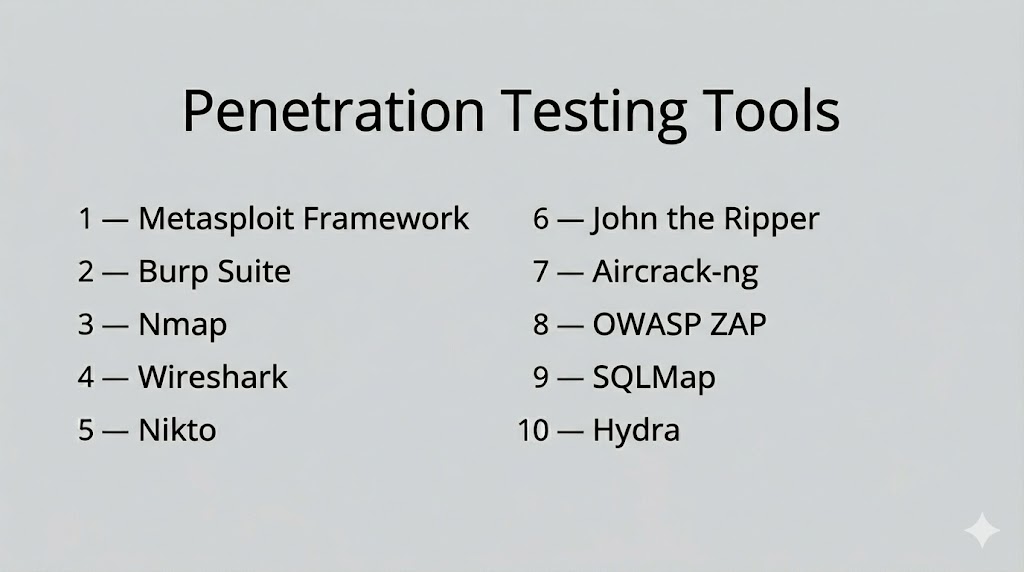
Top 10 Penetration Testing Tools
#1 — Metasploit Framework
Short description: A powerful penetration testing platform used for developing and executing exploit code against target systems. Widely used by security professionals for vulnerability validation.
Key Features
- Extensive exploit database
- Payload generation
- Automated exploitation workflows
- Post-exploitation modules
- Integration with vulnerability scanners
Pros
- Highly flexible and powerful
- Large community support
Cons
- Requires expertise
- Complex for beginners
Platforms / Deployment
- Windows / Linux / macOS
- Self-hosted
Security & Compliance
- Not publicly stated
Integrations & Ecosystem
- Integrates with scanners and security tools
- APIs for customization
Support & Community
Strong open-source community and extensive documentation.
#2 — Burp Suite
Short description: A leading web application security testing tool used for identifying vulnerabilities like XSS and SQL injection.
Key Features
- Web vulnerability scanning
- Proxy interception
- Automated and manual testing
- API testing
- Reporting tools
Pros
- Comprehensive web testing
- Widely adopted
Cons
- Learning curve
- Limited features in free version
Platforms / Deployment
- Windows / Linux / macOS
- Desktop
Security & Compliance
- Not publicly stated
Integrations & Ecosystem
- DevSecOps tools
- Plugins and extensions
Support & Community
Large user base and strong documentation.
#3 — Nmap
Short description: A network scanning tool used for discovering hosts, services, and open ports in a network.
Key Features
- Network discovery
- Port scanning
- Service detection
- Scriptable scanning engine
- OS detection
Pros
- Fast and efficient
- Open-source
Cons
- Limited exploitation features
- Requires expertise
Platforms / Deployment
- Windows / Linux / macOS
- Self-hosted
Security & Compliance
- Not publicly stated
Integrations & Ecosystem
- Supports scripting and integrations
Support & Community
Active open-source community.
#4 — Wireshark
Short description: A network protocol analyzer used to capture and analyze network traffic for security testing and troubleshooting.
Key Features
- Packet capture and analysis
- Protocol inspection
- Real-time monitoring
- Deep packet inspection
- Filtering and search
Pros
- Detailed network insights
- Free and open-source
Cons
- Complex interface
- Not focused on exploitation
Platforms / Deployment
- Windows / Linux / macOS
- Desktop
Security & Compliance
- Not publicly stated
Integrations & Ecosystem
- Integrates with network tools
Support & Community
Large community and documentation resources.
#5 — Nikto
Short description: A web server scanner that detects vulnerabilities, outdated software, and misconfigurations.
Key Features
- Web server scanning
- Vulnerability detection
- Plugin support
- Reporting capabilities
- Configuration checks
Pros
- Easy to use
- Open-source
Cons
- Limited advanced features
- High false positives
Platforms / Deployment
- Linux / Windows
- Self-hosted
Security & Compliance
- Not publicly stated
Integrations & Ecosystem
- Works with other testing tools
Support & Community
Community-driven support.
#6 — John the Ripper
Short description: A password cracking tool used to test password strength and identify weak credentials.
Key Features
- Password cracking
- Dictionary attacks
- Brute-force attacks
- Multi-format support
- Performance optimization
Pros
- Highly efficient
- Supports multiple formats
Cons
- Requires expertise
- Limited GUI
Platforms / Deployment
- Windows / Linux / macOS
- Self-hosted
Security & Compliance
- Not publicly stated
Integrations & Ecosystem
- Works with security tools
Support & Community
Strong open-source community.
#7 — Aircrack-ng
Short description: A suite of tools used for testing wireless network security and cracking Wi-Fi passwords.
Key Features
- Wireless network testing
- Packet capture
- Password cracking
- Network monitoring
- WPA/WEP testing
Pros
- Effective for wireless testing
- Open-source
Cons
- Requires technical expertise
- Limited to wireless security
Platforms / Deployment
- Windows / Linux / macOS
- Self-hosted
Security & Compliance
- Not publicly stated
Integrations & Ecosystem
- Works with network tools
Support & Community
Active community and documentation.
#8 — OWASP ZAP
Short description: An open-source web application security scanner designed for developers and penetration testers.
Key Features
- Automated scanning
- Proxy-based testing
- API testing
- Script support
- Passive and active scanning
Pros
- Free and open-source
- Developer-friendly
Cons
- Limited enterprise features
- Requires configuration
Platforms / Deployment
- Windows / Linux / macOS
- Self-hosted
Security & Compliance
- Not publicly stated
Integrations & Ecosystem
- CI/CD pipelines
- DevSecOps tools
Support & Community
Strong community support.
#9 — SQLMap
Short description: A tool specifically designed for detecting and exploiting SQL injection vulnerabilities.
Key Features
- SQL injection detection
- Database fingerprinting
- Data extraction
- Automated exploitation
- Support for multiple databases
Pros
- Highly specialized
- Powerful automation
Cons
- Limited to SQL vulnerabilities
- Requires knowledge of databases
Platforms / Deployment
- Windows / Linux / macOS
- Self-hosted
Security & Compliance
- Not publicly stated
Integrations & Ecosystem
- Works with web testing tools
Support & Community
Open-source community support.
#10 — Hydra
Short description: A fast network login cracker used to test password strength across multiple protocols.
Key Features
- Password brute-force attacks
- Multi-protocol support
- Fast performance
- Scriptable operations
- Flexible configuration
Pros
- Fast and efficient
- Supports many protocols
Cons
- Requires expertise
- Limited GUI
Platforms / Deployment
- Windows / Linux / macOS
- Self-hosted
Security & Compliance
- Not publicly stated
Integrations & Ecosystem
- Works with security testing tools
Support & Community
Community-driven support.
Comparison Table (Top 10)
| Tool Name | Best For | Platform(s) Supported | Deployment | Standout Feature | Public Rating |
|---|---|---|---|---|---|
| Metasploit | Exploitation | Windows/Linux/macOS | Self-hosted | Exploit database | N/A |
| Burp Suite | Web testing | Windows/Linux/macOS | Desktop | Proxy testing | N/A |
| Nmap | Network scanning | Windows/Linux/macOS | Self-hosted | Port scanning | N/A |
| Wireshark | Traffic analysis | Windows/Linux/macOS | Desktop | Packet inspection | N/A |
| Nikto | Web scanning | Linux/Windows | Self-hosted | Server scanning | N/A |
| John the Ripper | Password testing | Windows/Linux/macOS | Self-hosted | Password cracking | N/A |
| Aircrack-ng | Wireless testing | Windows/Linux/macOS | Self-hosted | Wi-Fi cracking | N/A |
| OWASP ZAP | Web scanning | Windows/Linux/macOS | Self-hosted | Open-source testing | N/A |
| SQLMap | SQL testing | Windows/Linux/macOS | Self-hosted | SQL injection | N/A |
| Hydra | Password attacks | Windows/Linux/macOS | Self-hosted | Fast brute-force | N/A |
Evaluation & Scoring of Penetration Testing Tools
| Tool Name | Core (25%) | Ease (15%) | Integrations (15%) | Security (10%) | Performance (10%) | Support (10%) | Value (15%) | Weighted Total (0–10) |
|---|---|---|---|---|---|---|---|---|
| Metasploit | 9 | 6 | 8 | 8 | 9 | 8 | 8 | 8.2 |
| Burp Suite | 9 | 7 | 7 | 8 | 8 | 8 | 7 | 8.0 |
| Nmap | 8 | 7 | 6 | 7 | 9 | 8 | 9 | 8.0 |
| Wireshark | 8 | 6 | 6 | 7 | 8 | 8 | 9 | 7.8 |
| Nikto | 7 | 7 | 6 | 6 | 7 | 7 | 9 | 7.2 |
| John the Ripper | 8 | 6 | 6 | 7 | 8 | 7 | 9 | 7.6 |
| Aircrack-ng | 7 | 6 | 6 | 7 | 7 | 7 | 9 | 7.1 |
| OWASP ZAP | 8 | 7 | 6 | 7 | 7 | 8 | 9 | 7.7 |
| SQLMap | 8 | 6 | 6 | 7 | 8 | 7 | 9 | 7.6 |
| Hydra | 7 | 6 | 6 | 7 | 8 | 7 | 9 | 7.3 |
Scores are comparative and reflect strengths across functionality, usability, and value. Higher scores indicate broader capability and enterprise readiness.
Which Penetration Testing Tool Is Right for You?
Solo / Freelancer
Use open-source tools like Nmap, OWASP ZAP, and Nikto for flexibility and cost savings.
SMB
Burp Suite and Metasploit provide strong capabilities with manageable complexity.
Mid-Market
Combine tools like Metasploit, Burp Suite, and SQLMap for broader coverage.
Enterprise
Use a combination of tools to cover network, web, and endpoint testing.
Budget vs Premium
Open-source tools offer high value; premium tools provide advanced features and support.
Feature Depth vs Ease of Use
Advanced tools require expertise, while simpler tools allow quicker onboarding.
Integrations & Scalability
Ensure compatibility with your security stack and workflows.
Security & Compliance Needs
Select tools that align with compliance and reporting requirements.
Frequently Asked Questions (FAQs)
What are penetration testing tools?
They are tools used to simulate cyberattacks and identify vulnerabilities.
Do these tools replace vulnerability scanners?
No, they complement scanners by validating vulnerabilities.
Are these tools legal to use?
Yes, when used with proper authorization.
Do they require expertise?
Yes, most tools require technical knowledge.
Can they be automated?
Some tools support automation, but manual testing is still important.
Are open-source tools effective?
Yes, many are widely used and highly effective.
How often should penetration testing be done?
Regularly, depending on risk and compliance needs.
Can these tools test cloud environments?
Yes, many tools support cloud and hybrid environments.
What are common mistakes?
Lack of planning and improper configuration.
What industries use these tools?
Finance, healthcare, tech, and any organization handling sensitive data.
Conclusion
Penetration Testing Tools are essential for identifying real-world vulnerabilities and strengthening cybersecurity defenses. They provide deep insights into how attackers can exploit systems, helping organizations fix weaknesses before they are targeted.
The right combination of tools depends on your environment, security maturity, and testing requirements. While open-source tools offer flexibility and cost efficiency, advanced tools provide deeper capabilities and enterprise support.
Organizations should focus on combining multiple tools to cover different attack surfaces, including networks, applications, and wireless environments. No single tool can address all security testing needs.
A practical approach is to build a toolkit, test it in controlled environments, and continuously refine your testing strategy to stay ahead of evolving threats.
