Introduction
Code Review Tools are specialized software solutions that help development teams inspect code changes, provide feedback, enforce standards, and maintain quality before merging code into a main branch. These tools streamline collaboration, catch bugs early, and ensure consistent coding practices across teams.
In modern development workflows—especially those using distributed version control systems and CI/CD pipelines—automated and structured code reviews are essential for reducing defects, sharing knowledge, and improving maintainability.
Common use cases include:
- Reviewing code before merge or deployment
- Collaborating on pull/merge requests
- Tracking issues and comments on specific lines
- Enforcing coding standards and reviewer workflows
- Integrating automated checks and CI feedback
Buyers should evaluate:
- Integration with version control systems
- Support for automated checks and CI builds
- Inline commenting and threaded discussions
- Role‑based access control and approvals
- Metrics and reporting on review effectiveness
- Support for distributed workflows
- Ease of onboarding for teams
- Pricing and licensing model
Best for: Development teams, QA engineers, DevOps teams, and organizations practicing collaborative development and DevOps.
Not ideal for: Solo projects with minimal collaboration needs or teams relying solely on informal reviews.
Key Trends in Code Review Tools
- Native integration with Git hosting platforms
- AI‑assisted review suggestions and automated linting
- Review analytics and team performance metrics
- Integration with CI/CD pipelines for automated validation
- Support for mobile and web review experiences
- Threaded discussions with rich media support
- Fine‑grained access control and approvals
- Real‑time notifications and collaboration
- Support for large pull/merge requests and batching
- Key metric dashboards for review quality and speed
How We Selected These Tools (Methodology)
- Evaluated market adoption and usage
- Assessed integration with version control systems
- Reviewed collaboration and commenting features
- Considered CI/CD integration and automation
- Analyzed ease of use and onboarding
- Reviewed approval workflows and governance controls
- Considered scalability for large teams
- Evaluated reporting and analytics features
- Included both hosted and self‑hosted solutions
- Focused on real‑world developer productivity benefits
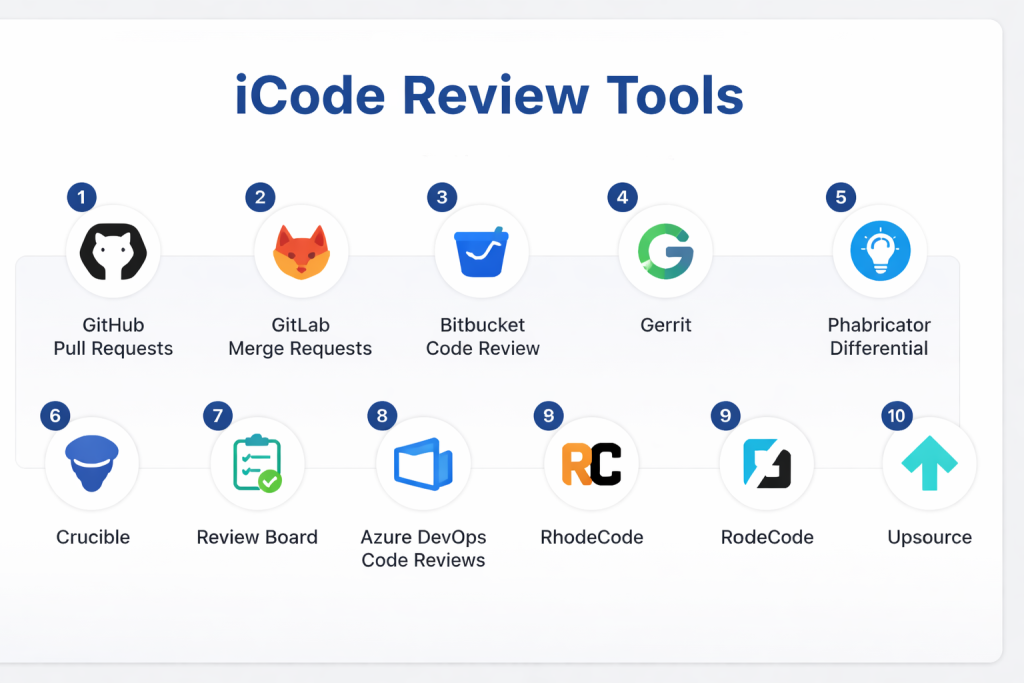
Top 10 Code Review Tools
#1 — GitHub Pull Requests
Short description: Built‑in code review system for GitHub that enables inline comments, approval workflows, and CI feedback.
Key Features
- Inline code comments
- Approvals and review assignments
- CI integration via GitHub Actions
- Review request notifications
- Branch protection rules
- Suggested changes
Pros
- Native GitHub integration
- Simple and intuitive UI
Cons
- Limited outside GitHub ecosystem
Platforms / Deployment
- Cloud
Security & Compliance
- Role‑based access control, audit logs
Integrations & Ecosystem
- CI/CD pipelines, issue trackers, Slack
Support & Community
Large community and official support.
#2 — GitLab Merge Requests
Short description: GitLab’s built‑in review process with threaded discussions and automation capabilities.
Key Features
- Inline diff comments
- Approvals and merge rules
- CI/CD feedback integration
- Review assignment
- Cross‑project notes
- Status checks
Pros
- Integrated DevOps workflow
- Automates CI/CD feedback
Cons
- Requires GitLab environment
Platforms / Deployment
- Cloud / Self‑hosted
Security & Compliance
- Role‑based access control, audit logs
Integrations & Ecosystem
- CI/CD tools, issue trackers, Kubernetes
Support & Community
Strong community and enterprise support.
#3 — Bitbucket Code Review
Short description: Bitbucket’s review system for pull requests with inline commenting and approvals.
Key Features
- Inline comments
- Approval workflows
- Merge checks
- CI build status integration
- Discussion threads
- Branch permissions
Pros
- Tight Atlassian ecosystem integration
- Good for Jira users
Cons
- Limited outside Bitbucket
Platforms / Deployment
- Cloud / Self‑hosted
Security & Compliance
- Role‑based access control
Integrations & Ecosystem
- Jira, Bamboo, CI/CD tools
Support & Community
Atlassian support and community.
#4 — Gerrit
Short description: Open‑source code review and project management tool used widely in large, collaborative environments.
Key Features
- Change‑based reviews
- Patch set management
- Access control
- Integration with Git
- Topics for grouping changes
- CI integration
Pros
- Strong control and governance
- Good for large teams
Cons
- Complex setup
- Steeper learning curve
Platforms / Deployment
- Cross‑platform / Self‑hosted
Security & Compliance
- Access control, audit logs
Integrations & Ecosystem
- CI/CD pipelines, automation systems
Support & Community
Open‑source community support.
#5 — Phabricator Differential
Short description: Code review component of Phabricator suite with rich discussions and workflows.
Key Features
- Inline comments
- Revision tracking
- Audit tools
- Review assignments
- Keyword filters
- Herald automation rules
Pros
- Highly customizable
- Features beyond code review
Cons
- Complex UI
- Requires Phabricator platform
Platforms / Deployment
- Cloud / Self‑hosted
Security & Compliance
- Role‑based access control
Integrations & Ecosystem
- CI/CD tools, automation rules
Support & Community
Phabricator community.
#6 — Crucible
Short description: Code review tool from Atlassian with threaded discussions and reporting.
Key Features
- Line‑by‑line commenting
- Iterative reviews
- Metrics and reporting
- Email notifications
- Role‑based reviews
- Integration with Jira
Pros
- Detailed review analytics
- Good for enterprise governance
Cons
- Paid tool
- On‑premise setup
Platforms / Deployment
- Self‑hosted / Cloud
Security & Compliance
- Role‑based access control
Integrations & Ecosystem
- Jira, CI/CD pipelines
Support & Community
Commercial support available.
#7 — Review Board
Short description: Open‑source web‑based code review tool with support for multiple SCM systems.
Key Features
- Diff viewer
- Inline comments
- Review requests
- Screenshot reviews
- Integration with multiple SCMs
- Plugins and extensions
Pros
- Open‑source and extensible
- Lightweight
Cons
- Smaller ecosystem
- Setup complexity
Platforms / Deployment
- Cloud / Self‑hosted
Security & Compliance
- Not publicly stated
Integrations & Ecosystem
- Git, Mercurial, SVN, Perforce
Support & Community
Open‑source support.
#8 — Azure DevOps Code Reviews
Short description: Built‑in review workflows within Azure DevOps for pull requests and work items.
Key Features
- Pull request reviews
- Inline comments
- Branch policies
- Status checks
- Integrated CI/CD feedback
- Reviewer assignments
Pros
- Integrated DevOps experience
- Strong workflow automation
Cons
- Best suited for Azure users
Platforms / Deployment
- Cloud / Self‑hosted
Security & Compliance
- Role‑based access control
Integrations & Ecosystem
- Azure Pipelines, boards, repos
Support & Community
Microsoft enterprise support.
#9 — RhodeCode
Short description: Enterprise source code and review platform supporting Git, Mercurial, and SVN.
Key Features
- Pull/merge request reviews
- Inline commenting
- Access control
- Code analytics
- Repository management
- CI/CD integrations
Pros
- Multi‑VCS support
- Enterprise features
Cons
- Paid tool
Platforms / Deployment
- Cloud / Self‑hosted
Security & Compliance
- Role‑based access control, audit logs
Integrations & Ecosystem
- CI/CD tools, automation systems
Support & Community
Commercial support.
#10 — Upsource
Short description: JetBrains code review tool with deep IDE integration and contextual code analysis.
Key Features
- Inline commentary
- Code insights
- Git and other VCS support
- Reviewer workflows
- IDE integration
- Branch comparison
Pros
- IDE‑integrated insights
- Smart review features
Cons
- Paid tool
- Requires JetBrains ecosystem
Platforms / Deployment
- Cloud / Self‑hosted
Security & Compliance
- Role‑based access control
Integrations & Ecosystem
- JetBrains IDEs, CI/CD pipelines
Support & Community
Vendor support with documentation.
Comparison Table (Top 10)
| Tool Name | Best For | Platform(s) Supported | Deployment | Standout Feature | Public Rating |
|---|---|---|---|---|---|
| GitHub Pull Requests | GitHub repos | Cloud | Cloud | Native GitHub integration | N/A |
| GitLab Merge Requests | GitLab | Cloud/Self‑hosted | Hybrid | CI/CD feedback | N/A |
| Bitbucket Code Review | Atlassian teams | Cloud/Self‑hosted | Hybrid | Jira integration | N/A |
| Gerrit | Large enterprises | Cross‑platform | Self‑hosted | Strong governance | N/A |
| Phabricator Differential | Custom workflows | Cloud/Self‑hosted | Hybrid | Highly customizable | N/A |
| Crucible | Enterprise | Cloud/Self‑hosted | Hybrid | Review analytics | N/A |
| Review Board | Multi‑VCS | Cloud/Self‑hosted | Hybrid | SCM versatility | N/A |
| Azure DevOps Code Reviews | Azure DevOps | Cloud/Self‑hosted | Hybrid | Integrated DevOps | N/A |
| RhodeCode | Multi‑VCS | Cloud/Self‑hosted | Hybrid | Multi‑VCS support | N/A |
| Upsource | IDE‑centric | Cloud/Self‑hosted | Hybrid | IDE insights | N/A |
Evaluation & Scoring of Code Review Tools
| Tool Name | Core (25%) | Ease (15%) | Integrations (15%) | Security (10%) | Performance (10%) | Support (10%) | Value (15%) | Weighted Total |
|---|---|---|---|---|---|---|---|---|
| GitHub PRs | 9 | 9 | 8 | 7 | 8 | 8 | 8 | 8.4 |
| GitLab MRs | 9 | 8 | 9 | 8 | 8 | 8 | 8 | 8.3 |
| Bitbucket CR | 8 | 8 | 8 | 7 | 8 | 7 | 8 | 7.8 |
| Gerrit | 8 | 7 | 8 | 8 | 8 | 7 | 7 | 7.7 |
| Phabricator | 8 | 7 | 8 | 7 | 7 | 7 | 7 | 7.4 |
| Crucible | 8 | 7 | 8 | 8 | 8 | 8 | 7 | 7.8 |
| Review Board | 7 | 7 | 7 | 6 | 7 | 7 | 8 | 7.1 |
| Azure DevOps | 9 | 8 | 8 | 8 | 8 | 8 | 8 | 8.1 |
| RhodeCode | 8 | 7 | 8 | 8 | 8 | 7 | 7 | 7.6 |
| Upsource | 8 | 8 | 8 | 7 | 8 | 8 | 7 | 7.9 |
Which Code Review Tool Is Right for You?
Solo / Freelancer
GitHub Pull Requests or Review Board for straightforward review workflows.
SMB
GitLab Merge Requests, Bitbucket Code Review, or Azure DevOps for integrated pipelines.
Mid‑Market
Upsource, RhodeCode, or Crucible for richer review metrics and enterprise coordination.
Enterprise
Gerrit and Phabricator for governance and customization in large teams.
Budget vs Premium
- Budget: GitHub PRs, Review Board
- Premium: Crucible, RhodeCode, Upsource
Feature Depth vs Ease of Use
- Easy: GitHub PRs, Azure DevOps
- Advanced: Gerrit, Phabricator
Integrations & Scalability
- Best: GitLab, Azure DevOps, Gerrit
Security & Compliance Needs
- Enterprise tools provide role‑based access and audit trails.
Frequently Asked Questions (FAQs)
1. What is a code review tool?
It’s a system that facilitates inspection of code changes, comments, and approvals before merging.
2. Why use code review tools?
To improve code quality, enforce standards, and enable collaborative feedback.
3. Are code review tools free?
Many integrated platforms are included with Git hosting; some standalone tools are paid.
4. Do these tools integrate with CI/CD?
Yes, most integrate with pipelines to provide automated checks.
5. Can they handle large pull requests?
Yes, enterprise tools support large diffs and batch reviews.
6. Do they support multiple VCS?
Tools like Review Board and RhodeCode support multiple version control systems.
7. Do they provide analytics?
Some provide review metrics and team performance dashboards.
8. Can I assign multiple reviewers?
Yes, most tools allow reviewer assignments and threaded discussions.
9. Are mobile reviews supported?
Many cloud‑based tools offer mobile‑friendly code review experiences.
10. Do they integrate with issue tracking?
Yes, they integrate with Jira, GitHub Issues, GitLab Issues, and others.
Conclusion
Code Review Tools play a fundamental role in ensuring code quality, collaboration, and governance in modern software development workflows. From native pull/merge request systems like GitHub and GitLab to enterprise solutions like Gerrit and Crucible, there are tools suited to every team size and workflow complexity. Selecting the right tool depends on version control systems in use, collaboration needs, and integration requirements with your DevOps pipelines. A practical next step is to pilot two or three options to evaluate usability, workflow fit, and integration with your existing development process.
