Introduction
Static Code Analysis Tools are software solutions that analyze source code without executing it to identify potential bugs, coding standard violations, security vulnerabilities, and maintainability issues. These tools help developers catch issues early in the development cycle, enforce coding standards, and improve overall software quality.
In modern DevOps and secure SDLC workflows, static analysis is a core component of continuous testing, shift‑left strategies, and secure development practices. Static code analysis helps teams avoid expensive defects and security risks before they reach production.
Common use cases include:
- Identifying potential bugs and errors before runtime
- Enforcing coding standards and best practices
- Detecting security vulnerabilities (e.g., injection flaws)
- Improving code maintainability and quality metrics
- Integrating scans into CI/CD pipelines for automated feedback
Buyers should evaluate:
- Language and platform support
- Quality rule sets and customization options
- Security vulnerability detection capabilities
- Integration with build systems and CI/CD tools
- Reporting and remediation guidance
- Performance and scalability on large codebases
- Ease of onboarding and learning curve
- Licensing and pricing
Best for: Developers, QA engineers, security teams, and DevOps practitioners who want to catch bugs and vulnerabilities early.
Not ideal for: Very small projects with minimal complexity or teams that are not ready to integrate tools into automated workflows.
Key Trends in Static Code Analysis Tools
- AI‑assisted vulnerability detection
- Security‑first rule sets for DevSecOps
- Integration with code review and CI/CD pipelines
- Cloud‑based scanning and scaling options
- Language Server Protocol support in editors
- Improved reporting and actionable remediation guidance
- Integration with IDEs for real‑time feedback
- Support for multi‑language polyglot codebases
- Metrics dashboards for quality and compliance
- Real‑time scanning during development
How We Selected These Tools (Methodology)
- Evaluated language coverage and ecosystem support
- Assessed security and quality rule sets
- Reviewed integration with CI/CD pipelines
- Considered ease of use and learning curve
- Included both open‑source and commercial tools
- Evaluated performance on large codebases
- Reviewed reporting and remediation features
- Considered community and vendor support
- Evaluated security and compliance capabilities
- Focused on real‑world developer and QA workflows
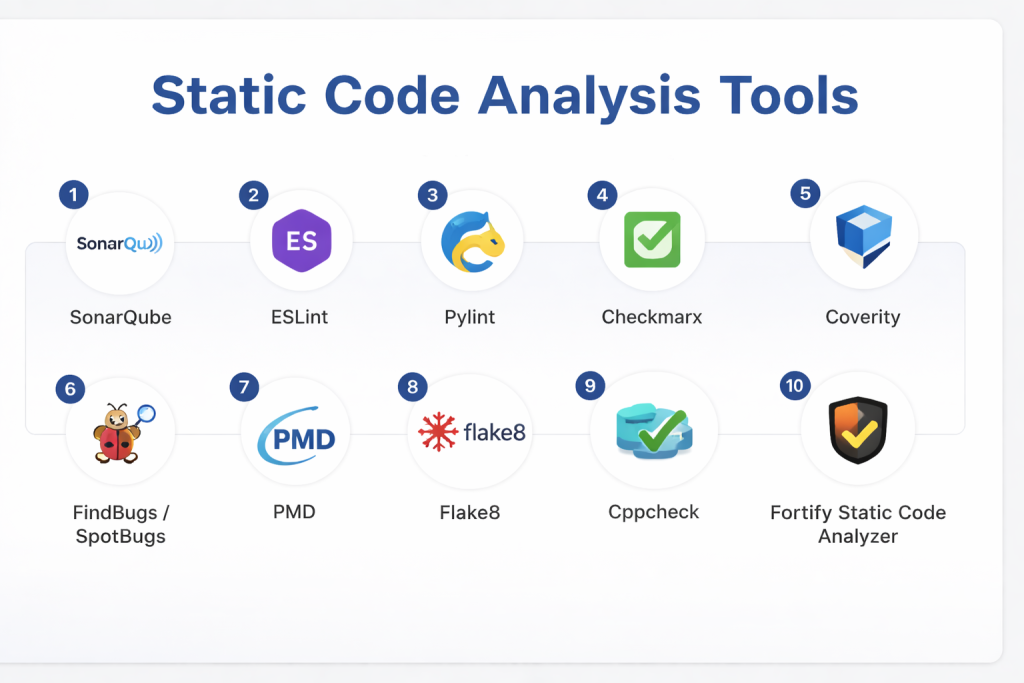
Top 10 Static Code Analysis Tools
#1 — SonarQube
Short description: Widely adopted platform for static code analysis, quality gate enforcement, and multi‑language support.
Key Features
- Multi‑language analysis
- Quality gates
- Security and maintainability rules
- CI/CD integration
- Detailed dashboards
- IDE plugins
Pros
- Strong ecosystem
- Scalable for large teams
Cons
- Requires setup and configuration
Platforms / Deployment
- Windows / macOS / Linux
- Self‑hosted / Cloud
Security & Compliance
- Security rule sets; compliance support varies
Integrations & Ecosystem
- CI/CD tools, IDEs, version control systems
Support & Community
Large community and enterprise support.
#2 — ESLint
Short description: JavaScript and TypeScript focused static analysis tool for enforcing coding standards and catching errors.
Key Features
- Rule customization
- Plugin ecosystem
- Editor integrations
- Auto‑fix capabilities
- Configurable formats
Pros
- Highly configurable
- Great for frontend and Node.js
Cons
- Focused on JS/TS only
Platforms / Deployment
- Cross‑platform
Security & Compliance
- Not publicly stated
Integrations & Ecosystem
- IDEs, build tools, CI/CD
Support & Community
Huge open‑source community.
#3 — Pylint
Short description: Python static analysis tool for checking code errors and enforcing standards.
Key Features
- Error detection
- Code style enforcement
- Extensible rule sets
- Score reporting
- Plugin support
Pros
- Python‑focused and thorough
- Easy integration
Cons
- Python only
Platforms / Deployment
- Cross‑platform
Security & Compliance
- Not publicly stated
Integrations & Ecosystem
- IDEs, CI/CD pipelines
Support & Community
Open‑source community support.
#4 — Checkmarx
Short description: Enterprise static analysis platform focused on security vulnerability detection.
Key Features
- Security rule sets
- SAST for many languages
- Developer integration plugins
- CI/CD pipeline support
- Compliance reporting
Pros
- Strong security focus
- Enterprise‑grade scanning
Cons
- Paid solution
- Setup complexity
Platforms / Deployment
- Cloud / Self‑hosted
Security & Compliance
- Security compliance support
Integrations & Ecosystem
- CI/CD tools, issue trackers, IDEs
Support & Community
Commercial support available.
#5 — Coverity
Short description: Static analysis tool that finds defects and potential vulnerabilities across languages and platforms.
Key Features
- Deep code analysis
- Security and quality rules
- CI/CD integration
- Detailed defect reporting
- Large codebase handling
Pros
- Accurate defect detection
- Enterprise scalability
Cons
- Paid tool
- Learning curve
Platforms / Deployment
- Cloud / Self‑hosted
Security & Compliance
- Security rule sets support
Integrations & Ecosystem
- Build systems, CI/CD tools
Support & Community
Vendor support.
#6 — SpotBugs (FindBugs successor)
Short description: Java static analysis tool that detects bugs based on bytecode analysis.
Key Features
- Bug pattern detection
- Plugin ecosystem
- Easy setup
- Integration with build tools
Pros
- Focused and lightweight
- Free and open‑source
Cons
- Java‑specific
Platforms / Deployment
- Cross‑platform
Security & Compliance
- Not publicly stated
Integrations & Ecosystem
- Maven, Gradle, IDEs
Support & Community
Open‑source community.
#7 — PMD
Short description: Source code analyzer for Java and other languages that detects bad practices and bugs.
Key Features
- Rule sets for multiple languages
- Customizable rules
- CPD for duplicate code detection
- Reports and metrics
Pros
- Supports multiple languages
- Free tool
Cons
- Less security depth
Platforms / Deployment
- Cross‑platform
Security & Compliance
- Not publicly stated
Integrations & Ecosystem
- IDEs, CI/CD tools
Support & Community
Community support.
#8 — Flake8
Short description: Lightweight Python static analyzer combining style and complexity checks.
Key Features
- PEP8 enforcement
- Plugin support
- Complexity checks
- Reporting output
Pros
- Simple and effective
- Easy setup
Cons
- Python only
Platforms / Deployment
- Cross‑platform
Security & Compliance
- Not publicly stated
Integrations & Ecosystem
- IDEs, CI/CD pipelines
Support & Community
Open‑source community.
#9 — Cppcheck
Short description: Static analysis tool for C and C++ code to catch bugs and undefined behavior.
Key Features
- C/C++ analysis
- Memory and logic checks
- Command‑line and GUI
- Low false positives
Pros
- Designed for C/C++
- Lightweight and effective
Cons
- Language limited
Platforms / Deployment
- Cross‑platform
Security & Compliance
- Not publicly stated
Integrations & Ecosystem
- IDEs, build systems
Support & Community
Community support.
#10 — Fortify Static Code Analyzer
Short description: Enterprise static analysis tool focused on security and compliance scanning.
Key Features
- Deep security scanning
- Compliance reporting
- CI/CD integration
- IDE plugins
- Enterprise dashboards
Pros
- Security‑oriented
- Enterprise scalability
Cons
- Paid and complex
Platforms / Deployment
- Cloud / Self‑hosted
Security & Compliance
- Strong security rule sets and compliance support
Integrations & Ecosystem
- CI/CD tools, IDEs
Support & Community
Commercial support.
Comparison Table (Top 10)
| Tool Name | Best For | Platform(s) Supported | Deployment | Standout Feature | Public Rating |
|---|---|---|---|---|---|
| SonarQube | Multi‑language | Cross‑platform | Cloud/Self‑hosted | Quality gates | N/A |
| ESLint | JS/TS | Cross‑platform | Desktop/CI/CD | Rule customization | N/A |
| Pylint | Python | Cross‑platform | Desktop/CI/CD | Python style checking | N/A |
| Checkmarx | Security teams | Cloud/Self‑hosted | Hybrid | Security vulnerability detection | N/A |
| Coverity | Enterprise | Cloud/Self‑hosted | Hybrid | Deep analysis | N/A |
| SpotBugs | Java | Cross‑platform | Desktop/CI | Bytecode bug detection | N/A |
| PMD | Multi‑language | Cross‑platform | Desktop/CI | Duplicate detection | N/A |
| Flake8 | Python | Cross‑platform | Desktop/CI | Lightweight checks | N/A |
| Cppcheck | C/C++ | Cross‑platform | Desktop/CI | C/C++‑specific analysis | N/A |
| Fortify SCA | Enterprise | Cloud/Self‑hosted | Hybrid | Security & compliance | N/A |
Evaluation & Scoring of Static Code Analysis Tools
| Tool Name | Core (25%) | Ease (15%) | Integrations (15%) | Security (10%) | Performance (10%) | Support (10%) | Value (15%) | Weighted Total |
|---|---|---|---|---|---|---|---|---|
| SonarQube | 10 | 7 | 9 | 8 | 8 | 8 | 8 | 8.6 |
| ESLint | 8 | 9 | 8 | 6 | 8 | 8 | 9 | 8.1 |
| Pylint | 8 | 8 | 8 | 6 | 7 | 7 | 9 | 7.8 |
| Checkmarx | 9 | 7 | 9 | 9 | 8 | 8 | 7 | 8.3 |
| Coverity | 9 | 7 | 8 | 8 | 8 | 8 | 7 | 8.1 |
| SpotBugs | 7 | 8 | 7 | 6 | 7 | 7 | 9 | 7.4 |
| PMD | 8 | 7 | 7 | 6 | 7 | 7 | 8 | 7.5 |
| Flake8 | 7 | 9 | 7 | 6 | 7 | 7 | 9 | 7.7 |
| Cppcheck | 7 | 8 | 7 | 6 | 7 | 7 | 8 | 7.3 |
| Fortify SCA | 9 | 7 | 9 | 9 | 8 | 8 | 7 | 8.2 |
Which Static Code Analysis Tool Is Right for You?
Solo / Freelancer
ESLint, Flake8, or Pylint for lightweight quality checks.
SMB
SonarQube or SpotBugs for multi‑language coverage and basic governance.
Mid‑Market
SonarQube or Coverity for broader scanning and CI/CD integration.
Enterprise
Checkmarx or Fortify for deep security analysis and compliance.
Budget vs Premium
- Budget: ESLint, Pylint, Flake8
- Premium: Checkmarx, Fortify, Coverity
Feature Depth vs Ease of Use
- Easy: ESLint, Flake8
- Deep: SonarQube, Coverity
Integrations & Scalability
- Enterprise‑grade: SonarQube, Checkmarx, Fortify
Security & Compliance Needs
- Prioritize tools with strong security rule sets and reporting.
Frequently Asked Questions (FAQs)
1. What is static code analysis?
It’s analyzing code without execution to find defects and issues.
2. Why use static analysis tools?
They catch bugs early, enforce standards, and improve code quality.
3. Do static analysis tools integrate with CI/CD?
Yes, most integrate with pipelines for automated checks.
4. Are there free tools?
Many open‑source options exist, though enterprise tools have licenses.
5. Which languages are covered?
Coverage varies—some tools focus on specific languages, others support many.
6. Can static analysis find security issues?
Yes, security‑focused tools detect vulnerabilities before runtime.
7. Are setup and tune‑up required?
Some tools need configuration and rule tuning for best results.
8. Do these tools fix code automatically?
Some offer auto‑fix suggestions, but manual review is usually needed.
9. Can static analysis replace testing?
No, it complements other testing types like unit or integration tests.
10. What industries use static analysis tools?
Software, finance, healthcare, and any field requiring quality and security.
Conclusion
Static Code Analysis Tools are essential components of modern development workflows, helping teams identify bugs, enforce standards, and improve security without executing code. From developer‑centric tools like ESLint and Flake8 to enterprise solutions such as Checkmarx and Fortify, there’s a tool for every project size and quality need. Teams should pilot a few tools, integrate them into CI/CD pipelines, and customize rules for their codebases to maximize effectiveness.
