Introduction
Wiki software is a type of collaborative platform that allows users to create, edit, organize, and link content easily in a shared environment. Unlike traditional documentation tools, wikis are designed for collective knowledge building, where multiple users can contribute and update content over time.
In simple terms, a wiki acts as a living knowledge system—constantly evolving as teams add new information, refine existing content, and connect ideas through links. Wikis are widely used for internal documentation, knowledge bases, and collaborative content creation.
Today, modern wiki tools have evolved far beyond basic text editing. They now include AI-powered search, structured content, integrations, and workflow automation, making them essential for knowledge-driven organizations.
Why it matters now
- Teams need centralized and collaborative documentation
- Remote work demands shared knowledge systems
- Faster onboarding and knowledge sharing are critical
- AI is improving search and content discovery
Common use cases
- Internal team documentation and SOPs
- Product and technical documentation
- Company intranets and portals
- Knowledge bases and FAQs
- Research and collaboration projects
What buyers should evaluate
- Ease of editing and collaboration
- Content organization and linking structure
- Search functionality and AI capabilities
- Access control and permissions
- Integration with other tools
- Scalability for large content bases
- Version control and audit history
- Customization and extensibility
- Deployment options (cloud vs self-hosted)
Best for: Teams, developers, enterprises, startups, and organizations that rely heavily on shared knowledge and documentation.
Not ideal for: Users needing simple note-taking tools or static documentation without collaboration.
Key Trends in Wikis
- AI-powered wikis: Automated summaries, smart search, and content suggestions
- Structured knowledge systems: Moving beyond flat pages to structured data models
- Real-time collaboration: Multiple users editing simultaneously
- Integration with workflows: Embedded into Slack, project tools, and CRMs
- Headless wiki architectures: API-driven content delivery
- Self-hosted and privacy-focused solutions: Growing demand for data control
- Rich media support: Embedding videos, code, and interactive content
- Permission-based access: Granular control for enterprise environments
- Automation and knowledge agents: AI answering queries directly from wiki content
How We Selected These Tools (Methodology)
- Popularity and real-world adoption
- Feature completeness (editing, linking, versioning)
- Ease of use for teams and individuals
- Flexibility and customization options
- Integration ecosystem and APIs
- Scalability and performance
- Security and access control features
- Open-source vs commercial balance
- Community and support strength
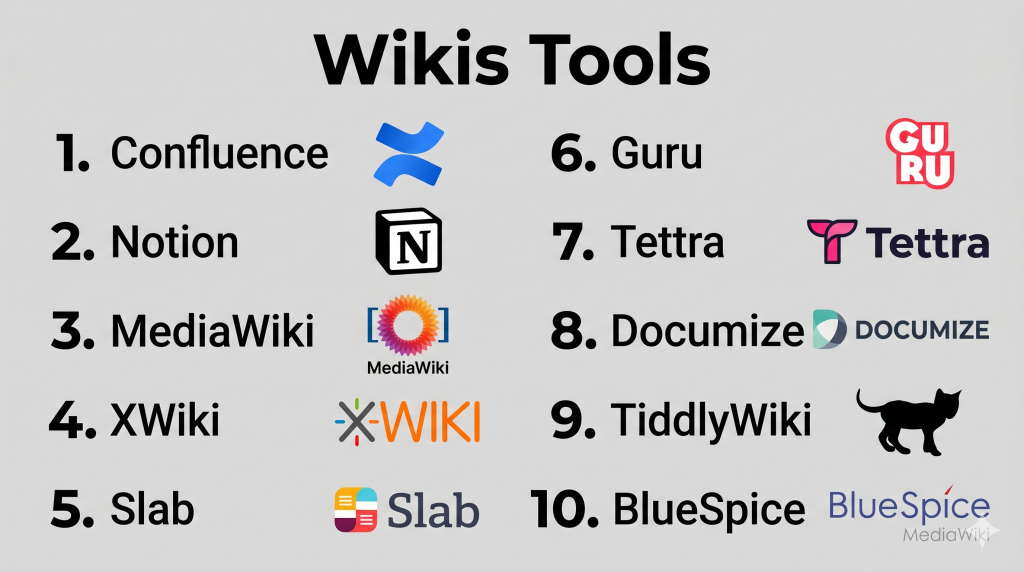
Top 10 Wikis Tools
#1 — Confluence
Short description: A widely used enterprise wiki platform designed for team collaboration and structured documentation.
Key Features
- Collaborative editing
- Templates and page hierarchy
- Advanced permissions
- Integration with project tools
- Version history
- Search functionality
Pros
- Strong enterprise adoption
- Powerful integrations
- Flexible documentation
Cons
- Can become cluttered
- Learning curve
Platforms / Deployment
Web
Cloud / Self-hosted
Security & Compliance
SSO, RBAC
Varies / Not publicly stated
Integrations & Ecosystem
Strong integration ecosystem.
- Project management tools
- APIs
- Developer tools
Support & Community
Large community and extensive documentation.
#2 — Notion
Short description: A flexible all-in-one workspace often used as a lightweight wiki for teams.
Key Features
- Drag-and-drop editor
- Linked databases
- Templates
- Collaboration tools
- Cross-platform support
- Content organization
Pros
- Easy to use
- Highly flexible
- Great UI
Cons
- Performance issues at scale
- Limited advanced permissions
Platforms / Deployment
Web / Desktop / Mobile
Cloud
Security & Compliance
Varies / Not publicly stated
Integrations & Ecosystem
- APIs
- Productivity tools
- Integrations
Support & Community
Strong and growing community.
#3 — MediaWiki
Short description: A powerful open-source wiki engine used for large-scale knowledge platforms.
Key Features
- Open-source platform
- Version control
- Multi-language support
- Extensive plugin ecosystem
- Scalable architecture
- Structured content
Pros
- Highly scalable
- Free and open-source
- Proven at large scale
Cons
- Requires technical setup
- Outdated UI
Platforms / Deployment
Web
Self-hosted
Security & Compliance
Varies / Not publicly stated
Integrations & Ecosystem
- Extensions
- APIs
- Developer tools
Support & Community
Large global community.
#4 — XWiki
Short description: An enterprise-grade open-source wiki with advanced customization and structured data capabilities.
Key Features
- Structured data and forms
- Advanced permissions
- Custom applications
- Versioning and audit logs
- Extensible architecture
- Scripting support
Pros
- Highly customizable
- Strong governance features
- Enterprise-ready
Cons
- Complex setup
- Learning curve
Platforms / Deployment
Web
Self-hosted / Cloud
Security & Compliance
LDAP, SAML, RBAC
Varies / Not publicly stated
Integrations & Ecosystem
- APIs
- Enterprise systems
- Plugins
Support & Community
Active open-source community.
#5 — Slab
Short description: A modern team wiki focused on simplicity and clean documentation.
Key Features
- Clean editor
- Content organization
- Search functionality
- Collaboration tools
- Integrations
- Version history
Pros
- Easy to use
- Clean interface
- Good for teams
Cons
- Limited customization
- Smaller ecosystem
Platforms / Deployment
Web
Cloud
Security & Compliance
Varies / Not publicly stated
Integrations & Ecosystem
- APIs
- Team tools
- Productivity apps
Support & Community
Good documentation and support.
#6 — Guru
Short description: A knowledge-sharing platform that works as a contextual wiki within workflows.
Key Features
- AI-powered search
- Browser extensions
- Content verification
- Knowledge cards
- Integrations
- Analytics
Pros
- Easy access to knowledge
- Strong integrations
- Good for internal teams
Cons
- Limited external wiki capabilities
- Pricing varies
Platforms / Deployment
Web
Cloud
Security & Compliance
Varies / Not publicly stated
Integrations & Ecosystem
- Collaboration tools
- APIs
- Business apps
Support & Community
Good onboarding and support.
#7 — Tettra
Short description: A simple internal wiki designed for teams using collaboration tools.
Key Features
- Knowledge sharing
- Templates
- Search functionality
- Slack integration
- Content verification
- Collaboration tools
Pros
- Easy to use
- Good integrations
- Quick setup
Cons
- Limited advanced features
- Not ideal for large enterprises
Platforms / Deployment
Web
Cloud
Security & Compliance
Varies / Not publicly stated
Integrations & Ecosystem
- Slack
- APIs
- Productivity tools
Support & Community
Good support resources.
#8 — Documize
Short description: A hybrid wiki and documentation platform focused on structured internal content.
Key Features
- Markdown editor
- Templates
- Version control
- Search functionality
- Role-based access
- Collaboration tools
Pros
- Structured documentation
- Clean content organization
- Open-source option
Cons
- Smaller ecosystem
- Basic UI
Platforms / Deployment
Web
Self-hosted / Cloud
Security & Compliance
RBAC
Varies / Not publicly stated
Integrations & Ecosystem
- APIs
- Business tools
Support & Community
Growing community.
#9 — TiddlyWiki
Short description: A unique personal wiki that runs as a single file for offline and flexible use.
Key Features
- Single-file architecture
- Offline usage
- Tag-based content model
- Customizable layouts
- Plugins
- Lightweight
Pros
- No server required
- Highly flexible
- Full data control
Cons
- Not ideal for teams
- Learning curve
Platforms / Deployment
Web / Local
Self-hosted
Security & Compliance
Varies / Not publicly stated
Integrations & Ecosystem
- Plugins
- File-based integrations
Support & Community
Active niche community.
#10 — BlueSpice
Short description: An enterprise wiki built on MediaWiki, designed for business use.
Key Features
- Enterprise wiki features
- Workflow tools
- Access control
- Content management
- Extensions
- Scalable architecture
Pros
- Built for enterprises
- Strong MediaWiki foundation
- Scalable
Cons
- Requires setup
- Less beginner-friendly
Platforms / Deployment
Web
Self-hosted / Cloud
Security & Compliance
Varies / Not publicly stated
Integrations & Ecosystem
- Extensions
- APIs
- Enterprise tools
Support & Community
Enterprise support available.
Comparison Table (Top 10)
| Tool Name | Best For | Platform(s) Supported | Deployment | Standout Feature | Public Rating |
|---|---|---|---|---|---|
| Confluence | Enterprise teams | Web | Hybrid | Collaboration | N/A |
| Notion | Flexible teams | Web, Mobile | Cloud | All-in-one workspace | N/A |
| MediaWiki | Large-scale wikis | Web | Self-hosted | Scalability | N/A |
| XWiki | Enterprise customization | Web | Hybrid | Structured data | N/A |
| Slab | Simple team wiki | Web | Cloud | Clean UI | N/A |
| Guru | Workflow knowledge | Web | Cloud | Contextual access | N/A |
| Tettra | Small teams | Web | Cloud | Slack integration | N/A |
| Documize | Structured docs | Web | Hybrid | Templates | N/A |
| TiddlyWiki | Personal use | Web | Self-hosted | Offline wiki | N/A |
| BlueSpice | Enterprise wiki | Web | Hybrid | MediaWiki-based | N/A |
Evaluation & Scoring of Wikis
| Tool Name | Core (25%) | Ease (15%) | Integrations (15%) | Security (10%) | Performance (10%) | Support (10%) | Value (15%) | Weighted Total |
|---|---|---|---|---|---|---|---|---|
| Confluence | 9 | 7 | 9 | 8 | 8 | 9 | 8 | 8.4 |
| Notion | 8 | 9 | 8 | 7 | 7 | 8 | 9 | 8.2 |
| MediaWiki | 9 | 5 | 8 | 8 | 9 | 8 | 10 | 8.3 |
| XWiki | 9 | 6 | 8 | 8 | 8 | 8 | 9 | 8.2 |
| Slab | 7 | 9 | 7 | 7 | 7 | 7 | 8 | 7.6 |
| Guru | 8 | 8 | 9 | 7 | 8 | 8 | 7 | 8.0 |
| Tettra | 7 | 8 | 7 | 7 | 7 | 7 | 8 | 7.6 |
| Documize | 8 | 7 | 7 | 7 | 7 | 7 | 8 | 7.6 |
| TiddlyWiki | 7 | 6 | 5 | 7 | 7 | 6 | 9 | 7.1 |
| BlueSpice | 8 | 6 | 7 | 8 | 8 | 7 | 7 | 7.6 |
How to interpret scores:
- Scores are comparative across tools
- Higher scores indicate stronger overall capability
- Enterprise tools rank higher in integrations and security
- Simpler tools rank higher in ease of use and value
Which Wiki Tool Is Right for You?
Solo / Freelancer
- Best: TiddlyWiki, Notion
- Focus on flexibility and simplicity
SMB
- Best: Slab, Tettra
- Easy collaboration with minimal setup
Mid-Market
- Best: Guru, Notion, Documize
- Need integrations and scalability
Enterprise
- Best: Confluence, XWiki, BlueSpice
- Focus on governance, scalability, and integrations
Budget vs Premium
- Budget: MediaWiki, TiddlyWiki
- Premium: Confluence, Guru
Feature Depth vs Ease of Use
- Advanced: XWiki, Confluence
- Easy: Notion, Slab
Integrations & Scalability
- Best: Confluence, Guru
Security & Compliance Needs
- High: XWiki, Confluence
- Standard: Notion, Slab
Frequently Asked Questions (FAQs)
What is a wiki?
A collaborative platform where users can create and edit shared content.
How is a wiki different from a knowledge base?
A wiki is more collaborative, while a knowledge base is more structured.
Are wikis still relevant?
Yes, they are evolving with AI and integrations.
Can wikis be used for business?
Yes, many enterprises use wikis for documentation.
Are there free wiki tools?
Yes, many open-source options exist.
Is coding required?
Not for most modern tools, but some require setup.
Can wikis scale?
Yes, platforms like MediaWiki support large-scale use.
Are wikis secure?
Security depends on configuration and platform.
What are common mistakes?
Poor organization and lack of governance.
Can wikis integrate with other tools?
Yes, most modern wikis support integrations.
Conclusion
Wikis remain one of the most powerful tools for collaborative knowledge management. From simple personal wikis to enterprise-grade platforms, they enable teams to create, share, and evolve knowledge efficiently.
