Introduction
Accounts Payable Automation Tools are software solutions that digitize and automate the entire invoice-to-pay process, including invoice capture, validation, approval workflows, and payment execution. Instead of relying on manual data entry, paper invoices, and email approvals, these tools streamline financial operations using automation, OCR, and AI technologies.
In modern finance teams, manual accounts payable processes are slow, error-prone, and resource-intensive. Businesses are increasingly adopting automation to improve efficiency, reduce costs, and gain real-time visibility into cash flow. Automation helps finance teams move from repetitive tasks to strategic decision-making.
Common use cases include:
- Invoice capture and data extraction
- Approval workflows and routing
- Purchase order matching
- Vendor payment processing
- Financial reporting and analytics
Key evaluation criteria:
- Invoice automation and OCR accuracy
- Workflow automation and approvals
- Integration with ERP and accounting systems
- Real-time visibility and reporting
- Compliance and audit trails
- Ease of use
- Scalability
- Vendor management features
- Cost efficiency
Best for: Finance teams, accounting departments, and enterprises handling high invoice volumes and complex payment workflows.
Not ideal for: Very small businesses with low invoice volume or those using simple accounting tools without complexity.
Key Trends in Accounts Payable Automation Tools
- AI-driven invoice data extraction and validation
- Touchless invoice processing with minimal human input
- Real-time dashboards for financial visibility
- Automation of approval workflows and routing
- Integration with ERP and finance systems
- Cloud-first and API-driven platforms
- Fraud detection and compliance automation
- Mobile access for approvals
- Multi-entity and multi-currency support
- Predictive analytics for cash flow planning
How We Selected These Tools
- Market adoption and industry credibility
- Feature completeness across invoice-to-pay lifecycle
- Real-world usability and performance
- Integration ecosystem strength
- Scalability across SMB to enterprise
- Vendor support and documentation
- Security and compliance readiness
- Balance between ease of use and advanced features
- Practical finance and accounting use cases
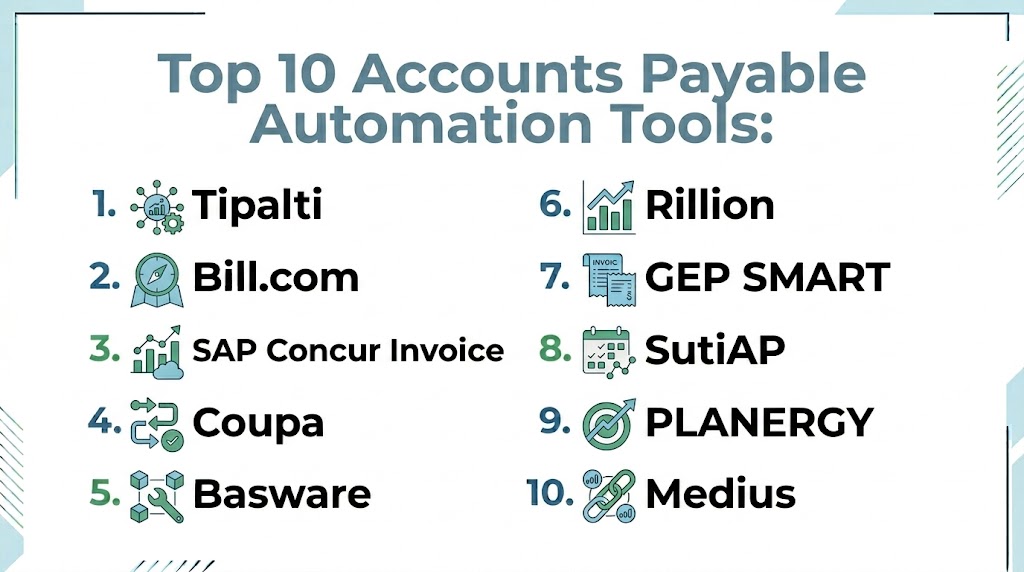
Top 10 Accounts Payable Automation Tools
#1 — Tipalti
Short description: A global payables automation platform designed for enterprises managing complex supplier payments and compliance. It supports multi-currency and international payments.
Key Features
- Global payment automation
- Tax compliance handling
- Invoice processing
- Supplier management
- Multi-currency support
Pros
- Strong global capabilities
- Compliance-focused
Cons
- Complex setup
- Premium pricing
Platforms / Deployment
- Web
- Cloud
Security & Compliance
- Varies / Not publicly stated
Integrations & Ecosystem
Integrates with ERP and finance systems.
- APIs
- Accounting platforms
- Payment gateways
Support & Community
Enterprise-level support.
#2 — Bill.com
Short description: A widely used AP automation platform for SMBs and mid-sized businesses, focusing on invoice processing and payment automation.
Key Features
- Invoice automation
- Payment processing
- Approval workflows
- Reporting
- Integration tools
Pros
- Easy to use
- Strong automation
Cons
- Limited enterprise features
- Pricing varies
Platforms / Deployment
- Web
- Cloud
Security & Compliance
- Not publicly stated
Integrations & Ecosystem
- Accounting software
- APIs
Support & Community
Good SMB support.
#3 — SAP Concur Invoice
Short description: An enterprise-grade AP automation tool focused on invoice and expense management with strong compliance controls.
Key Features
- Invoice automation
- Expense integration
- Approval workflows
- Reporting
- Policy enforcement
Pros
- Enterprise-ready
- Strong compliance
Cons
- Complex UI
- Implementation effort
Platforms / Deployment
- Web / Mobile
- Cloud
Security & Compliance
- Enterprise-grade controls
Integrations & Ecosystem
- ERP systems
- APIs
Support & Community
Strong enterprise support.
#4 — Coupa
Short description: A business spend management platform that includes accounts payable automation with strong analytics and procurement integration.
Key Features
- Invoice automation
- Spend management
- Supplier management
- Analytics
- Workflow automation
Pros
- Strong analytics
- Scalable
Cons
- Premium pricing
- Setup complexity
Platforms / Deployment
- Web
- Cloud
Security & Compliance
- Not publicly stated
Integrations & Ecosystem
- ERP systems
- APIs
Support & Community
Enterprise-level support.
#5 — Basware
Short description: A global AP automation and e-invoicing platform focused on financial automation and supplier collaboration.
Key Features
- eInvoicing
- Invoice processing
- Analytics
- Automation
- Supplier network
Pros
- Strong invoicing capabilities
- Global reach
Cons
- Complex implementation
- UI limitations
Platforms / Deployment
- Web
- Cloud
Security & Compliance
- Not publicly stated
Integrations & Ecosystem
- Finance systems
- APIs
Support & Community
Good support.
#6 — Rillion
Short description: An AP automation platform designed for mid-sized businesses to streamline invoice processing and approvals.
Key Features
- Invoice capture
- Approval workflows
- PO matching
- Reporting
- Automation
Pros
- Easy to implement
- Good workflow automation
Cons
- Limited enterprise features
- Scaling limitations
Platforms / Deployment
- Web
- Cloud
Security & Compliance
- Not publicly stated
Integrations & Ecosystem
- ERP systems
- APIs
Support & Community
Good support.
#7 — Medius
Short description: A cloud-based AP automation platform focused on invoice processing, analytics, and fraud detection.
Key Features
- Invoice automation
- Fraud detection
- Analytics
- Workflow automation
- Reporting
Pros
- Strong analytics
- Fraud prevention features
Cons
- Learning curve
- Pricing varies
Platforms / Deployment
- Web
- Cloud
Security & Compliance
- Not publicly stated
Integrations & Ecosystem
- ERP integrations
- APIs
Support & Community
Enterprise support.
#8 — SutiAP
Short description: A procurement and AP automation solution designed for SMBs and enterprises with flexible workflow automation.
Key Features
- Invoice processing
- Workflow automation
- Vendor management
- Reporting
- Integration tools
Pros
- Flexible workflows
- Affordable
Cons
- Limited advanced analytics
- UI limitations
Platforms / Deployment
- Web
- Cloud
Security & Compliance
- Not publicly stated
Integrations & Ecosystem
- APIs
- Business systems
Support & Community
Good support.
#9 — PLANERGY
Short description: A procurement and accounts payable automation platform focused on spend control and invoice management.
Key Features
- Invoice automation
- Spend tracking
- Approval workflows
- Reporting
- Supplier management
Pros
- Easy to use
- Good visibility
Cons
- Limited enterprise depth
- Pricing varies
Platforms / Deployment
- Web
- Cloud
Security & Compliance
- Not publicly stated
Integrations & Ecosystem
- APIs
- Accounting tools
Support & Community
Good SMB support.
#10 — Stampli
Short description: A collaborative AP automation platform focused on invoice processing and team communication.
Key Features
- Invoice automation
- Collaboration tools
- Workflow automation
- Reporting
- ERP integration
Pros
- Strong collaboration
- Easy to use
Cons
- Limited procurement features
- Scaling limitations
Platforms / Deployment
- Web
- Cloud
Security & Compliance
- Not publicly stated
Integrations & Ecosystem
- ERP systems
- APIs
Support & Community
Good support.
Comparison Table
| Tool Name | Best For | Platform Supported | Deployment | Standout Feature | Public Rating |
|---|---|---|---|---|---|
| Tipalti | Enterprise | Web | Cloud | Global payments | N/A |
| Bill.com | SMB | Web | Cloud | Ease of use | N/A |
| SAP Concur | Enterprise | Web/Mobile | Cloud | Compliance | N/A |
| Coupa | Enterprise | Web | Cloud | Spend integration | N/A |
| Basware | Global invoicing | Web | Cloud | eInvoicing | N/A |
| Rillion | Mid-market | Web | Cloud | Workflow automation | N/A |
| Medius | Analytics | Web | Cloud | Fraud detection | N/A |
| SutiAP | SMB | Web | Cloud | Flexible workflows | N/A |
| PLANERGY | SMB | Web | Cloud | Spend visibility | N/A |
| Stampli | Collaboration | Web | Cloud | Team workflows | N/A |
Evaluation & Scoring of Accounts Payable Automation Tools
| Tool Name | Core 25% | Ease 15% | Integrations 15% | Security 10% | Performance 10% | Support 10% | Value 15% | Weighted Total |
|---|---|---|---|---|---|---|---|---|
| Tipalti | 9 | 7 | 9 | 8 | 9 | 8 | 6 | 8.2 |
| Bill.com | 8 | 9 | 7 | 7 | 8 | 8 | 8 | 8.0 |
| SAP Concur | 9 | 6 | 9 | 8 | 9 | 8 | 6 | 8.1 |
| Coupa | 9 | 6 | 9 | 8 | 9 | 8 | 6 | 8.1 |
| Basware | 8 | 6 | 8 | 7 | 8 | 7 | 7 | 7.6 |
| Rillion | 7 | 8 | 7 | 7 | 7 | 7 | 8 | 7.5 |
| Medius | 8 | 7 | 8 | 7 | 8 | 7 | 7 | 7.7 |
| SutiAP | 7 | 8 | 7 | 6 | 7 | 7 | 8 | 7.4 |
| PLANERGY | 7 | 8 | 7 | 6 | 7 | 7 | 8 | 7.4 |
| Stampli | 8 | 9 | 7 | 6 | 7 | 7 | 8 | 7.6 |
How to interpret scores:
- Higher scores indicate stronger overall capabilities
- Enterprise tools lead in integrations and compliance
- SMB tools excel in ease of use and value
- Scores are comparative, not absolute
- Choose based on invoice volume and complexity
Which Accounts Payable Automation Tool Is Right for You
Solo / Freelancer
Basic tools like Bill.com or PLANERGY are sufficient for simple workflows.
SMB
Bill.com, Stampli, and SutiAP offer ease of use and affordability.
Mid-Market
Rillion and Medius provide better automation and analytics.
Enterprise
Tipalti, SAP Concur, and Coupa are ideal for complex operations.
Budget vs Premium
- Budget tools include Bill.com and PLANERGY
- Premium tools include Tipalti and Coupa
Feature Depth vs Ease of Use
- Advanced tools include Tipalti and SAP Concur
- Easy tools include Bill.com and Stampli
Integrations & Scalability
- Strong integrations in enterprise tools
- Moderate in SMB tools
Security & Compliance Needs
- Enterprise tools for high compliance
- SMB tools for basic requirements
Frequently Asked Questions
1. What is accounts payable automation
Accounts payable automation is the use of software to automate invoice processing and payments. It replaces manual workflows with digital processes. It improves efficiency and accuracy.
2. Why is AP automation important
It reduces manual work, errors, and processing time. Businesses gain better visibility into cash flow. It also improves vendor relationships.
3. How does AP automation work
It captures invoices digitally using OCR and processes them through automated workflows. Approvals and payments are handled automatically. Data is stored centrally.
4. Can AP automation reduce costs
Yes, it reduces labor costs and paper-based expenses. Automation also prevents duplicate payments and errors. This leads to significant savings.
5. Does it support real-time visibility
Yes, most tools provide real-time dashboards and reporting. Finance teams can track invoices and payments instantly. This improves decision-making.
6. Is AP automation secure
Most platforms include security features like access control and audit trails. Compliance depends on the vendor. Enterprise tools offer stronger controls.
7. Can these tools integrate with ERP systems
Yes, integration with ERP and accounting systems is a core feature. This ensures seamless workflows. Integration improves efficiency.
8. How long does implementation take
SMB tools can be implemented quickly. Enterprise tools take longer due to customization. It depends on complexity.
9. Do these tools support global payments
Some tools support multi-currency and global payments. This is useful for international businesses. Not all tools offer this feature.
10. Are AP automation tools expensive
Pricing varies based on features and scale. SMB tools are affordable. Enterprise solutions require higher investment.
Conclusion
Accounts Payable Automation Tools have become essential for modern finance teams managing complex invoice and payment processes. They help eliminate manual work, reduce errors, and improve efficiency across financial operations. One of the biggest advantages of these tools is speed. Businesses can process invoices faster and improve cash flow visibility. This allows finance teams to focus on strategic tasks instead of repetitive work. Choosing the right tool depends on business size and complexity. Smaller tools focus on simplicity and affordability, while enterprise platforms offer advanced features and scalability. It is important to evaluate integrations, workflow automation, and reporting capabilities before making a decision. Testing a few tools is always recommended.
