Introduction
Cloud cost allocation tools help organizations understand who is spending cloud budget, where the money is going, and which teams, products, customers, or workloads are responsible for costs. Instead of seeing one large cloud bill, these tools break spending into useful business views such as departments, projects, cost centers, environments, applications, Kubernetes clusters, and shared services.
They matter now because cloud usage has become more distributed across engineering teams, multi-cloud platforms, SaaS systems, AI workloads, containers, and data pipelines. Without proper allocation, companies struggle with budget ownership, cost accountability, product profitability, and cloud governance.
Real-world use cases include showback and chargeback, team-level cost reporting, Kubernetes cost allocation, product margin analysis, budget tracking, anomaly investigation, and shared cost distribution.
When evaluating cloud cost allocation tools, buyers should consider allocation accuracy, multi-cloud support, Kubernetes visibility, tagging flexibility, shared cost rules, reporting depth, integrations, automation, security controls, ease of use, and pricing transparency.
Best for: FinOps teams, cloud engineers, finance leaders, platform teams, SaaS companies, enterprises, and MSPs managing complex cloud spend.
Not ideal for: very small teams with simple cloud usage, companies using only basic cloud services, or organizations that can manage costs effectively with native billing tools.
Key Trends in Cloud Cost Allocation Tools
- AI-assisted cost analysis is helping teams detect anomalies, explain spend spikes, and identify cost ownership faster.
- Kubernetes cost allocation is becoming a must-have because shared clusters often make cloud bills harder to divide fairly.
- Unit economics tracking is gaining importance for SaaS companies that want to understand cost per customer, product, feature, or transaction.
- Multi-cloud cost visibility is becoming more common as organizations use AWS, Azure, Google Cloud, Kubernetes, and third-party infrastructure together.
- Shared cost allocation is improving, especially for platform costs, observability tools, networking, security, and internal services.
- Business mapping beyond tags is becoming important because tags are often incomplete, inconsistent, or missing.
- FinOps collaboration workflows are expanding so engineering, finance, product, and leadership teams can work from the same cost data.
- Budget alerts and anomaly detection are becoming standard expectations instead of optional features.
- Integration with engineering tools is increasing, including CI/CD, Kubernetes, observability, BI, Slack, Teams, and ticketing platforms.
- Cloud cost accountability is shifting from passive reporting to active ownership, optimization, and savings tracking.
How We Selected These Tools
The tools in this list were selected based on practical value for cloud cost allocation, market recognition, feature completeness, and usefulness across different company sizes.
- We prioritized tools that support cost allocation, showback, chargeback, business mapping, unit economics, or ownership reporting.
- We included enterprise FinOps platforms, cloud-native billing tools, Kubernetes-focused platforms, and modern cost intelligence tools.
- We considered support for AWS, Azure, Google Cloud, Kubernetes, hybrid infrastructure, and multi-cloud cost data.
- We reviewed whether each tool helps with tagging gaps, shared costs, unallocated spend, and business-level cost reporting.
- We considered usability for finance, engineering, platform, product, and executive teams.
- We evaluated integration depth, including APIs, billing exports, reporting tools, data warehouses, and collaboration tools.
- We included tools useful for startups, SMBs, mid-market companies, enterprises, and managed service providers.
- We avoided guessed ratings, unverified compliance claims, and unsupported feature statements.
- We treated scoring as comparative guidance, not a universal ranking.
- We included native cloud provider tools because they are often the first step in cost allocation maturity.
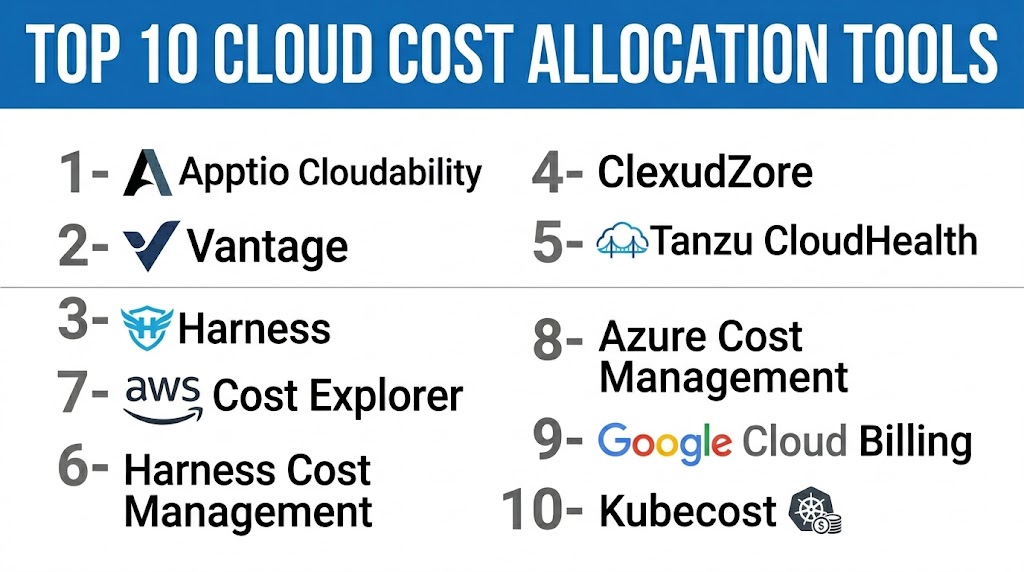
Top 10 Cloud Cost Allocation Tools
1- IBM Cloudability
Short description: IBM Cloudability is an enterprise FinOps platform built for cloud cost visibility, allocation, budgeting, forecasting, and optimization. It is designed for organizations that need to manage complex cloud spending across teams, applications, business units, and cloud providers. It is especially useful for mature FinOps teams that need both engineering-level and executive-level reporting. Cloudability helps companies connect cloud usage with financial accountability.
Key Features
- Multi-cloud cost visibility and reporting
- Cost allocation by team, app, service, and business unit
- Budgeting and forecasting tools
- Business mapping and cost ownership views
- Kubernetes and container cost insights
- Unit economics and financial planning support
- Dashboards for finance, engineering, and leadership teams
Pros
- Strong fit for enterprise FinOps teams
- Useful for showback and chargeback reporting
- Supports complex organizational cost models
- Good for executive-level cloud financial visibility
Cons
- May feel complex for smaller teams
- Requires mature cost ownership processes
- Setup can take time in large environments
- Pricing may be better suited for larger organizations
Platforms / Deployment
Web-based platform. Cloud deployment. Supports major public cloud environments.
Security & Compliance
Enterprise access controls are commonly expected. Specific details such as SSO, MFA, audit logs, SOC 2, ISO 27001, or other certifications should be verified directly with the vendor. If not confirmed, use Not publicly stated.
Integrations & Ecosystem
IBM Cloudability works well in enterprise FinOps environments where cloud billing, finance, reporting, and engineering workflows need to connect.
- AWS billing data
- Azure cost data
- Google Cloud cost data
- Kubernetes cost data
- Finance and planning workflows
- Reporting and dashboard tools
Support & Community
Support is generally enterprise-focused and may include onboarding, documentation, training, and customer success depending on contract. Community strength is strongest among FinOps and enterprise cloud management teams.
2- VMware Tanzu CloudHealth
Short description: VMware Tanzu CloudHealth is a cloud cost management and governance platform used by enterprises and managed service providers. It helps organizations analyze cloud spend, allocate costs, enforce governance policies, and optimize resource usage. It is useful for teams that need cost accountability across accounts, departments, and customers. CloudHealth is especially relevant for companies with formal cloud operations and governance models.
Key Features
- Cloud cost visibility and reporting
- Cost allocation by account, team, project, or business unit
- Policy-based governance
- Budget tracking and cost trend analysis
- Rightsizing and optimization recommendations
- Multi-cloud reporting
- MSP-friendly customer and account management
Pros
- Strong fit for enterprises and MSPs
- Useful governance and policy capabilities
- Good for business-unit reporting
- Supports structured cloud operations workflows
Cons
- May feel heavy for smaller teams
- Allocation quality depends on tagging and account structure
- Advanced setup may require careful configuration
- Less ideal for teams wanting a lightweight tool
Platforms / Deployment
Web-based platform. Cloud deployment. Supports major public cloud environments.
Security & Compliance
Enterprise security features may vary by plan and deployment. Specific certifications, access controls, encryption details, and audit capabilities should be confirmed with the vendor. If not verified, use Not publicly stated.
Integrations & Ecosystem
CloudHealth fits well into cloud operations environments where cost data must connect with governance, procurement, finance, and infrastructure workflows.
- AWS cost data
- Azure billing data
- Google Cloud billing data
- Governance workflows
- Reporting exports
- MSP and customer reporting models
Support & Community
Support depends on the customer agreement and service level. Documentation and onboarding are important because the platform is often used in complex environments. Community visibility is strong among enterprise cloud operations and managed service teams.
3- Flexera One FinOps
Short description: Flexera One FinOps is a cloud cost management platform designed for enterprises managing cloud, hybrid IT, and broader technology spend. It helps organizations allocate costs, optimize cloud usage, govern resources, and connect cloud financial management with IT asset management. It is especially useful for companies that want cloud cost allocation as part of a wider IT financial management strategy. Flexera is a strong option for governance-heavy enterprises.
Key Features
- Multi-cloud cost allocation and reporting
- Cloud optimization recommendations
- Governance and policy automation
- Budgeting and forecasting
- Hybrid IT and cloud visibility
- Cost ownership mapping
- Integration with IT asset and financial workflows
Pros
- Strong enterprise governance focus
- Useful for hybrid IT and cloud environments
- Good fit for companies already using Flexera tools
- Supports structured FinOps practices
Cons
- May be broader than needed for simple cloud allocation
- Setup can take time in complex environments
- Best value requires strong internal governance
- Smaller teams may find it too heavy
Platforms / Deployment
Web-based platform. Cloud deployment. Supports multi-cloud and hybrid IT cost management scenarios.
Security & Compliance
Enterprise security and access controls are expected, but exact compliance details should be confirmed with the vendor. If details are not clearly available, use Not publicly stated.
Integrations & Ecosystem
Flexera One FinOps works well when cloud cost allocation must connect with IT asset management, procurement, software asset management, and financial workflows.
- AWS, Azure, and Google Cloud data
- IT asset management workflows
- Software asset management workflows
- Procurement systems
- Governance processes
- Reporting and analytics tools
Support & Community
Flexera provides enterprise-oriented support, documentation, and implementation resources depending on the customer agreement. The tool is best supported when buyers plan onboarding and governance design properly.
4- CloudZero
Short description: CloudZero is a cloud cost intelligence platform focused on allocation, unit economics, and engineering accountability. It helps teams understand cloud costs by product, customer, feature, service, team, or business metric. CloudZero is especially useful for SaaS companies and product-led engineering teams that need to connect cloud spend with revenue and profitability. It is strong when basic tags are not enough for meaningful allocation.
Key Features
- Cost allocation across business dimensions
- Unit cost and customer-level cost analysis
- Support for untagged and shared cost allocation
- Engineering-focused cost visibility
- Cost anomaly detection
- Multi-cloud and Kubernetes cost intelligence
- Dashboards for finance, product, and engineering teams
Pros
- Strong fit for SaaS and product-led companies
- Good for unit economics and margin analysis
- Helpful when tags are incomplete
- Makes cloud cost more understandable for engineers
Cons
- May be advanced for simple cloud bills
- Requires clear business dimensions for best results
- Setup may need internal alignment
- Pricing should be validated directly with the vendor
Platforms / Deployment
Web-based platform. Cloud deployment. Supports cloud and Kubernetes cost intelligence.
Security & Compliance
Security features such as SSO, RBAC, audit logs, encryption, and compliance certifications should be verified with the vendor. If not confirmed, use Not publicly stated.
Integrations & Ecosystem
CloudZero fits engineering-led FinOps environments where cost data must connect with products, customers, services, and business metrics.
- AWS cost data
- Azure and Google Cloud cost data
- Kubernetes cost data
- Business metadata
- Collaboration workflows
- Reporting and analytics exports
Support & Community
CloudZero typically provides onboarding and customer success support for allocation design. Documentation and guided setup are important because teams often need help translating cloud usage into business-level cost models.
5- Harness Cloud Cost Management
Short description: Harness Cloud Cost Management is part of the broader Harness software delivery platform. It helps engineering and platform teams monitor cloud spend, allocate costs, detect anomalies, and optimize infrastructure usage. It is especially useful for DevOps teams that want cloud cost visibility connected with software delivery workflows. Harness is a good fit for teams already using modern CI/CD, Kubernetes, and cloud-native engineering practices.
Key Features
- Cloud cost visibility and allocation
- Kubernetes cost management
- Budget tracking and alerts
- Cost anomaly detection
- Engineering-oriented dashboards
- Optimization recommendations
- Connection with software delivery workflows
Pros
- Good fit for DevOps and platform teams
- Strong alignment with Kubernetes and engineering workflows
- Useful for cost accountability during delivery
- Works well for teams using the Harness ecosystem
Cons
- May not be as finance-first as dedicated FinOps suites
- Best value requires engineering adoption
- Broader platform may be more than some teams need
- Allocation depth depends on metadata quality
Platforms / Deployment
Web-based platform. Cloud deployment. Supports cloud and Kubernetes cost management.
Security & Compliance
Enterprise security features may be available depending on plan. Exact SSO, RBAC, audit log, encryption, and compliance details should be confirmed with the vendor. If not confirmed, use Not publicly stated.
Integrations & Ecosystem
Harness Cloud Cost Management works well when cloud cost data needs to connect with software delivery and infrastructure workflows.
- AWS cost data
- Azure and Google Cloud cost data
- Kubernetes clusters
- CI/CD workflows
- Collaboration tools
- Harness platform modules
Support & Community
Harness offers documentation, onboarding resources, and support options depending on plan. Community strength is strongest among DevOps, platform engineering, and software delivery teams.
6- Kubecost
Short description: Kubecost is a Kubernetes cost monitoring and allocation tool for teams running workloads in Kubernetes clusters. It helps organizations understand costs by namespace, pod, deployment, service, label, and cluster. Kubecost is especially useful when multiple teams share the same Kubernetes infrastructure. It is a practical choice for platform teams that need transparent container cost allocation.
Key Features
- Kubernetes cost allocation by namespace, label, and workload
- Cluster cost visibility
- Shared cluster cost allocation
- Efficiency and savings recommendations
- Multi-cluster reporting options
- OpenCost ecosystem alignment
- Useful dashboards for platform and engineering teams
Pros
- Strong Kubernetes cost allocation depth
- Helpful for shared cluster accountability
- Practical for engineering teams
- Good fit for container-heavy environments
Cons
- Less complete for full enterprise FinOps outside Kubernetes
- Requires Kubernetes knowledge
- May need another tool for broader multi-cloud reporting
- Business-level allocation may require extra mapping
Platforms / Deployment
Kubernetes-focused platform. Cloud and self-managed options may vary by edition.
Security & Compliance
Security depends on deployment model, configuration, and edition. Enterprise access controls and compliance details should be confirmed directly. If not verified, use Not publicly stated.
Integrations & Ecosystem
Kubecost is strongest in Kubernetes environments and often works alongside cloud billing exports, observability tools, and FinOps platforms.
- Kubernetes clusters
- AWS cost data
- Azure cost data
- Google Cloud cost data
- OpenCost
- Monitoring and reporting workflows
Support & Community
Kubecost has strong recognition in the Kubernetes cost management space. Community strength is connected to Kubernetes and OpenCost users, while enterprise support depends on edition and contract.
7- Finout
Short description: Finout is a cloud cost management and allocation platform focused on multi-source cost visibility. It helps teams understand spending across cloud, Kubernetes, data infrastructure, and third-party services. Finout is useful for organizations that need to bring several cost sources into one allocation model. It helps finance and engineering teams align around cost ownership and business reporting.
Key Features
- Multi-source cost visibility
- Cloud and Kubernetes cost allocation
- Shared cost allocation
- Business mapping and cost grouping
- Custom dashboards
- Budget and anomaly tracking
- Cost analytics across infrastructure sources
Pros
- Good for multi-source infrastructure cost reporting
- Useful for engineering and finance collaboration
- Helps reduce spreadsheet-based allocation
- Supports modern cloud and data infrastructure visibility
Cons
- Setup may require business mapping work
- Smaller teams may not need full capability
- Advanced use cases should be tested during evaluation
- Allocation accuracy depends on source data quality
Platforms / Deployment
Web-based platform. Cloud deployment. Supports cloud, Kubernetes, and infrastructure cost sources.
Security & Compliance
Security and compliance details should be validated directly with the vendor. If not confirmed, use Not publicly stated.
Integrations & Ecosystem
Finout is designed for teams that want to combine multiple cost sources into one cost allocation and reporting model.
- Cloud billing data
- Kubernetes environments
- Data infrastructure costs
- SaaS or third-party infrastructure spend
- BI and reporting workflows
- Business metadata sources
Support & Community
Support is usually vendor-led through onboarding, documentation, and customer success. Community visibility is strongest among FinOps, infrastructure, and SaaS engineering teams.
8- Vantage
Short description: Vantage is a cloud cost visibility and optimization platform built for teams that want clear reporting without heavy enterprise complexity. It helps organizations track, allocate, forecast, and optimize cloud spend across providers. Vantage is especially useful for startups, SMBs, and mid-market teams that need better visibility than native tools alone. It offers a modern interface for engineering and finance collaboration.
Key Features
- Cloud cost dashboards
- Cost allocation by team, project, tag, or account
- Budgeting and forecasting
- Anomaly detection
- Multi-provider cost visibility
- Savings recommendations
- API and reporting workflows
Pros
- Easy to adopt compared with heavier platforms
- Good fit for startups and mid-market teams
- Clean user experience
- Supports multiple infrastructure cost sources
Cons
- May not replace deep enterprise FinOps suites
- Complex chargeback models may need more setup
- Compliance details should be verified
- Advanced allocation depends on metadata quality
Platforms / Deployment
Web-based platform. Cloud deployment. Supports multiple cloud and infrastructure providers.
Security & Compliance
Security features should be reviewed during procurement. SSO, role management, audit logs, and compliance details may vary by plan. If not confirmed, use Not publicly stated.
Integrations & Ecosystem
Vantage fits teams that want cloud cost data connected to provider accounts, internal reporting, and finance workflows.
- AWS cost data
- Azure cost data
- Google Cloud cost data
- Kubernetes and infrastructure sources
- API access
- Reporting exports
Support & Community
Vantage is known for product-led usability and helpful documentation. Support options may vary by plan. Community visibility is strong among startups, cloud engineering teams, and FinOps practitioners.
9- AWS Cost Explorer
Short description: AWS Cost Explorer is the native AWS tool for analyzing cloud spend. It helps teams view, filter, group, and understand AWS costs by service, account, tag, cost category, usage type, and time period. It is often the starting point for AWS cost allocation. It is best for teams that primarily use AWS and need native cost visibility without a separate vendor.
Key Features
- Native AWS cost analysis
- Filtering by account, service, tag, and cost category
- Cost trend and forecast visibility
- Savings Plan and Reserved Instance visibility
- Cost category support
- Useful for showback reporting
- No separate third-party platform required
Pros
- Native to AWS billing workflows
- Good starting point for AWS-only teams
- Useful for tag-based and account-based allocation
- Works well with AWS account structures
Cons
- Limited for multi-cloud allocation
- Advanced business allocation may require manual design
- Tag quality strongly affects usefulness
- Not a complete enterprise FinOps workflow platform
Platforms / Deployment
AWS web console. Cloud-native deployment.
Security & Compliance
Security is managed through AWS IAM permissions and account configuration. Compliance posture depends on the organization’s AWS setup and controls.
Integrations & Ecosystem
AWS Cost Explorer works inside AWS billing and reporting workflows and can be extended with exports and internal dashboards.
- AWS Organizations
- AWS Cost and Usage Reports
- AWS Budgets
- Cost allocation tags
- Cost categories
- BI and reporting exports
Support & Community
AWS documentation and community knowledge are strong. Support depends on the AWS support plan. Advanced allocation still requires internal tagging and FinOps discipline.
10- Microsoft Cost Management
Short description: Microsoft Cost Management is the native cost management and allocation solution for Azure environments. It helps teams monitor cloud spend, analyze costs, create budgets, and allocate spending by subscription, resource group, service, and tag. It is useful for Azure-first organizations that want native cost visibility. For many companies, it is the first step before adopting a more advanced FinOps platform.
Key Features
- Native Azure cost visibility
- Cost analysis by subscription, resource group, service, and tag
- Budgeting and alerts
- Forecasting and trend analysis
- Export options for reporting
- Integration with Azure governance models
- Useful for Azure showback reporting
Pros
- Native fit for Azure users
- No separate third-party platform required for basic use
- Works well with Azure subscription structures
- Useful for finance and engineering visibility
Cons
- Limited outside Microsoft cloud environments
- Advanced allocation may require extra modeling
- Tagging and subscription discipline are important
- May not provide full FinOps workflow depth
Platforms / Deployment
Azure portal. Cloud-native deployment.
Security & Compliance
Security is managed through Microsoft identity, Azure role-based access, and tenant configuration. Compliance posture depends on the organization’s Azure environment.
Integrations & Ecosystem
Microsoft Cost Management fits naturally into Azure billing, governance, and reporting workflows.
- Azure subscriptions
- Azure resource groups
- Azure tags
- Microsoft billing accounts
- Budgets and alerts
- Reporting exports
Support & Community
Microsoft documentation and community support are broad. Enterprise support depends on Microsoft support agreements. Mature allocation requires strong tagging, subscription design, and governance.
Comparison Table
| Tool Name | Best For | Platforms Supported | Deployment | Standout Feature | Public Rating |
|---|---|---|---|---|---|
| IBM Cloudability | Enterprise FinOps teams | Web, multi-cloud | Cloud | Mature FinOps allocation and business mapping | N/A |
| VMware Tanzu CloudHealth | Enterprises and MSPs | Web, multi-cloud | Cloud | Policy-driven cloud cost governance | N/A |
| Flexera One FinOps | Hybrid IT and enterprise governance | Web, multi-cloud, hybrid IT | Cloud | Cloud cost allocation tied to IT governance | N/A |
| CloudZero | SaaS and product-led engineering teams | Web, multi-cloud, Kubernetes | Cloud | Unit economics and business-dimension allocation | N/A |
| Harness Cloud Cost Management | DevOps and platform teams | Web, cloud, Kubernetes | Cloud | Cost visibility connected to engineering workflows | N/A |
| Kubecost | Kubernetes-heavy teams | Kubernetes, cloud environments | Cloud or self-managed options vary | Kubernetes cost allocation by workload | N/A |
| Finout | Multi-source infrastructure cost teams | Web, cloud, Kubernetes | Cloud | Consolidated cost allocation across multiple spend sources | N/A |
| Vantage | Startups, SMBs, and mid-market teams | Web, cloud providers | Cloud | Simple multi-provider cost visibility | N/A |
| AWS Cost Explorer | AWS-first teams | AWS console | Cloud | Native AWS cost analysis and cost categories | N/A |
| Microsoft Cost Management | Azure-first teams | Azure portal | Cloud | Native Azure cost allocation and budgeting | N/A |
Evaluation & Scoring of Cloud Cost Allocation Tools
| Tool Name | Core 25% | Ease 15% | Integrations 15% | Security 10% | Performance 10% | Support 10% | Value 15% | Weighted Total 0–10 |
|---|---|---|---|---|---|---|---|---|
| IBM Cloudability | 9.5 | 7.5 | 9.0 | 8.5 | 9.0 | 8.5 | 8.0 | 8.70 |
| VMware Tanzu CloudHealth | 8.8 | 7.2 | 8.5 | 8.3 | 8.5 | 8.2 | 7.8 | 8.25 |
| Flexera One FinOps | 8.7 | 7.0 | 8.6 | 8.5 | 8.3 | 8.2 | 7.7 | 8.22 |
| CloudZero | 9.2 | 8.4 | 8.5 | 8.0 | 8.7 | 8.4 | 8.2 | 8.60 |
| Harness Cloud Cost Management | 8.2 | 8.0 | 8.2 | 8.0 | 8.3 | 8.0 | 8.3 | 8.16 |
| Kubecost | 8.5 | 7.8 | 8.0 | 7.5 | 8.3 | 8.0 | 8.7 | 8.17 |
| Finout | 8.4 | 8.0 | 8.3 | 7.8 | 8.2 | 7.8 | 8.1 | 8.12 |
| Vantage | 8.0 | 8.8 | 8.0 | 7.8 | 8.2 | 8.0 | 8.6 | 8.23 |
| AWS Cost Explorer | 7.5 | 8.0 | 7.0 | 8.5 | 8.5 | 7.5 | 9.0 | 7.93 |
| Microsoft Cost Management | 7.5 | 8.0 | 7.2 | 8.5 | 8.4 | 7.5 | 9.0 | 7.97 |
The scores are comparative and should be used as a buying guide, not as a universal ranking. A tool with a lower overall score may still be the best fit for a specific use case. For example, Kubecost may be the best option for Kubernetes-heavy teams, while AWS Cost Explorer may be enough for an AWS-only company. Enterprise teams should weigh governance, security, support, and integration depth more heavily.
Which Cloud Cost Allocation Tool Is Right for You?
Solo / Freelancer
Solo users and freelancers usually do not need a large FinOps platform. If cloud usage is limited to one provider, native tools like AWS Cost Explorer or Microsoft Cost Management are often enough. The main focus should be basic visibility, budget alerts, and simple tagging.
SMB
SMBs need tools that are easy to adopt and practical for small finance and engineering teams. Vantage, Harness Cloud Cost Management, CloudZero, and Kubecost are good options depending on infrastructure complexity. If the company is Kubernetes-heavy, Kubecost should be evaluated early.
Mid-Market
Mid-market companies often need better allocation across teams, services, environments, and products. CloudZero, Finout, Harness, Vantage, and Kubecost are strong candidates. If the company already has a formal FinOps process, Cloudability, Flexera, or CloudHealth may also be suitable.
Enterprise
Enterprises usually need multi-cloud reporting, governance, chargeback, role-based access, executive dashboards, and deep allocation logic. IBM Cloudability, Flexera One FinOps, and VMware Tanzu CloudHealth are strong enterprise choices. CloudZero is also useful for enterprises that care deeply about unit economics and product-level cloud profitability.
Budget vs Premium
For budget-conscious teams, native cloud tools are the best starting point. They offer basic allocation and cost visibility without adding another vendor. Premium platforms are better when cloud spend is large, teams are distributed, and leadership needs reliable allocation and forecasting.
Feature Depth vs Ease of Use
Enterprise platforms offer deeper governance and reporting but usually require more configuration. Modern platforms like Vantage, CloudZero, Finout, and Harness may be easier for engineering teams to adopt. The right choice depends on whether your priority is depth, speed, usability, or governance.
Integrations & Scalability
If cost data comes from multiple clouds, Kubernetes, data platforms, and SaaS services, choose a tool with strong integration and normalization capabilities. Finout, CloudZero, Cloudability, Flexera, and Vantage are useful in multi-source cost environments. If you only use one cloud provider, native tools may be enough.
Security & Compliance Needs
For regulated companies, security review should be part of the buying process. Evaluate SSO, MFA, RBAC, audit logs, encryption, data retention, vendor risk documentation, and compliance reports. Do not assume certifications or controls unless the vendor confirms them.
Frequently Asked Questions
1. What is a cloud cost allocation tool?
A cloud cost allocation tool helps companies divide cloud spending across teams, departments, products, customers, services, or projects. It turns raw billing data into business-friendly cost views. This helps finance and engineering teams understand ownership and accountability. It is useful for showback, chargeback, budgeting, and cloud governance.
2. Why is cloud cost allocation important?
Cloud cost allocation is important because cloud spending is often shared across many teams and services. Without allocation, it becomes difficult to know who is responsible for costs. It also makes budgeting, forecasting, and optimization harder. Proper allocation helps teams connect cloud usage with business value.
3. How is cloud cost allocation different from cost optimization?
Cloud cost allocation explains where money is going and who owns the spend. Cost optimization focuses on reducing waste through rightsizing, savings plans, scheduling, and architecture improvements. Both are connected, but they solve different problems. Allocation creates accountability, while optimization creates savings actions.
4. Do small businesses need cloud cost allocation tools?
Small businesses may not need a dedicated platform if cloud usage is simple. Native tools from AWS or Azure can be enough for basic visibility and budgeting. However, if the business uses multiple cloud accounts, Kubernetes, or several teams, a dedicated tool can save time. The decision depends on cloud spend complexity, not just company size.
5. What pricing models are common for these tools?
Pricing models vary by vendor and are often based on cloud spend, number of accounts, platform modules, seats, or contract size. Some tools use custom pricing, while others offer tiered plans. Native cloud provider tools may be included with cloud platform billing capabilities. Buyers should confirm pricing directly before selecting a tool.
6. What are the most common mistakes during implementation?
The biggest mistake is expecting the tool to fix poor tagging and unclear ownership automatically. Teams also struggle when shared costs are not defined properly. Another mistake is creating dashboards but not assigning responsibility for action. Successful implementation requires tagging rules, ownership models, and regular cost review meetings.
7. Can these tools allocate Kubernetes costs?
Yes, many modern cloud cost allocation tools can allocate Kubernetes costs. They may break costs down by cluster, namespace, workload, service, label, pod, or team. Kubecost is especially strong for Kubernetes-heavy environments. Buyers should test real cluster data before choosing a platform.
8. Are cloud cost allocation tools secure?
Security depends on the vendor, deployment model, and configuration. Buyers should check for SSO, MFA, role-based access, encryption, audit logs, and data retention policies. Compliance certifications should not be assumed unless confirmed by the vendor. Regulated companies should complete a security review before rollout.
9. How long does onboarding usually take?
Onboarding can be quick for simple single-cloud environments, but complex organizations may need more time. Connecting billing data is usually easier than defining allocation logic. Teams must agree on cost centers, tags, shared cost rules, and reporting views. A small pilot with selected teams is usually the best starting point.
10. What are alternatives to dedicated cloud cost allocation tools?
Alternatives include native billing tools, spreadsheets, BI dashboards, billing exports, and custom internal reporting systems. These can work for simple environments or teams with strong data engineering support. However, they often become difficult to maintain as cloud complexity grows. Dedicated tools reduce manual work and provide purpose-built allocation workflows.
Conclusion
Cloud cost allocation tools help organizations turn confusing cloud bills into clear, accountable, and business-ready cost insights. The best tool depends on your cloud setup, team structure, Kubernetes usage, budget maturity, integration needs, and security requirements. Enterprise teams may prefer Cloudability, Flexera, or CloudHealth, while SaaS and engineering-led teams may find CloudZero, Finout, Harness, Vantage, or Kubecost more practical. Native tools like AWS Cost Explorer and Microsoft Cost Management are strong starting points for single-cloud environments. The right next step is to shortlist two or three tools, run a pilot using real billing data, validate allocation accuracy, confirm security and integrations, and then scale the process with clear ownership rules.

This article clearly explains cloud cost allocation tools and how they help organizations track spending, allocate costs accurately, and improve financial visibility across cloud environments.
This article explains cloud cost allocation tools in a very simple and practical way. The comparisons and feature breakdowns made it easy to understand the strengths of each platform.
This article explains cloud cost allocation tools in a very clear and organized way with practical comparisons and useful insights. The simple breakdown made the topic easy to understand and compare.
Accurate cost allocation depends heavily on consistent tagging and ownership practices. Even the best tools struggle when governance standards are not enforced across teams.