Introduction
Expense Management Tools are software solutions that help organizations track, control, approve, and optimize employee spending. These tools automate processes like receipt capture, expense reporting, reimbursements, and policy compliance, reducing manual effort and financial errors.
In modern businesses, managing expenses is no longer just about reimbursements—it’s about real-time visibility, spend control, compliance, and automation. As companies scale, manual expense tracking becomes inefficient and error-prone. Expense management tools solve this by introducing automation, AI-powered categorization, and seamless integrations with accounting and ERP systems.
Common use cases include:
- Automating employee expense reporting
- Receipt capture and expense categorization
- Approval workflows and reimbursements
- Corporate card expense tracking
- Financial reporting and compliance
What buyers should evaluate:
- Automation capabilities (receipt scanning, approvals)
- Integration with accounting and ERP systems
- Real-time spend visibility
- Policy compliance controls
- Ease of use and mobile accessibility
- Multi-currency support
- Security and audit trails
- Scalability and performance
- Pricing and ROI
Best for: Finance teams, startups, SMBs, enterprises, and companies with frequent employee expenses or travel spending.
Not ideal for: Very small businesses or individuals with minimal expenses that can be tracked manually.
Key Trends in Expense Management Tools
- AI-powered expense automation: Auto-categorization and compliance checks
- Real-time expense tracking: Instant visibility into employee spending
- Corporate card integration: Linking expenses directly to transactions
- Mobile-first expense reporting: Snap receipts and submit instantly
- Automated approval workflows: Faster reimbursements
- Global compliance handling: VAT, GST, and tax automation
- API-first platforms: Easy integration with finance systems
- Fraud detection and controls: Prevent misuse of company funds
- End-to-end spend management: Combining cards, approvals, and reporting
- Voice and AI assistants: Emerging automation trends in expense reporting
How We Selected These Tools (Methodology)
- Evaluated market adoption and popularity
- Assessed automation and expense tracking capabilities
- Reviewed integration ecosystem and APIs
- Considered ease of use and onboarding experience
- Checked real-time reporting and analytics
- Analyzed security and compliance features
- Compared scalability across SMB to enterprise
- Reviewed performance and reliability indicators
- Ensured coverage across startups, SMBs, and enterprises
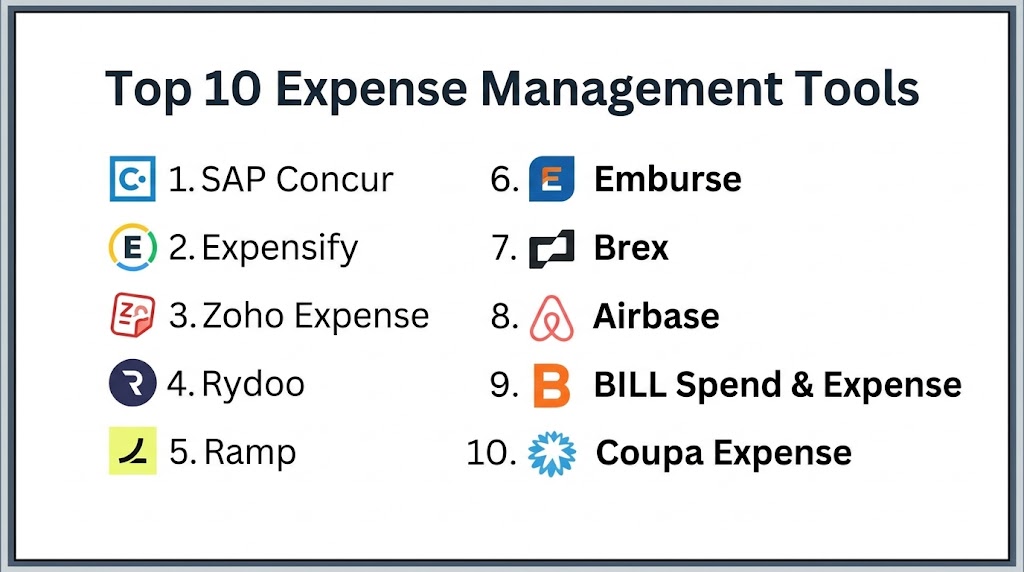
Top 10 Expense Management Tools
#1 — SAP Concur
Short description: SAP Concur is an enterprise-grade expense management platform that automates travel, expense tracking, and reimbursement processes for large organizations.
Key Features
- Expense reporting automation
- Travel and expense integration
- Receipt capture via mobile
- Policy compliance checks
- Approval workflows
- Real-time reporting
Pros
- Enterprise-ready
- Strong compliance controls
- Scalable
Cons
- Complex implementation
- Expensive
- Requires training
Platforms / Deployment
Web / iOS / Android, Cloud
Security & Compliance
Encryption, compliance tools; certifications not publicly stated
Integrations & Ecosystem
Integrates with ERP systems like SAP and accounting platforms.
Support & Community
Enterprise-level support
#2 — Expensify
Short description: Expensify simplifies expense reporting with automation, receipt scanning, and real-time tracking for businesses of all sizes.
Key Features
- Smart receipt scanning
- Automated expense reports
- Approval workflows
- Corporate card integration
- Real-time expense tracking
Pros
- Easy to use
- Fast setup
- Strong automation
Cons
- Limited enterprise features
- Pricing varies
- Customization limitations
Platforms / Deployment
Web / iOS / Android, Cloud
Security & Compliance
Encryption; certifications not publicly stated
Integrations & Ecosystem
Integrates with accounting and payment systems.
Support & Community
Strong support and documentation
#3 — Zoho Expense
Short description: Zoho Expense offers automated expense tracking with strong integrations and compliance features for SMBs.
Key Features
- Receipt scanning
- Automated approvals
- Policy enforcement
- Multi-currency support
- Reporting dashboards
Pros
- Affordable
- Easy to use
- Strong automation
Cons
- Limited enterprise features
- Basic reporting
- Customization constraints
Platforms / Deployment
Web / iOS / Android, Cloud
Security & Compliance
Encryption, MFA
Integrations & Ecosystem
Integrates with Zoho ecosystem and accounting tools.
Support & Community
Strong documentation and support
#4 — Rydoo
Short description: Rydoo provides real-time expense tracking and automation with a strong focus on mobility and user experience.
Key Features
- Mobile expense reporting
- Receipt capture
- Real-time approvals
- Policy compliance
- Reporting tools
Pros
- Mobile-first design
- Fast reporting
- Easy to use
Cons
- Limited advanced analytics
- Pricing varies
- Smaller ecosystem
Platforms / Deployment
Web / iOS / Android, Cloud
Security & Compliance
Not publicly stated
Integrations & Ecosystem
Integrates with accounting systems.
Support & Community
Good support
#5 — Ramp
Short description: Ramp is a modern spend management platform that combines expense tracking with corporate cards and AI automation.
Key Features
- Corporate card management
- Real-time expense tracking
- AI-powered insights
- Automated approvals
- Spend controls
Pros
- Strong automation
- Cost optimization features
- Easy to use
Cons
- Limited global support
- Requires setup
- Smaller ecosystem
Platforms / Deployment
Web / Mobile, Cloud
Security & Compliance
Not publicly stated
Integrations & Ecosystem
Integrates with finance and accounting tools.
Support & Community
Growing support ecosystem
#6 — Emburse
Short description: Emburse provides expense and travel management solutions with strong automation and reporting capabilities.
Key Features
- Expense tracking
- Travel management
- Approval workflows
- Reporting dashboards
- Policy compliance
Pros
- Strong reporting
- Flexible
- Scalable
Cons
- Complex setup
- Pricing varies
- Learning curve
Platforms / Deployment
Web / Mobile, Cloud
Security & Compliance
Not publicly stated
Integrations & Ecosystem
Integrates with ERP and financial systems.
Support & Community
Enterprise support
#7 — Brex
Short description: Brex combines expense management with corporate cards and financial tools for startups and growing businesses.
Key Features
- Corporate card integration
- Expense tracking
- Automated approvals
- Real-time analytics
- Spend controls
Pros
- Strong for startups
- Easy to use
- Good integrations
Cons
- Limited enterprise features
- Regional limitations
- Pricing varies
Platforms / Deployment
Web / Mobile, Cloud
Security & Compliance
Not publicly stated
Integrations & Ecosystem
Integrates with accounting and CRM tools.
Support & Community
Strong support for startups
#8 — Airbase
Short description: Airbase is an all-in-one spend management platform that includes expense tracking, approvals, and payments.
Key Features
- Expense tracking
- Approval workflows
- Payment automation
- Corporate cards
- Reporting dashboards
Pros
- Unified platform
- Strong automation
- Scalable
Cons
- Complex setup
- Pricing varies
- Learning curve
Platforms / Deployment
Cloud
Security & Compliance
Not publicly stated
Integrations & Ecosystem
Integrates with ERP and finance tools.
Support & Community
Good support
#9 — BILL Spend & Expense
Short description: BILL offers expense management integrated with accounts payable and financial workflows.
Key Features
- Expense tracking
- Invoice management
- Payment automation
- Reporting tools
- Approval workflows
Pros
- Integrated financial platform
- Easy to use
- Good automation
Cons
- Limited enterprise features
- Pricing varies
- Basic analytics
Platforms / Deployment
Cloud
Security & Compliance
Not publicly stated
Integrations & Ecosystem
Integrates with accounting systems.
Support & Community
Good support
#10 — Coupa Expense
Short description: Coupa Expense is part of Coupa’s spend management suite, offering enterprise-grade expense tracking and analytics.
Key Features
- Expense tracking
- Spend analytics
- Policy compliance
- Approval workflows
- Reporting dashboards
Pros
- Strong analytics
- Enterprise-ready
- Scalable
Cons
- Expensive
- Complex setup
- Requires training
Platforms / Deployment
Cloud
Security & Compliance
Not publicly stated
Integrations & Ecosystem
Integrates with Coupa and ERP systems.
Support & Community
Enterprise support
Comparison Table
| Tool Name | Best For | Platform(s) Supported | Deployment | Standout Feature | Public Rating |
|---|---|---|---|---|---|
| SAP Concur | Enterprise | Web/Mobile | Cloud | Travel + Expense | N/A |
| Expensify | SMB | Web/Mobile | Cloud | Receipt automation | N/A |
| Zoho Expense | SMB | Web/Mobile | Cloud | Automation | N/A |
| Rydoo | SMB | Web/Mobile | Cloud | Mobile-first | N/A |
| Ramp | Startups | Web/Mobile | Cloud | AI insights | N/A |
| Emburse | Enterprise | Web/Mobile | Cloud | Reporting | N/A |
| Brex | Startups | Web/Mobile | Cloud | Corporate cards | N/A |
| Airbase | SMB/Mid | Web | Cloud | Unified spend | N/A |
| BILL | SMB | Web | Cloud | AP integration | N/A |
| Coupa | Enterprise | Web | Cloud | Spend analytics | N/A |
Evaluation & Scoring of Expense Management Tools
| Tool | Core | Ease | Integrations | Security | Performance | Support | Value | Weighted Total |
|---|---|---|---|---|---|---|---|---|
| SAP Concur | 9 | 6 | 9 | 8 | 9 | 8 | 6 | 8.1 |
| Expensify | 8 | 9 | 8 | 7 | 8 | 8 | 8 | 8.2 |
| Zoho Expense | 7 | 9 | 8 | 7 | 7 | 7 | 9 | 7.9 |
| Rydoo | 7 | 9 | 7 | 7 | 7 | 7 | 8 | 7.7 |
| Ramp | 8 | 8 | 8 | 7 | 8 | 7 | 8 | 7.9 |
| Emburse | 8 | 7 | 8 | 7 | 8 | 8 | 7 | 7.8 |
| Brex | 8 | 8 | 8 | 7 | 8 | 7 | 8 | 7.9 |
| Airbase | 8 | 7 | 8 | 7 | 8 | 7 | 7 | 7.7 |
| BILL | 7 | 8 | 7 | 7 | 7 | 7 | 8 | 7.5 |
| Coupa | 9 | 6 | 9 | 8 | 9 | 8 | 6 | 8.1 |
How to interpret scores:
- Higher Core = deeper automation and features
- Higher Ease = better usability
- Higher Value = cost vs benefit balance
- Enterprises should prioritize Core + Security, while SMBs should focus on Ease + Value
Which Expense Management Tool Is Right for You?
Solo / Freelancer
Basic tools or simple apps are sufficient; full expense platforms are not necessary.
SMB
Zoho Expense, Expensify, and Rydoo provide ease of use and affordability.
Mid-Market
Airbase, BILL, and Emburse offer better automation and scalability.
Enterprise
SAP Concur, Coupa, and Emburse provide advanced features and compliance.
Budget vs Premium
- Budget: Zoho Expense, Expensify
- Premium: SAP Concur, Coupa
Feature Depth vs Ease of Use
- Feature-rich: SAP Concur, Coupa
- Easy-to-use: Expensify, Zoho Expense
Integrations & Scalability
Choose tools with strong ERP and accounting integrations for growth.
Security & Compliance Needs
Enterprises should prioritize audit logs, policy controls, and compliance automation.
Frequently Asked Questions (FAQs)
1. What are expense management tools?
Expense management tools are software platforms that help businesses track, manage, and control employee spending. They automate expense reporting, approvals, and reimbursements. This improves efficiency and reduces manual errors.
2. Why are these tools important?
They provide real-time visibility into company spending and ensure compliance with policies. Automation reduces delays in approvals and reimbursements. This helps improve financial control.
3. Who should use expense management software?
Businesses with employees, corporate cards, or travel expenses benefit the most. Startups, SMBs, and enterprises use these tools. They are especially useful for finance teams.
4. What features should I look for?
Look for receipt scanning, approval workflows, reporting, and integrations. Automation and real-time tracking are key features. Scalability is also important.
5. Are these tools secure?
Most platforms offer encryption and access controls. Some include fraud detection and audit trails. Security features vary by vendor.
6. Can these tools integrate with accounting software?
Yes, most expense tools integrate with accounting and ERP systems. This ensures seamless data flow and reduces manual work.
7. How long does implementation take?
SMB tools can be implemented in a few days, while enterprise tools may take weeks. Planning integrations helps speed up deployment.
8. What pricing models are used?
Most tools use subscription-based pricing. Costs vary based on features and users.
9. Can expense tools handle global operations?
Yes, many tools support multi-currency and global tax compliance. This is essential for international businesses.
10. What mistakes should be avoided?
Choosing tools without checking integrations, scalability, or automation features is a common mistake. Always evaluate long-term needs.
Conclusion
Expense Management Tools have become essential for organizations aiming to control spending, improve efficiency, and ensure compliance. With increasing transaction volumes and distributed teams, manual expense tracking is no longer practical. These platforms automate everything from receipt capture to approvals and reporting, providing real-time visibility into company expenses. From SMB-friendly tools like Zoho Expense and Expensify to enterprise platforms like SAP Concur and Coupa, there are solutions for every business size. The right choice depends on your organization’s scale, budget, and integration needs. Businesses should prioritize automation, ease of use, and reporting capabilities when selecting a tool. Security and compliance should also be key considerations. Instead of choosing based on popularity alone, organizations should evaluate how well a platform fits their workflows. Shortlisting a few tools and testing them in real scenarios is the best approach. This ensures better adoption, improved financial control, and long-term efficiency.
