Introduction
Container Security Tools are specialized solutions designed to protect containerized applications across their entire lifecycle—from build and deployment to runtime. These tools help identify vulnerabilities, enforce policies, monitor runtime behavior, and secure orchestration platforms like Kubernetes.
As organizations increasingly adopt microservices and cloud-native architectures, containers become dynamic and short-lived, making traditional security approaches ineffective. Container security tools provide continuous visibility, automated scanning, and runtime protection to ensure secure operations at scale.
Use Cases:
- Scanning container images for vulnerabilities before deployment
- Monitoring runtime behavior for anomalies
- Securing Kubernetes clusters and container orchestration
- Enforcing compliance and security policies
- Protecting software supply chains
What buyers should evaluate:
- Image scanning and vulnerability detection
- Runtime security and anomaly detection
- Kubernetes and orchestration support
- Integration with CI/CD pipelines
- Ease of deployment (agent vs agentless)
- Automation and remediation capabilities
- Scalability and performance
- Security and compliance features
Best for: DevSecOps teams, cloud security engineers, platform teams, and enterprises using containerized or Kubernetes-based environments.
Not ideal for: Organizations not using containers or with very limited cloud-native infrastructure.
Key Trends in Container Security Tools
- Shift toward unified CNAPP platforms (CSPM + CWPP + container security)
- Increased adoption of runtime security for real-time threat detection
- Integration with DevSecOps pipelines and CI/CD workflows
- AI-driven prioritization of vulnerabilities and risks
- Growth of agentless scanning technologies
- Focus on software supply chain security
- Expansion into Kubernetes-native security
- Real-time monitoring and anomaly detection
- Automation of remediation workflows
- Reduced alert noise through contextual risk analysis
How We Selected These Tools (Methodology)
- Market adoption and industry usage
- Coverage across build-time, deployment, and runtime security
- Depth of vulnerability scanning and runtime protection
- Integration ecosystem and API flexibility
- Security and compliance capabilities
- Multi-cloud and Kubernetes support
- Ease of use and onboarding
- Scalability across enterprise environments
- Innovation in automation and analytics
- Support quality and documentation
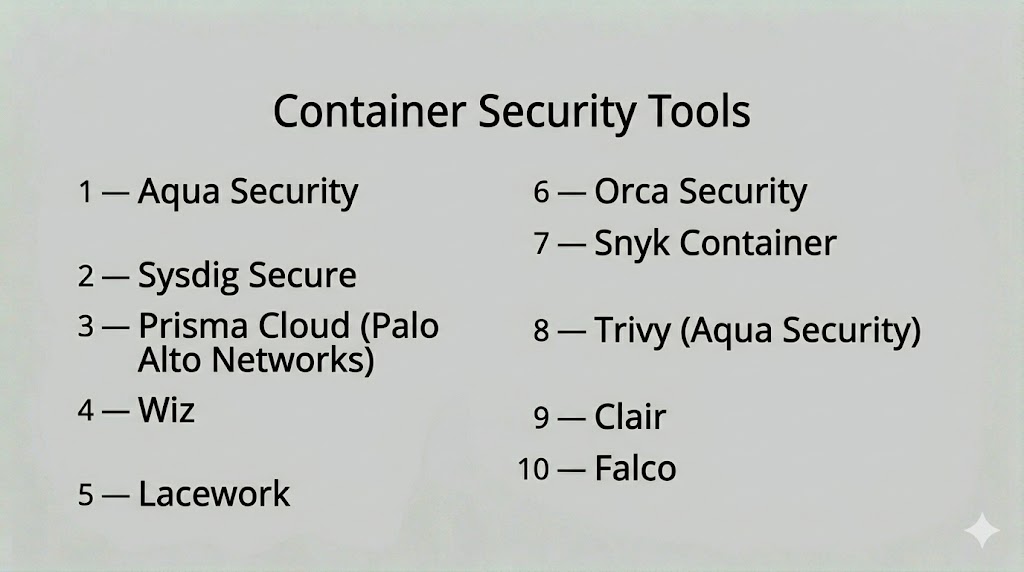
Top 10 Container Security Tools
#1 — Aqua Security
Short description: A comprehensive container security platform that provides end-to-end protection across build, deployment, and runtime environments.
Key Features
- Image vulnerability scanning
- Runtime protection
- Kubernetes security
- Compliance monitoring
- Policy enforcement
- Secrets management
Pros
- Full lifecycle protection
- Strong Kubernetes support
Cons
- Complex setup
- Enterprise pricing
Platforms / Deployment
- Web / Linux
- Cloud / Hybrid
Security & Compliance
- SSO, MFA, RBAC, encryption
- Not publicly stated
Integrations & Ecosystem
Supports CI/CD, Kubernetes, and cloud platforms.
- AWS, Azure, GCP
- DevOps tools
Support & Community
Enterprise support and strong documentation.
#2 — Sysdig Secure
Short description: A Kubernetes-native security platform focused on runtime protection and container visibility.
Key Features
- Runtime threat detection
- Container monitoring
- Vulnerability scanning
- Compliance checks
- Behavioral analytics
Pros
- Strong runtime visibility
- Kubernetes-native
Cons
- Requires Kubernetes expertise
- Learning curve
Platforms / Deployment
- Web
- Cloud / Hybrid
Security & Compliance
- SSO, MFA
- Not publicly stated
Integrations & Ecosystem
- Kubernetes
- Cloud platforms
Support & Community
Good documentation and enterprise support.
#3 — Prisma Cloud
Short description: A cloud-native security platform offering container security alongside workload protection and compliance.
Key Features
- Image scanning
- Runtime protection
- Kubernetes security
- Compliance monitoring
- Risk prioritization
Pros
- Broad security coverage
- Enterprise-grade capabilities
Cons
- Complex configuration
- Premium pricing
Platforms / Deployment
- Web
- Cloud
Security & Compliance
- SSO, MFA, RBAC
- Not publicly stated
Integrations & Ecosystem
- Multi-cloud platforms
- SIEM, SOAR tools
Support & Community
Enterprise support and documentation.
#4 — Wiz
Short description: A cloud-native platform providing agentless container security with deep visibility into risks and attack paths.
Key Features
- Agentless scanning
- Risk prioritization
- Attack path analysis
- Container visibility
- Data exposure detection
Pros
- Easy deployment
- Strong analytics
Cons
- Cloud-only focus
- Limited on-prem support
Platforms / Deployment
- Web
- Cloud
Security & Compliance
- SSO, MFA
- Not publicly stated
Integrations & Ecosystem
- Cloud providers
- DevOps tools
Support & Community
Strong onboarding and support.
#5 — Lacework
Short description: A behavior-based security platform that monitors containers and detects anomalies using analytics.
Key Features
- Behavioral analytics
- Runtime monitoring
- Compliance checks
- Threat detection
- Automation
Pros
- Strong anomaly detection
- Scalable platform
Cons
- Complex dashboards
- Learning curve
Platforms / Deployment
- Web
- Cloud
Security & Compliance
- SSO, MFA
- Not publicly stated
Integrations & Ecosystem
- Cloud providers
- Security tools
Support & Community
Good support and documentation.
#6 — Orca Security
Short description: An agentless container security platform offering deep visibility into vulnerabilities and risks.
Key Features
- Agentless scanning
- Vulnerability detection
- Risk prioritization
- Compliance monitoring
- Data exposure insights
Pros
- Fast deployment
- Strong visibility
Cons
- Cloud-focused
- Premium pricing
Platforms / Deployment
- Web
- Cloud
Security & Compliance
- SSO, MFA
- Not publicly stated
Integrations & Ecosystem
- Cloud platforms
- Security tools
Support & Community
Strong support and onboarding.
#7 — Snyk Container
Short description: A developer-focused tool for scanning container images and dependencies for vulnerabilities.
Key Features
- Image scanning
- Dependency analysis
- CI/CD integration
- Vulnerability prioritization
- Reporting tools
Pros
- Developer-friendly
- Strong CI/CD integration
Cons
- Limited runtime protection
- Focused on build stage
Platforms / Deployment
- Web
- Cloud
Security & Compliance
- SSO, MFA
- Not publicly stated
Integrations & Ecosystem
- GitHub, GitLab, CI/CD tools
Support & Community
Strong developer community.
#8 — Trivy (Aqua Security)
Short description: An open-source container security scanner widely used for vulnerability and configuration scanning.
Key Features
- Image scanning
- Configuration checks
- Secrets detection
- Multi-target scanning
- Lightweight operation
Pros
- Free and open-source
- Easy to use
Cons
- Limited enterprise features
- Requires integration
Platforms / Deployment
- Windows / Linux / macOS
- Self-hosted
Security & Compliance
- Not publicly stated
Integrations & Ecosystem
- CI/CD pipelines
- DevOps tools
Support & Community
Strong open-source community.
#9 — Clair
Short description: An open-source vulnerability scanner for container images that analyzes known security issues.
Key Features
- Image vulnerability scanning
- CVE database integration
- API support
- Automated analysis
- Reporting tools
Pros
- Open-source
- Lightweight
Cons
- Limited runtime features
- Requires setup
Platforms / Deployment
- Linux
- Self-hosted
Security & Compliance
- Not publicly stated
Integrations & Ecosystem
- Container registries
Support & Community
Community-driven support.
#10 — Falco
Short description: An open-source runtime security tool that detects abnormal container behavior using system call monitoring.
Key Features
- Runtime anomaly detection
- Behavioral monitoring
- Kubernetes integration
- Rule-based alerts
- Real-time detection
Pros
- Strong runtime security
- Open-source
Cons
- Requires tuning
- Limited UI
Platforms / Deployment
- Linux
- Self-hosted
Security & Compliance
- Not publicly stated
Integrations & Ecosystem
- Kubernetes
- Cloud-native tools
Support & Community
Active open-source community.
Comparison Table (Top 10)
| Tool Name | Best For | Platform(s) Supported | Deployment | Standout Feature | Public Rating |
|---|---|---|---|---|---|
| Aqua Security | Enterprise | Web / Linux | Cloud / Hybrid | Full lifecycle security | N/A |
| Sysdig Secure | Kubernetes users | Web | Cloud / Hybrid | Runtime visibility | N/A |
| Prisma Cloud | Enterprise | Web | Cloud | Unified platform | N/A |
| Wiz | Cloud-native teams | Web | Cloud | Agentless scanning | N/A |
| Lacework | Enterprise | Web | Cloud | Behavioral analytics | N/A |
| Orca Security | Enterprise | Web | Cloud | Agentless visibility | N/A |
| Snyk Container | Developers | Web | Cloud | CI/CD integration | N/A |
| Trivy | Developers | Multi-platform | Self-hosted | Open-source scanning | N/A |
| Clair | Developers | Linux | Self-hosted | CVE scanning | N/A |
| Falco | Runtime security | Linux | Self-hosted | Behavior detection | N/A |
Evaluation & Scoring of Container Security Tools
| Tool Name | Core (25%) | Ease (15%) | Integrations (15%) | Security (10%) | Performance (10%) | Support (10%) | Value (15%) | Weighted Total (0–10) |
|---|---|---|---|---|---|---|---|---|
| Aqua | 9 | 7 | 8 | 8 | 9 | 8 | 7 | 8.2 |
| Sysdig | 8 | 7 | 8 | 8 | 8 | 7 | 7 | 7.8 |
| Prisma | 9 | 7 | 8 | 8 | 9 | 8 | 7 | 8.2 |
| Wiz | 9 | 8 | 7 | 8 | 9 | 8 | 7 | 8.3 |
| Lacework | 8 | 7 | 7 | 8 | 8 | 7 | 7 | 7.8 |
| Orca | 9 | 8 | 7 | 8 | 9 | 8 | 7 | 8.3 |
| Snyk | 8 | 8 | 8 | 7 | 7 | 7 | 8 | 7.9 |
| Trivy | 7 | 9 | 7 | 7 | 7 | 7 | 9 | 7.8 |
| Clair | 7 | 7 | 6 | 7 | 7 | 7 | 9 | 7.3 |
| Falco | 8 | 6 | 6 | 8 | 8 | 7 | 9 | 7.6 |
Scores are comparative and reflect strengths across scanning, runtime protection, integrations, and usability.
Which Container Security Tool Is Right for You?
Solo / Freelancer
Use open-source tools like Trivy, Clair, and Falco for cost-effective security.
SMB
Snyk Container and Sysdig Secure provide ease of use and quick deployment.
Mid-Market
Wiz and Orca Security offer strong visibility and scalability.
Enterprise
Prisma Cloud and Aqua Security provide full lifecycle protection.
Budget vs Premium
Open-source tools offer flexibility; premium tools provide automation and analytics.
Feature Depth vs Ease of Use
Advanced tools provide deeper protection but require expertise.
Integrations & Scalability
Choose tools that integrate with your CI/CD and cloud platforms.
Security & Compliance Needs
Ensure alignment with compliance standards and policies.
Frequently Asked Questions (FAQs)
What are container security tools?
They are tools used to protect containerized applications from vulnerabilities and threats.
What is container runtime security?
It monitors container activity during execution to detect threats in real time.
Why are container security tools important?
They help prevent vulnerabilities and protect dynamic cloud-native environments.
Do these tools scan container images?
Yes, most tools scan images for known vulnerabilities before deployment.
Can they detect runtime threats?
Yes, advanced tools monitor behavior and detect anomalies during execution.
Are open-source tools effective?
Yes, many open-source tools are widely used and highly effective.
Can container security integrate with DevOps?
Yes, most tools integrate with CI/CD pipelines for automated security.
What are common mistakes?
Relying only on image scanning and ignoring runtime security.
Are container security tools scalable?
Yes, they are designed for cloud-native and large-scale environments.
What is the biggest challenge?
Managing alert noise and prioritizing real risks effectively.
Conclusion
Container Security Tools are essential for protecting modern cloud-native applications across their lifecycle—from build to runtime. They provide visibility, vulnerability detection, and runtime protection to address the unique risks of containerized environments.
As organizations adopt Kubernetes and microservices architectures, these tools enable security teams to maintain control without slowing development. They help bridge the gap between DevOps speed and security requirements.
Choosing the right tool depends on your environment, maturity level, and integration needs. Enterprise platforms offer comprehensive protection, while open-source tools provide flexibility and cost efficiency.
A practical approach is to combine scanning and runtime tools, test them in your environment, and continuously refine your container security strategy.
