Introduction
Multi-Factor Authentication (MFA) is a security method that requires users to verify their identity using two or more authentication factors before gaining access to a system. Instead of relying only on passwords, MFA adds additional layers such as OTP codes, mobile approvals, biometrics, hardware tokens, or push notifications.
In modern cybersecurity environments, passwords alone are no longer sufficient. Attackers frequently use phishing, credential stuffing, and password leaks to gain unauthorized access. MFA significantly reduces these risks by requiring multiple proof points of identity.
MFA is widely used across enterprise systems, cloud applications, banking platforms, SaaS tools, and government services to protect sensitive data and prevent account takeover attacks.
Why MFA matters today
- Prevents account takeover from stolen passwords
- Reduces phishing and credential stuffing risks
- Strengthens Zero Trust security models
- Enhances compliance with security regulations
- Secures remote and hybrid workforce access
- Protects cloud applications and APIs
Common use cases
- Secure login for enterprise applications
- Banking and financial transaction verification
- Cloud platform authentication
- VPN and remote access security
- Admin and privileged account protection
- API and DevOps security workflows
Key evaluation criteria
- Authentication methods supported (OTP, biometrics, push, hardware keys)
- Ease of integration with applications
- User experience and friction level
- Security strength and adaptive authentication
- Scalability across organizations
- Cloud and on-prem deployment options
- Compliance support (SOC, ISO, GDPR, etc.)
- API and SDK availability
- Reporting and audit capabilities
- Device trust and risk-based authentication
Best for:
MFA platforms are best for enterprises, SaaS providers, fintech companies, government systems, and any organization handling sensitive user data or remote access.
Not ideal for:
They may not be necessary for very small internal systems with no external access or sensitive data exposure.
Key Trends in Multi-Factor Authentication (MFA)
- Shift toward passwordless authentication systems
- Increased adoption of biometric authentication (face, fingerprint, voice)
- AI-based risk scoring and adaptive authentication
- Push notification-based approvals replacing SMS OTPs
- Hardware security keys (FIDO2, WebAuthn) adoption
- Integration with Zero Trust architectures
- Behavioral authentication (location, device, usage patterns)
- MFA embedded in Identity-as-a-Service (IDaaS) platforms
- Stronger API-driven authentication frameworks
- Reduced dependency on SMS due to SIM swap risks
How We Selected These Tools (Methodology)
- Global enterprise adoption and usage
- Strength of authentication mechanisms
- Support for multiple MFA factors
- Integration with IAM and SSO systems
- Cloud and hybrid deployment capabilities
- Ease of implementation and user experience
- Security effectiveness against real-world attacks
- Scalability for large organizations
- Vendor maturity and reliability
- Compliance and audit readiness
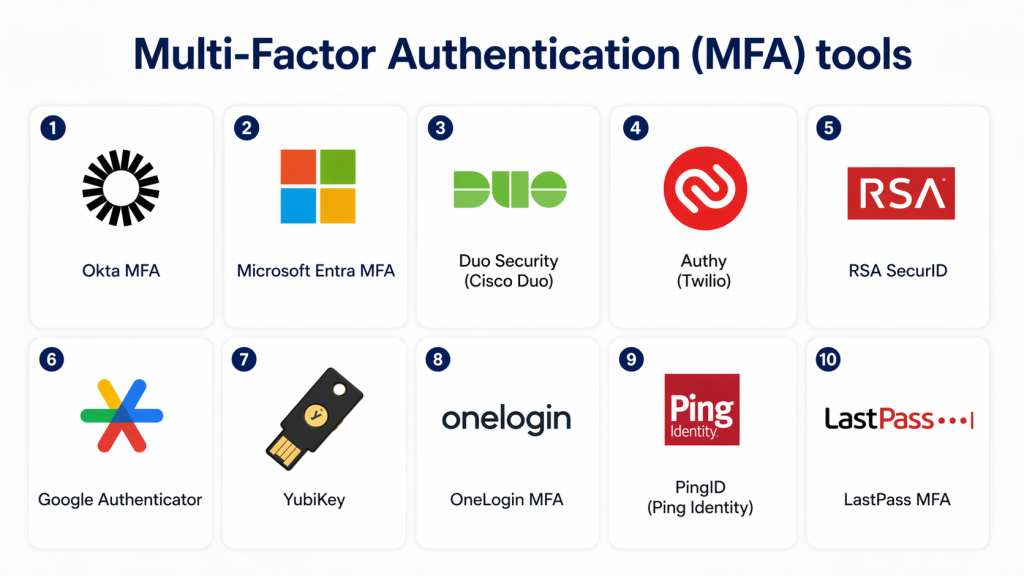
Top 10 Multi-Factor Authentication (MFA) Platforms
1 — Okta MFA
Short description:
Okta MFA is a widely used authentication system that adds multiple security layers to user login processes across enterprise applications.
Key Features
- Push notification authentication
- OTP (SMS, email, app-based)
- Adaptive MFA based on risk
- Biometrics support
- Device trust policies
- Context-aware authentication
- Integration with SSO and IAM
Pros
- Strong enterprise adoption
- Easy integration with apps
- Highly scalable
Cons
- Premium pricing
- Advanced configuration complexity
Platforms / Deployment
- Cloud
Security & Compliance
- SOC 2 compliance support
- Encryption in transit and at rest
- RBAC and audit logs
Integrations & Ecosystem
- SaaS applications
- IAM platforms
- Cloud providers
- API systems
Support & Community
Strong global enterprise support ecosystem.
2 — Microsoft Entra MFA
Short description:
Microsoft Entra MFA provides strong authentication protection integrated into Microsoft ecosystems.
Key Features
- Push-based authentication
- OTP verification
- Conditional access policies
- Passwordless authentication support
- Risk-based authentication
- Device-based trust
- Seamless Microsoft integration
Pros
- Deep Microsoft ecosystem integration
- Strong enterprise security
- Easy deployment in Azure environments
Cons
- Best suited for Microsoft environments
- Licensing complexity
Platforms / Deployment
- Cloud / Hybrid
Security & Compliance
- Conditional access policies
- MFA enforcement
- Audit and compliance reporting
Integrations & Ecosystem
- Microsoft 365
- Azure services
- Enterprise apps
- Security tools
Support & Community
Strong Microsoft enterprise support.
3 — Duo Security (Cisco)
Short description:
Duo Security provides simple and effective MFA solutions with strong device trust and authentication policies.
Key Features
- Push-based authentication
- SMS and OTP support
- Device trust verification
- Adaptive authentication policies
- Single-touch approval login
- VPN and application protection
- Risk-based authentication
Pros
- Very easy to use
- Strong device security model
- Fast deployment
Cons
- Limited deep customization
- Cisco ecosystem dependency
Platforms / Deployment
- Cloud / Hybrid
Security & Compliance
- Encryption support
- MFA policy controls
- Audit logs
Integrations & Ecosystem
- VPN systems
- SaaS apps
- IAM platforms
- Security tools
Support & Community
Strong Cisco enterprise support.
4 — Authy (Twilio)
Short description:
Authy provides secure OTP-based MFA with multi-device support and cloud synchronization.
Key Features
- Time-based OTP generation
- Multi-device sync
- Secure backup system
- Push authentication support
- QR-based enrollment
- API integration for developers
- Cross-platform support
Pros
- Simple and user-friendly
- Strong developer support
- Multi-device flexibility
Cons
- Limited enterprise governance features
- SMS dependency in some cases
Platforms / Deployment
- Cloud / Mobile
Security & Compliance
- Encryption support
- Secure token storage
- Device verification
Integrations & Ecosystem
- Developer APIs
- SaaS applications
- Cloud systems
- Authentication frameworks
Support & Community
Strong developer ecosystem support.
5 — RSA SecurID
Short description:
RSA SecurID is a long-established MFA solution used widely in enterprise and government security systems.
Key Features
- Hardware and software tokens
- OTP authentication
- Risk-based authentication
- Access policy enforcement
- Identity verification system
- Secure authentication framework
- Enterprise access control
Pros
- Very strong enterprise reputation
- Hardware token support
- High security reliability
Cons
- Legacy interface complexity
- Higher operational cost
Platforms / Deployment
- On-prem / Cloud / Hybrid
Security & Compliance
- Strong compliance support
- Encryption and RBAC
- Audit logging
Integrations & Ecosystem
- Enterprise IAM systems
- VPNs
- Cloud platforms
- Security infrastructure
Support & Community
Strong enterprise-grade support.
6 — Google Authenticator
Short description:
Google Authenticator provides lightweight OTP-based MFA for securing accounts and applications.
Key Features
- Time-based OTP generation
- Offline authentication support
- QR code setup
- Simple mobile interface
- Multi-account support
- Fast authentication generation
- Minimal configuration
Pros
- Free and lightweight
- Easy to use
- Works offline
Cons
- No cloud backup by default
- Limited enterprise features
Platforms / Deployment
- Mobile
Security & Compliance
- Local encryption
- Device-based storage
- No centralized management
Integrations & Ecosystem
- Google services
- Third-party apps
- SaaS platforms
- Web applications
Support & Community
Community-driven support.
7 — YubiKey (Hardware MFA)
Short description:
YubiKey provides hardware-based MFA using physical security keys for strong authentication.
Key Features
- Hardware-based authentication
- FIDO2 and WebAuthn support
- OTP and passwordless login
- USB and NFC support
- Phishing-resistant authentication
- Multi-platform compatibility
- Secure login enforcement
Pros
- Extremely secure authentication method
- Phishing-resistant
- No reliance on passwords
Cons
- Physical device required
- Cost per device
Platforms / Deployment
- Hardware / Multi-platform
Security & Compliance
- Strong cryptographic security
- FIDO2 compliance
- No credential storage risk
Integrations & Ecosystem
- IAM platforms
- Cloud services
- Enterprise apps
- Developer tools
Support & Community
Strong enterprise and developer adoption.
8 — LastPass MFA
Short description:
LastPass MFA integrates authentication with password management for enhanced security.
Key Features
- Push authentication
- OTP support
- Biometric login
- Device trust verification
- Password vault integration
- Adaptive authentication
- Multi-device support
Pros
- Easy integration with password manager
- User-friendly interface
- Good SMB fit
Cons
- Security concerns in past incidents
- Limited enterprise depth
Platforms / Deployment
- Cloud / Mobile
Security & Compliance
- Encryption support
- MFA policies
- Audit logs (varies)
Integrations & Ecosystem
- SaaS apps
- Browser extensions
- Cloud platforms
- API systems
Support & Community
Good SMB-focused support.
9 — OneLogin MFA
Short description:
OneLogin provides cloud-based MFA as part of its identity and access management platform.
Key Features
- Push authentication
- OTP verification
- Smart MFA policies
- Risk-based authentication
- User lifecycle integration
- Directory integration
- Cloud identity support
Pros
- Easy deployment
- Strong SSO + MFA combination
- Good mid-market fit
Cons
- Limited advanced customization
- Smaller ecosystem
Platforms / Deployment
- Cloud
Security & Compliance
- MFA encryption
- Audit logging
- RBAC support
Integrations & Ecosystem
- SaaS applications
- IAM systems
- Cloud platforms
- APIs
Support & Community
Mid-market enterprise support.
10 — PingID (Ping Identity)
Short description:
PingID provides enterprise-grade MFA with strong adaptive authentication capabilities.
Key Features
- Push-based MFA
- OTP authentication
- Adaptive authentication engine
- Device trust management
- SSO integration
- Risk-based access control
- Biometric support
Pros
- Strong enterprise security
- Flexible authentication options
- Good hybrid support
Cons
- Complex setup
- Enterprise pricing
Platforms / Deployment
- Cloud / Hybrid
Security & Compliance
- Encryption support
- Audit logs
- Compliance-ready architecture
Integrations & Ecosystem
- IAM platforms
- Enterprise applications
- Cloud systems
- API integrations
Support & Community
Strong enterprise-level support.
Comparison Table (Top 10)
| Tool | Best For | Platform(s) Supported | Deployment | Standout Feature | Public Rating |
|---|---|---|---|---|---|
| Okta MFA | Enterprise apps | Multi | Cloud | Adaptive MFA | N/A |
| Microsoft Entra MFA | Microsoft ecosystem | Multi | Hybrid | Conditional access | N/A |
| Duo Security | SMB + enterprise | Multi | Hybrid | Device trust | N/A |
| Authy | Developers | Mobile | Cloud | Multi-device OTP | N/A |
| RSA SecurID | Enterprises | Multi | Hybrid | Hardware tokens | N/A |
| Google Authenticator | Individuals | Mobile | Local | Simple OTP | N/A |
| YubiKey | High-security use | Multi | Hardware | Phishing-resistant auth | N/A |
| LastPass MFA | SMB users | Multi | Cloud | Password + MFA combo | N/A |
| OneLogin MFA | Mid-market | Multi | Cloud | Integrated IAM + MFA | N/A |
| PingID | Enterprises | Multi | Hybrid | Adaptive MFA engine | N/A |
Evaluation & Scoring of MFA Platforms
| Tool | Core (25%) | Ease (15%) | Integrations (15%) | Security (10%) | Performance (10%) | Support (10%) | Value (15%) | Total |
|---|---|---|---|---|---|---|---|---|
| Okta | 9 | 9 | 10 | 10 | 9 | 9 | 8 | 9.1 |
| Entra MFA | 9 | 7 | 10 | 10 | 9 | 9 | 9 | 8.9 |
| Duo | 9 | 9 | 9 | 9 | 9 | 9 | 9 | 9.0 |
| Authy | 8 | 10 | 8 | 8 | 9 | 8 | 10 | 8.6 |
| RSA | 10 | 6 | 9 | 10 | 9 | 9 | 7 | 8.6 |
| Google Authenticator | 7 | 10 | 7 | 8 | 9 | 7 | 10 | 8.2 |
| YubiKey | 10 | 7 | 9 | 10 | 10 | 9 | 7 | 8.8 |
| LastPass | 8 | 9 | 8 | 8 | 8 | 8 | 9 | 8.4 |
| OneLogin | 8 | 9 | 8 | 9 | 8 | 8 | 9 | 8.4 |
| PingID | 9 | 7 | 9 | 10 | 9 | 9 | 7 | 8.6 |
Which MFA Platform Is Right for You?
SMB / Startups
- Google Authenticator
- Authy
- LastPass MFA
Mid-Market
- Duo Security
- OneLogin MFA
- PingID (light use cases)
Enterprise
- Okta MFA
- Microsoft Entra MFA
- RSA SecurID
- YubiKey (high-security environments)
Frequently Asked Questions (FAQs)
1. What is Multi-Factor Authentication?
MFA is a security method that requires multiple verification steps to access an account. It adds extra protection beyond passwords.
2. Why is MFA important?
It prevents unauthorized access even if passwords are stolen. It significantly reduces cyberattack risks.
3. What are MFA factors?
Something you know (password), something you have (phone/token), and something you are (biometrics).
4. Is MFA mandatory?
Many organizations require MFA for compliance and security best practices.
5. What is the strongest MFA method?
Hardware security keys like YubiKey are considered the strongest.
6. Can MFA be bypassed?
Advanced attacks exist, but MFA greatly reduces risk when properly implemented.
7. Is SMS MFA secure?
SMS is less secure due to SIM swap attacks. App-based or hardware MFA is preferred.
8. Does MFA slow down login?
It adds a small step, but modern push-based MFA is very fast.
9. Is MFA cloud-based?
Most modern MFA systems are cloud-based or hybrid.
10. What industries use MFA most?
Finance, healthcare, SaaS, government, and enterprise IT systems.
Conclusion
Multi-Factor Authentication (MFA) is one of the most critical security layers in modern digital systems. It ensures that even if passwords are compromised, unauthorized access is still prevented through additional verification steps.
From enterprise platforms like Okta, Microsoft Entra MFA, and PingID to lightweight solutions like Google Authenticator and Authy, MFA tools serve different levels of security needs.
Choosing the right MFA solution depends on your environment, security requirements, and scalability needs. A strong MFA strategy ensures better protection, reduced cyber risk, and stronger identity security across all systems.
