Introduction
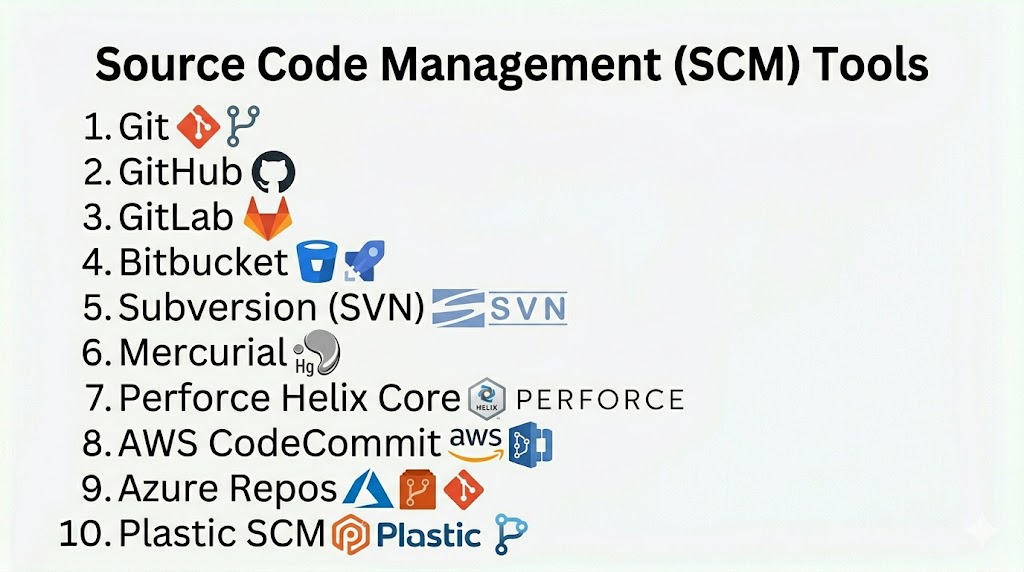
Source Code Management (SCM) Tools, also known as Version Control Systems, are essential for tracking changes in software code, enabling collaboration among developers, and maintaining code history. These tools help teams manage code versions, merge changes, resolve conflicts, and ensure consistent software development workflows.
In modern software development, especially with distributed teams and agile methodologies, SCM tools are critical. They enable safe collaboration, maintain code integrity, and support continuous integration and deployment practices.
Common use cases include:
- Tracking code changes across versions
- Collaborating among multiple developers
- Branching, merging, and resolving conflicts
- Integrating with CI/CD pipelines
- Maintaining historical code versions for audit and rollback
Buyers should evaluate:
- Support for distributed or centralized workflows
- Branching and merging capabilities
- Integration with CI/CD and project management tools
- Security and access control features
- Scalability for large repositories
- Support for different programming languages and platforms
- Collaboration and code review features
- Hosting options (cloud vs on-premise)
Best for: Developers, DevOps teams, QA engineers, and organizations with collaborative software development needs.
Not ideal for: Small projects without multiple contributors or teams not requiring version control.
Key Trends in SCM Tools
- Cloud-based repository hosting for remote teams
- Enhanced branching, merging, and pull request workflows
- Integration with CI/CD and DevOps pipelines
- Security-focused features like branch protection and code signing
- Support for large repositories and monorepos
- Real-time collaboration and code review tools
- Integration with issue tracking and project management
- Automation of workflows via APIs and webhooks
- Support for GitOps and infrastructure-as-code practices
- AI-assisted code review and merge conflict resolution
How We Selected These Tools (Methodology)
- Evaluated market adoption and popularity
- Assessed feature completeness for version control and collaboration
- Reviewed ease of use and learning curve
- Considered integration with DevOps and CI/CD pipelines
- Analyzed scalability for enterprise and distributed teams
- Included both open-source and commercial solutions
- Evaluated collaboration, code review, and branching features
- Reviewed security, access control, and compliance support
- Assessed hosting options and flexibility
- Focused on real-world reliability and workflow efficiency
Top 10 Source Code Management (SCM) Tools
#1 — Git
Short description: The most widely used distributed version control system, suitable for projects of all sizes.
Key Features
- Distributed version control
- Branching and merging
- Staging and commit history
- Open-source and extensible
- Integration with numerous tools
- Support for large repositories
Pros
- Fast and flexible
- Widely adopted with large community
Cons
- Steeper learning curve for beginners
- Requires understanding of distributed workflows
Platforms / Deployment
- Cross-platform (Windows, macOS, Linux)
- Self-hosted / Cloud via hosting services
Security & Compliance
- SSH keys, HTTPS, role-based access through hosting services
Integrations & Ecosystem
- GitHub, GitLab, Bitbucket, CI/CD pipelines
- IDE plugins, project management tools
Support & Community
Extensive open-source community with tutorials and support forums.
#2 — GitHub
Short description: Cloud-based Git hosting service providing collaboration, CI/CD integration, and code review features.
Key Features
- Repository hosting and management
- Pull requests and code review
- Actions for CI/CD
- Issue tracking and project boards
- Branch protection rules
- Marketplace integrations
Pros
- Strong collaboration features
- Integrated CI/CD with GitHub Actions
Cons
- Limited private repositories in free plan
- Cloud dependency
Platforms / Deployment
- Cloud-based
Security & Compliance
- SSO, MFA, branch protection, audit logs
Integrations & Ecosystem
- CI/CD pipelines, Jira, Slack, IDEs
Support & Community
Strong community, extensive documentation, and enterprise support.
#3 — GitLab
Short description: Complete DevOps platform with integrated Git repository management, CI/CD, and collaboration features.
Key Features
- Repository management
- Built-in CI/CD pipelines
- Merge requests and code review
- Issue tracking and project management
- Security scanning and compliance
- Kubernetes integration
Pros
- End-to-end DevOps platform
- Self-hosted or cloud options
Cons
- Can be complex for small teams
- Paid plans for advanced features
Platforms / Deployment
- Cloud / Self-hosted
Security & Compliance
- Role-based access, SSO, audit logs
Integrations & Ecosystem
- CI/CD tools, cloud providers, Kubernetes
Support & Community
Active community and enterprise support.
#4 — Bitbucket
Short description: Git-based version control system with built-in collaboration and CI/CD pipelines.
Key Features
- Git and Mercurial repository hosting
- Pull requests and code review
- Pipelines for CI/CD
- Branch permissions and security
- Jira integration
- Cloud and server deployment options
Pros
- Tight integration with Atlassian ecosystem
- Supports Git and Mercurial
Cons
- Limited community compared to GitHub
- Cloud dependency for full features
Platforms / Deployment
- Cloud / Self-hosted
Security & Compliance
- Role-based access, branch permissions, audit logs
Integrations & Ecosystem
- Jira, Bamboo, CI/CD tools
Support & Community
Commercial support via Atlassian and community forums.
#5 — Subversion (SVN)
Short description: Centralized version control system widely used in legacy projects and enterprise environments.
Key Features
- Central repository management
- Version history and rollback
- Locking and conflict resolution
- Access control and permissions
- Integration with IDEs
Pros
- Simple centralized model
- Stable and mature
Cons
- Less flexible than Git
- Harder to scale for distributed teams
Platforms / Deployment
- Cross-platform
- Self-hosted
Security & Compliance
- Role-based access, authentication, SSL
Integrations & Ecosystem
- IDEs, CI/CD pipelines, issue trackers
Support & Community
Mature community and commercial support available.
#6 — Mercurial
Short description: Distributed version control system similar to Git, used in large-scale projects.
Key Features
- Distributed repository model
- Branching and merging
- Command-line interface and GUI tools
- Scalable for large repositories
- Extensible with plugins
Pros
- Efficient for large projects
- Simple workflow for developers
Cons
- Smaller community than Git
- Fewer integrations and hosting options
Platforms / Deployment
- Cross-platform
- Self-hosted / Cloud
Security & Compliance
- SSH/HTTPS authentication
Integrations & Ecosystem
- CI/CD tools, IDEs, hosting platforms
Support & Community
Community-driven support.
#7 — Perforce Helix Core
Short description: Enterprise-grade SCM system optimized for large-scale codebases and binary assets.
Key Features
- Centralized version control with distributed clients
- Large binary file support
- Branching and merge tools
- Access control and security
- CI/CD integration
Pros
- Handles large repositories efficiently
- Enterprise-grade performance
Cons
- Paid solution
- Steeper learning curve
Platforms / Deployment
- Windows / macOS / Linux
- Self-hosted / Cloud
Security & Compliance
- Role-based access, audit logs, SSO
Integrations & Ecosystem
- CI/CD pipelines, IDEs, cloud storage
Support & Community
Enterprise support and vendor resources.
#8 — AWS CodeCommit
Short description: Managed Git repository service for storing and versioning code on AWS cloud.
Key Features
- Fully managed Git repositories
- High availability and scalability
- Integration with AWS services
- Branching and access control
- Event triggers for CI/CD pipelines
Pros
- Fully managed, no server maintenance
- Tight AWS integration
Cons
- AWS ecosystem dependency
- Limited outside AWS
Platforms / Deployment
- Cloud
Security & Compliance
- IAM policies, encryption, MFA
Integrations & Ecosystem
- AWS CodePipeline, CI/CD tools, IDEs
Support & Community
AWS enterprise support.
#9 — Azure Repos
Short description: Cloud-based Git repositories integrated with Azure DevOps for collaborative development.
Key Features
- Git repository hosting
- Pull requests and code review
- Branch policies and permissions
- Integration with Azure Pipelines
- Code search and analytics
Pros
- Native integration with Azure DevOps
- Enterprise-ready
Cons
- Best suited for Azure users
- Paid for advanced features
Platforms / Deployment
- Cloud
Security & Compliance
- Role-based access, audit logs, SSO
Integrations & Ecosystem
- Azure DevOps, CI/CD pipelines, IDEs
Support & Community
Microsoft enterprise support.
#10 — Plastic SCM
Short description: Version control system optimized for large projects, games, and binary assets.
Key Features
- Distributed and centralized workflows
- Large file support
- Visual branching and merging
- Integration with CI/CD pipelines
- Cloud and on-premise deployment
Pros
- Handles large repositories efficiently
- Excellent for graphics/binary-heavy projects
Cons
- Paid solution
- Less community adoption than Git
Platforms / Deployment
- Windows / macOS / Linux
- Cloud / Self-hosted
Security & Compliance
- Role-based access, audit logs
Integrations & Ecosystem
- CI/CD pipelines, IDEs, project management tools
Support & Community
Commercial support and documentation.
Comparison Table (Top 10)
| Tool Name | Best For | Platform(s) Supported | Deployment | Standout Feature | Public Rating |
|---|---|---|---|---|---|
| Git | Distributed VCS | Cross-platform | Self-hosted/Cloud | Flexibility | N/A |
| GitHub | Cloud collaboration | Cloud | Cloud | Pull requests | N/A |
| GitLab | DevOps | Cloud/Self-hosted | Hybrid | Integrated CI/CD | N/A |
| Bitbucket | Teams & Jira users | Cross-platform | Cloud/Self-hosted | Jira integration | N/A |
| Subversion | Legacy projects | Cross-platform | Self-hosted | Centralized control | N/A |
| Mercurial | Distributed teams | Cross-platform | Self-hosted/Cloud | Large repo support | N/A |
| Perforce Helix Core | Enterprise | Cross-platform | Self-hosted/Cloud | Large binary support | N/A |
| AWS CodeCommit | Cloud-based | Cloud | Cloud | Managed Git service | N/A |
| Azure Repos | Azure DevOps users | Cloud | Cloud | Integration with Azure | N/A |
| Plastic SCM | Large projects | Cross-platform | Cloud/Self-hosted | Binary and graphics support | N/A |
Evaluation & Scoring of SCM Tools
| Tool Name | Core (25%) | Ease (15%) | Integrations (15%) | Security (10%) | Performance (10%) | Support (10%) | Value (15%) | Weighted Total (0–10) |
|---|---|---|---|---|---|---|---|---|
| Git | 10 | 8 | 9 | 7 | 9 | 8 | 9 | 8.7 |
| GitHub | 9 | 9 | 8 | 7 | 8 | 8 | 8 | 8.1 |
| GitLab | 9 | 8 | 9 | 8 | 8 | 8 | 8 | 8.2 |
| Bitbucket | 8 | 8 | 8 | 7 | 8 | 7 | 8 | 7.8 |
| Subversion | 7 | 7 | 7 | 6 | 7 | 7 | 8 | 7.1 |
| Mercurial | 8 | 7 | 7 | 6 | 8 | 7 | 7 | 7.3 |
| Perforce Helix Core | 9 | 7 | 8 | 8 | 9 | 8 | 7 | 8.0 |
| AWS CodeCommit | 8 | 8 | 7 | 8 | 8 | 7 | 7 | 7.6 |
| Azure Repos | 8 | 7 | 8 | 8 | 8 | 7 | 7 | 7.5 |
| Plastic SCM | 8 | 7 | 8 | 7 | 8 | 7 | 7 | 7.5 |
Which SCM Tool Is Right for You?
Solo / Freelancer
Git or GitHub for simple and free collaboration workflows.
SMB
GitLab or Bitbucket for integrated collaboration and CI/CD pipelines.
Mid-Market
GitLab, Azure Repos, or Perforce Helix Core for enterprise-grade workflows.
Enterprise
Perforce Helix Core, Plastic SCM, or GitLab for large-scale repositories and complex projects.
Budget vs Premium
- Budget: Git, GitHub
- Premium: Perforce Helix Core, Plastic SCM
Feature Depth vs Ease of Use
- Easy: GitHub, Git
- Advanced: GitLab, Perforce, Plastic SCM
Integrations & Scalability
- Enterprise-grade: Perforce, GitLab, Plastic SCM
Security & Compliance Needs
- Enterprise tools provide role-based access, SSO, and audit logs.
Frequently Asked Questions (FAQs)
1. What is SCM?
SCM is the practice of managing source code versions and tracking changes over time.
2. Why use SCM tools?
They enable collaboration, maintain code integrity, and support CI/CD pipelines.
3. Are SCM tools free?
Git is free and open-source; hosting platforms may have paid plans.
4. Can SCM tools handle large projects?
Yes, tools like Perforce Helix Core and Plastic SCM support very large repositories.
5. Do SCM tools integrate with CI/CD?
Yes, all modern SCM tools integrate with pipelines for automated builds and deployments.
6. Which tool is best for beginners?
Git and GitHub are ideal for learning version control.
7. Can SCM tools handle binary files?
Perforce Helix Core and Plastic SCM are optimized for large binary files.
8. Are these tools cloud-based?
Many offer cloud hosting, while others support self-hosted deployments.
9. Can multiple teams collaborate on the same repository?
Yes, branching and merge features enable multi-team collaboration.
10. What industries use SCM tools?
Software development, gaming, finance, healthcare, and any field with code development.
Conclusion
Source Code Management (SCM) Tools are the backbone of modern software development, enabling collaboration, version control, and integration with CI/CD pipelines. From Git and GitHub for lightweight collaboration to enterprise solutions like Perforce Helix Core and Plastic SCM, each tool serves different team sizes and project complexities. Selecting the right SCM tool depends on your project requirements, team size, and deployment environment. A practical next step is to shortlist two or three tools, pilot them, and evaluate integration, scalability, and usability before full adoption.
