Introduction
Automated testing tools are software solutions that help teams validate applications automatically without manual intervention. Instead of repeatedly executing the same test cases manually, these tools run predefined scripts to ensure applications function correctly, perform efficiently, and remain stable.
In today’s fast-paced development environment driven by continuous delivery and rapid releases, automated testing has become essential. It helps teams catch defects early, accelerate release cycles, and maintain consistent quality across complex systems like cloud-native apps, APIs, and microservices.
Common use cases include:
- Regression testing for frequent updates
- Functional testing of web and mobile applications
- API testing for microservices architectures
- Cross-browser and cross-device validation
- Continuous testing within CI/CD pipelines
Buyers should evaluate:
- Ease of scripting and maintenance
- Cross-platform support
- Integration with CI/CD pipelines
- Test coverage (UI, API, mobile)
- Execution speed and scalability
- Reporting and debugging capabilities
- Community and vendor support
- Pricing and licensing flexibility
Best for: QA engineers, developers, DevOps teams, startups, and enterprises building scalable applications.
Not ideal for: Very small projects with limited testing requirements or teams without technical expertise—manual testing may be sufficient.
Key Trends in Automated Testing Tools
- AI-driven test case generation and maintenance
- Increased adoption of shift-left testing
- Rise of low-code/no-code automation platforms
- Cloud-based testing environments for scalability
- Growing demand for real-device and cross-browser testing
- API-first testing strategies for distributed systems
- Integration with observability platforms
- Continuous testing in CI/CD pipelines
- Security testing embedded into automation workflows
- Support for containerized and cloud-native applications
How We Selected These Tools (Methodology)
- Considered industry adoption and popularity
- Evaluated feature completeness across testing types
- Assessed ease of use and learning curve
- Reviewed integration capabilities with DevOps tools
- Analyzed scalability and execution performance
- Included both open-source and commercial tools
- Examined community support and documentation quality
- Considered suitability across different business sizes
- Evaluated innovation in automation capabilities
- Focused on real-world usability and reliability
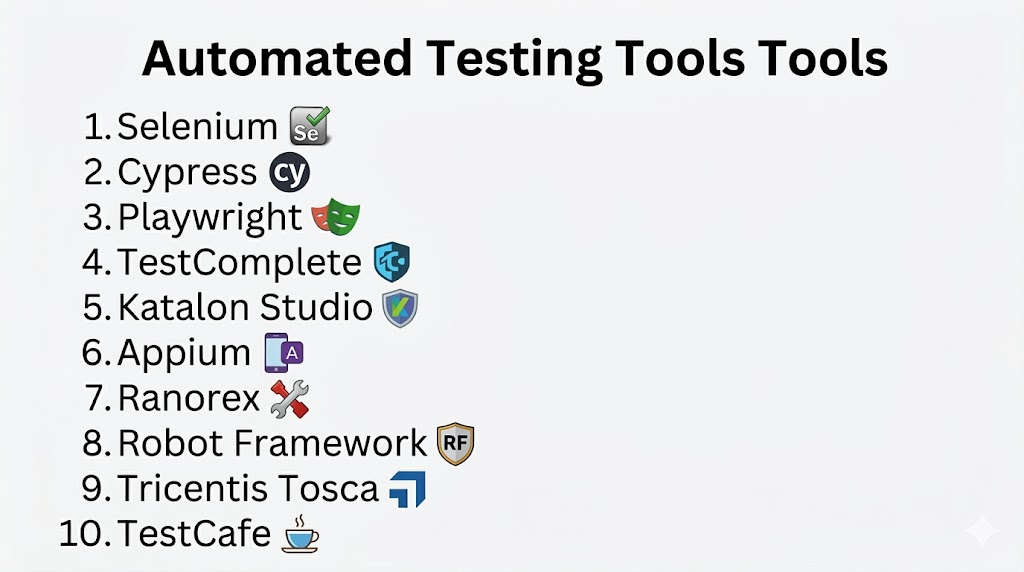
Top 10 Automated Testing Tools Tools
#1 — Selenium
Short description: A widely used open-source framework for automating web browsers, ideal for functional and regression testing.
Key Features
- Multi-language support
- Cross-browser compatibility
- WebDriver API
- Parallel execution
- Large plugin ecosystem
- CI/CD integration
Pros
- Free and flexible
- Highly customizable
Cons
- Requires coding skills
- Maintenance overhead
Platforms / Deployment
- Windows / macOS / Linux
- Self-hosted
Security & Compliance
- Not publicly stated
Integrations & Ecosystem
Selenium integrates seamlessly with modern development workflows and testing frameworks.
- Jenkins
- TestNG
- JUnit
- CI/CD tools
Support & Community
Very large global community with extensive learning resources.
#2 — Cypress
Short description: A modern end-to-end testing tool built for developers, offering fast and reliable test execution.
Key Features
- JavaScript-based testing
- Automatic waiting
- Real-time execution
- Built-in debugging
- API testing support
- Assertions included
Pros
- Easy setup
- Fast execution
Cons
- Limited browser support
- Not suitable for multi-tab workflows
Platforms / Deployment
- Windows / macOS / Linux
- Cloud / Self-hosted
Security & Compliance
- Not publicly stated
Integrations & Ecosystem
Cypress integrates with modern DevOps workflows and automation pipelines.
- CI/CD tools
- Git-based workflows
- APIs
Support & Community
Strong and growing developer community.
#3 — Playwright
Short description: A modern automation framework enabling reliable cross-browser testing using a single API.
Key Features
- Cross-browser support
- Auto-waiting
- Parallel execution
- Mobile emulation
- API testing
- Headless execution
Pros
- Fast and stable
- Modern architecture
Cons
- Requires coding knowledge
- Smaller ecosystem compared to older tools
Platforms / Deployment
- Windows / macOS / Linux
Security & Compliance
- Not publicly stated
Integrations & Ecosystem
Playwright fits well into automated pipelines and modern development stacks.
- CI/CD tools
- APIs
- Testing frameworks
Support & Community
Rapidly growing community with strong documentation.
#4 — TestComplete
Short description: A commercial tool designed for UI automation across web, mobile, and desktop applications.
Key Features
- Scriptless testing
- Keyword-driven approach
- Object recognition
- Data-driven testing
- Cross-platform support
- CI/CD integration
Pros
- Suitable for non-developers
- Broad application coverage
Cons
- Paid licensing
- Learning curve for advanced features
Platforms / Deployment
- Windows
- Self-hosted
Security & Compliance
- Not publicly stated
Integrations & Ecosystem
TestComplete integrates with enterprise development and testing environments.
- Jenkins
- Azure DevOps
- APIs
Support & Community
Commercial support with structured onboarding.
#5 — Katalon Studio
Short description: An all-in-one testing platform covering web, API, mobile, and desktop automation.
Key Features
- Built-in frameworks
- Script and scriptless modes
- Cross-platform testing
- Reporting dashboard
- CI/CD integration
- API testing
Pros
- Beginner-friendly
- Versatile testing coverage
Cons
- Advanced features require paid plans
- Limited deep customization
Platforms / Deployment
- Windows / macOS / Linux
- Cloud / Self-hosted
Security & Compliance
- Not publicly stated
Integrations & Ecosystem
Katalon connects with development and project management tools.
- CI/CD tools
- Issue tracking systems
- Version control systems
Support & Community
Active user base and documentation.
#6 — Appium
Short description: Open-source framework for automating mobile applications across Android and iOS platforms.
Key Features
- Cross-platform mobile testing
- Multi-language support
- Real device testing
- WebDriver-based
- CI/CD integration
- Hybrid app support
Pros
- Flexible and open-source
- Strong mobile testing capabilities
Cons
- Complex setup
- Slower execution in some cases
Platforms / Deployment
- Windows / macOS / Linux
- Self-hosted
Security & Compliance
- Not publicly stated
Integrations & Ecosystem
Appium integrates with mobile testing frameworks and DevOps tools.
- Selenium
- CI/CD tools
- Mobile testing frameworks
Support & Community
Large and active open-source community.
#7 — Ranorex
Short description: A user-friendly automation tool focused on UI testing for desktop, web, and mobile applications.
Key Features
- Record and playback
- Object recognition
- Data-driven testing
- Cross-platform support
- CI/CD integration
Pros
- Easy to use
- Strong UI automation
Cons
- Paid tool
- Primarily Windows-focused
Platforms / Deployment
- Windows
Security & Compliance
- Not publicly stated
Integrations & Ecosystem
Ranorex integrates with test management and automation tools.
- CI/CD tools
- Test management systems
- APIs
Support & Community
Commercial support available.
#8 — Robot Framework
Short description: Open-source framework using a keyword-driven approach for easy-to-read test cases.
Key Features
- Keyword-driven testing
- Extensible architecture
- Multiple library support
- Readable syntax
- CI/CD integration
Pros
- Beginner-friendly
- Highly extensible
Cons
- Setup complexity
- Limited advanced UI capabilities
Platforms / Deployment
- Windows / macOS / Linux
Security & Compliance
- Not publicly stated
Integrations & Ecosystem
Robot Framework integrates with various testing libraries and tools.
- Selenium
- APIs
- Python ecosystem
Support & Community
Strong open-source community support.
#9 — Tricentis Tosca
Short description: Enterprise-grade testing platform focused on model-based automation.
Key Features
- Scriptless automation
- Model-based testing
- Risk-based testing
- CI/CD integration
- Enterprise scalability
Pros
- No coding required
- Highly scalable
Cons
- Expensive
- Complex implementation
Platforms / Deployment
- Cloud / Self-hosted
Security & Compliance
- Not publicly stated
Integrations & Ecosystem
Tosca integrates with enterprise systems and DevOps pipelines.
- CI/CD tools
- Enterprise applications
- APIs
Support & Community
Enterprise-level support services.
#10 — TestCafe
Short description: Lightweight automation tool for web testing with zero configuration requirements.
Key Features
- No WebDriver dependency
- Cross-browser testing
- Parallel execution
- Built-in waiting
- CI/CD integration
Pros
- Simple setup
- Fast execution
Cons
- Smaller ecosystem
- Limited advanced features
Platforms / Deployment
- Windows / macOS / Linux
Security & Compliance
- Not publicly stated
Integrations & Ecosystem
TestCafe integrates easily into modern development workflows.
- CI/CD tools
- APIs
Support & Community
Moderate community with growing adoption.
Comparison Table (Top 10)
| Tool Name | Best For | Platform(s) Supported | Deployment | Standout Feature | Public Rating |
|---|---|---|---|---|---|
| Selenium | Web automation | Cross-platform | Self-hosted | Flexibility | N/A |
| Cypress | Developers | Cross-platform | Hybrid | Real-time execution | N/A |
| Playwright | Modern apps | Cross-platform | Self-hosted | Multi-browser API | N/A |
| TestComplete | Enterprises | Windows | Self-hosted | Scriptless testing | N/A |
| Katalon Studio | All-in-one testing | Cross-platform | Hybrid | Multi-testing support | N/A |
| Appium | Mobile testing | Cross-platform | Self-hosted | Mobile automation | N/A |
| Ranorex | UI testing | Windows | Self-hosted | Record-playback | N/A |
| Robot Framework | Keyword testing | Cross-platform | Self-hosted | Readability | N/A |
| Tricentis Tosca | Enterprise | Cross-platform | Hybrid | Model-based testing | N/A |
| TestCafe | Developers | Cross-platform | Self-hosted | No WebDriver | N/A |
Evaluation & Scoring of Automated Testing Tools
| Tool Name | Core (25%) | Ease (15%) | Integrations (15%) | Security (10%) | Performance (10%) | Support (10%) | Value (15%) | Weighted Total (0–10) |
|---|---|---|---|---|---|---|---|---|
| Selenium | 9 | 6 | 9 | 5 | 8 | 8 | 10 | 7.9 |
| Cypress | 8 | 9 | 8 | 6 | 9 | 8 | 8 | 8.3 |
| Playwright | 9 | 8 | 8 | 6 | 9 | 7 | 8 | 8.2 |
| TestComplete | 8 | 8 | 8 | 7 | 8 | 8 | 6 | 7.8 |
| Katalon Studio | 8 | 8 | 8 | 6 | 8 | 7 | 7 | 7.7 |
| Appium | 8 | 6 | 8 | 5 | 7 | 7 | 9 | 7.5 |
| Ranorex | 7 | 8 | 7 | 6 | 7 | 7 | 6 | 7.1 |
| Robot Framework | 7 | 8 | 7 | 5 | 7 | 8 | 9 | 7.4 |
| Tricentis Tosca | 9 | 8 | 9 | 7 | 9 | 9 | 5 | 8.3 |
| TestCafe | 7 | 9 | 7 | 5 | 8 | 6 | 8 | 7.3 |
How to interpret:
- Scores are comparative across tools, not absolute benchmarks.
- Higher totals indicate a balanced mix of features, usability, and value.
- Enterprise tools score high in capability but lower in cost efficiency.
- Open-source tools offer strong value but may require more expertise.
Which Automated Testing Tools Tool Is Right for You?
Solo / Freelancer
Choose tools like Selenium, TestCafe, or Robot Framework for flexibility and cost efficiency.
SMB
Cypress and Katalon Studio are ideal due to ease of use and faster setup.
Mid-Market
Playwright and Katalon Studio provide a good balance of power and usability.
Enterprise
Tricentis Tosca and TestComplete are better suited for scalability and governance.
Budget vs Premium
- Budget-friendly: Selenium, Appium
- Premium solutions: Tosca, TestComplete
Feature Depth vs Ease of Use
- Easy tools: Cypress, Katalon Studio
- Advanced tools: Selenium, Playwright
Integrations & Scalability
- Strong integration: Selenium, Tosca
Security & Compliance Needs
- Enterprise tools typically provide stronger governance capabilities.
Frequently Asked Questions (FAQs)
1. What is automated testing?
Automated testing uses tools to execute test cases automatically, improving speed and accuracy.
2. Is automation better than manual testing?
Automation is faster and scalable, but manual testing is still needed for exploratory scenarios.
3. Do these tools require coding?
Some tools require coding, while others provide low-code or no-code options.
4. What is regression testing?
It ensures existing features work correctly after updates or changes.
5. Can these tools integrate with CI/CD pipelines?
Yes, most modern tools support CI/CD integration.
6. Are these tools free?
Some are open-source, while others require paid licenses.
7. How long does implementation take?
It depends on project complexity and team expertise.
8. What platforms can be tested?
Web, mobile, APIs, and desktop applications depending on the tool.
9. Can I switch tools later?
Yes, but migration effort depends on test scripts and frameworks used.
10. What are alternatives to automated testing?
Manual testing and low-code testing platforms can be alternatives in some cases.
Conclusion
Automated testing tools play a vital role in ensuring software quality, speed, and scalability in modern development environments. From open-source frameworks like Selenium to enterprise platforms like Tosca, each tool offers unique strengths tailored to different use cases and team sizes. Choosing the right solution depends on your technical capabilities, budget, and long-term scalability requirements. Instead of selecting a single tool based on popularity, it is more effective to evaluate how well it fits into your existing workflows. A practical next step is to shortlist a few tools, run pilot tests, and assess integration, usability, and overall performance before making a final decision.
