Introduction
Web Servers are software systems responsible for delivering web content (such as HTML pages, images, APIs, and applications) to users over the internet. In simple terms, when you type a website URL into your browser, a web server processes that request and sends back the required data to display the site.
Web servers are a critical part of the internet infrastructure. They power everything from simple blogs to large-scale enterprise applications and cloud platforms. Choosing the right web server impacts performance, scalability, security, and overall user experience.
Modern web servers go beyond basic content delivery. They include features like load balancing, reverse proxying, caching, SSL/TLS encryption, HTTP/2 support, container compatibility, and integration with cloud-native architectures.
Common use cases include:
- Hosting websites and web applications
- API delivery and backend services
- Reverse proxy and load balancing
- Static content serving
- Microservices communication
What buyers should evaluate:
- Performance and speed
- Concurrency handling
- Security features
- Ease of configuration
- Scalability
- Resource efficiency
- Compatibility with frameworks
- Community and support
- Integration ecosystem
- Cost and licensing
Best for: Developers, DevOps teams, enterprises, hosting providers, and web application teams.
Not ideal for: Use cases that don’t involve web-based applications or HTTP-based communication.
Key Trends in Web Servers
- Rise of lightweight and high-performance servers
- Increased use of reverse proxy architectures
- HTTP/2 and HTTP/3 adoption
- Integration with container and cloud platforms
- Enhanced security and TLS automation
- Edge computing and CDN integration
- API-first architecture support
- Event-driven and asynchronous processing
- Microservices and service mesh integration
- Automation and DevOps integration
How We Selected These Tools (Methodology)
- Market adoption and popularity
- Performance benchmarks
- Feature completeness
- Ease of use and configuration
- Scalability
- Security capabilities
- Integration ecosystem
- Community support
- Compatibility with modern frameworks
- Overall value
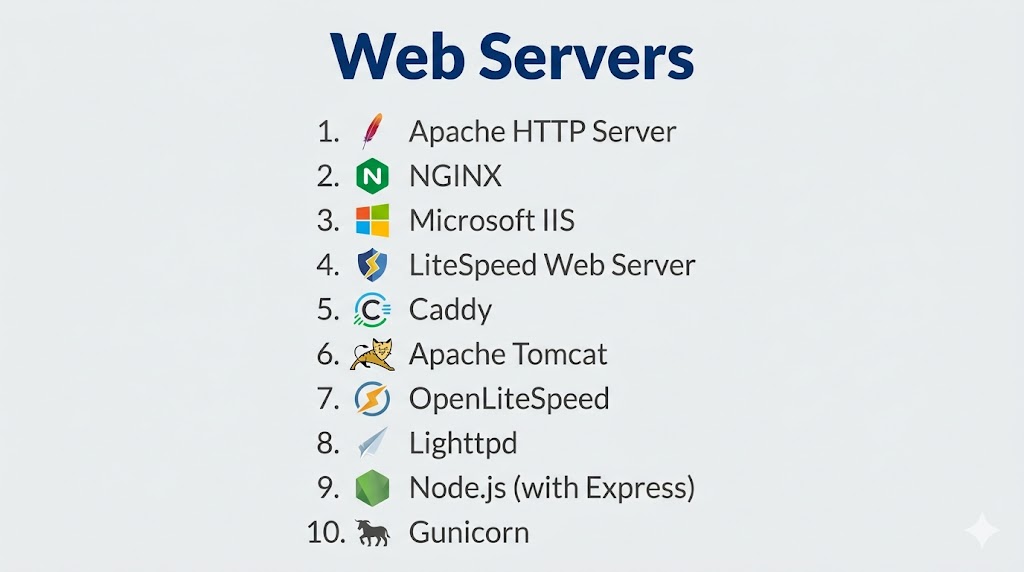
Top 10 Web Servers
#1 — Apache HTTP Server
Short description: One of the oldest and most widely used web servers, known for flexibility and module support.
Key Features
- Modular architecture
- Extensive configuration options
- Support for multiple platforms
- SSL/TLS support
- URL rewriting
- Virtual hosting
Pros
- Highly customizable
- Large community
Cons
- Higher resource usage
- Slower than newer alternatives under heavy load
Platforms / Deployment
Cross-platform
On-prem / Cloud
Security & Compliance
Strong security modules available.
Integrations & Ecosystem
Wide support across frameworks and tools.
Support & Community
Very large global community.
#2 — NGINX
Short description: High-performance web server known for speed, scalability, and reverse proxy capabilities.
Key Features
- Event-driven architecture
- Load balancing
- Reverse proxy
- Caching
- SSL termination
- High concurrency support
Pros
- Extremely fast
- Low resource usage
Cons
- Configuration complexity for beginners
- Less flexible than Apache in some cases
Platforms / Deployment
Cross-platform
Cloud / On-prem
Security & Compliance
Built-in security features and TLS support.
Integrations & Ecosystem
DevOps tools, containers, cloud platforms.
Support & Community
Large global adoption.
#3 — Microsoft IIS
Short description: Web server designed for Windows environments and enterprise applications.
Key Features
- Integration with Windows Server
- GUI-based management
- ASP.NET support
- Security features
- Application hosting
- Logging and monitoring
Pros
- Easy to manage
- Strong Microsoft ecosystem
Cons
- Limited to Windows
- Less flexible for open-source stacks
Platforms / Deployment
Windows
On-prem / Cloud
Security & Compliance
Enterprise-grade security controls.
Integrations & Ecosystem
Microsoft ecosystem, enterprise apps.
Support & Community
Strong enterprise support.
#4 — LiteSpeed Web Server
Short description: High-performance commercial web server optimized for speed and scalability.
Key Features
- Event-driven architecture
- Built-in caching
- HTTP/3 support
- Security features
- Apache compatibility
- High concurrency
Pros
- Excellent performance
- Efficient resource usage
Cons
- Paid licensing
- Smaller community
Platforms / Deployment
Cross-platform
Cloud / On-prem
Security & Compliance
Advanced security features available.
Integrations & Ecosystem
Hosting platforms, CMS tools.
Support & Community
Growing adoption.
#5 — Caddy
Short description: Modern web server known for simplicity and automatic HTTPS.
Key Features
- Automatic HTTPS
- Easy configuration
- Reverse proxy
- HTTP/2 and HTTP/3 support
- Plugin system
- Lightweight
Pros
- Very easy to use
- Built-in SSL management
Cons
- Smaller ecosystem
- Less enterprise adoption
Platforms / Deployment
Cross-platform
Cloud / On-prem
Security & Compliance
Automatic TLS management.
Integrations & Ecosystem
Modern DevOps tools.
Support & Community
Growing developer community.
#6 — Apache Tomcat
Short description: Java-based web server and servlet container for enterprise applications.
Key Features
- Java servlet support
- JSP processing
- Application hosting
- Security features
- Logging tools
- Scalability
Pros
- Ideal for Java applications
- Enterprise-ready
Cons
- Not a full web server for static content
- Requires Java expertise
Platforms / Deployment
Cross-platform
On-prem / Cloud
Security & Compliance
Enterprise-grade controls.
Integrations & Ecosystem
Java ecosystem.
Support & Community
Strong enterprise adoption.
#7 — OpenLiteSpeed
Short description: Open-source version of LiteSpeed with high performance and efficiency.
Key Features
- Event-driven architecture
- Built-in caching
- HTTP/3 support
- Lightweight design
- Security features
- High concurrency
Pros
- Free and fast
- Good performance
Cons
- Smaller ecosystem
- Limited enterprise features
Platforms / Deployment
Cross-platform
Cloud / On-prem
Security & Compliance
Basic security features available.
Integrations & Ecosystem
Hosting platforms.
Support & Community
Growing community.
#8 — Lighttpd
Short description: Lightweight web server designed for speed and low resource usage.
Key Features
- Event-driven architecture
- Low memory usage
- Fast static content delivery
- FastCGI support
- Security features
- Scalability
Pros
- Very lightweight
- Efficient
Cons
- Smaller community
- Limited features
Platforms / Deployment
Cross-platform
On-prem / Cloud
Security & Compliance
Basic controls available.
Integrations & Ecosystem
Minimal ecosystem.
Support & Community
Moderate community.
#9 — Node.js (with Express)
Short description: JavaScript runtime used as a web server for building modern web applications.
Key Features
- Event-driven architecture
- Non-blocking I/O
- API development
- Middleware support
- Real-time applications
- Scalability
Pros
- Highly flexible
- Great for APIs
Cons
- Requires coding
- Not a traditional web server
Platforms / Deployment
Cross-platform
Cloud / On-prem
Security & Compliance
Depends on implementation.
Integrations & Ecosystem
JavaScript ecosystem.
Support & Community
Very large developer community.
#10 — Gunicorn
Short description: Python-based WSGI HTTP server used for deploying web applications.
Key Features
- WSGI server
- Lightweight
- Easy deployment
- Process management
- Integration with frameworks
- High performance
Pros
- Ideal for Python apps
- Simple setup
Cons
- Limited standalone features
- Requires reverse proxy
Platforms / Deployment
Linux
Cloud / On-prem
Security & Compliance
Depends on configuration.
Integrations & Ecosystem
Python ecosystem.
Support & Community
Strong developer usage.
Comparison Table (Top 10)
| Tool Name | Best For | Platform(s) | Deployment | Standout Feature | Public Rating |
|---|---|---|---|---|---|
| Apache | Flexibility | Cross-platform | Hybrid | Modular design | N/A |
| NGINX | Performance | Cross-platform | Hybrid | High concurrency | N/A |
| IIS | Windows apps | Windows | Hybrid | GUI management | N/A |
| LiteSpeed | Speed | Cross-platform | Hybrid | Built-in caching | N/A |
| Caddy | Simplicity | Cross-platform | Hybrid | Auto HTTPS | N/A |
| Tomcat | Java apps | Cross-platform | Hybrid | Servlet support | N/A |
| OpenLiteSpeed | Free performance | Cross-platform | Hybrid | HTTP/3 | N/A |
| Lighttpd | Lightweight | Cross-platform | Hybrid | Low resource usage | N/A |
| Node.js | APIs | Cross-platform | Hybrid | Event-driven | N/A |
| Gunicorn | Python apps | Linux | Hybrid | WSGI server | N/A |
Evaluation & Scoring of Web Servers
| Tool Name | Core (25%) | Ease (15%) | Integrations (15%) | Security (10%) | Performance (10%) | Support (10%) | Value (15%) | Weighted Total |
|---|---|---|---|---|---|---|---|---|
| Apache | 9 | 8 | 10 | 9 | 8 | 10 | 9 | 9.1 |
| NGINX | 10 | 8 | 9 | 9 | 10 | 9 | 9 | 9.4 |
| IIS | 8 | 9 | 8 | 9 | 8 | 9 | 8 | 8.5 |
| LiteSpeed | 9 | 8 | 8 | 9 | 10 | 8 | 7 | 8.7 |
| Caddy | 8 | 10 | 7 | 9 | 9 | 7 | 9 | 8.6 |
| Tomcat | 8 | 7 | 9 | 9 | 8 | 9 | 8 | 8.3 |
| OpenLiteSpeed | 8 | 8 | 7 | 8 | 9 | 7 | 9 | 8.2 |
| Lighttpd | 7 | 8 | 6 | 8 | 9 | 6 | 9 | 7.8 |
| Node.js | 9 | 8 | 10 | 8 | 9 | 10 | 9 | 9.0 |
| Gunicorn | 7 | 8 | 8 | 7 | 8 | 8 | 9 | 7.9 |
How to interpret scores:
NGINX leads in performance and scalability, while Apache excels in flexibility and ecosystem support. Lightweight servers offer efficiency, while runtime-based servers provide developer flexibility.
Which Web Server Is Right for You?
Solo / Small Projects
Caddy, OpenLiteSpeed
SMB
Apache, NGINX
Mid-Market
NGINX, LiteSpeed
Enterprise
NGINX, IIS, Apache
Budget vs Premium
- Budget: Apache, NGINX, Caddy
- Premium: LiteSpeed
Feature Depth vs Ease of Use
- Easy: Caddy, IIS
- Deep: NGINX, Apache
Integrations & Scalability
NGINX, Node.js
Security & Compliance Needs
NGINX, IIS, Apache
Frequently Asked Questions (FAQs)
What is a web server?
It delivers web content to users over the internet.
Which is the fastest web server?
NGINX and LiteSpeed are known for speed.
Is Apache still relevant?
Yes, widely used and highly flexible.
What is reverse proxy?
A server that forwards requests to backend servers.
Can Node.js act as a web server?
Yes, for APIs and applications.
Which server is best for beginners?
Caddy or Apache.
Do web servers support HTTPS?
Yes, most support SSL/TLS.
Which is best for enterprise?
NGINX or IIS.
Is open-source available?
Yes, Apache and NGINX.
How do I choose?
Based on performance, ecosystem, and use case.
Conclusion
Web Servers are essential for delivering applications and content across the internet. Apache remains a flexible and widely adopted choice, while NGINX leads in performance and scalability. IIS is ideal for Windows-based environments, and LiteSpeed offers premium performance for high-traffic applications. Modern solutions like Caddy simplify configuration, while Node.js and Gunicorn enable application-driven architectures. The right web server depends on your technical requirements, workload scale, and development ecosystem. Start with a reliable option like NGINX or Apache and evolve your stack as your application grows.
