Introduction
Integration Platform as a Service (iPaaS) is a cloud-based platform that enables organizations to connect applications, data, APIs, and workflows across cloud and on-premise environments without heavy custom coding. In simple terms, iPaaS acts as a central hub where different systems “talk” to each other seamlessly and automatically.
In today’s digital ecosystem, businesses rely on dozens (sometimes hundreds) of SaaS tools. Without integration, data becomes siloed and processes break. iPaaS solves this by enabling real-time data synchronization, workflow automation, and scalable integrations across systems.
Common Use Cases
- Syncing CRM, ERP, and marketing tools
- Automating workflows between SaaS apps
- Real-time data integration across systems
- API orchestration and microservices integration
- B2B/EDI integrations and partner data exchange
What Buyers Should Evaluate
- Prebuilt connectors and API support
- Workflow automation and orchestration
- Ease of use (low-code/no-code vs developer-first)
- Scalability and performance
- Security and compliance features
- Monitoring and error handling
- Deployment flexibility (cloud, hybrid)
- Pricing model (per task, connector, user)
- AI/automation capabilities
- Vendor ecosystem and support
Best for: IT teams, developers, enterprises, SaaS companies, and organizations managing complex multi-system environments.
Not ideal for: Very small teams with minimal integrations, or businesses relying on only 1–2 tools where manual integration is sufficient.
Key Trends in Customer IAM (CIAM) for 2026 and Beyond
- AI-powered integration: Platforms are using AI for auto-mapping data and workflow optimization
- Embedded iPaaS growth: SaaS companies embedding integrations directly into products
- Hybrid & multi-cloud integration: Standard architecture across enterprises
- Low-code/no-code adoption: Business users building integrations without developers
- Event-driven architecture: Real-time processing replacing batch integrations
- API-first integration models: APIs becoming the backbone of integrations
- Security-first design: Stronger governance, encryption, and compliance controls
- Usage-based pricing models: Pay-per-task or API call becoming standard
- Integration observability: Monitoring, logging, and debugging capabilities improving
- Automation at scale: Reducing manual intervention in workflows
How We Selected These Tools (Methodology)
- Evaluated market leaders and widely adopted platforms
- Assessed integration capabilities and connector libraries
- Reviewed automation and orchestration features
- Considered enterprise vs SMB usability
- Evaluated security and compliance posture
- Analyzed performance and scalability indicators
- Reviewed developer experience and documentation
- Considered AI and modern architecture support
- Balanced low-code and developer-first tools
- Focused on real-world business use cases and flexibility
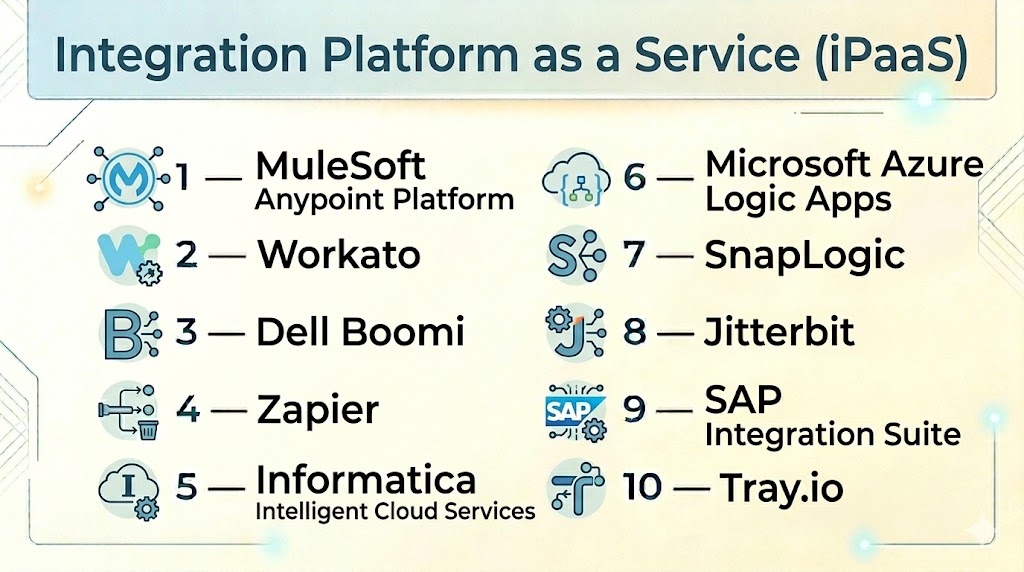
Top Integration Platform as a Service (iPaaS)
#1 — MuleSoft Anypoint Platform
Short description: Enterprise-grade integration platform focused on API-led connectivity and large-scale integrations.
Key Features
- API lifecycle management
- Integration workflows
- Prebuilt connectors
- Data transformation tools
- Hybrid deployment support
- Governance and monitoring
Pros
- Strong enterprise capabilities
- API-first architecture
Cons
- Expensive
- Requires expertise
Platforms / Deployment
Cloud / Hybrid
Security & Compliance
RBAC, encryption; others Not publicly stated
Integrations & Ecosystem
- APIs
- Enterprise apps
- Cloud platforms
Support & Community
Strong enterprise support
#2 — Workato
Short description: Low-code iPaaS platform designed for both IT and business teams.
Key Features
- Recipe-based automation
- Prebuilt connectors
- Workflow orchestration
- AI automation
- Real-time sync
Pros
- Easy to use
- Powerful automation
Cons
- Pricing complexity
- Limited deep customization
Platforms / Deployment
Cloud
Security & Compliance
Encryption, RBAC; others Not publicly stated
Integrations & Ecosystem
- SaaS apps
- APIs
- Cloud tools
Support & Community
Strong community and support
#3 — Dell Boomi
Short description: One of the most widely adopted iPaaS platforms for hybrid integration.
Key Features
- Drag-and-drop integration builder
- Master data management
- API management
- Workflow automation
- Real-time monitoring
Pros
- Easy to deploy
- Strong hybrid support
Cons
- UI can feel outdated
- Pricing varies
Platforms / Deployment
Cloud / Hybrid
Security & Compliance
Encryption, RBAC; others Not publicly stated
Integrations & Ecosystem
- ERP
- CRM
- APIs
Support & Community
Large user base
#4 — Zapier
Short description: No-code automation platform with iPaaS capabilities for SMBs and startups.
Key Features
- 5000+ integrations
- Workflow automation
- Webhook support
- Easy setup
- AI automation
Pros
- Very easy to use
- Huge integration library
Cons
- Limited enterprise features
- Task-based pricing
Platforms / Deployment
Cloud
Security & Compliance
Encryption; others Not publicly stated
Integrations & Ecosystem
- SaaS tools
- APIs
- Web apps
Support & Community
Large global community
#5 — Informatica Intelligent Cloud Services
Short description: Data-focused iPaaS platform for enterprise data integration and governance.
Key Features
- Data integration
- ETL/ELT pipelines
- Data governance
- API integration
- Automation workflows
Pros
- Strong data capabilities
- Enterprise-grade
Cons
- Complex setup
- Higher cost
Platforms / Deployment
Cloud / Hybrid
Security & Compliance
Not publicly stated
Integrations & Ecosystem
- Data warehouses
- APIs
- Enterprise apps
Support & Community
Enterprise support
#6 — Microsoft Azure Logic Apps
Short description: Cloud-native integration service within Azure ecosystem.
Key Features
- Workflow automation
- Event-driven triggers
- API integrations
- Low-code builder
- AI integration
Pros
- Strong Microsoft ecosystem
- Scalable
Cons
- Azure dependency
- Learning curve
Platforms / Deployment
Cloud
Security & Compliance
MFA, RBAC; others Not publicly stated
Integrations & Ecosystem
- Azure services
- Microsoft apps
- APIs
Support & Community
Strong documentation
#7 — SnapLogic
Short description: AI-powered integration platform focusing on data pipelines and automation.
Key Features
- AI-driven workflows
- Integration pipelines
- API management
- Data transformation
- Monitoring
Pros
- Strong AI features
- High performance
Cons
- Expensive
- Complex
Platforms / Deployment
Cloud / Hybrid
Security & Compliance
Not publicly stated
Integrations & Ecosystem
- APIs
- Data systems
- SaaS tools
Support & Community
Enterprise-level support
#8 — Jitterbit
Short description: Integration platform focused on API and data integration for enterprises.
Key Features
- API integration
- Workflow automation
- Data transformation
- Real-time sync
- Prebuilt connectors
Pros
- Good balance of features
- Flexible
Cons
- UI limitations
- Learning curve
Platforms / Deployment
Cloud / Hybrid
Security & Compliance
Not publicly stated
Integrations & Ecosystem
- ERP
- CRM
- APIs
Support & Community
Moderate support
#9 — SAP Integration Suite
Short description: Enterprise integration platform designed for SAP ecosystem.
Key Features
- API management
- Workflow automation
- Data integration
- Event-driven architecture
- Prebuilt connectors
Pros
- Strong SAP integration
- Enterprise-grade
Cons
- SAP dependency
- Complex
Platforms / Deployment
Cloud
Security & Compliance
Not publicly stated
Integrations & Ecosystem
- SAP systems
- APIs
- Enterprise apps
Support & Community
Enterprise support
#10 — Tray.io
Short description: Low-code automation platform with strong API integration capabilities.
Key Features
- Visual workflow builder
- API integrations
- Automation workflows
- Data processing
- Scalability
Pros
- Flexible workflows
- Developer-friendly
Cons
- Pricing
- Setup complexity
Platforms / Deployment
Cloud
Security & Compliance
Not publicly stated
Integrations & Ecosystem
- APIs
- SaaS apps
- Custom integrations
Support & Community
Growing ecosystem
Comparison Table (Top 10)
| Tool Name | Best For | Platform(s) Supported | Deployment | Standout Feature | Public Rating |
|---|---|---|---|---|---|
| MuleSoft | Enterprise APIs | Web | Hybrid | API-led integration | N/A |
| Workato | Automation | Web | Cloud | Low-code workflows | N/A |
| Boomi | Hybrid integration | Web | Hybrid | Easy deployment | N/A |
| Zapier | SMB automation | Web | Cloud | 5000+ integrations | N/A |
| Informatica | Data integration | Web | Hybrid | Data governance | N/A |
| Azure Logic Apps | Microsoft users | Web | Cloud | Cloud-native workflows | N/A |
| SnapLogic | AI pipelines | Web | Hybrid | AI automation | N/A |
| Jitterbit | API integration | Web | Hybrid | Balanced features | N/A |
| SAP Integration Suite | SAP users | Web | Cloud | SAP ecosystem | N/A |
| Tray.io | API workflows | Web | Cloud | Visual builder | N/A |
Integration Platform as a Service (iPaaS)
| Tool Name | Core (25%) | Ease (15%) | Integrations (15%) | Security (10%) | Performance (10%) | Support (10%) | Value (15%) | Weighted Total |
|---|---|---|---|---|---|---|---|---|
| MuleSoft | 9 | 6 | 9 | 8 | 9 | 9 | 6 | 8.2 |
| Workato | 8 | 9 | 8 | 8 | 8 | 8 | 7 | 8.1 |
| Boomi | 8 | 8 | 8 | 8 | 8 | 8 | 7 | 8.0 |
| Zapier | 7 | 10 | 9 | 7 | 7 | 9 | 7 | 8.0 |
| Informatica | 9 | 6 | 8 | 9 | 9 | 8 | 6 | 8.1 |
| Azure Logic Apps | 8 | 7 | 8 | 8 | 9 | 8 | 7 | 8.0 |
| SnapLogic | 8 | 7 | 8 | 8 | 9 | 8 | 6 | 7.9 |
| Jitterbit | 7 | 7 | 7 | 7 | 8 | 7 | 7 | 7.2 |
| SAP Suite | 8 | 6 | 8 | 8 | 8 | 8 | 6 | 7.6 |
| Tray.io | 8 | 7 | 8 | 7 | 8 | 7 | 7 | 7.7 |
How to interpret scores:
These scores are comparative benchmarks based on feature depth, usability, and ecosystem strength. Enterprise users should prioritize integration depth and compliance, while SMBs should focus on ease of use and cost. Always align scoring with your specific business requirements.
Which Service Mesh Platforms Is Right for You?
Solo / Freelancer
- Best: Zapier
- Focus on simplicity and quick automation
SMB
- Best: Zapier, Workato
- Focus on ease of use and integrations
Mid-Market
- Best: Boomi, Tray.io
- Balance flexibility and scalability
Enterprise
- Best: MuleSoft, Informatica, SAP Integration Suite
- Focus on governance, security, and scale
Budget vs Premium
- Budget: Zapier
- Premium: MuleSoft, Informatica
Feature Depth vs Ease of Use
- Feature-rich: MuleSoft, Informatica
- Easy: Zapier, Workato
Integrations & Scalability
- High: MuleSoft, Boomi
- Moderate: Tray.io, Jitterbit
Security & Compliance Needs
- High: Informatica, SAP
- Moderate: Workato, Boomi
Integration Platform as a Service (iPaaS)
What is iPaaS?
iPaaS is a cloud-based platform that connects applications, data, and systems to automate workflows.
How does iPaaS work?
It uses APIs, connectors, and workflows to integrate systems and automate data flow.
How much does iPaaS cost?
Pricing varies from usage-based to enterprise licensing models.
Is iPaaS only for enterprises?
No, many platforms serve SMBs and developers as well.
What are common mistakes?
Choosing tools without scalability or ignoring integration complexity.
Can iPaaS replace APIs?
No, it works alongside APIs to orchestrate integrations.
Is iPaaS secure?
Most platforms provide encryption and access control features.
How long does implementation take?
From days (simple setups) to months (enterprise deployments).
Can iPaaS handle real-time data?
Yes, most modern platforms support real-time processing.
What are alternatives to iPaaS?
Custom integrations, middleware, or open-source tools.
Conclusion
Integration Platform as a Service (iPaaS) has become a foundational layer for modern digital businesses, enabling seamless connectivity between applications, data, and workflows. Whether you are a startup automating basic processes or an enterprise managing complex hybrid environments, iPaaS platforms provide the scalability and flexibility needed to grow efficiently. Tools like MuleSoft and Informatica excel in enterprise scenarios, while Zapier and Workato offer simplicity and speed for smaller teams. The key is not choosing the most powerful platform, but the one that aligns with your integration complexity, technical expertise, and budget. Start by shortlisting 2–3 tools, run a pilot, and validate how well they integrate with your current stack before making a long-term commitment.
