Introduction
Vector illustration tools are software applications used to create scalable graphics using mathematical paths instead of pixels. Unlike raster images, vector graphics can be resized infinitely without losing quality, making them ideal for logos, branding, UI design, and print media.
With the rise of digital design, branding, and UI/UX workflows, vector tools have become core creative infrastructure. Modern tools now include AI-assisted drawing, real-time collaboration, browser-based editing, and seamless integration with design ecosystems. They are no longer just design tools—they are productivity platforms for creators and teams.
Common Use Cases
- Logo and brand identity design
- UI/UX and product design assets
- Illustrations and digital artwork
- Infographics and marketing visuals
- Print design (posters, packaging, signage)
What Buyers Should Evaluate
- Precision drawing tools (pen, nodes, curves)
- File format compatibility (SVG, AI, EPS, PDF)
- Color management and print support
- Ease of use vs advanced control
- Performance and rendering speed
- Collaboration and cloud features
- Integration with design ecosystems
- Plugin and extension support
- Cross-platform availability
- Pricing and licensing model
Best for: Designers, illustrators, UI/UX professionals, marketers, and creative teams.
Not ideal for: Users who only need basic image editing or simple graphic creation tools.
Key Trends in Vector Illustration Tools
- AI-assisted vector generation and editing
- Browser-based design tools gaining popularity
- Real-time collaboration for distributed teams
- Integration with UI/UX and product design workflows
- Hybrid vector + raster editing environments
- Increased adoption of SVG for web graphics
- Automation of repetitive design tasks
- Cloud-based asset management
- Subscription vs one-time pricing competition
- Cross-device design (desktop, tablet, mobile)
How We Selected These Tools (Methodology)
- Industry adoption and designer preference
- Feature completeness (vector tools, workflows)
- Performance and reliability
- Ease of use across skill levels
- Integration ecosystem and extensibility
- Platform availability
- Community and support resources
- Pricing flexibility
- Innovation (AI, collaboration, cloud features)
- Suitability for different use cases
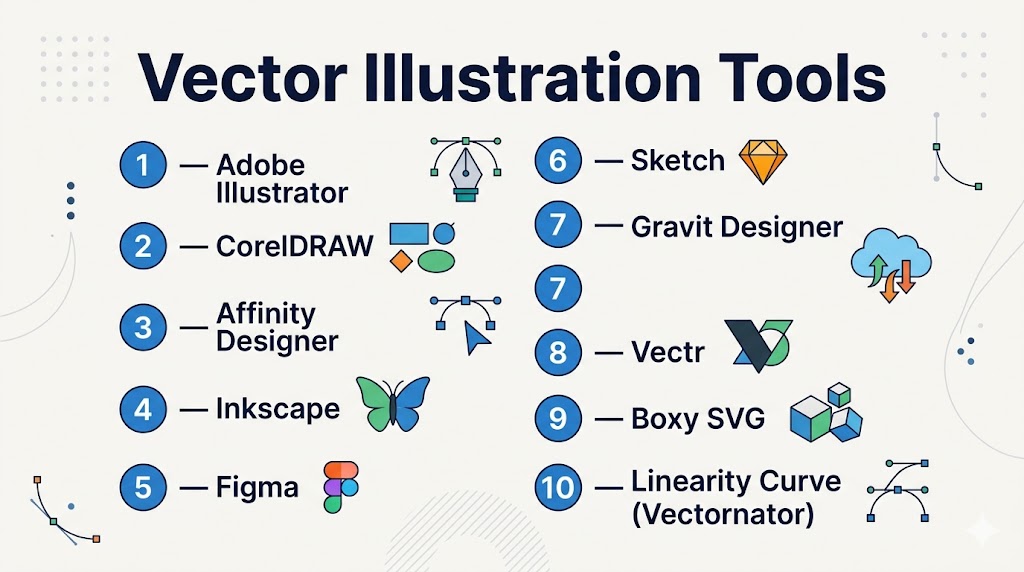
Top 10 Vector Illustration Tools
#1 — Adobe Illustrator
Short description: The industry-standard vector illustration software used by professionals for design, branding, and digital artwork.
Key Features
- Advanced pen and path tools
- AI-powered features (generative tools)
- Extensive typography controls
- Wide file format support
- Integration with creative ecosystem
- Precision drawing tools
Pros
- Industry standard with powerful capabilities
- Huge ecosystem and plugin support
Cons
- Subscription-based
- Steep learning curve
Platforms / Deployment
Windows / macOS / iPad
Cloud / Local
Security & Compliance
Enterprise controls, encryption (varies by plan)
Integrations & Ecosystem
Deep integration with design tools and workflows.
- Creative apps ecosystem
- Plugins and extensions
- Asset libraries
Support & Community
Extensive global community and tutorials.
#2 — CorelDRAW
Short description: A professional vector design suite widely used in print, signage, and industrial design.
Key Features
- Vector illustration tools
- Page layout capabilities
- AI-based tracing tools
- Color management
- Multi-page design
- Print-ready output
Pros
- Strong for print workflows
- Mature feature set
Cons
- Complex interface
- Premium pricing
Platforms / Deployment
Windows / macOS
Local / Cloud
Security & Compliance
Not publicly stated
Integrations & Ecosystem
Supports professional design workflows and plugins.
Support & Community
Established professional user base.
#3 — Affinity Designer
Short description: A professional vector design tool offering high performance without a subscription model.
Key Features
- Vector and raster workflows
- Real-time performance
- Advanced pen and node tools
- Non-destructive editing
- PSD and AI file support
- Typography tools
Pros
- One-time purchase
- High performance
Cons
- Smaller ecosystem
- Fewer integrations
Platforms / Deployment
Windows / macOS / iPad
Local
Security & Compliance
Not publicly stated
Integrations & Ecosystem
Supports file compatibility with major formats.
Support & Community
Strong and growing community.
#4 — Inkscape
Short description: A free, open-source vector editor widely used as an alternative to premium tools.
Key Features
- SVG-native editing
- Node and path tools
- Extensions and plugins
- Multi-format support
- Vectorization tools
- Cross-platform support
Pros
- Completely free
- Highly customizable
Cons
- UI can feel outdated
- Performance limitations
Platforms / Deployment
Windows / macOS / Linux
Local
Security & Compliance
Varies / N/A
Integrations & Ecosystem
Supports plugins and scripting.
- SVG workflows
- File format compatibility
Support & Community
Large open-source community.
#5 — Figma
Short description: A cloud-based design platform combining vector design with UI/UX collaboration.
Key Features
- Vector editing tools
- Real-time collaboration
- Prototyping features
- Cloud-based workflow
- Plugin ecosystem
- Version control
Pros
- Excellent collaboration
- Browser-based access
Cons
- Requires internet
- Limited offline capabilities
Platforms / Deployment
Web / Windows / macOS
Cloud
Security & Compliance
SSO, encryption (enterprise plans)
Integrations & Ecosystem
Strong ecosystem with plugins and integrations.
Support & Community
Very large design community.
#6 — Sketch
Short description: A macOS-based vector design tool focused on UI/UX and product design.
Key Features
- Vector editing tools
- UI design components
- Prototyping
- Plugin ecosystem
- Symbol libraries
- Collaboration tools
Pros
- Great for UI design
- Strong plugin ecosystem
Cons
- macOS only
- Subscription required
Platforms / Deployment
macOS
Cloud / Local
Security & Compliance
Not publicly stated
Integrations & Ecosystem
Extensive plugin ecosystem.
Support & Community
Strong UX design community.
#7 — Gravit Designer
Short description: A cross-platform vector design tool available both online and offline.
Key Features
- Vector editing tools
- Cloud storage
- Cross-platform support
- Templates and assets
- Export options
- Collaboration features
Pros
- Flexible deployment
- Easy to use
Cons
- Limited advanced features
- Subscription for premium
Platforms / Deployment
Web / Windows / macOS / Linux
Cloud / Local
Security & Compliance
Not publicly stated
Integrations & Ecosystem
Supports design workflows and exports.
Support & Community
Moderate community.
#8 — Vectr
Short description: A simple and beginner-friendly vector design tool with real-time collaboration.
Key Features
- Basic vector tools
- Real-time collaboration
- Cross-platform access
- Simple interface
- Export formats
Pros
- Very easy to use
- Free option available
Cons
- Limited advanced features
- Not suitable for complex designs
Platforms / Deployment
Web / Windows / macOS / Linux
Cloud / Local
Security & Compliance
Not publicly stated
Integrations & Ecosystem
Supports sharing and collaboration workflows.
Support & Community
Beginner-friendly ecosystem.
#9 — Boxy SVG
Short description: A lightweight vector editor focused on SVG design and web graphics.
Key Features
- SVG editing
- Clean interface
- Web optimization
- Cross-platform support
- Export tools
Pros
- Great for web graphics
- Lightweight
Cons
- Limited advanced features
- Narrow focus
Platforms / Deployment
Web / Desktop
Cloud / Local
Security & Compliance
Not publicly stated
Integrations & Ecosystem
Focused on web design workflows.
Support & Community
Small but focused community.
#10 — Linearity Curve (Vectornator)
Short description: A modern vector illustration tool focused on simplicity and performance.
Key Features
- Vector drawing tools
- Real-time rendering
- Cloud syncing
- Multi-device support
- Export options
Pros
- Free and easy to use
- Modern UI
Cons
- Limited advanced features
- Smaller ecosystem
Platforms / Deployment
macOS / iPad
Cloud / Local
Security & Compliance
Not publicly stated
Integrations & Ecosystem
Supports creative workflows.
Support & Community
Growing user base.
Comparison Table (Top 10)
| Tool Name | Best For | Platform(s) Supported | Deployment | Standout Feature | Public Rating |
|---|---|---|---|---|---|
| Adobe Illustrator | Professionals | Windows, macOS, iPad | Cloud/Local | Industry standard | N/A |
| CorelDRAW | Print design | Windows, macOS | Cloud/Local | Print workflows | N/A |
| Affinity Designer | Professionals | Cross-platform | Local | One-time pricing | N/A |
| Inkscape | Free users | Cross-platform | Local | Open-source | N/A |
| Figma | Teams | Web, Desktop | Cloud | Collaboration | N/A |
| Sketch | UI/UX | macOS | Cloud/Local | UX design | N/A |
| Gravit Designer | Flexibility | Cross-platform | Cloud/Local | Cross-platform | N/A |
| Vectr | Beginners | Cross-platform | Cloud/Local | Simplicity | N/A |
| Boxy SVG | Web designers | Web/Desktop | Cloud/Local | SVG focus | N/A |
| Linearity Curve | Creators | macOS/iPad | Cloud/Local | Modern UI | N/A |
Evaluation & Scoring of Vector Illustration Tools
| Tool Name | Core (25%) | Ease (15%) | Integrations (15%) | Security (10%) | Performance (10%) | Support (10%) | Value (15%) | Weighted Total |
|---|---|---|---|---|---|---|---|---|
| Illustrator | 10 | 7 | 10 | 7 | 9 | 10 | 7 | 8.8 |
| CorelDRAW | 9 | 7 | 8 | 6 | 9 | 8 | 7 | 8.0 |
| Affinity | 9 | 8 | 7 | 6 | 9 | 8 | 9 | 8.4 |
| Inkscape | 8 | 6 | 7 | 5 | 8 | 9 | 10 | 7.9 |
| Figma | 8 | 10 | 10 | 7 | 8 | 9 | 9 | 8.8 |
| Sketch | 8 | 8 | 9 | 6 | 8 | 8 | 7 | 8.0 |
| Gravit | 7 | 8 | 7 | 5 | 7 | 7 | 8 | 7.3 |
| Vectr | 6 | 10 | 6 | 5 | 7 | 7 | 9 | 7.2 |
| Boxy SVG | 7 | 8 | 6 | 5 | 7 | 6 | 8 | 7.1 |
| Linearity Curve | 7 | 9 | 7 | 5 | 8 | 7 | 9 | 7.6 |
How to interpret scores:
- Scores are comparative across tools
- Higher scores indicate balanced performance
- Lower scores may still excel in specific niches
- Choose based on your workflow and skill level
- Always test tools before finalizing
Which Vector Illustration Tool Is Right for You?
Solo / Freelancer
- Best: Inkscape, Affinity Designer, Linearity Curve
- Focus on affordability and flexibility
SMB
- Best: Affinity Designer, Figma
- Balance usability and collaboration
Mid-Market
- Best: Illustrator, CorelDRAW
- Need advanced workflows
Enterprise
- Best: Adobe Illustrator, Figma
- Require collaboration and ecosystem
Budget vs Premium
- Budget: Inkscape, Vectr
- Premium: Illustrator, CorelDRAW
Feature Depth vs Ease of Use
- Advanced: Illustrator, CorelDRAW
- Easy: Vectr, Figma
Integrations & Scalability
- Strong: Illustrator, Figma
- Limited: standalone tools
Security & Compliance Needs
- Enterprise tools: offer better controls
- Others: Not publicly stated
Frequently Asked Questions (FAQs)
What is vector illustration software?
It creates scalable graphics using mathematical paths.
Why use vector graphics?
They don’t lose quality when resized.
Which tool is best for beginners?
Vectr and Inkscape are good starting points.
Is Adobe Illustrator necessary?
No, many alternatives exist.
Are free tools good enough?
Yes, tools like Inkscape are powerful.
What file formats are supported?
Common formats include SVG, AI, EPS, and PDF.
Can I use vector tools for UI design?
Yes, tools like Figma and Sketch are ideal.
What is SVG?
A web-friendly vector image format.
Do these tools support collaboration?
Cloud tools like Figma support real-time collaboration.
What are common mistakes?
Using raster tools for scalable designs.
Conclusion
Vector illustration tools are essential for modern design workflows, offering precision, scalability, and creative flexibility. From industry-standard platforms to free open-source tools, there are options for every type of user.
